
'%3e%3cpath%20fill-rule='evenodd'%20clip-rule='evenodd'%20d='M19%208.5C24.799%208.5%2029.5%2013.201%2029.5%2019C29.5%2024.6782%2024.9928%2029.3036%2019.361%2029.4939L19%2029.5C18.8794%2029.5%2018.7592%2029.498%2018.6396%2029.4939L18.2811%2029.4758C12.8174%2029.1063%208.5%2024.5574%208.5%2019C8.5%2013.201%2013.201%208.5%2019%208.5ZM22.3063%2010.6267L22.2342%2010.6539C21.3423%2011.0061%2020.5541%2011.6368%2020.5606%2012.4987C20.5631%2012.8302%2020.869%2014.8871%2020.2141%2014.8486C19.5589%2014.8102%2019.413%2013.8753%2018.7116%2013.616C17.5944%2013.2026%2016.9819%2014.3401%2017.0939%2015.3106C17.1695%2015.9655%2018.9289%2018.3871%2017.9028%2019C17.292%2019.3651%2015.7279%2017.5692%2015.1007%2017.1842C14.4805%2016.8034%2013.2758%2017.3333%2012.4974%2016.7029C11.9874%2016.2899%2012.3881%2014.4098%2012.2786%2013.8372C12.2271%2013.5698%2012.1155%2013.3689%2011.9794%2013.2166L12.0402%2013.2934C10.7653%2014.8464%2010%2016.8339%2010%2019C10%2023.8465%2013.8307%2027.7982%2018.6295%2027.9925L18.6769%2027.9747C18.8597%2027.8677%2019.0394%2027.7557%2019.216%2027.6387C19.4137%2027.4534%2019.5436%2027.2072%2019.5849%2026.9394C19.8806%2025.1222%2018.3616%2025.4302%2017.9367%2024.5622C17.5489%2023.7695%2018.5712%2023.7684%2018.5524%2021.7923C18.4607%2021.1774%2018.5279%2020.547%2018.7211%2020.0315C19.1834%2018.7987%2020.7077%2017.2643%2022.5889%2018.0081C23.5567%2018.3906%2023.1524%2019.9831%2023.4737%2020.3394C24.251%2021.2018%2025.3228%2020.6863%2026.2856%2021.2253C26.7816%2021.5032%2026.9797%2022.41%2027.056%2023.2248L27.038%2023.0528C27.6534%2021.8348%2028%2020.4579%2028%2019C28%2015.1968%2025.6409%2011.9445%2022.3063%2010.6267Z'%20fill='%23757575'/%3e%3ccircle%20cx='19'%20cy='19'%20r='10.125'%20stroke='%23757575'%20stroke-width='2.25'/%3e%3c/g%3e%3cdefs%3e%3cclipPath%20id='clip0_1827_14613'%3e%3crect%20width='24'%20height='24'%20fill='white'%20transform='translate(7%207)'/%3e%3c/clipPath%3e%3c/defs%3e%3c/svg%3e)


You get a friendly message from someone with a great profile photo. They are charming, they live abroad, and within a week they are asking for a small favor. Something feels off, but a regular text search gives you nothing to work with, because you have a face and no name.
That is the exact gap that Reverse Face Search fills. Instead of typing words, you upload a photo and let an AI model look for other places where that face appears online. This guide explains how the technology works, where it genuinely helps, where it fails, and how to use it without crossing ethical lines.
What Is Reverse Face Search?
A reverse face search is a visual lookup. You start with a photo of a person and ask a search engine to find other images that contain the same face. Classic reverse image search tools match the whole picture, so they work well when someone reposts the exact same file. They struggle when the photo is cropped, filtered, recolored, or when the same person appears in a completely different shot.
Face-focused search solves that by ignoring the background and comparing the person instead. That is why a tool built for faces can still find a match when the scene, outfit, or lighting has changed.
How AI Powers Face Search
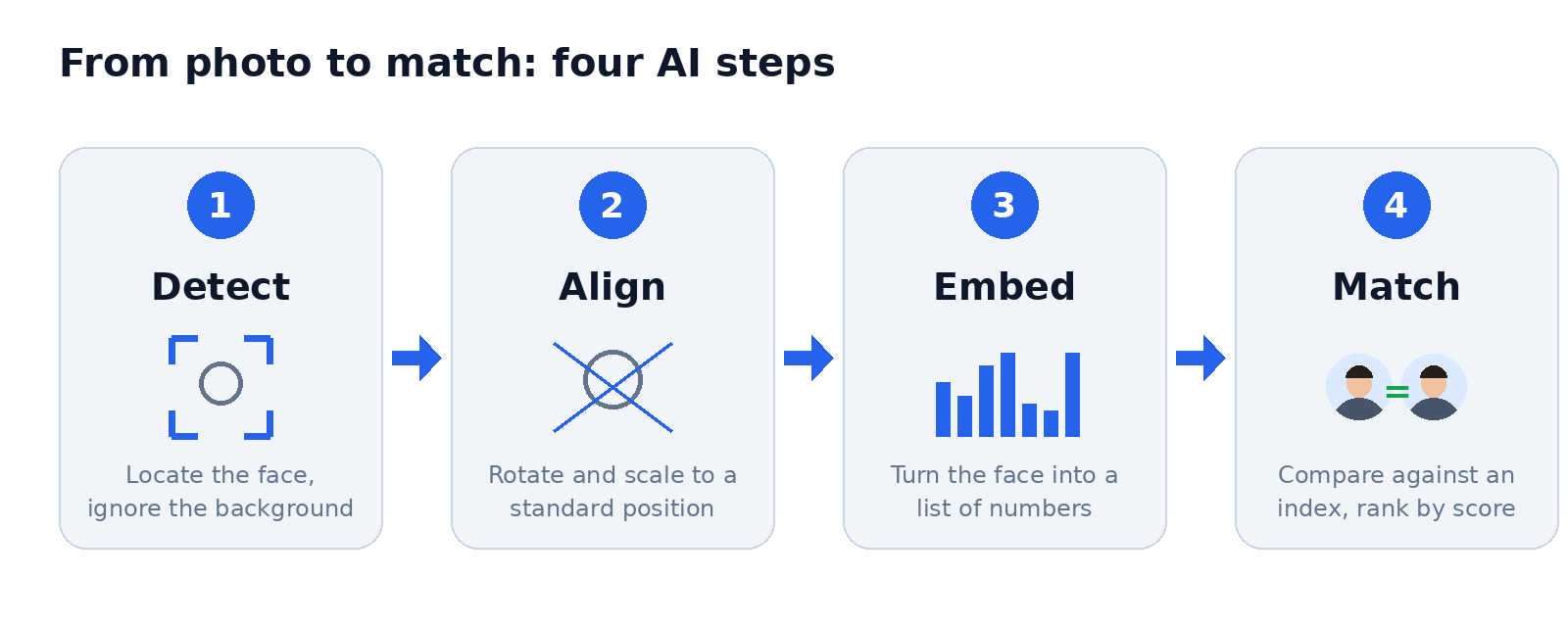
Modern face search is built on deep learning, and the process has four main steps:
Detection. The system locates the face in your photo and discards everything else: background, text, other objects.
Alignment. The face is rotated and scaled to a standard position so tilted or off-angle shots can be compared fairly.
Embedding. A neural network converts the face into a list of numbers, often called a face embedding or faceprint. Two photos of the same person should produce embeddings that sit close together, while photos of different people sit far apart.
Matching. The system compares that embedding against an index of other faces and returns the closest candidates, usually with a similarity score.
Accuracy is not the same everywhere. The U.S. National Institute of Standards and Technology runs the long-running Face Recognition Vendor Test, an independent benchmark of algorithms that vendors submit for evaluation. Its results show that performance varies widely between algorithms and between types of images, which is a useful reminder that a match score is evidence to weigh, not a verdict.
Practical Uses That Make Sense
Used carefully, face search has several legitimate and genuinely helpful uses:
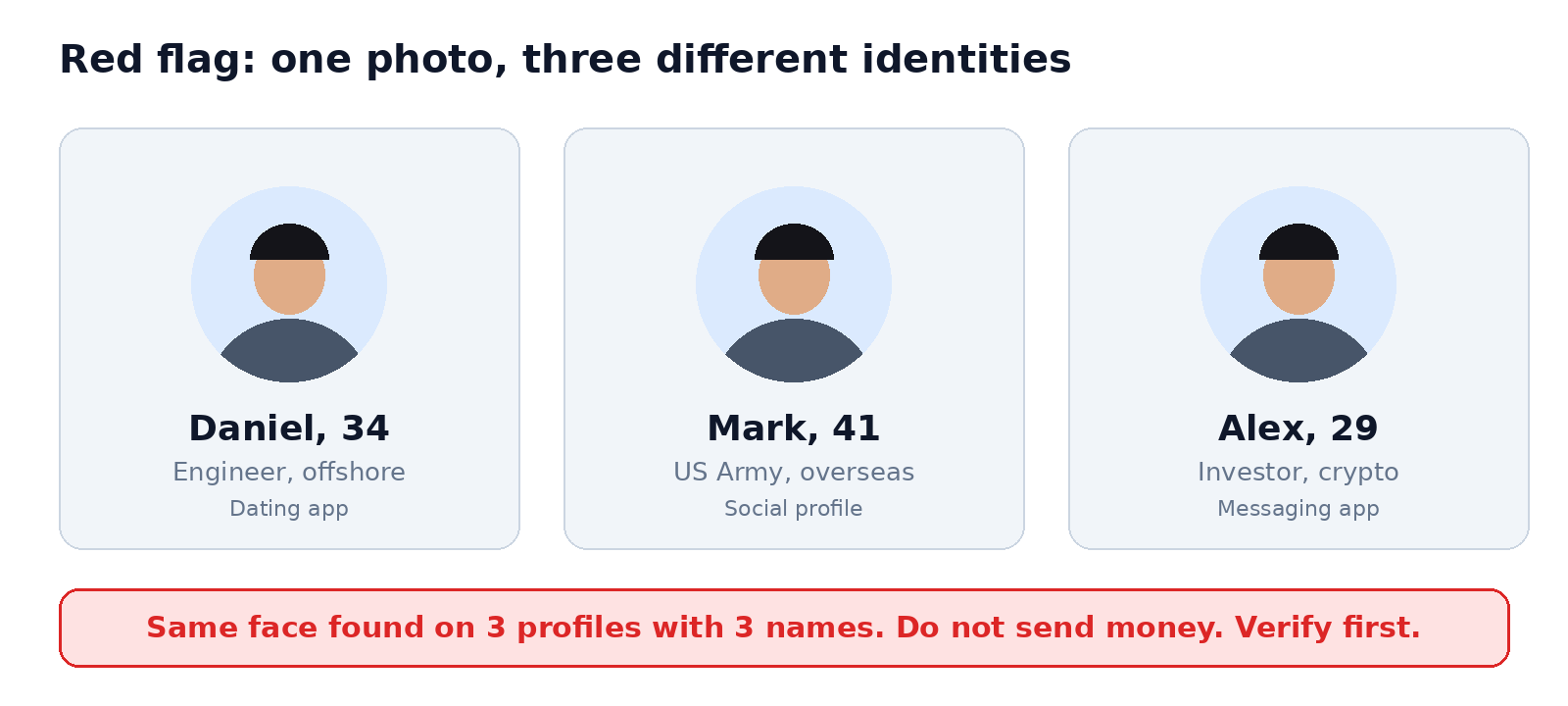
Catfish and romance-scam checks. Scammers often build fake personas from stolen photos. The FTC's guidance on spotting romance scams recommends running a reverse image search on a profile picture of anyone you meet online, and its data spotlight reported nearly 70,000 romance scam reports and about $1.3 billion in losses for 2022.
Finding misuse of your own photos.Photographers, creators, and professionals can check whether their portraits are being reused without permission.
Verifying a business contact. Before a deal with someone you only know through email, you can confirm their public professional photo is consistent across sources.
Fact-checking viral images. Journalists and researchers use face search to confirm whether a person in a viral photo is who the caption claims.
Checking your own digital footprint. Searching your own face shows which of your photos are publicly indexed so you can request takedowns.
How to Run a Reverse Face Search: Step by Step
The process is quick, but a few habits make results far more reliable. Follow these steps with any reputable face search tool:
Pick the best source photo. Choose a clear, front-facing image with good lighting. Avoid sunglasses, heavy filters, and tiny thumbnails.
Crop to the face. Trim away extra people and background so the model focuses on one face. If the original is a screenshot, crop out interface elements.
Upload the image. Drag the file into the search box or select it from your device.
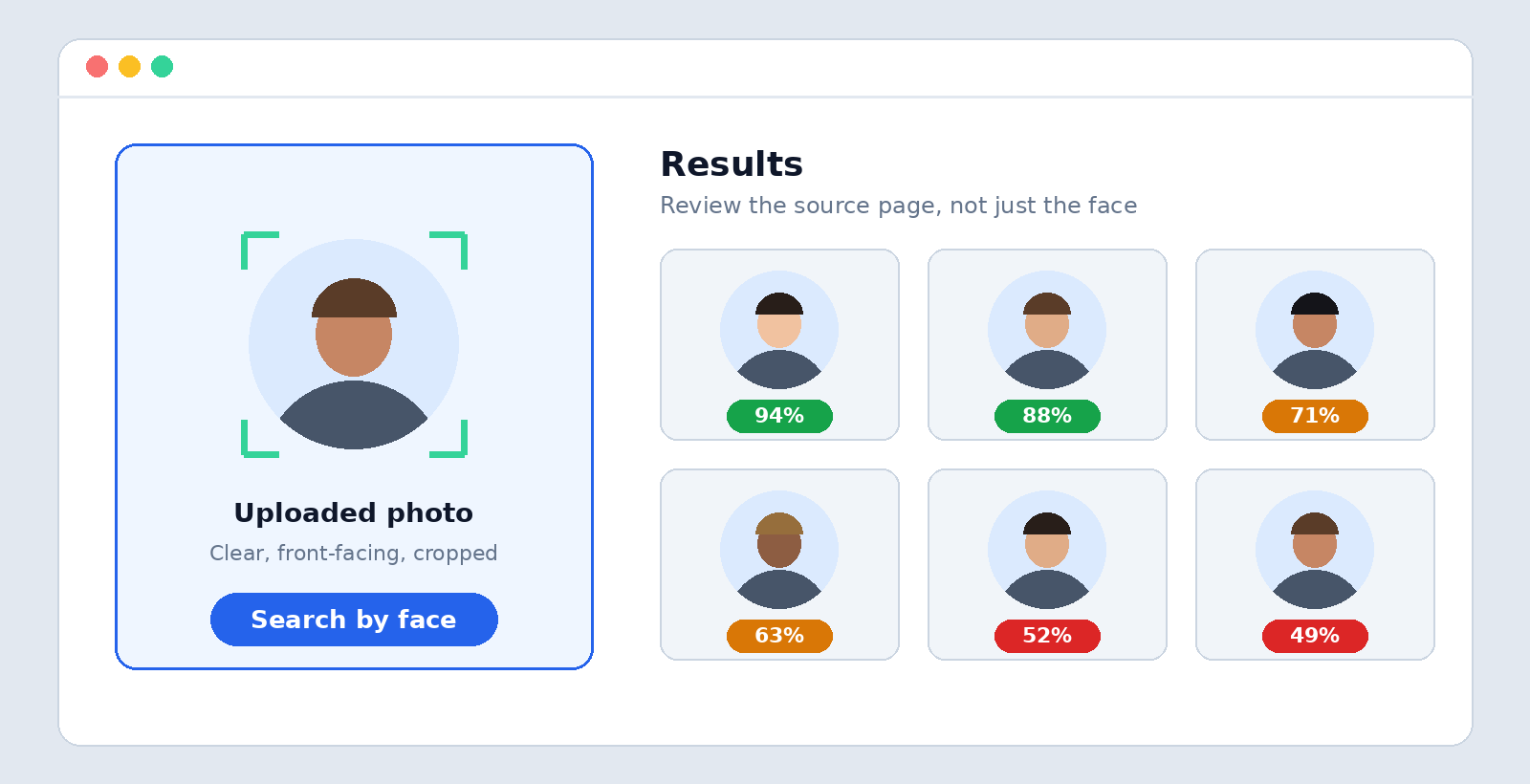
Review the matches. Look at the source pages, not only the faces. A real person's photos usually trace back to consistent names, places, and timelines.
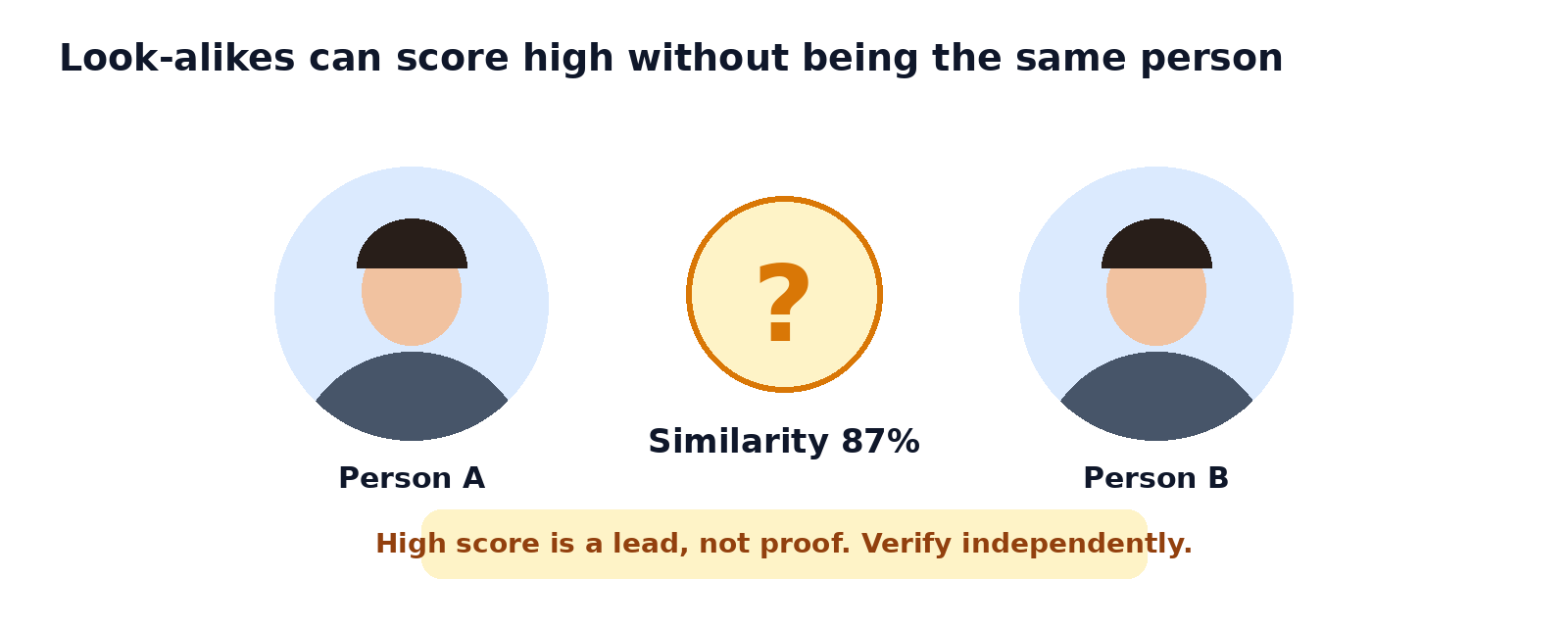
Cross-check before concluding anything. Try a second photo of the same person, a different angle, or a regular image search. Treat one low-confidence match as a lead, never as proof.
New to terms like neural network or embedding? This beginner-friendly AI glossary explains them in plain language.
What Face Search Cannot Do
Being honest about limits is what separates useful research from false accusations.
It can only find what is indexed. If a person has no public photos online, a search can return nothing, and that is not proof they are fake.
AI-generated faces may not show up. Scammers increasingly use synthetic portraits that never belonged to a real person, so a clean result does not guarantee authenticity. Consumer protection offices, including the Illinois Attorney General, warn that AI-generated images may not appear in a reverse image search, and advise continued caution when a profile has little activity or history.
Look-alikes exist. Similar faces, and especially family members or twins, can produce convincing false matches.
Quality matters. Low resolution, heavy compression, and extreme angles reduce accuracy.
Using Face Search Responsibly
A face is among the most personal pieces of data a person has, so how you use these tools matters as much as how they work.
Have a legitimate purpose. Verifying a stranger who is asking you for money is reasonable. Tracking down someone who has not invited contact is not.
Never use results to harass, stalk, or expose anyone. A match tells you where a photo appears, not who deserves to be confronted.
Respect local law. Biometric and privacy rules differ by country and region, and some jurisdictions restrict processing of facial data.
Verify before you act. Confirm through a second, independent source before accusing anyone or sharing what you found.
Protect your own images. Review privacy settings on social profiles, since public photos are what face search indexes.
Because synthetic faces are now easy to produce, it also helps to understand how they are made. This guide to creating, editing, and using AI images shows how realistic generated pictures have become.
FAQs
Is reverse face search the same as reverse image search?
Not quite. Reverse image search compares whole images, so it is best at finding copies of the same file. Reverse face search compares the face itself, so it can find the same person in different photos.
How accurate is reverse face search?
Accuracy depends on the algorithm, the image quality, and the size of the database being searched. Treat every result as a lead to verify, not a confirmed identity.
Can it identify someone who uses an AI-generated photo?
Usually not, because a synthetic face may have no real-world source to match. If a profile looks suspicious but returns no results, look at behavior instead: how new the account is, how quickly the person asks for money, and whether they avoid live video calls.
Is it legal to use?
It depends on where you live and what you do with the results. Looking up a profile photo to check for fraud is widely considered reasonable, while using results to harass or surveil someone can be illegal. When in doubt, check local privacy law.
How can I check whether my own photos are online?
Upload a clear photo of yourself and review the matches. If you find images posted without permission, contact the site host or platform to request removal. Keep a record of the URLs, dates, and screenshots in a document such as WPS Writer so your takedown request is easy to back up.


Summary
ReverseFaceSearch.net turns a photo into a searchable lead. AI detects the face, converts it into a numerical embedding, and compares it against a large index of faces, which lets it find a person across different photos where ordinary image search fails. It is especially valuable for spotting catfish profiles and romance scams, finding unauthorized use of your pictures, and checking your own digital footprint.
It also has real limits: it only sees indexed content, it can be fooled by look-alikes and AI-generated faces, and a match is never proof by itself. Use it for protection and verification, cross-check what you find, and respect the privacy of the people in the photos. To try it yourself, start a search with Reverse face search .



