
'%3e%3cpath%20fill-rule='evenodd'%20clip-rule='evenodd'%20d='M19%208.5C24.799%208.5%2029.5%2013.201%2029.5%2019C29.5%2024.6782%2024.9928%2029.3036%2019.361%2029.4939L19%2029.5C18.8794%2029.5%2018.7592%2029.498%2018.6396%2029.4939L18.2811%2029.4758C12.8174%2029.1063%208.5%2024.5574%208.5%2019C8.5%2013.201%2013.201%208.5%2019%208.5ZM22.3063%2010.6267L22.2342%2010.6539C21.3423%2011.0061%2020.5541%2011.6368%2020.5606%2012.4987C20.5631%2012.8302%2020.869%2014.8871%2020.2141%2014.8486C19.5589%2014.8102%2019.413%2013.8753%2018.7116%2013.616C17.5944%2013.2026%2016.9819%2014.3401%2017.0939%2015.3106C17.1695%2015.9655%2018.9289%2018.3871%2017.9028%2019C17.292%2019.3651%2015.7279%2017.5692%2015.1007%2017.1842C14.4805%2016.8034%2013.2758%2017.3333%2012.4974%2016.7029C11.9874%2016.2899%2012.3881%2014.4098%2012.2786%2013.8372C12.2271%2013.5698%2012.1155%2013.3689%2011.9794%2013.2166L12.0402%2013.2934C10.7653%2014.8464%2010%2016.8339%2010%2019C10%2023.8465%2013.8307%2027.7982%2018.6295%2027.9925L18.6769%2027.9747C18.8597%2027.8677%2019.0394%2027.7557%2019.216%2027.6387C19.4137%2027.4534%2019.5436%2027.2072%2019.5849%2026.9394C19.8806%2025.1222%2018.3616%2025.4302%2017.9367%2024.5622C17.5489%2023.7695%2018.5712%2023.7684%2018.5524%2021.7923C18.4607%2021.1774%2018.5279%2020.547%2018.7211%2020.0315C19.1834%2018.7987%2020.7077%2017.2643%2022.5889%2018.0081C23.5567%2018.3906%2023.1524%2019.9831%2023.4737%2020.3394C24.251%2021.2018%2025.3228%2020.6863%2026.2856%2021.2253C26.7816%2021.5032%2026.9797%2022.41%2027.056%2023.2248L27.038%2023.0528C27.6534%2021.8348%2028%2020.4579%2028%2019C28%2015.1968%2025.6409%2011.9445%2022.3063%2010.6267Z'%20fill='%23757575'/%3e%3ccircle%20cx='19'%20cy='19'%20r='10.125'%20stroke='%23757575'%20stroke-width='2.25'/%3e%3c/g%3e%3cdefs%3e%3cclipPath%20id='clip0_1827_14613'%3e%3crect%20width='24'%20height='24'%20fill='white'%20transform='translate(7%207)'/%3e%3c/clipPath%3e%3c/defs%3e%3c/svg%3e)


Picking a video face swap tool isn't really a "which one is best" question — it's a "best for what" question. A hobbyist making TikTok memes and a developer building face swap into a product have almost nothing in common in terms of what they need, yet most roundup articles rank everything on the same scale as if realism alone decides the winner.
This review takes a closer look at how the leading video face swap tools actually perform against the criteria that matter — realism in motion, multi-face handling, privacy, and pricing — then breaks down which tool fits which situation. By the end, you should know exactly which category you fall into and which tool fits it.
Quick verdict: For most users, VidMage comes out on top — free to test with no sign-up, strong motion tracking, and multi-face support that most competitors don't match. Full comparison and scoring below.
Why Video Is a Harder Problem Than Photo Face Swap
It's worth understanding why some tools that produce great photo swaps fall apart the moment you feed them a video clip.
A photo only has one angle, one lighting condition, one expression. A video clip might contain dozens of head turns, blinks, and lighting changes across just a few seconds. The AI model has to track the face across every single frame and keep the blend consistent as the person moves — miss that, and you get the flickering, "melting face" look that instantly gives away a bad swap.
This is the single biggest quality gap between tools in this category, and it's the first thing to test before trusting any tool with real content.
The Technical Criteria That Actually Matter
When you're comparing tools rather than just picking whichever one shows up first in search results, these are the specific things worth checking:
Landmark density. Face swap models map a set number of points across the face — eyes, jaw, brow, mouth corners — and track how those points move frame by frame. More tracked points generally means tighter accuracy through fast movement and extreme angles.
Temporal consistency. This is the technical term for whether the swap flickers between frames. A model can produce a flawless single frame and still look completely fake in motion if skin tone or shadow direction subtly shifts frame to frame.
Expression and speech matching. If the source person is talking, the new face's mouth needs to match the timing and shape of the original performance, not just approximate movement. This is usually the first thing a viewer's eye catches.
Occlusion handling. Hands passing over the face, hair blowing across the forehead, glasses, side profiles — these are the situations where weaker models visibly break down.
Group/multi-face accuracy. Swapping several faces in the same frame without cross-contaminating features between people who are close together is a meaningfully harder engineering problem than single-face swapping.
Group/multi-face accuracy. Swapping several faces in the same frame without cross-contaminating features between people who are close together is a meaningfully harder engineering problem than single-face swapping.
Head-to-Head Comparison
| Criteria | VidMage | Magic Hour | VidpexAI |
|---|---|---|---|
| Sign-up required for free use | No | Limited free trial | Account required |
| Free tier resolution | 1080p, no watermark | Varies by plan | Watermarked on free tier |
| Multi-face support | Up to 4 faces | Limited | Limited |
| Offline/local processing | Yes (Mac app) | No | No |
| Real-time face swap (live calls) | Yes (Mac app) | No | No |
| Pricing model | Per-credit (1 credit/photo, 1 credit/video sec) | Subscription tiers | Subscription tiers |
| Published benchmark data | Yes | No | No |
| Best fit | Fast, realistic, multi-person swaps | Integrated editing pipeline | AI generation + occasional swap |
VidMage: Pros and Cons
Pros
No account needed to test the tool
Genuinely usable free tier (1080p, no forced watermark)
Multi-face support up to four people, tracked independently
Offline Mac processing for maximum privacy
Transparent, published benchmark data
Predictable per-credit pricing for scaling up
Cons
Full video-length swaps and watermark removal require a paid credit balance
Mac-only for the offline/local-processing and live-call features; browser version handles pre-recorded video swaps on any platform
No public API documented at the time of writing, so developers should confirm integration options directly before building around it
By Use Case: Which Tool Fits You
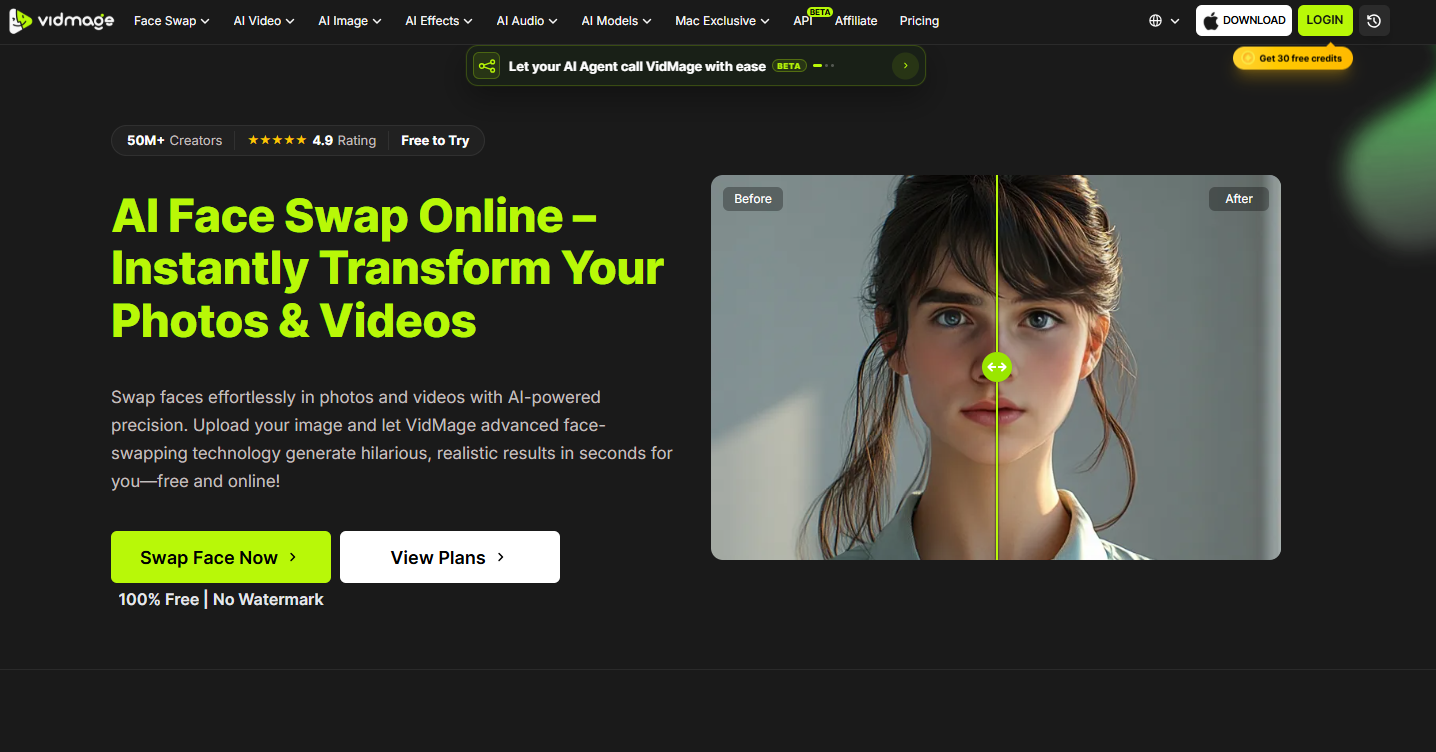
If you're a casual creator who wants speed over precision
You want something that requires zero setup, works without an account, and gets you a usable result in under a minute so you can test a few ideas before committing to one. VidMage fits this bracket well — no sign-up is required to run a swap, and its free tier delivers 1080p output without a forced watermark, which is unusually generous for a no-cost tier in this space.
If your content involves more than one person in frame
Group content — duets, sketches, team clips — needs a tool explicitly built to detect and track multiple faces independently, since bolting multi-face support onto a single-face model tends to produce inconsistent results. VidMage's video face swap tool supports up to four faces per clip, each matched to a separate reference photo and tracked on its own, so you can also choose to leave some faces in a group shot untouched while swapping only specific people.
If you want face swap folded into a bigger editing pipeline
Some projects need more than a swap — upscaling, lip-sync correction, image-to-video generation, all in the same workflow without exporting between apps. Magic Hour is built around exactly this kind of integrated pipeline, chaining face swap together with post-processing steps. It's a heavier, more feature-dense platform than a casual user typically needs, but for teams producing polished final output, that integration saves real time.
If you're generating original AI video and only occasionally need a swap
Tools like VidpexAI combine text-to-video and image-to-video generation with editing features including face swap. This fits creators whose primary workflow is generating footage from scratch, with face swap as a secondary tool inside a broader creative suite, rather than users doing high-frequency, repeated face swapping as their core task.
If privacy or offline processing is the priority
For anyone uncomfortable uploading footage to a server at all, look specifically for a desktop client with local processing. VidMage's Mac app runs offline, and its web version states uploaded files are deleted within two hours with no use in AI model training — details worth verifying directly with any tool handling face data, since policies vary a lot between platforms and aren't always prominently disclosed.
If you're a developer integrating face swap into your own product
This shifts the evaluation entirely. What matters here isn't just output quality but:
API availability and documentation quality — clear rate limits, predictable latency, working sample code
Batch processing support — running swaps programmatically across hundreds of assets for something like a personalized ad campaign, not just manual single-clip uploads
Predictable per-unit pricing — a credit-based model (VidMage charges one credit per photo and one credit per video second) is far easier to forecast against a campaign budget than an opaque subscription cap
Documented data retention — for anything facing real end users, a short, published retention window is close to a baseline requirement, not a nice-to-have
What the Numbers Actually Say
Vendor marketing in this space leans heavily on adjectives — "photorealistic," "seamless," "studio-quality" — without much to back it up. VidMage is one of the few platforms that has published specific internal benchmark data rather than just descriptive claims: testing across roughly 3,850 photos and 1,480 video clips (including 589 multi-face videos), the reported results showed video swap success climbing from 89.2% to 93.4% after an engine update, with correct face tracking in group clips reaching 94.8% and frame-to-frame drift cut by over two-thirds. Average processing time was reported at around 45 seconds for a 30-second clip.
Numbers like these are still self-reported, so they're a starting point for evaluation, not a substitute for testing a tool yourself against your specific footage. But a vendor willing to publish concrete figures at all is a meaningfully different signal than one relying purely on marketing language.
If you need unlimited swaps without daily caps
Free tiers across this category are almost always rate-limited — a handful of swaps per day before you hit a wall. If your workflow involves testing many face and clip combinations in a single session, that daily cap becomes a real bottleneck fast. This is where a dedicated unlimited plan matters more than raw output quality: VidMage offers an unlimited tier specifically aimed at users who've outgrown the daily free quota but don't need the broader multi-tool suite that platforms like Magic Hour or VidpexAI bundle in. It's a narrower, more focused purchase — you're paying for volume, not extra features.
Common Mistakes That Quietly Ruin a Result
Even with a strong tool, a handful of avoidable errors account for most disappointing outputs, and they're worth checking before blaming the tool itself:
Using a source photo with poor lighting or an extreme angle. The model can only work with what it's given. A dim, off-angle, or partially obscured source photo produces a visibly weaker blend than a clear, front-facing, evenly lit one — this single factor probably accounts for more bad results than any difference between tools.
Ignoring occlusions in the destination footage.Hair, hands, or objects crossing the face mid-clip are the exact moments most likely to expose a weak swap. Preview those specific frames before calling a result final, rather than judging quality from the first few seconds only.
Skipping a free-tier test before committing to a paid plan. Jumping straight into a subscription or a large batch job without first validating quality on a short test clip is the most common way teams end up unhappy with a purchase after the fact.
Assuming single-face quality carries over to group clips. A tool that handles one face well doesn't necessarily handle four people in frame equally well — this is a distinct technical capability, not an automatic extension of single-face performance, so confirm it explicitly for group projects.
Not checking the data retention policy before uploading sensitive footage. Face data is personal. A platform that doesn't clearly state how long files are kept or whether they're used for training is a red flag worth taking seriously, regardless of how good the output quality looks.
Step-by-step Guide to Test Any Tool Before Committing
Rather than trusting any roundup article, including this one, the fastest way to actually evaluate a tool is a short hands-on test:
Pick a clip with a head turn, a lighting change, and a moment of speech
Run it with a clear, front-facing source photo
Watch the result at reduced speed, focused specifically on the movement and speech moments — not a static frame
Check whether skin tone and shadow direction match the destination footage or look pasted on top
If it holds up through that, it's a reasonable signal the tool will scale to a larger project
VidMage's no-sign-up free tier makes this kind of test frictionless, since you can try the video face swap feature directly without creating an account first.
Bottom Line
There's no single winner across every use case, which is the whole point of evaluating by scenario rather than by a flat ranking. For the most common need — realistic, fast, multi-face-capable video face swapping without a steep learning curve — VidMage is a strong default to start testing with, backed by published benchmark data rather than vague claims. Teams building a broader AI production pipeline, or developers integrating face swap programmatically, should weigh the specific criteria above against their own workflow before committing to a subscription.
Questions Worth Asking Before You Commit
1. Does a higher-priced plan actually mean better realism, or just more usage?
Not always. Pricing tiers in this category often scale with volume (more swaps, longer clips, higher resolution) rather than with a fundamentally better underlying model. Check whether the core face-swap engine changes between tiers, or whether you're just paying for more of the same output.
2. Is there a meaningful difference between "unlimited" and "free" plans beyond the daily cap?
Usually yes — unlimited tiers typically also unlock watermark removal, higher resolution exports, and longer clip lengths, not just the removal of a daily quota. Read the tier breakdown carefully rather than assuming "unlimited" only refers to volume.
3. Should I test more than one tool before settling on one?
For anything beyond casual, one-off use, yes. Since most tools offer some form of free or low-cost testing, running the same source clip through two or three options and comparing the motion-heavy frames side by side is the most reliable way to judge fit — far more reliable than reading claims on a landing page.
4. How much does footage length affect processing reliability, not just speed?
Longer clips give more opportunity for lighting or angle changes mid-video, which can expose weaknesses that a short 5-second test clip might not reveal. If your real use case involves 20-30 second clips, test with footage of that length rather than a short sample.
More Free AI Tools on ToolSmart
If you are wrapping face-swap tests into a broader content workflow — cleaning screenshots, summarizing briefs, rewriting captions, or converting PDFs — ToolSmart puts 50+ free AI tools in one hub. Browse image, writing, PDF, translation, and social download tools without hopping between sites, then keep deliverables moving in the same free productivity stack.
ToolSmart is built for practical, no-friction tasks: remove backgrounds, enhance photos, paraphrase copy, chat with PDFs, translate documents while keeping layout, and more. Start from the homepage and pick the tool that matches the next step after your video edit.



