
'%3e%3cpath%20fill-rule='evenodd'%20clip-rule='evenodd'%20d='M19%208.5C24.799%208.5%2029.5%2013.201%2029.5%2019C29.5%2024.6782%2024.9928%2029.3036%2019.361%2029.4939L19%2029.5C18.8794%2029.5%2018.7592%2029.498%2018.6396%2029.4939L18.2811%2029.4758C12.8174%2029.1063%208.5%2024.5574%208.5%2019C8.5%2013.201%2013.201%208.5%2019%208.5ZM22.3063%2010.6267L22.2342%2010.6539C21.3423%2011.0061%2020.5541%2011.6368%2020.5606%2012.4987C20.5631%2012.8302%2020.869%2014.8871%2020.2141%2014.8486C19.5589%2014.8102%2019.413%2013.8753%2018.7116%2013.616C17.5944%2013.2026%2016.9819%2014.3401%2017.0939%2015.3106C17.1695%2015.9655%2018.9289%2018.3871%2017.9028%2019C17.292%2019.3651%2015.7279%2017.5692%2015.1007%2017.1842C14.4805%2016.8034%2013.2758%2017.3333%2012.4974%2016.7029C11.9874%2016.2899%2012.3881%2014.4098%2012.2786%2013.8372C12.2271%2013.5698%2012.1155%2013.3689%2011.9794%2013.2166L12.0402%2013.2934C10.7653%2014.8464%2010%2016.8339%2010%2019C10%2023.8465%2013.8307%2027.7982%2018.6295%2027.9925L18.6769%2027.9747C18.8597%2027.8677%2019.0394%2027.7557%2019.216%2027.6387C19.4137%2027.4534%2019.5436%2027.2072%2019.5849%2026.9394C19.8806%2025.1222%2018.3616%2025.4302%2017.9367%2024.5622C17.5489%2023.7695%2018.5712%2023.7684%2018.5524%2021.7923C18.4607%2021.1774%2018.5279%2020.547%2018.7211%2020.0315C19.1834%2018.7987%2020.7077%2017.2643%2022.5889%2018.0081C23.5567%2018.3906%2023.1524%2019.9831%2023.4737%2020.3394C24.251%2021.2018%2025.3228%2020.6863%2026.2856%2021.2253C26.7816%2021.5032%2026.9797%2022.41%2027.056%2023.2248L27.038%2023.0528C27.6534%2021.8348%2028%2020.4579%2028%2019C28%2015.1968%2025.6409%2011.9445%2022.3063%2010.6267Z'%20fill='%23757575'/%3e%3ccircle%20cx='19'%20cy='19'%20r='10.125'%20stroke='%23757575'%20stroke-width='2.25'/%3e%3c/g%3e%3cdefs%3e%3cclipPath%20id='clip0_1827_14613'%3e%3crect%20width='24'%20height='24'%20fill='white'%20transform='translate(7%207)'/%3e%3c/clipPath%3e%3c/defs%3e%3c/svg%3e)


Most social posts lose the fight before they even start — not because the message is weak, but because the visual never had a real chance to compete in a feed full of polished, intentional content. The good news is that competing no longer requires a camera crew or a design degree.
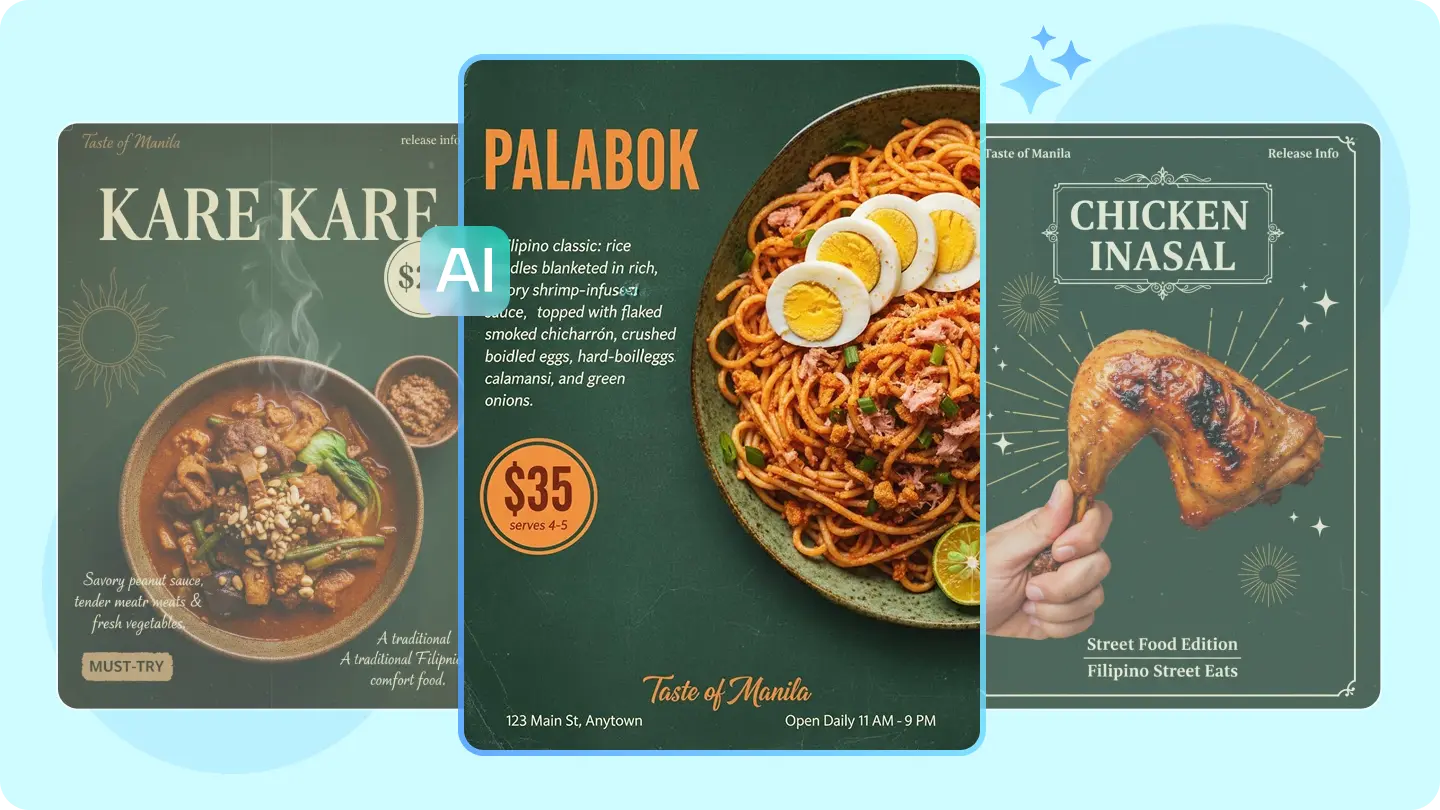
With a capable tool like an AI image generator, a creator can build a striking visual from nothing but an idea, shaping lighting, composition, and mood exactly the way a concept calls for. Dreamina, powered by its advanced multimodal system, with models like Seedream 5.0 Pro, GPT Image 2, and Nano Banana, gives creators a genuine shortcut from a blank page to a post people actually stop for.
Why most posts lose the scroll before they even start
The average viewer decides whether to keep scrolling in well under a second, and that decision is made almost entirely on visual instinct rather than caption quality. A post built around a flat, generic image is fighting an uphill battle against every other piece of content competing for that same second of attention. The fix isn't a better caption — it's a stronger, more intentional visual foundation.
What actually makes someone stop scrolling
A handful of specific qualities tend to separate posts that get a second look from ones that don't:
A striking, unusual visual that doesn't look like every other post in the feed
Color and composition strong enough to register at thumbnail size
Clean, deliberate detail that holds up even when viewed for only a moment
Starting from a blank page with an image generator
Not every great post starts with an existing photo. Sometimes the strongest visual foundation comes from generating one entirely from an idea — a specific mood, a color palette, a concept that doesn't exist yet as a photograph.
This is where an AI image generator becomes the actual starting point of the process, rather than an afterthought layered onto existing photography.
Turning a blank page into a visual: three steps with Dreamina
Step 1: Describe your concept in detail
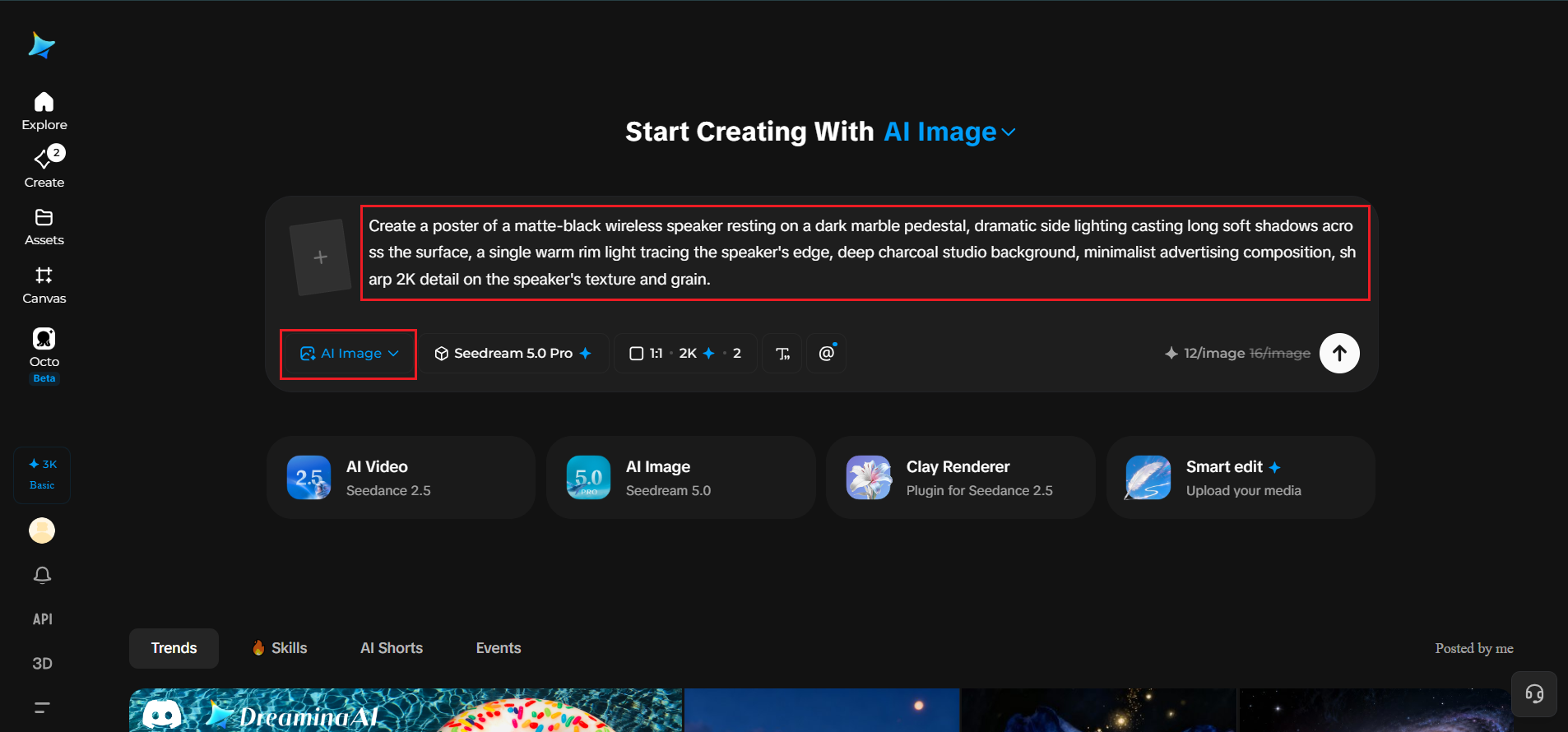
Visit Dreamina and sign in, then head to the "AI Image" section. Instead of a vague, one-line idea, write a prompt that specifies subject, lighting, composition, and mood together.
For a scroll-stopping product post, try: Create a poster of a matte-black wireless speaker resting on a dark marble pedestal, dramatic side lighting casting long soft shadows across the surface, a single warm rim light tracing the speaker's edge, deep charcoal studio background, minimalist advertising composition, sharp 2K detail on the speaker's texture and grain.
Step 2: Choose settings and generate
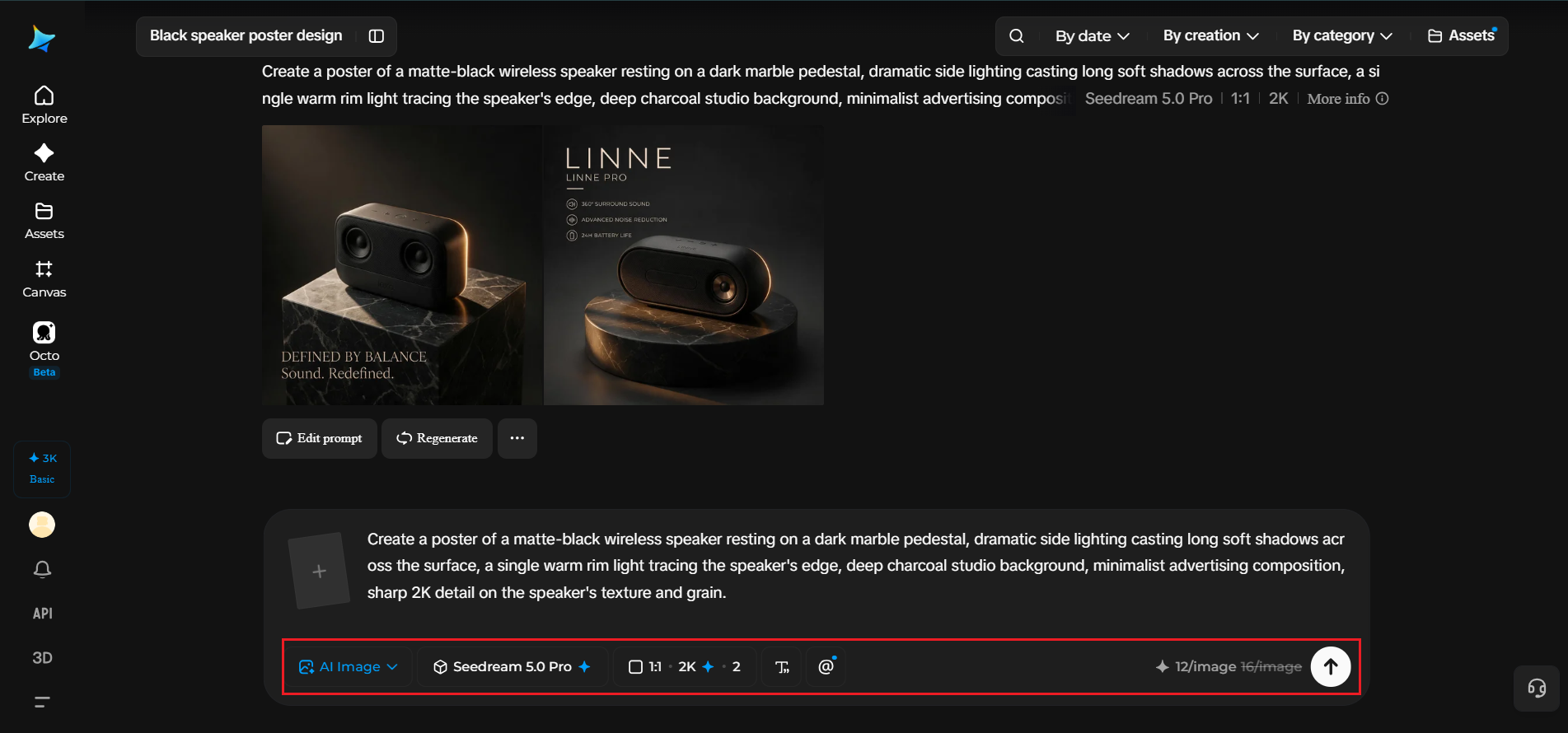
Choose the Seedream 5.0 Pro model for the generation, then select an aspect ratio suited to your platform — a 1:1 or 4:5 crop for a feed post, or 9:16 if it's headed straight to Stories. Finally, click generate and let the model build your visual in seconds.
Step 3: Refine and export your image
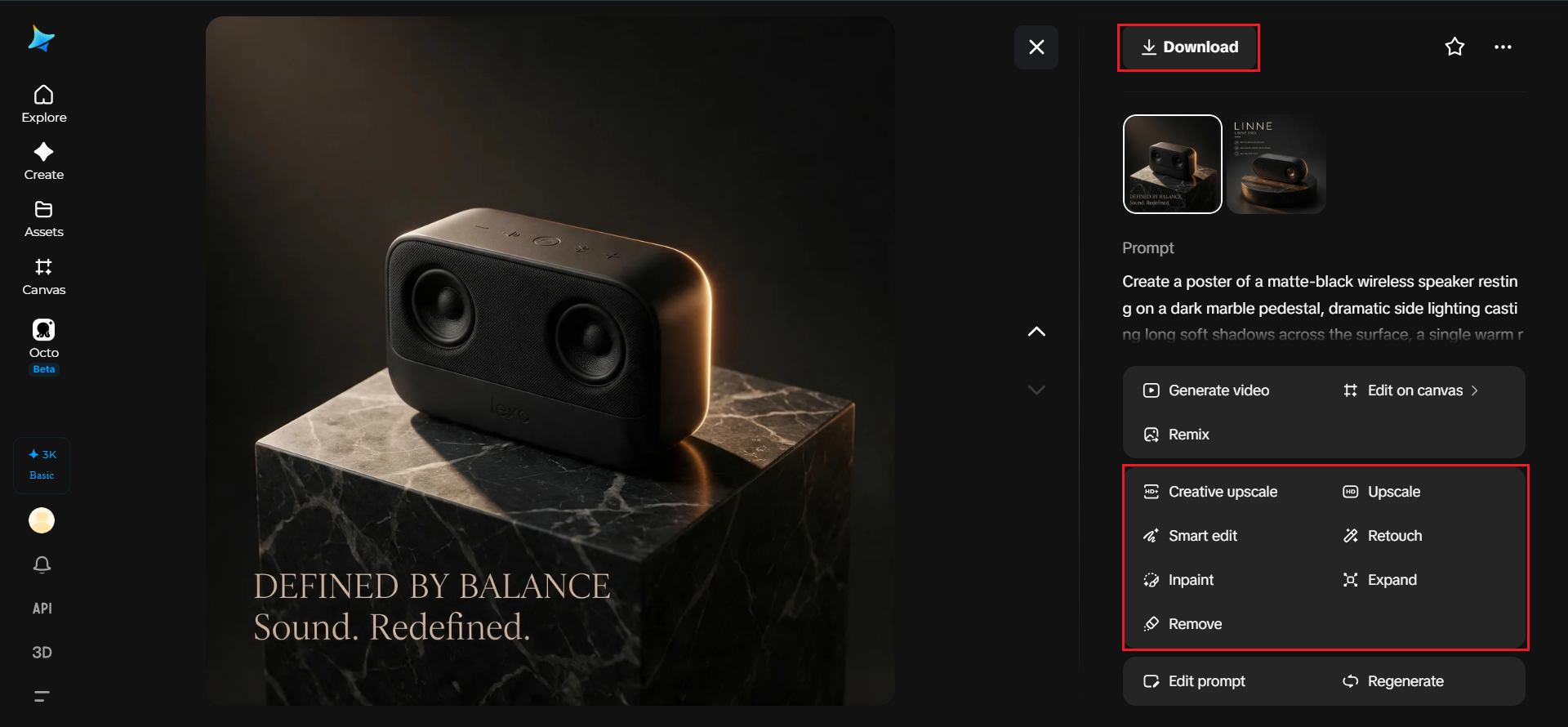
Use Seedream 5.0 Pro's pinpoint editing tools to fine-tune the result. Point selection or lasso tools let you adjust one specific region, like recoloring a background element or tightening a shadow, without regenerating the entire image. Once it's polished, export it and it's ready to post.
Seedream 5.0 Pro: the engine behind the visual
A post like this depends on the underlying model actually being precise enough to match a specific creative vision rather than producing something generic. Seedream 5.0 Pro is built around that kind of control, and it's worth understanding what it actually offers.
Pinpoint precision editing at 2K resolution
Rather than regenerating an entire image to fix one small detail, Seedream 5.0 Pro supports point selection, lasso tools, and sketch guidance, letting a creator adjust a specific region — a color, a shadow, a piece of text — while leaving the rest of the composition untouched.
Layered visual control
The model can separate an image into distinct layers, such as subject, background, and text, which is especially useful for anyone building infographic-style posts, promotional banners, or any visual where text needs to sit cleanly apart from the imagery behind it.
Built-in research for accurate, current prompts
Seedream 5.0 Pro includes built-in online research, which helps ground a prompt in accurate, trending, or current-event details rather than relying purely on a model's static training data, useful for creators who want their content to feel timely.
Deep reasoning across 14 languages
Before generating, the model analyzes a prompt's intent and visual relationships, and it supports native text generation across 14 languages, letting a single visual concept be adapted for different audiences without starting the creative process from scratch each time.
Matching the format to the platform, not the other way around
A visual built for a wide, cinematic feed post won't necessarily crop well into a vertical Story, and a composition designed for a square thumbnail can lose its impact when stretched into a banner.
Deciding the platform and aspect ratio before generating anything, rather than cropping one asset awkwardly afterward, tends to produce a far stronger final result.

Turning one idea into a week's worth of posts
A single strong visual concept rarely has to serve just one post. The same core idea can support:
A square or 4:5 crop for the main feed post
A vertical 9:16 version for Stories or a pinned highlight
A close-up detail variation used as a follow-up post later in the week
Common mistakes that quietly kill engagement
A handful of habits tend to undercut otherwise strong content:
Choosing a visual concept that looks like dozens of others already in the feed
Writing a vague, one-line prompt instead of describing lighting, mood, and composition together
Ignoring platform-specific cropping until after the image is already generated
Where these AI-assisted posts perform best
This approach works especially well for product marketing, personal brand content, small business social pages, and campaign launches, where a visual built with real intention, from the first prompt through final export, tends to outperform content assembled from whatever stock photo or quick snapshot happened to be on hand.
Final thought
A scroll-stopping post was never really about luck — it was always about giving a visual enough intention to actually earn a second look. With Dreamina's AI image generator and the precision behind its multimodal system, that intention is finally within reach for anyone, regardless of budget or production experience.



