Wave Invoices Review: A Complete Guide with Simpler Alternatives
January 18, 202612 views
0
Freelancers and small business owners have long relied on Wave
Invoices for managing billing without the heavy price tag of enterprise
software. However, as we will see in this wave invoices free review
business needs evolve, many find themselves frustrated by account
restrictions, complex features, or unexpected payment fees. While Wave
remains a strong contender for full accounting, tools like Toolsmart’s
Free Invoice Generator offer a faster, no-strings-attached alternative
for creating professional invoices instantly.
Wave Invoices Review
What are Wave Invoices
Wave
Invoices is a free invoicing software designed to help
small businesses keep track of their bookkeepingneeds from a single location. It is a cloud-based platform that is
user-friendly and intuitive, making it accessible even for those with no
prior accounting experience. As a free service, it is a particularly
appealing option for freelancers, entrepreneurs, and small business
owners who are just starting out and want to keep their overhead
low.
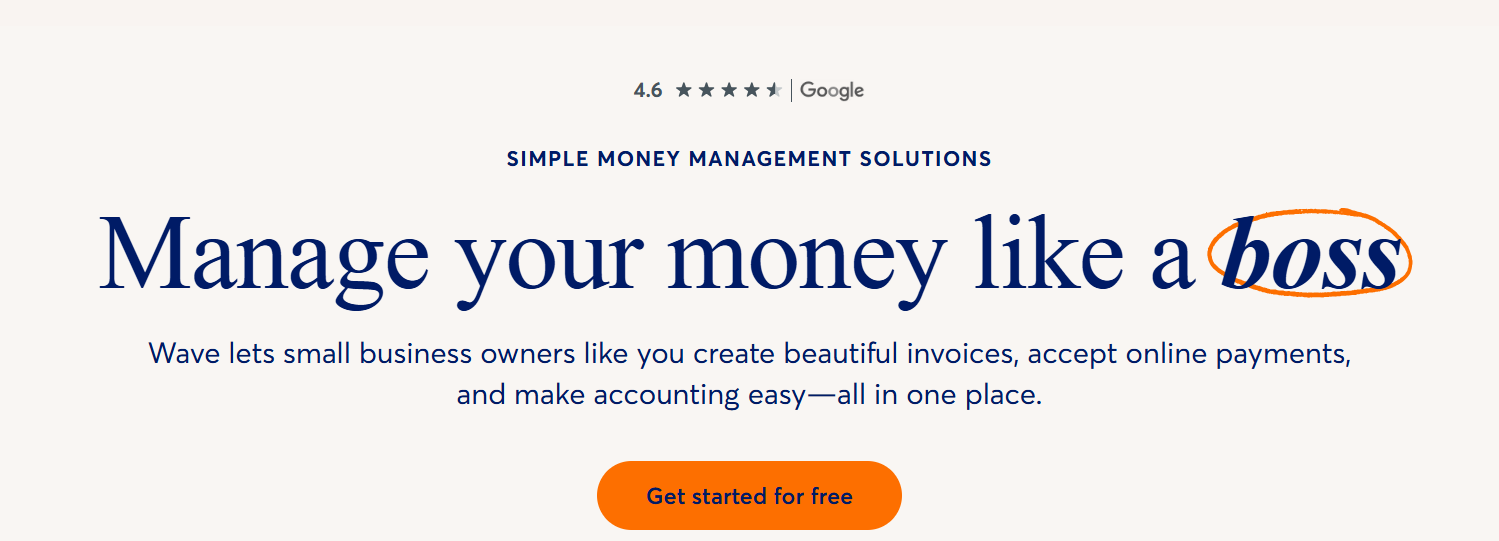
Wave Invoice website
The software streamlines the bookkeeping process by managing not just
invoicing, but also taxes and payment processing. Its feature set
includes invoice templates, billing, payment tracking, finance
management, credit card processing, and even receipt scanning. While its
limitations might not make it the ideal solution for every large
enterprise, it serves as a robust, centralized hub for smaller
operations looking to organize their finances without cost.
Key Features and
Benefits of Wave Invoices
Wave Invoices stands out in the financial software market by packing
premium functionality into a completely free package. Here are the main
features and how they are better than other tools, especially if you're
a small
business owner:
Features:
Customizable Templates: Personalize your
invoices with custom logos and hex codes to reinforce your specific
brand identity.
Recurring Billing: Automate invoices for repeat
clients to save significant time on manual administrative tasks every
month.
Online Payments: Allow clients to pay instantly
via credit card or bank transfer to improve your cash flow
speed.
Accounting Integration: Automatically sync
invoice data with your bookkeeping records to ensure financial accuracy
without double entry.
Benefits:
Zero Overhead Costs: Utilize a full suite of
financial tools without any monthly subscription fees, which is vital
for startups.
Centralized Workflow: Manage invoicing,
payments, and receipt scanning from a single dashboard for maximum
efficiency.
Professional Appearance: Deliver polished,
digital documents that establish trust and credibility with clients
immediately.
However, while these benefits are powerful, it is worth noting that
for freelancers who simply need to send a quick bill, this extensive
ecosystem can sometimes feel like too much, causing the creation of a
simple invoice to become a multi-step, complex task.
The Limitations of Using
Wave Invoices
There are a few things that Wave Invoices falls back on. Whether that
be the complex interface for beginners or mandatory account creation.
Having said that, here are a few limitations of Wave Invoice:
Mandatory Account Creation: You cannot just
draft an invoice, as you must sign up, verify your email, and set up a
business profile before you can do anything.
Steep Learning Curve: Because it is tied to
accounting software, the interface has many menus and settings that can
confuse users who aren't accountants.
Feature Bloat: If you don't need double-entry
bookkeeping, the extra tabs for Banking, Payroll, and Reports are just
visual clutter.
Transaction Fees: While the software is free,
accepting payments online costs a percentageof every transaction, which eats into your profit.
If you’re a freelancer or even a small business owner who's managing
high volume every day, this can be problematic, which is exactly why a
lot of people look for simpler and smarter alternatives.
Best
Free Alternative to Wave Invoices: Free Invoice Generator
Now, although there are a lot of good things to say about Wave, it
isn't perfect for everyone. You might have noticed or seen reviews about
how complicated this tool can feel when all anyone wants to do is send a
simple bill. For many, the extensive ecosystem becomes a hurdle rather
than a help, turning what should be a straightforward task into a
time-consuming process filled with friction.
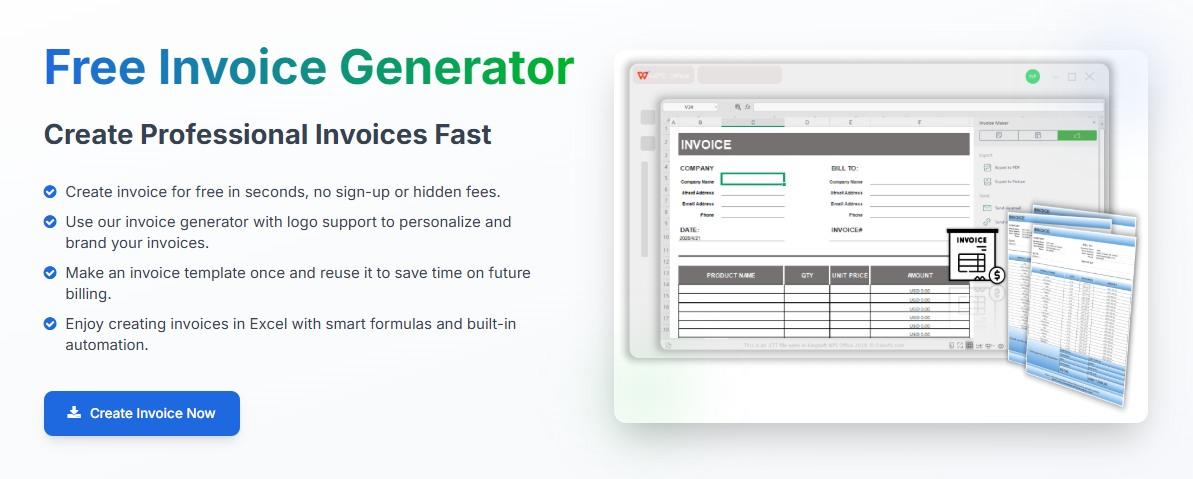
Free Invoice Generator
If you’re a freelancer or a small business owner, a simple invoice
generator might be the best free alternative to Wave invoices. WPS Free
Invoice Generator is a simple browser-based tool built for one
purpose only, that is, generating invoices. It lets you take full
control over the entire editingprocess. Because you can not only fill in the details in the template,
but also make them reflect your brand identity.
Why Choose Free Invoice
Generator:
100% Free: No hidden tiers or premium
templates.
No Signup Required: Start typing immediately, no
email verification needed.
Professional Templates: Clean, modern designs
that look great on any device.
Instant PDF Download: Generate a secure,
high-quality PDF to email or print instantly.
Step-by-Step
Guide to Creating a Free Invoice with Free Invoice Generator
Here’s how to create invoices without Wave with the Free Invoice
generator in simple steps:
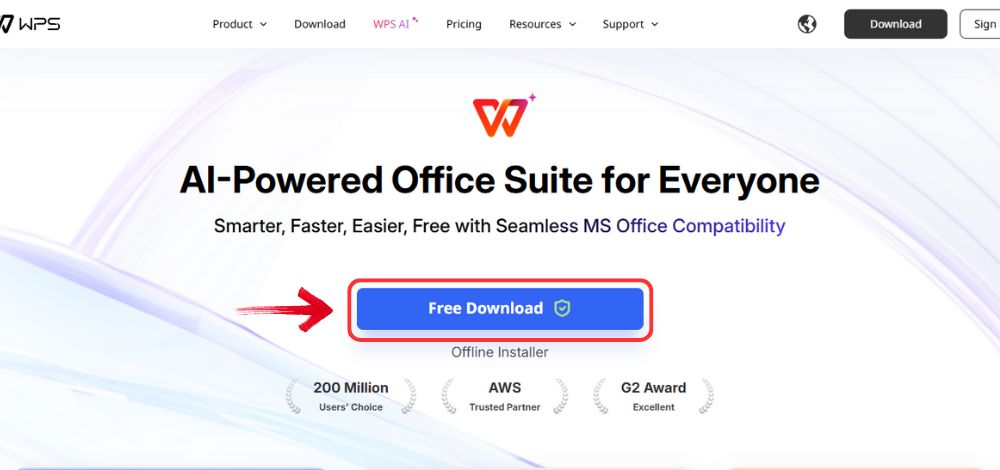
Step 1: Open your browser to visit WPS Office and click the"Free Download" button to start the download.
Download WPS Office
Step 2: The download will finish in a few seconds.
Once done, run the installation file like you would for any other app or
software.
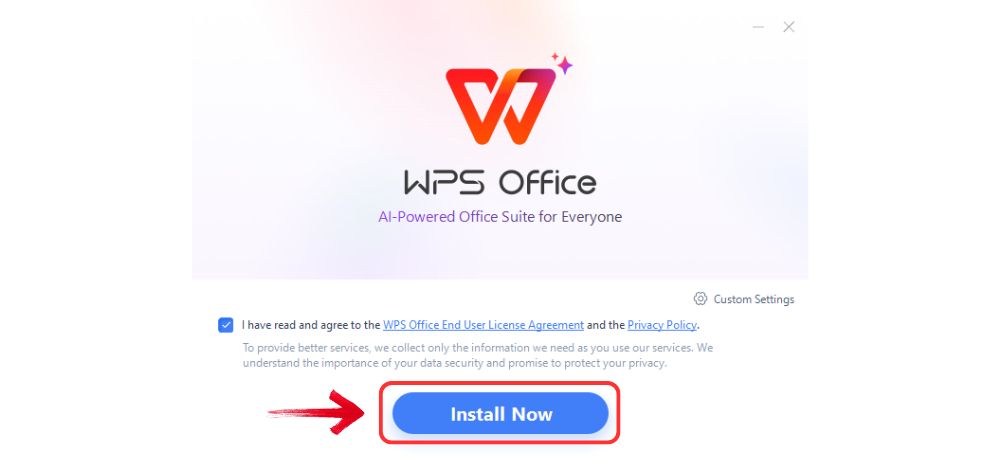
Step 3: WPS Office will show you a few simple terms
and conditions. Accept them, then click the "Install
Now" button to begin the installation.
Install WPS Office
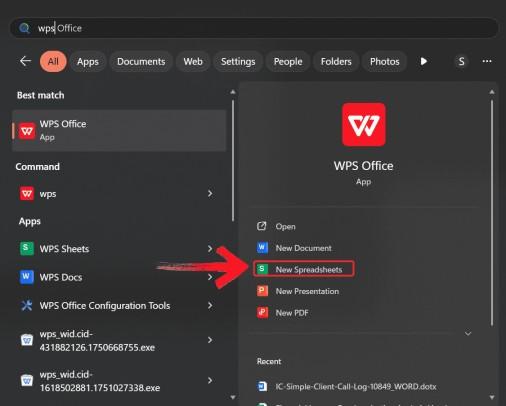
Step 4: After you’re done with your download, open
WPS Spreadsheet from the start menu.
Open WPS spreadsheet
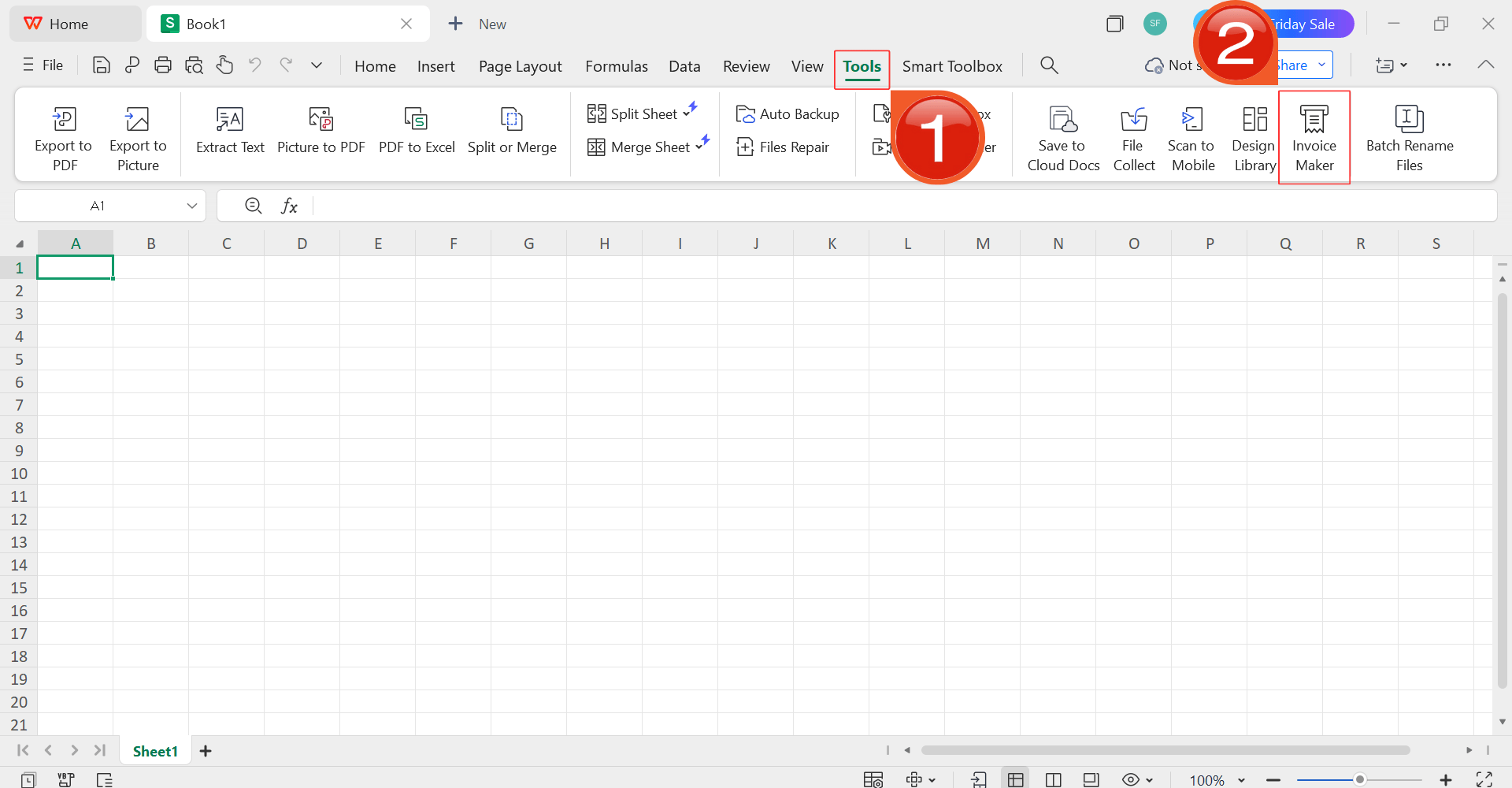
Step 5: Then, click on “Tools” and
select the “Invoice Maker”.
Open Invoice Maker
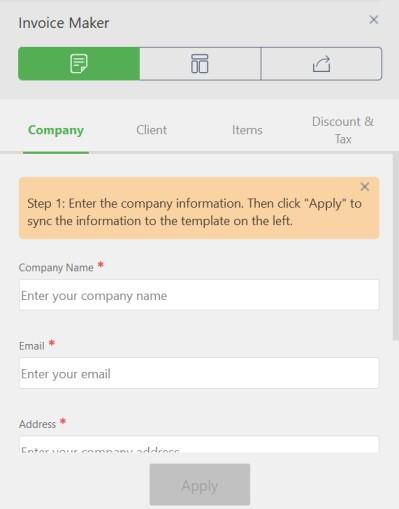
Step 6: In the menu on the right side of your
template. Enter your company details, client details, and the quantity,
price, and taxes for your services. The tool will handle the rest of the
job.
Add details
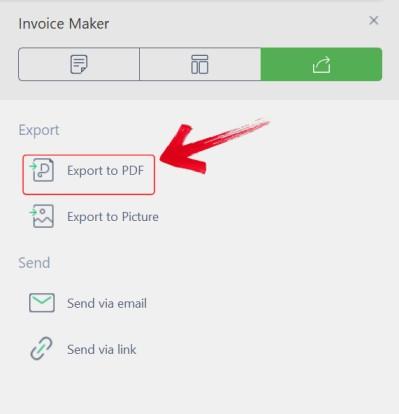
Step 7: Click the “Export to PDF”button. Your professional invoice is saved to your device instantly,
ready to be sent.
Export to PDF
Wave Invoices vs Free
Invoice Generator
Sometimes it can get confusing with so much information all in one
place, so I’ve put together a comprehensive table to help you make the
final decision. Although it compares key features, your decision to use
either of the twoshould be based on your needs.
Feature
Wave Invoices
Free Invoice
Generator
Cost
Free (plus transaction fees)
Free (Always)
Setup
Requires Account & Setup
No Signup Needed
Templates
Limited Customization
Multiple Professional Designs
Payment Integration
Yes (Built-in)
No (Focus on Simplicity)
Ease of Use
Moderate
Very Easy
So if you need a full accounting system to track expenses and tax
reports year-round, Wave Invoices is a great free tool. However, if your
goal is simply to create and send professional invoices quickly without
the complexity of managing an account, Free Invoice Generator is the
faster, more efficient choice.
FAQs
Q1: How do I create an
invoice in Wave?
You must first log in to your Wave account. Then, select Invoices
from the menu, click Create a new invoice, enter your client and item
details, customize the look, and finally hit send or download.
Q2: Can I
download a free invoice template from Wave?
No, Wave does not provide offline templates you can download and edit
later. You must use their online dashboard to generate every
invoice.
Q3: Is Free Invoice
Generator safe to use?
Yes, absolutely. It is a secure, browser-based tool that processes
your invoice locally. It doesn't require you to store sensitive data or
create an account, protecting your privacy.
Q4: Can I download
invoices as PDF in Wave?
Yes, once you finish drafting an invoice in Wave, you have the option
to download it as a PDF file, which you can then email to your client
manually if you prefer.
Balancing Features with
Simplicity
For many small businesses, Wave
Invoices offers a powerful suite of financial tools for
free. However, its complexity and account requirements can be a barrier
for those needing speed. For a frictionless experience, Free
Invoice Generator stands out as the best alternative.
It allows you to create customized, professional invoices instantly
without signing up, making it the perfect tool for freelancers who value
their time.
Khadija Khan is a tech writer who explores office suites and creates content to simplify everyday tools. She teaches and inspires through clear, engaging writing.

'%3e%3cpath%20fill-rule='evenodd'%20clip-rule='evenodd'%20d='M19%208.5C24.799%208.5%2029.5%2013.201%2029.5%2019C29.5%2024.6782%2024.9928%2029.3036%2019.361%2029.4939L19%2029.5C18.8794%2029.5%2018.7592%2029.498%2018.6396%2029.4939L18.2811%2029.4758C12.8174%2029.1063%208.5%2024.5574%208.5%2019C8.5%2013.201%2013.201%208.5%2019%208.5ZM22.3063%2010.6267L22.2342%2010.6539C21.3423%2011.0061%2020.5541%2011.6368%2020.5606%2012.4987C20.5631%2012.8302%2020.869%2014.8871%2020.2141%2014.8486C19.5589%2014.8102%2019.413%2013.8753%2018.7116%2013.616C17.5944%2013.2026%2016.9819%2014.3401%2017.0939%2015.3106C17.1695%2015.9655%2018.9289%2018.3871%2017.9028%2019C17.292%2019.3651%2015.7279%2017.5692%2015.1007%2017.1842C14.4805%2016.8034%2013.2758%2017.3333%2012.4974%2016.7029C11.9874%2016.2899%2012.3881%2014.4098%2012.2786%2013.8372C12.2271%2013.5698%2012.1155%2013.3689%2011.9794%2013.2166L12.0402%2013.2934C10.7653%2014.8464%2010%2016.8339%2010%2019C10%2023.8465%2013.8307%2027.7982%2018.6295%2027.9925L18.6769%2027.9747C18.8597%2027.8677%2019.0394%2027.7557%2019.216%2027.6387C19.4137%2027.4534%2019.5436%2027.2072%2019.5849%2026.9394C19.8806%2025.1222%2018.3616%2025.4302%2017.9367%2024.5622C17.5489%2023.7695%2018.5712%2023.7684%2018.5524%2021.7923C18.4607%2021.1774%2018.5279%2020.547%2018.7211%2020.0315C19.1834%2018.7987%2020.7077%2017.2643%2022.5889%2018.0081C23.5567%2018.3906%2023.1524%2019.9831%2023.4737%2020.3394C24.251%2021.2018%2025.3228%2020.6863%2026.2856%2021.2253C26.7816%2021.5032%2026.9797%2022.41%2027.056%2023.2248L27.038%2023.0528C27.6534%2021.8348%2028%2020.4579%2028%2019C28%2015.1968%2025.6409%2011.9445%2022.3063%2010.6267Z'%20fill='%23757575'/%3e%3ccircle%20cx='19'%20cy='19'%20r='10.125'%20stroke='%23757575'%20stroke-width='2.25'/%3e%3c/g%3e%3cdefs%3e%3cclipPath%20id='clip0_1827_14613'%3e%3crect%20width='24'%20height='24'%20fill='white'%20transform='translate(7%207)'/%3e%3c/clipPath%3e%3c/defs%3e%3c/svg%3e)