
'%3e%3cpath%20fill-rule='evenodd'%20clip-rule='evenodd'%20d='M19%208.5C24.799%208.5%2029.5%2013.201%2029.5%2019C29.5%2024.6782%2024.9928%2029.3036%2019.361%2029.4939L19%2029.5C18.8794%2029.5%2018.7592%2029.498%2018.6396%2029.4939L18.2811%2029.4758C12.8174%2029.1063%208.5%2024.5574%208.5%2019C8.5%2013.201%2013.201%208.5%2019%208.5ZM22.3063%2010.6267L22.2342%2010.6539C21.3423%2011.0061%2020.5541%2011.6368%2020.5606%2012.4987C20.5631%2012.8302%2020.869%2014.8871%2020.2141%2014.8486C19.5589%2014.8102%2019.413%2013.8753%2018.7116%2013.616C17.5944%2013.2026%2016.9819%2014.3401%2017.0939%2015.3106C17.1695%2015.9655%2018.9289%2018.3871%2017.9028%2019C17.292%2019.3651%2015.7279%2017.5692%2015.1007%2017.1842C14.4805%2016.8034%2013.2758%2017.3333%2012.4974%2016.7029C11.9874%2016.2899%2012.3881%2014.4098%2012.2786%2013.8372C12.2271%2013.5698%2012.1155%2013.3689%2011.9794%2013.2166L12.0402%2013.2934C10.7653%2014.8464%2010%2016.8339%2010%2019C10%2023.8465%2013.8307%2027.7982%2018.6295%2027.9925L18.6769%2027.9747C18.8597%2027.8677%2019.0394%2027.7557%2019.216%2027.6387C19.4137%2027.4534%2019.5436%2027.2072%2019.5849%2026.9394C19.8806%2025.1222%2018.3616%2025.4302%2017.9367%2024.5622C17.5489%2023.7695%2018.5712%2023.7684%2018.5524%2021.7923C18.4607%2021.1774%2018.5279%2020.547%2018.7211%2020.0315C19.1834%2018.7987%2020.7077%2017.2643%2022.5889%2018.0081C23.5567%2018.3906%2023.1524%2019.9831%2023.4737%2020.3394C24.251%2021.2018%2025.3228%2020.6863%2026.2856%2021.2253C26.7816%2021.5032%2026.9797%2022.41%2027.056%2023.2248L27.038%2023.0528C27.6534%2021.8348%2028%2020.4579%2028%2019C28%2015.1968%2025.6409%2011.9445%2022.3063%2010.6267Z'%20fill='%23757575'/%3e%3ccircle%20cx='19'%20cy='19'%20r='10.125'%20stroke='%23757575'%20stroke-width='2.25'/%3e%3c/g%3e%3cdefs%3e%3cclipPath%20id='clip0_1827_14613'%3e%3crect%20width='24'%20height='24'%20fill='white'%20transform='translate(7%207)'/%3e%3c/clipPath%3e%3c/defs%3e%3c/svg%3e)


Have you ever wanted to turn a funny photo with your friends or coworkers into one of those trending dance videos? With AI, you can now animate a still image, add music, and create a shareable dance performance without filming or learning choreography. But with so many AI video tools available, which ones are actually worth using? In this guide, we compare five of the best AI dance video generators in 2026, looking at their features, ease of use, and customization.
5 Best AI Dance Video Generators
If you want to turn a photo into a convincing dance video, the right AI tool can save you time and experimentation. Each option below takes a different approach, from music-synchronized choreography to prompt-based motion. We also walk through how to use each one. Let’s start exploring.
Freebeat
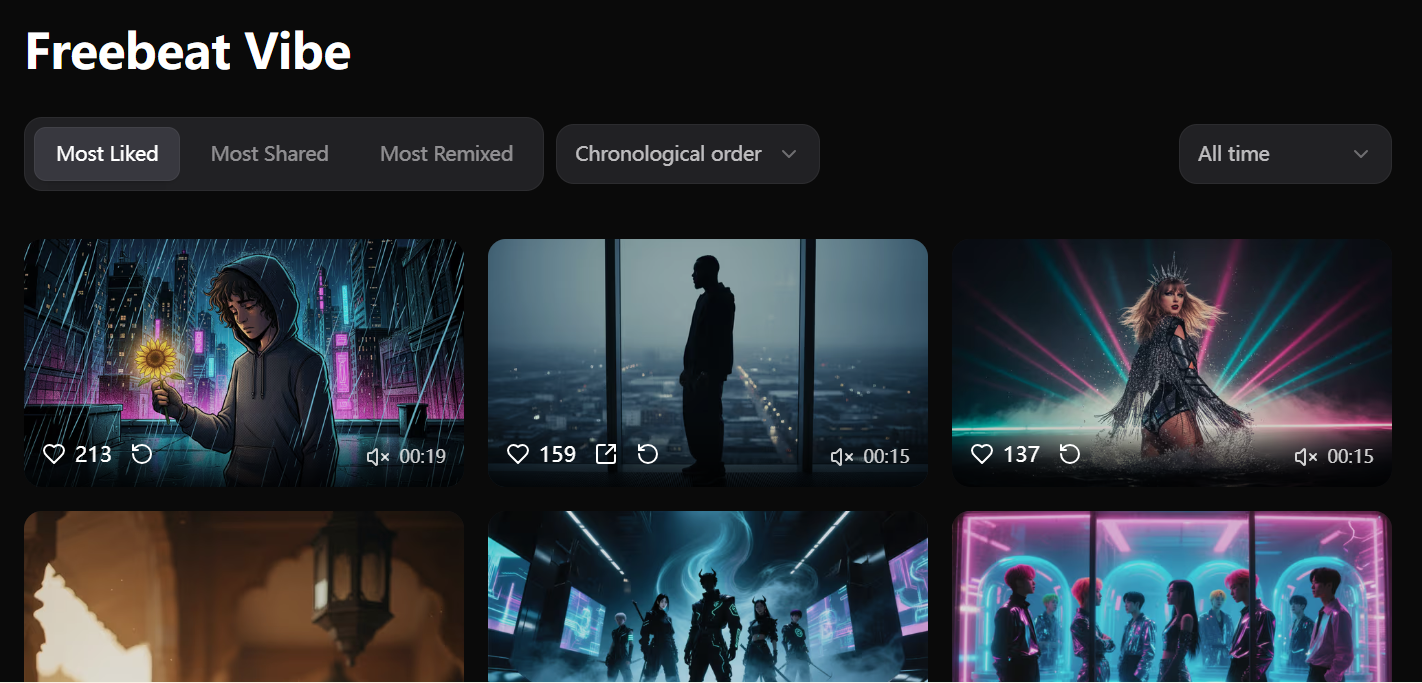
Freebeat is a music-focused AI dance video generator designed to create videos that respond to the structure and rhythm of a song. Its Dance Video mode lets you upload a character photo, choose a track, and generate a complete dance performance.
Instead of simply applying a preset movement to an image, Freebeat analyzes musical elements such as BPM, beat timing, percussion, energy, and song sections. This allows the generated choreography and transitions to follow the track more closely.
It also supports different dance styles and background scenes, making it useful for creators who want more than a basic photo animation. New users can start with 500 free credits, so it is easy to test the workflow before committing to a plan.
Key Features:
Music-Aware Choreography: Analyzes beats, energy, and song structure to create rhythm-aligned dance movements.
Multiple Dance Styles: Supports popular styles such as hip-hop, K-pop, ballet, salsa, contemporary, and more.
Flexible Creation: Choose Studio mode for simplicity or Custom mode for greater control over models and generation.
Music Video Workflow: Creators can also use the suno music video generator to turn Suno tracks into beat-synchronized music videos.
Pros:
Strong music synchronization
Full-length video support
Multiple dance styles
Background customization
500 free credits
Browser-based workflow
Cons:
Advanced generation uses credits
Best results need clear photos
How to Use It:
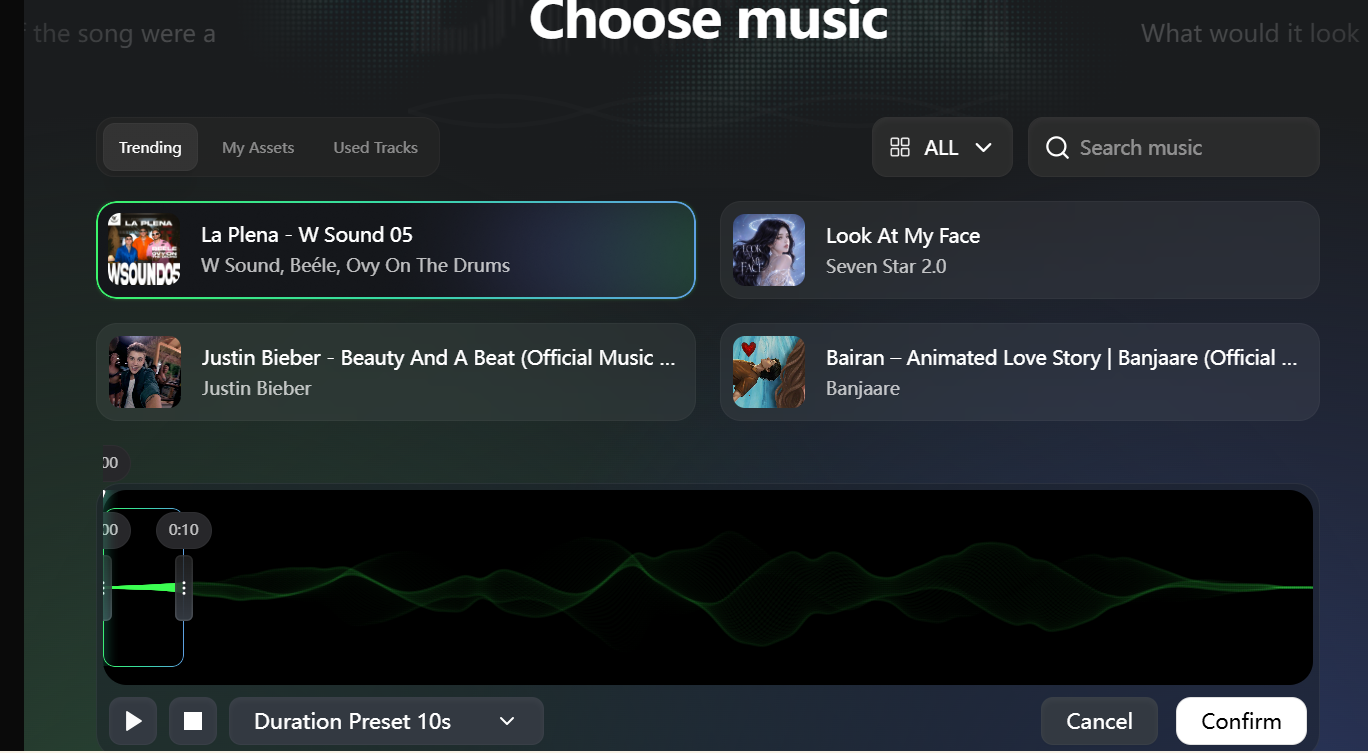
Step 1. Click Add Music to choose a track from Spotify, Suno, SoundCloud, Udio, Riffusion, or YouTube, or upload a supported audio file, such as MP3, WAV, AAC, or FLAC.
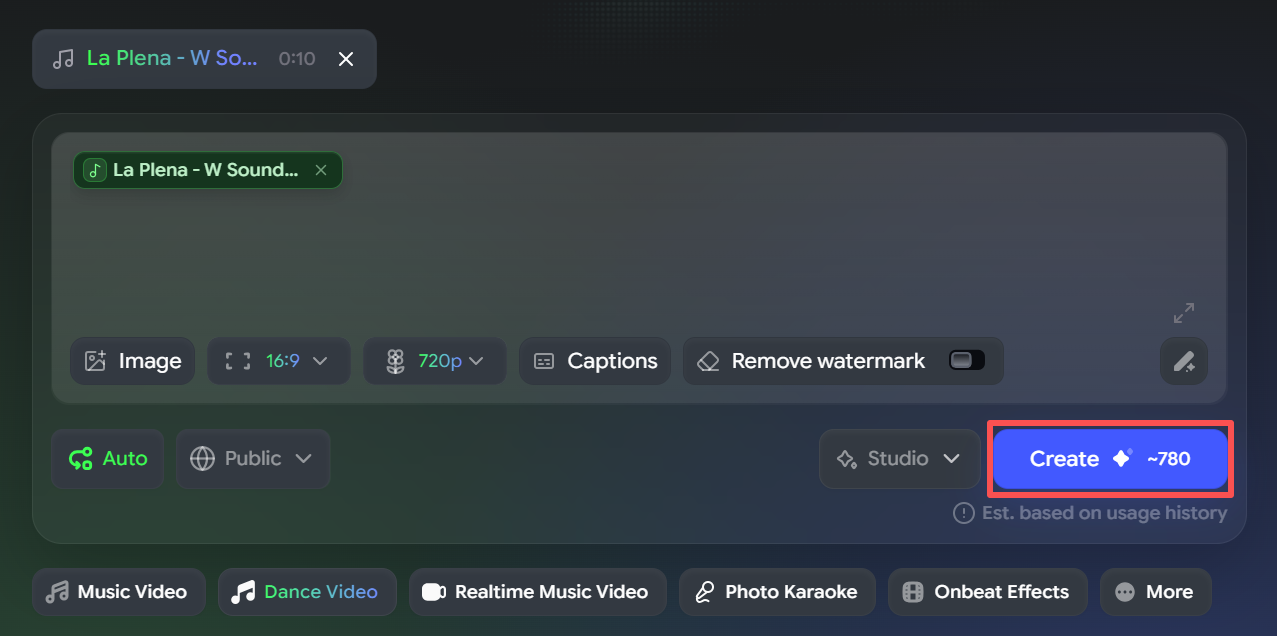
Step 2: Enter your preferred dance style through a free-text prompt. It supports 20+ common dance styles, including Hip-Hop, Jazz, K-pop, Ballet, Salsa, Tango, and Breakdance. You can also choose or upload a background scene for your performance.
Step 3: Let Freebeat analyze the music and clickCreate. Preview the result, then download the MP4 and share it on TikTok or YouTube.
Dreamina
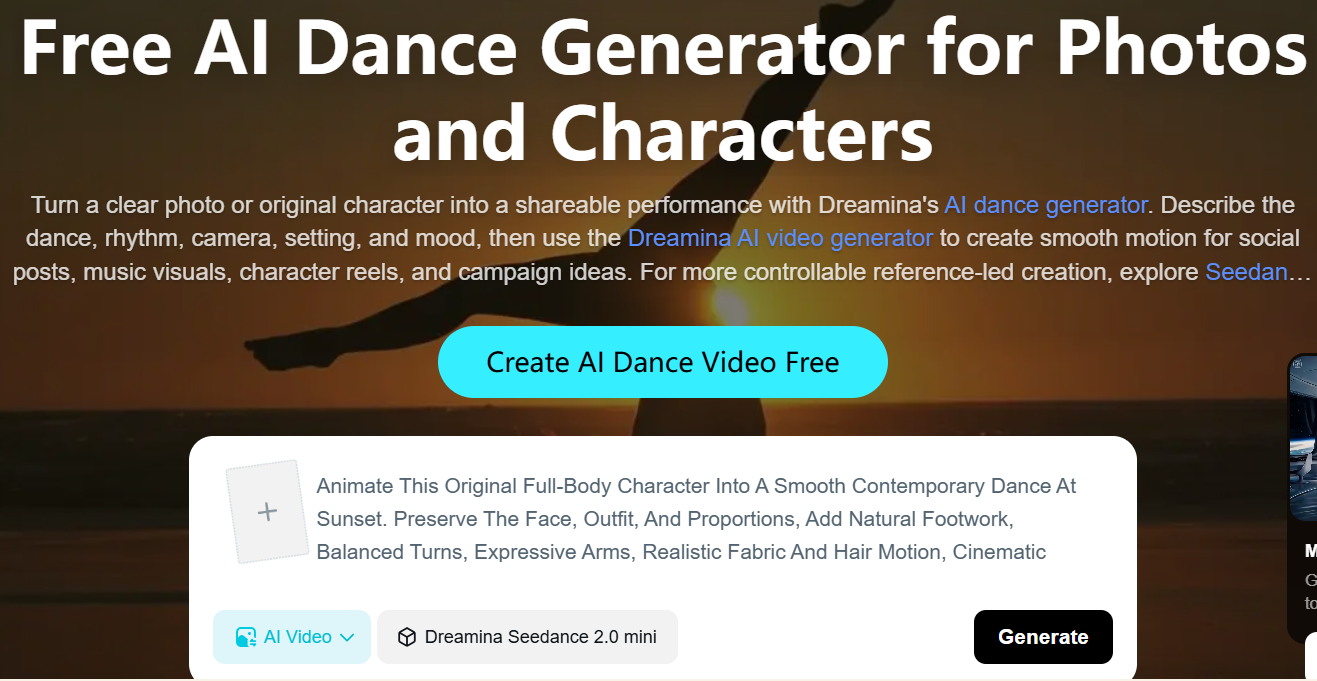
Dreamina takes a more prompt-driven approach to AI dance generation. Instead of relying entirely on preset choreography, you can describe the movements, style, camera direction, setting, and overall mood you want.
The platform works particularly well with clear full-body images. It can animate people, illustrated characters, mascots, and other original designs while using prompts to guide movement and framing.
This makes Dreamina a useful option when the visual concept matters as much as the dance itself. For example, you can ask for a contemporary routine on a rooftop or a high-energy street dance in a neon environment.
Key Features:
Prompt-Based Choreography: Describe dance style, movement, tempo, energy, and final poses.
Full-Body Animation: Works with people, illustrated characters, mascots, and stylized designs.
Camera Control: Add camera movement and framing instructions directly to your creative prompt.
Creative Scenes: Combine choreography with customized environments, lighting, and visual moods.
Pros:
Strong prompt control
Creative visual styles
Multiple character types
Flexible scene direction
Good for experimentation
Supports advanced video models
Cons:
Prompt quality matters
Results may vary
Less music-focused
How to use it
Step 1: Log in to Dreamina, open AI Video, and upload a reference image. Then describe the dance, camera movement, mood, and visual style in your prompt.
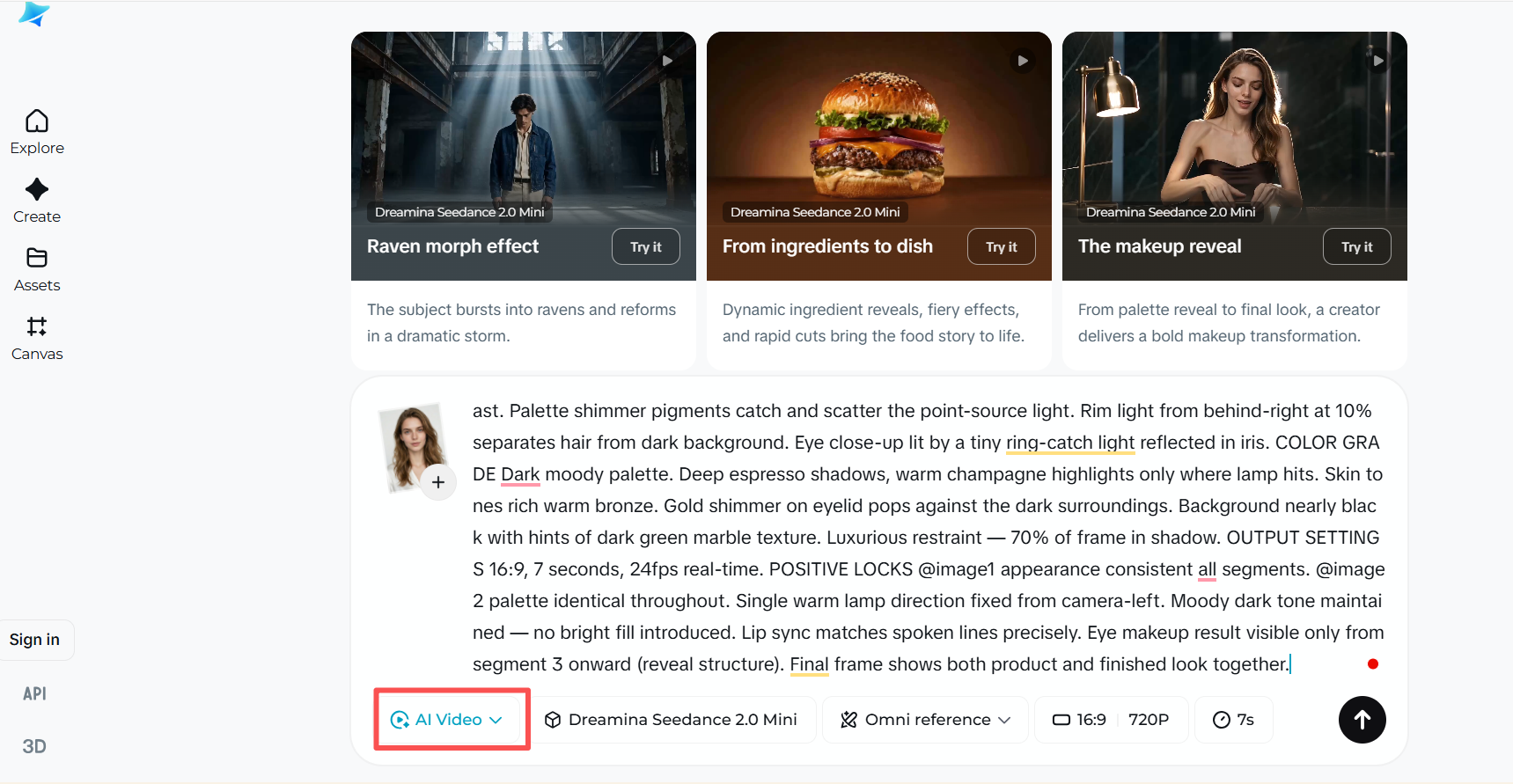
Step 2: Choose a video duration of 5, 10, or 12 seconds, then click Generate. Dreamina creates the dance video based on your image and prompt.
Step 3: Preview the generated video in full screen. You can upscale the resolution or use interpolation to make the motion smoother before downloading the final video.
Pose AI
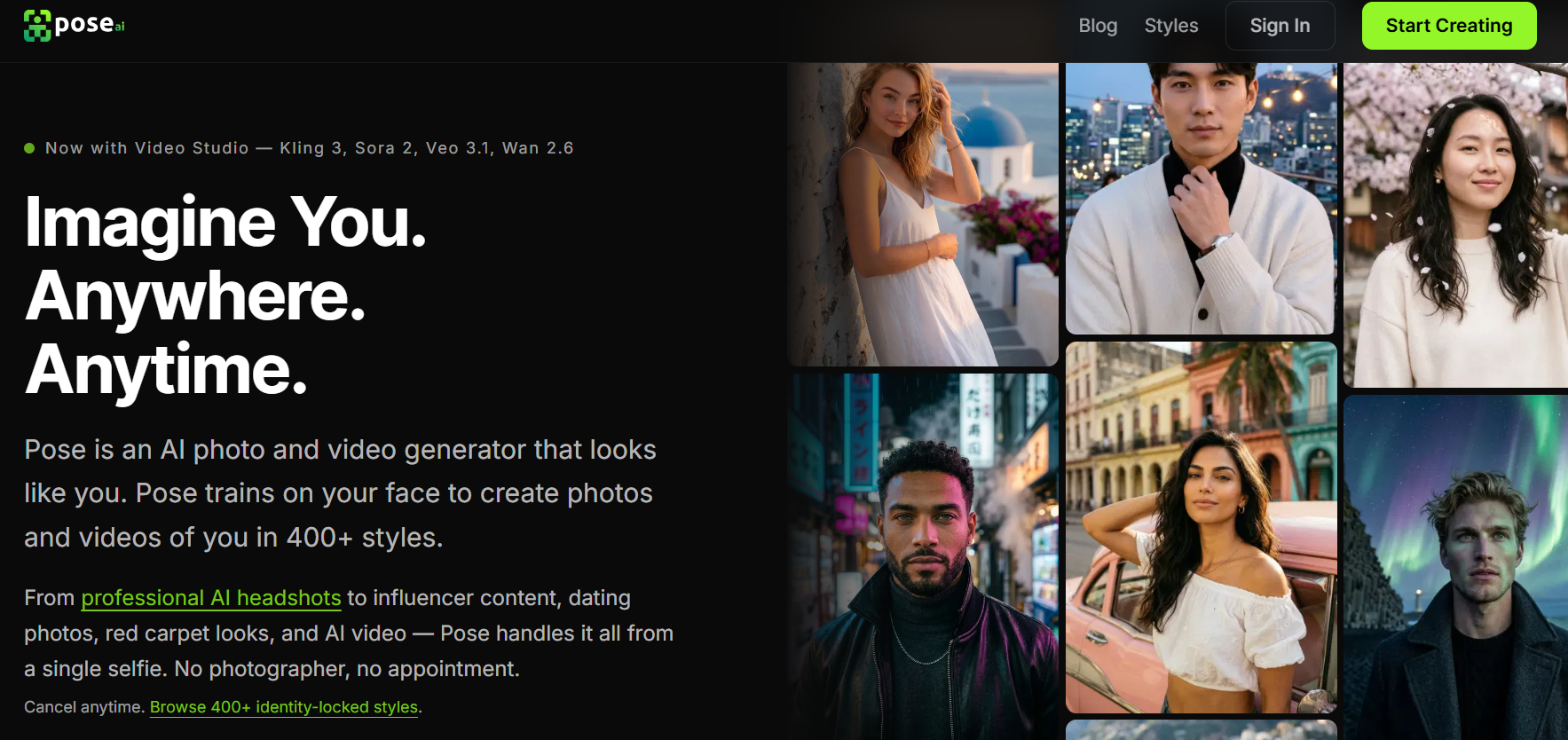
Pose AI is another option for turning a single image into a short AI dance performance. Its workflow focuses on motion transfer while keeping the person's identity consistent across the generated clip.
The process is straightforward: upload one clear photo, choose a dance template or describe the movement, and generate the video. Pose currently offers SeedDance, Wan, and Kling options inside its Video Studio, with different models suited to motion transfer, variation testing, or camera movement.
For creators who want to animate themselves or maintain the same character across multiple social posts, identity preservation is one of its most useful strengths.
Key Features:
Identity Preservation: Keeps the generated dancer visually consistent with the original photo.
Motion Templates: Choose ready-made dance movements or provide your own motion direction.
Multiple Models: SeedDance, Wan, and Kling provide different approaches to movement generation.
Social Video Output: Vertical 9:16 clips are suitable for TikTok, Reels, and Shorts.
Pros:
Strong identity consistency
Simple workflow
Multiple video models
Motion references
No watermark
Good for short clips
Cons:
Short-form focused
One image per generation
Fewer editing controls
How to Use It:
Step 1: Click Start Creating and log in to Pose AI using your account.
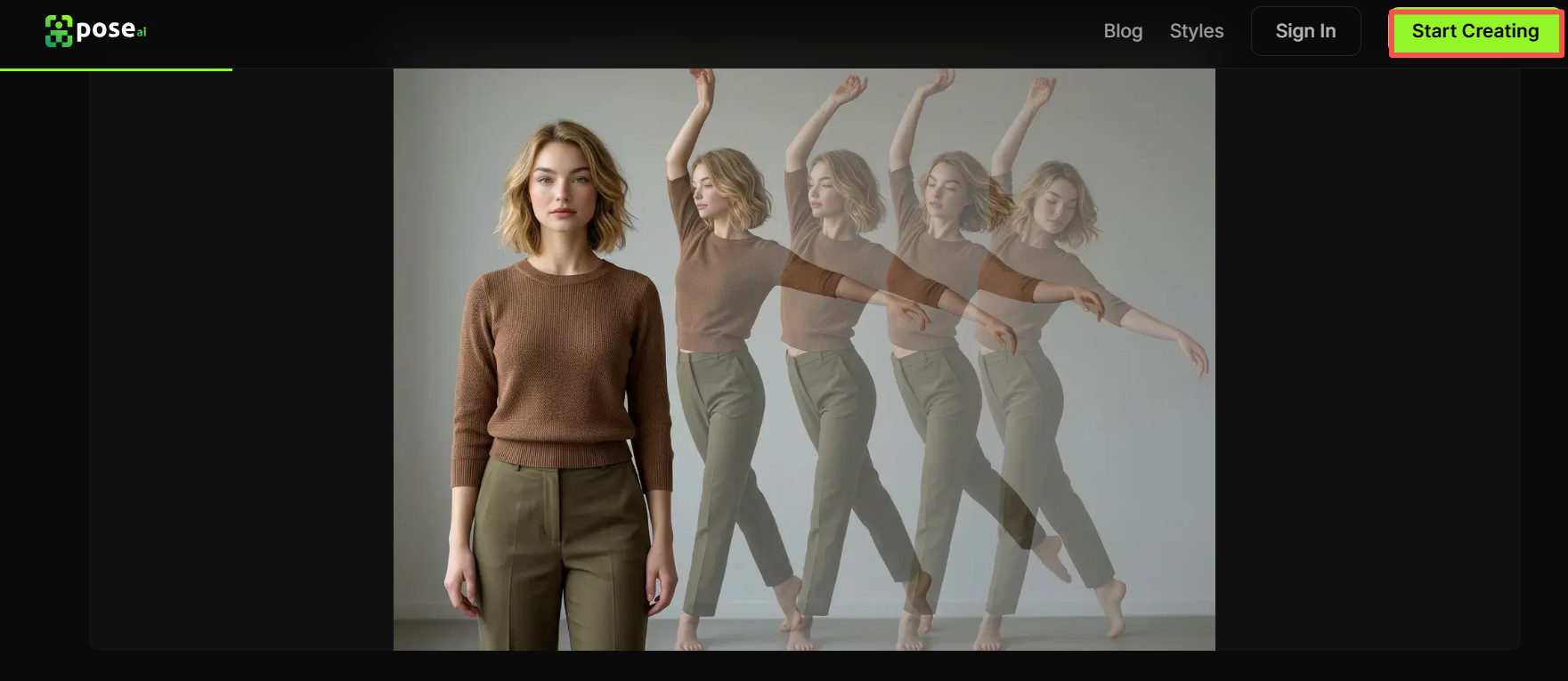
Step 2: Upload a clear, well-lit photo where the person is fully visible for better dance motion.
Step 3: Select SeedDance, Wan, or Kling according to your needs, then choose a dance template or describe the desired movement.
Step 4: Generate the clip, review the result, and export the finished video in a suitable format.
Vidu AI
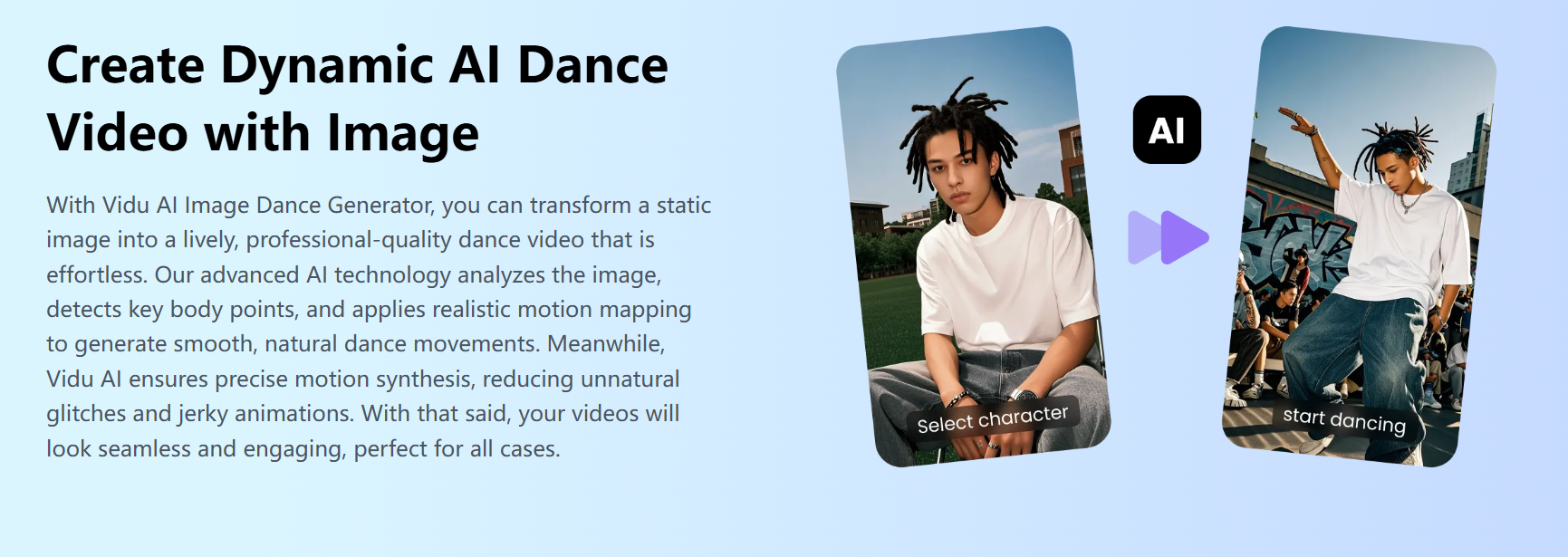
Vidu AI offers a straightforward way to animate a photo into a dance video. Its AI Dance Generator works best with a clear full-body image and a specific prompt describing the desired movement.
One useful aspect of Vidu is its movement control. Users can adjust motion amplitude and choose between short 4- or 8-second outputs, which makes it suitable for quick social media experiments rather than long-form music videos.
It also supports different types of source material, including old photos, anime characters, and fictional characters. The web-based workflow means there is no software to install.
Key Features:
Photo-to-Dance: Turns a full-body image into an animated dance performance.
Motion Amplitude: Adjust movement intensity from small to large.
Flexible Settings: Control aspect ratio, duration, and resolution before generation.
Social-Friendly Output: Creates clips designed for platforms such as TikTok, Reels, and Shorts.
Pros:
Easy to use
Free option available
Motion controls
Multiple image types
No installation
Social-ready output
Cons:
Short clips only
Full-body photos work best
Limited music control
How to Use It:
Step 1. Click the CREATE NOW button or the Try Vidu button on this page to enter Vidu's creation interface.
Step 2. Choose Templates on the left panel, then choose whether to generate with music or not and the amount you need to create.
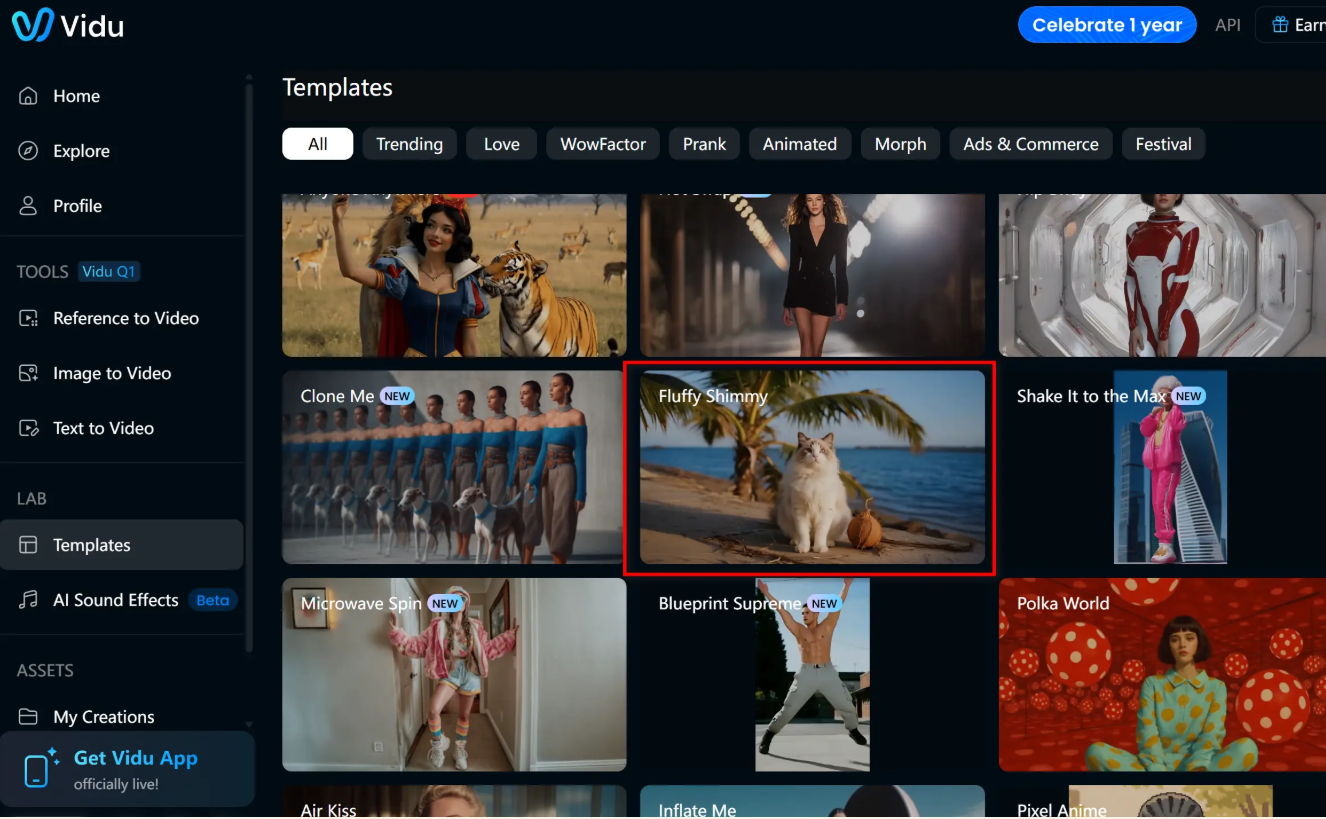
Step 3. Click Create to generate the dance video, then preview the result and download or share it.
Media.io
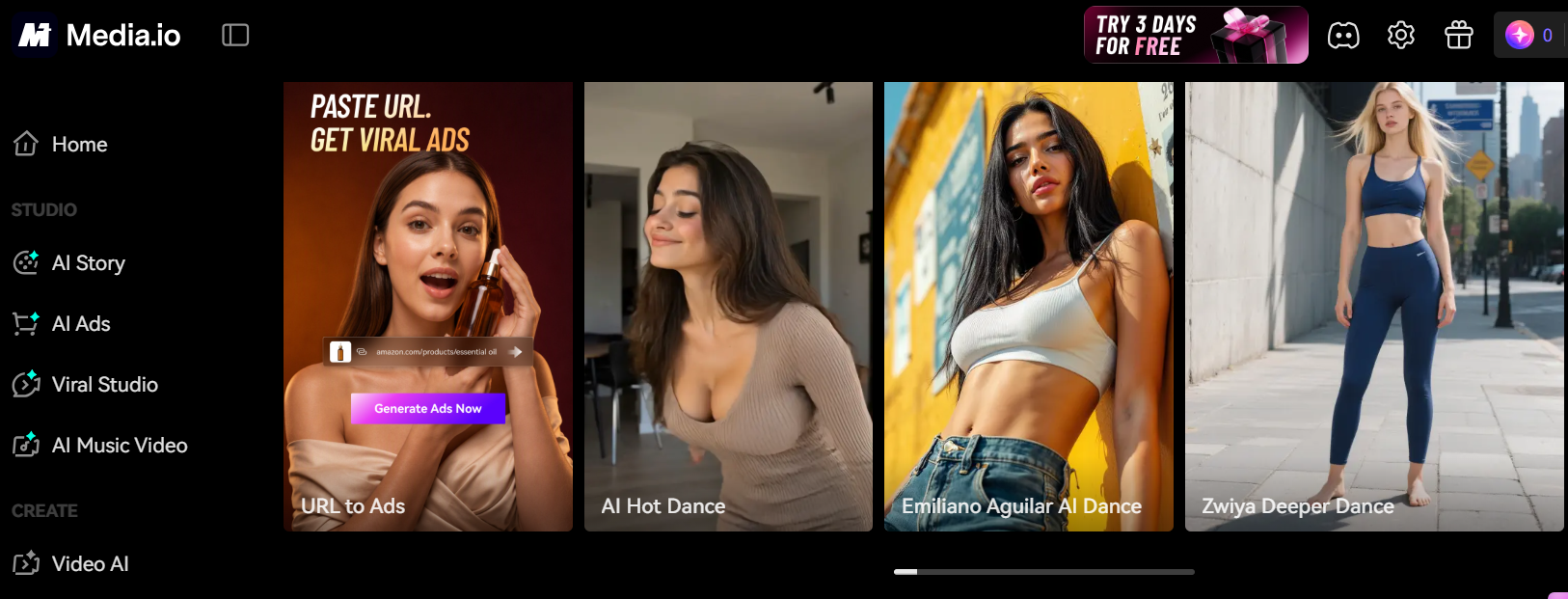
Media.io is designed for users who want to create an AI dance clip quickly without learning a complicated editing workflow. Its AI Dance Generator can turn a photo into an animated performance using a text prompt or a selected dance effect.
The platform is particularly suitable for social content. Generated videos can be prepared for TikTok, Instagram Reels, and YouTube Shorts, while its browser-based interface removes the need to install additional software.
For beginners, the workflow is simple: upload a photo, describe the dance, generate the clip, and download the result. Media.io also provides an "Inspire Me" option to help users create more detailed prompts.
Key Features:
Photo-to-Dance: Animates selfies, portraits, full-body photos, and character images.
Prompt-Based Motion: Describe styles such as hip-hop, K-pop, or other choreography.
Realistic Movement: Generates smooth body motion designed to look natural.
Social Optimization: Produces high-quality clips suitable for TikTok, Reels, and Shorts.
Pros:
Beginner-friendly
Quick generation
Prompt assistance
No installation
Social-media focused
Free credits available
Cons:
Mainly short clips
Limited music analysis
Less advanced control
How to Use It:
Step 1: Open Media.io's AI Dance Video Generator and upload a clear full-body or half-body photo.
Step 2: Select a dance effect and clickCreate Similar Video. The AI automatically maps movements to your character.
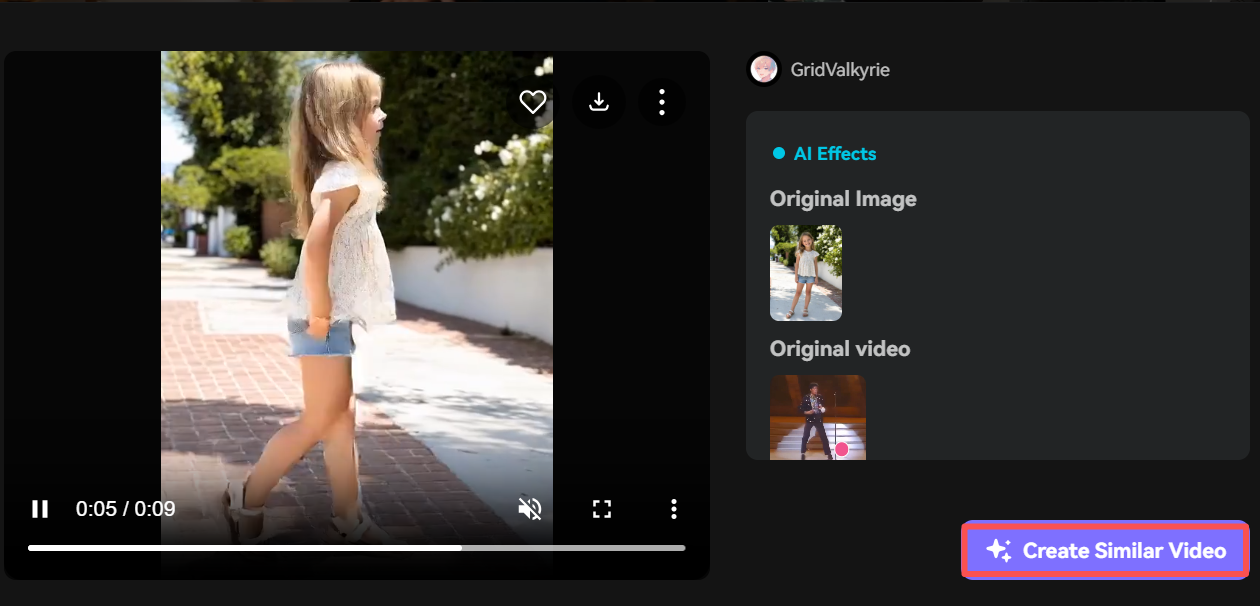
Step 3: Preview the result, then download the high-quality dance video and share it on social media.
Comparison of the 5 Dance Video Generators
Choosing the top 5 AI dance video generators depends on more than just how realistic the movement looks. Ease of use, free access, interface design, output quality, and customization all affect the overall experience. The comparison below gives you a quick way to identify the tool that best matches your needs.
| Tool | Easy to Use | Free Version | User Interface | Customization |
|---|---|---|---|---|
| Freebeat | Very high | 500 Credits | Intuitive | Very High |
| Dreamina | Medium | Daily Free | Clean | Very High |
| Pose AI | High | Limited | Simple | High |
| Vidu AI | High | 10 videos | Friendly | Medium-High |
| Media.io | Very high | Yes | Beginner-friendly | Medium |
FAQs
Q1: Can I make a dance video from a single photo?
Yes. Most of these tools support photo-to-dance generation. A clear full-body image generally provides better information for realistic movement and more natural poses.
Q2: Can AI make a character dance to a specific song?
Yes, but music synchronization varies. Freebeat analyzes BPM, beats, energy, and song sections, allowing choreography and visual changes to follow the actual track structure.
Q3: Can I choose the dance style and background in an AI dance video?
Yes. Tools such as Freebeat and Dreamina let you guide the dance through styles or prompts, while Dreamina also supports detailed instructions for scenes, camera movement, and visual settings.
Q4: Can I turn a Suno song into a full music video?
Yes. By pairing Suno AI audio links with Freebeat, you can generate full-length dance and music videos aligned to the complete track duration
Final Thoughts
AI dance video generators have made it much easier to turn a simple photo into engaging moving content. Freebeat is particularly useful when music synchronization and full-length performance matter, while Dreamina, Pose AI, Vidu AI, and Media.io offer different approaches to creative control, identity preservation, and short-form content. Choosing the right tool ultimately depends on how much control you want over the music, movement, character, and final visual style.



