Teleprompter apps have become indispensable for content creators,
journalists, educators, and corporate professionals who need smooth,
flawless script delivery. In 2025, advancements such as AI integration,
cross-device synchronization, and cloud-based collaboration have
transformed these tools into smarter, more versatile solutions that
streamline video production and improve on-camera performance. These
challenges make it essential to find tools that combine both reliability
and ease of use. This raises the question: which teleprompter apps
deliver the perfect balance of speed, stability, and advanced features
in 2025? To answer that, this guide reviews the top four teleprompter
apps on the market today, focusing on their scroll smoothness, AI
capabilities, platform compatibility, and user experience to help you
choose the right one for your needs.
Part 1: Top 4
Teleprompter Apps
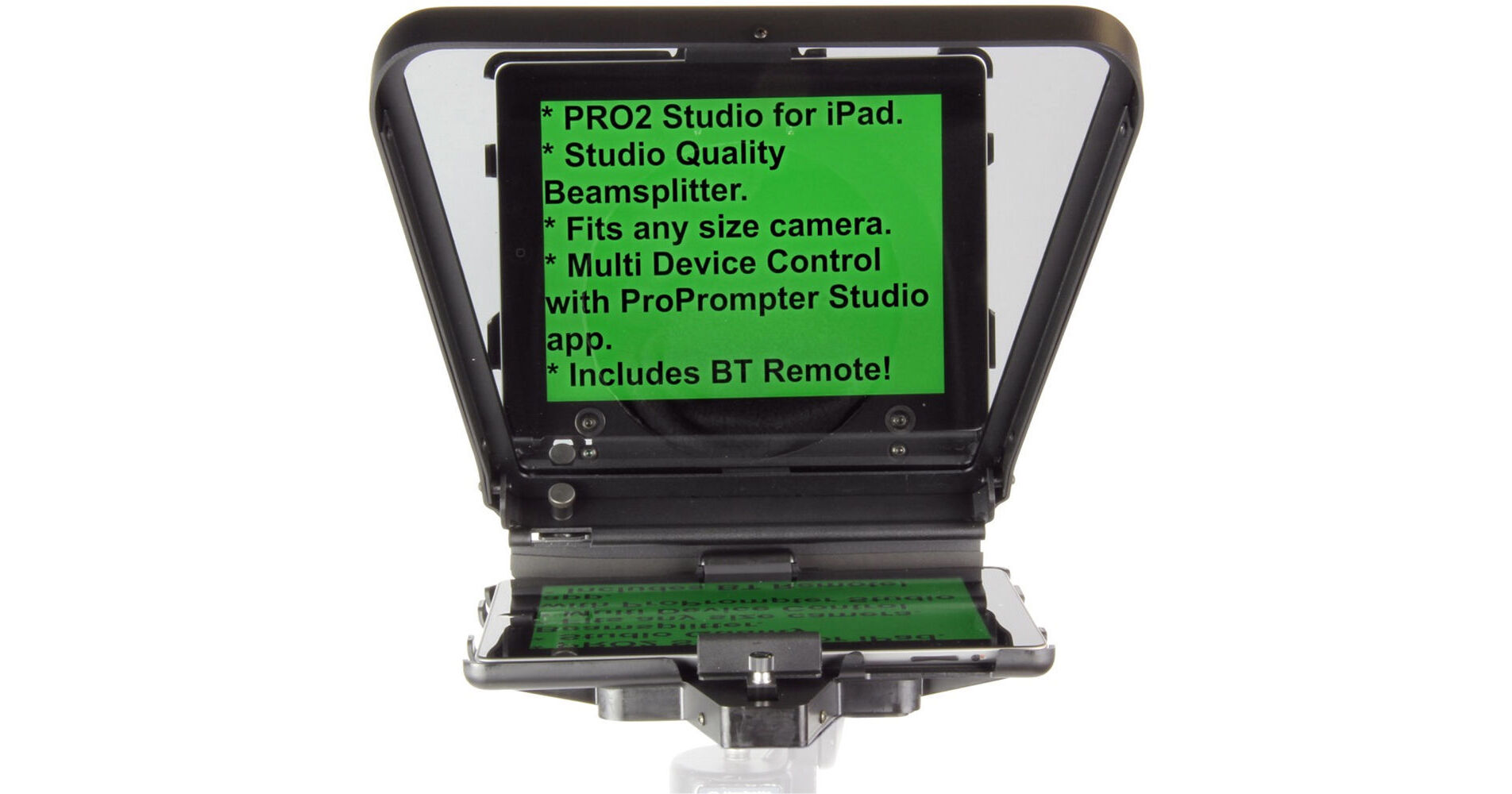
1. ProPrompter Elite(iOS)
ProPrompter Elite (iOS)
When it comes to delivering scripts on camera, not all teleprompter
apps are created equal. Some are designed for quick, casual use, while
others cater to professional-grade productions with advanced features
and precision controls. Choosing the right app depends on your recording
setup, budget, and the type of content you create. In this section,
we’ll explore the top four teleprompter
apps of 2025, each offering unique strengths, from AI-powered
speech tracking to studio-ready mirror modes, so you can find the
perfect fit for your workflow.
Core Features:
Studio-grade mirror mode for teleprompter rigs
0.1x incremental scroll speed control
Bluetooth & Wi-Fi remote control
Cloud collaboration for teams
Multi-monitor support
Pros:
Ultra-smooth, broadcast-quality scrolling
Advanced text customization
Reliable for long recording sessions
Excellent support
Cons:
iOS only
Subscription ($14.99/month)
Steep learning curve for advanced tools
Perfect for: Professional broadcast studios,
corporate productions.
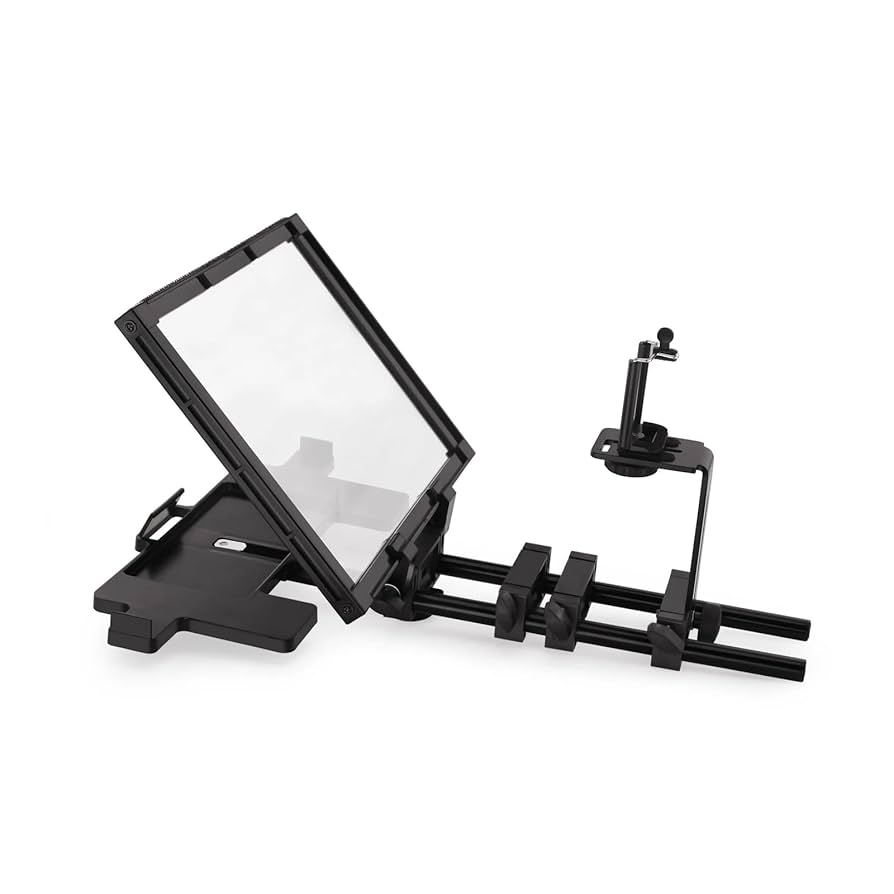
2. Teleprompter Pro(Android)
Teleprompter Pro
If you’re an Android user looking for a reliable teleprompter app
without the ongoing cost of subscriptions, Teleprompter
Pro is a standout choice. Designed with simplicity and
practicality in mind, it strikes a great balance between essential
features and ease of use, making it ideal for mobile filmmakers,
YouTubers, educators, and anyone who records on the go. Its lightweight
design ensures smooth performance even on older devices, while offline
functionality means you can use it anytime, anywhere, perfect for
shooting in remote locations or during travel.
Core Features:
Swipe speed control
Adjustable text opacity
Auto-rotation support
Countdown timer
Local file import
Pros:
One-time purchase ($8.99)
Lightweight (15MB)
Intuitive, minimal interface
Works completely offline
Cons:
No cloud sync
Basic UI, limited fonts
3. SmartScroll Pro (iOS
& macOS)
SmartScroll Pro (iOS & macOS)
For educators, podcasters, and webinar hosts who often deal with
long-form content, SmartScroll Pro offers a
smart, adaptive teleprompter experience that keeps pace with your
delivery. Instead of relying solely on manual speed settings, it uses AI
to automatically adjust scrolling based on your voice, ensuring a
natural and uninterrupted flow. This makes it especially useful for
presentations, lectures, or podcasts where pacing can vary throughout
the recording. Combined with its clean design, cross-device syncing, and
rich formatting options, SmartScroll Pro is a versatile choice for those
who value both technology and ease of use in their teleprompter
tool.
Core Features:
AI speed adjustment
Voice-activated scroll
Line-by-line highlighting
Cross-device sync
Rich text formatting tools
Pros:
Adapts to your speaking pace
Ideal for lengthy scripts
Clean, modern design
Free version available
Cons:
Requires internet for AI features
Occasional voice detection delay
4. EasyTeleprompter
Basic (Web & Mobile)
EasyTeleprompter Basic
If you’re new to teleprompters or only need one for short,
straightforward projects, EasyTeleprompter Basic
is an excellent starting point. It’s designed for simplicity above all
else, removing the complexity that can overwhelm beginners. The
interface is clean and intuitive, so you can paste your script, adjust
the speed, and start recording within minutes—no tutorials required.
Because it’s lightweight and available both on web and mobile, it’s a
convenient option for students, casual video creators, or anyone needing
a quick solution without extra bells and whistles. While it lacks
advanced features like AI tracking or cloud sync, its ease of use and
free plan make it a reliable go-to for first-time teleprompter
users.
Core Features:
Extremely simple interface
Basic speed adjustments
Simple text formatting
Local script storage
Free plan
Pros:
Zero learning curve
Lightweight (10MB)
No subscription required
Cons:
Very limited feature set
No cloud sync or AI tools
Part 2: Quick Comparison
Table
App
Best For
Ease of Use
Advanced Features
Pricing
ProPrompter Elite
Professional broadcasts
Moderate
Outstanding
$19.99/month
Teleprompter Pro
Android creators
Easy
Good
$8.99 one-time
SmartScroll Pro
Educational content
Moderate
Excellent
Freemium
EasyTeleprompter
Beginners & students
Very Easy
Basic
Free
Part
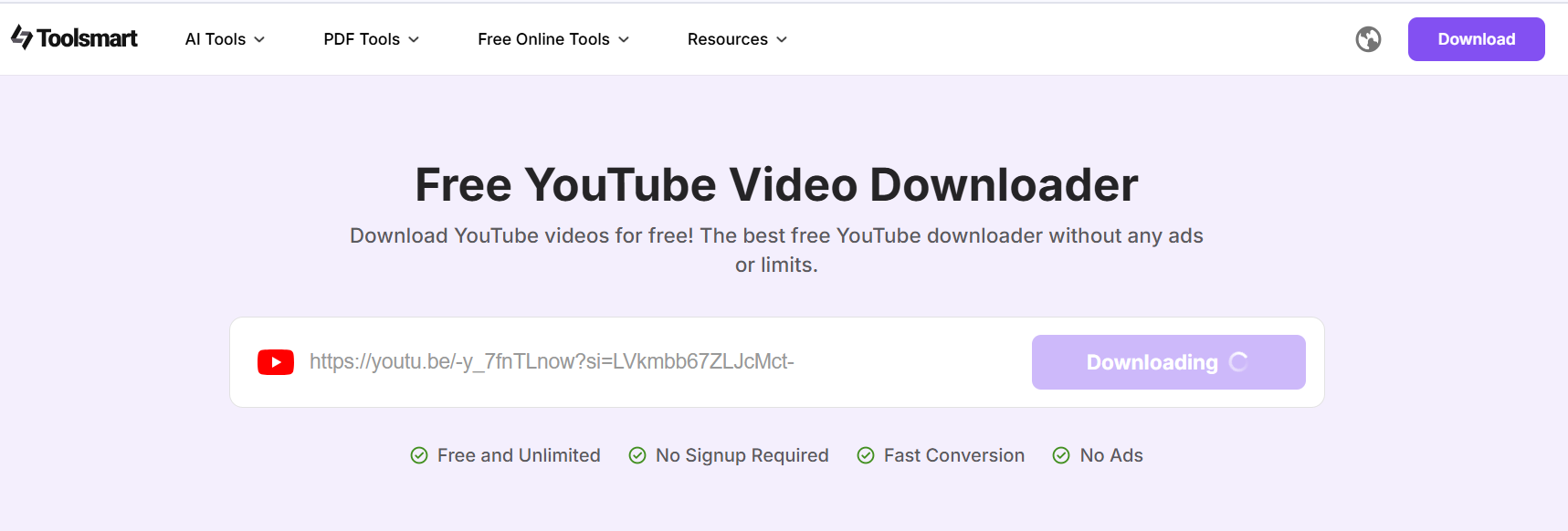
3: Bonus Tool: Toolsmart YouTube Video Downloader
While a great teleprompter app ensures smooth delivery during
filming, having the right supporting tools can make your entire content
creation process more efficient. One such tool is the Toolsmart YouTube
Video Downloader, a simple yet powerful solution for saving reference
videos, tutorials, or inspiration clips directly from YouTube. Whether
you’re studying a competitor’s presentation style, archiving a webinar
for offline review, or pulling visual references for your next project,
this downloader provides high-quality results without the hassle of
complicated software. Its browser-based design means you can use it
anywhere without installations, and with support for up to 4K UHD
resolution, your saved videos retain professional-level clarity.
Core Features:
4K UHD resolution support
MP4/WEBM formats
Fast, browser-based operation
No watermarks
Pros:
100% free
No account needed
Simple and quick
Cons:
Only works with public videos
No batch download feature
How to Use:
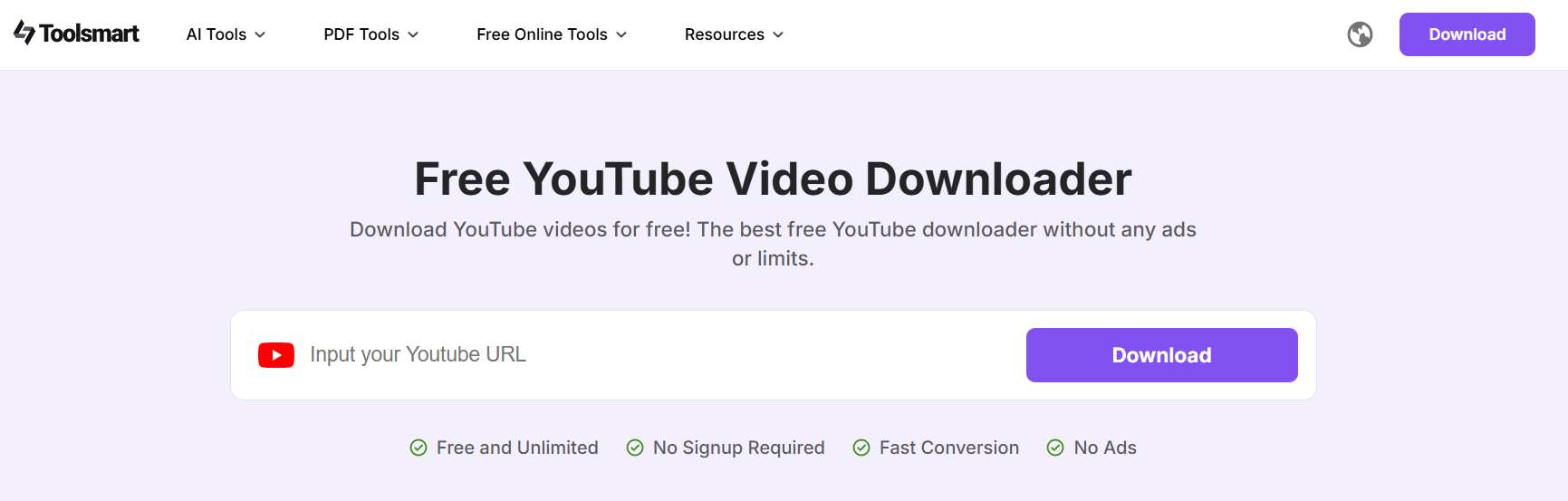
Open Toolsmart’s YouTube Video Downloader.
Open Toolsmart’s YouTube Video Downloader
Copy the YouTube video URL
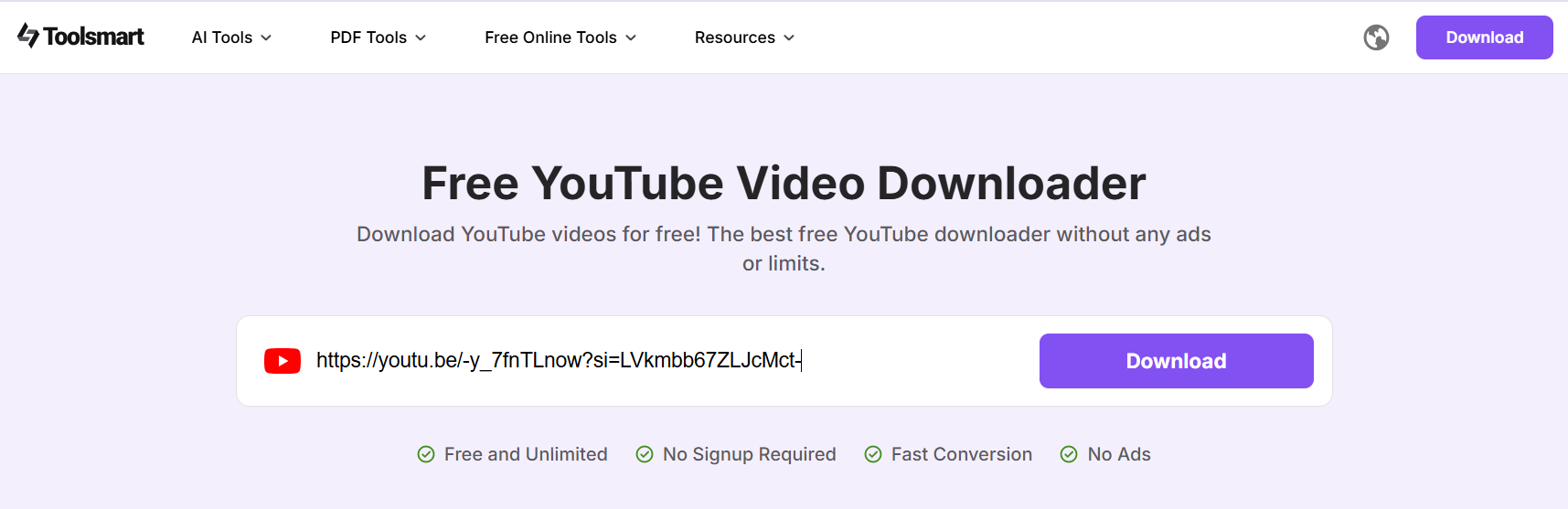
Paste the link.
Paste the link of YouTube Video
Choose quality (up to 4K).
Select format.
Download and save.
Download and save the YouTube Video
FAQs
Q1: Which app works best with professional
teleprompter mirrors? ProPrompter Elite’s 4K mirror mode is built for broadcast rigs.
Q2: Most affordable professional-grade option? Teleprompter Pro at $8.99 one-time.
Q3: Which app adjusts to my speaking pace
automatically? SmartScroll Pro with AI voice tracking.
Q4: Can I use these apps offline? Teleprompter Pro and EasyTeleprompter can.
Q5: What video quality does Toolsmart’s downloader
support? Up to 4K UHD at 60fps.
Summary
In 2025, producing high-quality videos isn’t just about having the
right camera or lighting, it’s also about delivering your script
seamlessly. The right teleprompter app can make a huge difference in
your on-screen confidence and overall production value.ProPrompter Elite stands out as the gold standard for
professional broadcasts, offering unmatched smoothness. For Android
users seeking affordability without sacrificing functionality,Teleprompter Pro provides a one-time purchase solution
that’s both reliable and easy to use. SmartScroll Procaters to educators and podcasters with its AI-powered voice control,
adapting scroll speed to your natural speech. Meanwhile,EasyTeleprompter is the perfect starting point for
beginners who want a straightforward, no-frills tool.
Beyond teleprompters, enhancing your content workflow often requires
quick access to reference material. That’s where Toolsmart
YouTube Video Downloader comes in, allowing you to save
public videos in up to 4K quality without watermarks or complicated
setups. Whether you’re gathering inspiration, studying competitor
content, or keeping offline archives, Toolsmart offers a simple,
high-quality solution that complements your teleprompter setup and helps
you produce polished, professional videos every time.
7+ years in productivity tech. I test and review the latest tools to simplify your workflow. Follow for honest app comparisons, practical guides, and curated tech picks to boost efficiency.

'%3e%3cpath%20fill-rule='evenodd'%20clip-rule='evenodd'%20d='M19%208.5C24.799%208.5%2029.5%2013.201%2029.5%2019C29.5%2024.6782%2024.9928%2029.3036%2019.361%2029.4939L19%2029.5C18.8794%2029.5%2018.7592%2029.498%2018.6396%2029.4939L18.2811%2029.4758C12.8174%2029.1063%208.5%2024.5574%208.5%2019C8.5%2013.201%2013.201%208.5%2019%208.5ZM22.3063%2010.6267L22.2342%2010.6539C21.3423%2011.0061%2020.5541%2011.6368%2020.5606%2012.4987C20.5631%2012.8302%2020.869%2014.8871%2020.2141%2014.8486C19.5589%2014.8102%2019.413%2013.8753%2018.7116%2013.616C17.5944%2013.2026%2016.9819%2014.3401%2017.0939%2015.3106C17.1695%2015.9655%2018.9289%2018.3871%2017.9028%2019C17.292%2019.3651%2015.7279%2017.5692%2015.1007%2017.1842C14.4805%2016.8034%2013.2758%2017.3333%2012.4974%2016.7029C11.9874%2016.2899%2012.3881%2014.4098%2012.2786%2013.8372C12.2271%2013.5698%2012.1155%2013.3689%2011.9794%2013.2166L12.0402%2013.2934C10.7653%2014.8464%2010%2016.8339%2010%2019C10%2023.8465%2013.8307%2027.7982%2018.6295%2027.9925L18.6769%2027.9747C18.8597%2027.8677%2019.0394%2027.7557%2019.216%2027.6387C19.4137%2027.4534%2019.5436%2027.2072%2019.5849%2026.9394C19.8806%2025.1222%2018.3616%2025.4302%2017.9367%2024.5622C17.5489%2023.7695%2018.5712%2023.7684%2018.5524%2021.7923C18.4607%2021.1774%2018.5279%2020.547%2018.7211%2020.0315C19.1834%2018.7987%2020.7077%2017.2643%2022.5889%2018.0081C23.5567%2018.3906%2023.1524%2019.9831%2023.4737%2020.3394C24.251%2021.2018%2025.3228%2020.6863%2026.2856%2021.2253C26.7816%2021.5032%2026.9797%2022.41%2027.056%2023.2248L27.038%2023.0528C27.6534%2021.8348%2028%2020.4579%2028%2019C28%2015.1968%2025.6409%2011.9445%2022.3063%2010.6267Z'%20fill='%23757575'/%3e%3ccircle%20cx='19'%20cy='19'%20r='10.125'%20stroke='%23757575'%20stroke-width='2.25'/%3e%3c/g%3e%3cdefs%3e%3cclipPath%20id='clip0_1827_14613'%3e%3crect%20width='24'%20height='24'%20fill='white'%20transform='translate(7%207)'/%3e%3c/clipPath%3e%3c/defs%3e%3c/svg%3e)