
'%3e%3cpath%20fill-rule='evenodd'%20clip-rule='evenodd'%20d='M19%208.5C24.799%208.5%2029.5%2013.201%2029.5%2019C29.5%2024.6782%2024.9928%2029.3036%2019.361%2029.4939L19%2029.5C18.8794%2029.5%2018.7592%2029.498%2018.6396%2029.4939L18.2811%2029.4758C12.8174%2029.1063%208.5%2024.5574%208.5%2019C8.5%2013.201%2013.201%208.5%2019%208.5ZM22.3063%2010.6267L22.2342%2010.6539C21.3423%2011.0061%2020.5541%2011.6368%2020.5606%2012.4987C20.5631%2012.8302%2020.869%2014.8871%2020.2141%2014.8486C19.5589%2014.8102%2019.413%2013.8753%2018.7116%2013.616C17.5944%2013.2026%2016.9819%2014.3401%2017.0939%2015.3106C17.1695%2015.9655%2018.9289%2018.3871%2017.9028%2019C17.292%2019.3651%2015.7279%2017.5692%2015.1007%2017.1842C14.4805%2016.8034%2013.2758%2017.3333%2012.4974%2016.7029C11.9874%2016.2899%2012.3881%2014.4098%2012.2786%2013.8372C12.2271%2013.5698%2012.1155%2013.3689%2011.9794%2013.2166L12.0402%2013.2934C10.7653%2014.8464%2010%2016.8339%2010%2019C10%2023.8465%2013.8307%2027.7982%2018.6295%2027.9925L18.6769%2027.9747C18.8597%2027.8677%2019.0394%2027.7557%2019.216%2027.6387C19.4137%2027.4534%2019.5436%2027.2072%2019.5849%2026.9394C19.8806%2025.1222%2018.3616%2025.4302%2017.9367%2024.5622C17.5489%2023.7695%2018.5712%2023.7684%2018.5524%2021.7923C18.4607%2021.1774%2018.5279%2020.547%2018.7211%2020.0315C19.1834%2018.7987%2020.7077%2017.2643%2022.5889%2018.0081C23.5567%2018.3906%2023.1524%2019.9831%2023.4737%2020.3394C24.251%2021.2018%2025.3228%2020.6863%2026.2856%2021.2253C26.7816%2021.5032%2026.9797%2022.41%2027.056%2023.2248L27.038%2023.0528C27.6534%2021.8348%2028%2020.4579%2028%2019C28%2015.1968%2025.6409%2011.9445%2022.3063%2010.6267Z'%20fill='%23757575'/%3e%3ccircle%20cx='19'%20cy='19'%20r='10.125'%20stroke='%23757575'%20stroke-width='2.25'/%3e%3c/g%3e%3cdefs%3e%3cclipPath%20id='clip0_1827_14613'%3e%3crect%20width='24'%20height='24'%20fill='white'%20transform='translate(7%207)'/%3e%3c/clipPath%3e%3c/defs%3e%3c/svg%3e)


Sending professional invoices is a crucial part of every business, regardless of its size. While many of them turn to online tools for convenience, there are too many tools to choose from. Users often wonder how Skynova’s all-in-one approach compares to other dedicated apps. So, what is Skynova Invoice, and is it worth using? In this Skynova invoice review, I’ll be providing you with a detailed breakdown, along with walking you through how to use Skynova Invoice step by step.
Skynova Invoice Review
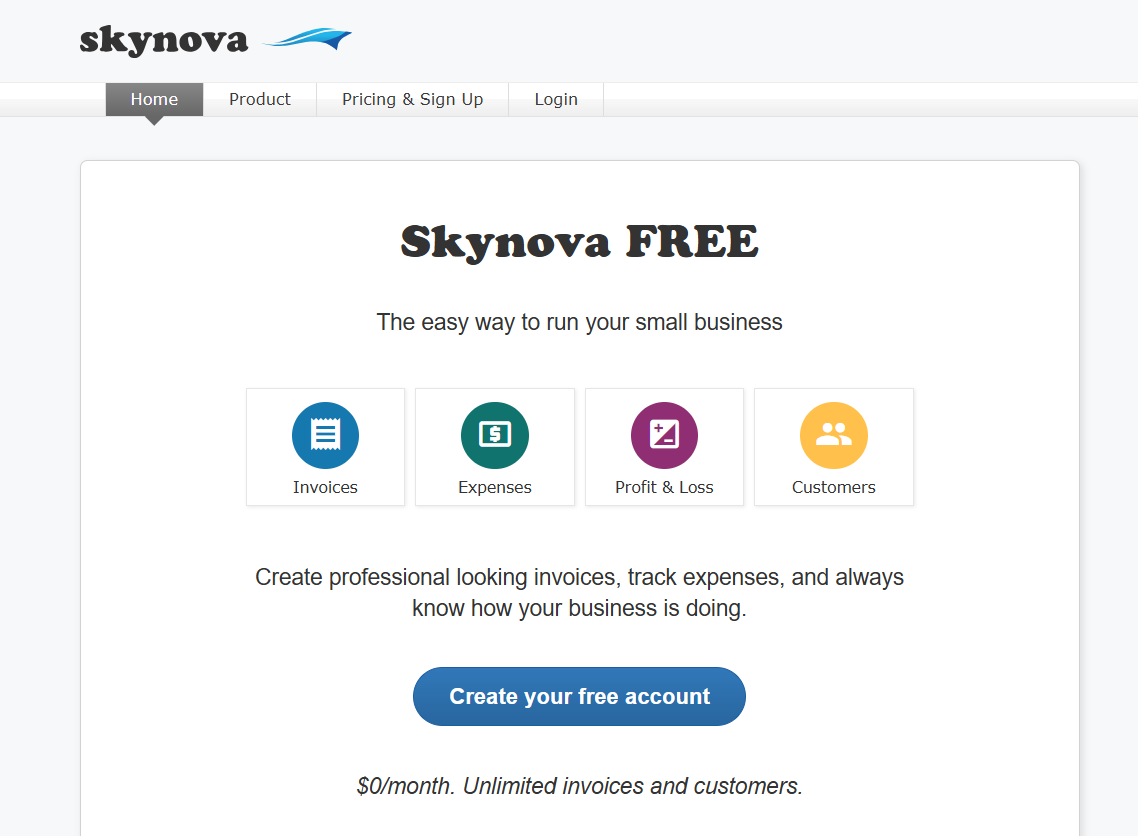
Skynova Invoice is an accounting and invoicing tool that helps simplify expense tracking for small businesses and professionals looking for a reliable solution. In my experience, it was one of the most user-friendly and intuitive tools I’ve ever seen, making sure the interface and menus are clean and straightforward to prevent any confusion. However, one major downside I did find was the lack of advancedfeatures for larger companies with specific requirements.
Features
AutomatedInvoicing
Expense Tracking
Multi-Currency Support
Integrations and Compatibility
Pricing
Free Plan: Basic Functionality
Premium: $22/month for core invoicing, customizable invoices, online payments, project billing, and multi-currency support, ideal for small business accounting.
Pros
Reliable Free Plan
Customizable Templates
Beginner-Friendly and Intuitive Experience
Cons
Limited Advanced Features
No Mobile App
Limited Customer Support
How to Use Skynova Invoice
Skynova Invoice is a great addition to help streamline the accounting and invoicing of your small business or company, but it can be a bit limitingfor enterprises working at a larger scale. Regardless, if Skynova Invoice seems like the right fit for your workflow, using it is incredibly straightforward. In this section, I’ll be covering the entire step-by-step process to guide you through it.
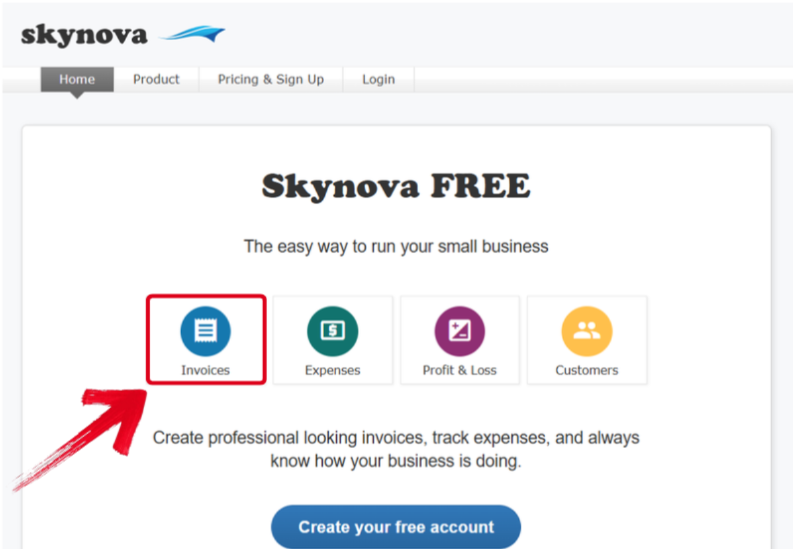
Step 1: Visit Skynova’s official website and pressInvoices to get started.
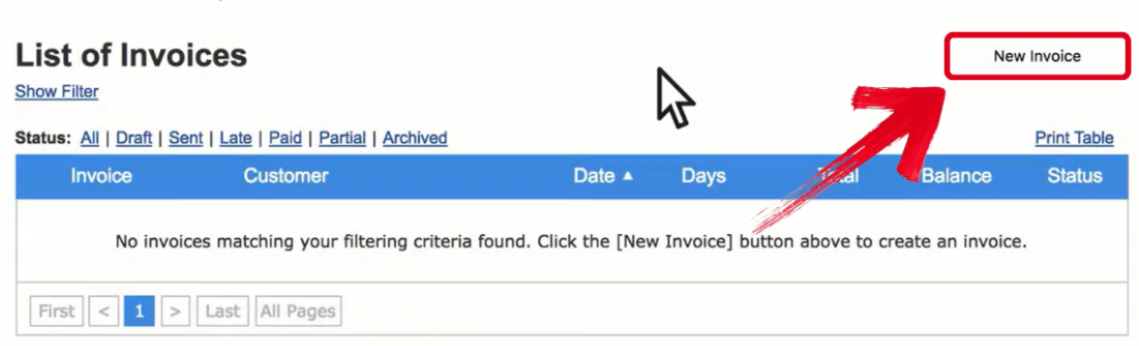
Step 2: Once you’re on the Invoices window, selectNew Invoice to continue.
Step 3: Next, fill in the invoice with the details of the sender and receiver. Make sure everything is accurate before saving it.
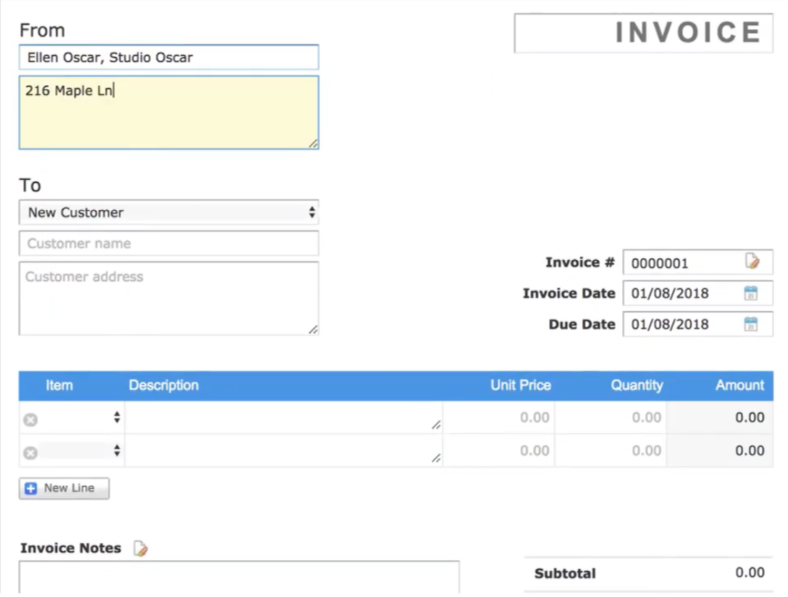
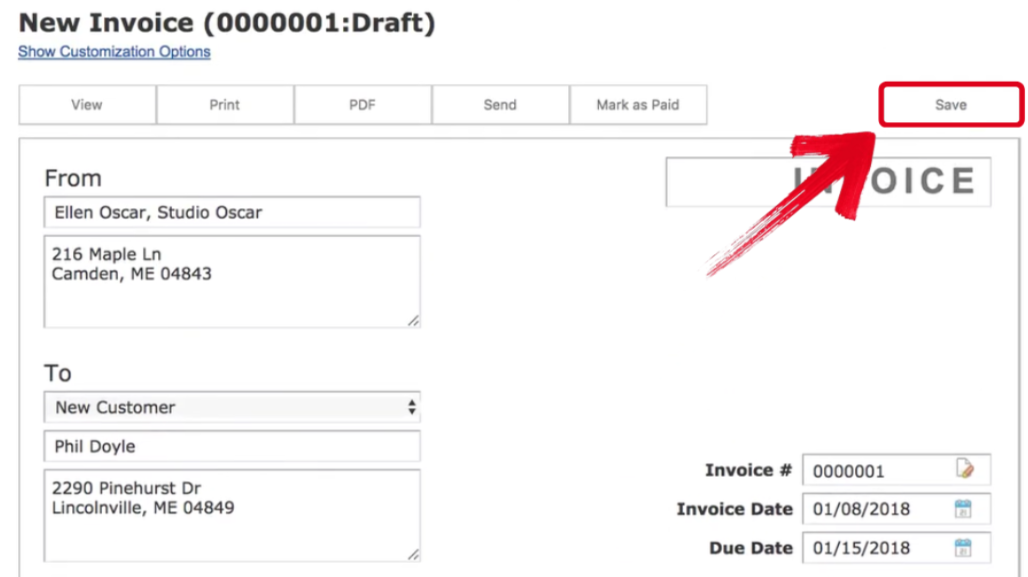
Step 4: Once you’ve completed filling out the invoice, press Save to apply your changes.
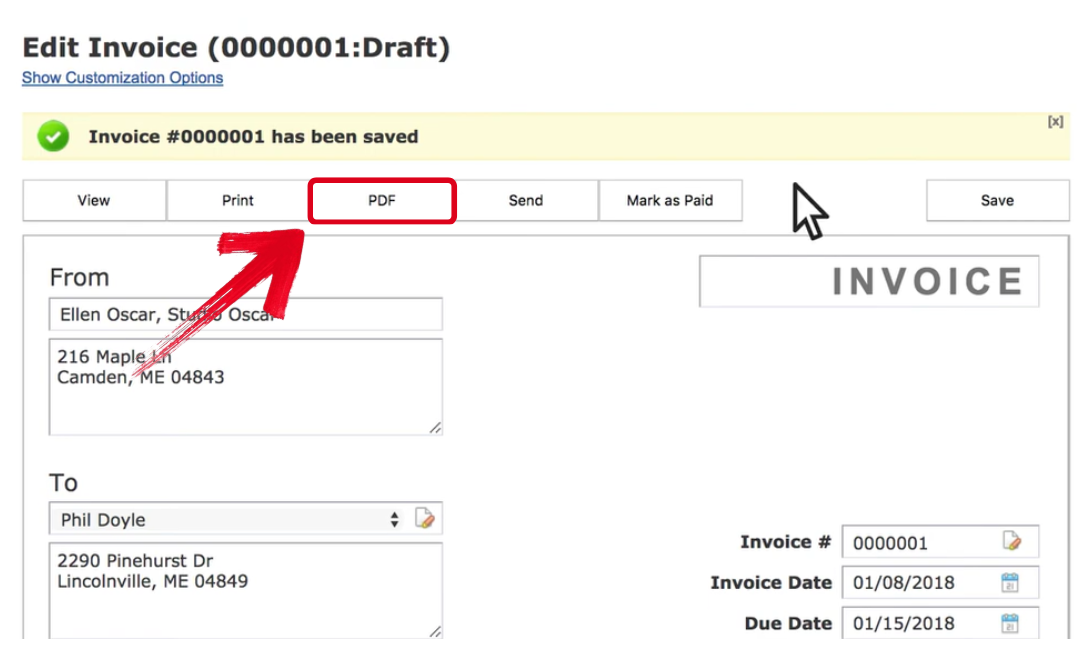
Step 5: After saving the invoice, either send it directly to their email or just save it to your device by pressingPDF.
Best Alternative – Generate Invoice With Professional Free Invoice Generator
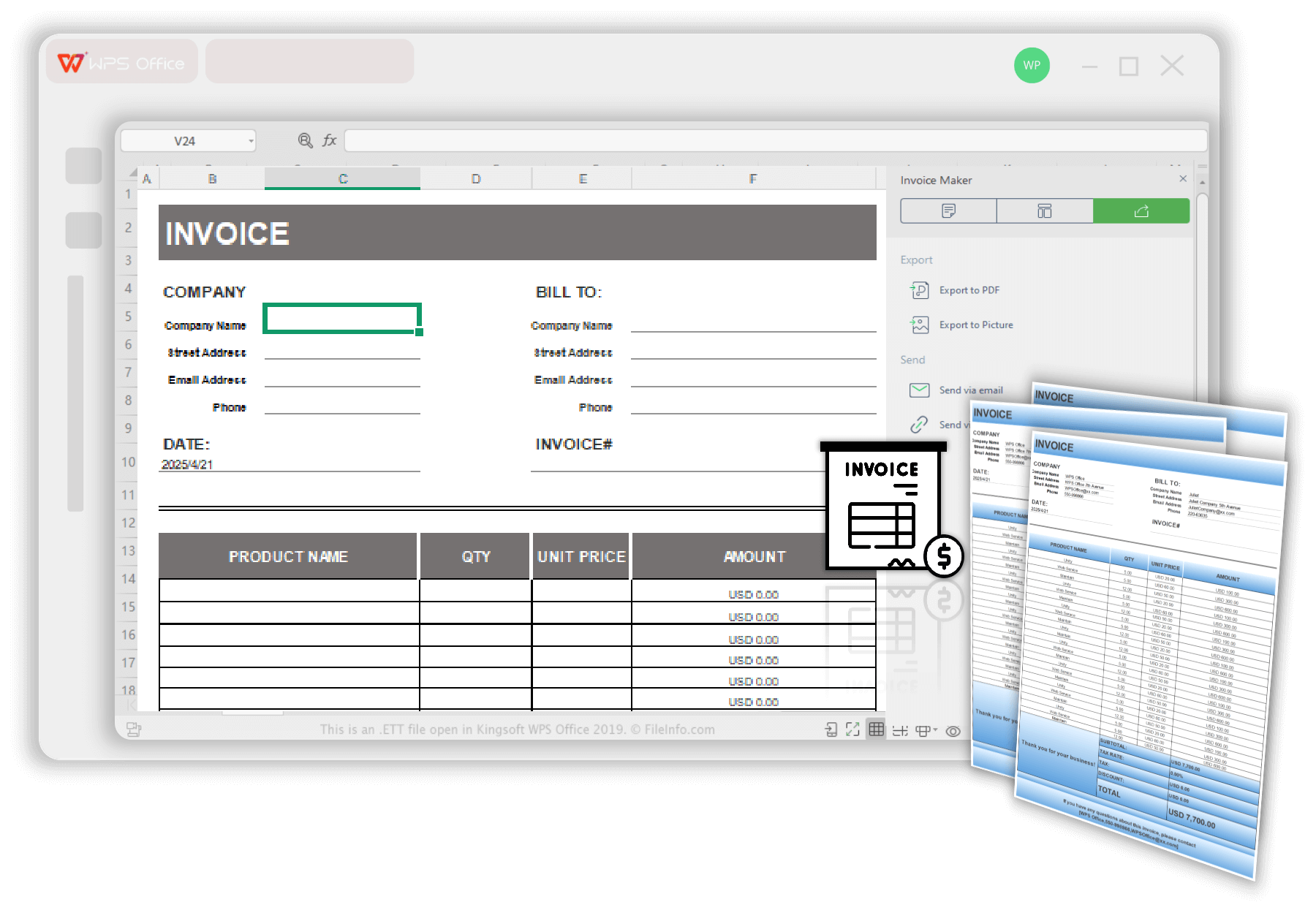
Skynova can be a great option for small businesses working at smaller scales, but for companies looking for more advanced solutions, it can be extremely limited. This is why I personally rely on smarter Skynova Invoice alternatives like WPS Invoice Generator for all my financial needs. It’s completely free and incredibly reliable, ensuring polished and clean invoices in just a few simple steps. It eliminates all the hassle out of the traditional invoicing process and equips me with countless smart features to help me be more efficient and save a lot of time.
Features
Customizable Layouts
Automated Calculations
Reusable Invoices
Built-In DataStorage
Pros
Quick and Easy Invoice Creation
Compatibility with a Wide Range of Formats
Provides a Complete Office Suite
Cons
Limited Advanced Invoicing Features
Free Version has Occasional Ads
WPS Invoice Generator allows you to create any invoice you want in just a few simple steps. I’ll walk you through the entire process step by step, making sure you don’t feel lost along the way.
Step 1: Open your invoice template in WPS Office to get started.
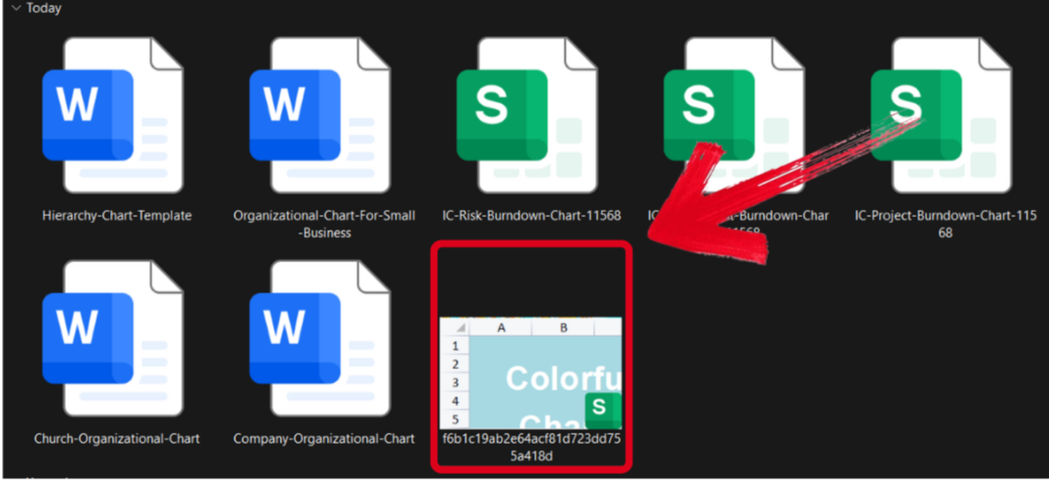
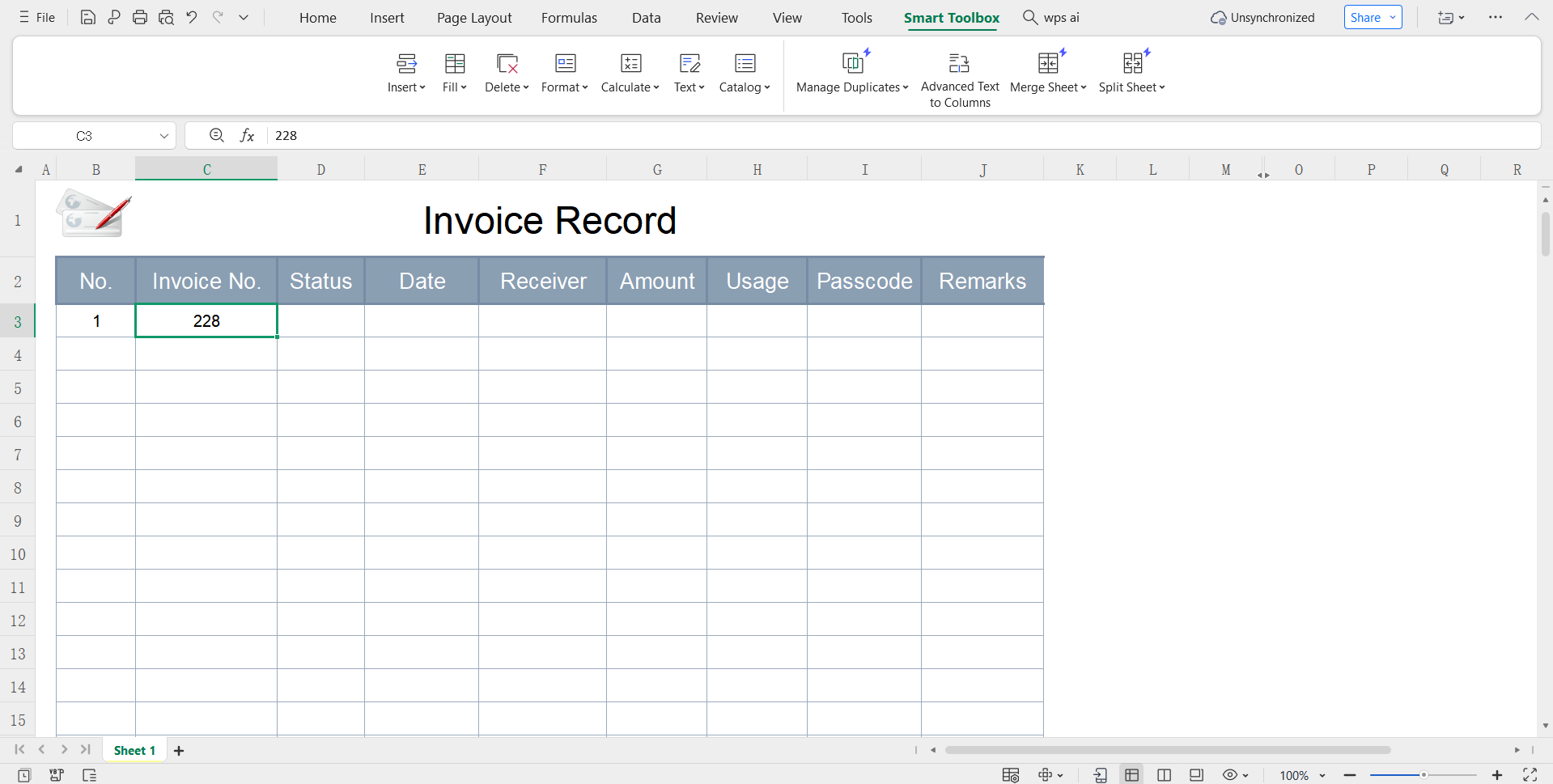
Step 2: Edit the template and add your own billing and project details for your construction work.
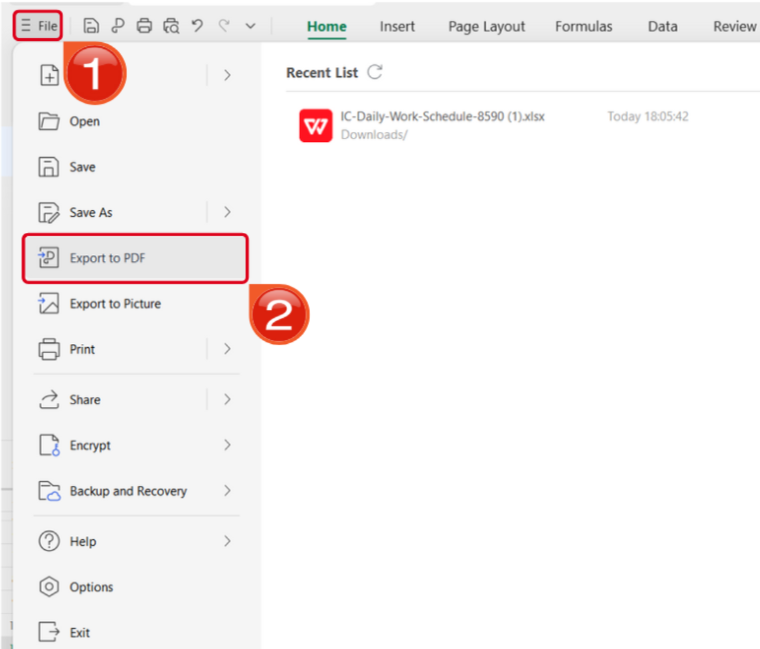
Step 3: Open the Files menu and select Export to PDF to convert your template to a PDF document.
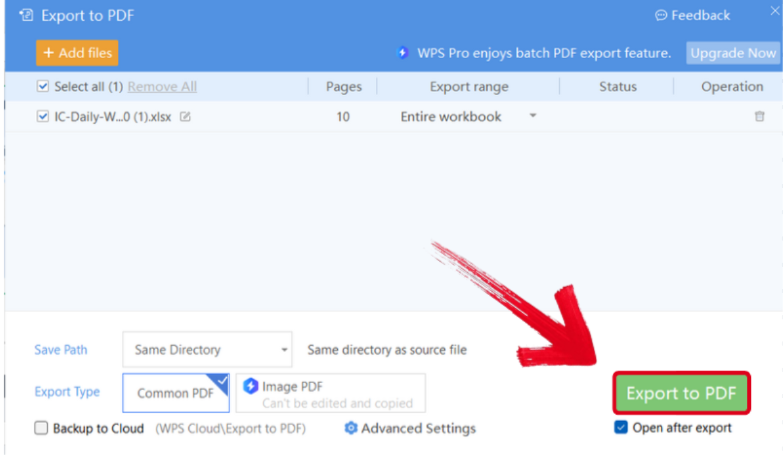
Step 4: Your Excel file will now start conversion into a PDF file. Press Export to PDF to save it to your device.
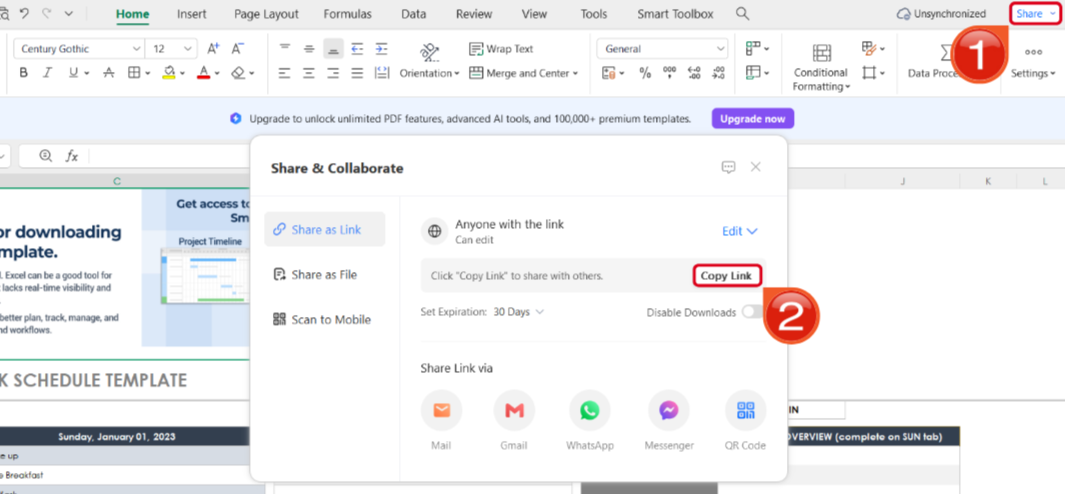
Step 5: Once you’re done saving it as a PDF, pressShare to generate an online link for your file. Then press Copy Link to copy it to your clipboard and share it with others.
WPS Free Invoice Generator V.S. Skynova Invoice
I’ve personally tried and tested both of these tools extensively forresearch, and both of them proved to be incredibly reliable in simplifying my invoicing work. However, if you’re trying to decide the right option for your own requirements, it may get a bit confusing. To help you decide easily, I’ll be comparing both of these tools side by side. In this section, I’ll be providing a detailed side-by-side breakdown of these tools, helping you evaluate the best option for your workflow requirements.
| Feature | WPS Invoice Generator | Skynova Invoice |
|---|---|---|
| Pricing Model | Completely Free | Paid Subscription for Complete Functionality |
| User Access | No Account Requirement | Account Required for Usage |
| Primary Use Case | Quick, one time invoicing for simple and fast invoice creation | All In One Business Suite |
| Data Handling | No Data Storage | Stores Data for Easy Access |
| Advanced Features | No Advanced Features | Comprehensive Invoicing Features |
| Platform | Web-Based and Accessible | Web-Based |
WPS Invoice Generator is my personal choice when it comes to invoicing and generating estimates, providing me with a wide range of featuresto help me polish my invoices without going through any hassle. Not only that, but it also equips me with a complete office suite that has everything I need to maintain a productive and efficient workflow.
FAQs
Q1. Does Invoice Simple let me accept online payments?
Yes. Invoice Simple integrates with popular payment gateways such as Stripe and PayPal. This allows clients to pay directly using a credit card or their PayPal account.
Q2. Can I customize the invoice template in Professional Free Invoice Generator?
Yes. You can upload your logo, edit field labels, select from multiple currencies, and personalize every part of the invoice layout.
Q3. What file format are the invoices downloaded in on Professional Free Invoice Generator?
Invoices are downloaded as high-quality PDF files. This ensures your invoice stays consistent on any device and is ready for printing or sending to clients.
Q4. Does Skynova save my invoices and client details?
Yes. Skynova stores all invoice data, client information, and records inside your account so you can access them at any time.
Q5. Do I need an account to create invoices on InvoiceGens?
No. You can generate and download invoices immediately without creating an account or logging in.
Q6. Can Invoice Simple track payments or send reminders?
Yes. Invoice Simple provides tracking features that help you monitor payments and send reminders to clients when needed.
Skynova for Simpler Invoicing
Skynova is one of the best options out there for small businesses looking for an effective way to simplify their financial management. In this detailed Skynova Invoice review, I’ve covered everything you need to know about its key features and unique strengths, helping you decide if it’s the right option for your invoicing needs. You can use WPS Invoice Generator if you’re looking for a faster, more efficient alternative. It’s free and gives you everything you need to manage your workflow and generate estimates and invoices with ease.


