Invoice Home Review: Details, Pricing, Alternative [2026]
January 18, 2026176 views
0
For freelancers and small firms, professional invoicing is necessary
for getting paid on time and keeping operations smooth. Invoice Home
offers a vast library of customizable invoice templates designed to
simplify this process. Some users wonder if having so many templates is
a benefit or an overwhelming distraction. In this Invoice Home review,
I’ll break down exactly what Invoice Home is, how to use it, and whether
a better alternative exists to suit your business needs.
Invoice Home Review
Invoice Home Review
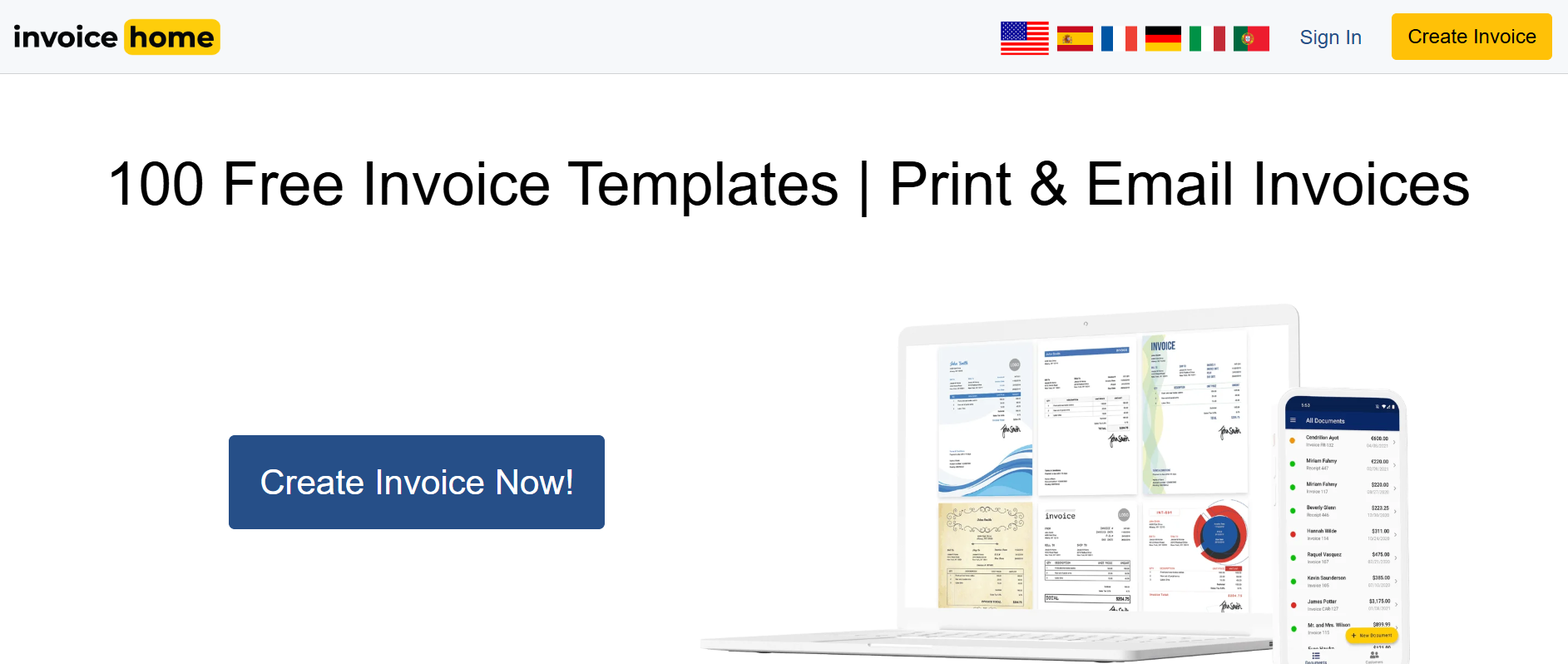
Invoice Home is an
online invoicing tool that allows freelancers and small businesses to
generate professional invoices quickly. With over 100 customizable
templates, the platform emphasizes simplicity and efficiency. Users can
create invoices in minutes, send them to clients, and track payments
seamlessly. It also supports multiple languages, making it accessible
for international clients, and allows users to duplicate past invoices
for faster recurring billing. In this Invoice Home Review, the focus is
on how its template options, payment tracking, and overall functionality
perform in real-world invoicing.
Invoice Home Website
Features
Customizable Templates: Choose from hundreds of
pre-designed invoice templates and adjust colors, logos, fonts, and
layout.
Client Management: Save client information for
faster invoicing.
Payment Tracking: Monitor paid and unpaid
invoices, send reminders, and generate reports.
Multiple Currencies: Invoice clients globally
with 20+ currency options.
PDF Export: Download invoices in PDF format,
ready for printingor emailing.
Online Payment Integration: Accept payments
through PayPal, Stripe, and other major services.
Invoice Home offers a range of plans designed to suit different
needs, from freelancers to small businesses. The free plan lets you
create basic invoices with Invoice Home branding, while the Pro and
Business plans unlock unlimited templates, remove branding, and provide
advanced reporting and team features. Now that you already know what is
Invoice Home and how its features work, understanding these pricing
options helps you weigh the benefits and limitations before getting into
the pros and cons.
Pros
Intuitive interface that’s easy to use even for
beginners.
Hundreds of attractive templates save design time.
PDF invoices ensure professional presentation.
Integration with online payment gateways simplifies receiving
payments.
Cons
Not ideal for professional branding.
Limited automation features compared to dedicated invoicing
software.
The mobile app lacks some features available on the web
version.
I found the reporting functions basic, which is fine for freelancers
but may be insufficient for growing businesses.
How to Use Invoice Home
Online
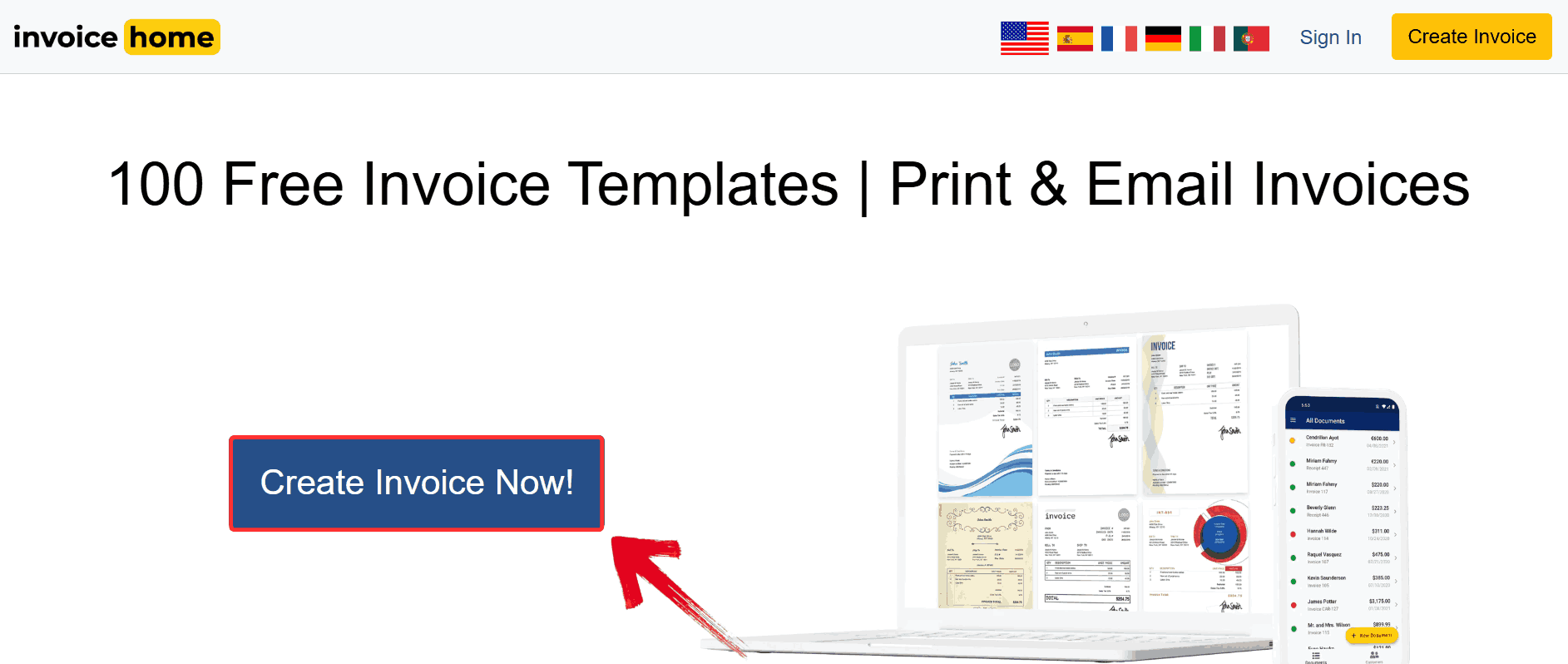
Creating an invoice online is much faster than it looks but only if
you know the right workflow. One thing that stood out is how the
platform balances simplicity with control: you don’t just have the
choice of picking a pretty template, you’re also entering client
details, itemized billing, taxes, and payment options in a way that
automatically calculates totals and generates a professional PDF. Here’s how to use
Invoice Home online.
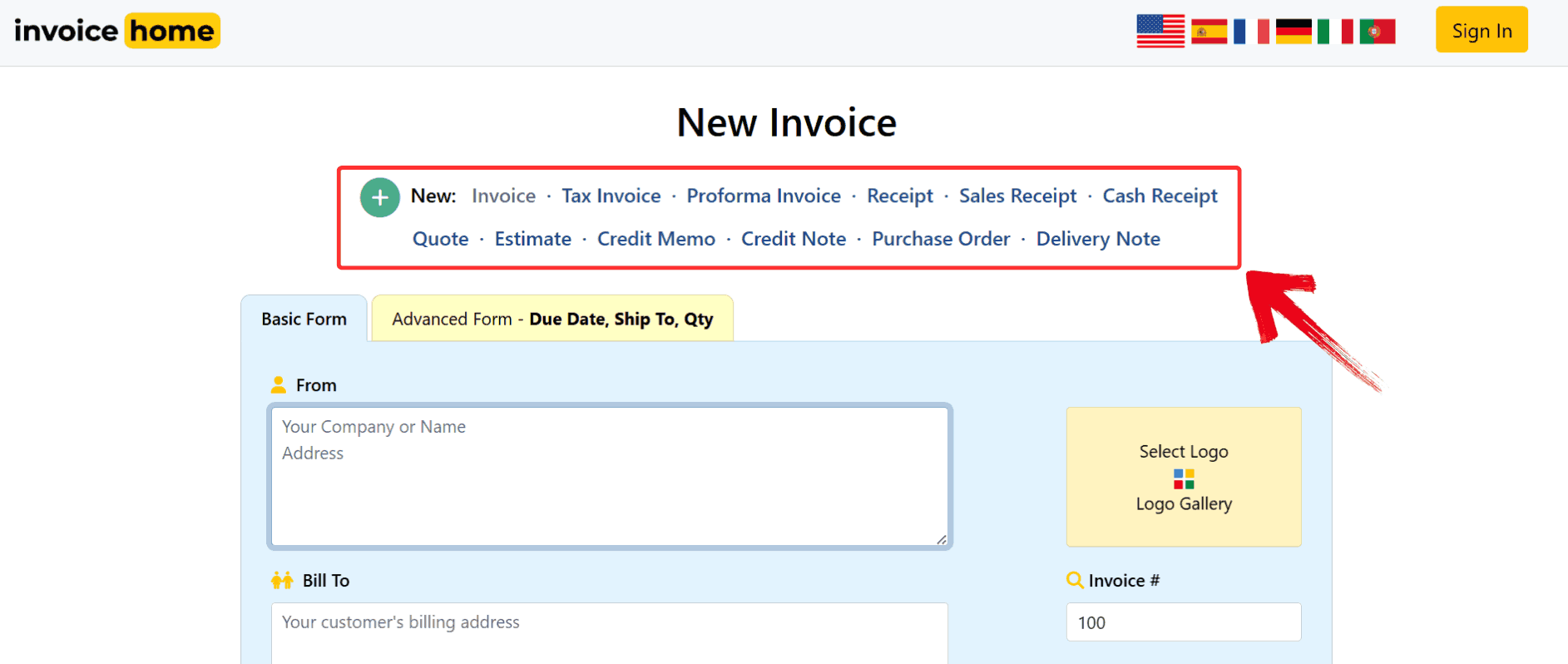
Step 2: After you enter the editor, you’ll be asked
to pick the document type from options like “Invoice, Receipt,
and more”. Select the one that fits your situation
Select Invoice
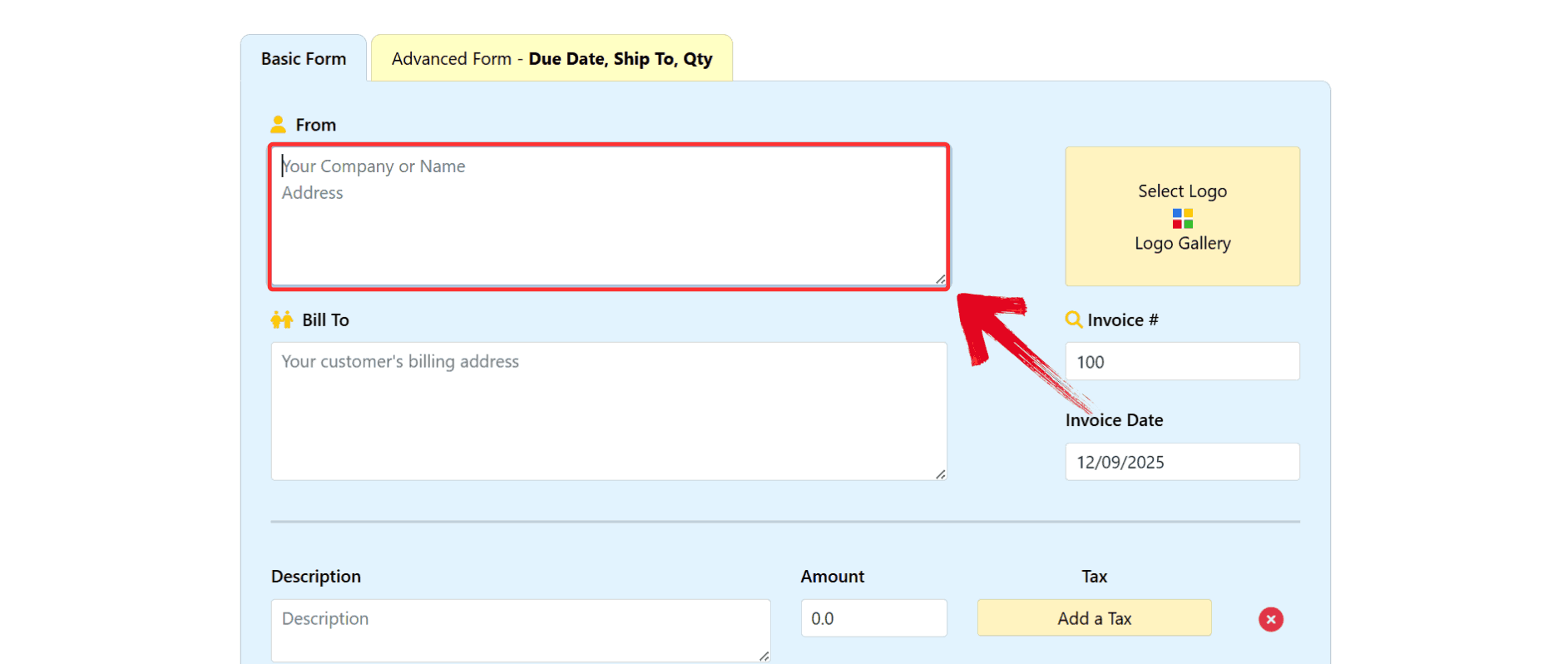
Step 3: Customize the invoice by adding your logo,
adjusting colors, and entering your business information. This step
ensures your invoice reflects your brand identity.
Enter Details
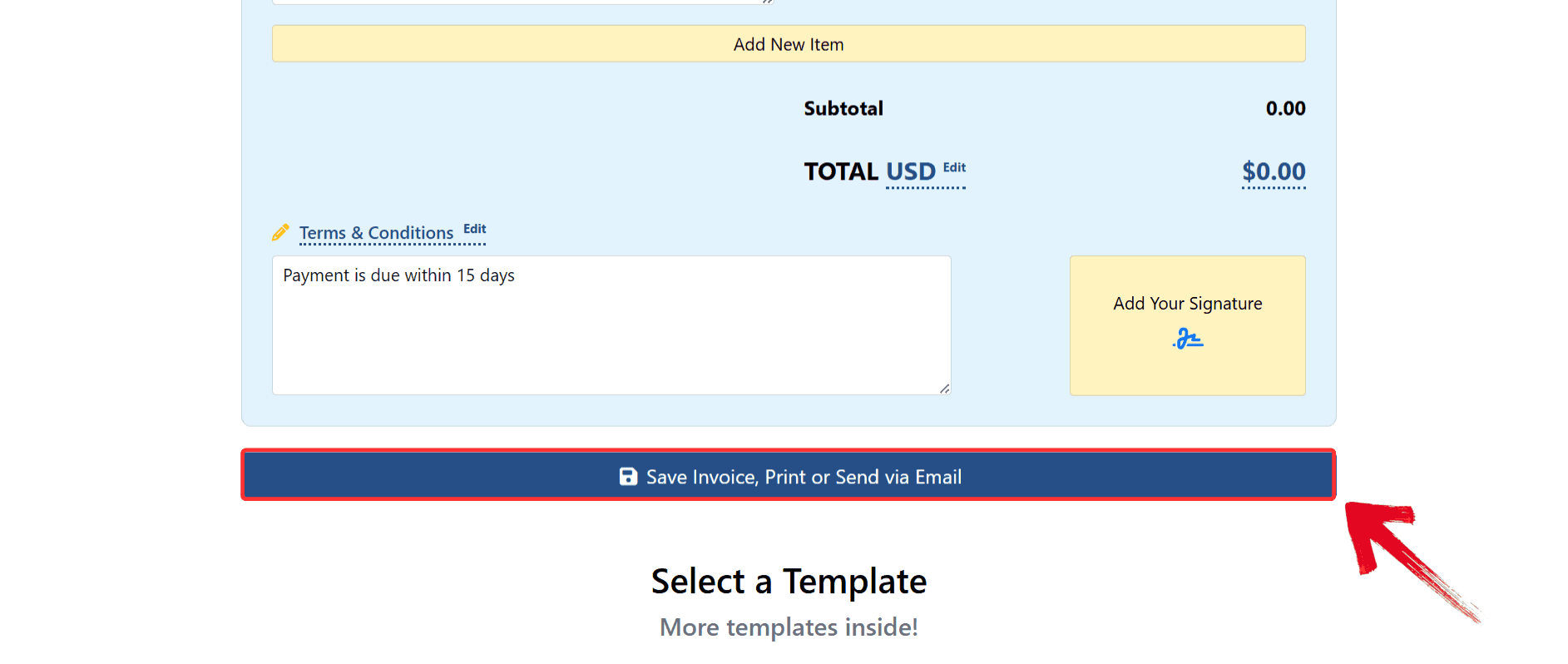
Step 4: Preview your invoice to ensure all details
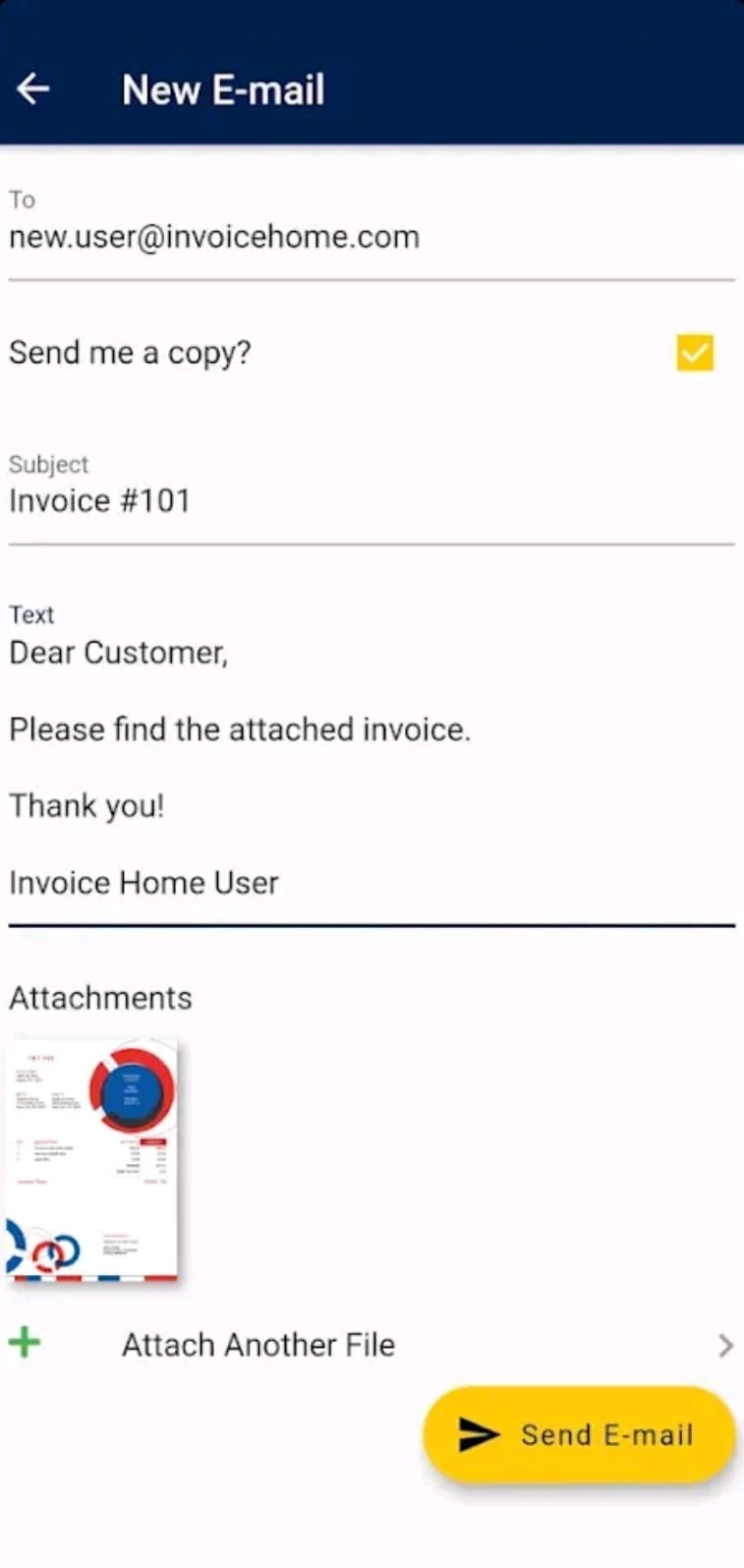
are accurate. Once satisfied, click “Save Invoice, Print or Send
Via Email” to email it directly to your client, or download it
as a PDF.
Save Invoice
How to Download
Invoice Home on Android & iOS
The mobile app is noticeably more streamlined than the desktop
version as you can create an invoice, pull up saved client details, and
send a PDF without needing to open your laptop. What helped me most was
the built-in cameraaccess for adding logos or attachments directly from my phone, which
isn’t something you get on the web version. If you prefer managing your
billing from your pocket, downloading the Invoice Home app on Android or
iOS takes less than a minute.
Download for Android
If you’re using an Android device, Invoice Home’s mobile app gives
you a lighter, faster way to create and manage invoices without logging
into the browser each time. The Android version is updatedregularly, and you can sync all your saved clients and past invoices as
soon as you sign in. Here's how to get it on your device.
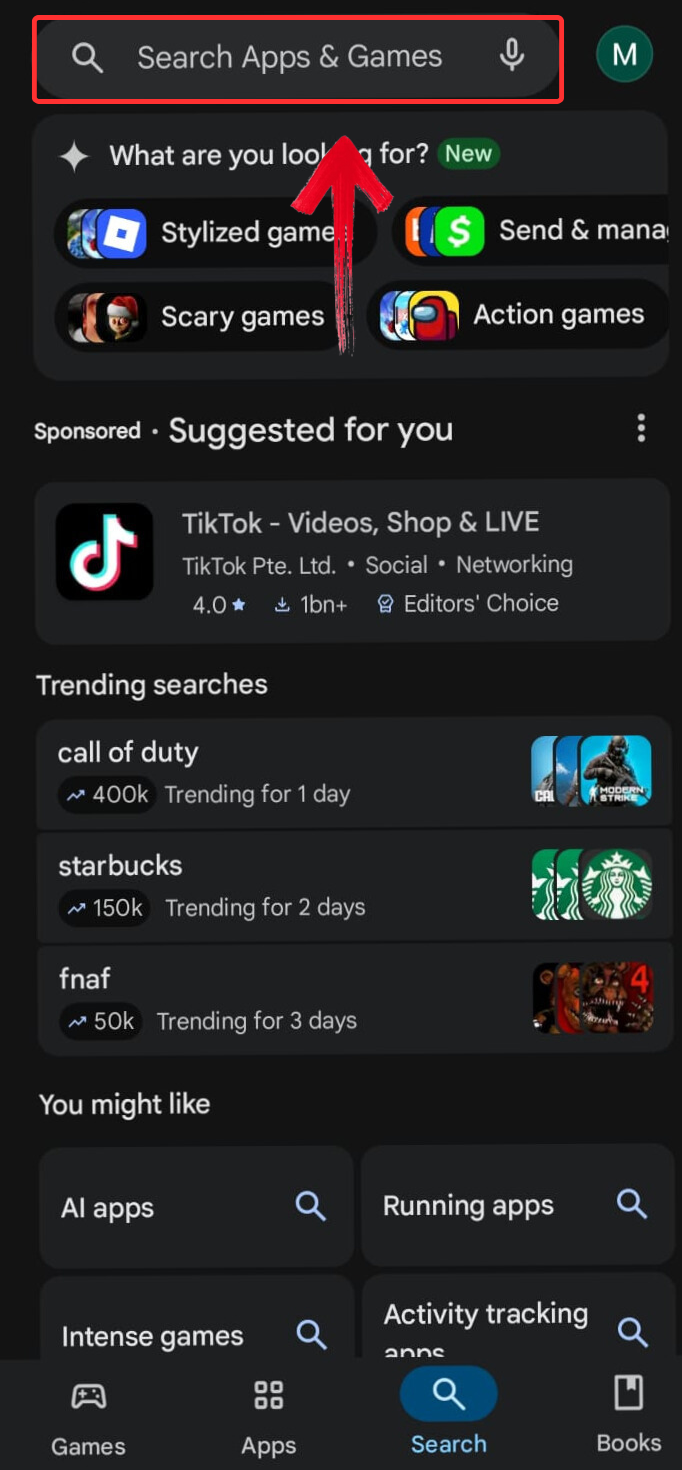
Step 1: Open the Google Play Store on your phone and
tap the search bar at the top.
Tap Search Bar
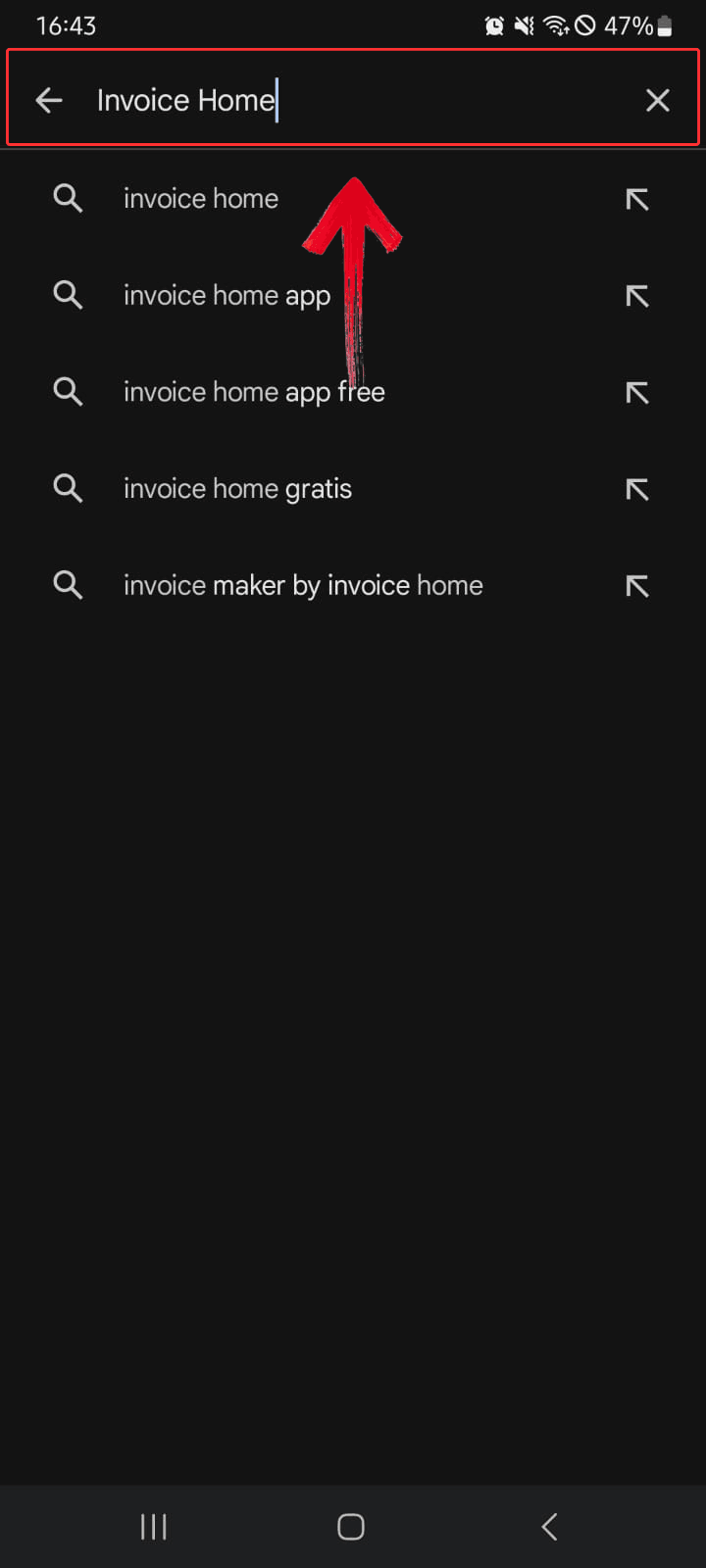
Step 2: Type “Invoice Home” into
the search bar and give it a moment to pull up the results.
Type Invoice Home
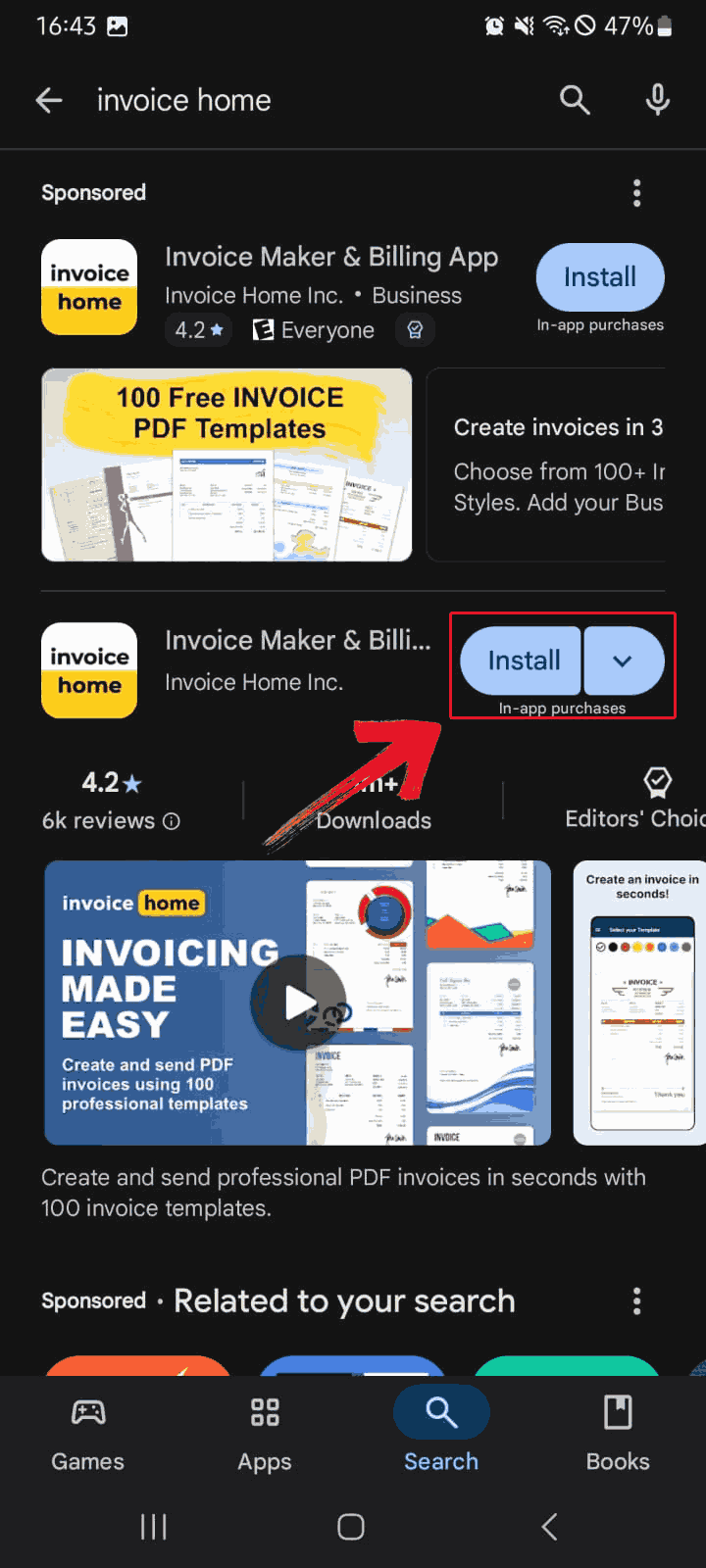
Step 3: Once the results appear, tap the“Install” button beside the Invoice Home app to begin
downloading it to your device.
Select Search Result
Step 4: Launch the app and start exploring features
like creating invoices, saving clients, and emailing invoices directly
from your phone.
Launch App
Download for iOS
If you’re on an iPhone or iPad, the Invoice Home iOS app gives you
the same core tools you get on desktop but in a layout that’s optimized
for smaller screens. It syncs instantly with your online account, so any
templates, client profiles, or invoices you’ve created will appear as
soon as you sign in. Here’s how to download it on your Apple device.
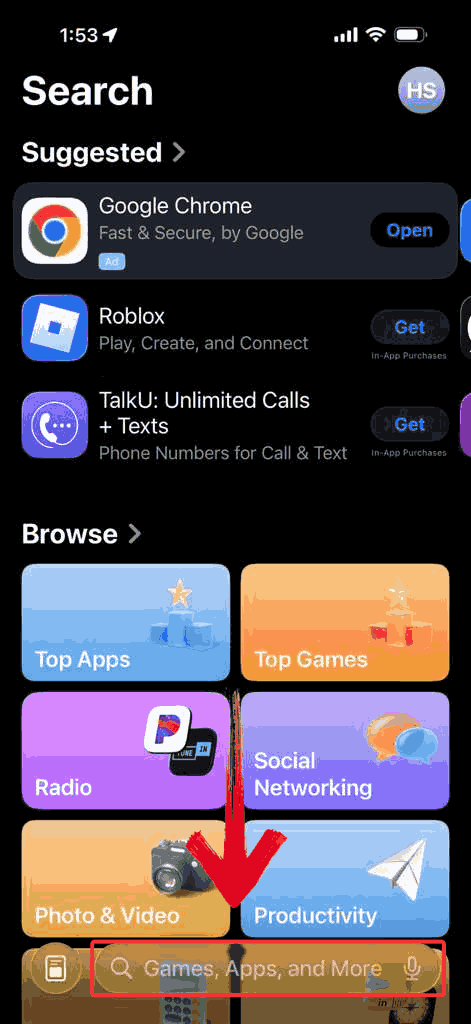
Step 1: Launch the App Store and click the search
field located at the bottom of the screen.
Search Bar
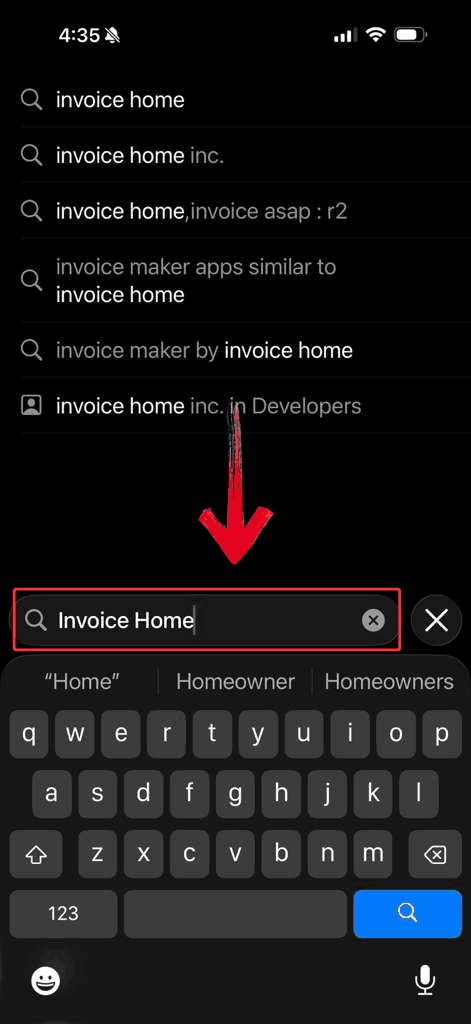
Step 2: Input “Invoice Home” into
the search box and hit the Search button to display the results.
Search Invoice Home
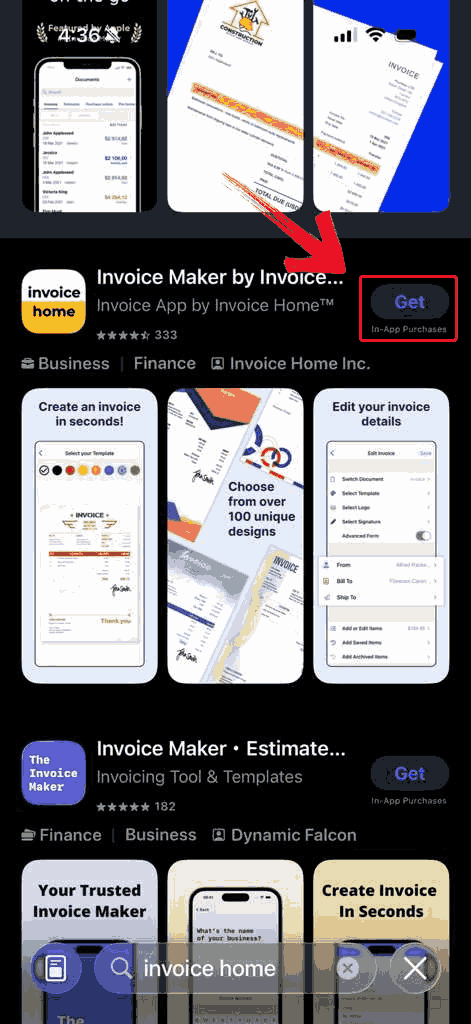
Step 3: Once you locate the Invoice Home app, tap
the “Get” button to start downloading it to your device
automatically.
Get App
Step 4: After the app finishes installing, open
Invoice Home and start creating, customizing, and sending invoices
directly from your iPhone.
Explore App
Best
Alternative – Professional Free Invoice Generator
Invoice Home may not be well-suited for everyone as some users might
prefer a tool that’s completely free while still producing professional
invoices. The WPS Invoice
Generator offers exactly that. You can enter client details,
services or products, and payment information, and it automatically
calculates totals and taxes. Everything works directly in your browser,
generating ready-to-send PDF invoices in minutes. It makes sending
invoices simple because you can create a client-ready PDF in minutes,
handle calculations automatically, and skip any complicated setups or
hidden fees.
WPS Invoice Generator
Features
No registration or fees needed: Start creating
invoices right away without signing up, subscribing, or worrying about
hidden costs.
Pre-designed, editable templates: Pick from
professional invoice layouts and customize them with your logo, brand
colors, and business information.
Automatic total and tax calculations: The tool
handles item totals, overall amounts, taxes,
and discounts for you, reducing errors and saving time.
Save client and product information: Keep client
details and service or product lists for faster invoice generation in
the future.
Browser and spreadsheet options: Generate
invoices directly online or through the WPS Office Excel tool for added
flexibility.
While the tool simplifies invoice creation and reduces manual work,
certain aspects, like advanced reporting or the number of template
designs, may not be as extensive as paid alternatives.
Pros:
Completely free, no hidden fees.
Easy to use, even for first-time users.
Unlimited invoices and client records.
Supports online payments and multiple currencies.
Cons:
Slightly fewer template designs compared to Invoice
Home.
Limited reporting features.
Understanding
the strengths and limitations of the invoice generator helps you know
what to expect before you start using it. The next step is seeing it in
action so here’s how to use it.
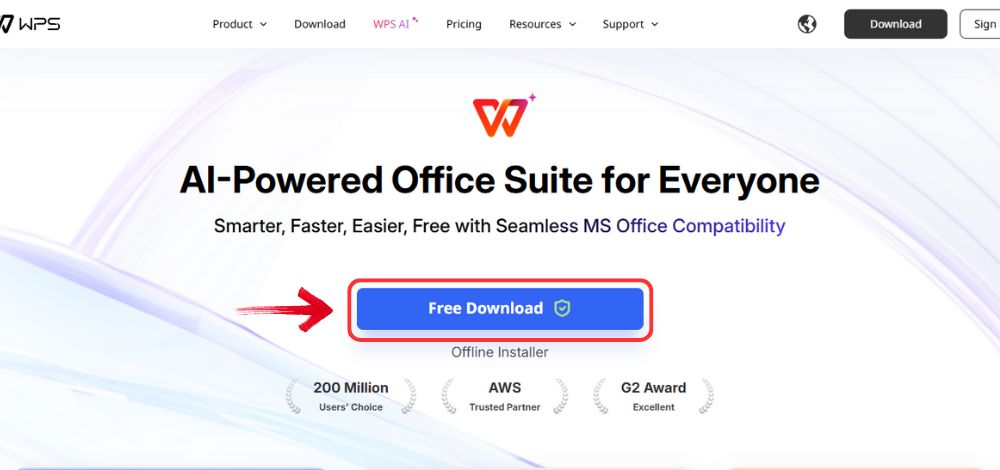
Step 1: Go to WPS
Office, and click the “Free Download” button to
install WPS Office on your computer.
Download WPS Office
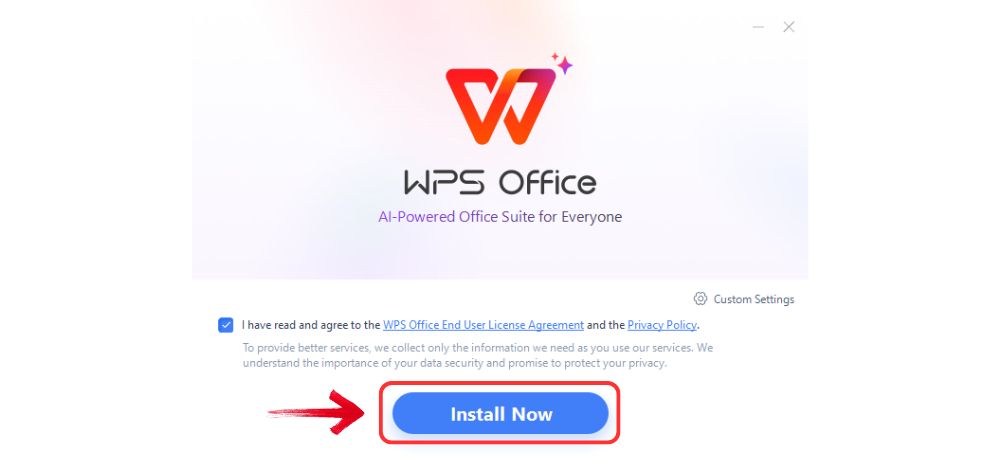
Step 2: Once the download is complete, run the setup
file as you would with any other app. Follow the on-screen instructions
to install it.
Install WPS Office
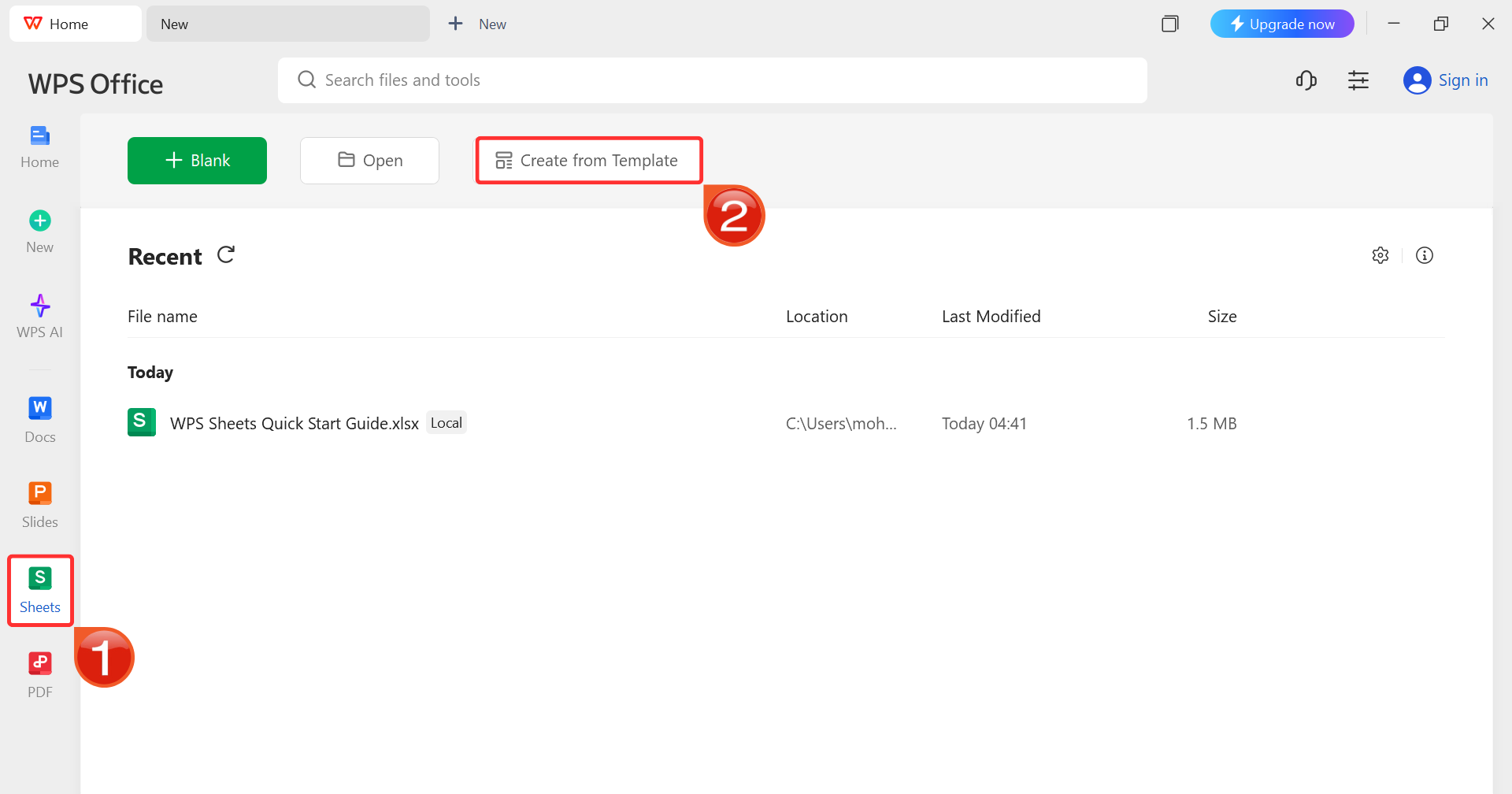
Step 3: On the WPS Office dashboard, click“Sheets” from the left sidebar and hit “Create
from Template” to launch WPS Spreadsheet using your desired
template.
WPS Spreadsheet Dashboard
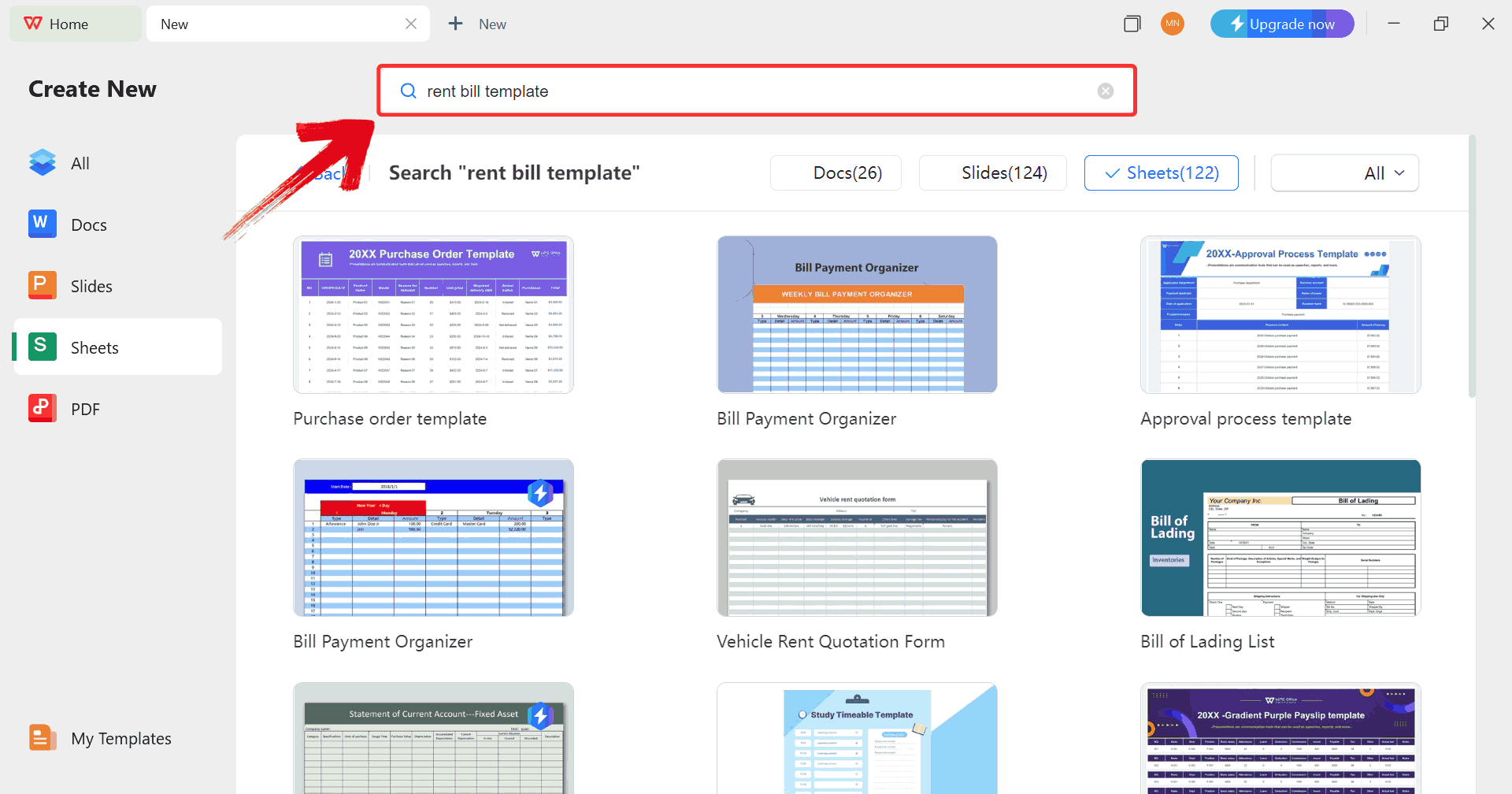
Step 4: In the template gallery’s search bar, you
can search for any invoice such as “rent bill template”to see all available rent bill invoices ready for use.
Search Template
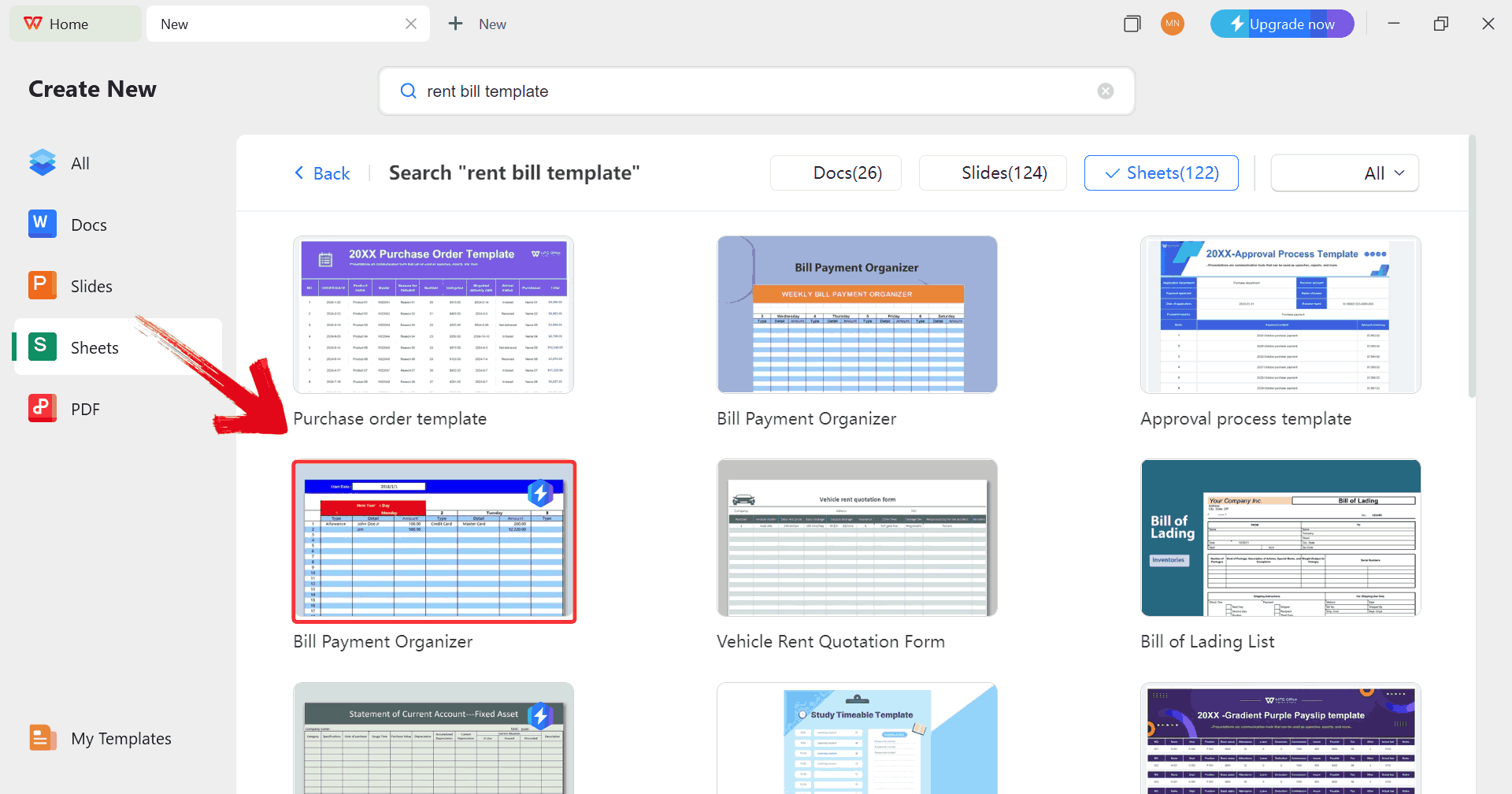
Step 5: Just click on any template that fits your
needs to open it and start customizing your template right away.
Choose Template
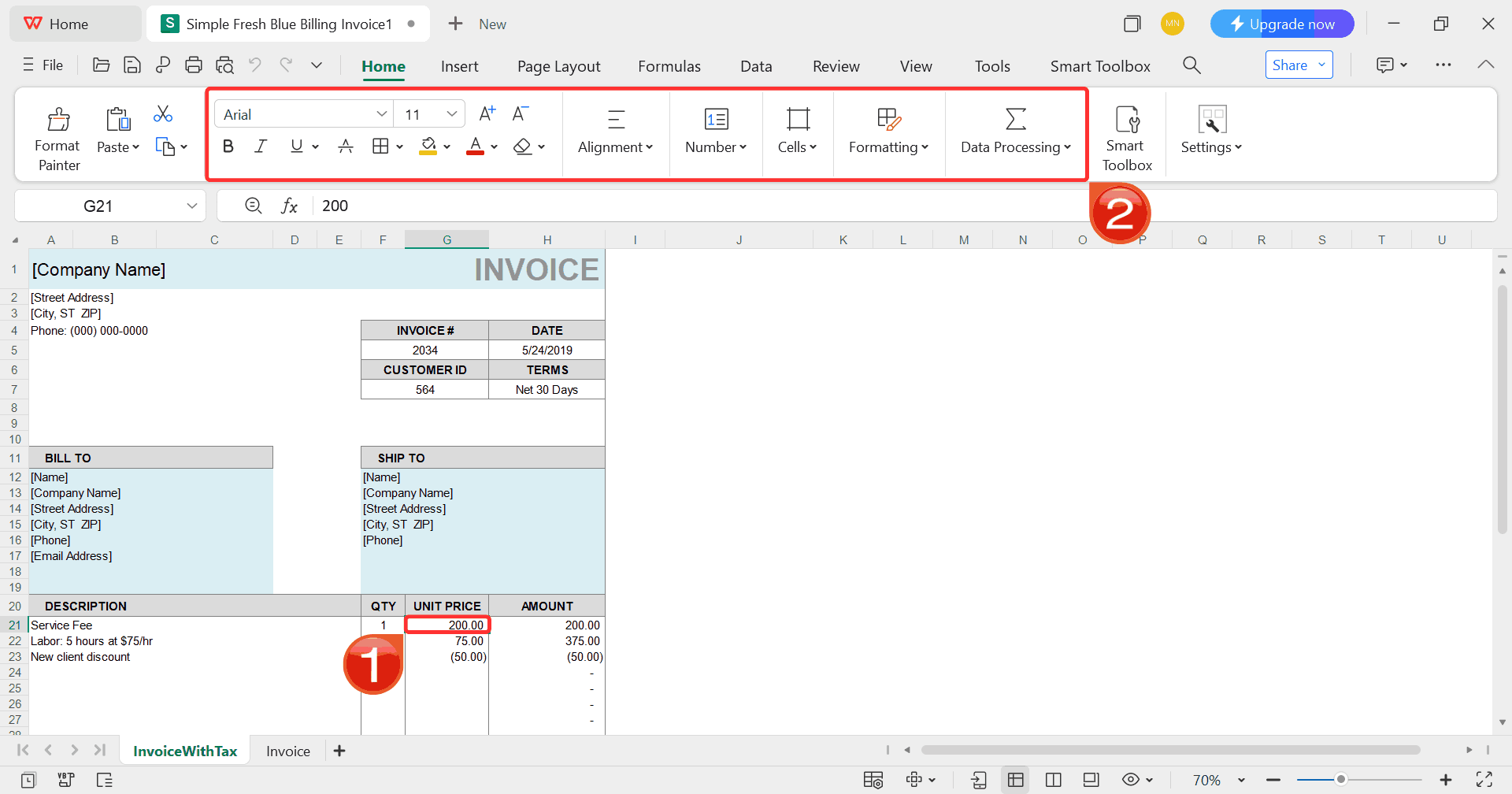
Step 6: Select any cell in your spreadsheet, and
then use the menu at the top to make whatever changes you need like
adjusting formatting, editing text, or changing formulas.
Customize Template
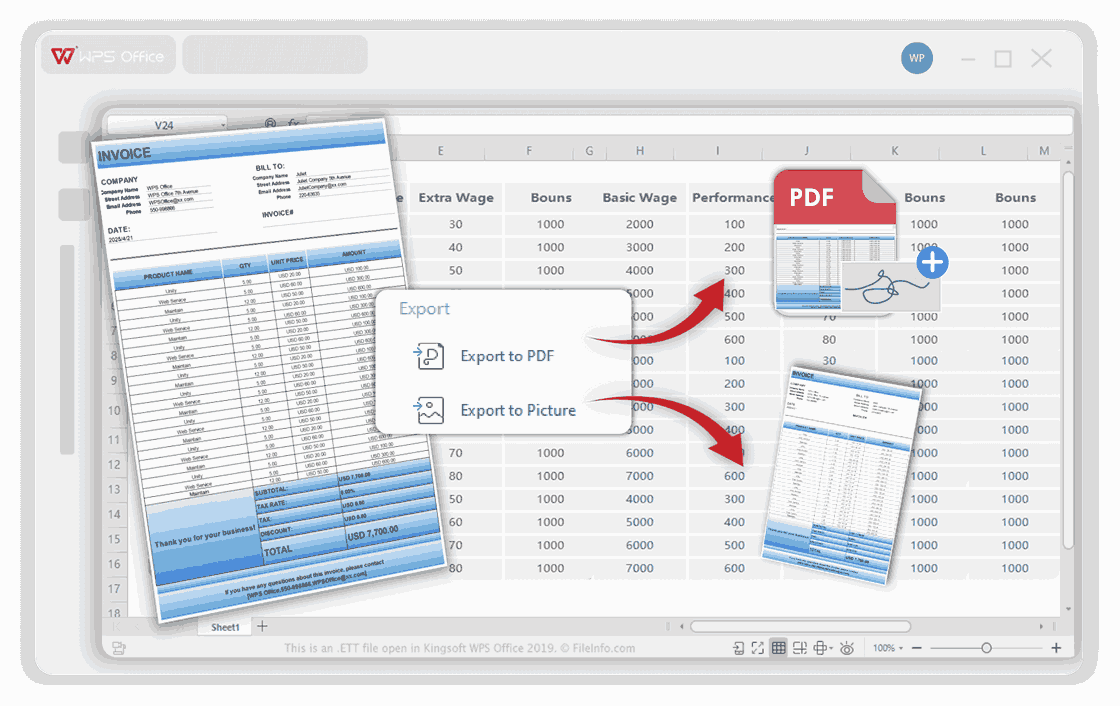
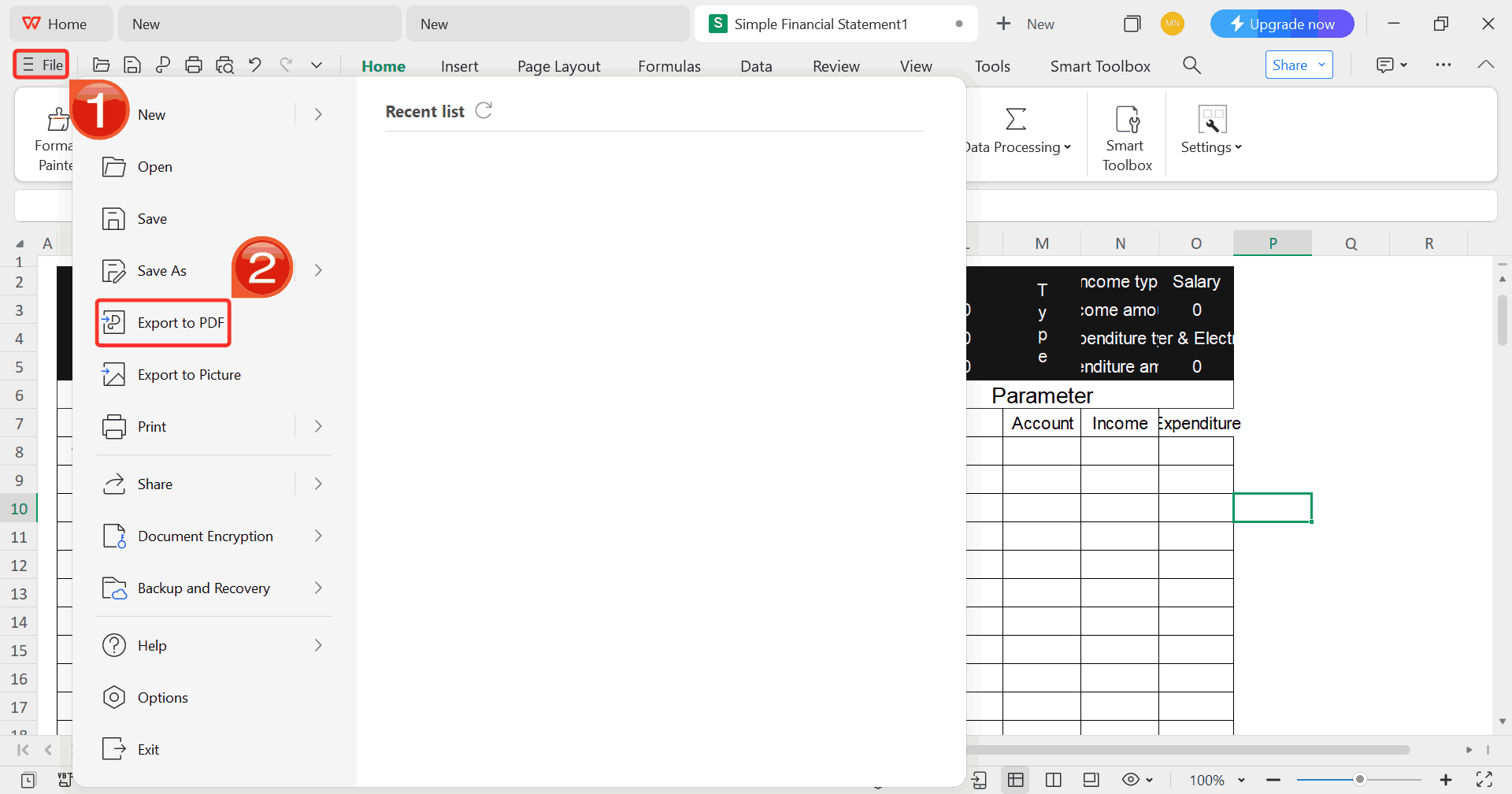
Step 7: Once you’re done customizing your template,
click on “File”, then select “Export to
PDF” to save your rent bill in a shareable format.
Export Template
Professional
Free Invoice Generator vs Invoice Home
Having seen how the Invoicehome alternative works and weighed its
benefits and limits, I found myself comparing it directly with Invoice
Home, the more established solution we’ve already reviewed. I wanted to
know which tool actually delivers more value based on real invoicing
work: the generator that’s free and simple, or the platform with extra
polish, built-in payment links, and template variety. I lay out
a head‑to‑head comparison of both tools so you can get a clear sense of
which fits your work and invoicing needs best.
Feature
Invoice Home
Professional Free Invoice
Generator
Price
Free/$9-$19
Free
Templates
100+
30+
Branding
Free plan includes branding
No branding
Multi-currency
Yes
Yes, 20+ currencies
Online Payment Integration
PayPal, Stripe
PayPal, Stripe
Reporting
Basic
Limited
PDF Export
Yes
Yes
Mobile App
Yes
Web-based only
WPS Invoice Generator wins the race because it is entirely free,
removes branding automatically, and still provides professional
templates with multi-currency support. It’s great for freelancersand small businesses who want simplicity without sacrificing
quality.
FAQs
1. Can I accept
online payments with Invoice Home?
Yes. Invoice Home integrates with PayPal and Stripe, allowing clients
to pay directly from the invoice.
2.
What file format are the invoices downloaded in on Invoice
Generator?
Invoices are generated as high-quality PDF files, suitable for
printing or emailing.
3. Can I
use different currencies on Invoice Generator?
Yes. It supports 20+ global currencies, including USD, EUR, GBP, JPY,
CNY, CAD, AUD, and more.
4. Is
there a mobile app for Professional Free Invoice Generator?
No dedicated mobile app, but the website is fully responsive and
works on mobile browsers.
5. Can I customize
templates in both tools?
Yes, both platforms allow you to adjust logos, colors, and
layouts.
Invoice Insights with WPS
Invoice Home is a reliable tool for freelancers and small businesses,
offering a large variety of templates, online payment integration, and
basic reporting features. However, the free version includes branding
and lacks advanced automation, which can be a limitation. In this
Invoice Home Review, it’s clear that for those seeking a completely
free, professional, and easy-to-use solution, WPS Invoice
Generator is a better choice. With no fees, branding-free
templates, multi-currency support, and easy PDF downloads, it allows you
to create professional invoices effortlessly. If you want a tool that
combines simplicity, efficiency, and full functionality without hidden
costs, this alternative is ideal in 2025.
7+ years in productivity tech. I test and review the latest tools to simplify your workflow. Follow for honest app comparisons, practical guides, and curated tech picks to boost efficiency.

'%3e%3cpath%20fill-rule='evenodd'%20clip-rule='evenodd'%20d='M19%208.5C24.799%208.5%2029.5%2013.201%2029.5%2019C29.5%2024.6782%2024.9928%2029.3036%2019.361%2029.4939L19%2029.5C18.8794%2029.5%2018.7592%2029.498%2018.6396%2029.4939L18.2811%2029.4758C12.8174%2029.1063%208.5%2024.5574%208.5%2019C8.5%2013.201%2013.201%208.5%2019%208.5ZM22.3063%2010.6267L22.2342%2010.6539C21.3423%2011.0061%2020.5541%2011.6368%2020.5606%2012.4987C20.5631%2012.8302%2020.869%2014.8871%2020.2141%2014.8486C19.5589%2014.8102%2019.413%2013.8753%2018.7116%2013.616C17.5944%2013.2026%2016.9819%2014.3401%2017.0939%2015.3106C17.1695%2015.9655%2018.9289%2018.3871%2017.9028%2019C17.292%2019.3651%2015.7279%2017.5692%2015.1007%2017.1842C14.4805%2016.8034%2013.2758%2017.3333%2012.4974%2016.7029C11.9874%2016.2899%2012.3881%2014.4098%2012.2786%2013.8372C12.2271%2013.5698%2012.1155%2013.3689%2011.9794%2013.2166L12.0402%2013.2934C10.7653%2014.8464%2010%2016.8339%2010%2019C10%2023.8465%2013.8307%2027.7982%2018.6295%2027.9925L18.6769%2027.9747C18.8597%2027.8677%2019.0394%2027.7557%2019.216%2027.6387C19.4137%2027.4534%2019.5436%2027.2072%2019.5849%2026.9394C19.8806%2025.1222%2018.3616%2025.4302%2017.9367%2024.5622C17.5489%2023.7695%2018.5712%2023.7684%2018.5524%2021.7923C18.4607%2021.1774%2018.5279%2020.547%2018.7211%2020.0315C19.1834%2018.7987%2020.7077%2017.2643%2022.5889%2018.0081C23.5567%2018.3906%2023.1524%2019.9831%2023.4737%2020.3394C24.251%2021.2018%2025.3228%2020.6863%2026.2856%2021.2253C26.7816%2021.5032%2026.9797%2022.41%2027.056%2023.2248L27.038%2023.0528C27.6534%2021.8348%2028%2020.4579%2028%2019C28%2015.1968%2025.6409%2011.9445%2022.3063%2010.6267Z'%20fill='%23757575'/%3e%3ccircle%20cx='19'%20cy='19'%20r='10.125'%20stroke='%23757575'%20stroke-width='2.25'/%3e%3c/g%3e%3cdefs%3e%3cclipPath%20id='clip0_1827_14613'%3e%3crect%20width='24'%20height='24'%20fill='white'%20transform='translate(7%207)'/%3e%3c/clipPath%3e%3c/defs%3e%3c/svg%3e)