Best Free Invoice Generators: Create, Customize & Download Instantly
January 18, 2026117 views
0
Creating invoices is a fundamental part of running a small business
or freelancing successfully as it ensures you get paid promptly while
projecting a professional image. Despite their appeal, not all free
invoice tools are equal. Many come with hidden fees, watermarks, limited
customization, or complicated sign-up processes. Some aren’t even
mobile-friendly, which can be a major inconvenience if you’re working on
the go. In this guide, I’ll show you through the best free invoice
generators, explain their features, and show you how to create
professional invoices in minutes.
Best Free Invoice Generators
Top Free Online Invoice
Generators
Switching to a free invoice creator completely changes the game.
Suddenly you could open a browser, plug in client details, list services
or products, and have a professional invoice ready in under two minutes
with no spreadsheets, formulas, or formatting headaches. In the process
you also gain consistency: each invoice looked ready and branded,
calculations were automatic, and you could send PDFs right away. In
short: free online invoice generators give you speed, accuracy, and
professionalism freeing you to focus on your business instead of billing
paperwork.
1. Free Invoice Generator
Free Invoice
Generator, the sole product of Invoicegen, is one of the few
truly free invoicing tools that gives you full functionality without
asking for an account or showing watermarks. It’s built around a
straightforward form where you can enter your business details, add line
items, apply taxes or discounts, and upload a logo to match your
branding. The interface is intentionally minimal, which makes it easy to
create a professional invoice in under a minute, even if you’ve never
used an invoice maker before. It also works smoothly on both desktop and
mobile, so you can generate and download a clean PDF wherever you
are.
Free Invoice Generator
Features:
Fully customizable invoice fields, including business details,
client information, item descriptions, quantities, rates, and
terms.
Logo upload and color adjustment options to align the invoice
with your branding.
Automatic tax and discount calculation to eliminate manual math
errors.
Complete access without creating an account or providing personal
information.
Mobile-friendly layout that works smoothly on phones and
tablets.
For anyone who needs a fast, reliable, and fully customizable invoice
maker online free, Free Invoice Generator delivers exactly what its name
promises.
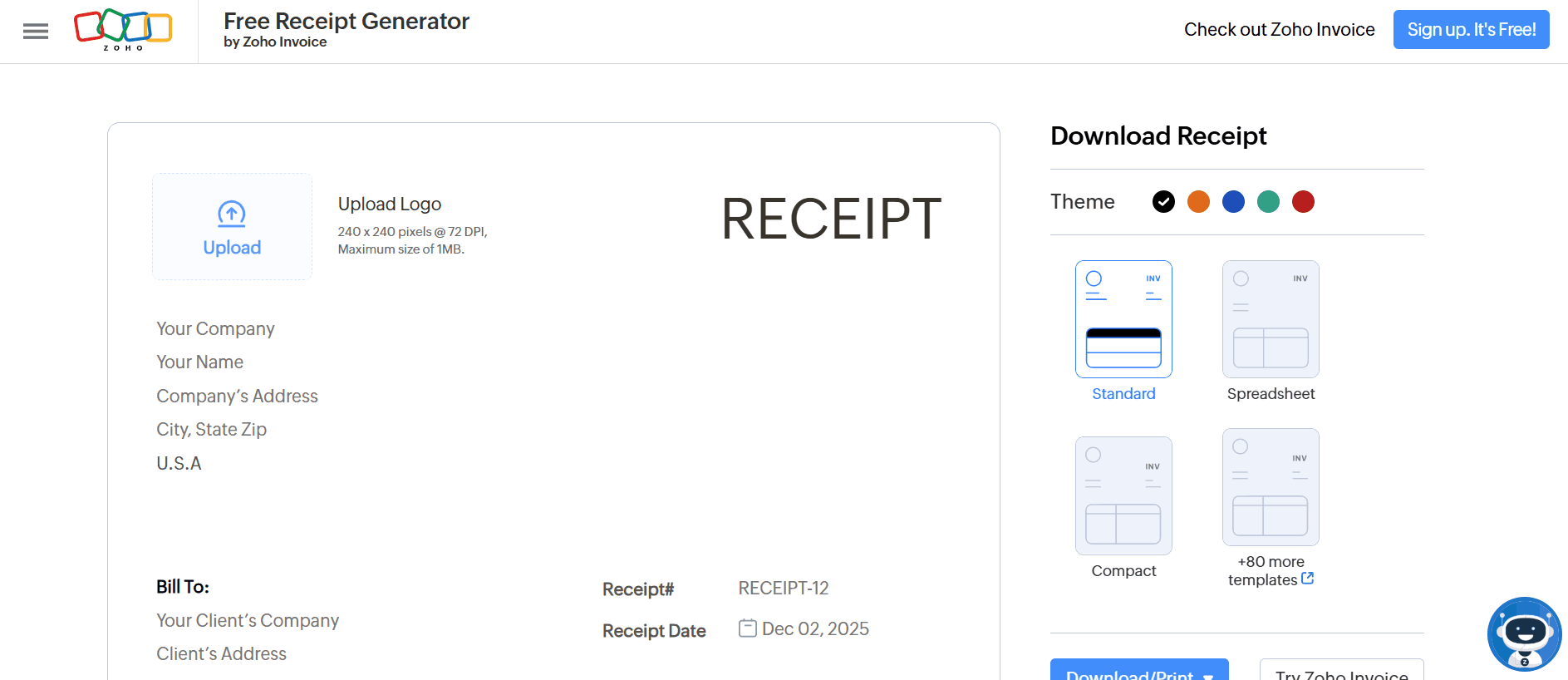
2. Zoho Invoice Free Generator
Zoho
Invoice Free Generator is a feature-rich free online invoice
maker built to handle much more than just basic bills as it’s designed
for freelancers, small businesses, and consultants who want one platform
to manage invoices, expenses, client billing, and payment reminders.
With Zoho Invoice, you can pick from dozens of professional templates,
customize your invoice with your logo and brand details, and send or
download it instantly. The platform also supports more advanced work:
you can track project hours, bill for expenses, convert estimates into
invoices, and schedule recurring invoices.
Zoho Invoice Free Generator
Features:
Client portal, where customers can view invoices, estimates, and
payment history.
Multi-currency and multi-language support, useful for
international clients.
Project-based billing, allowing you to invoice by task,
milestone, or hourly rate.
Mobile apps for creating and sending invoices on the go, iOS
& Android.
Free-forever plan that includes invoicing, clients, projects, and
tracking for small businesses.
It’s a solid choice for people who are looking for a more
comprehensive invoicing solution beyond a simple invoice maker.
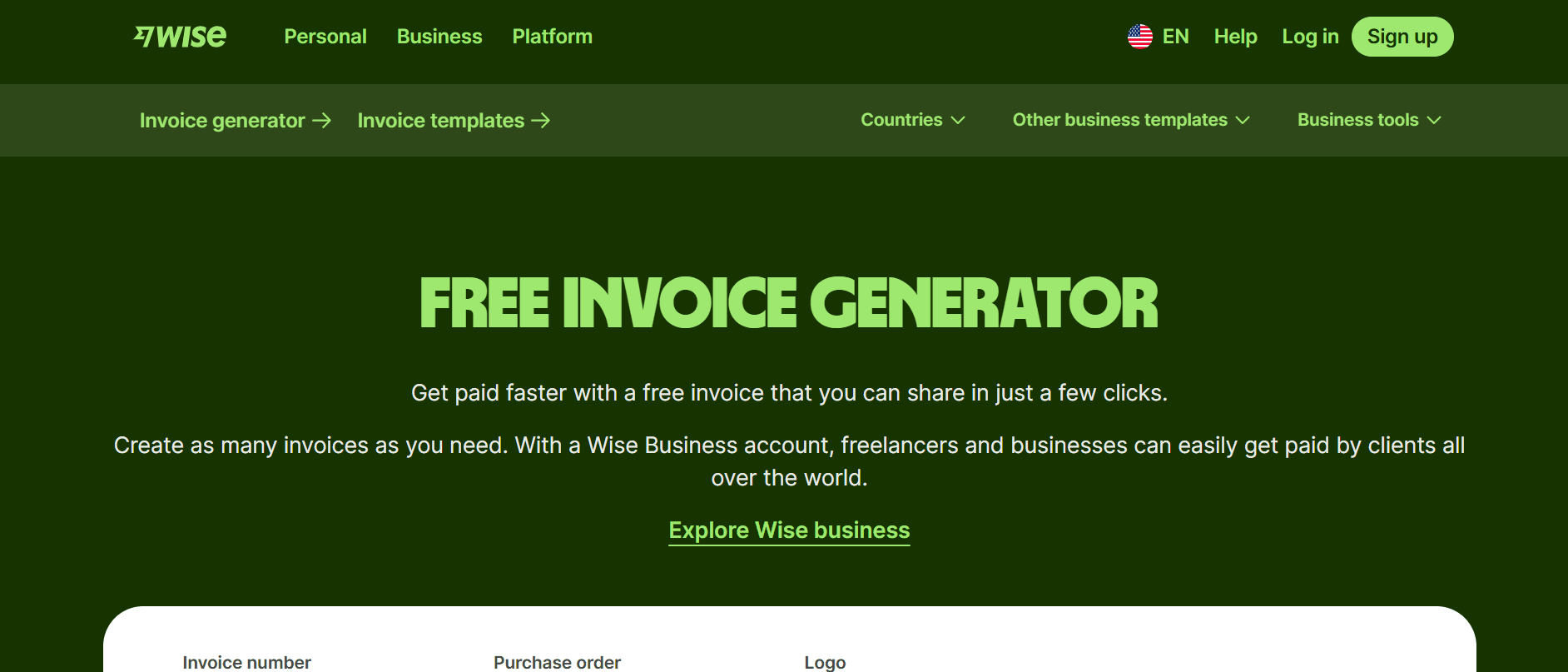
3. Wise Invoice Generator
Wise Invoice
Generator is a simple online billing tool from Wise designed for
freelancers and businesses that deal internationally or want simplicity
without sacrificing professionalism. The interface guides you to add
your company and client details, list services or items, set rates,
apply taxes or discounts, choose the proper currency, and generate a
simple invoice. Once complete, you can download the invoice as a PDF and
share it directly with clients, even before creating a Wise account.
Wise Invoice Generator
Features:
Lets you enter your company details, client contact info, invoice
number, date, and payment terms.
You can add line-by-line descriptions of services or products,
specify quantities or hours, and set rates.
Allows inclusion of taxes, discounts, and automatic calculation
of totals so you don’t have to manually sum up the invoice.
Enables currency selection, making it convenient if you bill
clients internationally.
Generates a printable invoice that you can immediately download
as a PDF.
With support for multi-currency billing and a clean, minimalist
layout, Wise Invoice Generator is ideal for cross-border clients, remote
work, or anyone needing an uncomplicated, global-ready billing
solution.
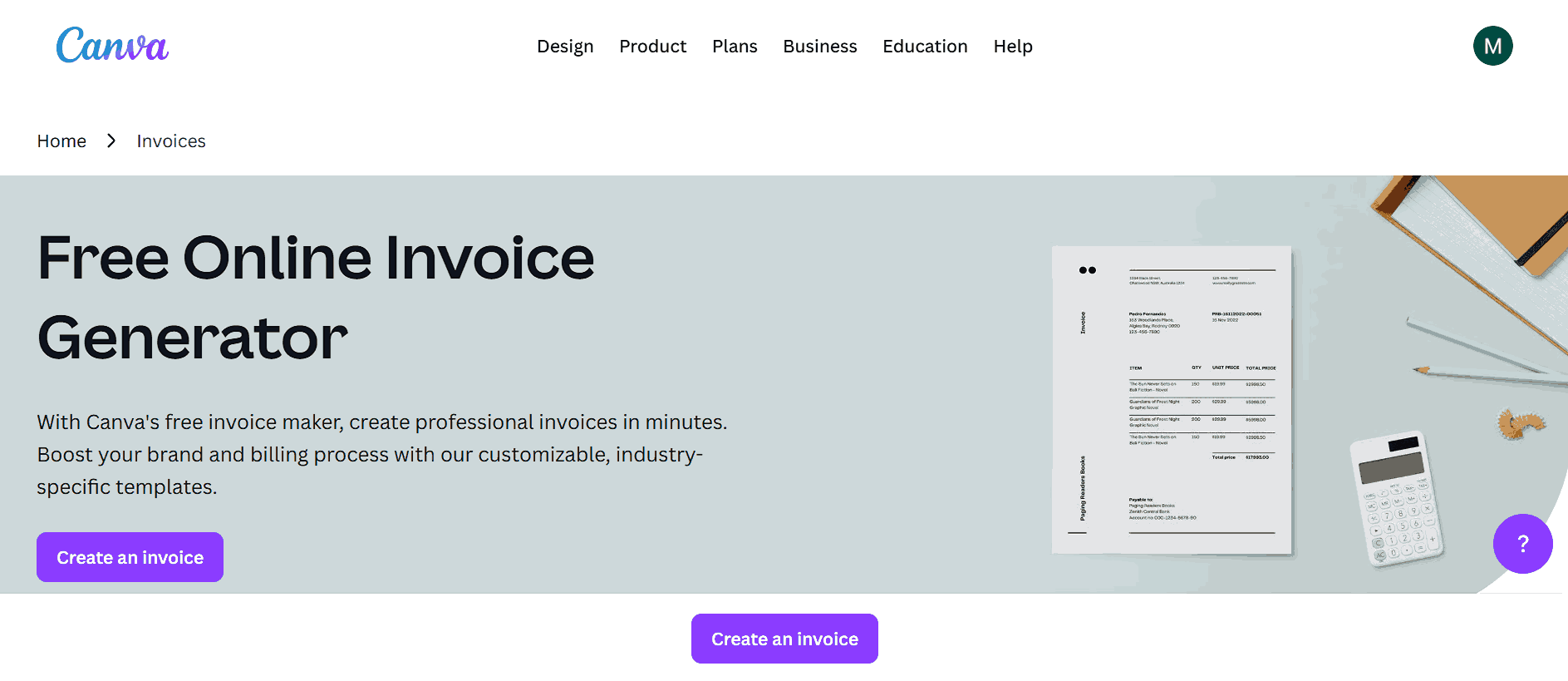
4. Canva Invoice Maker
Canva Invoice
Maker gives you access to a large library of professionally
designed invoice templates from minimalist and clean to more stylized
and visually rich that you can fully customize to match your business’s
branding. Once you select a template, you can edit fields such as
business and client details, item descriptions, prices, payment terms,
and more. You’re also able to upload your logo, adjust colors and fonts,
and tweak the layout so the invoice reflects your brand identity. After
customization, you can export the document as a PDF, PNG, or JPG, making
it simple to share with clients or save for your records.
Canva Invoice Maker
Features:
Offers a large collection of free invoice templates ranging from
minimalist to more creative and stylized layouts.
Lets you fully customize invoices: you can upload your logo,
change colors, fonts, and layout, edit text fields.
Exports finished invoices as PDF, PNG, or JPG so you can email
them, print them, or share them digitally with clients.
Works with a free account as you don’t need to pay as long as you
stick with free templates and elements.
Compatible across devices: you can edit templates on desktop,
tablet, or mobile, which helps when you need to invoice on the
go.
With a wide range of visually rich templates and full customization
options, Canva Invoice Maker is ideal for creatives, freelancers, or
anyone who wants professional, brand-consistent invoices that stand
out.
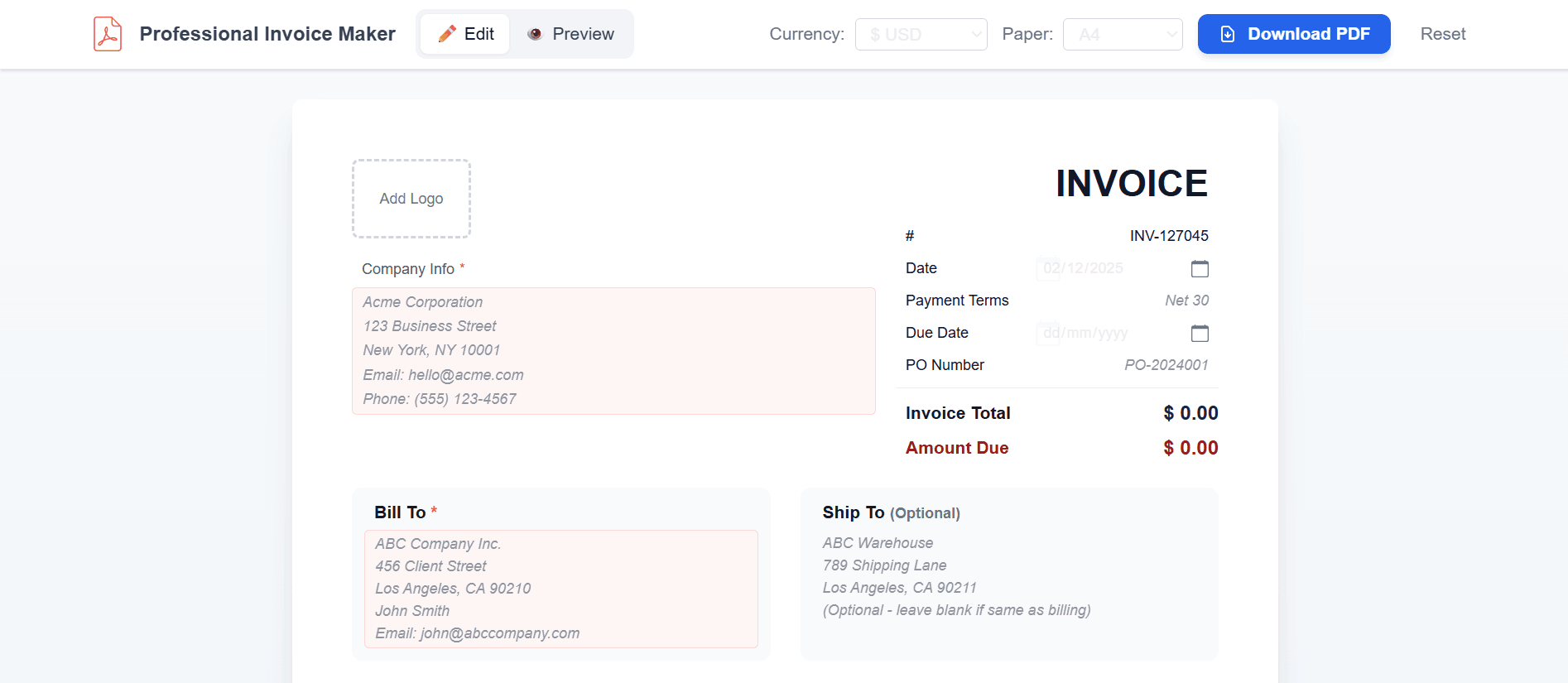
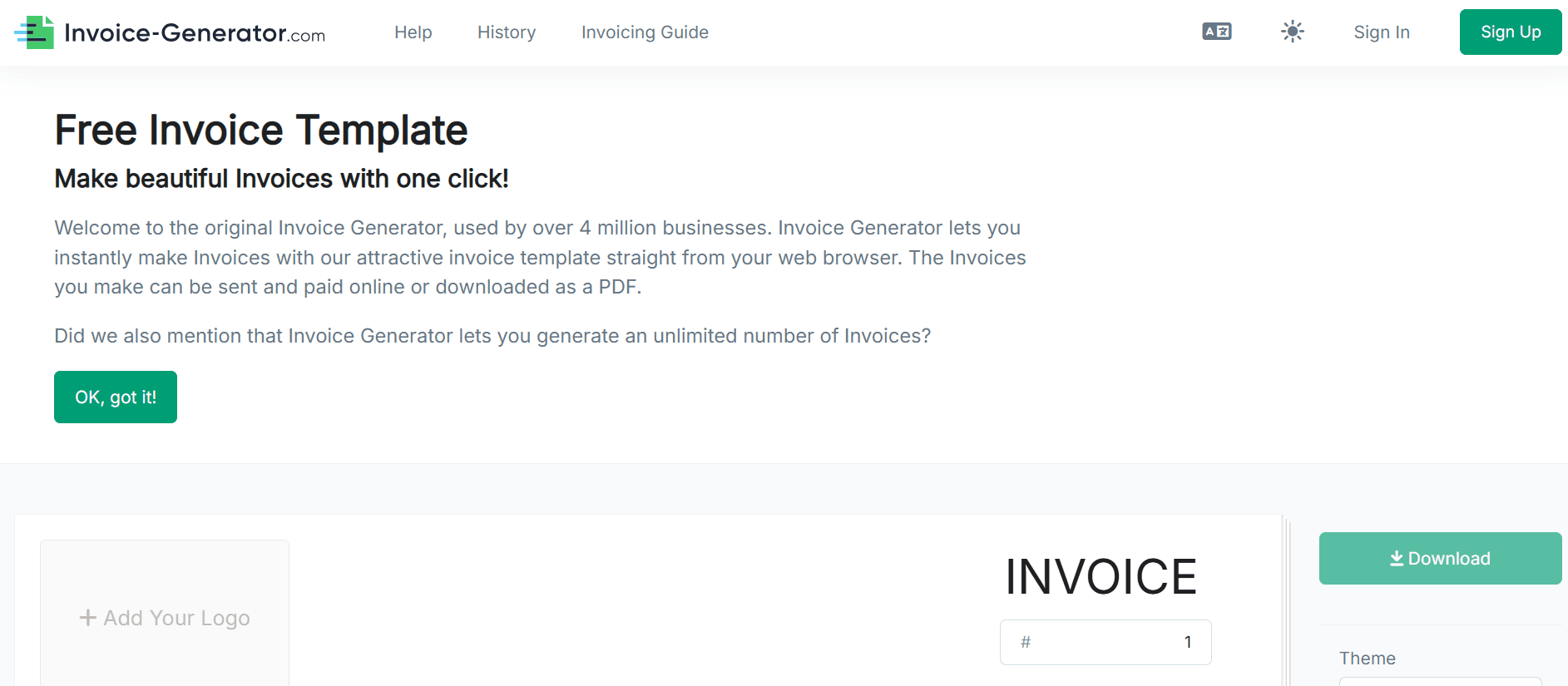
5. Invoice Generator
Invoice Generatoris an online invoice maker built for speed and simplicity. You don’t
need to sign up or register as you just open the site, fill in your
business and client details, list items or services, set quantities and
prices, and you’re done. The tool supports important invoice
fundamentals like invoice numbers, issue and due dates, tax, discounts,
shipping charges, currency selection, and an optional “ship to” or PO
number field for more detailed billing. Once you’ve entered everything,
you can download a print‑ready PDF instantly with no hidden fees
whatsoever.
Invoice Generator
Features:
Lets you add your company logo to invoices so they look
professional and branded.
Allows you to define sender and recipient details, including
address, contact, and optional “Ship To” fields if relevant.
Supports invoice numbers, invoice date and due date, payment
terms, and optional PO numbers for clear tracking and
record‑keeping.
Lets you add itemized entries which is useful when billing
multiple services or products in a single invoice.
Automatically calculates subtotals, discounts, taxes, shipping
charges, and final totals.
Because of this straightforward approach, Invoice‑Generator works
particularly well for freelancers, one-time gigs, or anyone who
occasionally needs a quick invoice without the overhead of an accounting
suite.
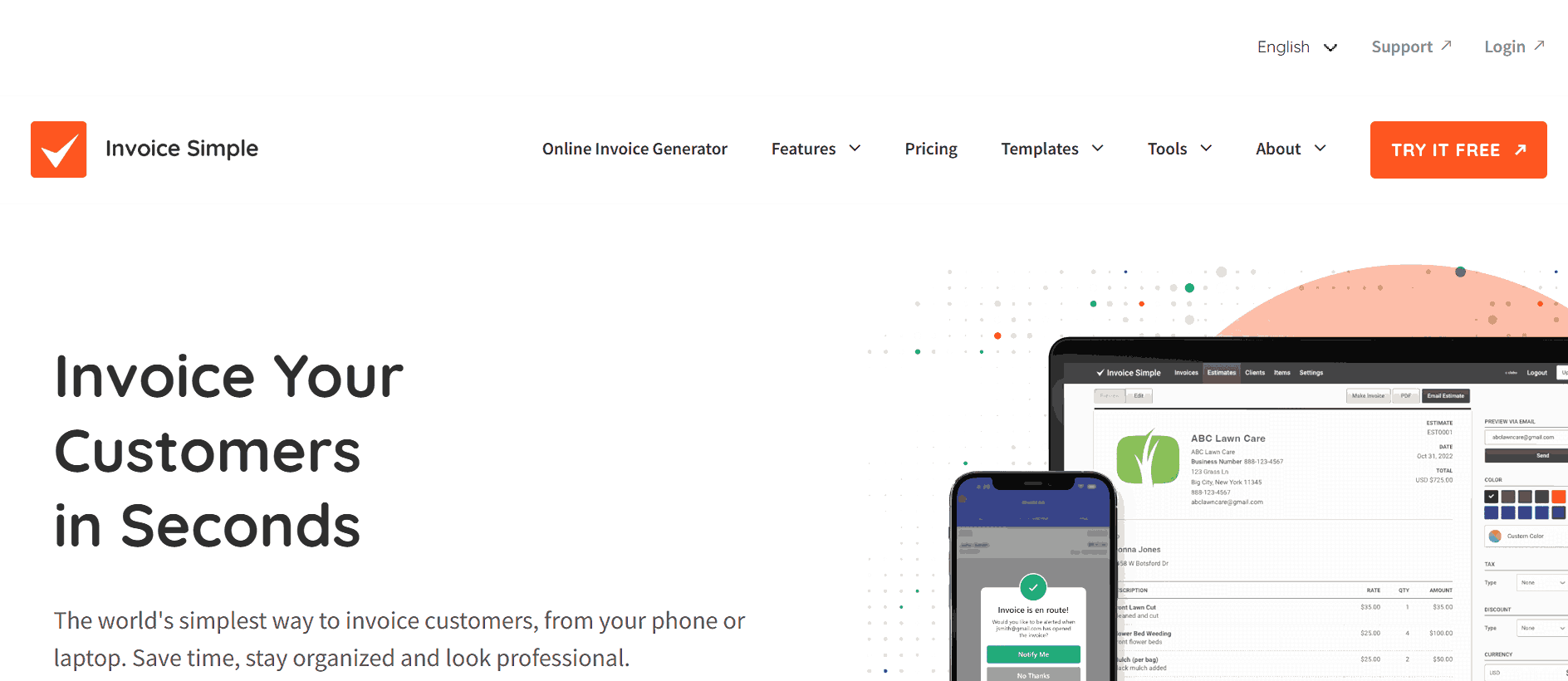
6. Invoice Simple
Invoice Simple is
an online invoicing tool aimed at small businesses, solo entrepreneurs,
and freelancers who want a simple, professional way to bill clients
without needing complex accounting software. It provides a selection of
printer‑friendly invoice templates that you can personalize with your
logo, business and client details, itemized services or products, and
payment terms. The tool’s interface is designed to help you quickly
create invoices or estimates from any device, including mobile, making
it handy if you’re on the go. While the free plan limits how many
invoices you can send each month, it still offers core invoice‑creation
and estimate features.
Invoice Simple
Features:
Offers a selection of clean, customizable invoice templates you
can edit to match your brand’s style.
Lets you add business and client details, itemized services or
products, and payment terms or PO numbers.
Automatically calculates subtotals and totals, handling taxes,
discounts, and multiple line items to prevent manual math
errors.
Lets you save client and item information for reuse which is
useful if you bill the same clients or offer the same services
regularly.
InvoiceSimple suits small business owners, solo entrepreneurs, or
anyone who needs an invoice creator free to generate professional
invoices and estimates quickly without dealing with complicated
accounting software.
Comparative Analysis
There are clear differences in how each tool handles speed,
customization, and business features. Free Invoice Generator and
Invoice‑Generator prioritize simplicity and instant PDFs, making them
ideal for quick, one-off invoices. Zoho and InvoiceSimple provide
advanced options like client management, recurring invoices,
and estimates, which are useful for small businesses with repeat
clients. Comparing these tools side by side makes it easier to decide
which fits your client base, and invoicing needs without wasting time
testing each one individually.
Itemized entries, tax calculations,
professional layout
Free
Small business owners and solo
entrepreneurs
Common Mistakes & How to
Avoid Them
While free invoice generators make creating professional invoices
quick and easy, many users still run into avoidable mistakes that can
cost time, money, or credibility. These errors can make invoices look
unprofessional or even delay payments. Drawingfrom my experience testing multiple generators, I’ve identified the most
frequent missteps and practical ways to prevent them so you can produce
accurate, polished invoices every time without wasting effort or risking
client confusion.
Best Sole Trader Invoice Template
1. Using Tools That Add
Watermarks
Problem: Many “free” tools include watermarksunless you pay.
Solution: Choose generators that offer
completely free PDF downloads without branding, like Free Invoice
Generator.
2. Not Customizing the Invoice
Problem: Generic invoices look unprofessional
and can weaken your brand image.
Solution: Upload your logo, adjust colors, and
include custom fields to reflect your brand identity.
3. Overlooking Tax and
Currency Options
Problem: Invoices without tax calculations or
multi-currency support may cause errors or confusion with
clients.
Solution: Use tools that handle taxes,
discounts, and international currencies, especially if you work
globally.
4. Ignoring Mobile
Compatibility
Problem: Some invoice generators don’t display
correctly on smartphones or tablets.
Solution: Stick to mobile-friendly tools like
Free Invoice Generator or Canva, allowing you to invoice on the
go.
5. Not Saving a Copy
Problem: Losing access to editable invoices can
create issues for record-keeping.
Solution: Download a PDF copy, save it
digitally, or use a generator that supports cloud storage.
Why
Free Invoice Generator Stands Out: A First-Hand Recommendation
Tools that combine simplicity with professional output are rare. Many
platforms either overwhelm you with unnecessary options or restrict key
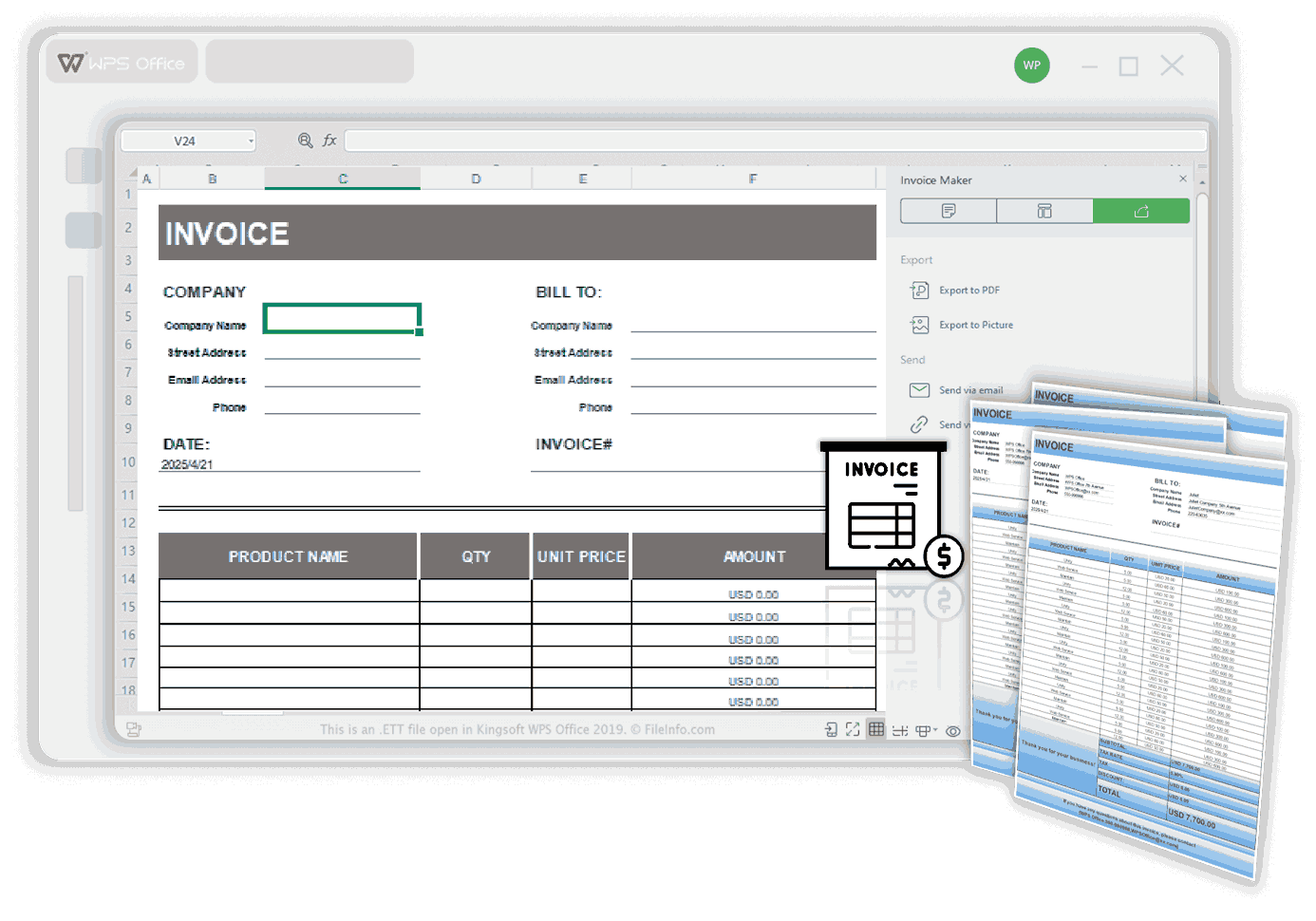
features behind sign-ups. That’s why WPS Invoice
Generator is so popular as it feels like a natural extension of
the work you are already doing. You can input client details, itemized
services, taxes, and discounts, customize colors and logos to match your
brand, and instantly download a clean PDF. Everything is straightforward
and accessible in the browser, so generating refined, client-ready
invoices becomes almost effortless.
WPS Invoice Generator
Features:
Lets you save client, company, and product details to build a
reusable invoice database which is handy when billing the same clients
or issuing regular invoices.
Provides customizable invoice templates: you can add your logo,
adjust layout, and tailor the invoice design to match your brand
identity.
Offers automatic calculation of totals, taxes, discounts, and
invoice subtotals eliminating manual math and reducing errors.
Allows exportinginvoices directly as PDF or image, giving you ready-to-send,
non-editable invoices suitable for emailing or printing.
As a freelancer, I’ve sent invoices immediately after meetings using
WPS Invoice Generator. The client was impressed by the professionalism
and speed, which even helped me get paid faster. Here’s how you can get
started in under 60 seconds.
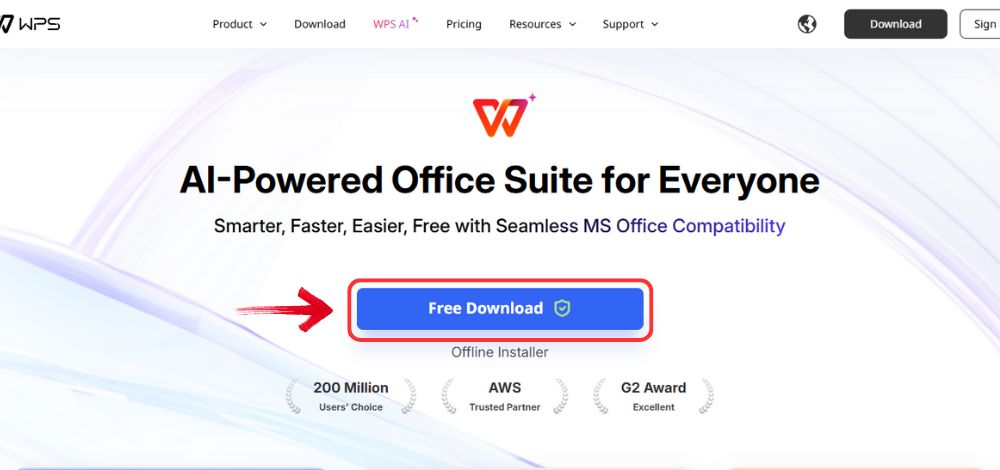
Step 1: Go to WPS
Office, and click the “Free Download” button to
install WPS Office on your computer.
Download WPS Office
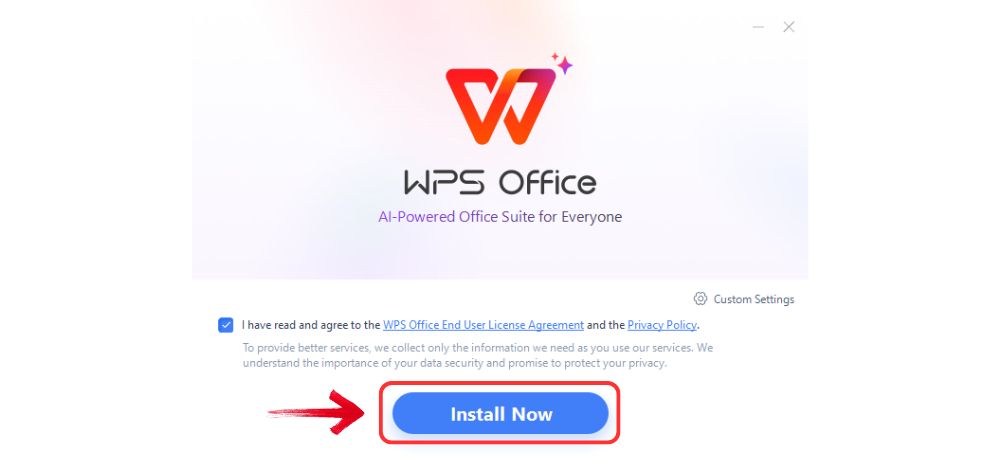
Step 2: Once the download is complete, run the setup
file as you would with any other app. Follow the on-screen instructions
to install it.
Install WPS Office
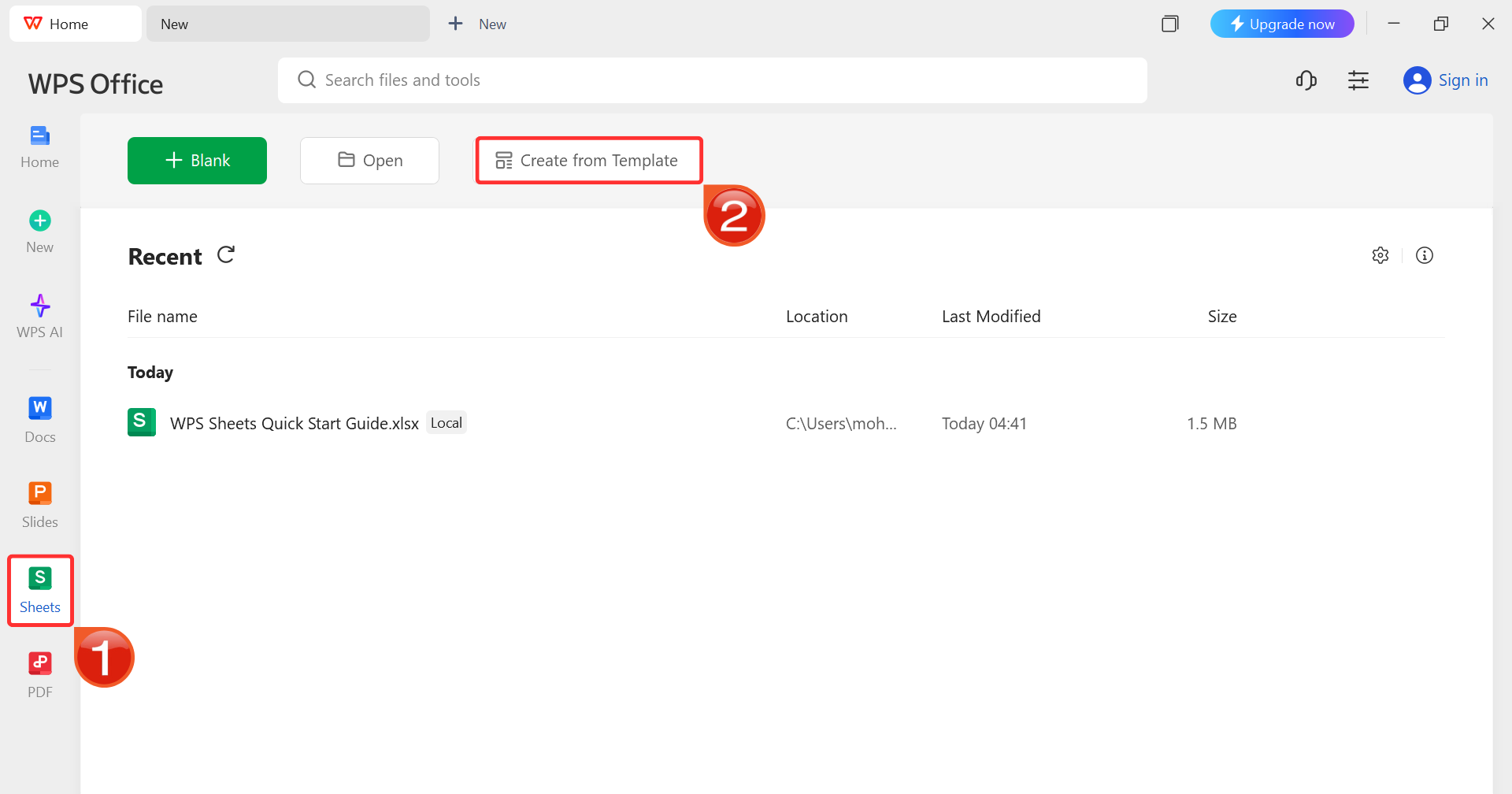
Step 3: On the WPS Office dashboard, click“Sheets” from the left sidebar and hit “Create
from Template” to launch WPS Spreadsheet using your desired
template.
WPS Spreadsheet Dashboard
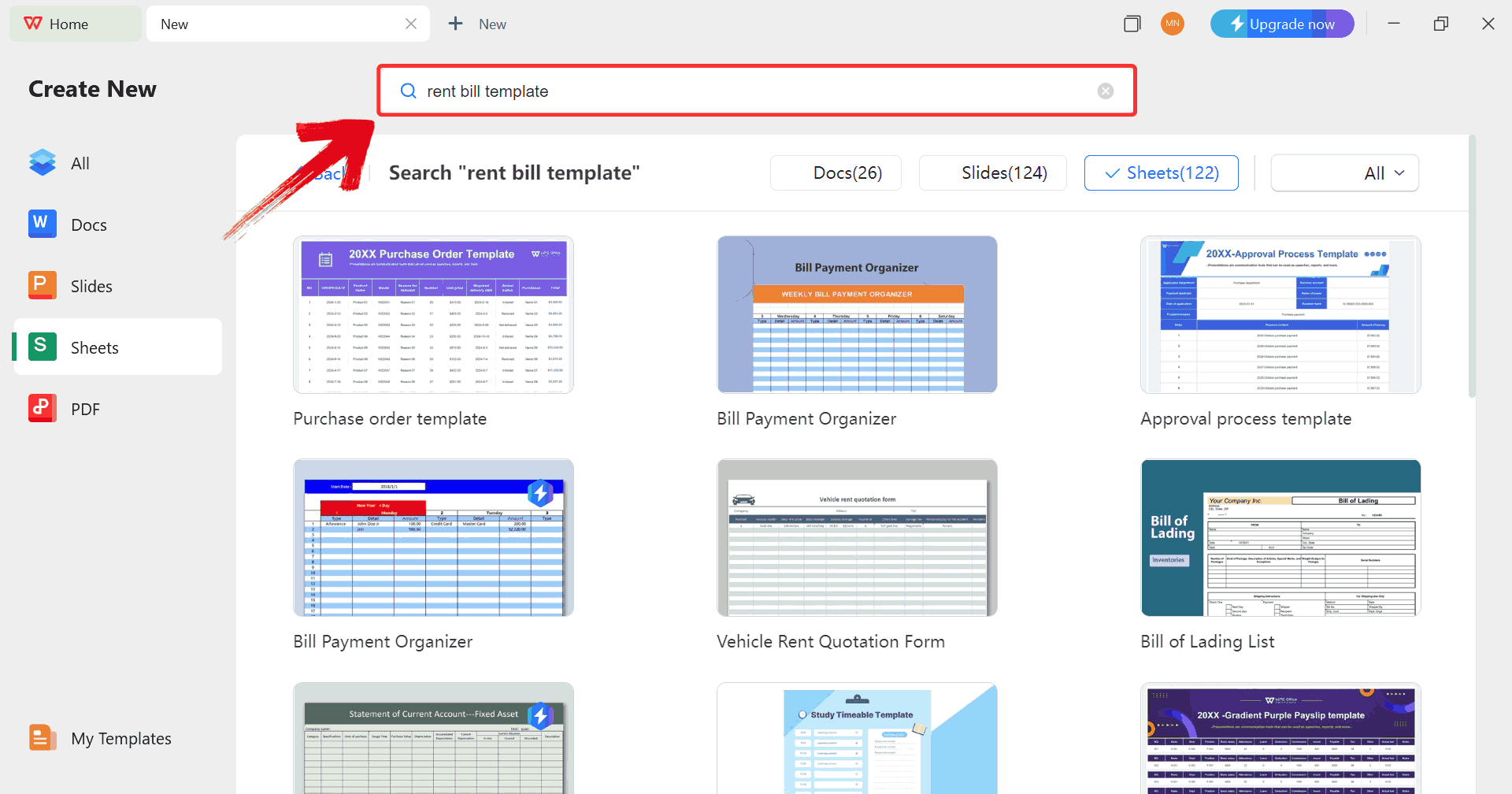
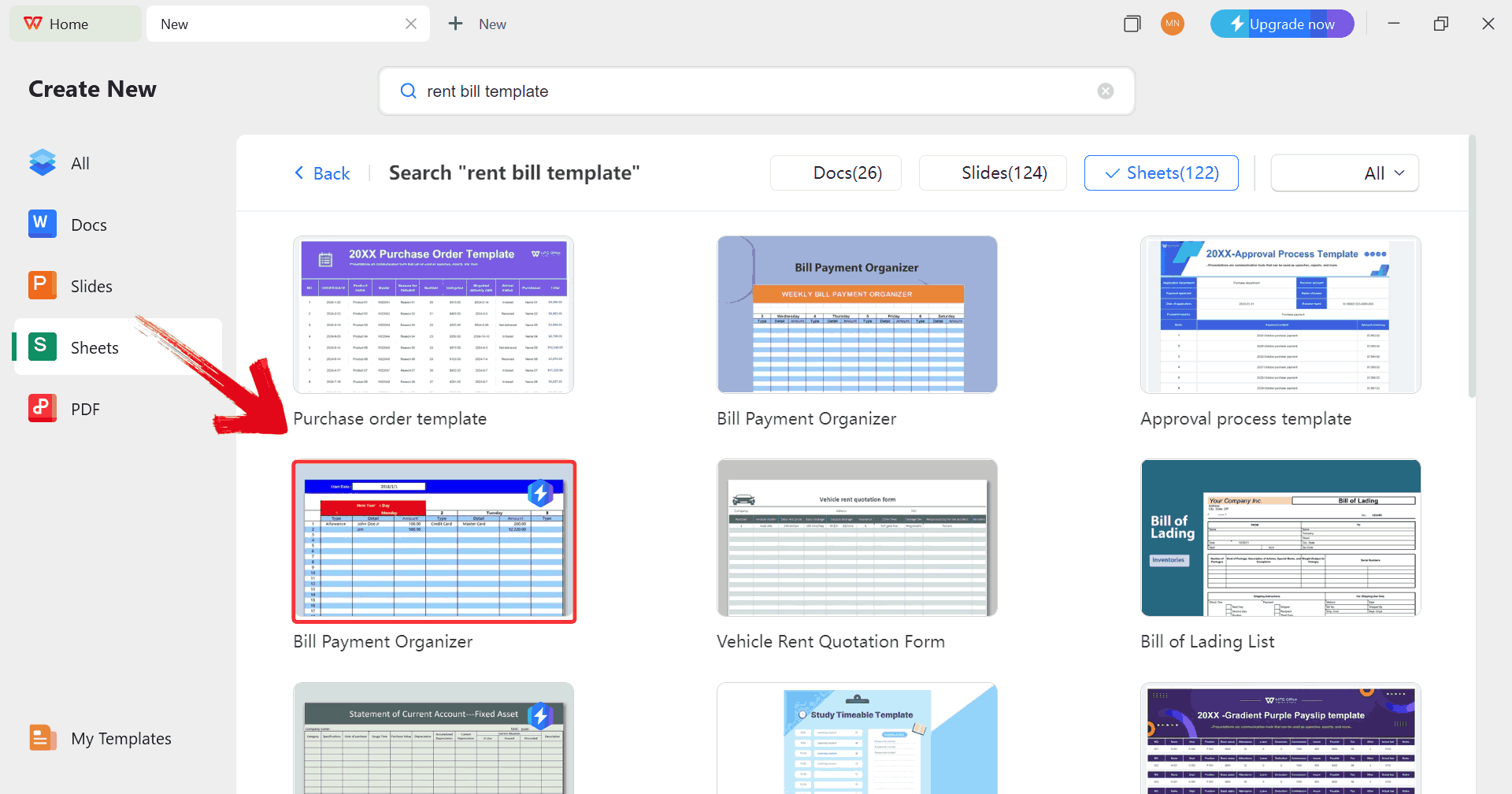
Step 4: In the template gallery’s search bar, you
can search for any invoice such as “rent bill template”to see all available rent bill invoices ready for use.
Search Template
Step 5: Just click on any template that fits your
needs to open it and start customizing your template right away.
Choose Template
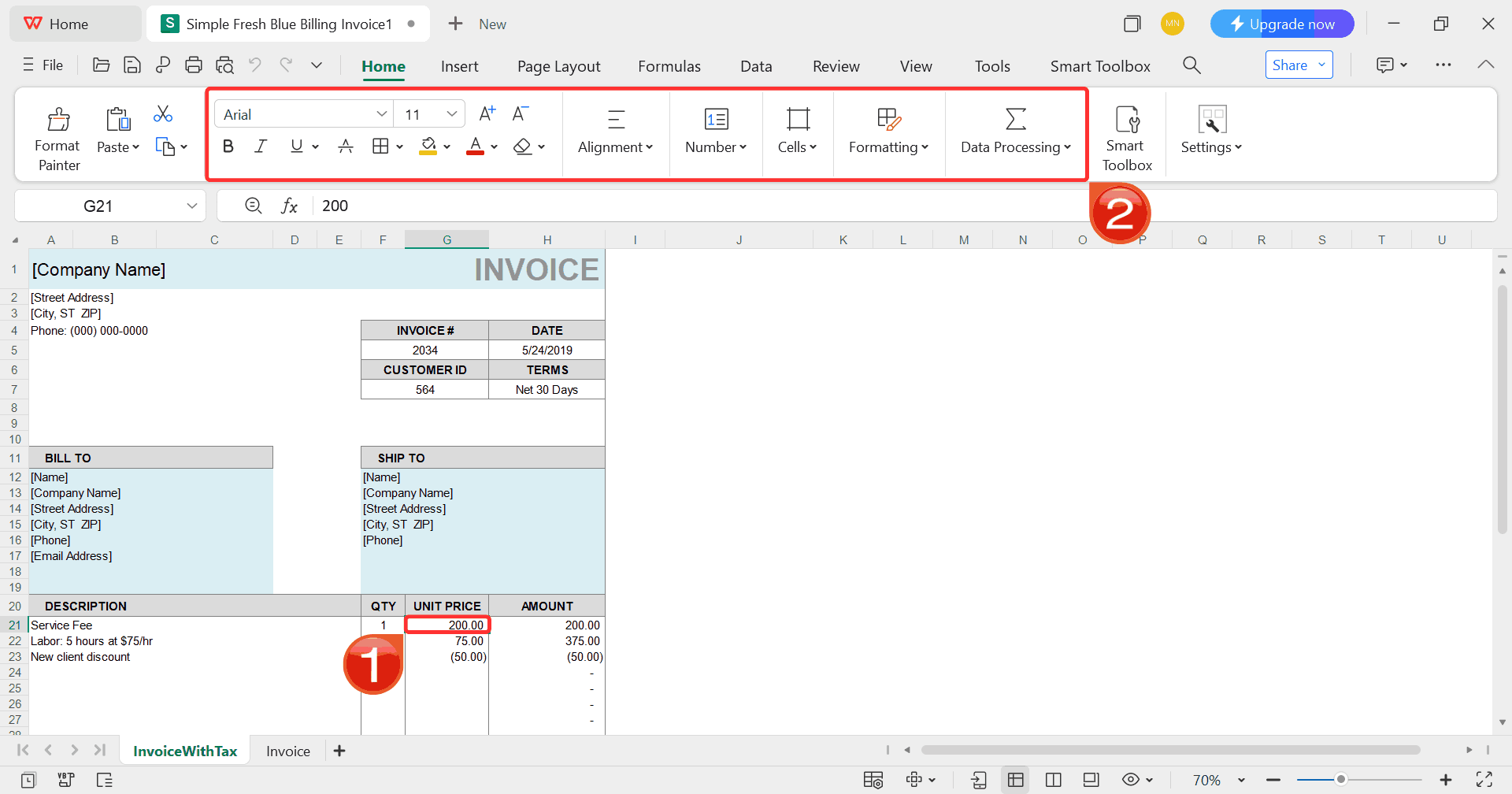
Step 6: Select any cell in your spreadsheet, and
then use the menu at the top to make whatever changes you need like
adjusting formatting, editing text, or changing formulas.
Customize Template
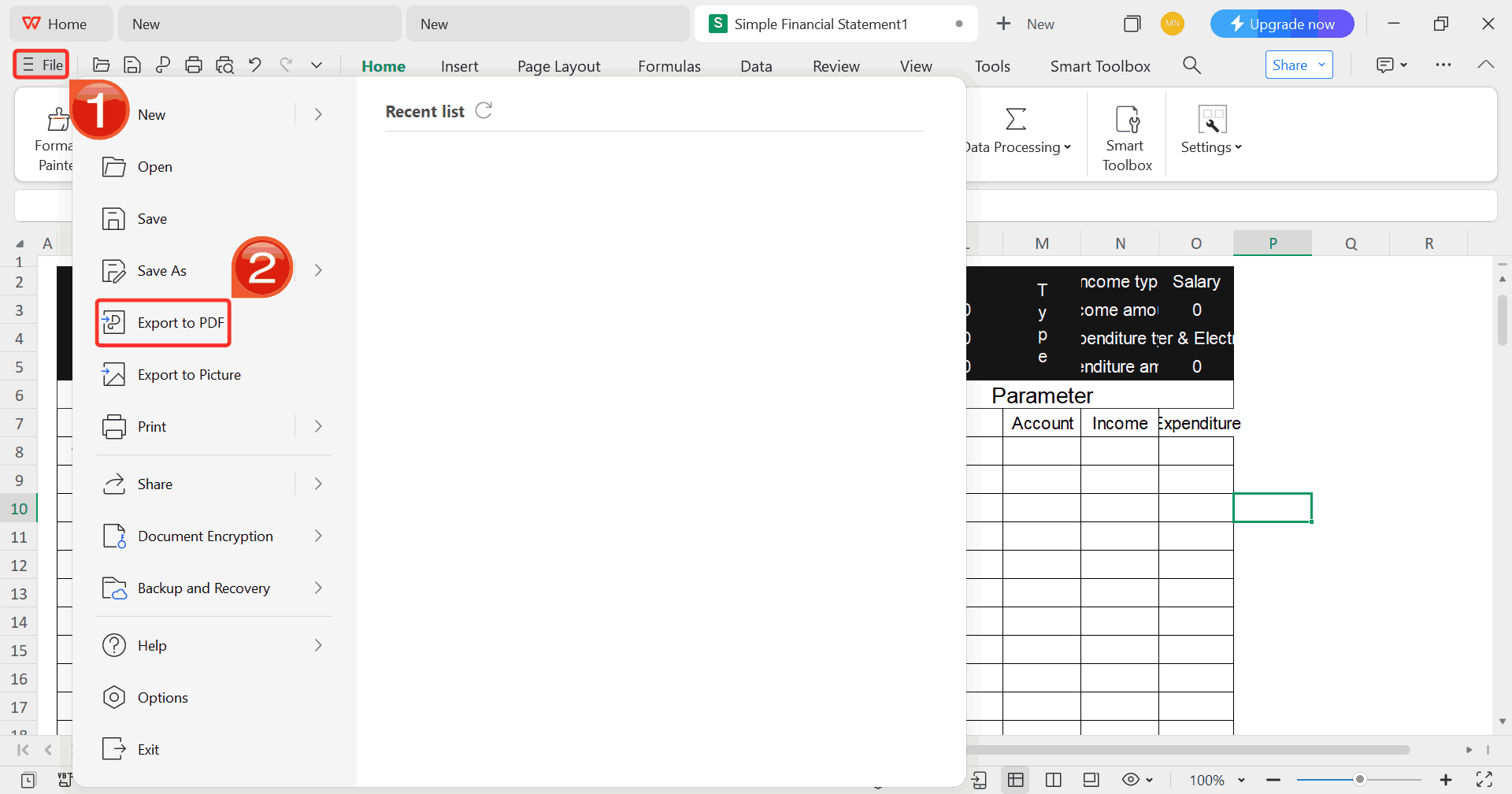
Step 7: Once you’re done customizing your template,
click on “File”, then select “Export to
PDF” to save your rent bill in a shareable format.
Export Template
FAQs
1. Is it
really free to use these invoice generators?
Yes, all tools listed here offer completely free versions for basic
invoice creation. Premium features are optional.
2. Can I add my logo and
brand colors?
Absolutely. Most tools, including Free Invoice Generator, allow you
to upload logos and adjust colors.
3. Do I need to create an
account?
No. Many generators, such as Free Invoice Generator and Invoice
Generator, let you create and download invoices without signing up.
4. Are these invoices
legally acceptable?
Yes, as long as your information is accurate. These invoices are
suitable for billing and record-keeping.
Invoice Made Simple
Using a free invoice generator lets you create professional, accurate
invoices in minutes without hassle. The tools listed above cover a range
of needs so you can pick the one that suits you. For a smoother,
automated experience, WPS Invoice
Generator makes creating client-ready invoices even easier, with
features like logo integration, color customization, tax calculations,
and multi-currency support. Its mobile-friendly interface and instant
PDF downloads help you stay organized and professional on the go. It
doesn't matter if you’re a freelancer, small business owner, or solo
entrepreneur, WPS Invoice Generator simplifies payments, ensures brand
consistency, and frees up time to focus on growing your business.
7+ years in productivity tech. I test and review the latest tools to simplify your workflow. Follow for honest app comparisons, practical guides, and curated tech picks to boost efficiency.

'%3e%3cpath%20fill-rule='evenodd'%20clip-rule='evenodd'%20d='M19%208.5C24.799%208.5%2029.5%2013.201%2029.5%2019C29.5%2024.6782%2024.9928%2029.3036%2019.361%2029.4939L19%2029.5C18.8794%2029.5%2018.7592%2029.498%2018.6396%2029.4939L18.2811%2029.4758C12.8174%2029.1063%208.5%2024.5574%208.5%2019C8.5%2013.201%2013.201%208.5%2019%208.5ZM22.3063%2010.6267L22.2342%2010.6539C21.3423%2011.0061%2020.5541%2011.6368%2020.5606%2012.4987C20.5631%2012.8302%2020.869%2014.8871%2020.2141%2014.8486C19.5589%2014.8102%2019.413%2013.8753%2018.7116%2013.616C17.5944%2013.2026%2016.9819%2014.3401%2017.0939%2015.3106C17.1695%2015.9655%2018.9289%2018.3871%2017.9028%2019C17.292%2019.3651%2015.7279%2017.5692%2015.1007%2017.1842C14.4805%2016.8034%2013.2758%2017.3333%2012.4974%2016.7029C11.9874%2016.2899%2012.3881%2014.4098%2012.2786%2013.8372C12.2271%2013.5698%2012.1155%2013.3689%2011.9794%2013.2166L12.0402%2013.2934C10.7653%2014.8464%2010%2016.8339%2010%2019C10%2023.8465%2013.8307%2027.7982%2018.6295%2027.9925L18.6769%2027.9747C18.8597%2027.8677%2019.0394%2027.7557%2019.216%2027.6387C19.4137%2027.4534%2019.5436%2027.2072%2019.5849%2026.9394C19.8806%2025.1222%2018.3616%2025.4302%2017.9367%2024.5622C17.5489%2023.7695%2018.5712%2023.7684%2018.5524%2021.7923C18.4607%2021.1774%2018.5279%2020.547%2018.7211%2020.0315C19.1834%2018.7987%2020.7077%2017.2643%2022.5889%2018.0081C23.5567%2018.3906%2023.1524%2019.9831%2023.4737%2020.3394C24.251%2021.2018%2025.3228%2020.6863%2026.2856%2021.2253C26.7816%2021.5032%2026.9797%2022.41%2027.056%2023.2248L27.038%2023.0528C27.6534%2021.8348%2028%2020.4579%2028%2019C28%2015.1968%2025.6409%2011.9445%2022.3063%2010.6267Z'%20fill='%23757575'/%3e%3ccircle%20cx='19'%20cy='19'%20r='10.125'%20stroke='%23757575'%20stroke-width='2.25'/%3e%3c/g%3e%3cdefs%3e%3cclipPath%20id='clip0_1827_14613'%3e%3crect%20width='24'%20height='24'%20fill='white'%20transform='translate(7%207)'/%3e%3c/clipPath%3e%3c/defs%3e%3c/svg%3e)