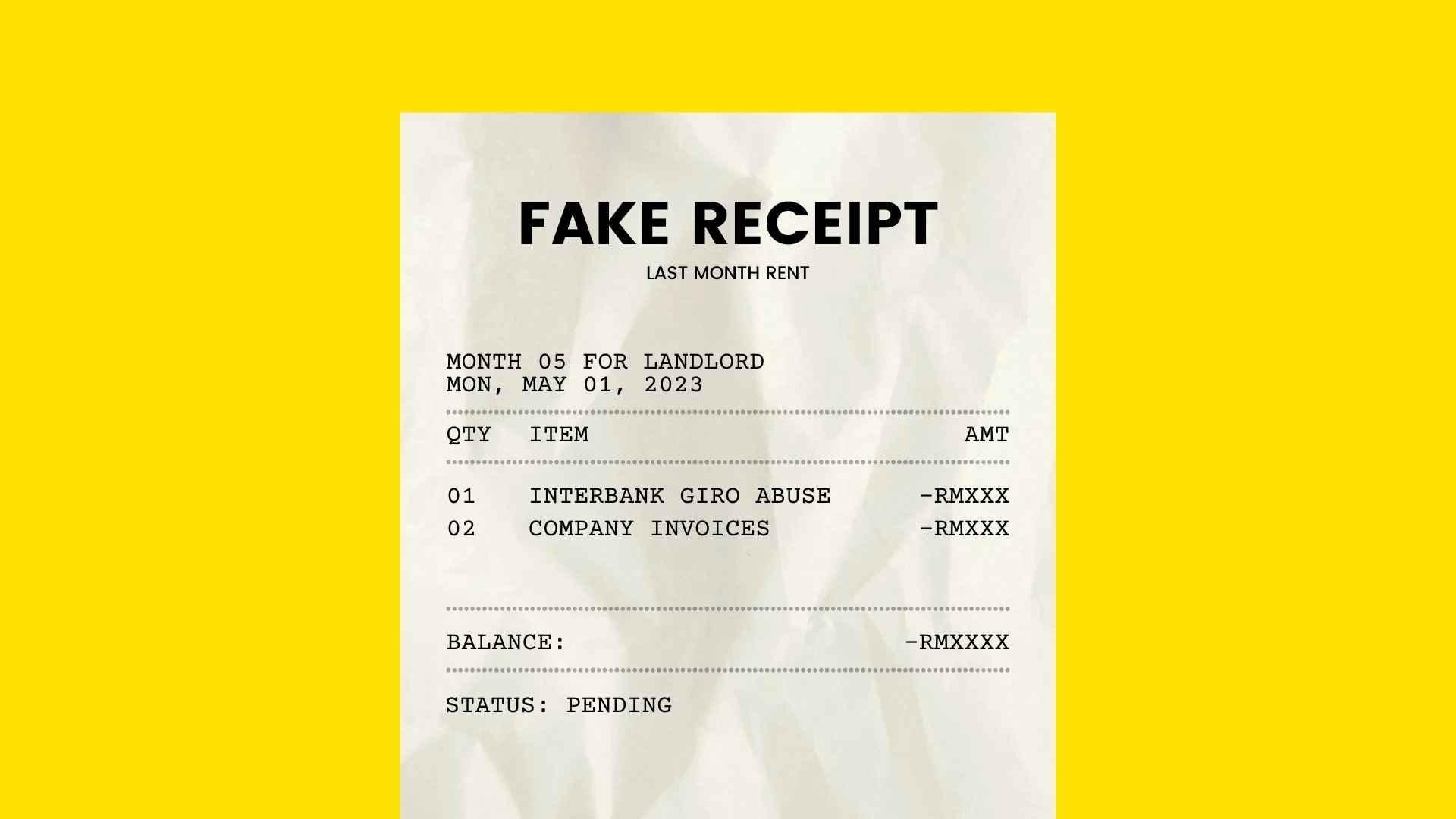
Best Fake Receipt Makers: Create Realistic Receipts for Free
January 18, 2026171 views
0
Fake receipt makers have become really practical in the modern
digital world. Thanks to AI-driven platforms and template-based editors,
creating realistic receipts is faster and more accessible than ever. But
people don’t know where to find a dependable and free fake receipt
generator. In this guide, I’ll show you the best AI-driven fake receipt
makers, compare their features, and explain why Free Invoice Generator
stands out as the most professional and versatile option in 2025.
Best Fake Receipt Makers
Top AI Tools for Fake
Receipt Making
When it comes to how people use AI to generate receipts, most
articles only skim the surface naming tools without explaining what they
actually do or why they’ve become so common. For this part, I focused on
tools that are often used in UI/UX testing, data‑entry demonstrations,
and OCR training, because those are the legitimate spaces where
receipt‑style outputs matter. Instead of listing everything the internet
throws at you, I narrowed it down to platforms that produce consistent
formatting, support multiple templates, and give you enough control over
fields that they’re actually useful for structured work.
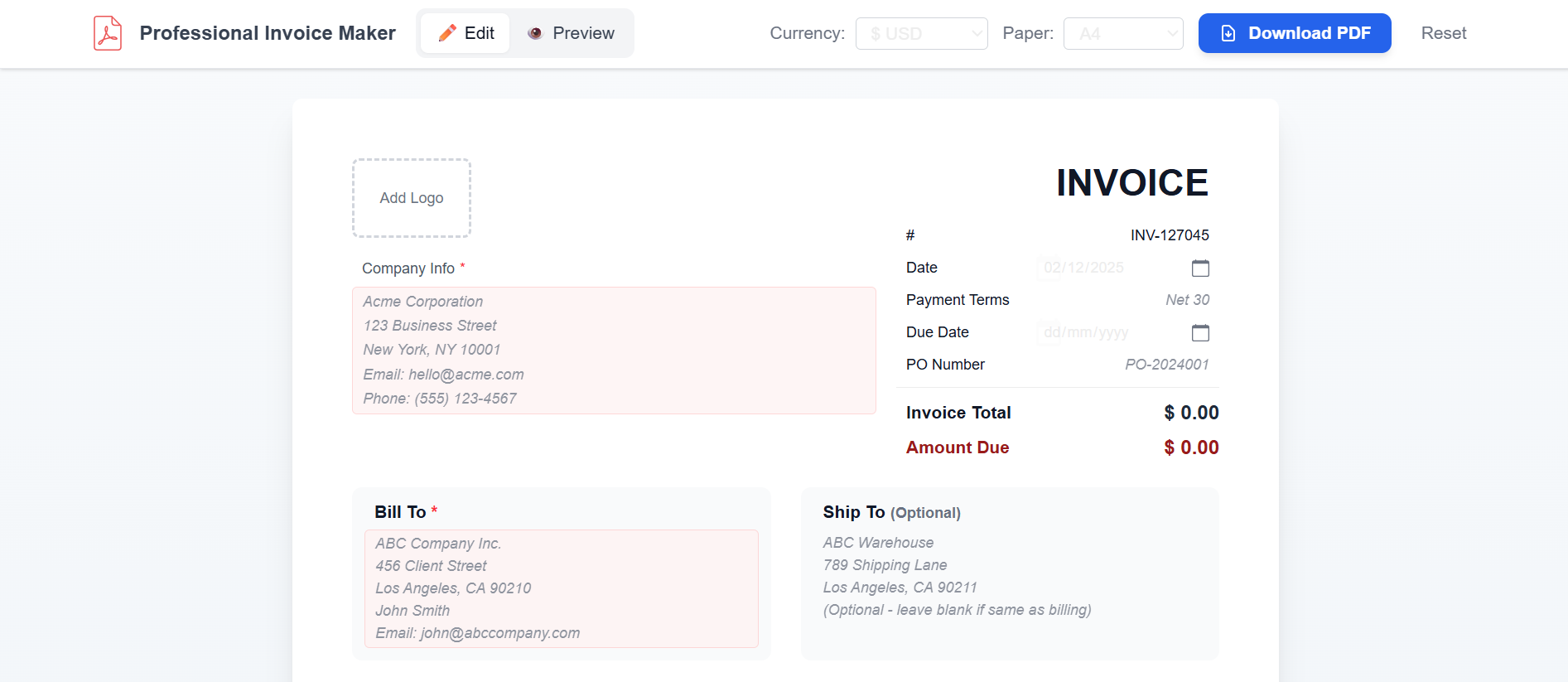
1. Free Invoice Generator
Free Invoice Generator by
Invoicegen is a browser‑based platform designed to help you generate
professional receipt or invoice documents from scratch quickly and with
minimal fuss. It doesn’t require account registration or payments, so
anyone can use it immediately. Because the tool runs entirely online,
there’s no need to download or install software, making it accessible on
practically any device with a modern browser. For freelancers or small
businesses, it provides a reliable way to create accurate, printable
receipts and invoices that are ready to share with clients or include in
your records.
Free Invoice Generator Website
Features:
Generate both receipts and invoices from the same platform,
switching between document types easily
Fully editable fields, including store or business details,
customer information, items or services, quantities, rates, taxes, and
totals
Add your own company logo and adjust brand colors to maintain
consistent branding
Preview documents in real-time before downloading to ensure
accuracy and formatting
It’s best for users who want a free, professional, no-watermark tool
that doubles as an invoice and receipt generator.
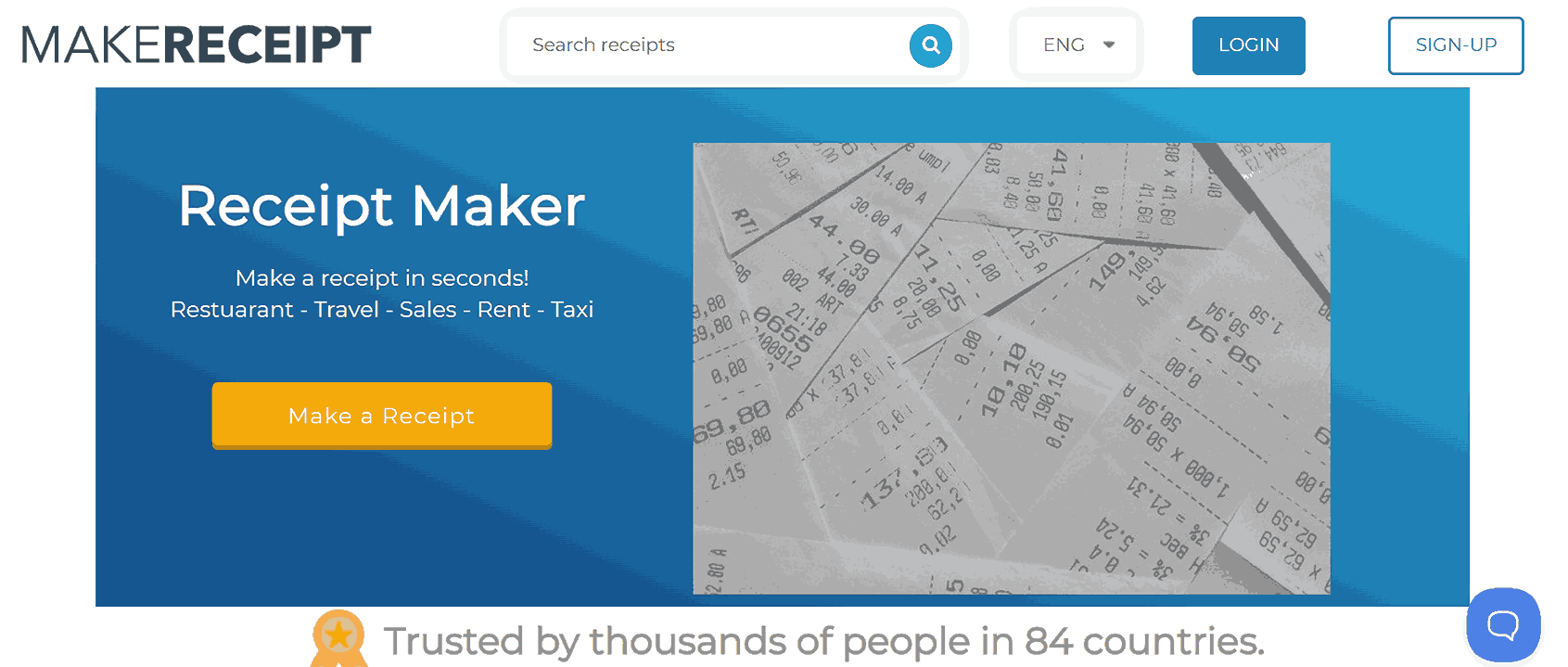
2. MakeReceipt.com
MakeReceipt.com is a
web-based receipt generator that offers a wide variety of template
styles from restaurant and retail receipts to gas‑station,
convenience‑store, and taxi receipts. Once you pick a template, you
enter the business name, address, items or services, payment method, and
basic transaction details. The platform then produces a printable
PDF-sized file, which you can save, print, or export. Since it works
online and supports many receipt formats, it can serve users who need
quick, accessible receipts.
MakeReceipt Website
Features:
Offers a wide variety of receipt templates, including retail,
restaurant, taxi, gas station, and convenience store styles
Fully editable fields for store name, address, customer details,
items or services, quantities, prices, and payment methods
Generates print-ready PDF receipts instantly for download or
printing
Supports multiple date and time formats for transaction
records
It’s ideal for small business owners, freelancers, or individuals
creating quick, printable receipts for demonstrations, record‑keeping,
or mockups.
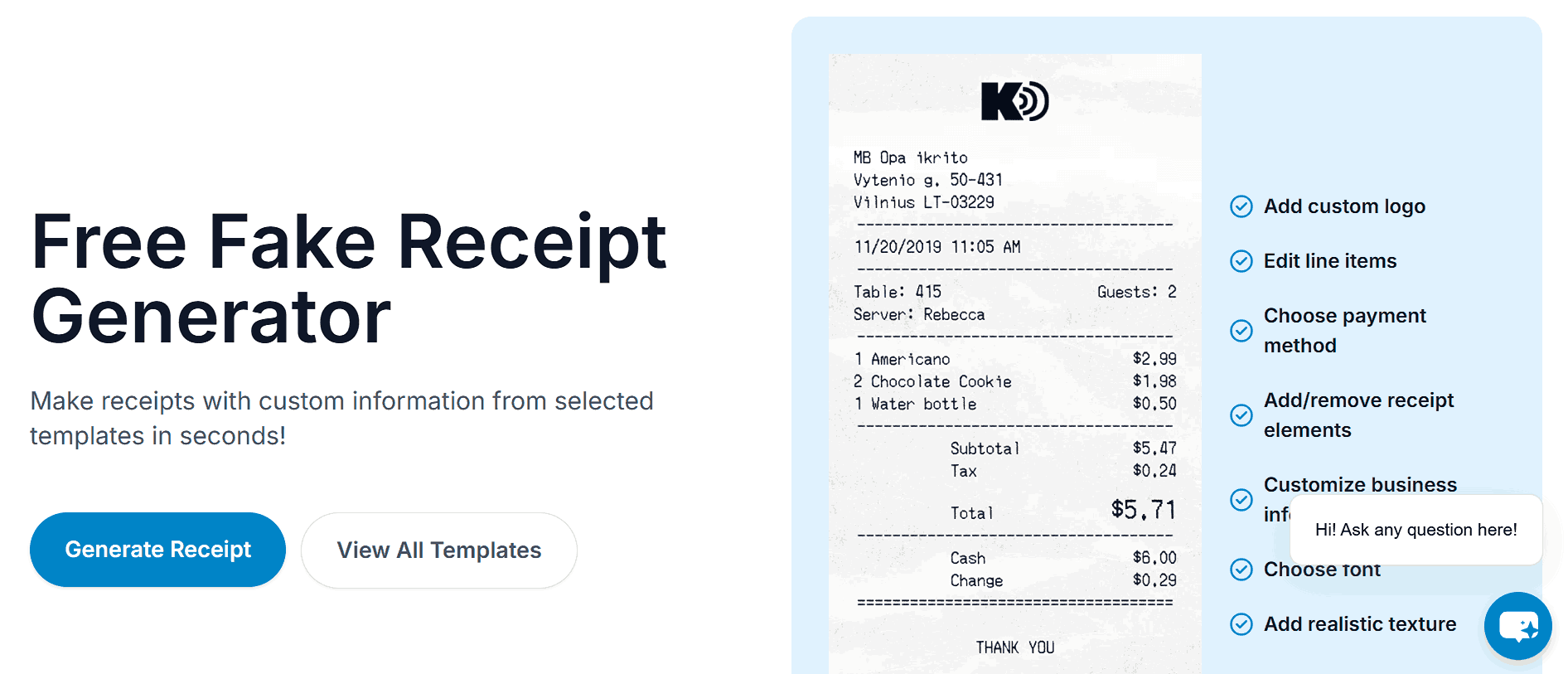
3. Receipt Faker
Receipt Faker is an
online tool for generating receipts from a large library of store and
purchase‑style templates, ranging from supermarkets to pharmacies and
retail stores. You simply select a template, fill in business and
transaction details, and export a receipt. Because it offers realistic
layouts and flexibility in line‑items, date/time, payment method, and
receipt design, it can be useful for design mockups, expense
documentation, or replacing lost receipts. The process is browser‑based
and quick, so if you need a receipt-like document without hassle,
ReceiptFaker gives you a simple, template-driven option.
Receipt Faker Website
Features:
Wide selection of receipt templates, including supermarkets,
pharmacies, retail, and service store
Customizable fields for store name, address, items, quantities,
prices, and payment methods
Allows adjustment of date, time, and transaction numbers for
realistic formatting
Flexible layout options to match different receipt
styles
It works well for designers, small business owners, or individuals
creating mockups, practice documents, or sample receipts that closely
resemble real-world transactions.
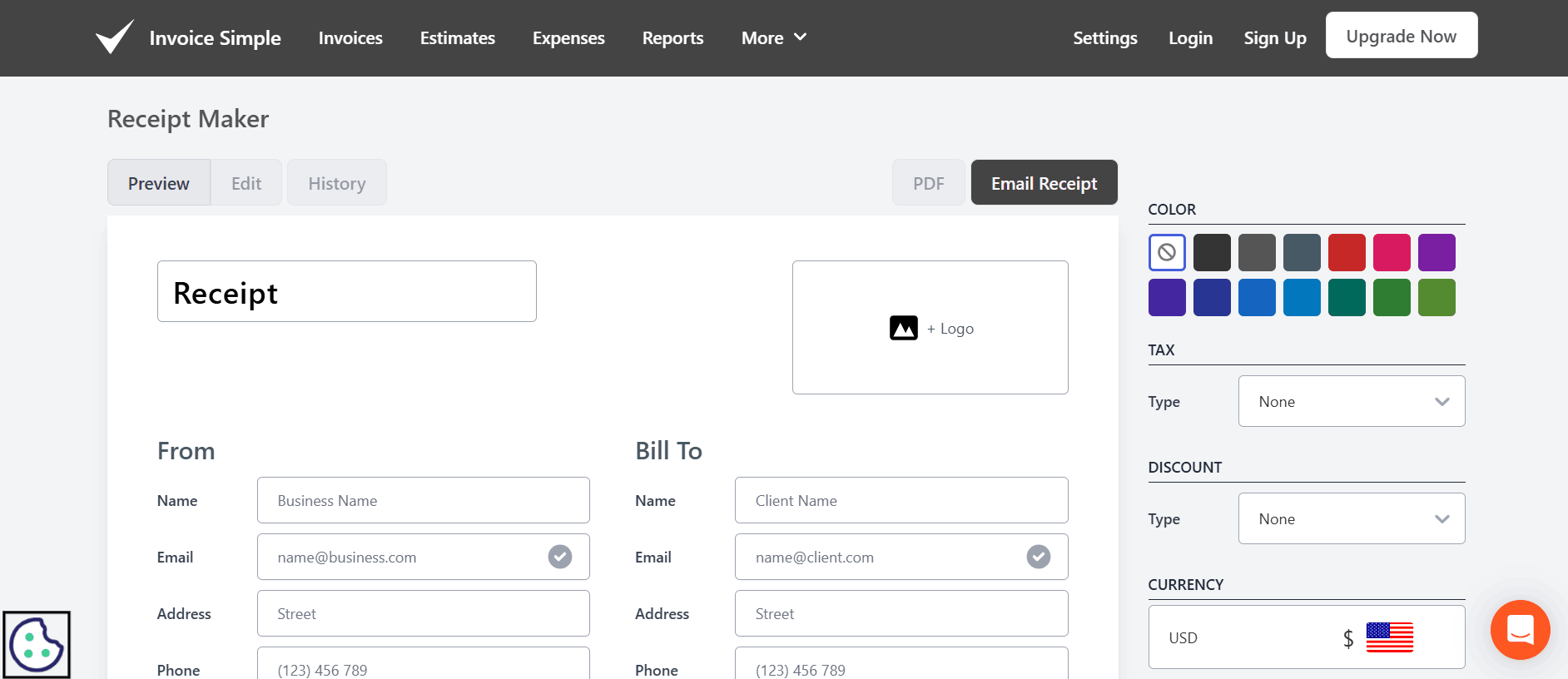
4. Invoice Simple Receipt
Maker
Invoice
Simple Receipt Maker is part of a broader invoicing platform
designed to help small businesses and freelancers create refined
financial documents from any device, whether you're on a laptop, tablet,
or phone. It aims to simplify the billing process: after you send an
invoice or receive a payment, you can generate a formatted receipt that
mirrors a professional business transaction record. With cloud‑based
storage and an easy-to-use interface, it’s particularly suited for users
managing multiple clients, tracking expenses, or needing reliable
documentation of payments.
Invoice Simple Website
Features:
Create both receipts and invoices seamlessly from the same
platform, eliminating the need for multiple tools
Access a variety of professional, clean templates tailored for
small businesses, freelancers, and service providers
Fully editable fields, including business details, client
information, line items, quantities, prices, taxes, and payment
method
Upload your logo and customize brand colors to maintain
consistent and professional branding
Cloud-based storage to manage, track, and retrieve multiple
receipts or invoices easily
It is best for professionals, small business owners, and individuals
who need detailed, itemized receipts for expense tracking,
reimbursements, or financial record-keeping.
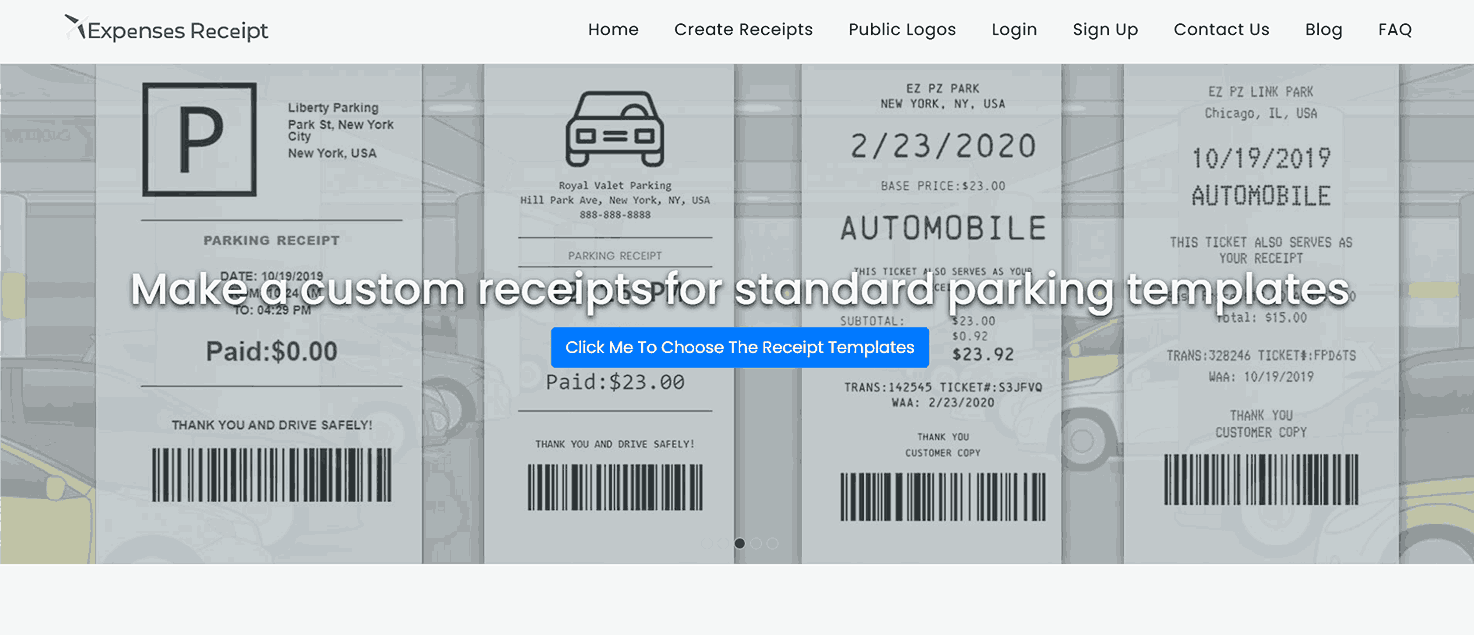
5. Expenses Receipt
Expenses Receipt is a
web‑based receipt generator that lets you quickly design and download
custom receipts using a variety of templates from store and restaurant
receipts to hotel, taxi, gas, or service‑based formats. The site
emphasizes flexibility, letting you tailor layout, add images or logos,
and combine multiple receipts into a single consolidated file if needed.
Because the tool works directly in your browser and doesn’t require
persistent account storage of your data, it appeals to users looking for
quick, disposable receipt creation without long‑term commitment.
Expenses Receipt Website
Features:
Offers a wide range of receipt templates, including store,
restaurant, hotel, taxi, gas, and service-based formats
Fully customizable fields for store name, client information,
items, quantities, prices, taxes, and payment method
Supports detailed itemized entries for multiple products or
services on a single receipt
No account registration needed, with data deleted after download
for privacy
It works well for users looking to document expenses, track
purchases, or prepare reimbursement requests.
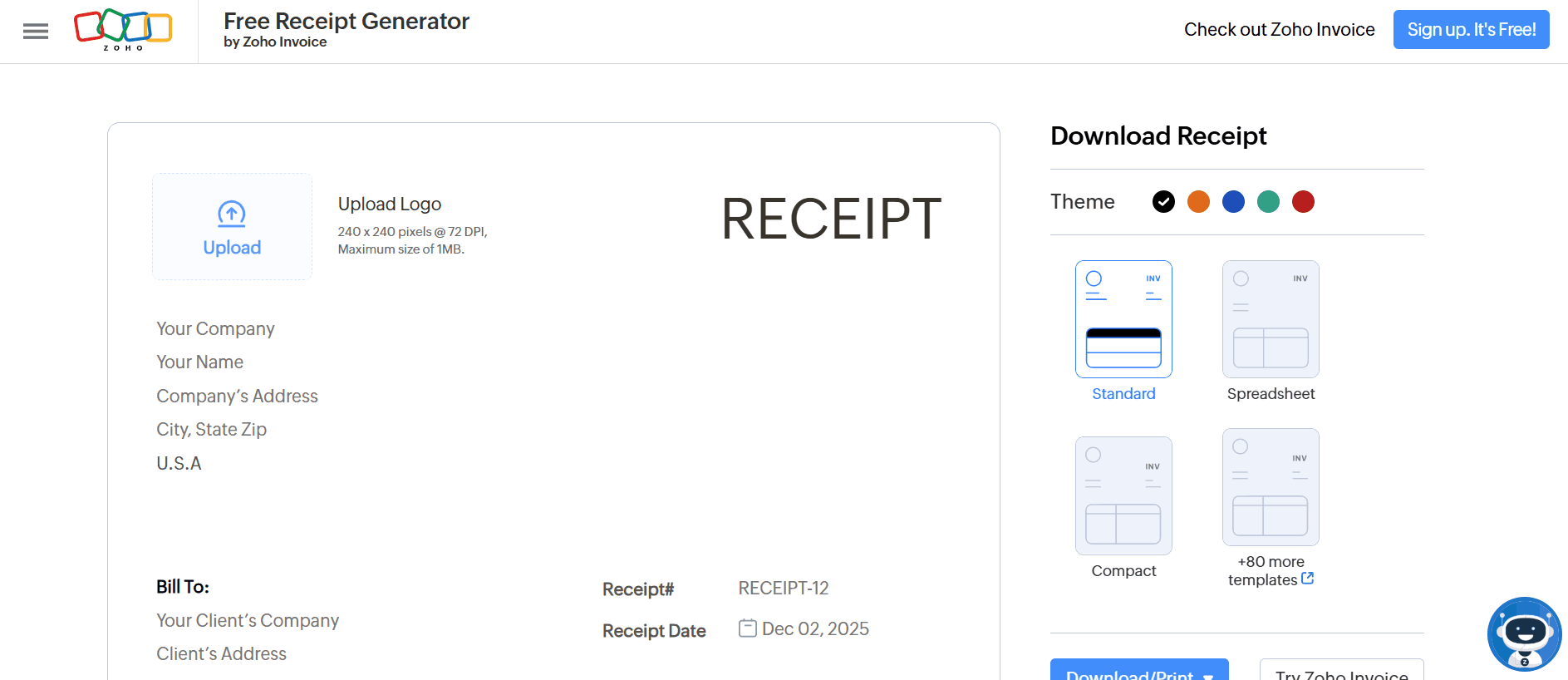
6. Zoho Invoice Receipt
Generator
Zoho
Invoice’s Receipt Generator is an online tool that lets you
create receipts for payments once a sale or service has been completed
making it perfect for documenting payment and closing the transaction
loop. It integrates smoothly with Zoho’s broader invoicing and billing
system, meaning that if you already track clients, invoices, or payments
within Zoho, you can generate a matching receipt without leaving the
same workspace. Because the tool offers several layout options and lets
you download or print the receipt, it works well for businesses that
want consistent, professional documentation once payment is made.
Zoho Invoice Receipt Generator
Features:
Multiple layout options including standard, spreadsheet, compact,
and customizable templates
Integrates seamlessly with Zoho Invoice for consistent client and
transaction management
Add company logo, branding colors, and custom notes for
professional presentation
Automatically syncs with client and payment data stored in Zoho
Invoice
Supports multiple currencies and tax formats for international
transactions
It is best for businesses and freelancers already using Zoho who want
an easy way to generate professional receipts. It’s ideal for users
seeking integrated, cloud-based documentation that aligns with their
invoicing and payment records.
Top Fake Receipt
Makers — Comparative Analysis
One thing is clearfrom looking at all of these options: No single tool suits every
situation. Each one has unique strengths and limitations depending on
what you need the receipt for. I’ve compared the top tools side by side
so you can match their features to your specific ones like quick
mock‑ups, professional invoices, store‑style receipts,
or detailed expense documentation. By examining where each tool excels
and where it might fall short, you’ll be able to pick the one that suits
you, instead of wasting time experimenting blindly.
Cloud saving, professional layout,
ecosystem integration
Free
Zoho users
Common Mistakes & How to
Avoid Them
Having examined a range of fake receipt makers and compared their
strengths, it’s as important to know what not to do as to know which
tool to pick. I’ve shared the common pitfalls people often encounter
when using receipt generators from technical slip‑ups like unreadable
formatting or missing fields, to serious ethical and legal landmines. I
drew on recent reports of fraud investigations, auditfailures, and even criminal penalties to show how easily a “harmless”
receipt mock‑up can backfire if misused.
Fake Receipt
Mistake 1:
Using Receipts for Fraudulent Purposes
Problem: Some people try to misuse fake receipts for
refunds, reimbursements, or deception.
Solution: Use these tools only for legitimate
purposes such as mockups, training, or personal record-keeping.
Mistake 2: Choosing
Non-Customizable Tools
Problem: Generic receipts look unrealistic and get
rejected.
Solution: Pick a fake receipt generator that lets
you modify store name, date, items, and taxes.
Mistake 3: Ignoring
Printability
Problem: Some tools generate receipts that don’t
scale or print correctly.
Solution: Always test-print before finalizing. You
want clean alignmentand proper font size.
Mistake 4: Overlooking Data
Privacy
Problem: Certain platforms store your input
info.
Solution: Choose tools that operate client-side or
clearly state no data retention.
Mistake 5: Not Saving
Editable Copies
Problem: Once exported, you can’t easily update the
receipt.
Solution: Download editable formats like PDFs with
form fields or save the template link.
Why
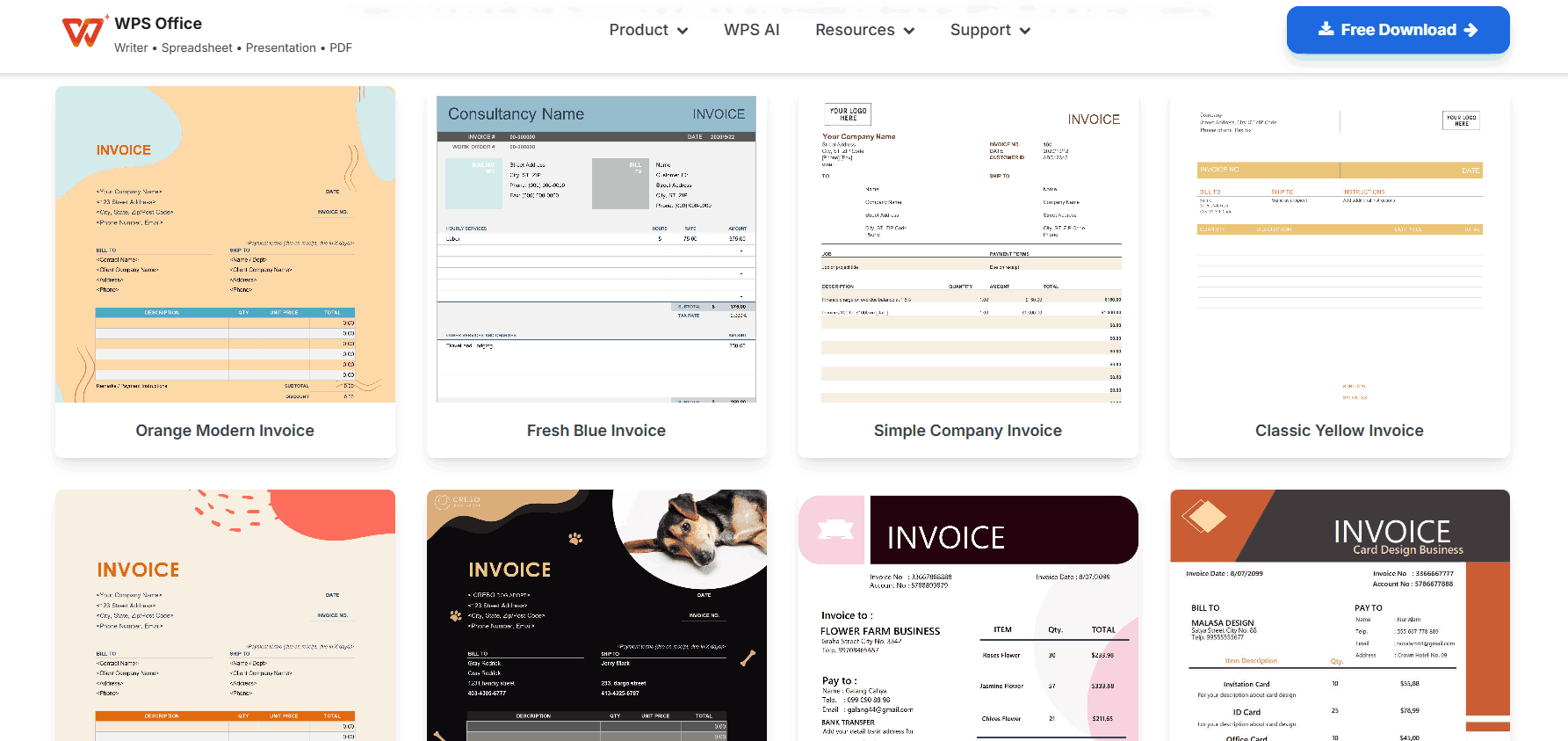
Free Invoice Generator Stands Out Among Receipt Makers
WPS
Invoice Generator gives you a simple way to create professional
invoices and receipts without the complexity of larger accounting
software. You can fill in client details, line items, and payment
information, and the tool automatically calculates totals and taxes.
Everything works directly in your browser, so there’s no need to install
software or enter payment info, making it simple for occasional or
regular use alike. For freelancers and small businesses, it’s a fast,
reliable way to generate refined, branded invoices while keeping your
records organized and accurate.
WPS Invoice Generator
Advantages
Smart Automation: Automatically handles totals,
taxes, and calculations, ensuring every receipt or invoice is accurate
and consistent.
Customization: Add your logo,
brand colors, or even industry-specific fields to make receipts match
your business style.
Efficiency: Keep multiple clients, projects, or
transactions in one place, making management simple and
streamlined.
Professional Appearance: Each document looks
ready, giving your records or mockups a credible, organized
look.
Ease of Use: Quickly create receipts or invoices
in a few clicks without worrying about layout or formatting.
Now that you know what makes WPS Invoice Generator so effective,
let’s see how to create your invoices accurately and efficiently.
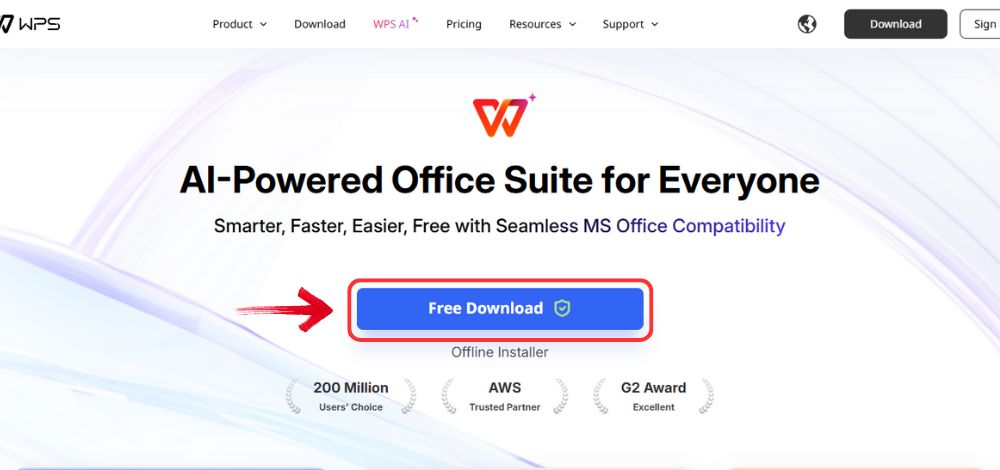
Step 1: Go to WPS
Office, and click the “Free Download” button to
install WPS Office on your computer.
Download WPS Office
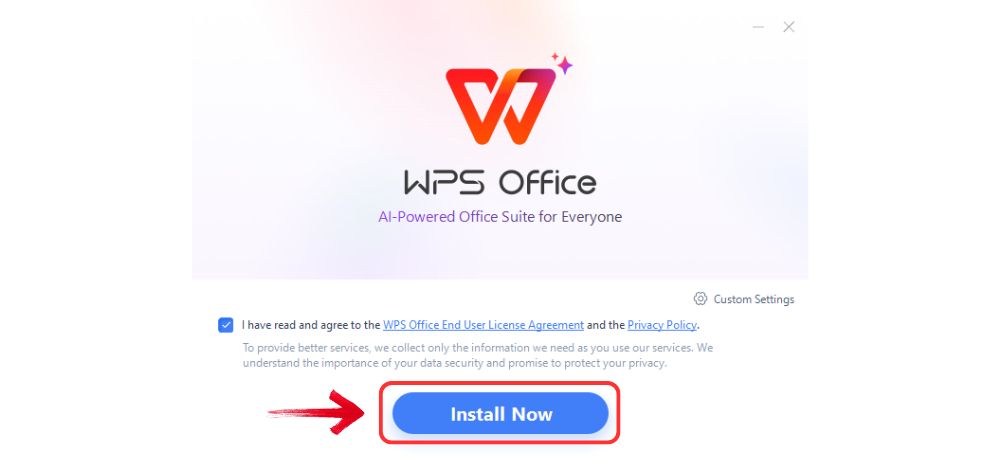
Step 2: Once the download is complete, run the setup
file as you would with any other app. Follow the on-screen instructions
to install it.
Install WPS Office
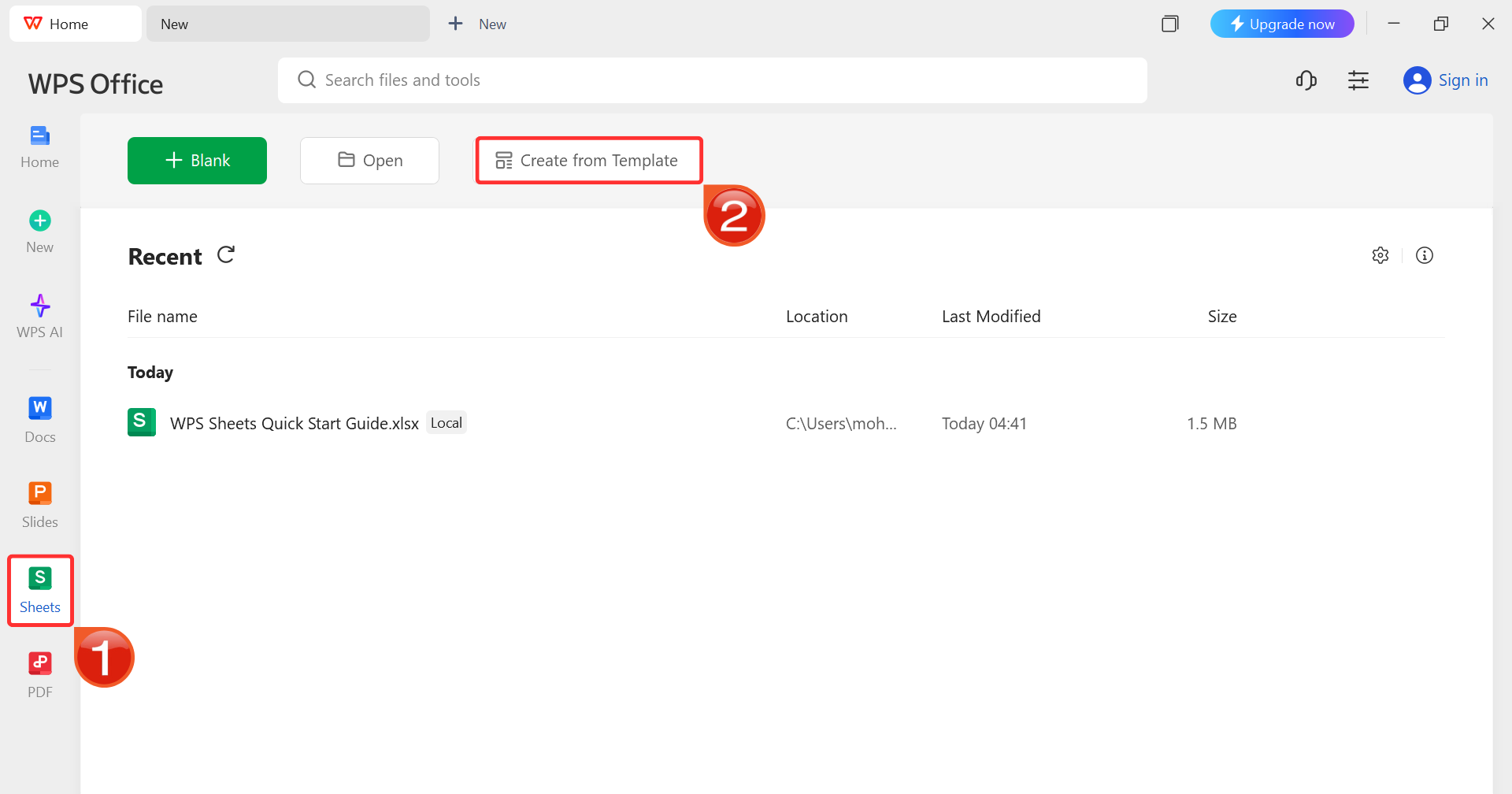
Step 3: On the WPS Office dashboard, click“Sheets” from the left sidebar and hit “Create
from Template” to launch WPS Spreadsheet using your desired
template.
WPS Spreadsheet Dashboard
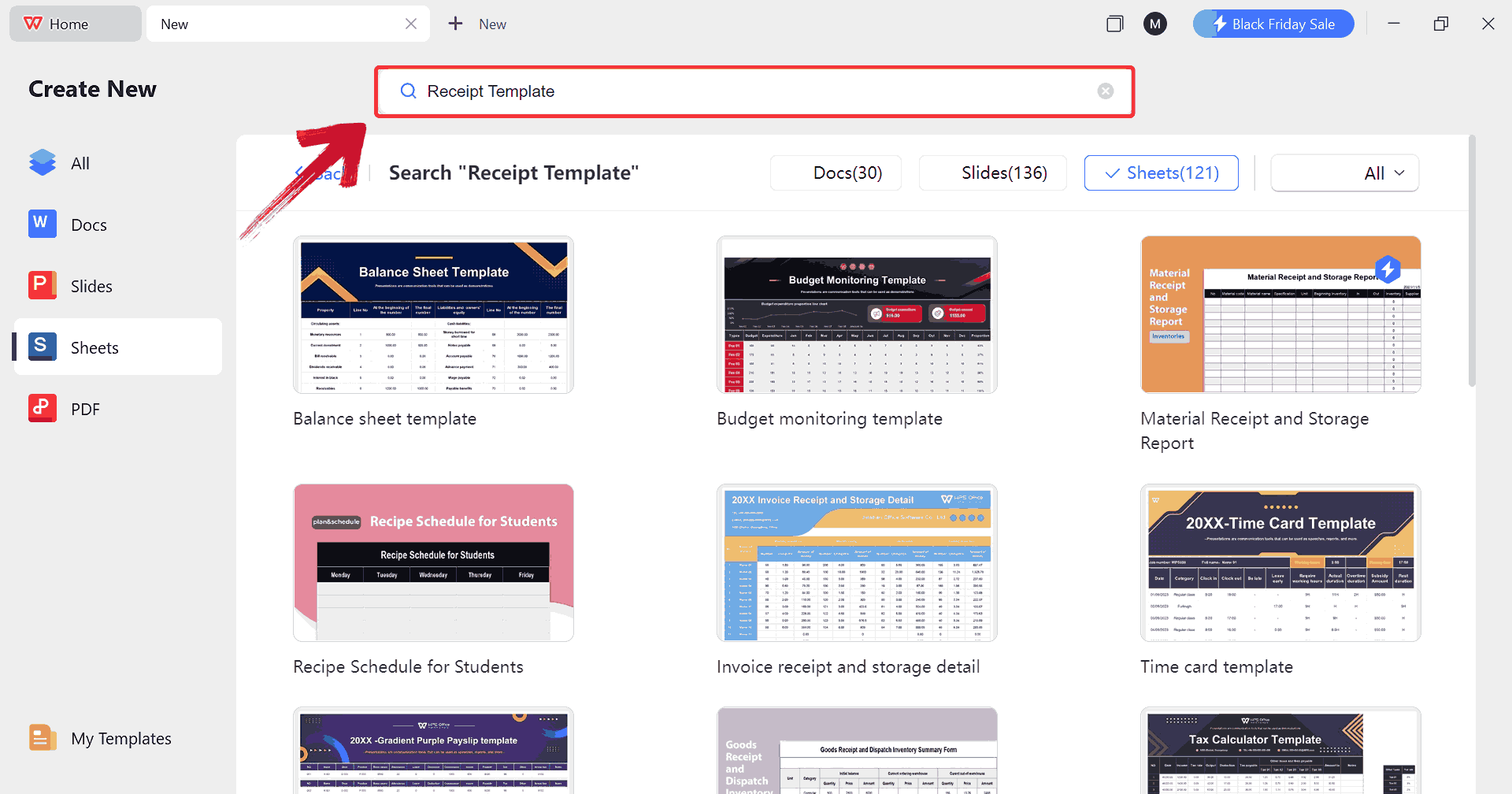
Step 4: In the template gallery’s search bar, you
can search for any invoice such as "Receipt Template”to see all available receipts ready for use.
Search Template
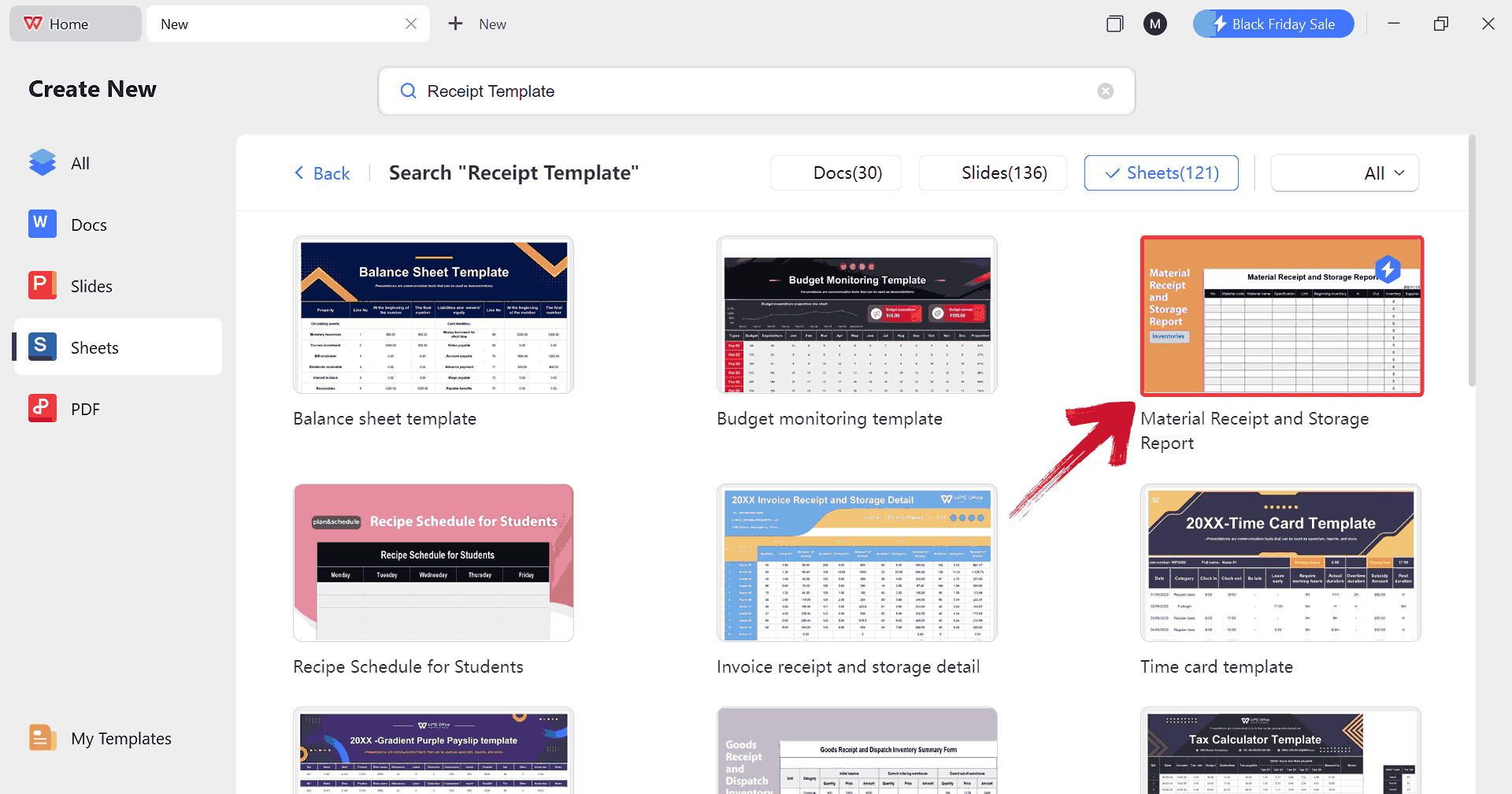
Step 5: Just click on any template that fits your
needs to open it and start customizing your template right away.
Choose Template
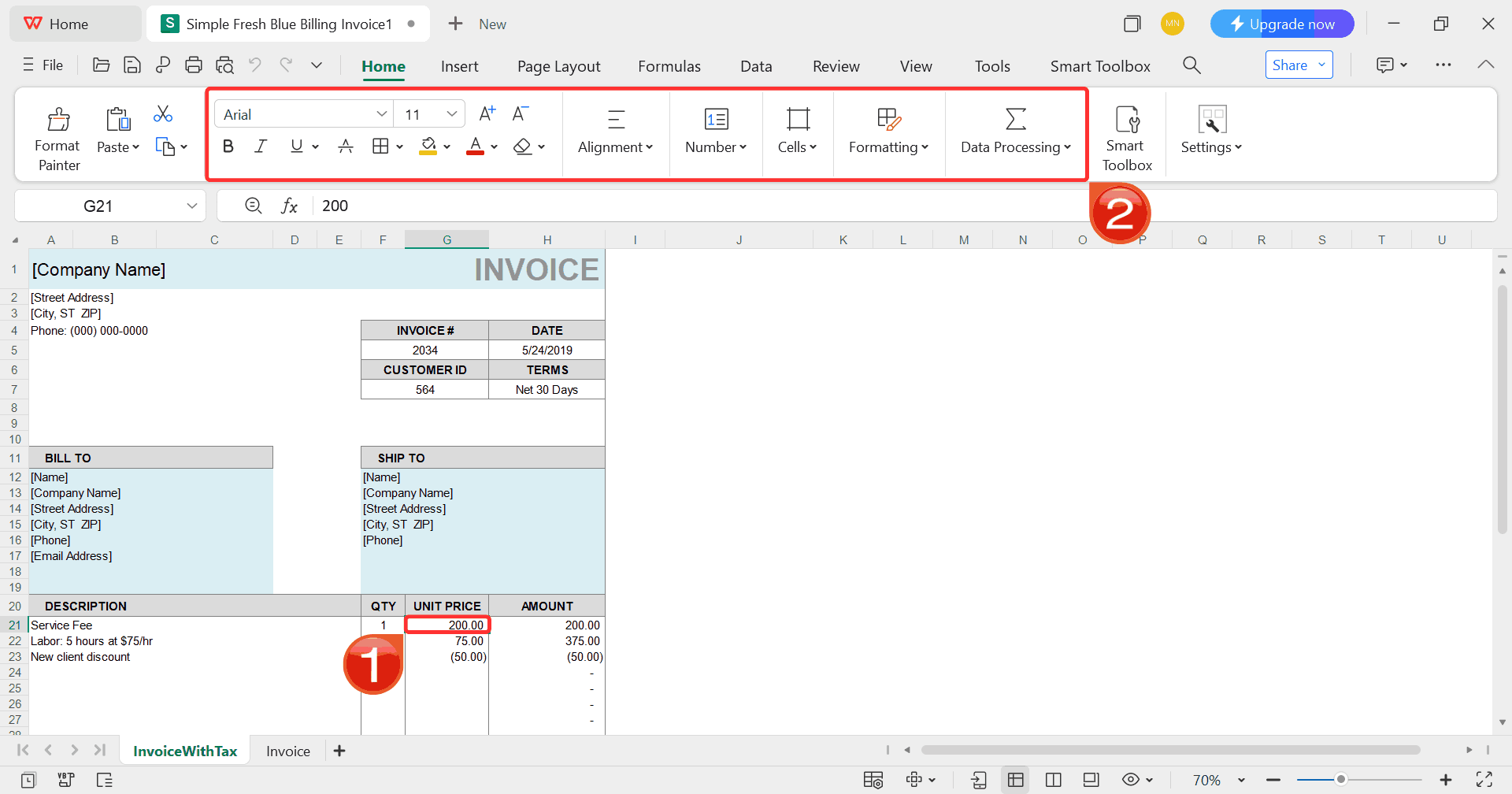
Step 6: Select any cell in your spreadsheet, and
then use the menu at the top to make whatever changes you need like
adjusting formatting, editing text, or changing formulas.
Customize Template
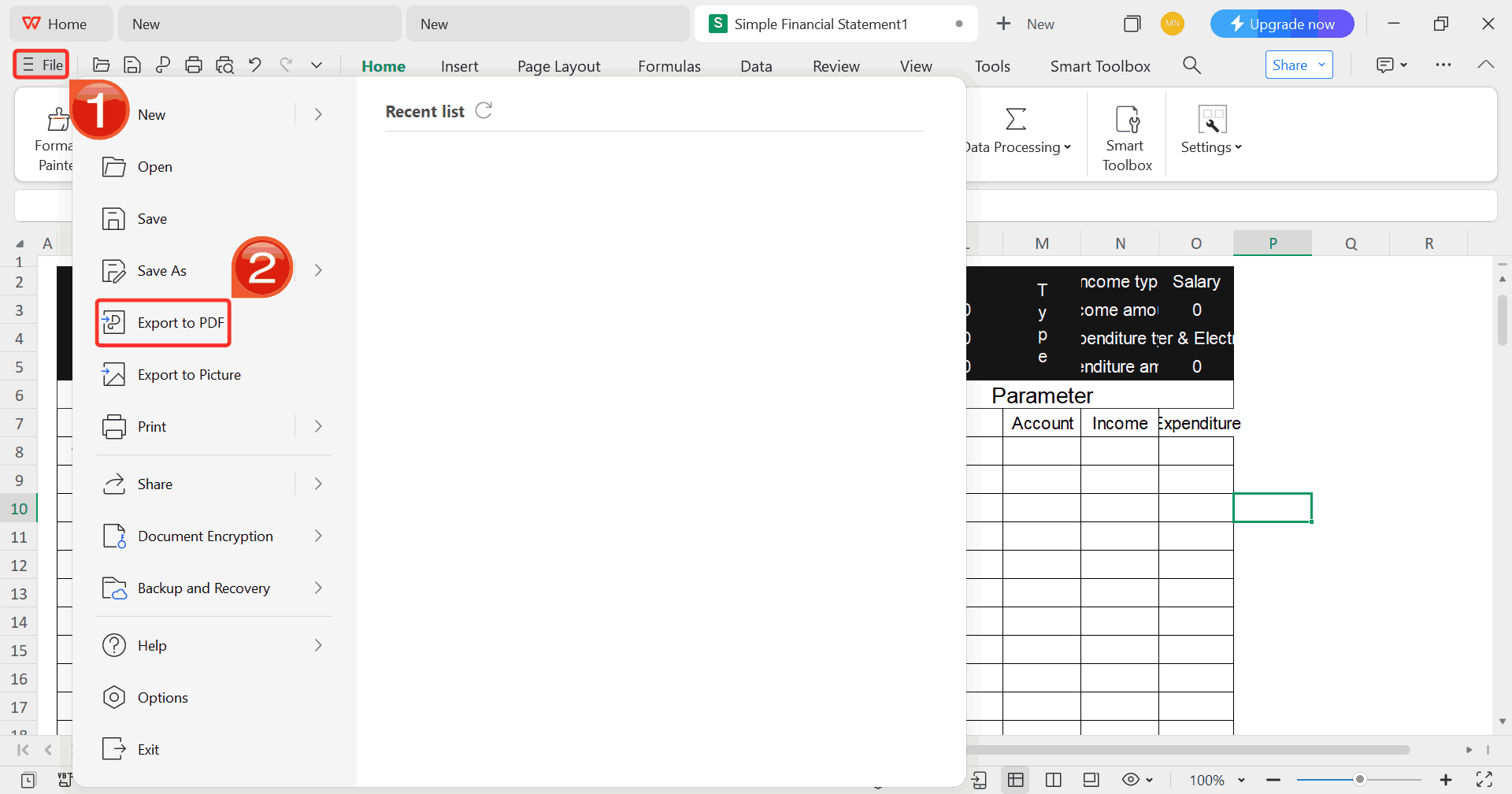
Step 7: Once you’re done customizing your template,
click on “File”, then select “Export to
PDF” to save your receipt in a shareable format.
Export Template
FAQs
1. Is it legal to create
fake receipts?
Yes, as long as they’re used for legitimate purposes, such as
training, design demos, personal budgeting, or mockups. Using them for
fraud or deception is illegal.
2. Are these tools completely
free?
Some are truly free, like Free Invoice Generator, while others offer
paid upgrades.
3. Can I customize
logos and store details?
Absolutely. Tools like Free Invoice Generator and InvoiceSimple
support full branding.
4. Do these tools work on
mobile?
Yes, most listed platforms are fully mobile-responsive.
Receipt Recap
Fake receipt makers are incredibly useful for mock transactions,
training exercises, expense records, and design work. With the right
tool, you can create fake receipts that look realistic, professional,
and print-ready. Among all the options available, WPS Invoice
Generator stands out with its no-watermark policy, full
customization, branding flexibility, and professional templates all of
which are completely free. If you want a fake receipt maker that’s fast,
intuitive, and produces convincing results every time, WPS Invoice
Generator is the strongest option to use.
7+ years in productivity tech. I test and review the latest tools to simplify your workflow. Follow for honest app comparisons, practical guides, and curated tech picks to boost efficiency.

'%3e%3cpath%20fill-rule='evenodd'%20clip-rule='evenodd'%20d='M19%208.5C24.799%208.5%2029.5%2013.201%2029.5%2019C29.5%2024.6782%2024.9928%2029.3036%2019.361%2029.4939L19%2029.5C18.8794%2029.5%2018.7592%2029.498%2018.6396%2029.4939L18.2811%2029.4758C12.8174%2029.1063%208.5%2024.5574%208.5%2019C8.5%2013.201%2013.201%208.5%2019%208.5ZM22.3063%2010.6267L22.2342%2010.6539C21.3423%2011.0061%2020.5541%2011.6368%2020.5606%2012.4987C20.5631%2012.8302%2020.869%2014.8871%2020.2141%2014.8486C19.5589%2014.8102%2019.413%2013.8753%2018.7116%2013.616C17.5944%2013.2026%2016.9819%2014.3401%2017.0939%2015.3106C17.1695%2015.9655%2018.9289%2018.3871%2017.9028%2019C17.292%2019.3651%2015.7279%2017.5692%2015.1007%2017.1842C14.4805%2016.8034%2013.2758%2017.3333%2012.4974%2016.7029C11.9874%2016.2899%2012.3881%2014.4098%2012.2786%2013.8372C12.2271%2013.5698%2012.1155%2013.3689%2011.9794%2013.2166L12.0402%2013.2934C10.7653%2014.8464%2010%2016.8339%2010%2019C10%2023.8465%2013.8307%2027.7982%2018.6295%2027.9925L18.6769%2027.9747C18.8597%2027.8677%2019.0394%2027.7557%2019.216%2027.6387C19.4137%2027.4534%2019.5436%2027.2072%2019.5849%2026.9394C19.8806%2025.1222%2018.3616%2025.4302%2017.9367%2024.5622C17.5489%2023.7695%2018.5712%2023.7684%2018.5524%2021.7923C18.4607%2021.1774%2018.5279%2020.547%2018.7211%2020.0315C19.1834%2018.7987%2020.7077%2017.2643%2022.5889%2018.0081C23.5567%2018.3906%2023.1524%2019.9831%2023.4737%2020.3394C24.251%2021.2018%2025.3228%2020.6863%2026.2856%2021.2253C26.7816%2021.5032%2026.9797%2022.41%2027.056%2023.2248L27.038%2023.0528C27.6534%2021.8348%2028%2020.4579%2028%2019C28%2015.1968%2025.6409%2011.9445%2022.3063%2010.6267Z'%20fill='%23757575'/%3e%3ccircle%20cx='19'%20cy='19'%20r='10.125'%20stroke='%23757575'%20stroke-width='2.25'/%3e%3c/g%3e%3cdefs%3e%3cclipPath%20id='clip0_1827_14613'%3e%3crect%20width='24'%20height='24'%20fill='white'%20transform='translate(7%207)'/%3e%3c/clipPath%3e%3c/defs%3e%3c/svg%3e)