8 Best Invoice Automation Software Solutions for 2026
January 18, 2026130 views
0
Most successful companies and businesses are using Invoice automation
software. Because if you’re still relying on traditional methods or
generic software, then you’re prone to manual data entry errors and less
efficiency. To stay competitive, you need a system that improves
accuracy while reducing administrative overhead. In this article, we
will explore the top options for automating your invoicing system,
including a special tool for those looking for simplicity and speed.
Invoice Automation Software
What is Invoice Automation
Software?
Invoice automation software, often referred to as e-invoicing, is a
digital solution that fundamentally changes how businesses handle their
accounts payable. Instead of your team manually entering data, chasing
approvals, or cross-referencing paper receipts, this technology
automates the entire journey of a bill.
It works by using intelligent tools to read,
analyze, and capture data from incoming invoices instantly. The software
then uploads this information to your central system and automatically
matches it against the relevant purchase orders and delivery receipts.
By handling this verification, often called three-way matching, without
human intervention, the software significantly reduces the risk of
expensive errors and ensures payments are approved and scheduled
efficiently. Essentially, it turns a chaotic pile of paperwork into a
smooth, hands-free workflow.
Top 7 Invoice
Automation Software Tools for 2025
With the market flooded by dozens of platforms, ranging from simple
free apps for freelancers to complex financial ecosystems for large
enterprises, finding the best invoice automation software for small
businesses can be difficult. So we’ve put together a comprehensive
review of the top free invoice automation software online tools for
2025, analyzing each based on its unique features, pricing models, and
specific strengths. This will go over both invoice automation tools for
freelancers and businesses.
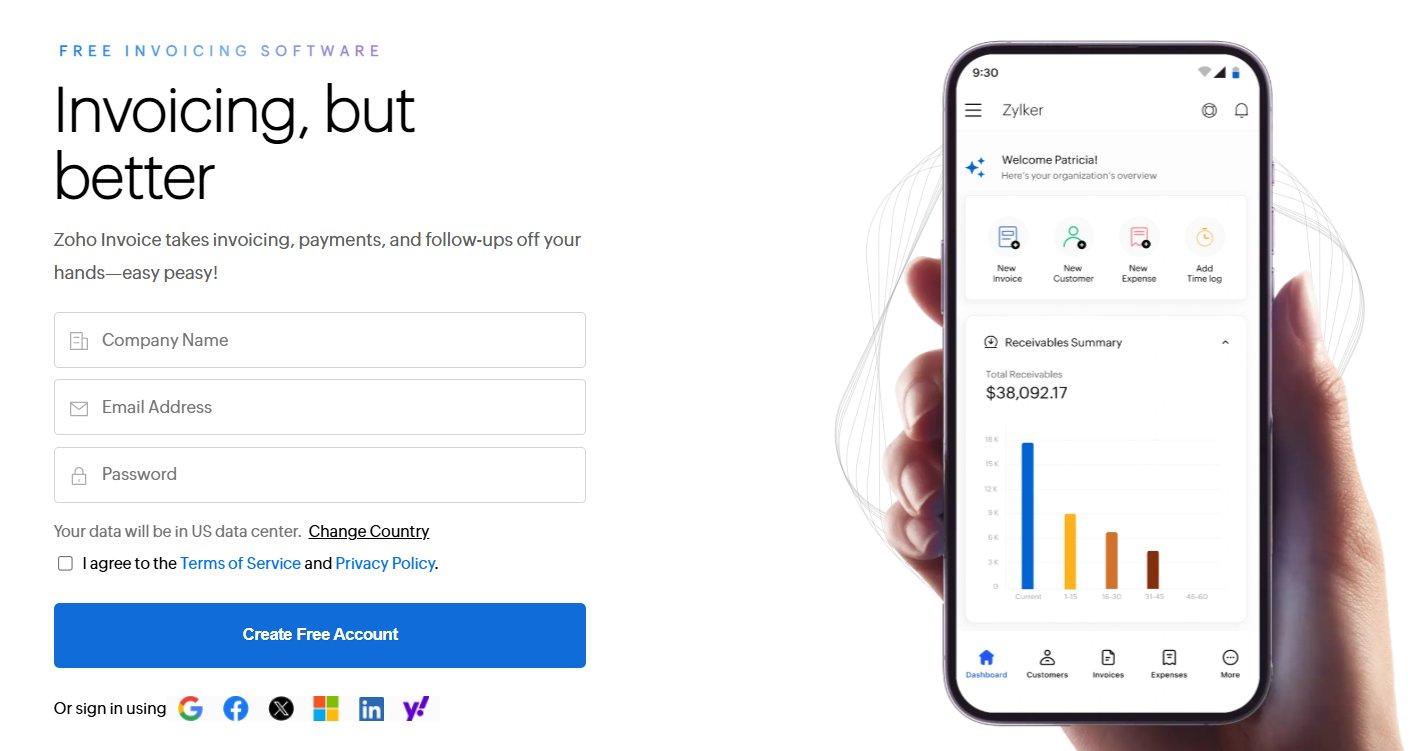
1. Zoho Invoice
Zoho
Invoice is widely known as the best free option for
small businesses that refuse to compromise on features. Unlike
competitors that offer watered-down free tiers, Zoho provides a fully
functional suite, including time tracking and automated workflows,
without a price tag. It is uniquely positioned for freelancers and small
agencies already using other Zoho products, offering a level of
ecosystem integration like syncing instantly with Zoho CRM that
standalone tools simply cannot match.
Zoho Invoice website
Features:
Customizable Templates: Adjust invoice layouts
to match specific branding requirements perfectly.
Automated Reminders: Schedule payment
notifications to reduce the number of overdue bills
automatically.
Client Portal: Provide customers with a
dedicated link to view their history and make payments
instantly.
Time Tracking: Log billable hours directly into
the system to ensure accurate invoicing for service-based work.
Pros:
Intuitive and easy to use.
Offers a completely free plan for small businesses.
Supports multiple languages and currencies.
Cons:
Integrations with non-Zoho apps can be limited.
Reporting features are basic compared to enterprise
tools.
Pricing:
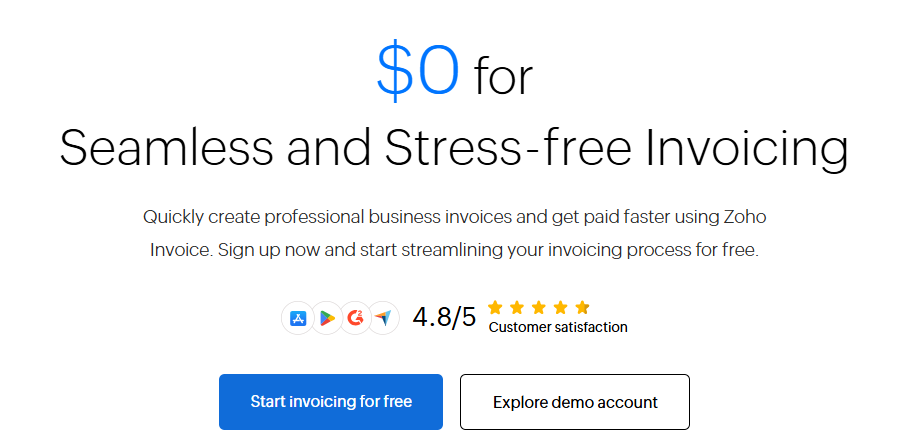
Zoho is completely free, and there are no paid features at all on
their website or their app.
Zoho Invoice Pricing
2. FreshBooks
FreshBooksis built specifically for service-based businesses, acting as a bridge
between project management and billing. It excels at helping creative
professionals, consultants, and agencies who hate spreadsheets manage
their finances through an incredibly intuitive interface. It acts as a
friendly, accessible accountant that lives in your browser.
FreshBooks website
Its real power lies in its Time-Tracking Conversion. It allows you to
log hours on a project and instantly turn them into an invoice with one
click. I find this to be the standout feature for agencies because it
ensures every minute of work is billed accurately. It strikes the
perfect balance, feeling professional without being intimidatingly
complex.
Features:
Recurring Billing: Set up automatic invoices for
repeat clients to save time on monthly administration.
Expense Tracking: Connect bank accounts to
categorize spending automatically alongside income.
Mobile App: Manage invoices and expenses on the
go to ensure business continuity from anywhere.
Pros:
Excellent customer support and easy setup
Strong time-tracking and project management features
Cons:
The price increases significantly as the client list
grows
Some advanced accounting features are missing in lower
tiers
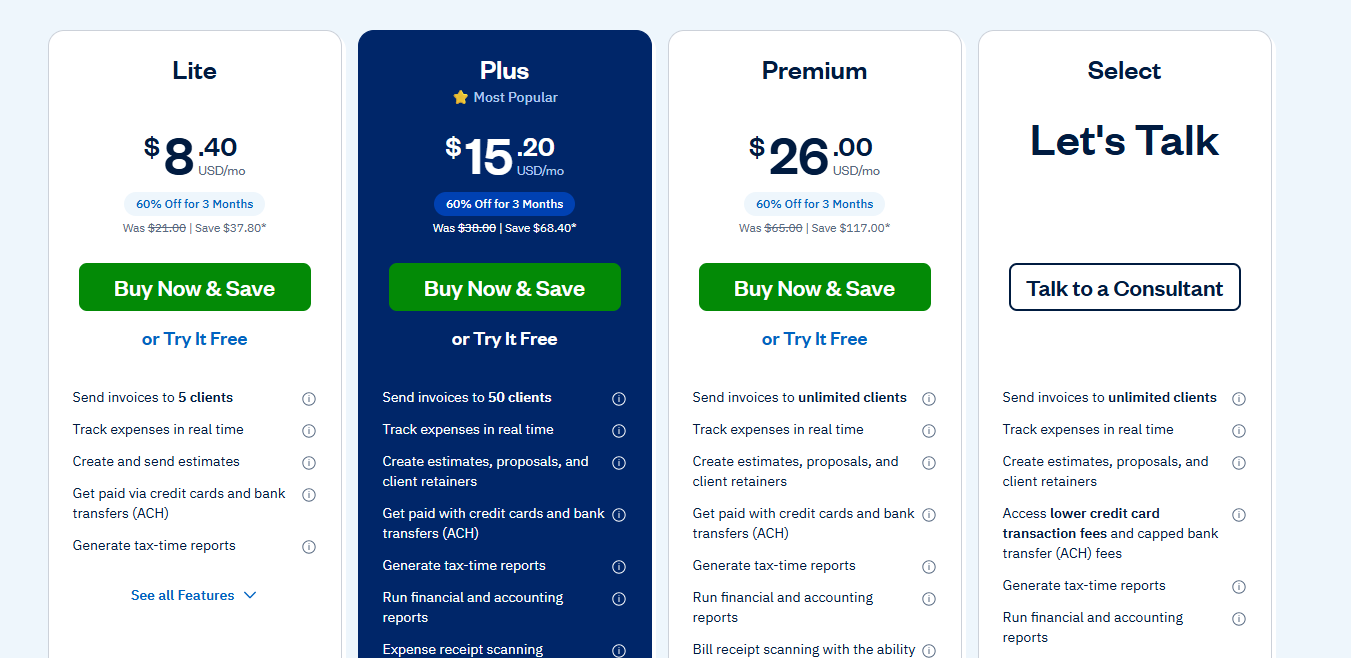
Pricing:
Starts around $8.4/month (often with discounts for new users) with
limited capabilities to $26/month.
FreshBooks Pricing
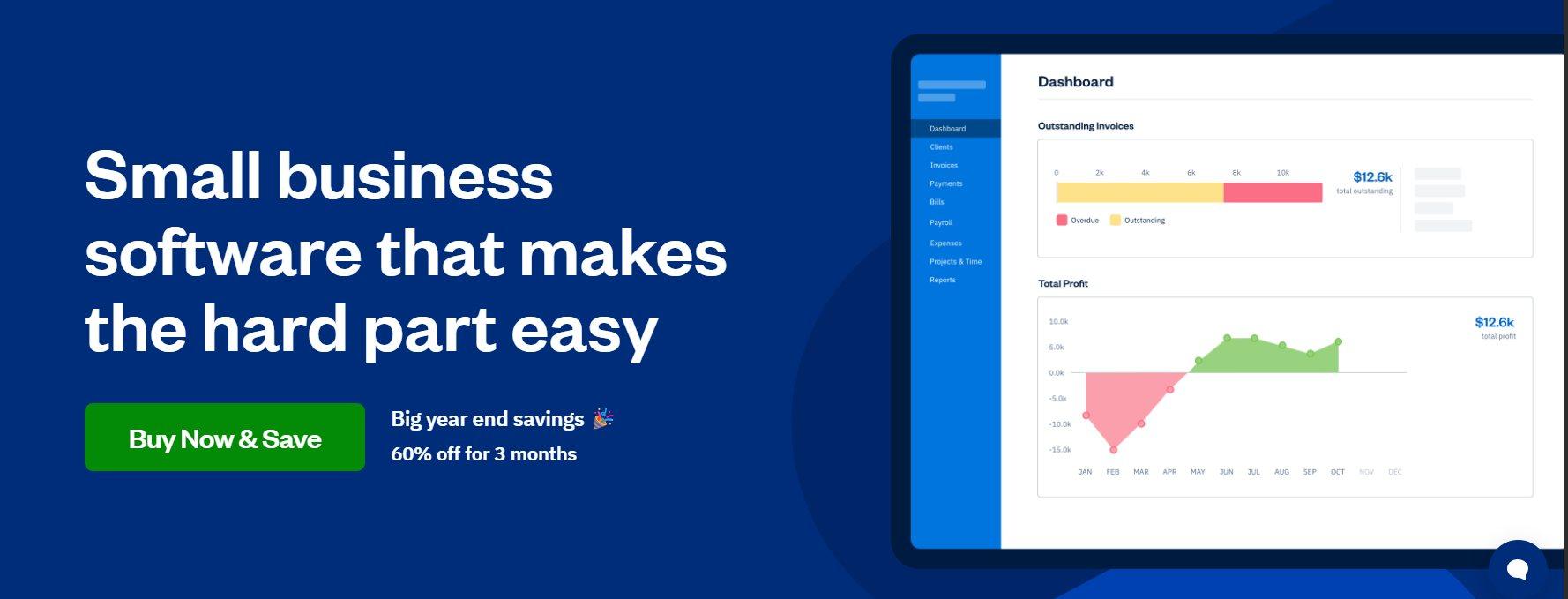
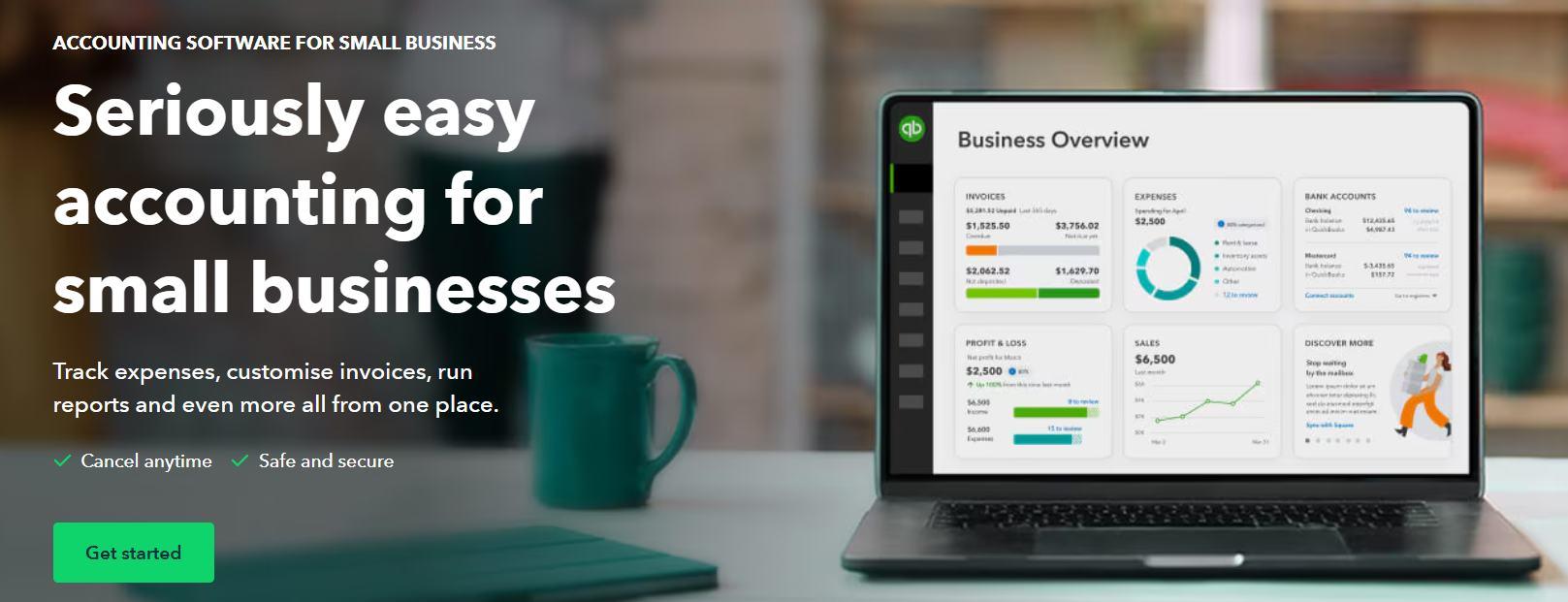
3.QuickBooks Online
QuickBooks
Online is the industry heavyweight that acts as the backbone for
scalable businesses. It goes beyond simple invoicing to handle complex
tax, payroll, and inventory needs, making it the default choice for
growing companies. It is the tool you choose when you need your
invoicing to be tightly integrated with a complete financial
ecosystem.
QuickBooks Online Website
Its standout strength is the Smart Invoicing and Accountant Access.
It allows your accountant to log in directly to your data, saving hours
of back-and-forth during tax season. While it has a steeper learning
curve than others, using it gives you the peace of mind that comes with
using the industry standard.
Features:
Smart Invoicing: Track when invoices are viewed
and paid in real-time.
Tax Calculation: Automatically calculate sales
tax based on location to ensure compliance.
Bank Reconciliation: Match payments to invoices
automatically to keep books balanced without manual effort.
Pros:
Extremely popular, meaning most accountants already know how to
use it
Massive ecosystem of third-party integrations
Cons:
The interface can be overwhelming for simple freelancers
Customer service wait times can be long
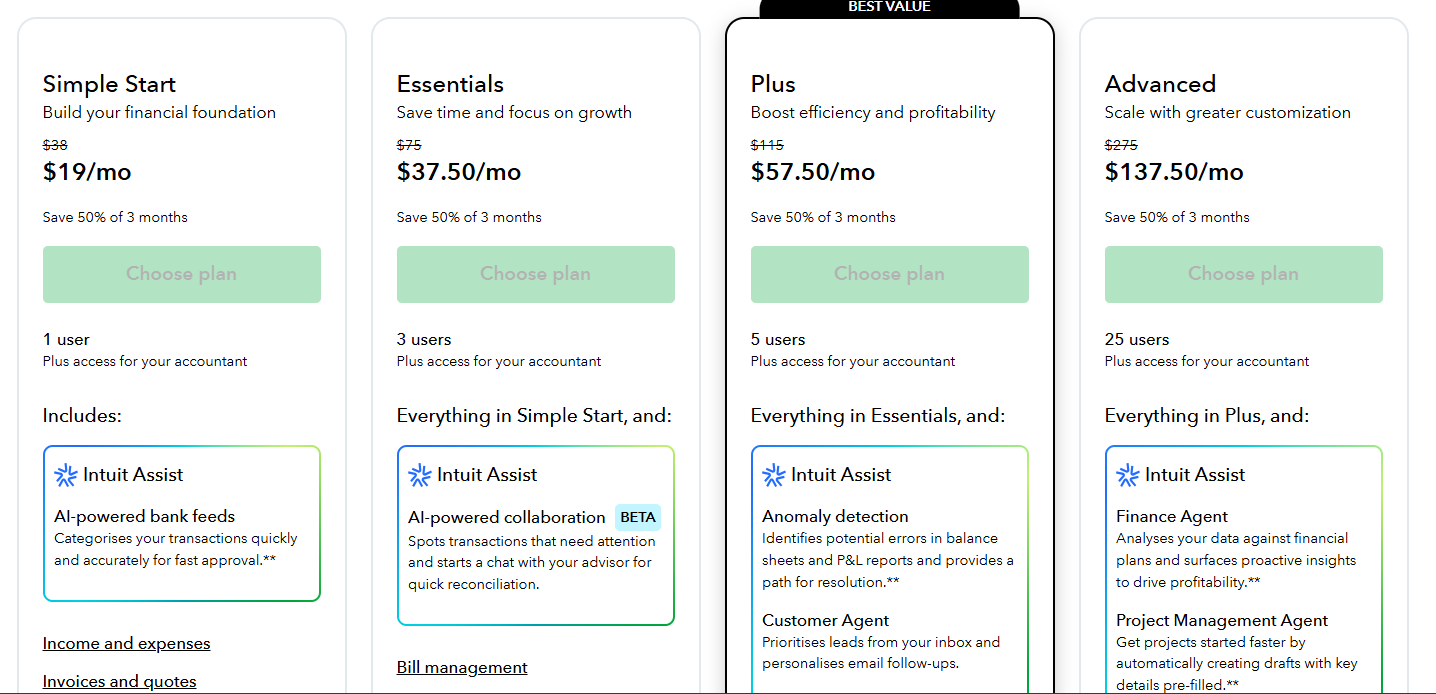
Pricing:
Starts around $19/month with very basic features just to introduce
you to the tool, and then it jumps up to the more expensive
$137.5/month, but remember QuickBooks doesn’t offer any free version at
all.
QuickBooks Pricing
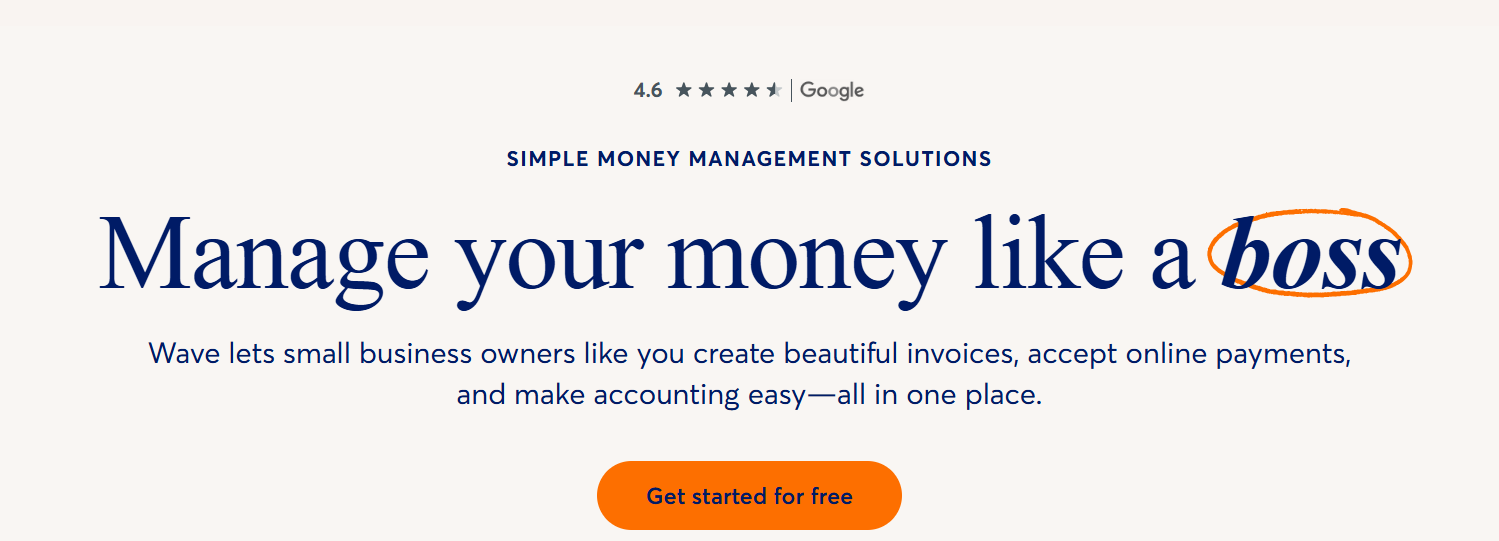
4. Wave Accounting
Wave Accounting is
unique because it offers genuine double-entry accounting completely for
free. It is designed for the bootstrapper who needs a professional
financial setup without the monthly subscription service. It provides a
clean, no-nonsense dashboard that manages your entire financial picture,
not just invoices.
Wave Invoice website
What makes it special is the integrated Receipt Scanning and Instant
Payments. It streamlines the chaotic parts of expense tracking directly
into the invoicing workflow. In my experience, it’s the best starting
point for a solopreneur who wants to look professional from day one
without spending money. It feels like a simplified, accessible version
of the enterprise tools.
Features:
Unlimited Invoicing: Send as many invoices as
needed without hitting a paywall.
Receipt Scanning: Upload photos of receipts to
track expenses effortlessly.
Instant Payments: Accept credit cards directly
from the invoice to speed up cash flow.
Pros:
Completely free software (revenue comes from payment processing
fees)
Very simple, clean interface
Cons:
Customer support is limited for free users
Lacks advanced inventory management features
Pricing:
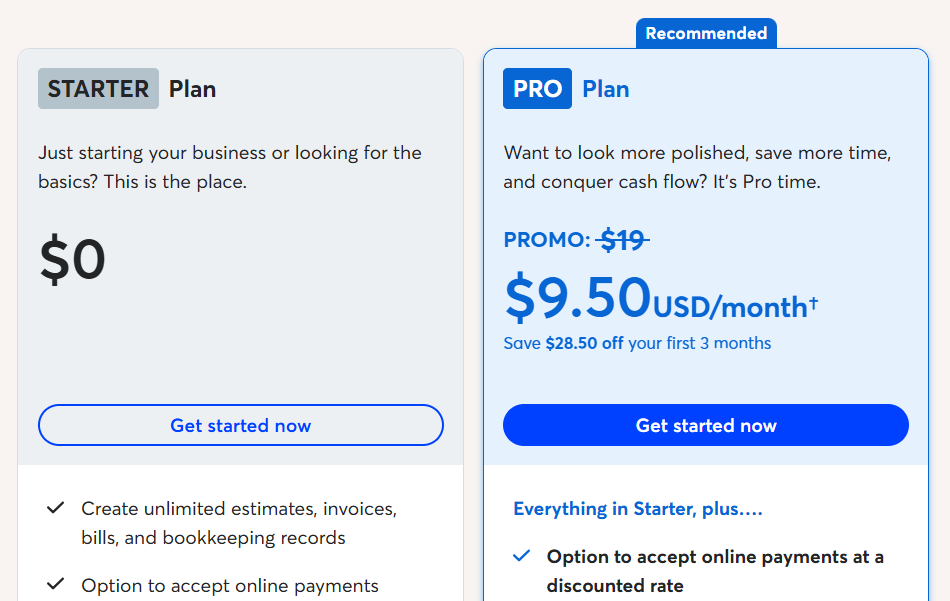
The basic plan is completely Free (fees apply for payment
processing), and it jumps up to $9.5/month for some extra perks.
Wave Invoice Pricing
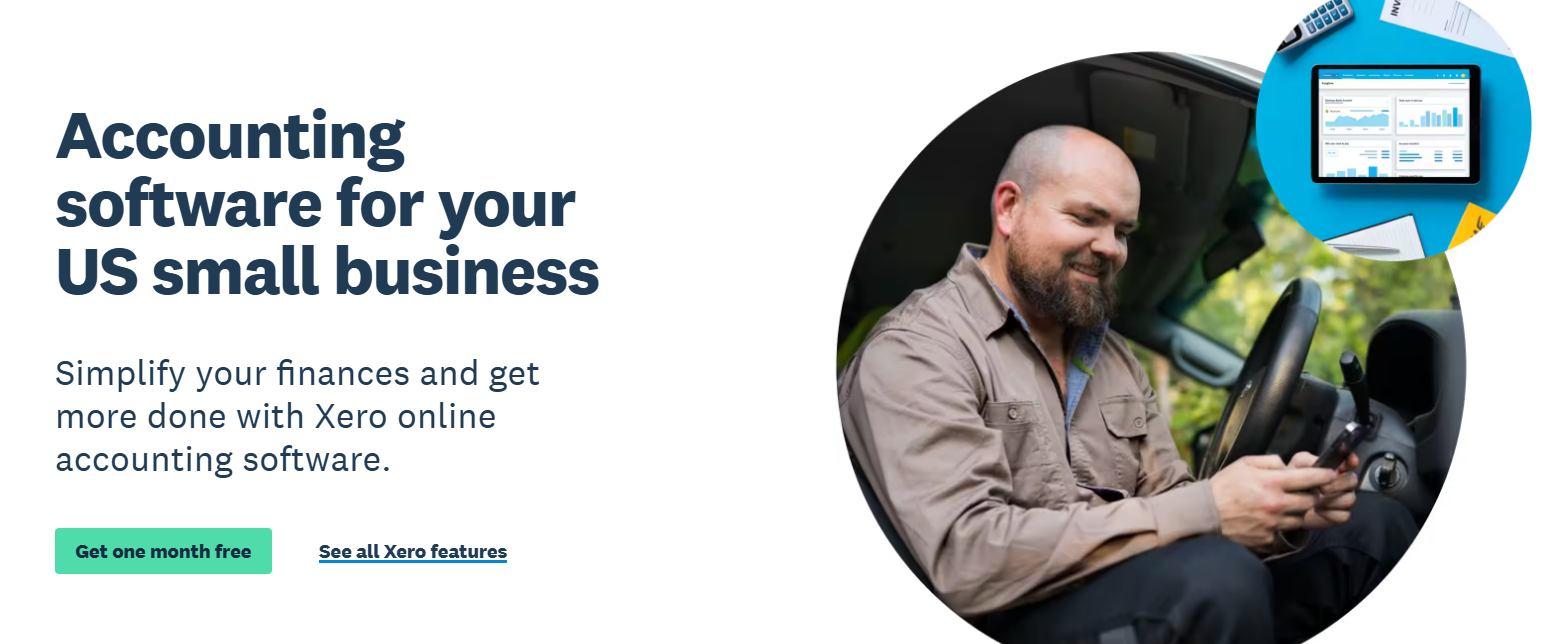
5. Xero
Xero is a
cloud-based platform that prides itself on beautiful accounting,
offering a clean alternative to heavy legacy software. It is built for
collaboration, allowing unlimited users to access the data, which is
rare in this space. It is excellent for businesses that need to
coordinate between sales teams, management, and external bookkeepers in
real-time.
Xero Website
Its key advantage is the Hubdoc Integration. This feature automates
data entry by capturing bills and receipts, which drastically reduces
manual typing. I find it to be the ideal choice for businesses that want
a modern, paperless office. It feels less like a chore and more like a
collaborative hub for your business finances.
Features:
Hubdoc Integration: Capture bills and receipts
automatically to reduce data entry.
Project Tracking: Track time and costs against
specific projects to monitor profitability.
Multi-Currency: Process payments in over 160
currencies to support international trade.
Pros:
Unlimited users on all plans
Strong inventory management capabilities
Cons:
The lowest tier limits the number of invoices you can
send
The learning curve can be steeper than FreshBooks
Pricing:
Starts around $15/month (but strict limits apply on the lowest
plan).
Xero Pricing
6. Bill.com
Bill.com is a heavy-duty
automation tool designed for mid-sized businesses that need strict
control over their cash flow. It acts as a financial command center,
focusing specifically on the approval workflows that larger teams
require.
Bill.com Website
Its real power is the Intelligent Data Entry and Approval Workflows.
The AI scans incoming bills and fills out the details for you,
minimizing human error, while the workflow engine ensures every payment
is approved by the right manager. For me, this is the tool to choose
when you need a secure structure rather than just speed.
Features:
Approval Workflows: Set up rules for who needs
to approve an invoice before it is sent or paid.
Intelligent Data Entry: Use AI to extract data
from incoming bills to minimize typing.
ACH Payments: Send and receive digital payments
securely to replace paper checks.
Pros:
Best-in-class workflow automation for larger teams
Syncs well with QuickBooks, Xero, and NetSuite
Cons:
It is more expensive than basic invoicing tools
Set up can be complex for very small businesses
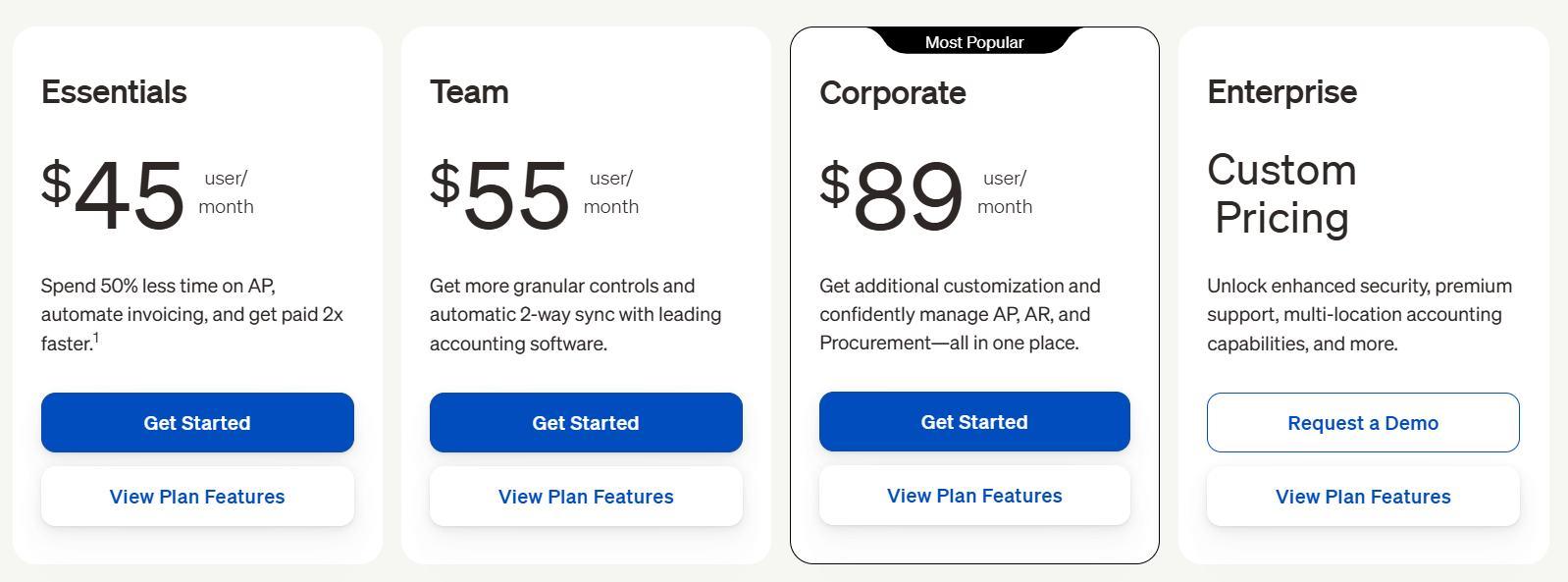
Pricing:
The pricing starts around $45/user/month and goes to $89/month if
you’re a corporate or a mid-sized business.
Bill.com Pricing
7. Invoicely
Invoicely is a
streamlined platform built for speed and branding. It focuses purely on
the billing aspect, stripping away the complex accounting bloat to give
you a laser-focused tool for getting paid. It is perfect for users who
want professionalism without having to navigate a full accounting
suite.
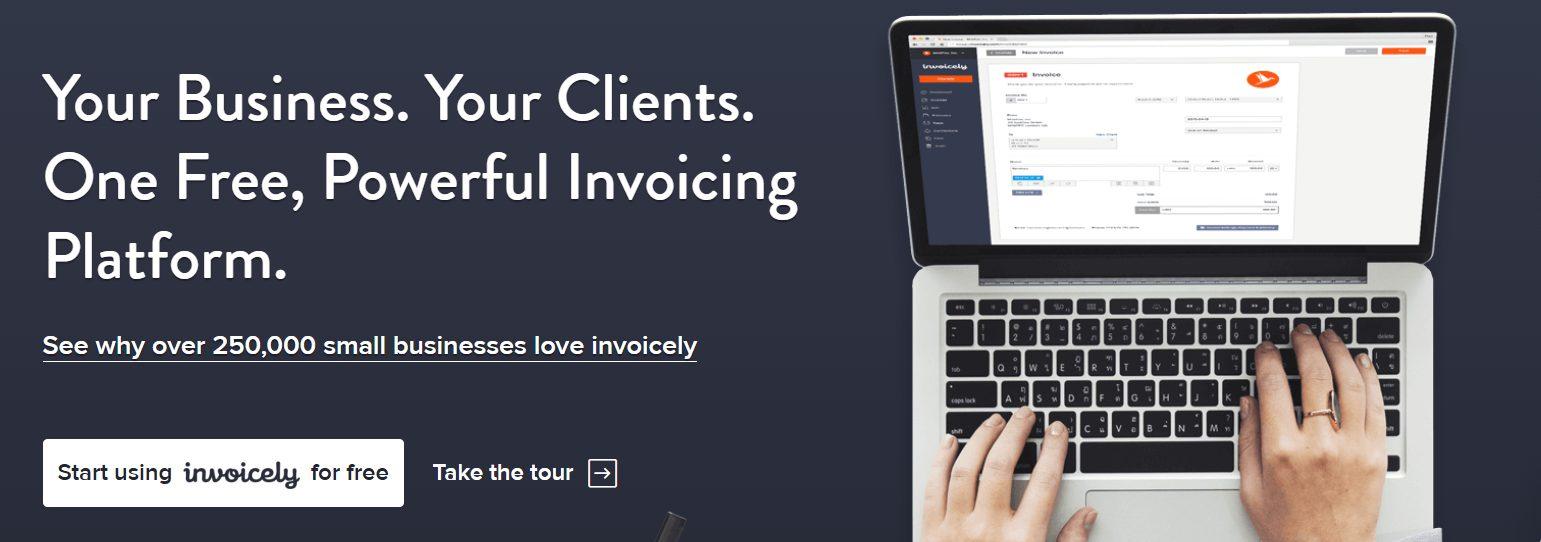
Invoicely Website
Its Multi-Business Support allows you to manage different brands or
businesses from a single login, which is a game-changer for serial
entrepreneurs. It feels like the most direct path to a professional
invoice for users who prioritize speed and ease of use over complex
reporting.
Features:
Branding Control: Customize the control panel
and login screens for a white-label experience.
Multiple Businesses: Manage multiple separate
companies from a single account.
Payment Gateways: Integrate with PayPal, Stripe,
and WePay to offer clients payment flexibility.
Pros:
Very generous free plan
Simple and straightforward dashboard
Cons:
Limited reporting capabilities compared to QuickBooks
Custom branding is locked behind paid tiers
Pricing:
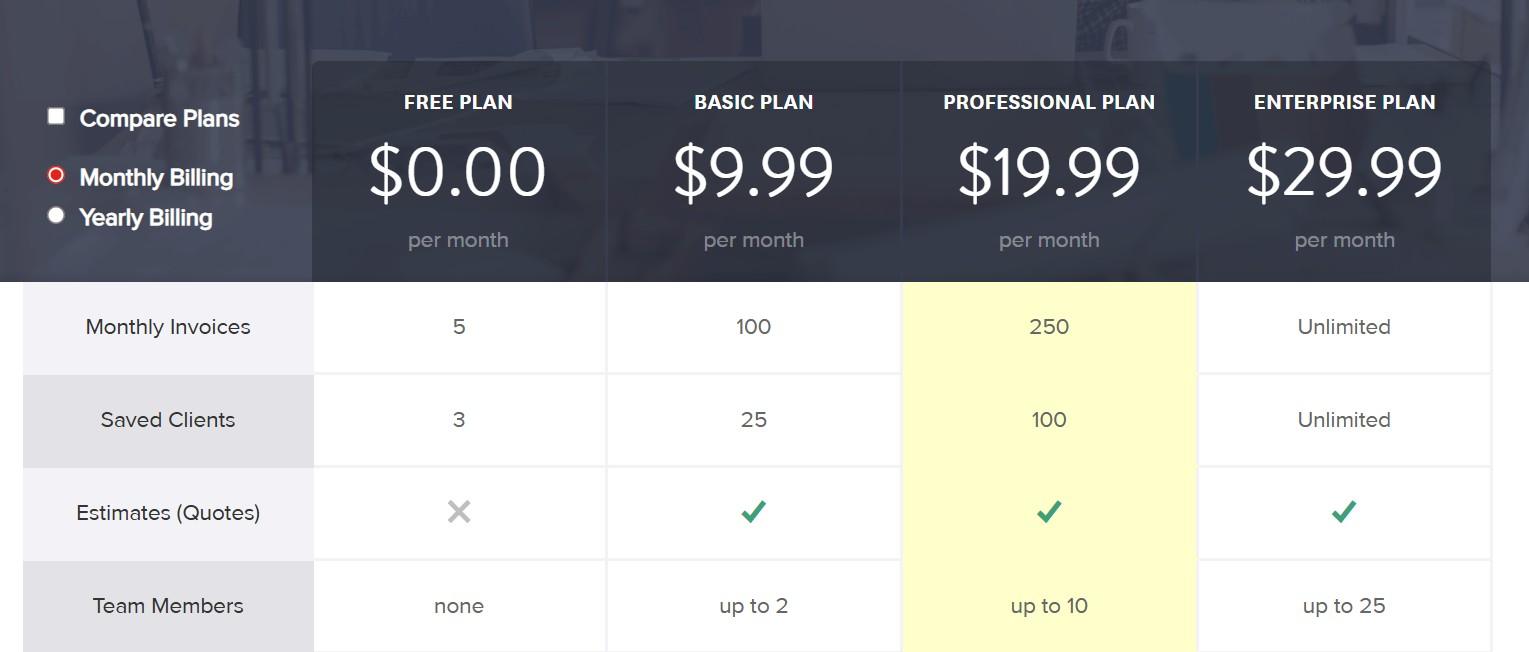
A free plan is available, and paid plans start at around $10/month,
going upto $29.99/month for enterprise-level organisations.
Invoicely Pricing
Invoice Automation Tools
Comparison
Sometimes it can get confusing with so much information all in one
place, so I’ve put together a comprehensive table to help you make the
final decision. Although it compareskey features, your decision to use either of the tools should be based
on your needs.
Feature
Zoho Invoice
FreshBooks
QuickBooks
Wave
Xero
Bill.com
Invoicely
Best For
Ecosystem Users
Service Biz
Comprehensive
Startups/Free
Collaboration
Mid-Sized Biz
Simple Billing
Cost
Free/Low
Moderate
High
Free
Moderate
High
Free/Low
Ease of Use
High
High
Moderate
High
Moderate
Moderate
High
Multi-Currency
Yes
Yes
Yes
Yes
Yes
Yes
Yes
Recurring Bills
Yes
Yes
Yes
Yes
Yes
Yes
Yes
Time Tracking
Yes
Yes
Yes
No
Yes
No
Yes
Free
Invoice Generator: A Simple Solution for Non-Automation Needs
All the platforms reviewed above are excellent solutions, each
offering specific strengths for growing businesses. However, they also
come with their own learning curves and limitations. The reality is that
not every transaction requires a complex automation engine or a
subscription-based software suite. For freelancerssending occasional bills or small businesses just starting out, setting
up a full accounting system can often feel like overkill.
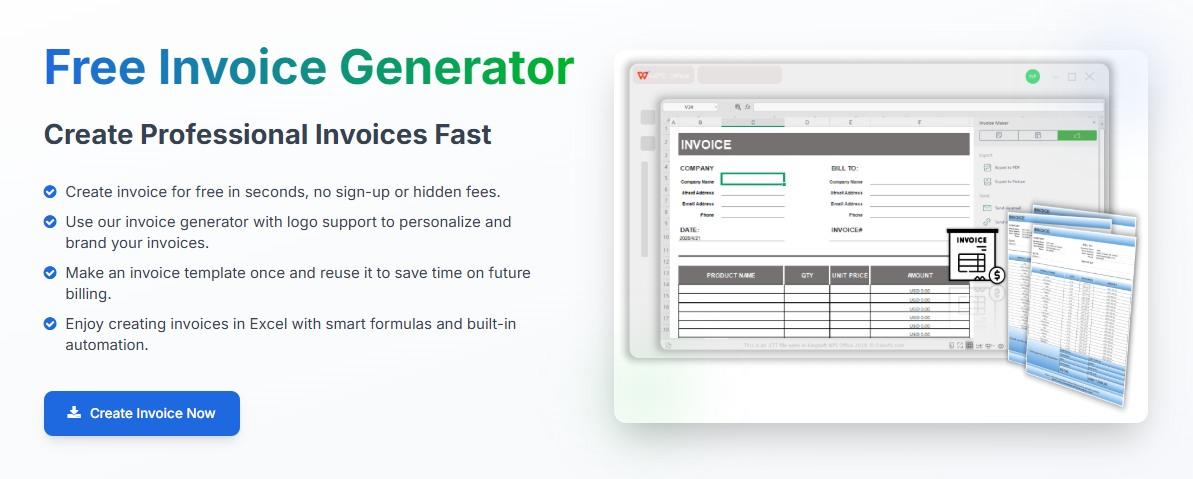
Free Invoice Generator
This is where the WPS Free
Invoice Generator serves as a practical, accessible solution. It
is a simplified, no-cost tool designed specifically for speed and ease
of use. Unlike the heavy platforms that require account verifications
and monthly fees, this browser-based tool allows users to create a
professional invoice instantly. It strips away the unnecessary features
to focus on one thing, which is generating a clean, accurate PDF invoice
that is ready to be emailed in seconds.
Features:
Instant PDF Creation: Generate a downloadable
invoice immediately without waiting for processing.
No Signup Required: Access the tool and start
typing instantly to save time.
Professional Layout: Use a clean, standardized
format that ensures all necessary details are included.
Pros:
Completely free with no hidden costs.
Zero learning curve, as it works just like filling out a
form.
Extremely secure as it doesn't track your activity.
How to Use it:
Here’s how to create invoices with the Free Invoice generator in
simple steps:
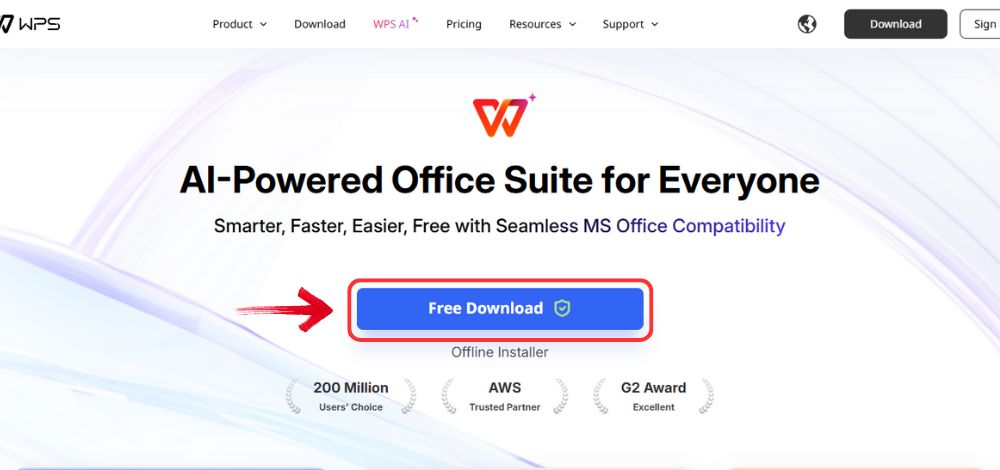
Step 1: Open your browser to visit WPS Office and click the"Free Download" button to start the download.
Download WPS Office
Step 2: The download will finish in a few seconds.
Once done, run the installation file like you would for any other app or
software.
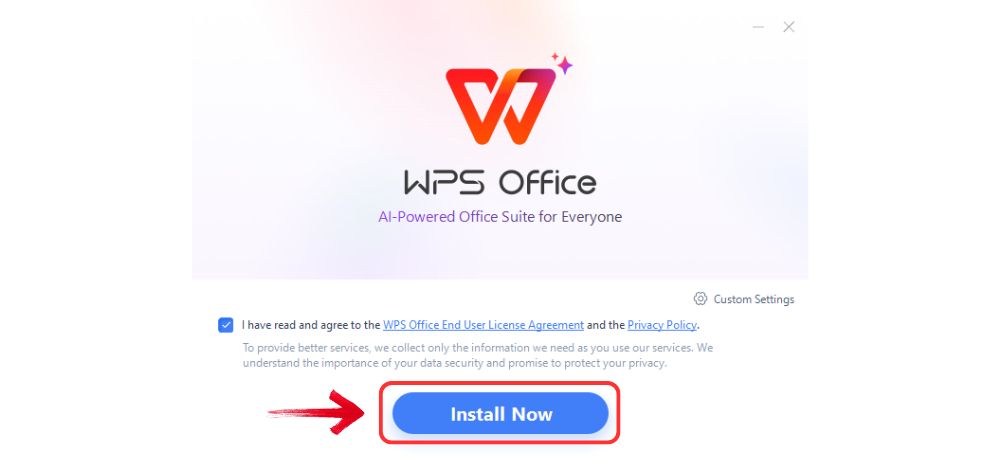
Step 3: WPS Office will show you a few simple terms
and conditions. Accept them, then click the "Install
Now" button to begin the installation.
Install WPS Office
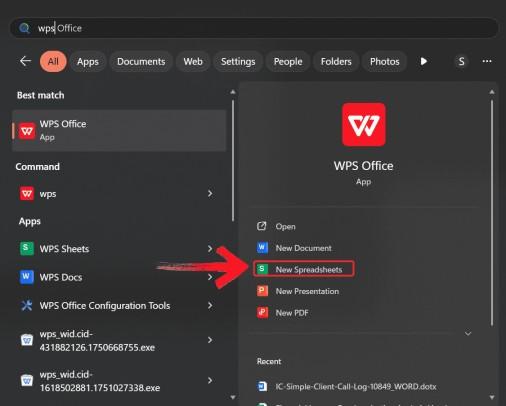
Step 4: After you’re done with your download, open
WPS Spreadsheet from the start menu.
Open WPS spreadsheet
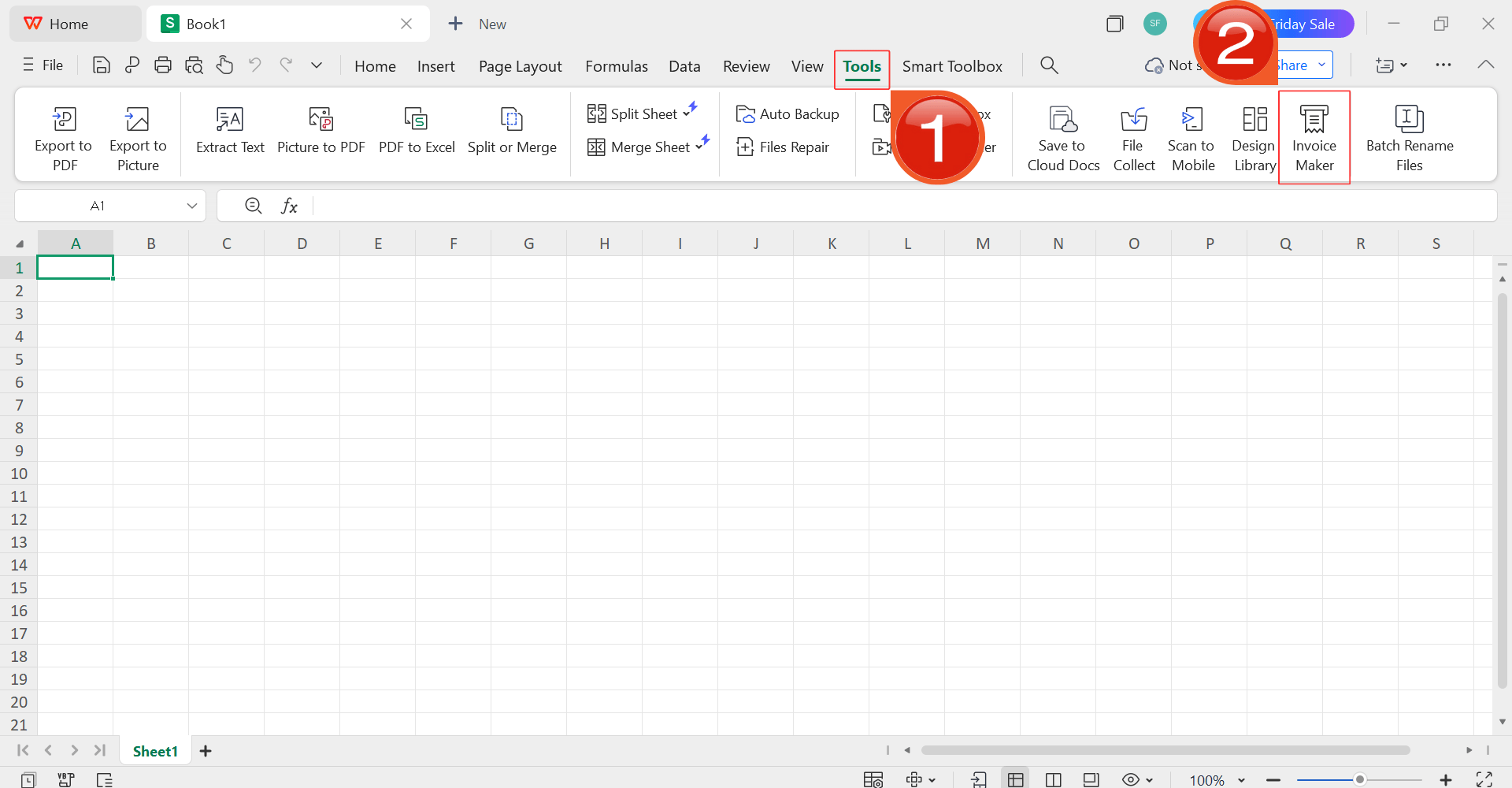
Step 5: Then, click on “Tools” and
select the “Invoice Maker”.
Open Invoice Maker
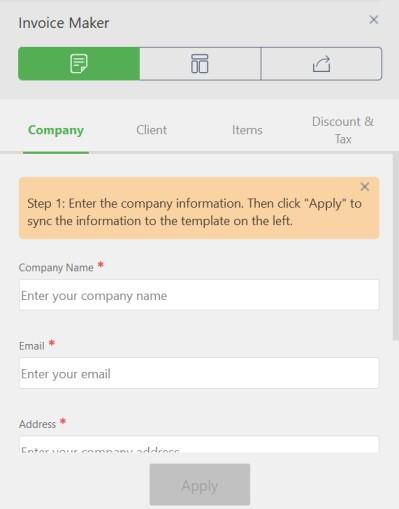
Step 6: In the menu on the right side of your
template. Enter your company details, client details, and the quantity,
price, and taxes for your services. The tool will handle the rest of the
job.
Add details
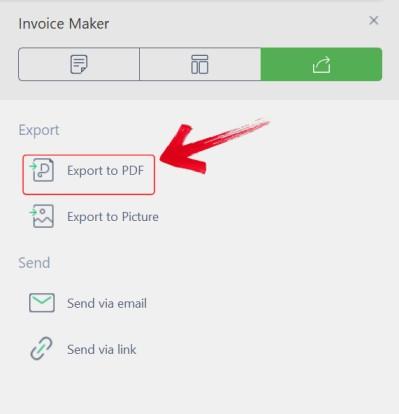
Step 7: Click the “Export to PDF”button. Your professional invoice is saved to your device instantly,
ready to be sent.
Export to PDF
FAQs
Q1: How does
invoice automation software save time?
It automates the most tedious parts of billing, such as generating
recurring invoices, sending payment reminders, and reconciling payments,
which drastically reduces the need for manual data entry and follow-up
emails.
Q2:
Can invoice automation software handle multiple currencies?
Yes, sophisticated tools like Xero and Zoho Invoice support
multi-currency invoicing, automatically updating exchange rates to
facilitate international business.
Q3:
Are there free options for invoice automation software?
Yes, platforms like Wave provide robust invoicing features for free,
while simpler tools like the Free Invoice Generator offer a no-cost
solution for manual invoicing needs.
Q4:
Can invoice automation software handle recurring payments?
Yes, almost all major automation tools allow users to set up
recurring billing profiles, which is essential for subscription-based
models or retainer services.
Finding Your Ideal
Invoice Automation Tool
Adopting invoice automation software is one of the most impactful
steps a business can take to improve efficiency and cash flow. Whether
you choose a comprehensive ecosystem like QuickBooks, a free automation
tool like Wave, or a simple, instant solution like Free Invoice
Generator, the right choice depends on your volume and
complexity. For those needing a professional invoice immediately without
the hassle of software setup, the Free Invoice Generator remains the
easiest and fastest option.
Khadija Khan is a tech writer who explores office suites and creates content to simplify everyday tools. She teaches and inspires through clear, engaging writing.

'%3e%3cpath%20fill-rule='evenodd'%20clip-rule='evenodd'%20d='M19%208.5C24.799%208.5%2029.5%2013.201%2029.5%2019C29.5%2024.6782%2024.9928%2029.3036%2019.361%2029.4939L19%2029.5C18.8794%2029.5%2018.7592%2029.498%2018.6396%2029.4939L18.2811%2029.4758C12.8174%2029.1063%208.5%2024.5574%208.5%2019C8.5%2013.201%2013.201%208.5%2019%208.5ZM22.3063%2010.6267L22.2342%2010.6539C21.3423%2011.0061%2020.5541%2011.6368%2020.5606%2012.4987C20.5631%2012.8302%2020.869%2014.8871%2020.2141%2014.8486C19.5589%2014.8102%2019.413%2013.8753%2018.7116%2013.616C17.5944%2013.2026%2016.9819%2014.3401%2017.0939%2015.3106C17.1695%2015.9655%2018.9289%2018.3871%2017.9028%2019C17.292%2019.3651%2015.7279%2017.5692%2015.1007%2017.1842C14.4805%2016.8034%2013.2758%2017.3333%2012.4974%2016.7029C11.9874%2016.2899%2012.3881%2014.4098%2012.2786%2013.8372C12.2271%2013.5698%2012.1155%2013.3689%2011.9794%2013.2166L12.0402%2013.2934C10.7653%2014.8464%2010%2016.8339%2010%2019C10%2023.8465%2013.8307%2027.7982%2018.6295%2027.9925L18.6769%2027.9747C18.8597%2027.8677%2019.0394%2027.7557%2019.216%2027.6387C19.4137%2027.4534%2019.5436%2027.2072%2019.5849%2026.9394C19.8806%2025.1222%2018.3616%2025.4302%2017.9367%2024.5622C17.5489%2023.7695%2018.5712%2023.7684%2018.5524%2021.7923C18.4607%2021.1774%2018.5279%2020.547%2018.7211%2020.0315C19.1834%2018.7987%2020.7077%2017.2643%2022.5889%2018.0081C23.5567%2018.3906%2023.1524%2019.9831%2023.4737%2020.3394C24.251%2021.2018%2025.3228%2020.6863%2026.2856%2021.2253C26.7816%2021.5032%2026.9797%2022.41%2027.056%2023.2248L27.038%2023.0528C27.6534%2021.8348%2028%2020.4579%2028%2019C28%2015.1968%2025.6409%2011.9445%2022.3063%2010.6267Z'%20fill='%23757575'/%3e%3ccircle%20cx='19'%20cy='19'%20r='10.125'%20stroke='%23757575'%20stroke-width='2.25'/%3e%3c/g%3e%3cdefs%3e%3cclipPath%20id='clip0_1827_14613'%3e%3crect%20width='24'%20height='24'%20fill='white'%20transform='translate(7%207)'/%3e%3c/clipPath%3e%3c/defs%3e%3c/svg%3e)