Video Sharing Platforms: Top Sites to Upload & Share Videos in 2026
December 5, 20251039 views
0
Video sharing platforms have revolutionized the way content is
created, consumed, and monetized. From hobby vloggers to professional
filmmakers, these platforms provide powerful tools to reach audiences
worldwide. Whether the goal is viral exposure, generating ad revenue, or
offering private hosting for clients, there’s a solution to fit every
need. However, despite the abundance of options, creators often face
several challenges. Strict content policies can limit creative freedom,
premium plans lock advanced features behind paywalls, and most platforms
lack built-in download options for offline use. This raises an important
question: what are the best video sharing platforms for 2025, and how
can you easily download videos for offline viewing? In this guide, we
explore the top platforms for creators this year and introduce Toolsmart
YouTube Video Downloader, a free, fast, and user-friendly way to save
videos for offline use.
Part 1:
Top 3 Video Sharing Platforms in 2025
1. YouTube
YouTube
YouTube remains the
world’s largest and most influential video sharing platform, attracting
over 2.7 billion monthly users and offering an unmatched combination of
reach, discoverability, and monetization potential. It caters to
virtually every type of creator, from gamers and vloggers to educators,
brands, and professional filmmakers. Its robust ecosystem includes free
video hosting, advanced creator tools, and multiple revenue streams,
making it the first choice for many looking to grow an online
audience.
Features:
Free hosting with the ability to monetize through ads, channel
memberships, Super Chats, and other features
Massive global audience that increases chances of organic
discovery via search and recommendations
Advanced analytics in YouTube Studio to track audience retention,
demographics, traffic sources, and revenue performance
Support for ultra-high-quality formats, including 4K, 8K, VR
content, and live streaming capabilities
Pros:
Exceptional SEO benefits that help videos rank on both YouTube
and Google search
Multiple monetization options beyond ads, such as sponsorships
and merchandise integrations
Comprehensive creator tools like Shorts for short-form content
and Premier scheduling for event-style launches
Cons:
Strict content policies with copyright enforcement and community
guidelines that may restrict certain topics
Highly competitive environment, making it challenging for new
channels to gain visibility quickly
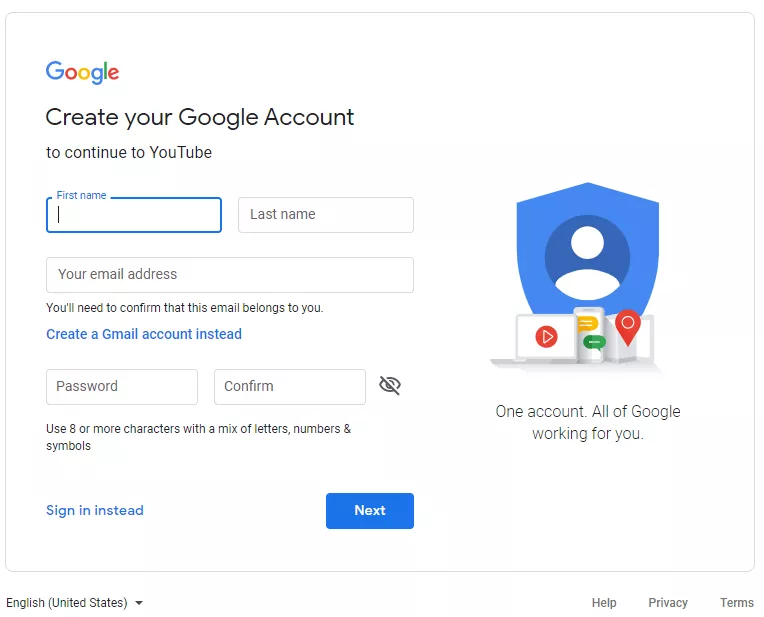
How to Use?
Create or sign in to a Google account to access YouTube’s creator
tools. This account will serve as your central hub for uploading and
managing videos.
Create or sign in to a Google account to access YouTube’s creator tools
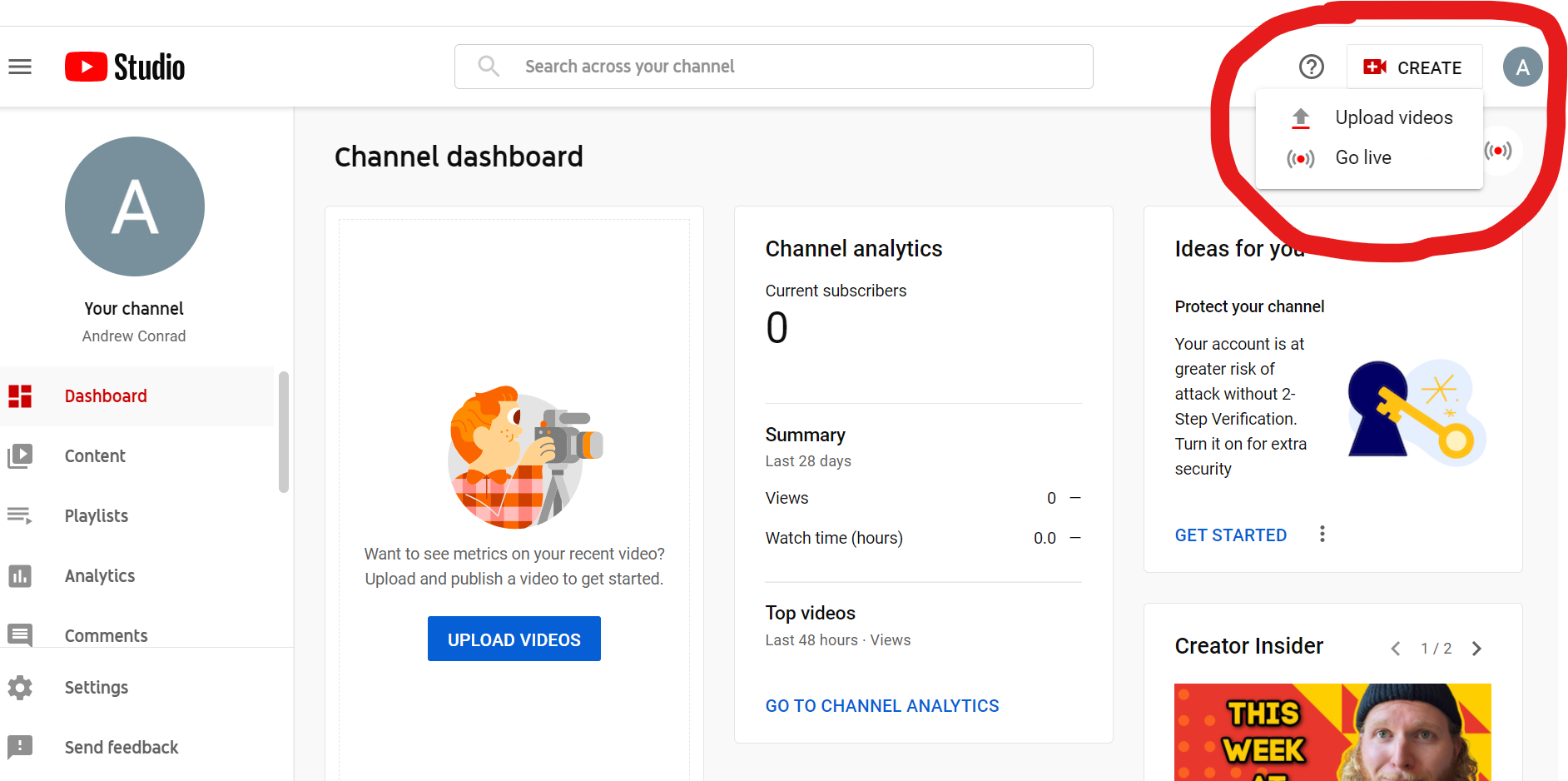
Open YouTube Studio, the platform’s creator dashboard, and click
the “Upload Videos” button to start. You can drag and upload your video
file or browse your device for the upload.
Open YouTube Studio, the platform’s creator dashboard, and click the “Upload Videos” button to start
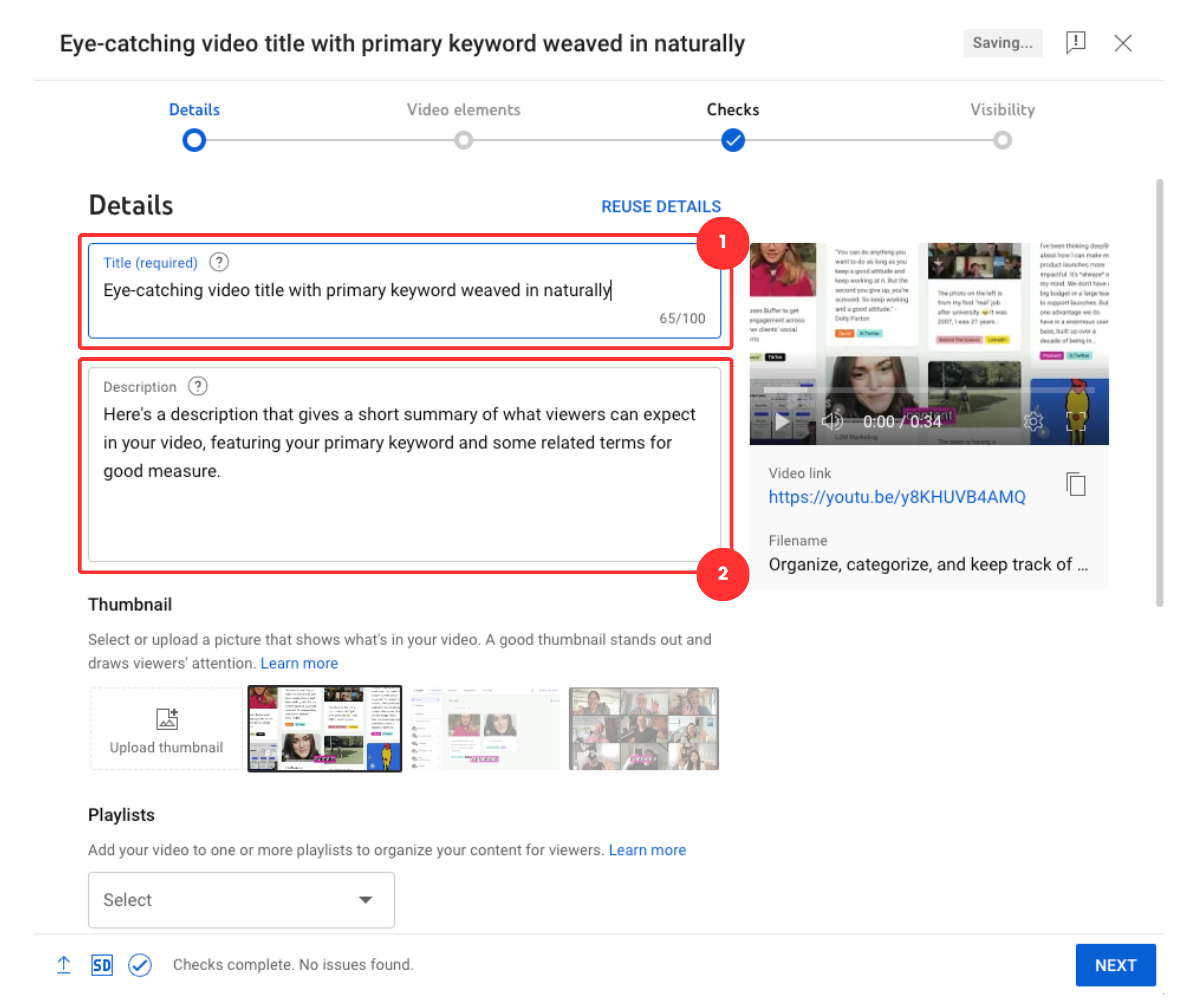
Optimize your video’s metadata, write a clear, keyword-rich
title, detailed description, and use eye-catching thumbnails to increase
click-through rates. Add relevant tags and select the correct category
for better discoverability.
Optimize your video’s metadata on youtube
Configure monetization settings once you meet the YouTube Partner
Program requirements (currently 1,000 subscribers and 4,000 watch hours
in the past 12 months). This will allow you to start earning from ads,
memberships, and other monetization features.
Engage with your audience through comments, community posts, and
live chats to build loyalty and encourage repeat viewership.
2. Vimeo
Vimeo
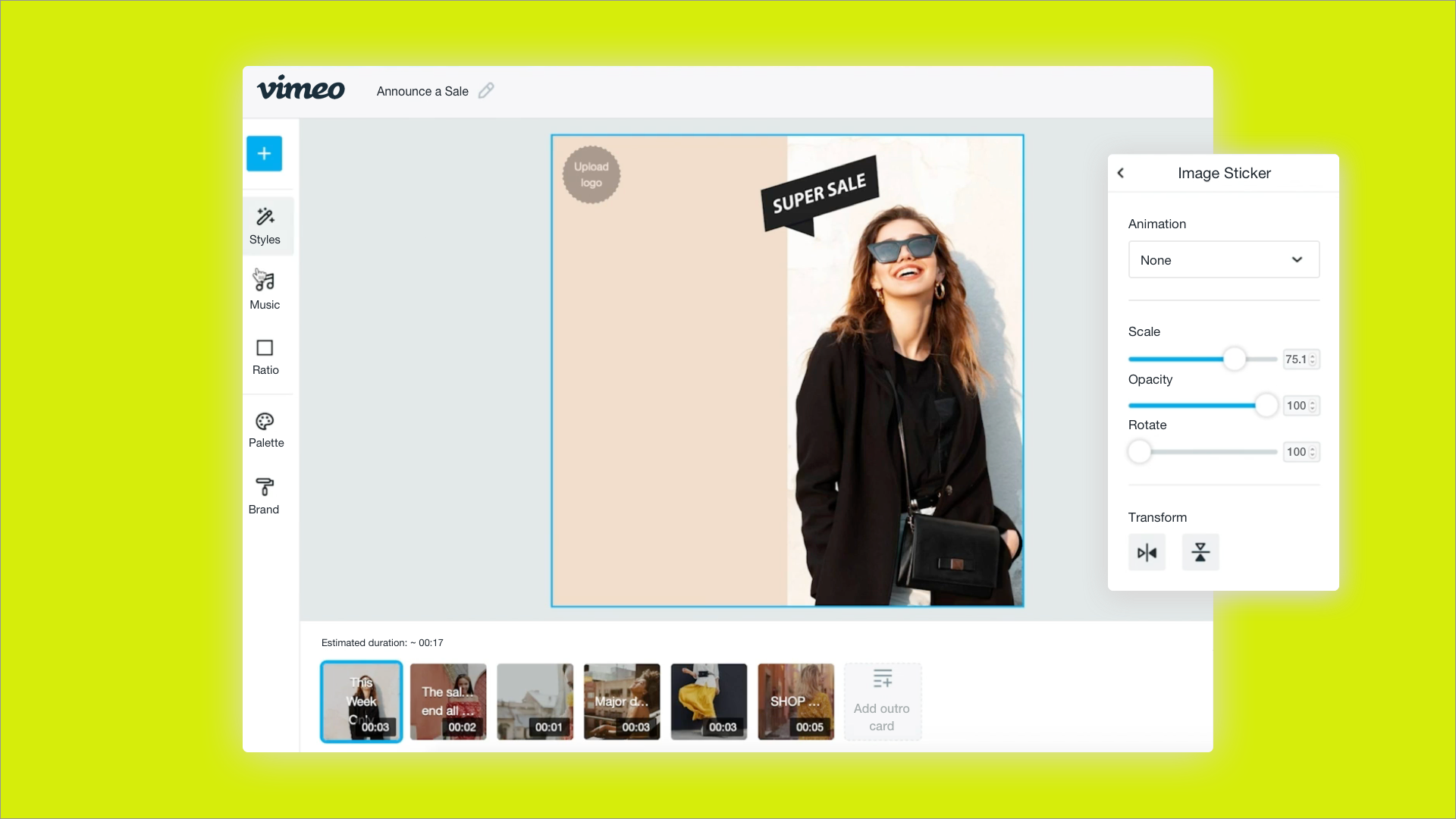
Vimeo is a premium video
sharing platform built with professionals, creatives, and businesses in
mind. Unlike many mainstream platforms, Vimeo focuses on quality over
quantity, offering creators an ad-free viewing experience and greater
control over how their videos are presented and shared. It’s
particularly popular among filmmakers, marketers, and creative agencies
who value branding, privacy, and high-quality playback over mass
audience reach. If you’re producing corporate videos, client portfolios,
short films, or training materials, Vimeo’s sleek interface and
customization options make it an excellent choice.
Features:
Ad-free playback that ensures a clean, distraction-free viewing
experience for your audience
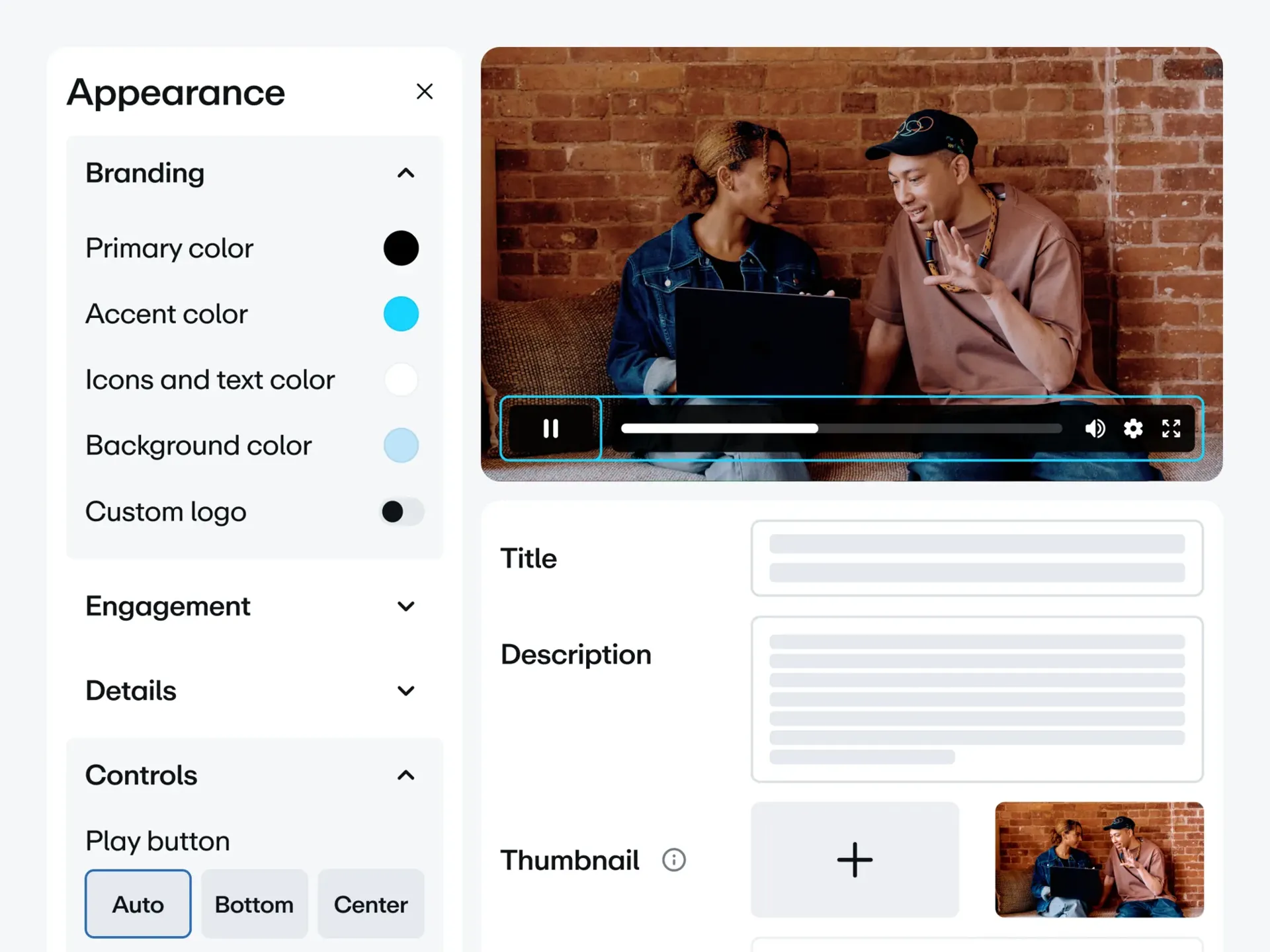
Customizable player with branding options, color adjustments, and
control over embedded player settings
Advanced privacy controls, including password protection,
domain-level restrictions, and unlisted sharing for client or team-only
viewing
Pros:
High-quality streaming with support for 4K and HDR, making it
ideal for professional-grade visuals
A professional audience focus, which can help attract clients and
collaborators rather than casual viewers
No pre-roll ads, so your videos start instantly without
interruptions
Cons:
Limited free plan, with a cap of 500MB per week (suitable only
for light use) unless you upgrade to a paid plan
Smaller audience reach compared to giants like YouTube, meaning
discoverability is lower without external promotion
How to Use:
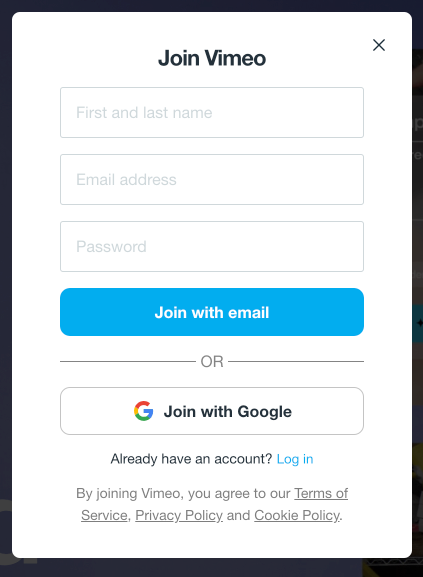
Create a Vimeo account by signing up with your email, Google, or
Apple ID. If you plan to use it for business, consider starting with a
paid plan to unlock more storage and features.
Create a Vimeo account
Prepare your video for upload, ensuring it’s exported in a
high-quality format (preferably 1080p or 4K) to take full advantage of
Vimeo’s premium playback quality.
Prepare your video for upload
Access the Vimeo dashboard and click “Upload” in the top right
corner. You can drag and drop your file or browse your computer for
it.
Add metadata and details including a professional title, engaging
description, and relevant tags. If applicable, set a custom thumbnail
for better presentation.
Add metadata and details including a professional title
Set privacy controls according to your needs, choose whether your
video is public, private, password-protected, or visible only on
specific domains. This is especially useful for client reviews or
confidential training content.
Customize the video player by adjusting colors, adding your logo,
or changing the control options before embedding it on your website or
sharing the link.
3. Dailymotion
Dailymotion
Dailymotion is a
long-standing video sharing platform that offers a balance between
creative freedom and monetization opportunities. While it doesn’t have
the massive reach of YouTube, it’s less restrictive in terms of content
policies, making it appealing to creators who produce material that
might not fit within YouTube’s strict guidelines. The platform attracts
a diverse range of content, from independent news and documentaries to
music videos, tutorials, and entertainment clips. It’s a strong
alternative for creators who value faster monetization approval and a
simpler upload process, without the intense competition found on larger
platforms.
Features:
Less restrictive content policies compared to YouTube, allowing a
wider variety of uploads
Partner Program that enables creators to earn ad revenue from
their videos
Support for high-definition uploads and basic content
organization tools
Pros:
Faster monetization approval, making it easier for new creators
to start earning revenue
Greater flexibility for certain content categories that might
face restrictions elsewhere
Cons:
Lower ad rates compared to YouTube, meaning potential earnings
may be smaller
Basic analytics tools with fewer insights into audience behavior
and performance metrics
How to Use:
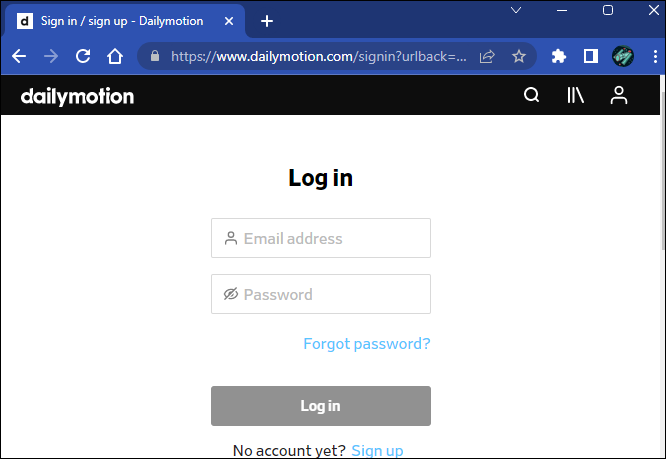
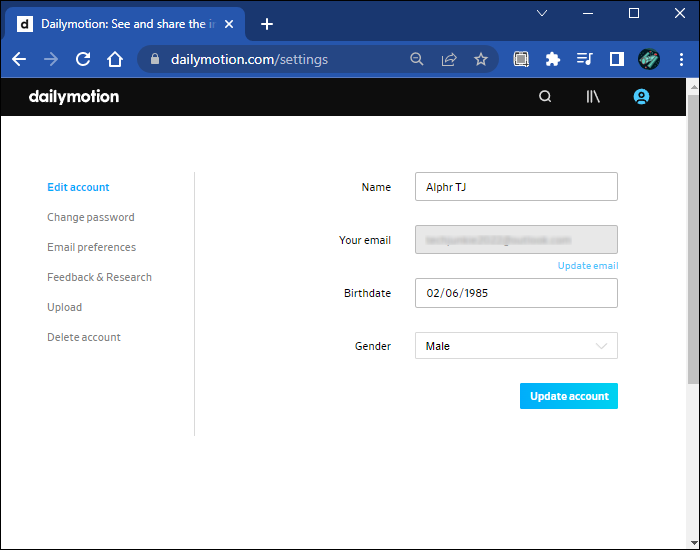
Sign up for a Dailymotion account using your email, Google, or
Facebook login. If your goal is monetization, apply for the Partner
Program during setup or after uploading your first videos.
Sign up for a Dailymotion account
Prepare your content for upload, ensuring it meets Dailymotion’s
format and quality guidelines. The platform supports HD uploads, so aim
for at least 1080p resolution.
Prepare your content for upload on DailyMotion
Upload your video by navigating to the “Partner HQ” dashboard and
clicking the “Upload” button. You can drag-and-drop your file or browse
your device for it.
Add detailed metadata including a compelling title, accurate
tags, and a well-written description. This will help your video get
discovered both on Dailymotion and through search engines.
Set visibility options (public, private, or password-protected)
depending on whether you want your video available for everyone or a
select audience.
Promote your video outside Dailymotion to drive more views, as
the platform’s organic reach is smaller than YouTube’s. Sharing on
social media, embedding websites, or collaborating with other creators
can help increase exposure.
Part 2: Detailed
Comparison Table
Platform
Best For
Monetization Options
Max Quality
Restrictions
Audience Size
Free Plan
YouTube
Long-form, SEO
AdSense, Memberships, Super Chat
8K
Strict copyright
2.7B+ users
✓
Vimeo
Professionals, Business
Pay-per-view, Subscriptions
4K HDR
Moderate
300M+ users
❌ (500MB/week)
Dailymotion
Alternative to YouTube
Partner Program
1080p
Less strict
250M+ users
✓
TikTok
Short-form viral content
Creator Fund, Brand Deals
1080p
Music copyright
1.5B+ users
✓
Twitch
Live streaming
Subs, Donations, Ads
1080p
DMCA music
140M+ users
✓
Facebook/IG Reels
Social integration
In-stream Ads, Bonuses
1080p
Algorithm changes
3B+ users
✓
Rumble
Uncensored content
Ads, Licensing
4K
Minimal
80M+ users
✓
Odysee
Decentralized hosting
LBRY Crypto, Tips
1080p
None
Niche
✓
Part
3: Download Videos with Toolsmart YouTube Video Downloader
If you want to keep your favorite videos for offline viewing,
repurposing, or archiving, the Toolsmart YouTube Video Downloader is an
excellent choice. This easy-to-use tool is designed for anyone who needs
a quick and reliable way to download videos without the hassle of
software installations or complicated setups. It’s perfect for content
creators who want to save reference materials, marketers looking to
repurpose video clips, or casual viewers who simply want to enjoy videos
without relying on an internet connection.
Why Choose Toolsmart?
100% free with absolutely no hidden fees or
watermarks
Supports HD and ultra-HD quality downloads,
including 1080p and 4K resolutions
No registration required, so you can start
downloading instantly
Works directly in your browser without extra plugins or
apps
How to Use:
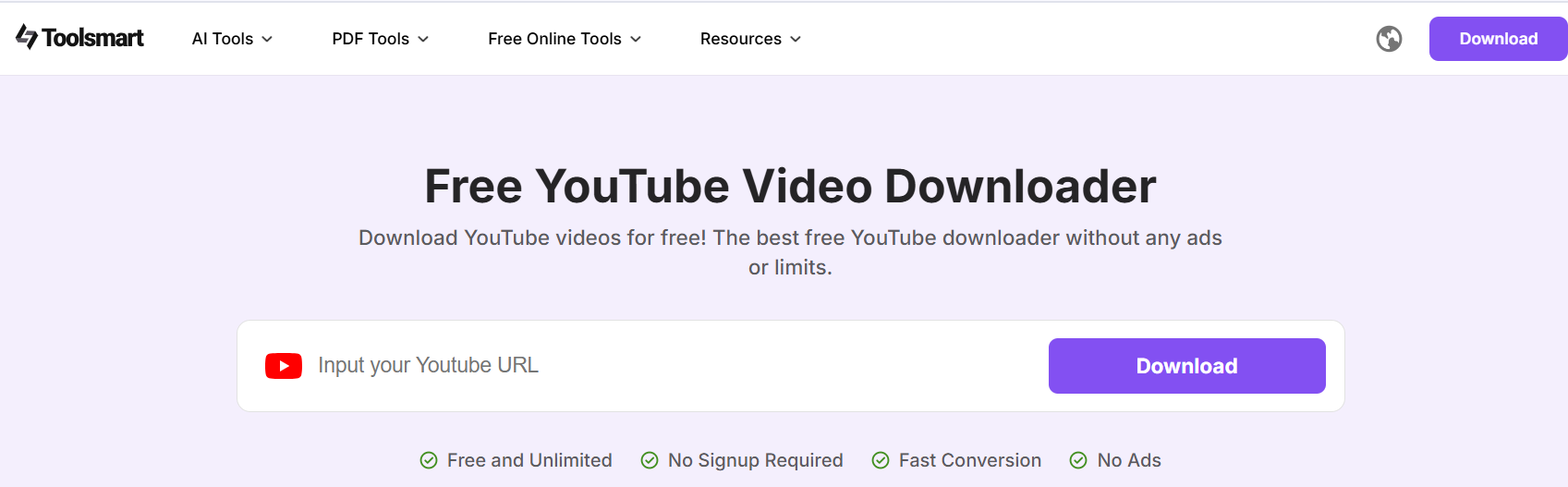
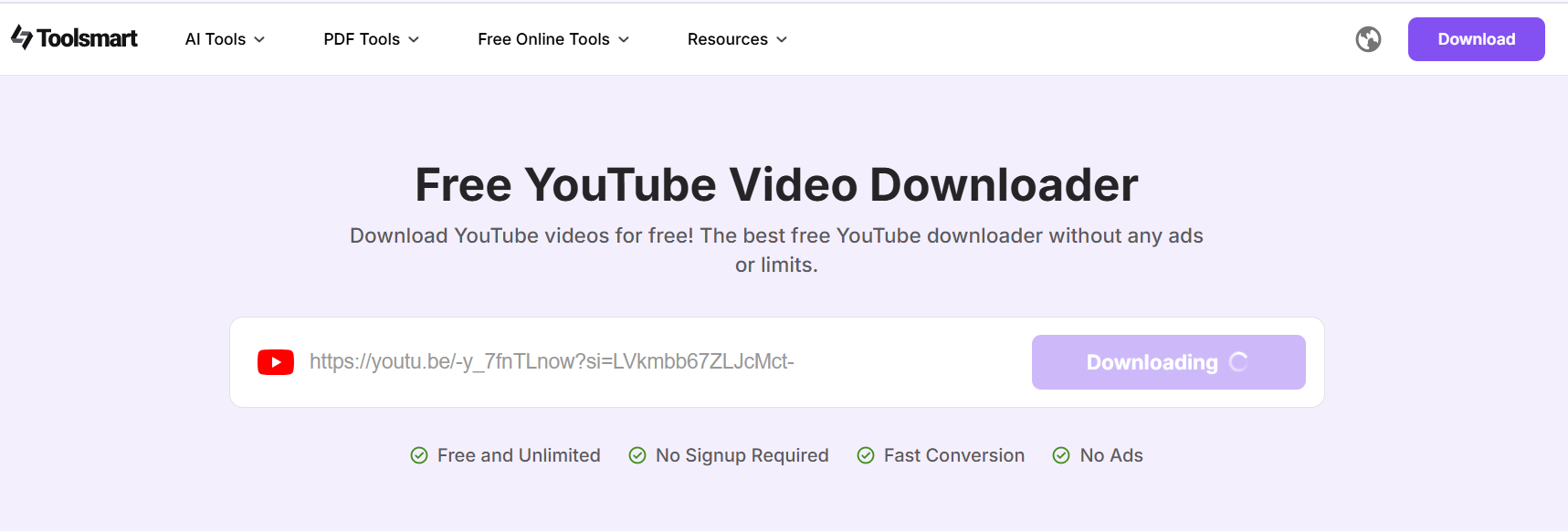
Go to the Toolsmart website.
Go to the Toolsmart website
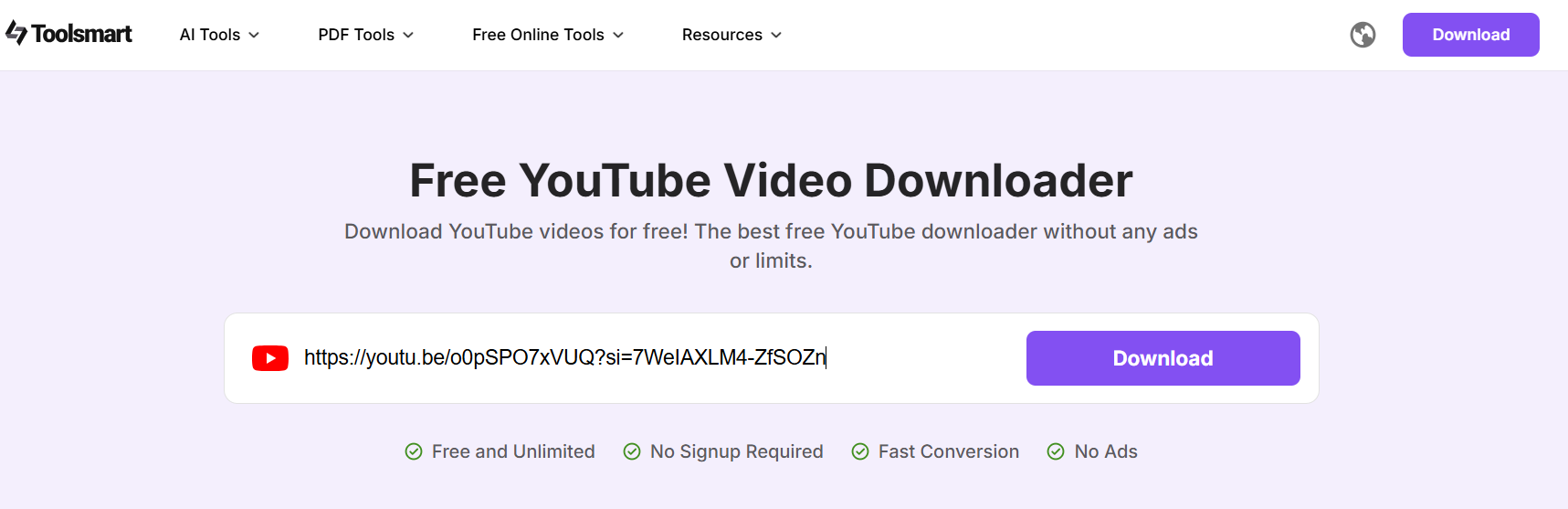
Copy and paste the YouTube video URL into the download
bar.
Copy and paste the YouTube video URL
Select your preferred format, MP4 for video orMP3 for audio.
Click "Download" and your file will be saved to
your device within seconds.
Download and save the YouTube Video
Whether you’re building a personal video library, preparing content
for editing, or safeguarding important clips, Toolsmart makes the
process smooth and accessible for everyone.
FAQs
Q1: Which platform is best for beginners? A: YouTube has free hosting, tutorials, and a massive
audience.
Q2: Can I monetize videos on all platforms? A: No. YouTube and Dailymotion allow monetization for
free users.
Q3: Is Toolsmart safe? A: Yes, it’s browser-based with no malware.
Q4: Do these platforms offer live streaming? A: YouTube, Vimeo, and Twitch all support live
streaming.
Summary
In 2025, YouTube continues to dominate the video sharing space with
unmatched reach, SEO benefits, and multiple monetization options, making
it the go-to choice for most creators. Vimeo stands out as the preferred
platform for professionals and businesses seeking high-quality
streaming, advanced privacy controls, and ad-free playback. For those
prioritizing freedom of expression, platforms like Rumble and Odysee
offer minimal content restrictions, making them ideal for hosting
uncensored or niche topics.
To make the most of your content, pairing the right platform with the
right tools is essential. Toolsmart
YouTube Video Downloader provides a free, fast, and
secure way to download videos in high quality for offline viewing or
repurposing across platforms. Ready to grow your audience and maximize
your reach? Start uploading your videos today and take full advantage of
the opportunities these platforms offer.
7+ years in productivity tech. I test and review the latest tools to simplify your workflow. Follow for honest app comparisons, practical guides, and curated tech picks to boost efficiency.

'%3e%3cpath%20fill-rule='evenodd'%20clip-rule='evenodd'%20d='M19%208.5C24.799%208.5%2029.5%2013.201%2029.5%2019C29.5%2024.6782%2024.9928%2029.3036%2019.361%2029.4939L19%2029.5C18.8794%2029.5%2018.7592%2029.498%2018.6396%2029.4939L18.2811%2029.4758C12.8174%2029.1063%208.5%2024.5574%208.5%2019C8.5%2013.201%2013.201%208.5%2019%208.5ZM22.3063%2010.6267L22.2342%2010.6539C21.3423%2011.0061%2020.5541%2011.6368%2020.5606%2012.4987C20.5631%2012.8302%2020.869%2014.8871%2020.2141%2014.8486C19.5589%2014.8102%2019.413%2013.8753%2018.7116%2013.616C17.5944%2013.2026%2016.9819%2014.3401%2017.0939%2015.3106C17.1695%2015.9655%2018.9289%2018.3871%2017.9028%2019C17.292%2019.3651%2015.7279%2017.5692%2015.1007%2017.1842C14.4805%2016.8034%2013.2758%2017.3333%2012.4974%2016.7029C11.9874%2016.2899%2012.3881%2014.4098%2012.2786%2013.8372C12.2271%2013.5698%2012.1155%2013.3689%2011.9794%2013.2166L12.0402%2013.2934C10.7653%2014.8464%2010%2016.8339%2010%2019C10%2023.8465%2013.8307%2027.7982%2018.6295%2027.9925L18.6769%2027.9747C18.8597%2027.8677%2019.0394%2027.7557%2019.216%2027.6387C19.4137%2027.4534%2019.5436%2027.2072%2019.5849%2026.9394C19.8806%2025.1222%2018.3616%2025.4302%2017.9367%2024.5622C17.5489%2023.7695%2018.5712%2023.7684%2018.5524%2021.7923C18.4607%2021.1774%2018.5279%2020.547%2018.7211%2020.0315C19.1834%2018.7987%2020.7077%2017.2643%2022.5889%2018.0081C23.5567%2018.3906%2023.1524%2019.9831%2023.4737%2020.3394C24.251%2021.2018%2025.3228%2020.6863%2026.2856%2021.2253C26.7816%2021.5032%2026.9797%2022.41%2027.056%2023.2248L27.038%2023.0528C27.6534%2021.8348%2028%2020.4579%2028%2019C28%2015.1968%2025.6409%2011.9445%2022.3063%2010.6267Z'%20fill='%23757575'/%3e%3ccircle%20cx='19'%20cy='19'%20r='10.125'%20stroke='%23757575'%20stroke-width='2.25'/%3e%3c/g%3e%3cdefs%3e%3cclipPath%20id='clip0_1827_14613'%3e%3crect%20width='24'%20height='24'%20fill='white'%20transform='translate(7%207)'/%3e%3c/clipPath%3e%3c/defs%3e%3c/svg%3e)