Turn Off Profile Views on TikTok: A Simple Guide (2026)
December 5, 20252924 views
0
Want to browse TikTok without leaving digital footprints? Whether
you're managing a personal account or a brand profile, the profile view
history feature can make things awkward. Maybe you viewed someone's
profile out of curiosity, or you're researching competitors. Either way,
you don't always want that visit to be visible.
This guide is written to help you, whether you're using TikTok on
iPhone, Android, or even desktop, understand what profile view history
does and how to turn it off step by step.
Part 1: What Is TikTok
Profile Viewing?
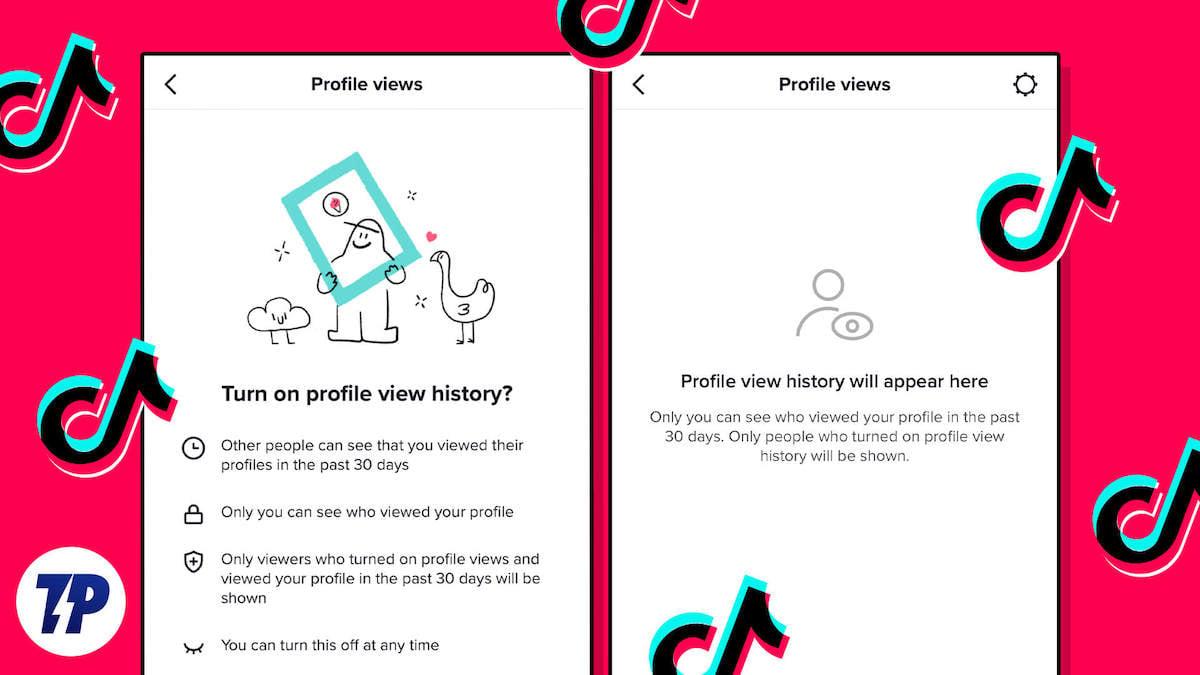
TikTok's profile view history feature allows you to see who has
visited your profile within the last 30 days. This function creates a
two-way visibility system. When it's enabled, you can see others who
viewed your profile, but they can also see when you've viewed
theirs.
Can others see if I viewed their TikTok profile
This feature is optional and can be toggled on or off at any time.
However, it's not available to everyone. According to TikTok's current
policy, only users who meet the following criteria can access their
profile view history:
You must be aged 16 or older
Your account must have fewer than 5,000
followers
For many users, especially those who value privacy or use TikTok for
passive research, this feature feels a bit invasive. That's why learning
how to turn off profile views on TikTok, whether on mobile or desktop,
is essential.
My Take: In my experience, this feature can feel
more intrusive than helpful, especially if you're casually exploring
accounts or doing competitor analysis from a business profile. Turning
it off gives peace of mind, without compromising your core TikTok
experience.
Part 2: How to
Turn Off Profile Views on TikTok
TikTok's profile view history can be helpful, but if you value
privacy or just prefer to browse without being noticed, turning it off
is simple. Below is a clear, step-by-step guide on how to turn off
profile views on TikTok using the mobile app.
Steps
to Disable TikTok Profile View History on iPhone and Android:
Note: The steps are the same for both iPhone and Android users,
though menu visuals may slightly differ.
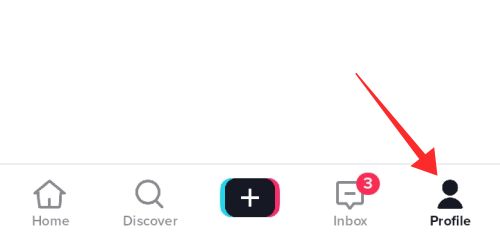
Step 1: Open the TikTok App and Go to Your
Profile
Tap the Profile icon at the bottom right of your
screen.
How to turn off profile views on TikTok business account
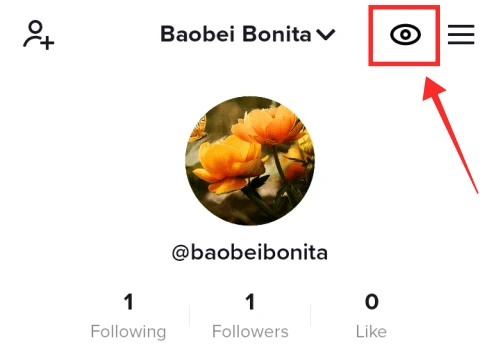
Step 2: Tap the Eye Icon in the Top-Right
Corner
This icon represents profile views. Tapping it opens the profile view
history interface.
TikTok profile view eye icon location
Step 3: Tap the Settings (Gear) Icon
Once in the profile views section, look for the gear icon at the
top-right. Tap it to open profile view history settings.
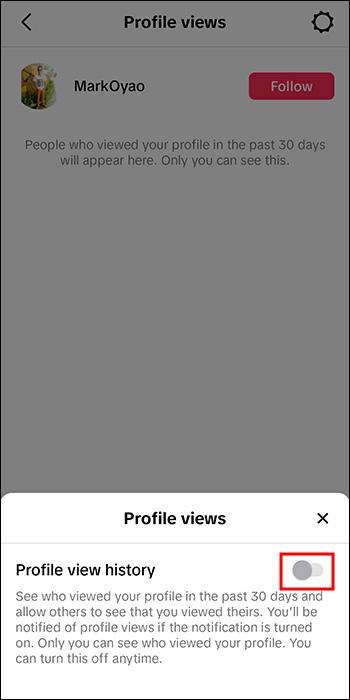
Step 4: Toggle Off "Profile View
History"
Finally, turn the switch off to disable the feature. Once disabled,
others will no longer see that you visited their profiles, and you won't
see who viewed yours.
Turn off TikTok profile views on Android or iPhone
If you're trying to turn off TikTok profile views on Android or
iPhone, the method above works the same way. However, if you're using
TikTok on a desktop browser, PC, MacBook, or business account, the eye
icon may not appear, or the feature might be limited. That's because
profile view history is primarily designed for mobile apps, not for
desktop platforms or business accounts.
My Take: As someone who switches between Android and
iOS for testing, I've found the feature placement to be consistent
across devices, but it's easy to miss the gear icon if you're not
looking for it. For anyone managing a brand or watching competitors
quietly, disabling this is a no-brainer.
Part
3: Bonus Tool – Toolsmart Free TikTok Video Downloader
Before you disable TikTok's profile view history, you may want to
keep exploring profiles and saving content discreetly. That's where
Toolsmart Free TikTok Video Downloader comes in—a clean, no-login tool
designed for anyone who wants to download videos without triggering
profile views or leaving traces.
Whether you're doing content research, studying trends, or simply
collecting inspiration, Toolsmart gives you a way to save videos
quickly, in high quality, and without watermarks.
Features:
Download TikTok videos in HD (MP4)
No watermark, no login required
100% free and secure to use
Works on both mobile and desktop browsers
Fast processing and simple interface
Pros:
Saves videos locally for offline viewing or analysis
Perfect for content creators, marketers, and casual
users
No need to open the TikTok app, reducing the chance of accidental
profile views
Compatible with both personal and business accounts
My Take: As someone who frequently analyzes viral
content across different devices, Toolsmart has been a reliable tool in
my workflow. I especially appreciate that it doesn't require logging in
or installing anything. When used responsibly, it's a fantastic way to
learn from content without leaving a digital trail.
Part
4: How to Use Toolsmart Free TikTok Video Downloader
Using Toolsmart
to download TikTok videos is simple and fast. You don't need an
account, and the tool works just as well on a smartphone browser as it
does on a desktop computer or laptop. Here's how to use it:
Step 1: Open Toolsmart TikTok Video Downloader
Visit the official Toolsmart TikTok downloader in your browser.
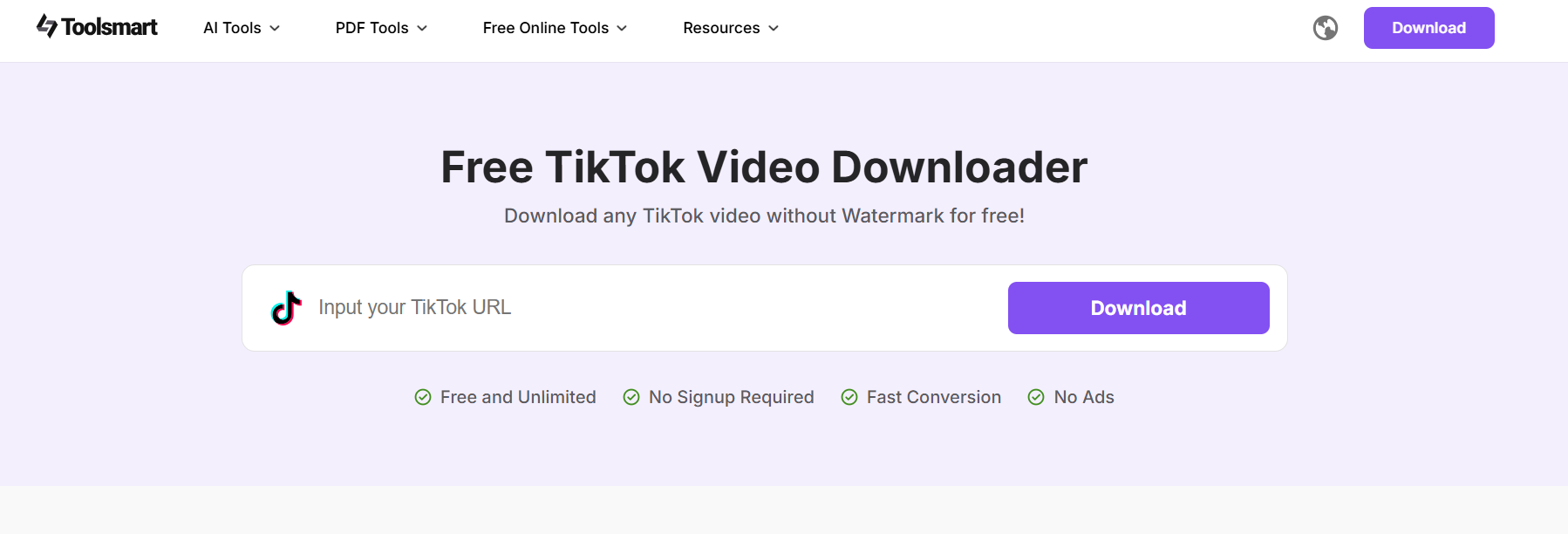
Toolsmart TikTok Downloader website homepage
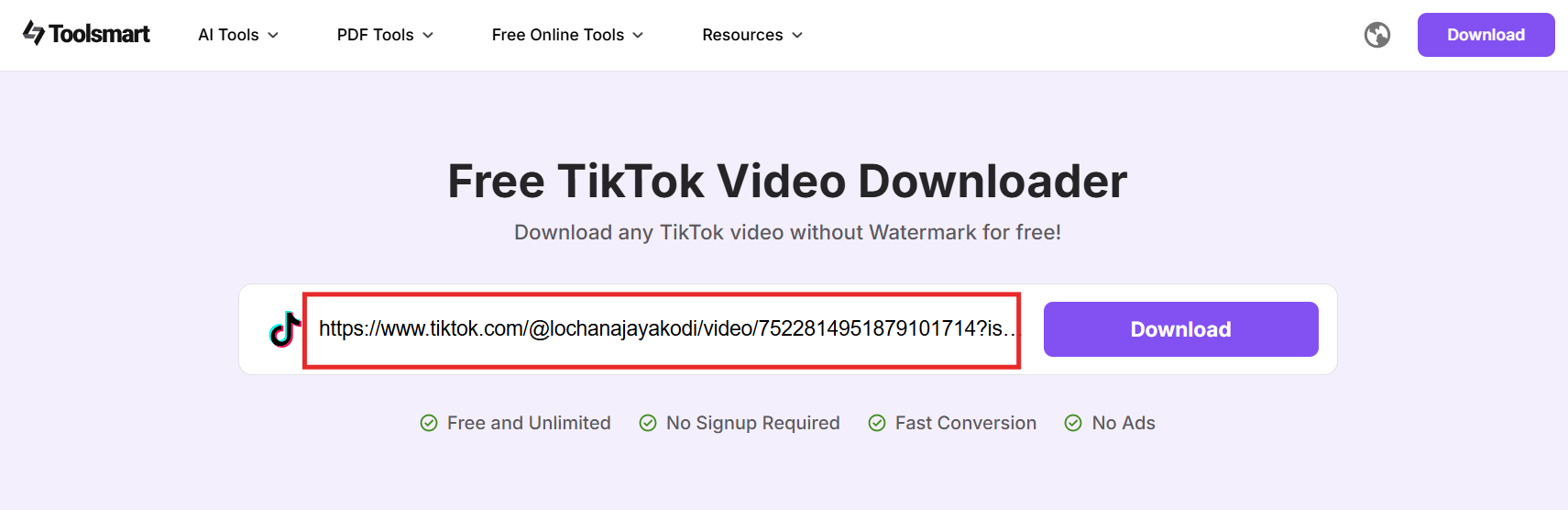
Step 2: Paste the TikTok Video Link
Copy the link of the TikTok video you want to save and paste it into
the input box.
Paste TikTok video link into Toolsmart input field
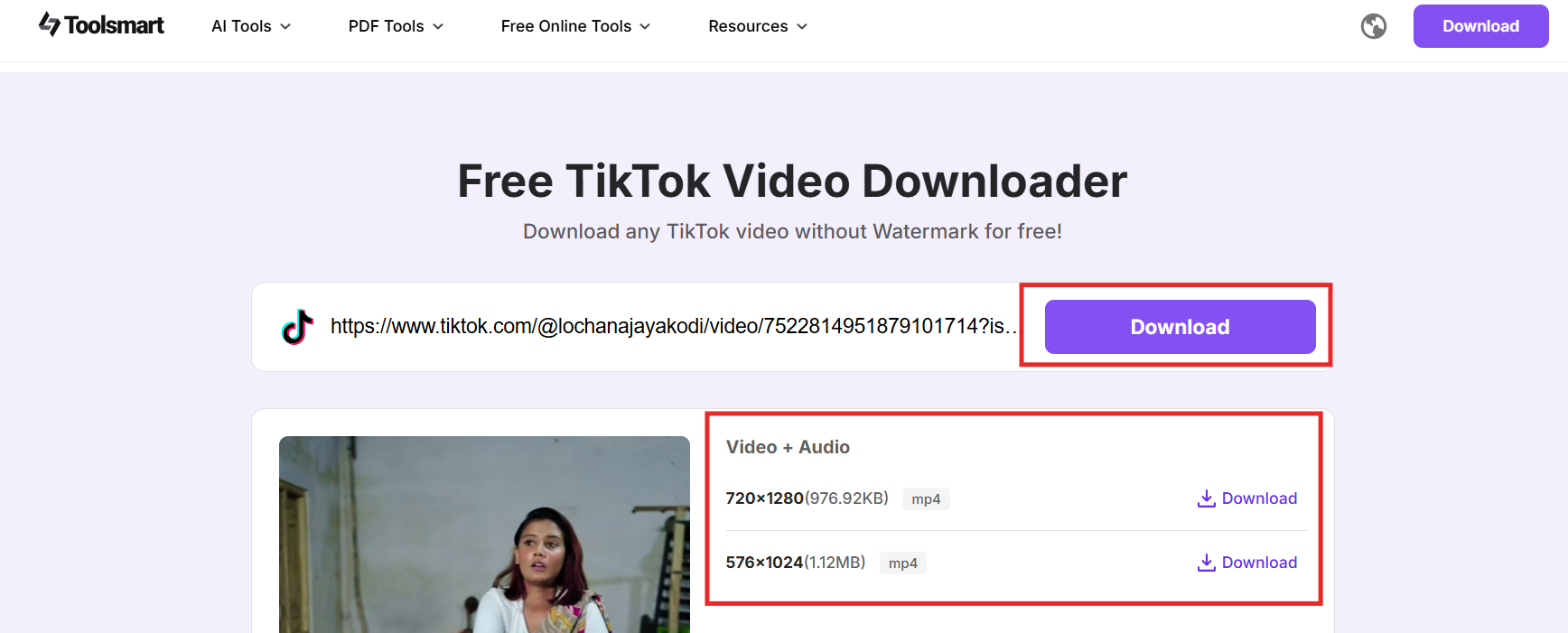
Step 3: Click "Download" and Choose Quality
Click the Download button. You'll see options for
different video qualities (e.g., HD 720p). Choose the one that suits
your needs.
Select quality for TikTok video download
Step 4: Save to Your Device
Once processed, the video will be ready for download. Tap "Download"
to save it to your phone, PC, or MacBook.
I've tested Toolsmart across multiple devices, including iPhone,
Android, and desktop browsers. The download process is fast and
hassle-free. It's especially useful when researching content without
opening the TikTok app, as there's no risk of appearing in someone's
profile view history.
FAQs
Q1: Can I turn profile views off and on again
anytime?
Yes. TikTok lets you toggle the profile view history on or off at any
time. There's no restriction, and you can switch it back on whenever you
like.
Q2: Will people know I turned it off?
A: No. TikTok doesn't notify anyone when you disable
profile view history. This change is completely private.
Q3: Does disabling profile views affect other
features?
Not at all. Turning off TikTok profile views only affects view
history. Your account and content visibility remain unchanged.
Q4: Is Toolsmart's TikTok Video Downloader safe?
Yes. Toolsmart is a browser-based tool that doesn't require any login
or app installation. However, it should only be used for personal,
non-commercial purposes to respect TikTok's content policies.
Summary
Disabling TikTok's profile view history is a smart move if you value
privacy or use the platform for low-profile research. Whether you're on
iPhone, Android, or managing a business account, the process is quick
and reversible. This guide has shown you exactly how to turn off profile
views on TikTok and avoid being seen when checking out other users'
profiles.
If you want to go one step further and download content without
triggering view history, the Toolsmart
Free TikTok Video Downloader is your go-to solution. It's
simple, watermark-free, and works across all devices, including desktop
and mobile, without logging in.
For content creators, marketers, or casual users, Toolsmart provides
a quiet, efficient way to save videos and stay ahead without
compromising your privacy.
7+ years in productivity tech. I test and review the latest tools to simplify your workflow. Follow for honest app comparisons, practical guides, and curated tech picks to boost efficiency.

'%3e%3cpath%20fill-rule='evenodd'%20clip-rule='evenodd'%20d='M19%208.5C24.799%208.5%2029.5%2013.201%2029.5%2019C29.5%2024.6782%2024.9928%2029.3036%2019.361%2029.4939L19%2029.5C18.8794%2029.5%2018.7592%2029.498%2018.6396%2029.4939L18.2811%2029.4758C12.8174%2029.1063%208.5%2024.5574%208.5%2019C8.5%2013.201%2013.201%208.5%2019%208.5ZM22.3063%2010.6267L22.2342%2010.6539C21.3423%2011.0061%2020.5541%2011.6368%2020.5606%2012.4987C20.5631%2012.8302%2020.869%2014.8871%2020.2141%2014.8486C19.5589%2014.8102%2019.413%2013.8753%2018.7116%2013.616C17.5944%2013.2026%2016.9819%2014.3401%2017.0939%2015.3106C17.1695%2015.9655%2018.9289%2018.3871%2017.9028%2019C17.292%2019.3651%2015.7279%2017.5692%2015.1007%2017.1842C14.4805%2016.8034%2013.2758%2017.3333%2012.4974%2016.7029C11.9874%2016.2899%2012.3881%2014.4098%2012.2786%2013.8372C12.2271%2013.5698%2012.1155%2013.3689%2011.9794%2013.2166L12.0402%2013.2934C10.7653%2014.8464%2010%2016.8339%2010%2019C10%2023.8465%2013.8307%2027.7982%2018.6295%2027.9925L18.6769%2027.9747C18.8597%2027.8677%2019.0394%2027.7557%2019.216%2027.6387C19.4137%2027.4534%2019.5436%2027.2072%2019.5849%2026.9394C19.8806%2025.1222%2018.3616%2025.4302%2017.9367%2024.5622C17.5489%2023.7695%2018.5712%2023.7684%2018.5524%2021.7923C18.4607%2021.1774%2018.5279%2020.547%2018.7211%2020.0315C19.1834%2018.7987%2020.7077%2017.2643%2022.5889%2018.0081C23.5567%2018.3906%2023.1524%2019.9831%2023.4737%2020.3394C24.251%2021.2018%2025.3228%2020.6863%2026.2856%2021.2253C26.7816%2021.5032%2026.9797%2022.41%2027.056%2023.2248L27.038%2023.0528C27.6534%2021.8348%2028%2020.4579%2028%2019C28%2015.1968%2025.6409%2011.9445%2022.3063%2010.6267Z'%20fill='%23757575'/%3e%3ccircle%20cx='19'%20cy='19'%20r='10.125'%20stroke='%23757575'%20stroke-width='2.25'/%3e%3c/g%3e%3cdefs%3e%3cclipPath%20id='clip0_1827_14613'%3e%3crect%20width='24'%20height='24'%20fill='white'%20transform='translate(7%207)'/%3e%3c/clipPath%3e%3c/defs%3e%3c/svg%3e)