
'%3e%3cpath%20fill-rule='evenodd'%20clip-rule='evenodd'%20d='M19%208.5C24.799%208.5%2029.5%2013.201%2029.5%2019C29.5%2024.6782%2024.9928%2029.3036%2019.361%2029.4939L19%2029.5C18.8794%2029.5%2018.7592%2029.498%2018.6396%2029.4939L18.2811%2029.4758C12.8174%2029.1063%208.5%2024.5574%208.5%2019C8.5%2013.201%2013.201%208.5%2019%208.5ZM22.3063%2010.6267L22.2342%2010.6539C21.3423%2011.0061%2020.5541%2011.6368%2020.5606%2012.4987C20.5631%2012.8302%2020.869%2014.8871%2020.2141%2014.8486C19.5589%2014.8102%2019.413%2013.8753%2018.7116%2013.616C17.5944%2013.2026%2016.9819%2014.3401%2017.0939%2015.3106C17.1695%2015.9655%2018.9289%2018.3871%2017.9028%2019C17.292%2019.3651%2015.7279%2017.5692%2015.1007%2017.1842C14.4805%2016.8034%2013.2758%2017.3333%2012.4974%2016.7029C11.9874%2016.2899%2012.3881%2014.4098%2012.2786%2013.8372C12.2271%2013.5698%2012.1155%2013.3689%2011.9794%2013.2166L12.0402%2013.2934C10.7653%2014.8464%2010%2016.8339%2010%2019C10%2023.8465%2013.8307%2027.7982%2018.6295%2027.9925L18.6769%2027.9747C18.8597%2027.8677%2019.0394%2027.7557%2019.216%2027.6387C19.4137%2027.4534%2019.5436%2027.2072%2019.5849%2026.9394C19.8806%2025.1222%2018.3616%2025.4302%2017.9367%2024.5622C17.5489%2023.7695%2018.5712%2023.7684%2018.5524%2021.7923C18.4607%2021.1774%2018.5279%2020.547%2018.7211%2020.0315C19.1834%2018.7987%2020.7077%2017.2643%2022.5889%2018.0081C23.5567%2018.3906%2023.1524%2019.9831%2023.4737%2020.3394C24.251%2021.2018%2025.3228%2020.6863%2026.2856%2021.2253C26.7816%2021.5032%2026.9797%2022.41%2027.056%2023.2248L27.038%2023.0528C27.6534%2021.8348%2028%2020.4579%2028%2019C28%2015.1968%2025.6409%2011.9445%2022.3063%2010.6267Z'%20fill='%23757575'/%3e%3ccircle%20cx='19'%20cy='19'%20r='10.125'%20stroke='%23757575'%20stroke-width='2.25'/%3e%3c/g%3e%3cdefs%3e%3cclipPath%20id='clip0_1827_14613'%3e%3crect%20width='24'%20height='24'%20fill='white'%20transform='translate(7%207)'/%3e%3c/clipPath%3e%3c/defs%3e%3c/svg%3e)


In today's visually driven world, people love giving their photos an artistic touch, whether for creative projects, social media, or just fun. One of the most popular trends is turning ordinary photos into hand-drawn-style sketches using a digital tool. If you've ever searched for an image-to-sketch converter, you've probably found dozens of results, some free, some limited, and some locked behind paywalls.
So, how do you choose the right one? Especially if you're looking for something that's free, easy to use, and doesn't stamp an annoying watermark on your final image? That's exactly what this guide aims to solve.
Part 1: Top 5 Free Image to Sketch Converter
With so many image-to-sketch converter tools available online, choosing the right one can feel overwhelming. That's why I've personally tested five standout tools to help you find the best fit. Whether you're looking for advanced editing control or just a quick one-click effect, here's a breakdown of the top free options, each with its own strengths and limitations.
1. Adobe Photoshop
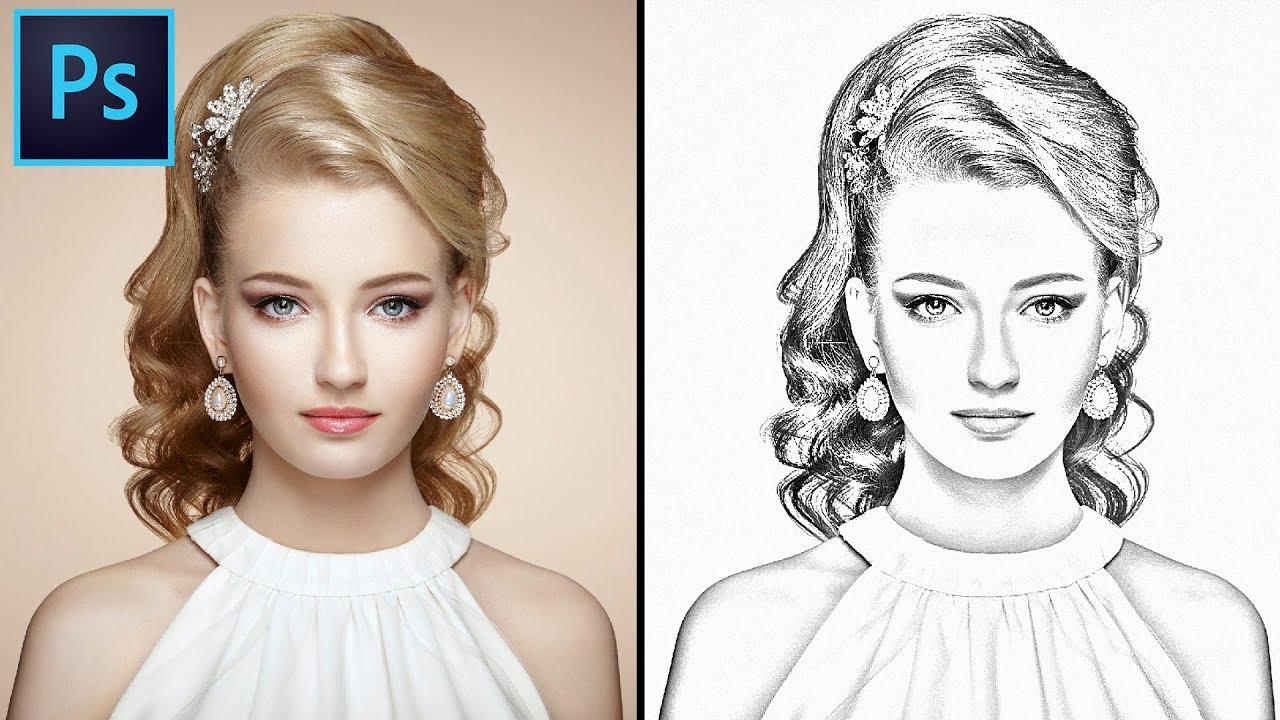
Photoshopis often the go-to tool for designers, and for good reason. While it's known for its professional-level features, Adobe also provides a free online tutorial for creating pencil sketch effects. If you're comfortable with layers and adjustments, this is one of the most powerful ways to turn an image into a sketch.
Features:
Manual adjustment of filters for full control
Layer-based editing
A wide range of sketch styles through blending modes
Online tutorial support from Adobe
Pros:
Extremely customizable results
Ideal for detailed work
No watermark on exported images
Cons:
Requires technical knowledge
Not beginner-friendly
The full version requires a paid subscription
Using Photoshop gave me the most professional-looking result, but it took more time and effort compared to one-click tools. It's perfect if you already know your way around the software, but not ideal for casual users just looking to turn a pic into a sketch quickly.
2. Sketch My Pic
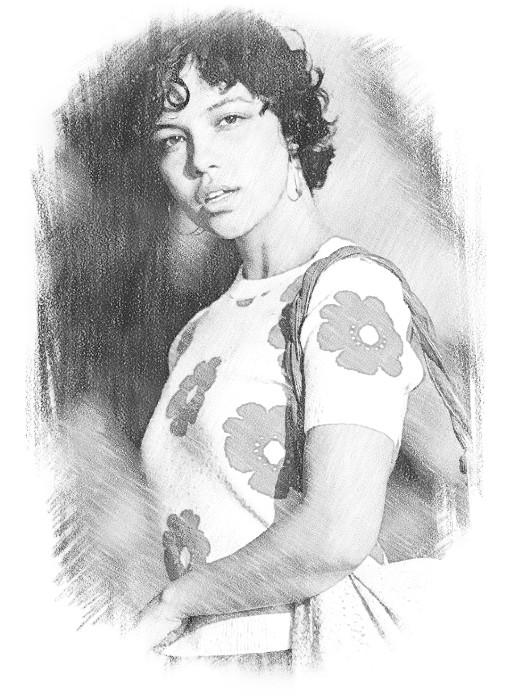
Sketch My Pic is a fun and lightweight online image-to-sketch converter. It's designed with simplicity in mind; you just upload your photo and choose from a variety of sketch effects. Great for those who want instant results without complicated settings.
Features:
One-click sketch effects
Multiple sketch filter styles
No sign-up required
Mobile and web versions
Pros:
Very easy to use
Fast processing
Offers real sketch-style effects
Cons:
Limited editing options
Some effects are locked behind a paywall
Low-resolution output for the free version
Sketch My Pic worked great for casual use. I liked how quickly it generated the sketch, but I noticed the free version exported a lower-resolution image. If you're just experimenting or making fun edits, it does the job well.
3. FotoSketcher
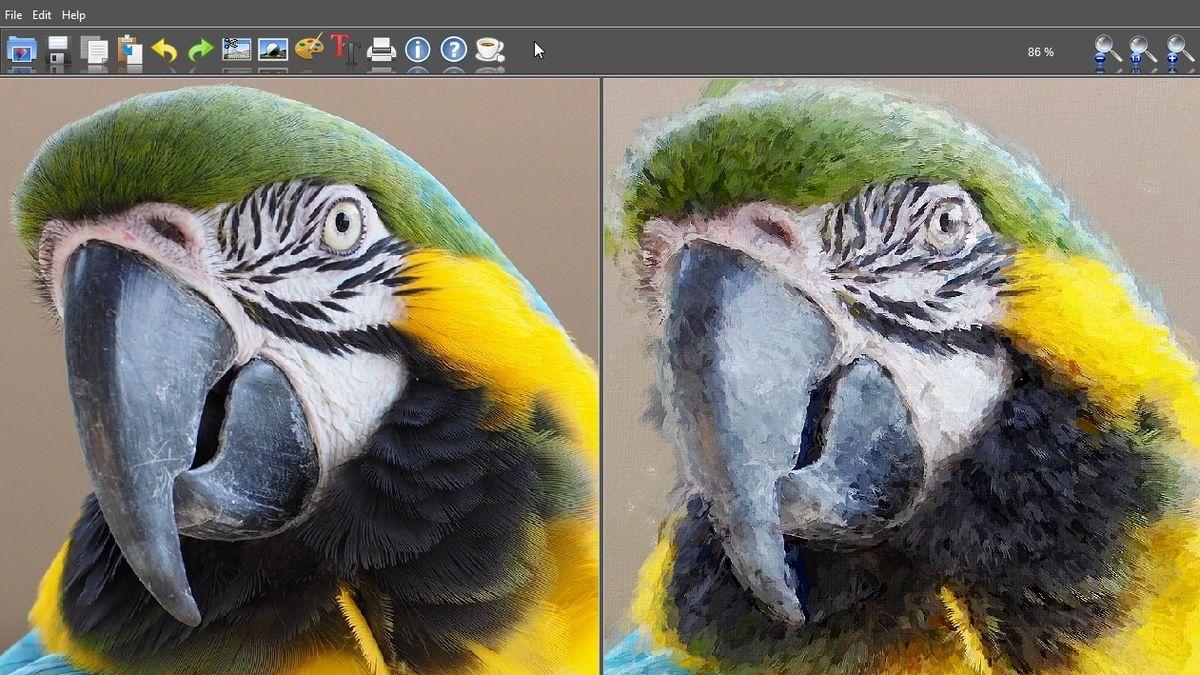
FotoSketcher is a dedicated image-to-sketch converter that you can download for free on Windows. It offers over 20 styles, including pencil sketches, oil painting, and cartoons. For offline users or those looking for more control, this tool is a hidden gem.
Features:
Over 20 drawing and painting styles
Customizable parameters for each style
Completely free to use
Offline desktop application
Pros:
No watermark on output
High-resolution support
Full offline access
Cons:
Windows only
The interface feels outdated
Not beginner-friendly at first
FotoSketcher surprised me with its range of sketch styles. Once I got used to the interface, I was able to create very artistic results. It's best suited for users who want more style variety and don't mind installing software.
4. Canva
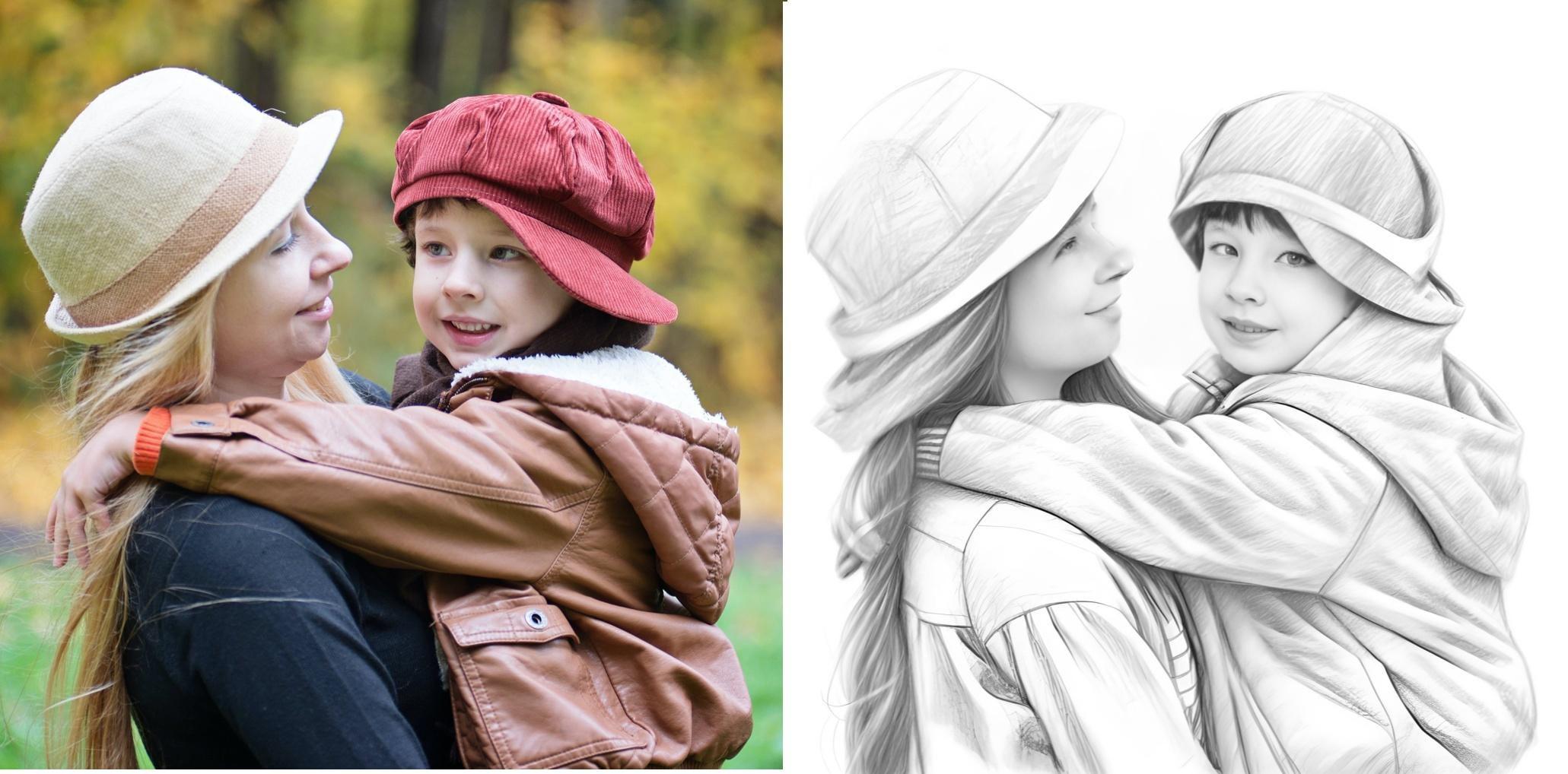
Canvais best known as a design tool, but it also lets users apply artistic filters to images, making it a great option for converting photos into sketch-like art. While it doesn't offer a dedicated sketch filter, you can layer multiple effects to get a similar result.
Features:
Drag-and-drop editing
Artistic photo effects like "Duotone" and "Pencil Sketch"
Library of filters and templates
Mobile and desktop access
Pros:
Beginner-friendly interface
No software download needed
High-quality output
Cons:
Requires creativity to achieve a sketch effect
Some filters may be behind a paywall
Not as realistic as true sketch converters
I use Canva regularly for graphic design, and I was able to create a decent sketch effect by combining filters and adjustments. It's not a true one-click sketch tool, but if you're already on Canva, it's a flexible option.
Part 3: Enhance It with Toolsmart Image Enhancer
After testing multiple image-to-sketch converter tools, one thing became clear: while some tools create nice sketch effects, the output image often ends up blurry or pixelated, especially when I try to zoom in or print it. That's when I started looking for a solution to enhance the quality of these converted sketches, and I came across Toolsmart's Free Image Enhancer.
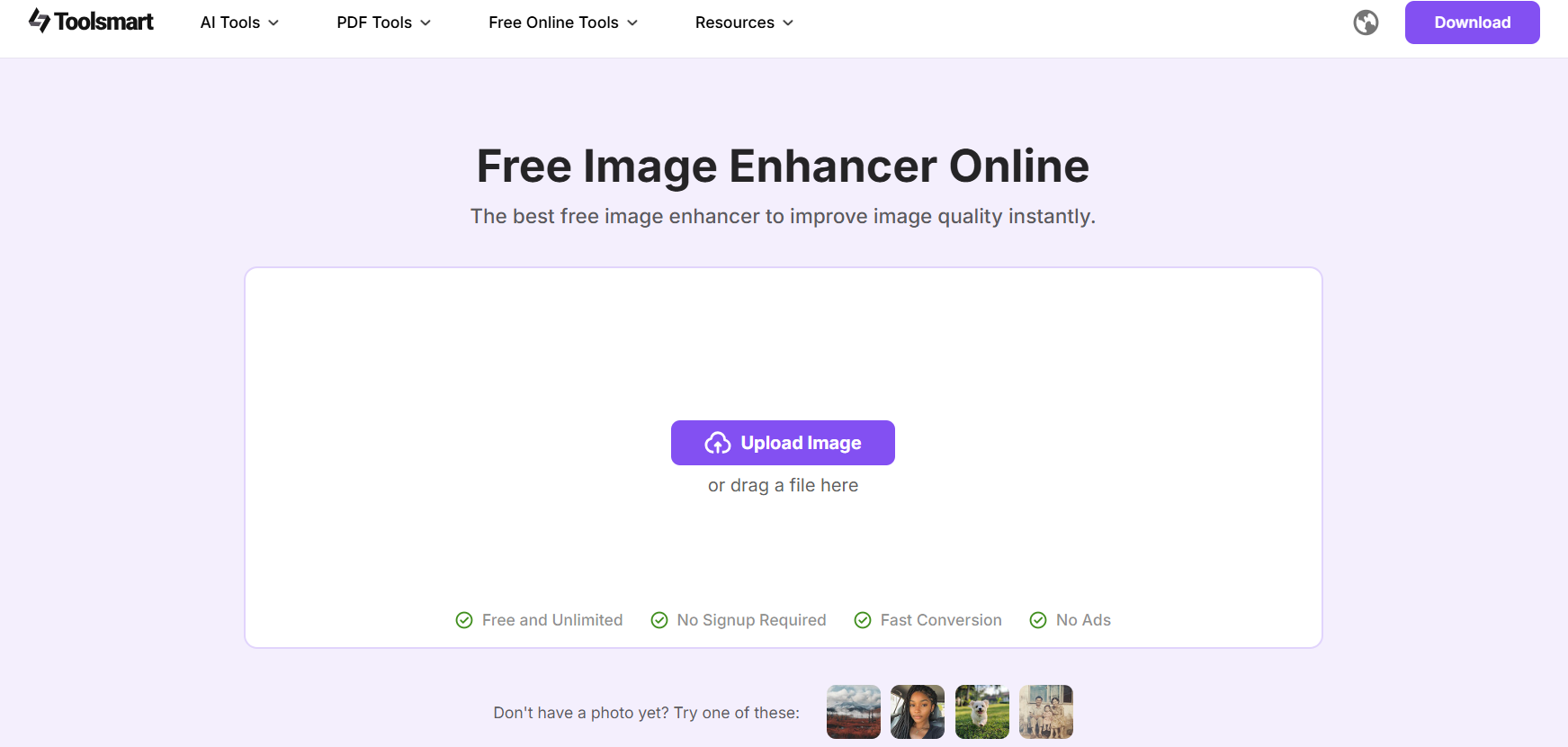
To be honest, I wasn't expecting much from a free online enhancer, but Toolsmart turned out to be a surprisingly effective companion for refining sketch-style images.
Why I Prefer Toolsmart Image Enhancer:
100% Free to Use
I didn't have to sign up or deal with annoying ads. There were no hidden paywalls or limitations. It was just refreshingly simple: upload, enhance, and download.
One-Click Enhancement
There's no complicated interface. I uploaded my sketch image, clicked "Enhance," and within seconds, I had a sharper, cleaner version. This was especially helpful when working with outputs from tools like Sketch My Pic, which tend to export lower-resolution images.
High-Resolution Support (Up to 4K)
One of the most impressive features is the ability to upscale images to 4K resolution. I tested it by enhancing a pencil sketch image from FotoSketcher, and the result was noticeably crisper. Details that were previously faint became sharper, and the overall image looked more professional.
Noise Reduction for Blurry or Grainy Sketches
Some converted sketches had background noise or unwanted grain, particularly those done through mobile apps. Toolsmart reduced this without distorting the hand-drawn effect. It actually made the sketch look cleaner while preserving the shading lines.
My Honest Take:
I've tried various image enhancement tools in the past, but most either require payment or compress the final output. Toolsmart didn't do either. It's lightweight, free, and adds real value to the sketch conversion process. If you want to turn an image into a sketch and maintain professional quality, Toolsmart is a must-use after you've applied your sketch effect.
Part 4: How to Use Toolsmart's Image Enhancer
If your sketch image looks blurry, low-resolution, or just lacks sharpness, Toolsmart's Free Image Enhancer is a quick and effective way to upgrade the quality. Here's how I used it to enhance my converted sketch images:
Step 1: Visit the Toolsmart Image Enhancer
Go to the official Toolsmart Free Image Enhancer page: https://www.toolsmart.ai/feature-free-image-enhancer/
Step 2: Upload Your Image
Click the "Upload" button and select your sketch image from your device. Supported formats include JPG, PNG, and JPEG.
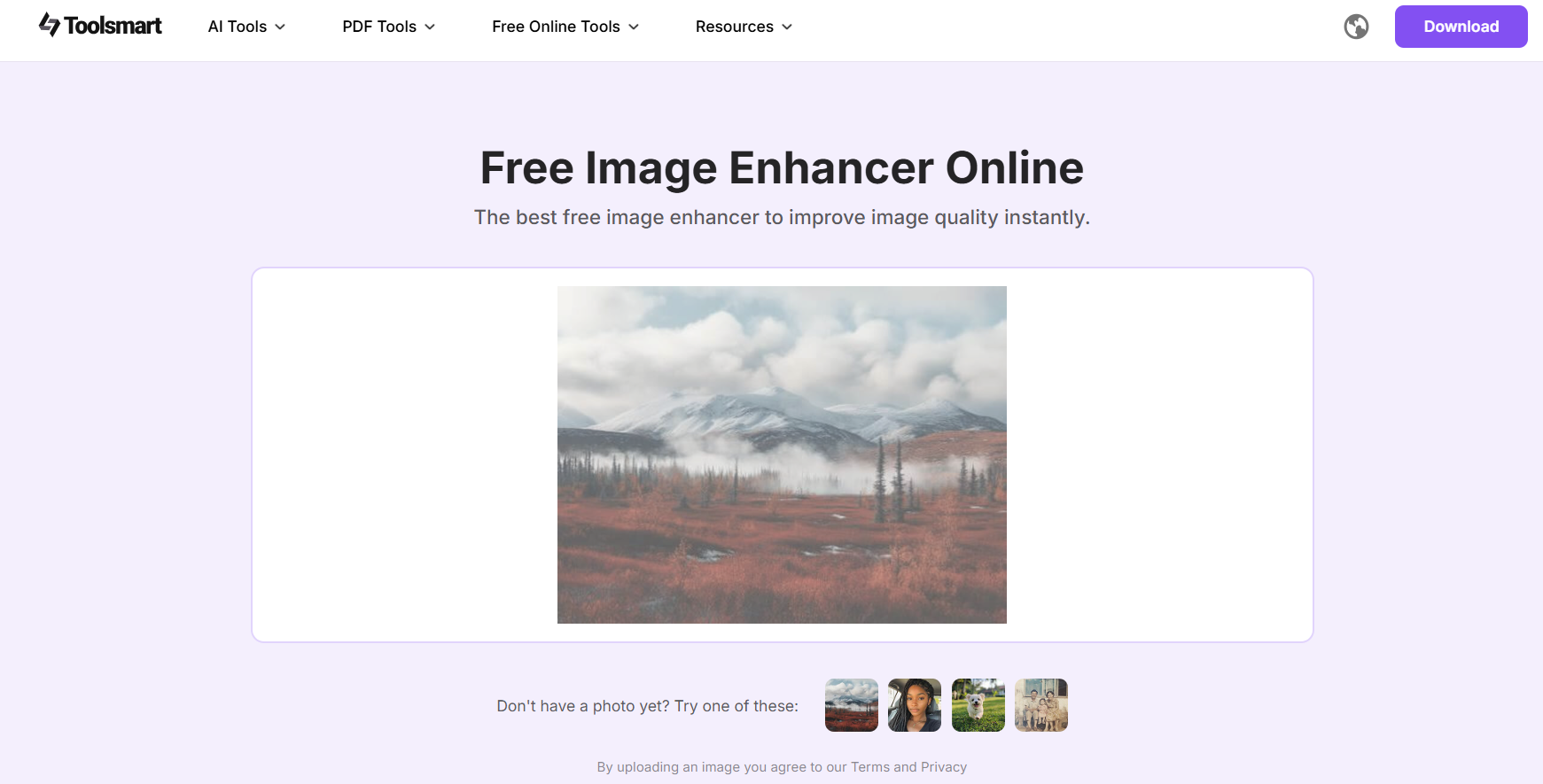
Tip: Make sure your uploaded image is the sketch version you created using tools like Canva, FotoSketcher, or Sketch My Pic.
Step 3: Wait for the AI to Process
Once uploaded, Toolsmart automatically starts enhancing your image. This usually takes a few seconds, depending on your internet speed.
Step 4: Preview and Download
After the enhancement is done, you can preview the upgraded image. If satisfied, click "Download" to save the high-resolution version to your device.
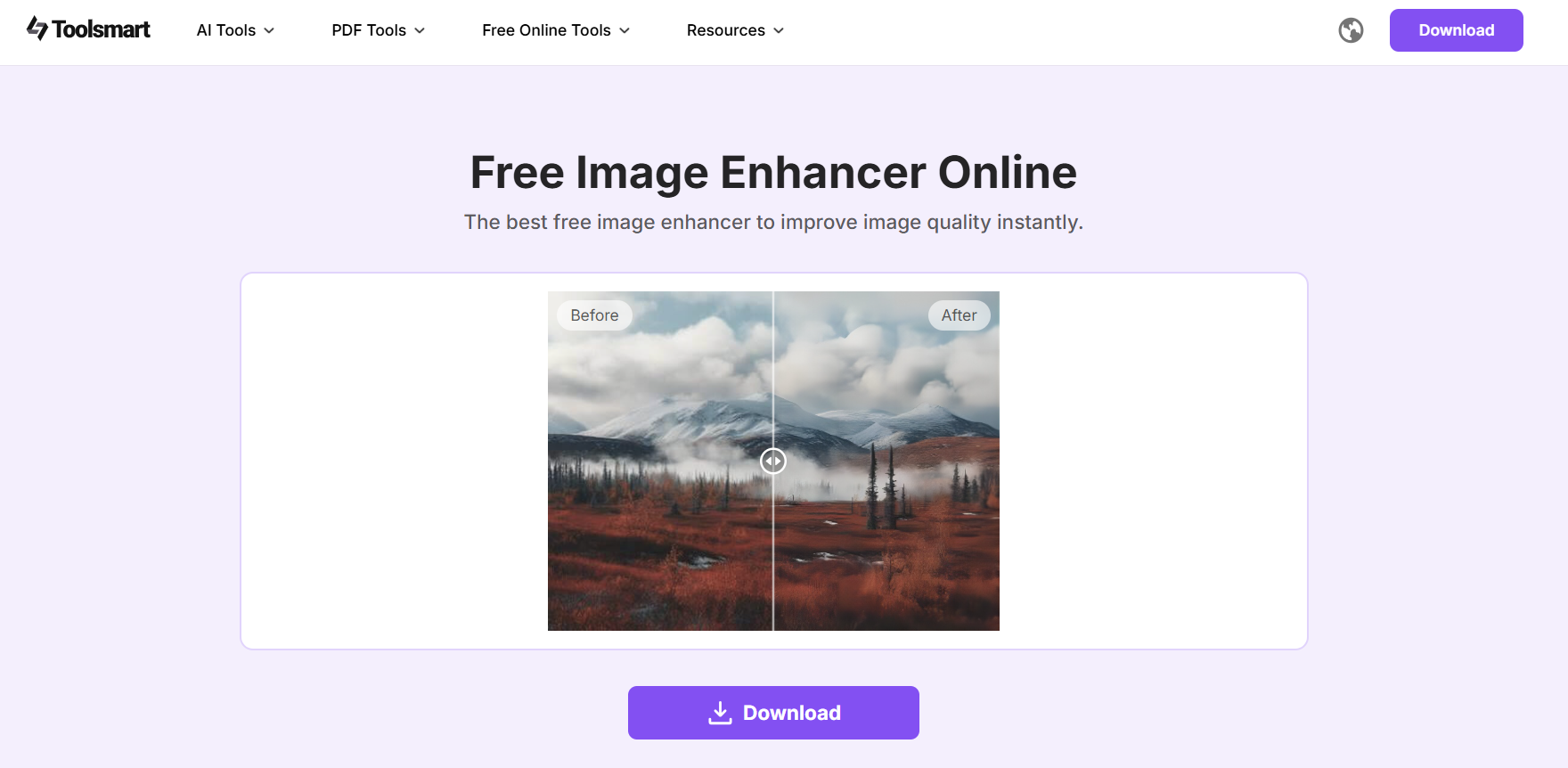
Keep this in mind: There are no watermarks, sign-up prompts, or ad interruptions. The process is fast and smooth from start to finish.
FAQs
Q1: Which image sketching tools are free and watermark-free?
Some of the best free options include Adobe Photoshop (with free features), FotoSketcher, and Canva. These tools offer high-quality sketch effects and, in most cases, don't add watermarks. Just be sure to check export settings; FotoSketcher and Canva are great for professional-looking results without extra branding on your image.
Q2: What should I do if the sketch looks blurry or low quality?
Use Toolsmart's Image Enhancer. It's perfect for refining sketch outputs, especially those that come out grainy or soft around the edges. With one click, it improves resolution, reduces noise, and sharpens details without compromising the sketch effect.
Q3: Is Toolsmart's Image Enhancer really free to use?
Yes, it's completely free. You don't need to create an account, there are no ads, and no watermarks are added to your final image. It's one of the few tools that gives you full enhancement features without paywalls or limitations.
Q4: Can I use Canva to convert images to sketches directly?
While Canva doesn't have a dedicated image to sketch converter, it does let you create sketch-like effects. By applying filters like "Duotone" and adjusting brightness/contrast, you can mimic a hand-drawn look. It's not a one-click sketch tool, but it works well for casual or stylized results.
Summary
Finding the right image-to-sketch converter can be a challenge with so many tools offering different features, formats, and limitations. From professional-grade options like Adobe Photoshop to beginner-friendly platforms like Sketch My Pic and Canva, each tool brings something unique to the table. Whether you want full creative control or fast one-click results, there's a solution for every type of user.
However, no matter which tool you choose, image clarity is often overlooked. That's where Toolsmart's Image Enhancer becomes essential. After converting your photo to a sketch, this free online tool can instantly improve resolution, remove noise, and give your sketch a polished, high-quality finish, without any watermarks or sign-ups. If you're looking to elevate your sketches, Toolsmart is the final step that makes all the difference.



