
'%3e%3cpath%20fill-rule='evenodd'%20clip-rule='evenodd'%20d='M19%208.5C24.799%208.5%2029.5%2013.201%2029.5%2019C29.5%2024.6782%2024.9928%2029.3036%2019.361%2029.4939L19%2029.5C18.8794%2029.5%2018.7592%2029.498%2018.6396%2029.4939L18.2811%2029.4758C12.8174%2029.1063%208.5%2024.5574%208.5%2019C8.5%2013.201%2013.201%208.5%2019%208.5ZM22.3063%2010.6267L22.2342%2010.6539C21.3423%2011.0061%2020.5541%2011.6368%2020.5606%2012.4987C20.5631%2012.8302%2020.869%2014.8871%2020.2141%2014.8486C19.5589%2014.8102%2019.413%2013.8753%2018.7116%2013.616C17.5944%2013.2026%2016.9819%2014.3401%2017.0939%2015.3106C17.1695%2015.9655%2018.9289%2018.3871%2017.9028%2019C17.292%2019.3651%2015.7279%2017.5692%2015.1007%2017.1842C14.4805%2016.8034%2013.2758%2017.3333%2012.4974%2016.7029C11.9874%2016.2899%2012.3881%2014.4098%2012.2786%2013.8372C12.2271%2013.5698%2012.1155%2013.3689%2011.9794%2013.2166L12.0402%2013.2934C10.7653%2014.8464%2010%2016.8339%2010%2019C10%2023.8465%2013.8307%2027.7982%2018.6295%2027.9925L18.6769%2027.9747C18.8597%2027.8677%2019.0394%2027.7557%2019.216%2027.6387C19.4137%2027.4534%2019.5436%2027.2072%2019.5849%2026.9394C19.8806%2025.1222%2018.3616%2025.4302%2017.9367%2024.5622C17.5489%2023.7695%2018.5712%2023.7684%2018.5524%2021.7923C18.4607%2021.1774%2018.5279%2020.547%2018.7211%2020.0315C19.1834%2018.7987%2020.7077%2017.2643%2022.5889%2018.0081C23.5567%2018.3906%2023.1524%2019.9831%2023.4737%2020.3394C24.251%2021.2018%2025.3228%2020.6863%2026.2856%2021.2253C26.7816%2021.5032%2026.9797%2022.41%2027.056%2023.2248L27.038%2023.0528C27.6534%2021.8348%2028%2020.4579%2028%2019C28%2015.1968%2025.6409%2011.9445%2022.3063%2010.6267Z'%20fill='%23757575'/%3e%3ccircle%20cx='19'%20cy='19'%20r='10.125'%20stroke='%23757575'%20stroke-width='2.25'/%3e%3c/g%3e%3cdefs%3e%3cclipPath%20id='clip0_1827_14613'%3e%3crect%20width='24'%20height='24'%20fill='white'%20transform='translate(7%207)'/%3e%3c/clipPath%3e%3c/defs%3e%3c/svg%3e)


In a world where social platforms rise and fall in the blink of an eye, a new player has entered the arena, Threads, developed by Meta. But here's the catch: many users are confused. Is Threads a text-based social space? Or is it a video-sharing tool? Some even assume it's a place to stream or download movies, like Netflix.
So, what's the truth? Is Threads just hype, or a game-changer in social media?
In this article, I'll give you a complete Threads review, walking you through its real purpose, its pros and cons, and a step-by-step guide on how to use it.
Part 1: What is Threads?
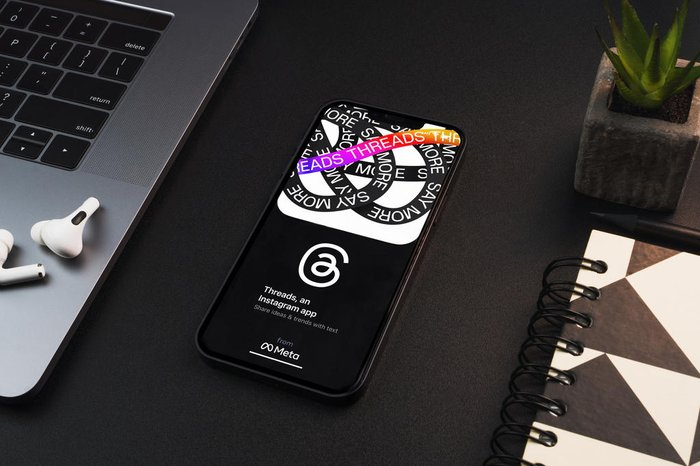
Threads is a social media app developed by Meta, designed to offer a text-first experience that connects closely with Instagram. Launched as a direct response to changes on Twitter/X, Threads aims to create a calmer, community-driven platform for sharing thoughts, updates, and conversations, without the algorithmic noise and negativity that plague some platforms.
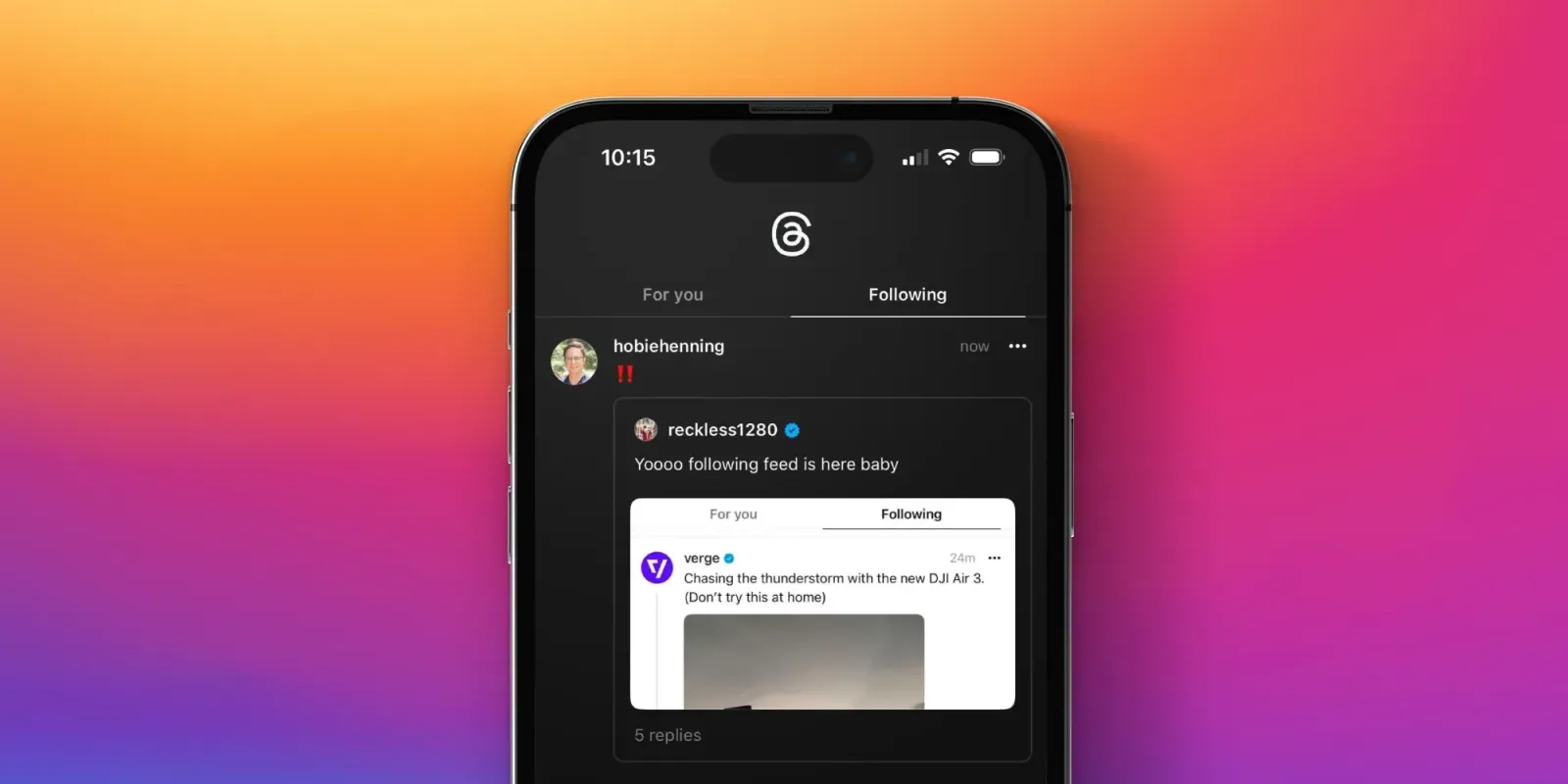
If you're wondering what the Threads app is, think of it as a mix between a classic microblogging site and an Instagram extension. It's not a place to download media, despite what some new users assume. Instead, it's all about quick updates, meaningful conversations, and text-based expression, with the option to like, reply, and repost, much like Twitter.
Core Features of Threads
Seamless sign-in with your Instagram account
Character-limit posts (500 characters at launch)
Repost and quote-post options
Real-time feed of people you follow and trending topics
Mobile-first experience (no full desktop version yet)
The Instagram profile and followers automatically synced
Pros of Threads
No hashtags, trending tab, or algorithmic feed, so less noise
Easy setup for existing Instagram users
Clean interface with minimal distractions
Early adopter advantage for brands and influencers
Feels more personal than mainstream platforms
Cons of Threads
Limited search and discovery features
No desktop support or web version (as of 2025)
Feeds can still feel disconnected without chronological order
Lacks scheduling and analytics tools for content creators
Not available in all regions
Threads Review from Users
To get a real sense of the app's performance, I looked through public feedback, especially Reddit and review sites. Here are a few standout comments that capture both sides of the experience:
"It started out promising, but most of the people I follow aren't active anymore."
"I like that it's quieter than Twitter, but I miss trending news and tags."
"Surprisingly smooth interface, but it lacks personality; it's just a bit empty."
From the Threads Review section on Trustpilot and Reddit, many users describe it as a platform still trying to find its voice. While some appreciate the cleaner tone compared to Twitter/X, others feel the app lacks the depth and features needed to keep them engaged.
What Brands Are Saying
According to Blue Wheel's review and other marketing sources, Threads offers an early opportunity for brands, but with caution. It's ideal for testing tone and building direct, text-based audience connections, but the lack of scheduling and analytics makes it a challenge for strategic campaigns.
In short, Threads offers a fresh start, but still needs to evolve to compete fully with other platforms.
Part 2: How to Use Threads?
If you're new to Threads, getting started is simple, especially if you already use Instagram. Since it's developed by Meta, the Threads app syncs tightly with your Insta profile. But if you're expecting something similar to Twitter or a content downloader, prepare for a different kind of social experience.
Here's a clear breakdown of how to use it:
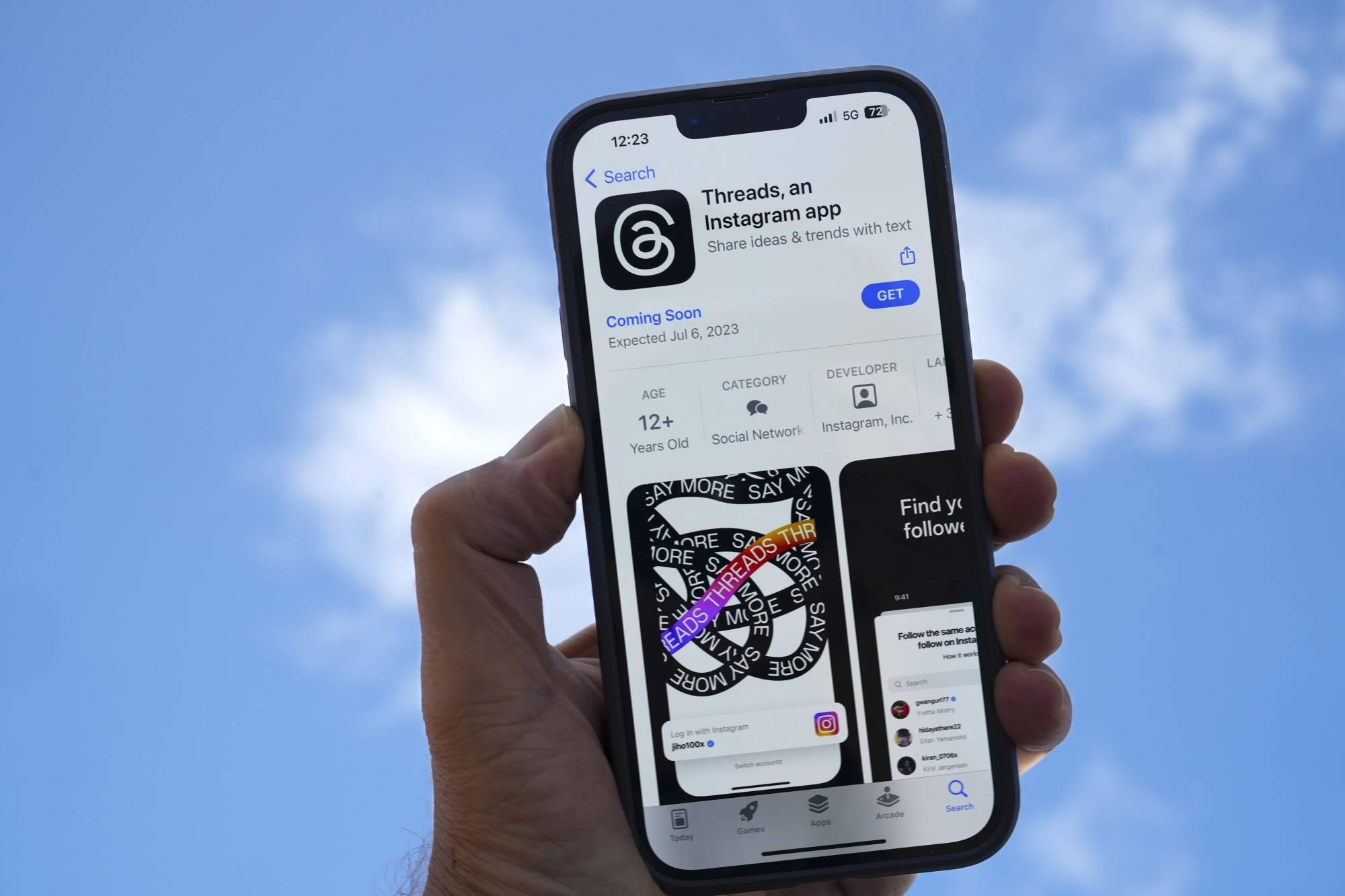
Step 1: Download and Install Threads
Go to the App Store (iOS) or Google Play Store (Android) and search
for Threads, an Instagram app.
Download and install the app. No additional account setup is needed if
you have Instagram.
Step 2: Log In with Instagram
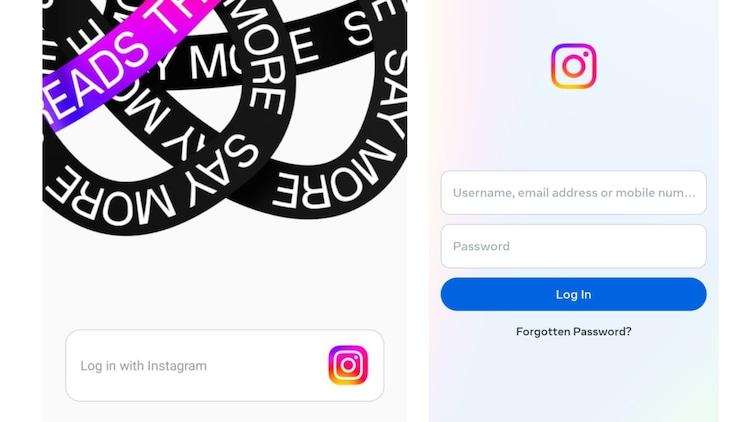
Once installed, open the app and tap "Log in with Instagram". Threads pulls your profile picture, bio, and username directly from your linked Instagram account.
Step 3: Customize Your Profile (Optional)
You can edit your bio or links, or import them from Instagram. This lets you keep things in sync or create a more text-focused persona.
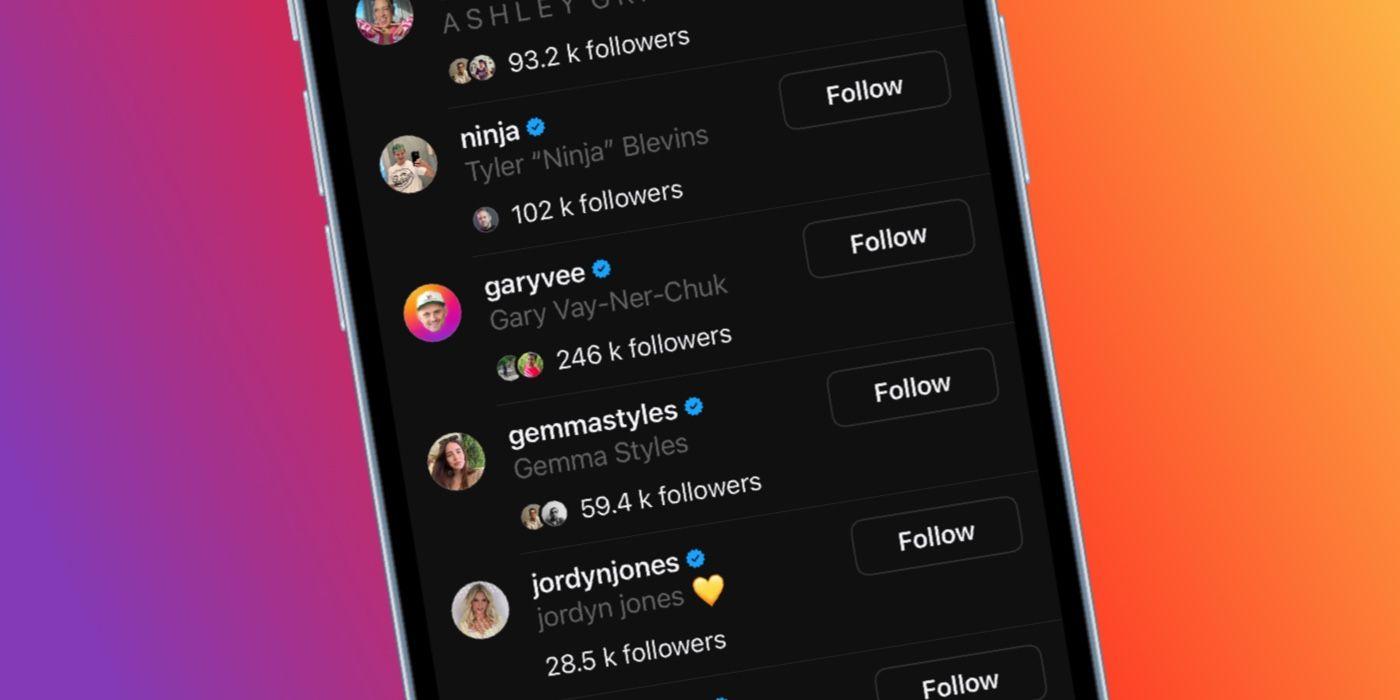
Step 4: Follow People
You'll be prompted to follow the same people you follow on Instagram, or you can start fresh. Since Threads is tied to Instagram, many users already have a partial follower base.
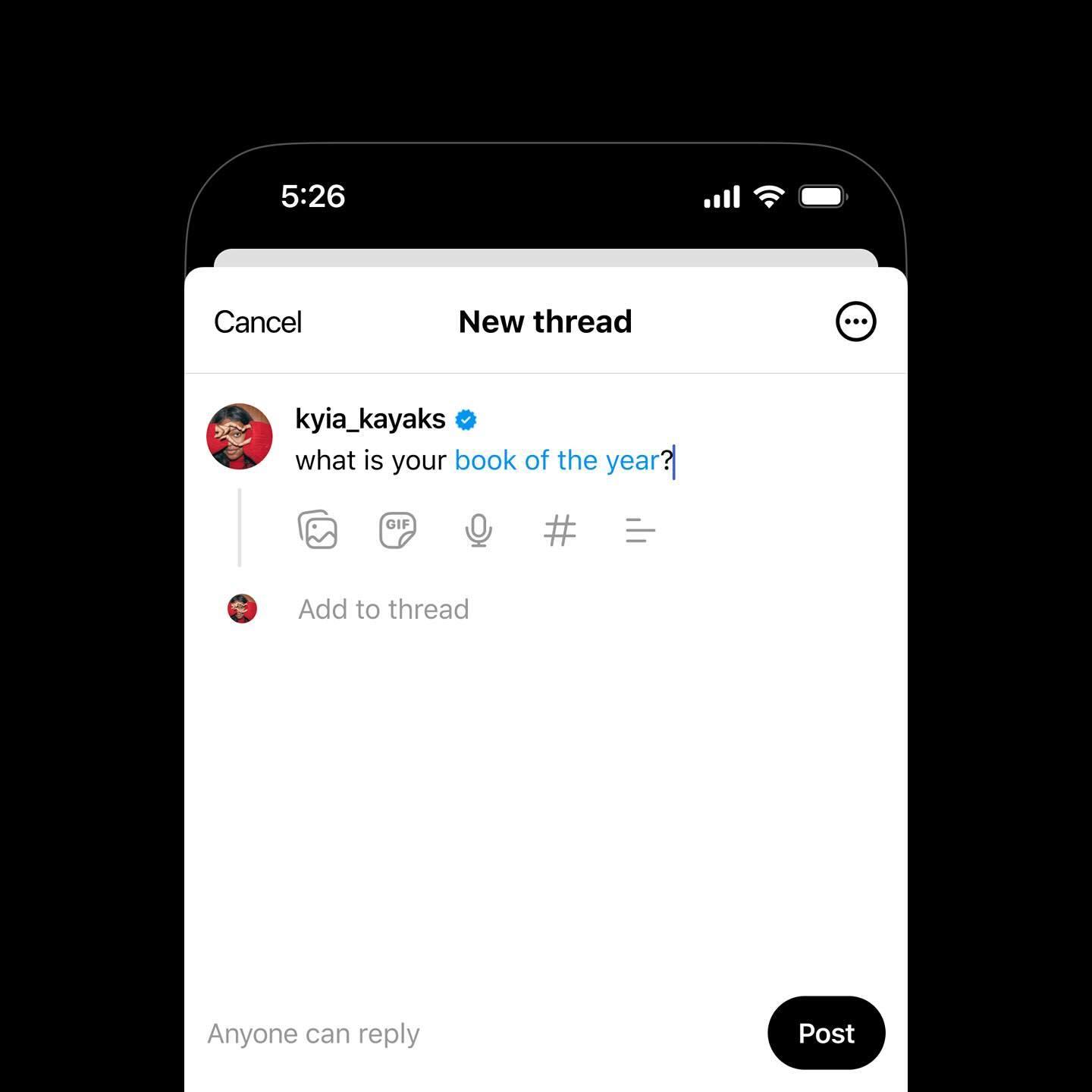
Step 5: Start Posting
Tap the pencil icon to create a new post (called a "thread"). You can type up to 500 characters and add links, images, or videos. Hit Post to publish.
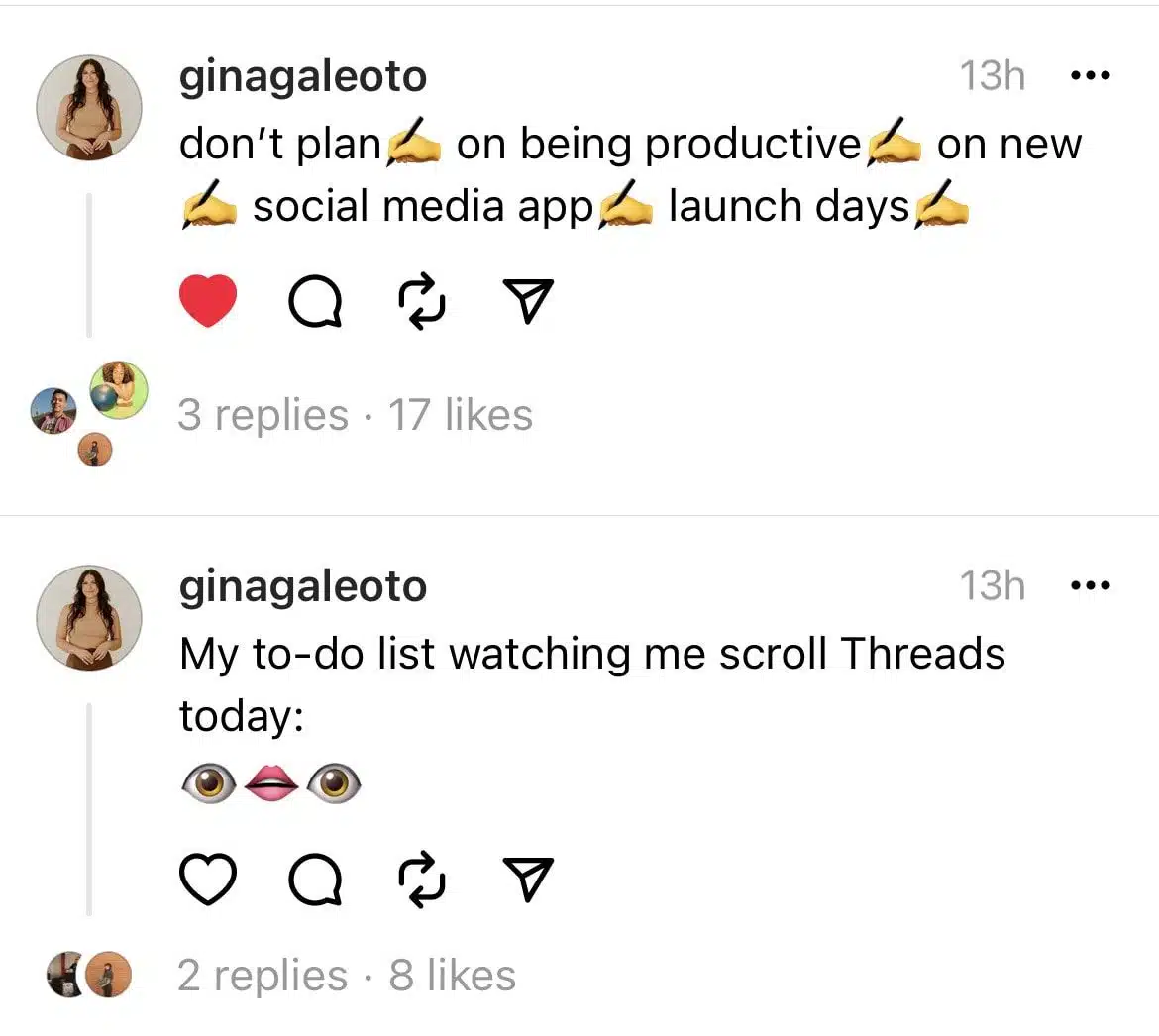
Step 6: Like, Comment, and Repost
Just like Instagram or Twitter, you can interact with posts by tapping the like, comment, or repost icons. This is where engagement begins, and where the app feels most like a social network.
Step 7: Explore the Feed
Your homepage displays a mix of Threads from accounts you follow and some suggested content. There's no trending tab yet, but Meta may expand discovery options over time.
My Experience Using Threads
I've been testing Threads for a while now, and here's what stood out:
Smooth interface: The app runs fast and feels polished.
Quiet community: Compared to Instagram or Twitter, Threads feels calm. That's a plus, but also a sign it needs more user activity.
Limited discovery: I miss hashtags and topic browsing. Right now, it's hard to find niche conversations.
That said, if you're looking for a place to post text updates, stay close to your Instagram network, or simply get in early on a rising app, Threads is worth trying.
Part 3: Best Supplement Tool of Threads – Instagram Video Downloader of Toolsmart
If you've landed on Threads expecting a tool to save Instagram content or even stream videos like Netflix, you're not alone. A surprising number of users confuse the Threads app with a media or video tool, likely due to the name, its ties to Instagram, or the lack of clarity around its real function.
But while Threads is a social media app for posting text and updates, not downloading media, there's a smart workaround. For those looking to save Instagram videos, I highly recommend using the Free Instagram Video Downloader by Toolsmart, a tool built specifically for that job.
What is Toolsmart's Instagram Video Downloader?
Toolsmart's Instagram Video Downloader is a clean, free, and fast tool that lets you download videos from Instagram without needing to log in or install any apps.
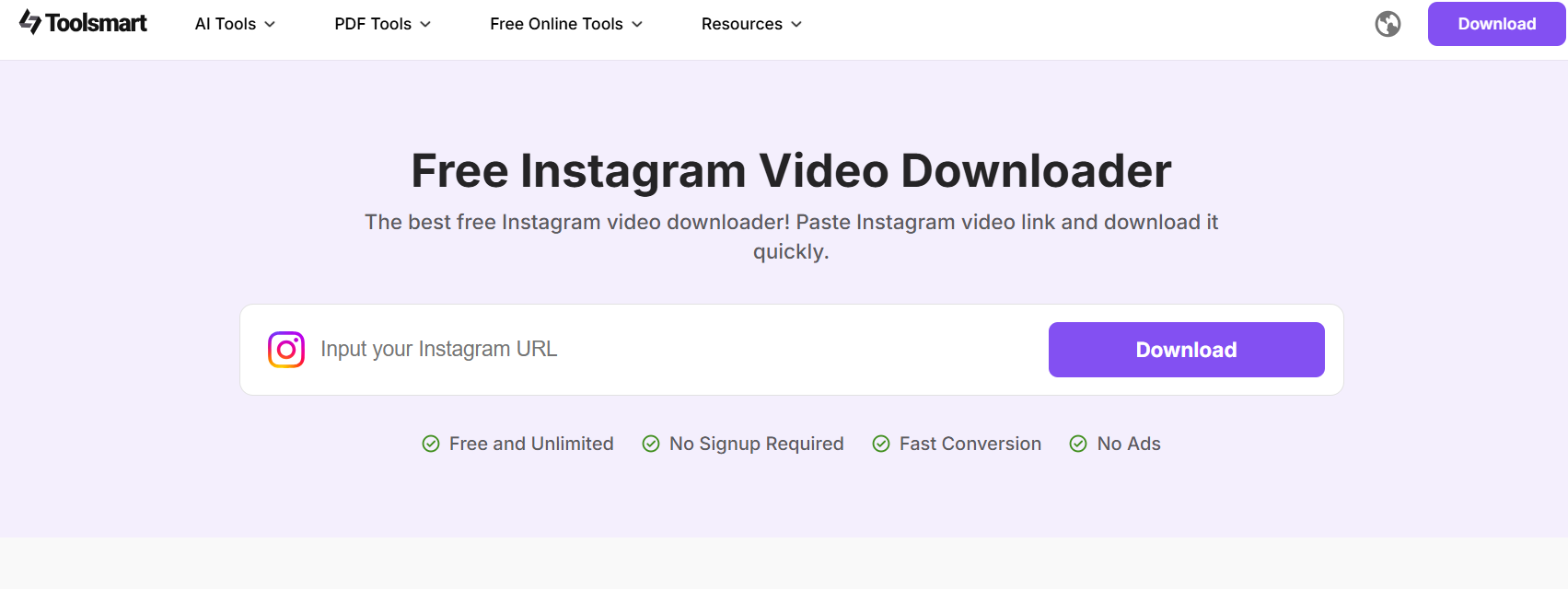
If you're someone who browses Reels, Stories, or Insta videos and wants to keep a copy offline, this is the tool for you.
Core Features:
No login required – Fully anonymous and secure
No installation needed – Works directly from your browser
Free forever – No usage limit or premium traps
Fast and responsive – Download speed is solid
Clean interface – Simple UI for hassle-free use
Pros:
Super easy for beginners
Works on both desktop and mobile
Supports HD video quality
Doesn't require copying hashtags, tags, or metadata, just paste and go
Cons:
No batch downloads (one at a time)
Only works for public Instagram posts
What Users Say About Toolsmart's Instagram Video Downloader
From what I've tested and seen in the community, users appreciate how lightweight and reliable Toolsmart is. Unlike some cluttered, ad-heavy downloaders, this one does the job fast without any sneaky popups or confusing UI.
"I tried three downloaders before finding this, finally, one that
actually works on mobile."
"So much faster than installing apps. This just runs in-browser and gets
it done."
"Clean and smooth. Toolsmart might not look flashy, but it's
effective."
If you're using Threads for browsing Insta-related content and want a complementary tool to download that content, Toolsmart fills the gap perfectly.
Part 4: How to Download Instagram Videos in 3 Simple Steps
If you're looking to save Reels, Stories, or regular feed videos from Instagram, Toolsmart's Free Instagram Video Downloader offers one of the easiest solutions—no login, no app installs, and absolutely no learning curve.
Here's how to do it in just a few steps:
Step 1: Copy the Instagram Video Link
Go to Instagram (app or browser), find the video you want to download, and tap the three dots next to the Post. Then tap "Copy link."
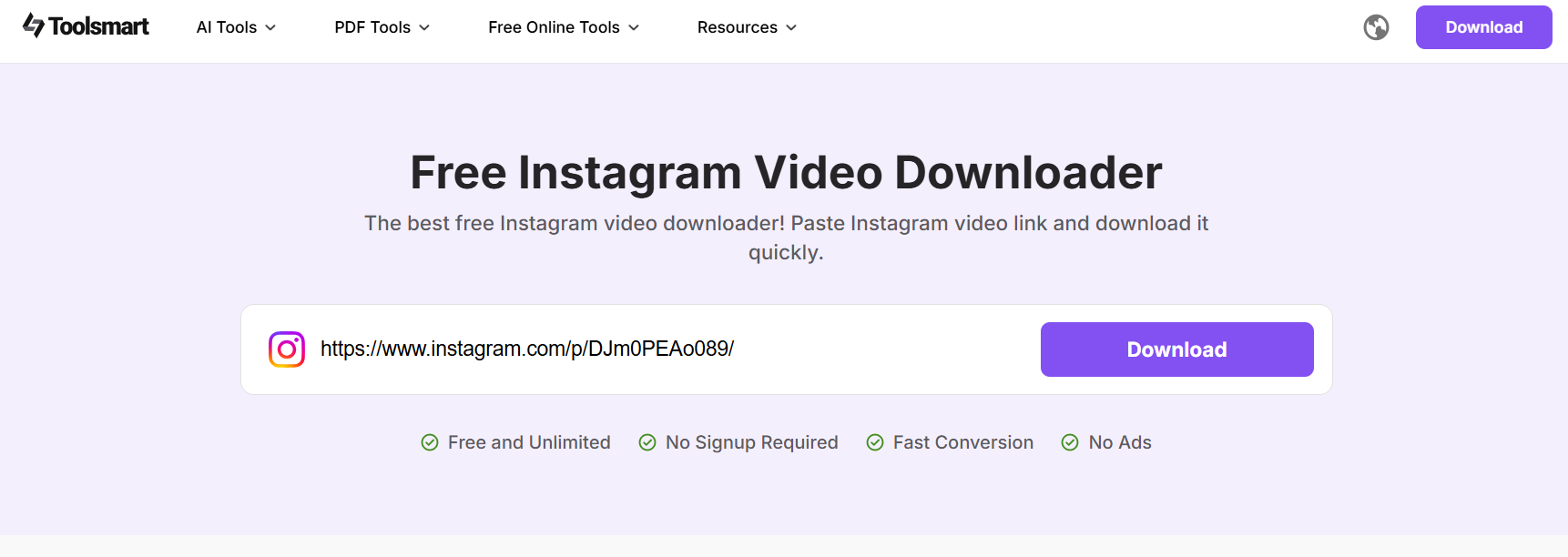
Step 2: Paste the Link into Toolsmart
Visit Toolsmart's Instagram Video Downloader in your browser. Paste the copied link into the box and click the Download button.
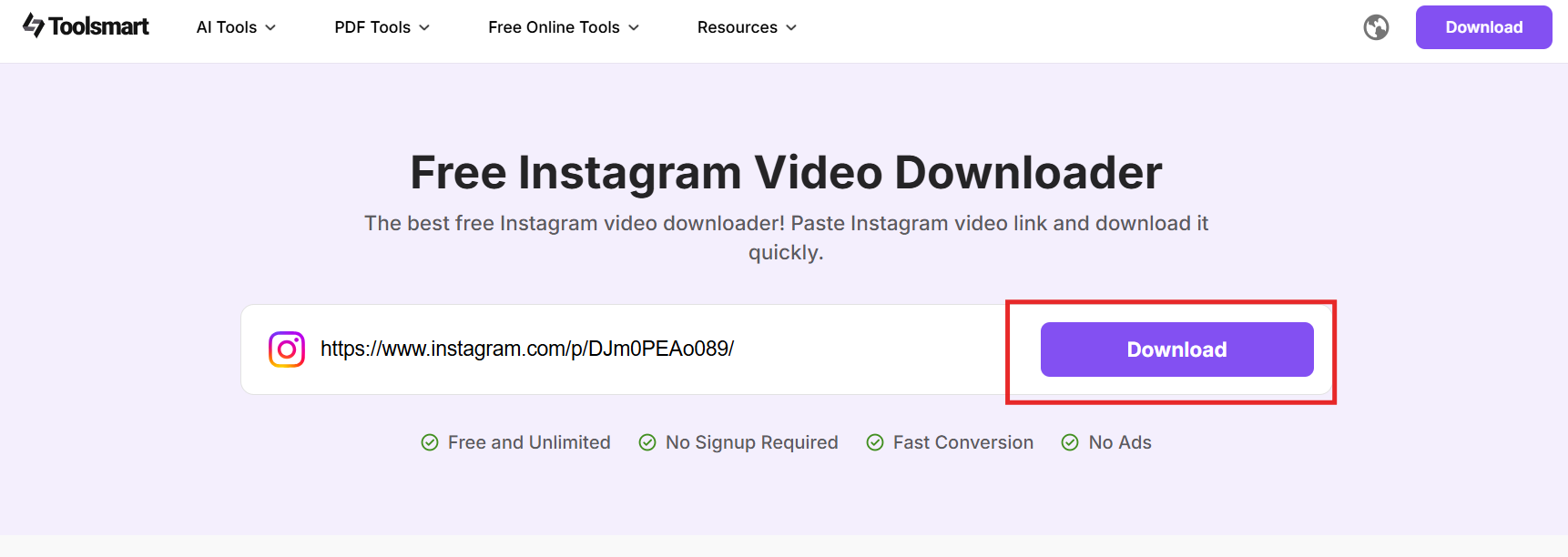
Step 3: Download the Video
Once the video loads, click the Download button next to the preview. The video will save to your device in just a few seconds.
My Thoughts on the Process
What I really appreciate about this tool is the zero-friction experience; you just paste and download. There's no clutter, no distractions, and no wait. The speed and simplicity honestly beat out most browser extensions and third-party apps I've tried.
While Toolsmart doesn't support batch downloads or private account content, for regular Instagram users looking to save one video at a time, it's a solid go-to.
And no, this tool doesn't work with Threads, but that's the point. Threads is for posting and sharing, while Toolsmart is your download sidekick.
FAQs
Q1: Is Threads free to use?
Yes, Threads is completely free. You log in using your existing Instagram account. As of now, there's no subscription model, unlike Twitter/X. Meta hasn't announced any plans to introduce paid tiers either, so Threads remains a free-to-use social media app.
Q2: How do you delete your Threads account?
To deactivate your Threads profile:
Open Threads → tap your profile tab
Tap the settings icon (top-right corner)
Go to Account → tap Deactivate Profile
Once deactivated, your posts and activity will no longer be visible, though Meta still retains your data. If you deactivate yourInstagram account, your Threads account will deactivate too.
Note: You can only fully delete Threads by deleting your Instagram account.
Q3: Is there a limit to how many Instagram videos I can download?
Not really. While there's no strict limit on downloads via Toolsmart, it's best to download in moderation to ensure smooth usage and avoid throttling or potential IP blocks.
Q4: Can I download Twitter videos using Toolsmart's Instagram downloader?
No. But Toolsmart offers a separate tool for that. Use the Free Twitter Video Downloader to save videos directly from X (formerly Twitter).
Summary
Meta's Threads app brings a fresh, text-based social experience tightly integrated with Instagram. While it has potential as a calmer alternative to Twitter/X, its limited features and evolving user base may leave some wanting more. Through this Threads review, we explored what the app is, how to use it, and what real users are saying, highlighting both its strengths and shortcomings. Whether you're curious about its pros and cons or simply trying to understand what the Threads app is, it's clear that Threads is more of a community space than a media tool.
For those who mistakenly expect Threads to function as a video downloader or content hub, the better solution lies in using Toolsmart's Free Instagram Video Downloader. It's a reliable, free tool to download Instagram content in seconds, no login or installation required. If your goal is to save Instagram videos while exploring new social platforms like Threads, combining both tools makes for a seamless experience.


