
'%3e%3cpath%20fill-rule='evenodd'%20clip-rule='evenodd'%20d='M19%208.5C24.799%208.5%2029.5%2013.201%2029.5%2019C29.5%2024.6782%2024.9928%2029.3036%2019.361%2029.4939L19%2029.5C18.8794%2029.5%2018.7592%2029.498%2018.6396%2029.4939L18.2811%2029.4758C12.8174%2029.1063%208.5%2024.5574%208.5%2019C8.5%2013.201%2013.201%208.5%2019%208.5ZM22.3063%2010.6267L22.2342%2010.6539C21.3423%2011.0061%2020.5541%2011.6368%2020.5606%2012.4987C20.5631%2012.8302%2020.869%2014.8871%2020.2141%2014.8486C19.5589%2014.8102%2019.413%2013.8753%2018.7116%2013.616C17.5944%2013.2026%2016.9819%2014.3401%2017.0939%2015.3106C17.1695%2015.9655%2018.9289%2018.3871%2017.9028%2019C17.292%2019.3651%2015.7279%2017.5692%2015.1007%2017.1842C14.4805%2016.8034%2013.2758%2017.3333%2012.4974%2016.7029C11.9874%2016.2899%2012.3881%2014.4098%2012.2786%2013.8372C12.2271%2013.5698%2012.1155%2013.3689%2011.9794%2013.2166L12.0402%2013.2934C10.7653%2014.8464%2010%2016.8339%2010%2019C10%2023.8465%2013.8307%2027.7982%2018.6295%2027.9925L18.6769%2027.9747C18.8597%2027.8677%2019.0394%2027.7557%2019.216%2027.6387C19.4137%2027.4534%2019.5436%2027.2072%2019.5849%2026.9394C19.8806%2025.1222%2018.3616%2025.4302%2017.9367%2024.5622C17.5489%2023.7695%2018.5712%2023.7684%2018.5524%2021.7923C18.4607%2021.1774%2018.5279%2020.547%2018.7211%2020.0315C19.1834%2018.7987%2020.7077%2017.2643%2022.5889%2018.0081C23.5567%2018.3906%2023.1524%2019.9831%2023.4737%2020.3394C24.251%2021.2018%2025.3228%2020.6863%2026.2856%2021.2253C26.7816%2021.5032%2026.9797%2022.41%2027.056%2023.2248L27.038%2023.0528C27.6534%2021.8348%2028%2020.4579%2028%2019C28%2015.1968%2025.6409%2011.9445%2022.3063%2010.6267Z'%20fill='%23757575'/%3e%3ccircle%20cx='19'%20cy='19'%20r='10.125'%20stroke='%23757575'%20stroke-width='2.25'/%3e%3c/g%3e%3cdefs%3e%3cclipPath%20id='clip0_1827_14613'%3e%3crect%20width='24'%20height='24'%20fill='white'%20transform='translate(7%207)'/%3e%3c/clipPath%3e%3c/defs%3e%3c/svg%3e)


Many people are turning to unofficial platforms like Streameast for quick, cost-free access to live games ever since official sports streaming services have started becoming more expensive and fragmented. Its popularity has grown rapidly among fans looking to watch major events like the NFL playoffs or the Champions League without regional restrictions or pricey subscriptions. But with this convenience comes a flood of questions about its safety, legality, and overall performance. In this Streameast app review, I’ll let you in on my experience using it, what it offers, what risks to watch for, and how to actually use it.
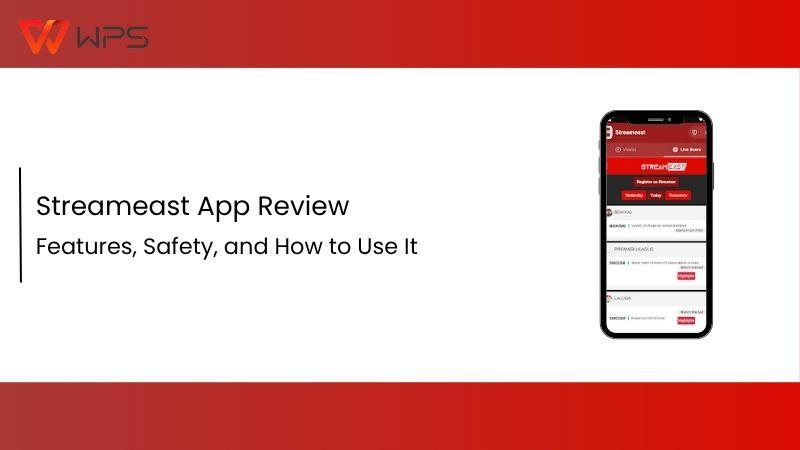
Streameast App Review — Features, Pros, and Cons
I didn’t go into this thinking I’d end up writing a full Streameast app review. What drew me in was the promise of watching major league games without pulling out a credit card. What kept me there was curiosity: how reliable could a site like this really be when the stakes are high and streams are in demand? I decided to treat this less like a casual browse and more like a proper field test. I streamed everything from midseason NBA matchups to high-traffic UFC events, switching between devices, and even different internet connections. What I found was a platform that delivers just enough to keep you coming back, but not without its flaws.

Key Features:
Offers free access to a wide variety of live sports, including NFL, NBA, MLB, UFC, soccer, Formula 1, and more.
Provides a clean, easy-to-navigate interface with intuitive categorization for quick browsing.
Delivers multiple streaming links, which is essential when one crashesor lags.
Pros:
Completely free: You don’t even need to sign up.
Wide range of content: From regular season gamesto niche events.
Easy to use: Everything is sorted by sport and date.
Cons:
Legality issues: It's in a gray zone, legally speaking.
Safety concerns: Some pop-up ads may contain unsafe redirects.
No support system: You're on your own if things go wrong.
I streamed the 2025 NBA All-Star Game using the Streameast app, and while the HD quality impressed me, I did hit a few snags. A stream froze during halftime, forcing me to switch links. And yes, I had to close a couple of pop-up ads but it was nothing too invasive. From what I’ve seen on Reddit, my experience isn’t unique as most users praise the platform’s content but point out similar problems with performance.
How to Use Streameast App for Streaming Live Events
I didn’t read any guides before using Streameast.app. I just wanted to catch a game without signing up for another trial. Turns out, it’s pretty simple until it isn’t. I had to find a balance between broken links, pop-up ads, and times when the stream simply stopped working. Which links usually work best? What do you do when the stream crashes mid-fight? It’s not complicated, but knowing a few things ahead of time saves you the headache. Here’s what worked for me.
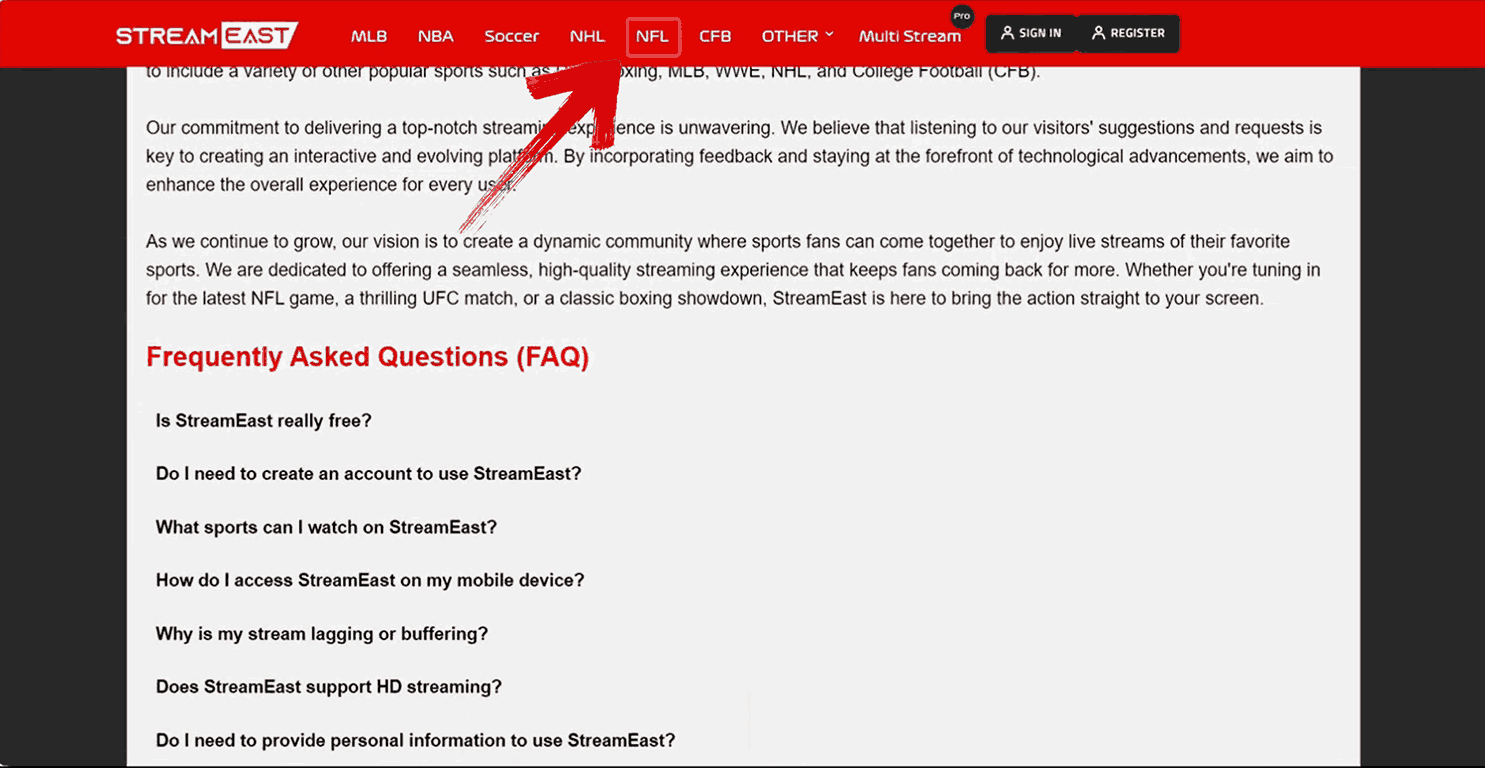
Step 1: Start by going to Streameast’s official website and click on the sport you want to watch like“NFL”.
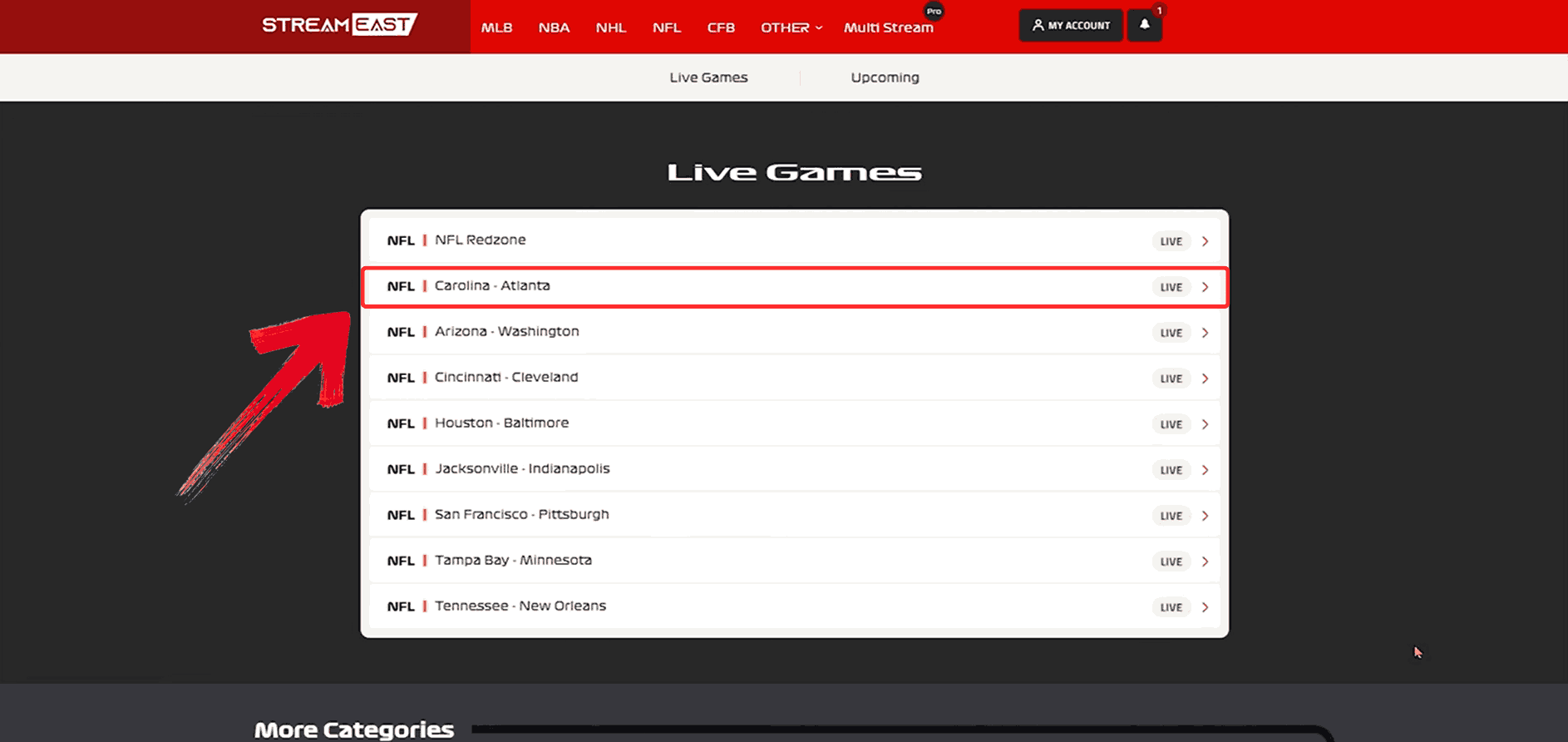
Step 2: Once you click on a sport, you’ll see a full list of live matchups. Select any game that’s live like“Carolina - Atlanta”.
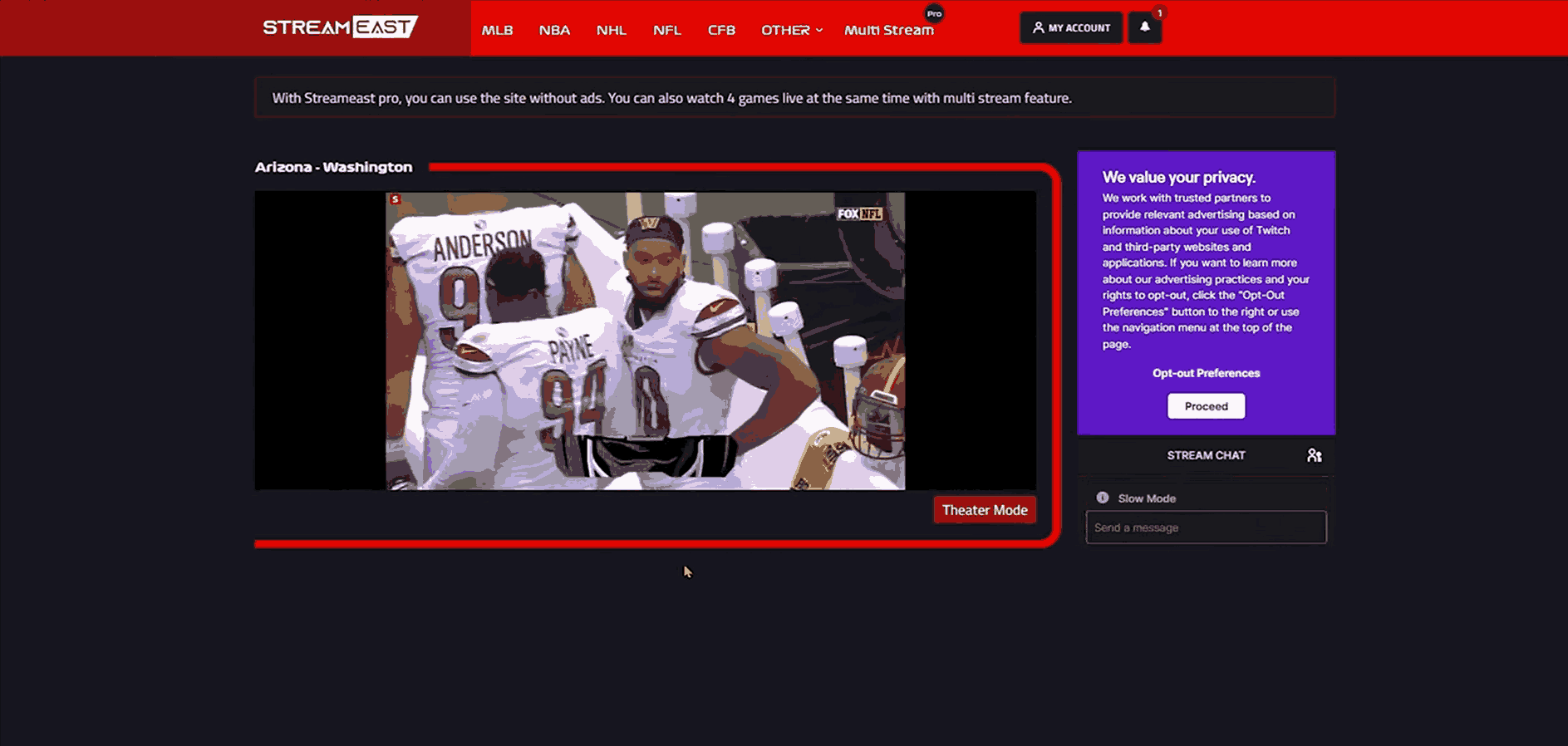
Step 3: After clicking, the stream loads up almost instantly. That’s it. Grab a snack, mute your group chats, and enjoy the game.
I used the Streameast app to watch the NFL playoffs with my cousins last January. We mirrored my laptop to a smart TV and only had to switch links once. To enhance the experience, I used an ad blocker and started streaming 5 minutes early to dodge any surprise buffering which certainly helped a lot.
Download Videos Easily with Toolsmart’s YouTube Video Downloader — A Perfect Companion Tool
Sometimes, I don’t just want to watch the game. I want to keep a piece of it. The post-fight interviews, the commentary right after a wild KO, even those slow-motion replays you know won’t be easy to find later. I remembered my brother once used something to save a lecture from YouTube for his university assignment. It was quick, efficient, and didn’t need any extensions. So when I needed to download a clip of that spinning elbow knockout and the reactions that followed, I figured I’d try the same route: Toolsmart’s YouTube Video Downloader
To my relief, it wasn’t one of those awful downloaders that open ten tabs and ask for your soul. I tested Toolsmart by grabbing a replay of the Chiefs vs. Ravens game I’d just streamed on Streameast. All I did was copy the link from the YouTube highlights someone had posted in the Reddit thread, paste it into Toolsmart, and it downloaded the entire thing in 1080p. It even gave me the option to choose the resolution and file format.
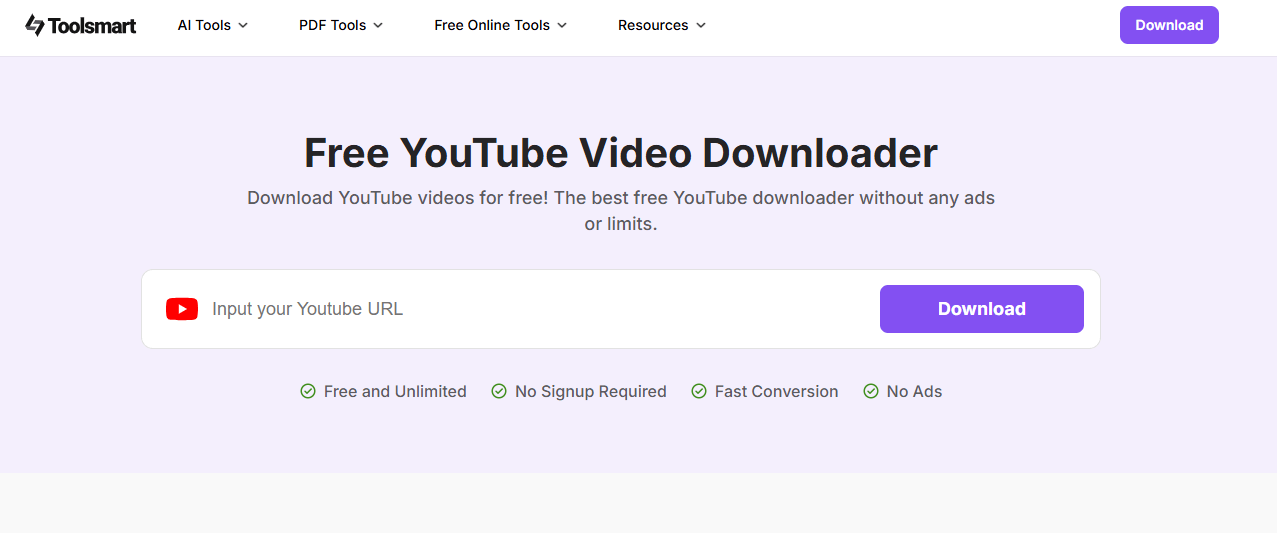
Features:
Toolsmart lets you download videos in high definition, including 1080p, with no visible watermarks.
You don’t need to sign up or create an account, just paste the link and download.
It allows you to choose the resolution and file format that best suits your device or storage needs.
The tool works directly in your browser, so there’s no need to install any extensions or software.
After getting a feel for how smooth Toolsmart runs, I decided to try it out myself. I had a full NFL replay from StreamEast saved in a tab, so I dropped the link in and watched it do its thing. If you're wondering how to go about it, here’s exactly what I did.
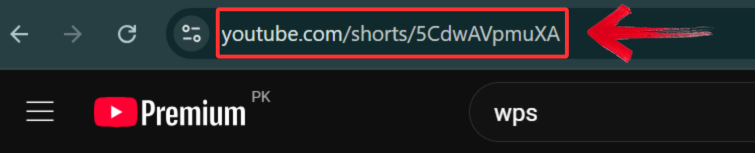
Step 1: Head to YouTube, open the video, and copy the URL of the YouTube video you want to download from your browser’s address bar.
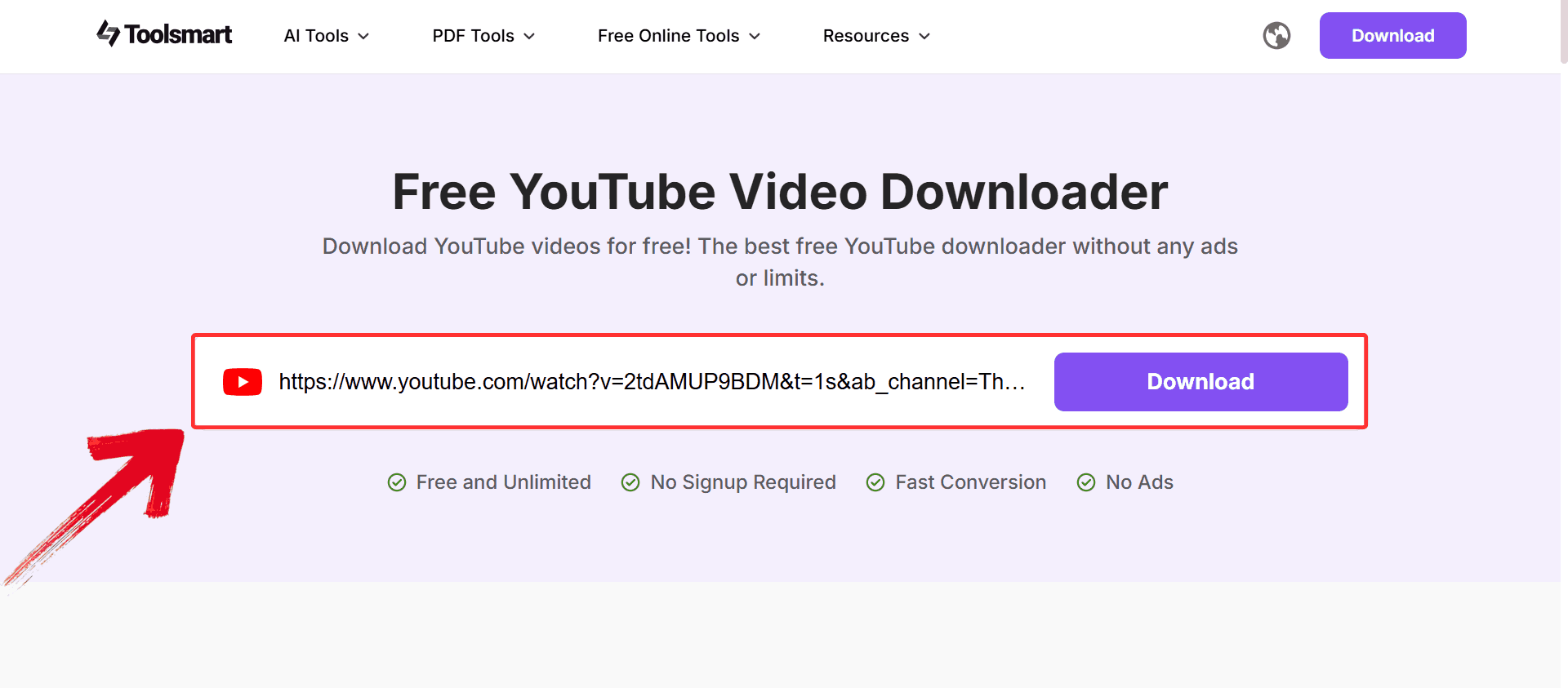
Step 2: Now go to Toolsmart’s YouTube Video Downloader and paste the URL into the input field. Once you paste the link, Toolsmart will automatically fetch the video and prepare it for conversion.
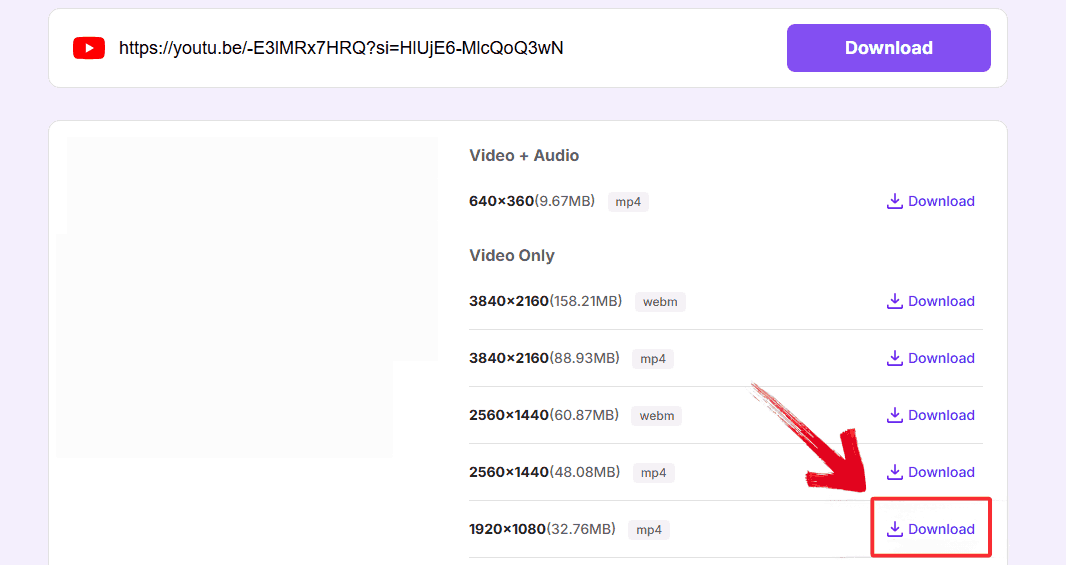
Step 3: Choose your formatand resolution, then click “Download”. Select MP4 (up to 1080p if available), and the file will start downloading directly to your device.
FAQs About Streameast App Review
1. Is Streameast free to use?
Yes, Streameast is 100% free. However, it displays pop-up ads to support its service.
2. Is Streameast legal and safe?
It operates in a legal gray area. Use a VPN and a good ad blocker to protect your privacy and device.
3. Can I use Streameast on my phone?
Yes, it works on mobile browsers. I’ve personally streamed NBA games on Android without any issues.
4. Can I download YouTube videos without installing software?
Yes. Tools like Toolsmart’s YouTube Video Downloader allow direct downloads without needing to install anything, making it easy and secure.
Replay Smarter with Toolsmart
Watching live sports through Streameast was all about finding the perfect rhythm between ease and reliability. This Streameast app review wasn’t just about checking if streams worked. It was about testing how the platform did during real games, across different devices, and under the pressure of high-traffic moments. Streameast made it simple to tune in without an account, but Toolsmart’s YouTube Video Downloader helped extend the experience.
After the stream, I used Toolsmart to download post-match highlights from YouTube. It lacks editing features, but it worked flawlessly for quickly saving content to rewatch later. Streameast delivered the live action; Toolsmart helped preserve the moments that mattered.


