
'%3e%3cpath%20fill-rule='evenodd'%20clip-rule='evenodd'%20d='M19%208.5C24.799%208.5%2029.5%2013.201%2029.5%2019C29.5%2024.6782%2024.9928%2029.3036%2019.361%2029.4939L19%2029.5C18.8794%2029.5%2018.7592%2029.498%2018.6396%2029.4939L18.2811%2029.4758C12.8174%2029.1063%208.5%2024.5574%208.5%2019C8.5%2013.201%2013.201%208.5%2019%208.5ZM22.3063%2010.6267L22.2342%2010.6539C21.3423%2011.0061%2020.5541%2011.6368%2020.5606%2012.4987C20.5631%2012.8302%2020.869%2014.8871%2020.2141%2014.8486C19.5589%2014.8102%2019.413%2013.8753%2018.7116%2013.616C17.5944%2013.2026%2016.9819%2014.3401%2017.0939%2015.3106C17.1695%2015.9655%2018.9289%2018.3871%2017.9028%2019C17.292%2019.3651%2015.7279%2017.5692%2015.1007%2017.1842C14.4805%2016.8034%2013.2758%2017.3333%2012.4974%2016.7029C11.9874%2016.2899%2012.3881%2014.4098%2012.2786%2013.8372C12.2271%2013.5698%2012.1155%2013.3689%2011.9794%2013.2166L12.0402%2013.2934C10.7653%2014.8464%2010%2016.8339%2010%2019C10%2023.8465%2013.8307%2027.7982%2018.6295%2027.9925L18.6769%2027.9747C18.8597%2027.8677%2019.0394%2027.7557%2019.216%2027.6387C19.4137%2027.4534%2019.5436%2027.2072%2019.5849%2026.9394C19.8806%2025.1222%2018.3616%2025.4302%2017.9367%2024.5622C17.5489%2023.7695%2018.5712%2023.7684%2018.5524%2021.7923C18.4607%2021.1774%2018.5279%2020.547%2018.7211%2020.0315C19.1834%2018.7987%2020.7077%2017.2643%2022.5889%2018.0081C23.5567%2018.3906%2023.1524%2019.9831%2023.4737%2020.3394C24.251%2021.2018%2025.3228%2020.6863%2026.2856%2021.2253C26.7816%2021.5032%2026.9797%2022.41%2027.056%2023.2248L27.038%2023.0528C27.6534%2021.8348%2028%2020.4579%2028%2019C28%2015.1968%2025.6409%2011.9445%2022.3063%2010.6267Z'%20fill='%23757575'/%3e%3ccircle%20cx='19'%20cy='19'%20r='10.125'%20stroke='%23757575'%20stroke-width='2.25'/%3e%3c/g%3e%3cdefs%3e%3cclipPath%20id='clip0_1827_14613'%3e%3crect%20width='24'%20height='24'%20fill='white'%20transform='translate(7%207)'/%3e%3c/clipPath%3e%3c/defs%3e%3c/svg%3e)


In today's digital world, sharing videos quickly and easily is essential, whether you're a content creator, educator, marketer, or just someone wanting to send a clip to a friend. Platforms like Streamable have gained attention for offering a no-fuss way to upload and share videos in seconds.
But with so many video hosting platforms available, it's natural to ask: Does Streamable still hold up in 2025?
If you're weighing convenience, cost, and quality, this review will help you decide. I'll walk you through Streamable's features, highlight its pros and cons, and show you exactly how to use it effectively.
Part 1: Streamable Review - Features, Pros, and Cons
If you've ever needed to upload and share a video in under a minute, you've probably stumbled across Streamable. It's a lightweight video hosting platform that focuses on simplicity. No clutter. No complicated sign-ups. Just fast, functional video sharing.
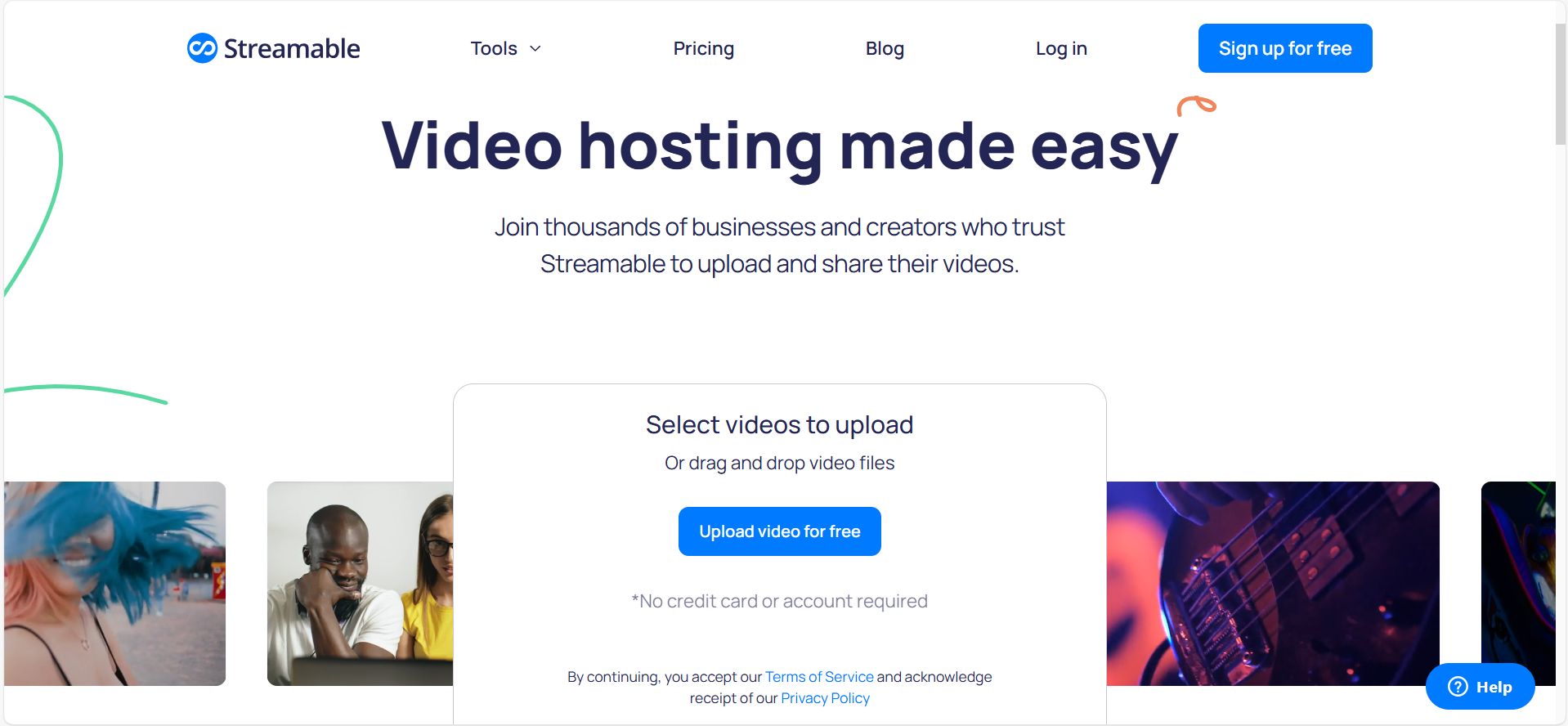
Key Features of Streamable
From my experience testing it over the past few weeks, here's what stood out:
Quick video uploads without needing an account, you can drag and drop a video and get a shareable link within seconds.
Supports HD and 4K playback, making it ideal for showcasing high-quality clips.
Direct links and embed options make it convenient for blogs, client demos, or social media.
The free tier allows anyone to try it, though with limitations.
Paid plans offer more flexibility, like longer uploads, additional privacy options, and no ads.
Whether you're testing product features or sharing a quick tutorial, Streamable handles the basics well.
Pros of Using Streamable
Intuitive user interface - It took me less than a minute to upload my first clip.
Fast uploads and processing, even for HD files.
No watermark on free-tier videos, which is a pleasant surprise compared to other freemium services.
Consistent video playback performance with minimal buffering, even on mobile.
Affordable upgrades, especially if you need to share longer or private videos.
Honestly, I've used it for sending out product demos and behind-the-scenes videos to clients. It's especially helpful when you want a distraction-free viewing experience without YouTube's recommendations popping up afterward.
Cons of Streamable
The free version is quite limited; videos must be under 10 minutes, and storage is capped.
Analytics are basic and only accessible with paid accounts.
No video editing tools, so you'll need to edit content beforehand.
Occasional ads can appear when using the free version, which isn't ideal in a professional setting.
A few months ago, I had to share a quick teaser video with a client for a time-sensitive campaign. I didn't want to deal with YouTube's upload process, and Vimeo felt like overkill. Streamable solved the problem in less than two minutes. The ability to upload and instantly grab a clean link made collaboration smooth.
But as I started using it more frequently, the limitations of the free tier became more noticeable, especially the time limit on videos and storage constraints. For one-off tasks, it's fantastic. For ongoing video sharing, the paid version becomes essential.
In short, this streamable review confirms what many users say: it's fast, easy, and clean, but only ideal within its scope.
Part 2: How to Use Streamable to Share Videos Effectively
One of the main reasons I return to Streamable is how incredibly straightforward it is to use. Whether you're sharing a product snippet, a quick walkthrough, or a social clip, it handles the job with minimal steps. If you've never used it before, here's exactly how it works:
Step-by-Step Guide
Step 1: Visit Streamable.com
Open your browser and head to streamable.com. No sign-up is necessary for quick uploads.
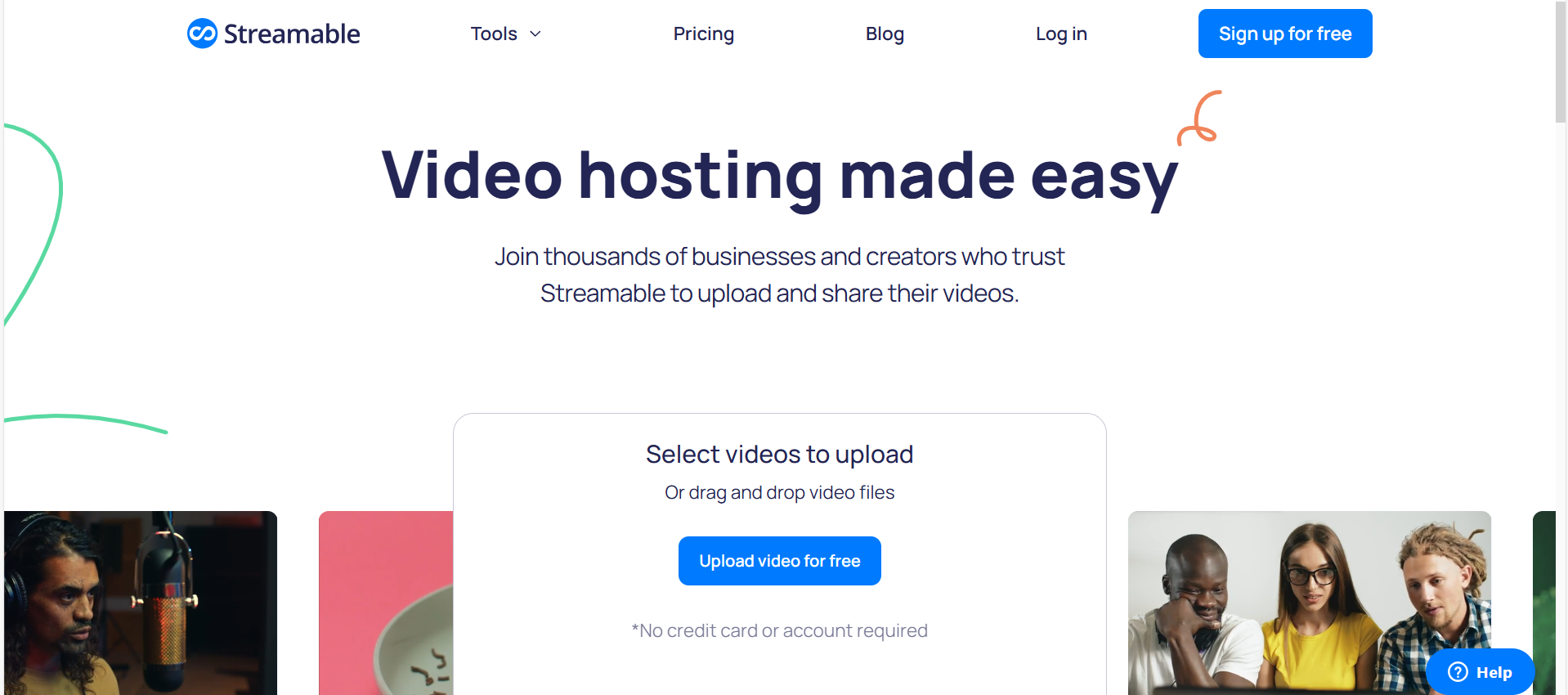
Step 2: Upload Your Video
You can either drag and drop your video file into the window or click to browse your device. Most common formats are supported.
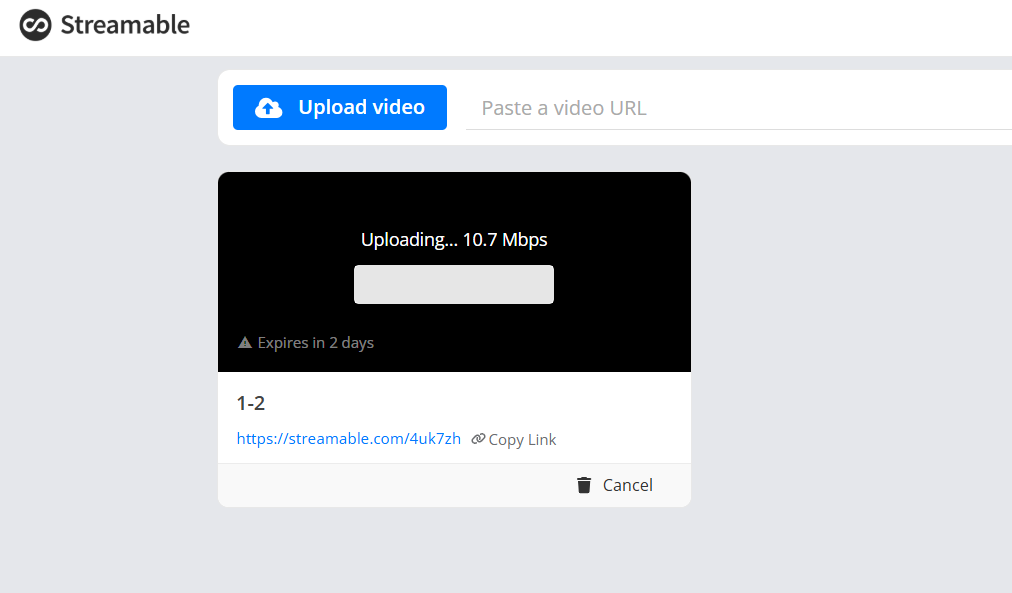
Step 3: Let It Process
Streamable will start encoding your video automatically. For clips under 2 minutes, this typically takes less than 30 seconds.
Step 4: Copy the Shareable Link or Embed Code
Once processing is done, you'll get a clean, direct link you can send or an embed code to add to your website or blog.
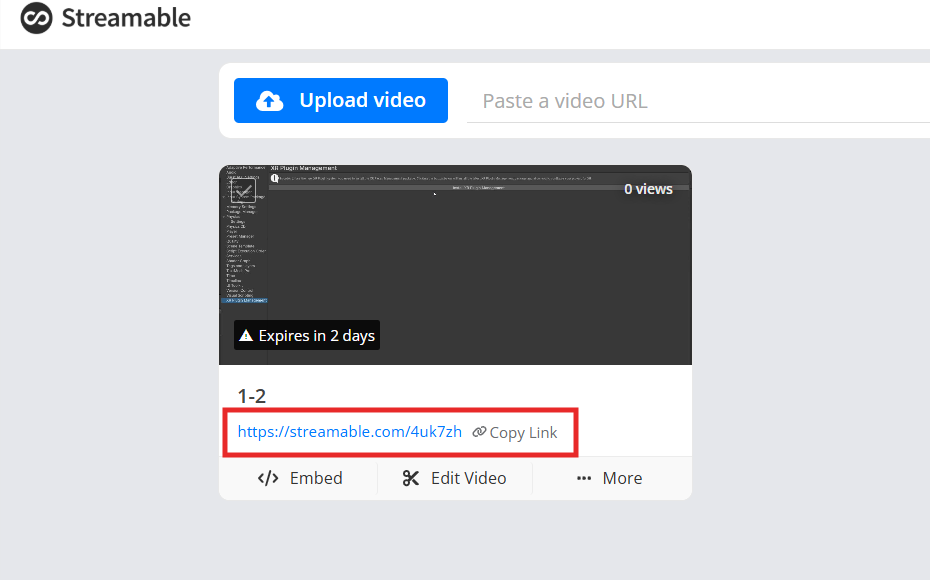
Step 5: (For Paid Users) Adjust Privacy and Length Settings
If you're on a paid plan, you'll see additional options to:
Keep videos private
Set password protection
Upload longer videos
Remove ads
I use Streamable regularly when I need to share video drafts with clients before a project goes live. It helps me avoid the noise of larger platforms, and clients appreciate the clean, ad-free presentation. For instance, when I created a promotional clip for a new software tool, I uploaded it to Streamable and shared the link in our Slack channel. No account issues, no visibility problems, and no distractions, just the video, exactly how I intended it to be seen.
For anyone who wants a streamlined and steamable way to share short videos online, Streamable really does live up to its name. Even compared to streamables like YouTube and Vimeo, it stands out for its minimal interface and focus on speed.
Part 3: Download Videos Easily with YouTube Video Downloader - A Perfect Companion Tool
While Streamable excels at uploading and sharing, sometimes you need to download videos, either for backup, offline use, or to repurpose content. That's where a reliable tool like YouTube Video Downloader comes in. It pairs seamlessly with Streamable for full control over your video content, especially when you're working across multiple platforms.
Why I Use YouTube Video Downloader
As someone who regularly works on content repurposing, I often download older videos I've uploaded to different platforms, either to update them, extract a snippet, or store them offline. I use YouTube Video Downloader from Toolsmart because it's web-based, simple, and surprisingly powerful.
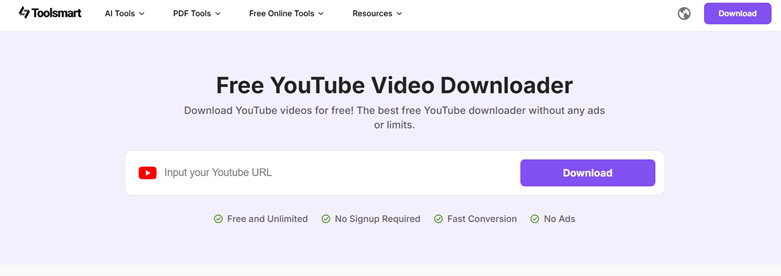
Here's what it offers:
Download in multiple formats like MP4 and MP3 depending on your need.
No sign-up required, just paste the video URL and go.
Preserves high resolution (even up to 4K).
100% web-based, no installation or login required.
When I was preparing a product walkthrough for a client, I needed to combine parts of older videos from YouTube with fresh updates hosted on Streamable. The YouTube Video Downloader made that seamless. I downloaded everything I needed in the right format, did a quick edit, and re-uploaded the final version to Streamable.
It's also a great backup tool. Even though Streamable allows easy sharing, I like having a local copy of all my uploads just in case, especially given the streamble free tier's storage limitations.
Looking for a Streamble Alternative?
If you find that Streamable's limits hold you back, or you need more advanced download features, the YouTube Video Downloader acts as a practical Streamable alternative, particularly for saving and managing content that might otherwise be hard to retrieve. It complements Streamable perfectly, helping you maintain control over your video content across platforms.
FAQs
Q1: Is Streamable free to use?
Yes, Streamable offers a free tier that lets you upload and share videos with basic features. However, free users are limited to shorter uploads (up to 10 minutes) and may see ads. Upgrading to a paid plan removes these limitations and adds more storage, privacy settings, and customization options.
Q2: Can I upload private videos on Streamable?
Yes, but only if you're on a paid plan. Paid users can set videos to private or protect them with a password. Free-tier videos are publicly accessible by default.
Q3: Does Streamable support 4K videos?
It does. Streamable supports HD and 4K playback, but your ability to upload large, high-resolution files depends on your account type. The free tier may impose size or time limits.
Q4: Can I use YouTube Video Downloader without installing software?
Absolutely. The YouTube Video Downloader is a browser-based tool; just paste your video link and hit download. No installation, no sign-up, and no risk to your device.
Summary
If you're looking for a fast, no-frills video sharing solution, Streamable is a solid choice. It delivers on speed, ease of use, and quality playback, especially for users who need to get content online quickly without a steep learning curve. The free tier works well for basic needs, while the paid plans unlock valuable features like longer uploads and privacy control.
However, for users who need more flexibility, like downloading, repurposing, or archiving content, the YouTube Video Downloader makes an excellent companion. It allows you to manage videos across platforms with ease and ensures you always have access to your content, online or offline.
Together, Streamable and YouTube Video Downloader provide a lightweight yet powerful workflow for modern video creators, marketers, and professionals.


