Live streaming on TikTok has become one of the most engaging ways to
connect with audiences in real time. Whether you’re aiming to entertain,
educate, or promote your brand, TikTok Live offers a dynamic platform to
interact directly with viewers and build stronger relationships.
However, while TikTok’s interface may seem simple, many users face
challenges when trying to go live. This guide provides a clear,
step-by-step approach to getting started, ensuring your streams are
smooth, engaging, and professional. It also introduces TikTok Video
Downloader by Toolsmart, a free, no-watermark tool that allows you to
save your live content in high quality so you can repurpose it, analyze
it, and maximize its value long after the broadcast ends.
Part
1: How to Stream on TikTok : Step-by-Step Guide
Getting started with TikTok Live is easier than you might think, but
there are a few important steps to follow to ensure your stream runs
smoothly from start to finish. Whether you’re hosting a casual chat,
sharing tips, or promoting a product, the process is straightforward
once you know the requirements and how to set everything up. Follow this
step-by-step guide to go live on TikTok with confidence and make the
most of your broadcasting experience.
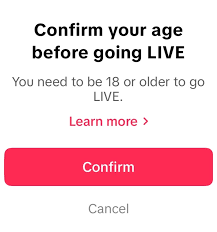
Step 1: Check TikTok Live Requirements
Age: At least 16 years old (18+ to receive
virtual gifts).
At least 16 years old
Followers: In most regions, you need 1,000+
followers to go live.
Account Status: No violations or active
bans.
Step 2: Enable Live Streaming
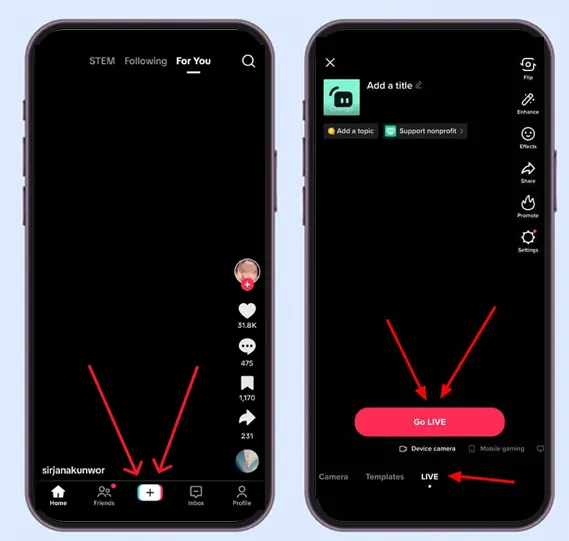
Open TikTok and tap the “+” icon.
Swipe to the “Live” option.
Open TikTok and tap the “+” icon. Swipe to the “Live” option.
Add a catchy title and a clear cover
image.
Tap “Go Live” to start streaming.
Step 3: Enhance Your Stream
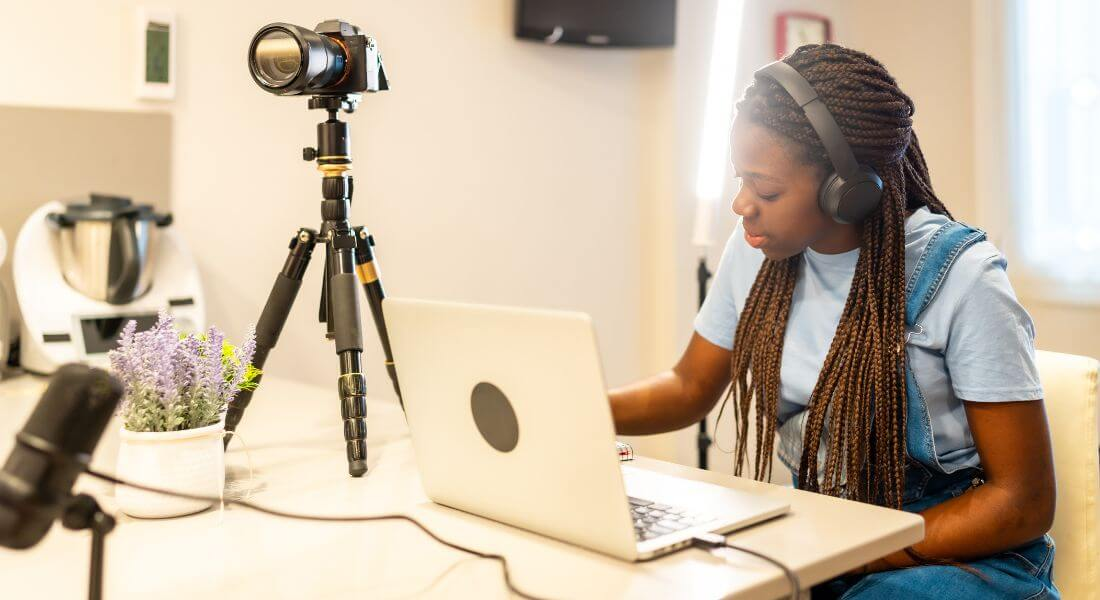
Use good lighting and a strong internet connection.
Respond to comments to keep viewers engaged.
Share your stream link on Instagram, Facebook, or Twitter for
more traffic.
Step 4: End and Save Your Stream
Tap “End” when finished.
TikTok saves your life for 90 days, download it
to keep permanently.
Part 2:
Tips for a Successful TikTok Live Stream
Going live is only the first step, keeping your audience engaged and
coming back for more is what truly drives growth on TikTok. Successful
streams don’t just happen by chance; they’re the result of preparation,
interaction, and smart follow-up. Use the tips below to make your live
sessions more engaging, professional, and effective, so every broadcast
strengthens your connection with viewers and boosts your reach.
1. Pre-Stream Preparation
Plan Your Content: Pick a topic, Q&A,
tutorial, or behind-the-scenes.
Check Tech: Test Wi-Fi, microphone, and camera
before going live.
Lighting & Background: Use natural light or
a light ring and keep your space tidy.
Plan content on tiktok
2. During the Stream
Engage Viewers: Greet them by name, ask
questions, and use live features like polls.
Be Consistent: Go live on a schedule so
followers know when to join.
Call-to-Action: Invite viewers to follow you or
join your next stream.
Engage Viewers during the stream
3. Post-Stream Actions
Repurpose Content: Clip highlights and post them
as short TikToks.
Review Analytics: Check engagement, peak
viewers, and average watch time.
Follow Up: Reply to comments or messages to
build loyalty.
Part 3:
Bonus Tool: Toolsmart TikTok Video Downloader
Your TikTok lives don’t have to disappear after the session ends. By
saving and repurposing your best content, you can extend its impact,
reach new audiences, and create more posts without extra effort.Toolsmart TikTok Video Downloader makes this process
quick and hassle-free, giving you high-quality, watermark-free downloads
you can use for highlights, analysis, or future marketing campaigns.
Live streams are great, but only if you can reuse the content. That’s
where Toolsmart TikTok Video Downloader comes in.
Key Features of Toolsmart TikTok Video
Downloader
HD Quality:
Every video you download retains its original resolution, ensuring no
loss of detail, sharpness, or color quality. Whether you’re saving a
professional brand video, a trending clip, or a tutorial, you’ll have
content that looks just as good offline as it does on TikTok.
Batch Downloads:
Instead of wasting time downloading videos one by one, Toolsmart
allows you to queue and save multiple videos at once. This is a huge
time-saver for creators who manage large content libraries, businesses
tracking multiple competitors, or educators collecting multiple learning
resources.
No Installation Required:
Everything runs directly in your web browser, so you don’t have to
download or install any software. This means no storage space is taken
up on your device and no complicated setup—just paste, click, and
download.
No Watermark:
One of the most frustrating issues with many TikTok downloaders is
the watermark. Toolsmart solves this by giving you clean, watermark-free
videos, ready to post, edit, or present professionally.
How to Use Toolsmart TikTok Video Downloader?
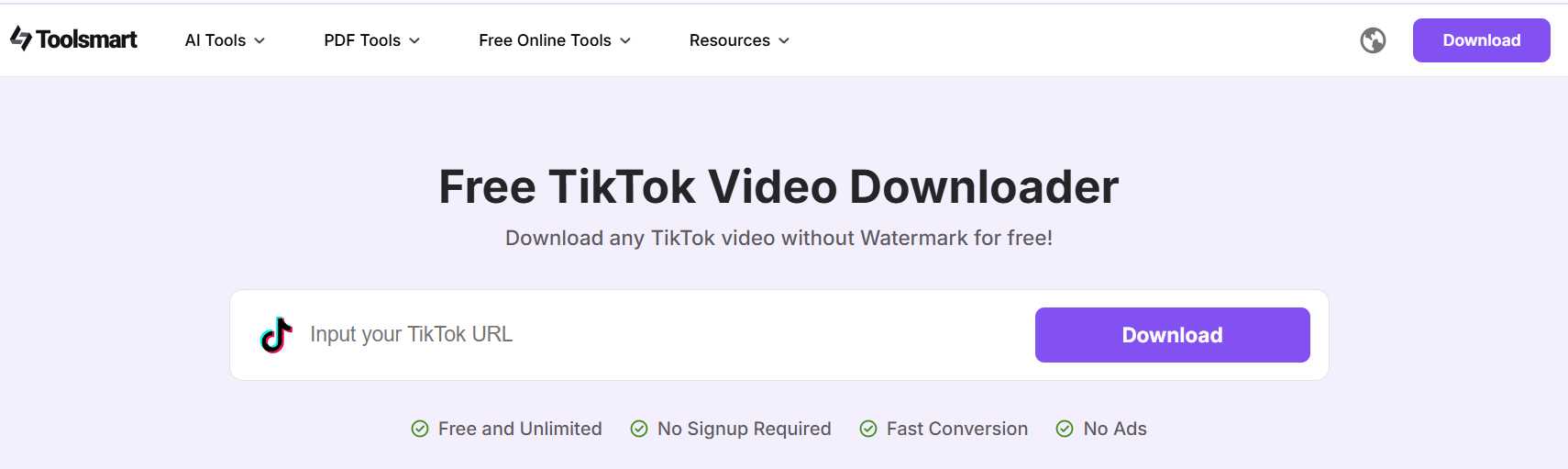
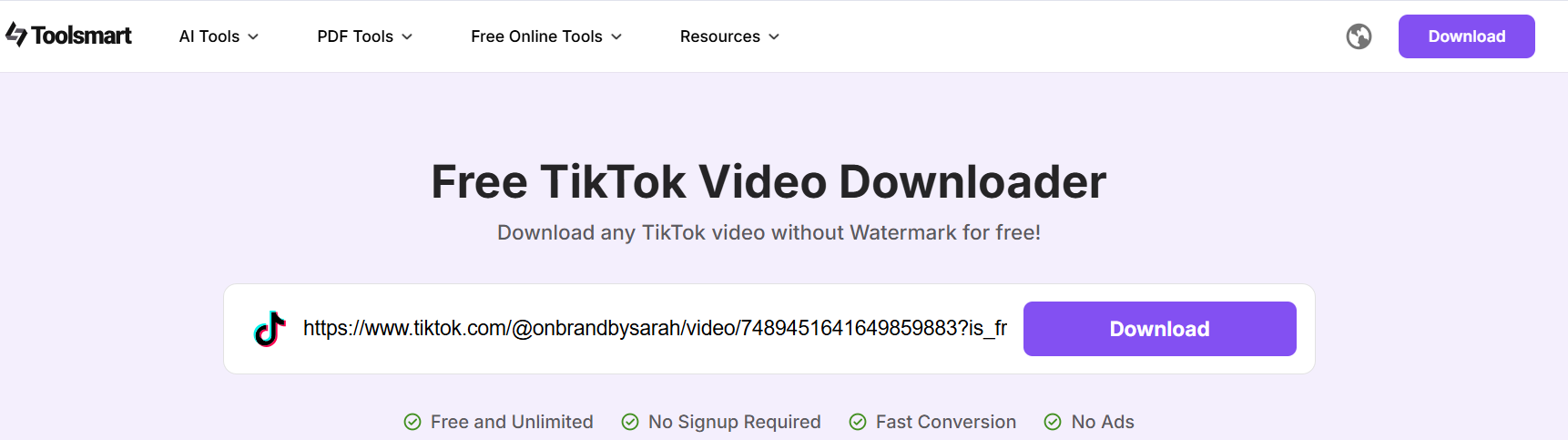
Visit the Tool: Open your browser and go to
Toolsmart TikTok Video Downloader.
Open Toolsmart TikTok Video Downloader
Copy the Link: Find the TikTok video or live
replay you want to download and copy its URL.
Copy the Link of TikTok Video
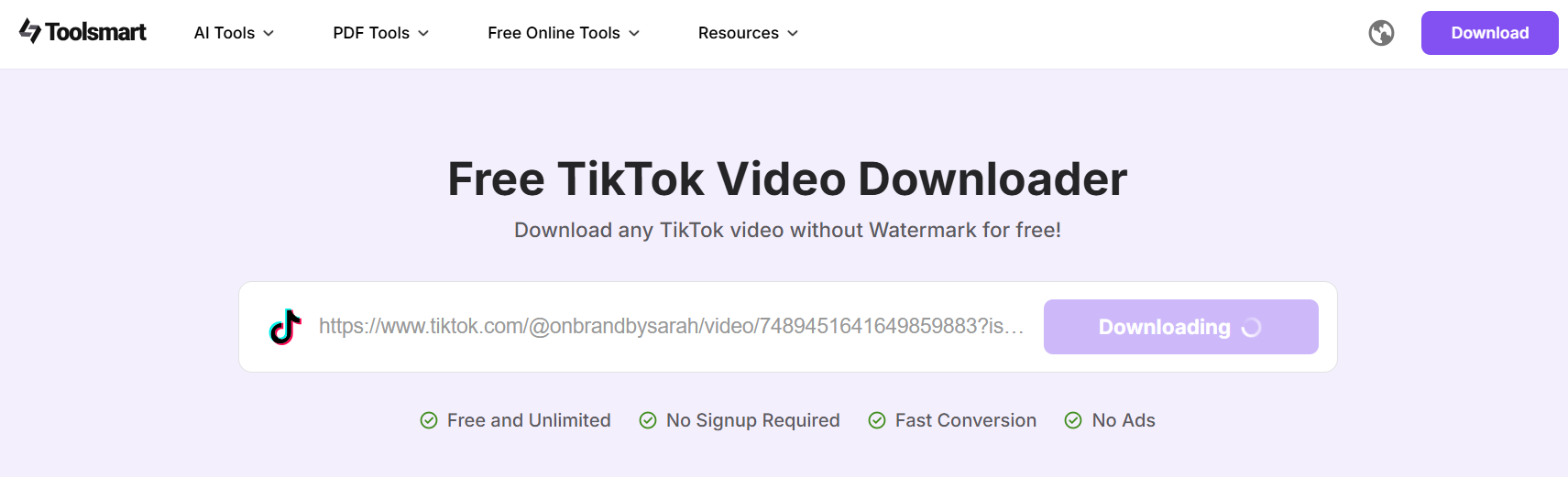
Paste and Download: Paste the link into the
search box and click Download. Your video will be saved instantly to
your device.
Download the TikTok Video
Practical Uses
For Creators: Save trending sounds, viral
content, or your own live replays to repurpose as clips, duets, or
reactions. Build a backlog of ready-to-post videos to stay consistent on
your content calendar.
For Businesses: Download competitor ads and
campaigns to study their messaging, visuals, and trends. Use this
insight to refine your own marketing strategy.
For Educators: Archive tutorials, lectures, or
educational content for offline access. This is perfect for building a
permanent reference library for students or personal learning.
Comparison Table
Feature
Toolsmart Downloader
Other Tools
Free
Yes
Often limited
No Watermark
Yes
Rarely
No Login Required
Yes
Usually required
Mobile-Friendly
Yes
Sometimes
A small business owner used Toolsmart to download and analyze
competitor TikTok ads, applying insights to her own campaigns. Within
just one month, her engagement rate doubled, and her follower count
began growing steadily.
By choosing Toolsmart, you’re not just downloading videos, you’re
creating a personal content library that fuels creativity, streamlines
content production, and supports strategic growth. Whether you’re
clipping highlights from your own streams, studying what works for
others, or building a bank of inspiration, Toolsmart makes it easy to
keep your TikTok strategy running strong.
FAQs
Q1: Can I stream on TikTok without 1,000
followers? A: It depends on your region, but 1,000+ is the
standard requirement.
Q2: How long can a TikTok live stream last? A: Up to 60 minutes, but you can start a new one right
after.
Q3: Is TikTok Video Downloader free? A: Yes, 100% free with no watermark.
Q4: Can I download my own TikTok live streams? A: Yes, as long as you do it before they expire after
90 days.
Q5: Can I download private TikTok videos? A: No, only public videos are supported.
Q6: Does Toolsmart support TikTok LIVE
replays? A: Yes, if they are saved publicly by the creator.
Summary
Streaming on TikTok can be a game-changer for creators, brands, and
businesses once you understand the basic requirements and follow the
right setup process. By planning to engage content, maintaining a
consistent streaming schedule, and using interactive techniques to
connect with viewers, you can quickly build a loyal and active audience.
TikTok Live offers a unique space to showcase your personality, share
your expertise, and strengthen your community in real time.
To maximize the value of every stream, tools like Toolsmart
TikTok Video Downloader make it easy to save, review,
and repurpose your live content without watermarks or quality loss.
Whether you want to create highlight clips, analyze your performance, or
store your best moments for future use, having a content library ensures
your efforts continue to pay off long after the live ends.
Start streaming today, and build your content library for
tomorrow.
7+ years in productivity tech. I test and review the latest tools to simplify your workflow. Follow for honest app comparisons, practical guides, and curated tech picks to boost efficiency.

'%3e%3cpath%20fill-rule='evenodd'%20clip-rule='evenodd'%20d='M19%208.5C24.799%208.5%2029.5%2013.201%2029.5%2019C29.5%2024.6782%2024.9928%2029.3036%2019.361%2029.4939L19%2029.5C18.8794%2029.5%2018.7592%2029.498%2018.6396%2029.4939L18.2811%2029.4758C12.8174%2029.1063%208.5%2024.5574%208.5%2019C8.5%2013.201%2013.201%208.5%2019%208.5ZM22.3063%2010.6267L22.2342%2010.6539C21.3423%2011.0061%2020.5541%2011.6368%2020.5606%2012.4987C20.5631%2012.8302%2020.869%2014.8871%2020.2141%2014.8486C19.5589%2014.8102%2019.413%2013.8753%2018.7116%2013.616C17.5944%2013.2026%2016.9819%2014.3401%2017.0939%2015.3106C17.1695%2015.9655%2018.9289%2018.3871%2017.9028%2019C17.292%2019.3651%2015.7279%2017.5692%2015.1007%2017.1842C14.4805%2016.8034%2013.2758%2017.3333%2012.4974%2016.7029C11.9874%2016.2899%2012.3881%2014.4098%2012.2786%2013.8372C12.2271%2013.5698%2012.1155%2013.3689%2011.9794%2013.2166L12.0402%2013.2934C10.7653%2014.8464%2010%2016.8339%2010%2019C10%2023.8465%2013.8307%2027.7982%2018.6295%2027.9925L18.6769%2027.9747C18.8597%2027.8677%2019.0394%2027.7557%2019.216%2027.6387C19.4137%2027.4534%2019.5436%2027.2072%2019.5849%2026.9394C19.8806%2025.1222%2018.3616%2025.4302%2017.9367%2024.5622C17.5489%2023.7695%2018.5712%2023.7684%2018.5524%2021.7923C18.4607%2021.1774%2018.5279%2020.547%2018.7211%2020.0315C19.1834%2018.7987%2020.7077%2017.2643%2022.5889%2018.0081C23.5567%2018.3906%2023.1524%2019.9831%2023.4737%2020.3394C24.251%2021.2018%2025.3228%2020.6863%2026.2856%2021.2253C26.7816%2021.5032%2026.9797%2022.41%2027.056%2023.2248L27.038%2023.0528C27.6534%2021.8348%2028%2020.4579%2028%2019C28%2015.1968%2025.6409%2011.9445%2022.3063%2010.6267Z'%20fill='%23757575'/%3e%3ccircle%20cx='19'%20cy='19'%20r='10.125'%20stroke='%23757575'%20stroke-width='2.25'/%3e%3c/g%3e%3cdefs%3e%3cclipPath%20id='clip0_1827_14613'%3e%3crect%20width='24'%20height='24'%20fill='white'%20transform='translate(7%207)'/%3e%3c/clipPath%3e%3c/defs%3e%3c/svg%3e)