
'%3e%3cpath%20fill-rule='evenodd'%20clip-rule='evenodd'%20d='M19%208.5C24.799%208.5%2029.5%2013.201%2029.5%2019C29.5%2024.6782%2024.9928%2029.3036%2019.361%2029.4939L19%2029.5C18.8794%2029.5%2018.7592%2029.498%2018.6396%2029.4939L18.2811%2029.4758C12.8174%2029.1063%208.5%2024.5574%208.5%2019C8.5%2013.201%2013.201%208.5%2019%208.5ZM22.3063%2010.6267L22.2342%2010.6539C21.3423%2011.0061%2020.5541%2011.6368%2020.5606%2012.4987C20.5631%2012.8302%2020.869%2014.8871%2020.2141%2014.8486C19.5589%2014.8102%2019.413%2013.8753%2018.7116%2013.616C17.5944%2013.2026%2016.9819%2014.3401%2017.0939%2015.3106C17.1695%2015.9655%2018.9289%2018.3871%2017.9028%2019C17.292%2019.3651%2015.7279%2017.5692%2015.1007%2017.1842C14.4805%2016.8034%2013.2758%2017.3333%2012.4974%2016.7029C11.9874%2016.2899%2012.3881%2014.4098%2012.2786%2013.8372C12.2271%2013.5698%2012.1155%2013.3689%2011.9794%2013.2166L12.0402%2013.2934C10.7653%2014.8464%2010%2016.8339%2010%2019C10%2023.8465%2013.8307%2027.7982%2018.6295%2027.9925L18.6769%2027.9747C18.8597%2027.8677%2019.0394%2027.7557%2019.216%2027.6387C19.4137%2027.4534%2019.5436%2027.2072%2019.5849%2026.9394C19.8806%2025.1222%2018.3616%2025.4302%2017.9367%2024.5622C17.5489%2023.7695%2018.5712%2023.7684%2018.5524%2021.7923C18.4607%2021.1774%2018.5279%2020.547%2018.7211%2020.0315C19.1834%2018.7987%2020.7077%2017.2643%2022.5889%2018.0081C23.5567%2018.3906%2023.1524%2019.9831%2023.4737%2020.3394C24.251%2021.2018%2025.3228%2020.6863%2026.2856%2021.2253C26.7816%2021.5032%2026.9797%2022.41%2027.056%2023.2248L27.038%2023.0528C27.6534%2021.8348%2028%2020.4579%2028%2019C28%2015.1968%2025.6409%2011.9445%2022.3063%2010.6267Z'%20fill='%23757575'/%3e%3ccircle%20cx='19'%20cy='19'%20r='10.125'%20stroke='%23757575'%20stroke-width='2.25'/%3e%3c/g%3e%3cdefs%3e%3cclipPath%20id='clip0_1827_14613'%3e%3crect%20width='24'%20height='24'%20fill='white'%20transform='translate(7%207)'/%3e%3c/clipPath%3e%3c/defs%3e%3c/svg%3e)


Old methods of removing backgrounds from signatures have become outdated. Manual software like Photoshop can be time-consuming and complex for simple tasks. On the other hand, many automatic tools most of the time deliver poor results. So in this guide, I’ll show you how to remove background from signature using both a manual solution and an automatic solution, like Toolsmart AI, which can do the job in seconds.
Why You Should Remove the Background from Your Signature
When you sign digital documents, emails, or forms, leaving a white or colored background behind the ink can make the result appear unpolished and amateurish. Removing this background allows your signature to blend with any document, creating a natural appearance that mimics wet ink. It’s always recommended to save your file as a PNG signature as this format makes it easy to avoid awkward white boxes and ensures your visual identity looks verified and consistent across branding and official paperwork.
Having a background-free signature provides significantly more flexibility than a standard scan. It allows you to place your signature onto PDFs and Word documents without obscuring the text or lines underneath. It also streamlines your workflow, letting you insert the image directly into emails, business contracts, and invoices without additional editing.
You should remove background from signature images whenever you are handling official digital paperwork, configuring email signatures for platforms like Gmailand Outlook, or integrating your signature into social media assets and printed materials like business cards.
Manual Method to Remove Background from Signature
For years, the standard way to fix this issue was using heavy-duty software like Adobe Photoshop. Although this method offers high control, I have found it to be incredibly difficult for someone who just wants a quick fix. It involves navigating complex layers, settings, and selection tools.

Using the Magic Wand or Color Range features requires a steady hand and a good understanding of pixel tolerance. If the lighting in your photo isn't perfect, you often end up deleting parts of the signatureor leaving behind halos of gray pixels. It is a powerful method, but for a simple signature, it is often overkill and too time-consuming.
How to Use:
Here’s how to use to remove the background from a signature using signature background remover like Photoshop:
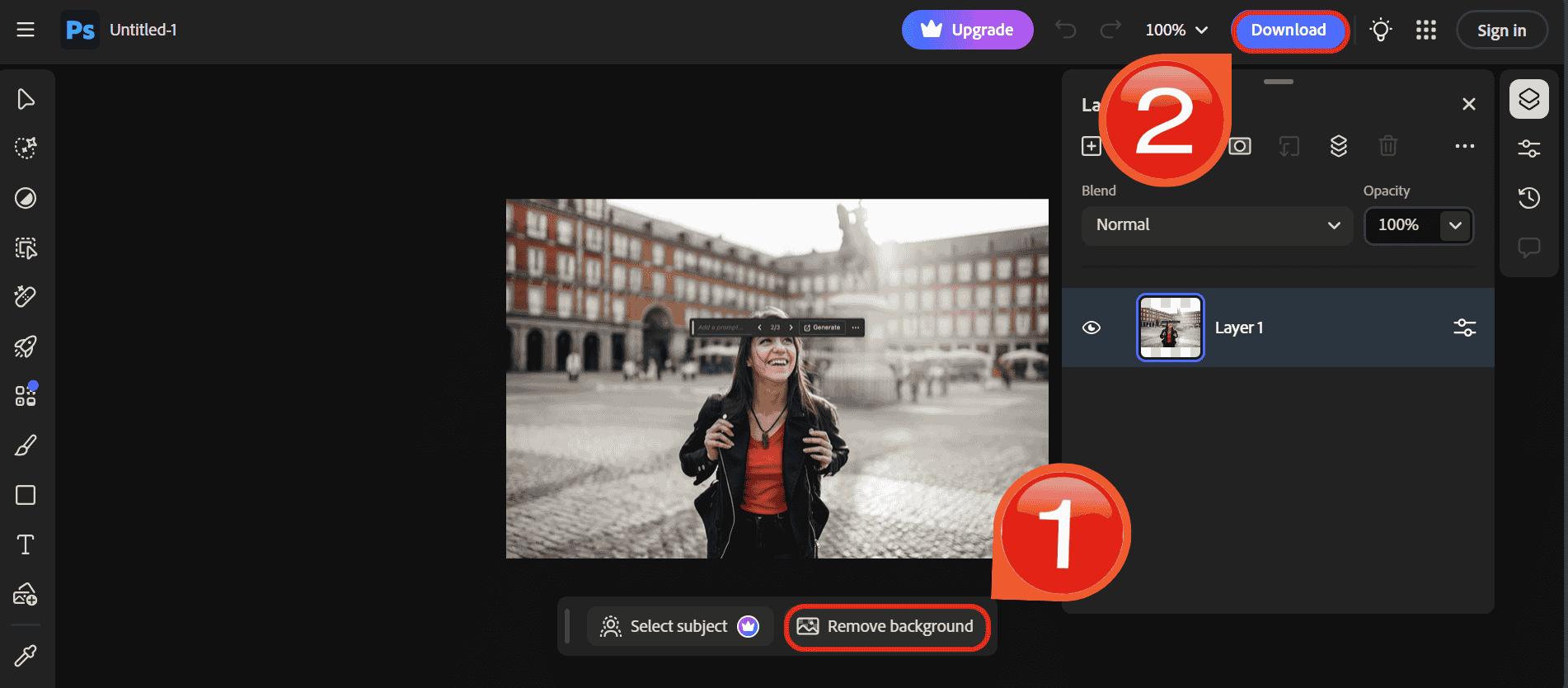
Step 1: First, head over to the Adobe Photoshop website and drag and drop your image.
Step 2: Just click “Remove background”, then just click “Download” to export the image.
Remove Signature Background Instantly with AI Tools
Fortunately, technology has evolved. You no longer need to manually trace pixels to extract signature from image files. AI-poweredtools can now detect the contrast between ink and paper automatically, delivering a clean result in seconds. These tools are beginner-friendly and require zero technical skills.
1. Toolsmart’s Background Remover
Toolsmart Background Remover is designed for pure speed and accessibility. It is specifically optimized to remove background from signature images, handling the high contrast between dark ink and white paper without blurring the fine lines.
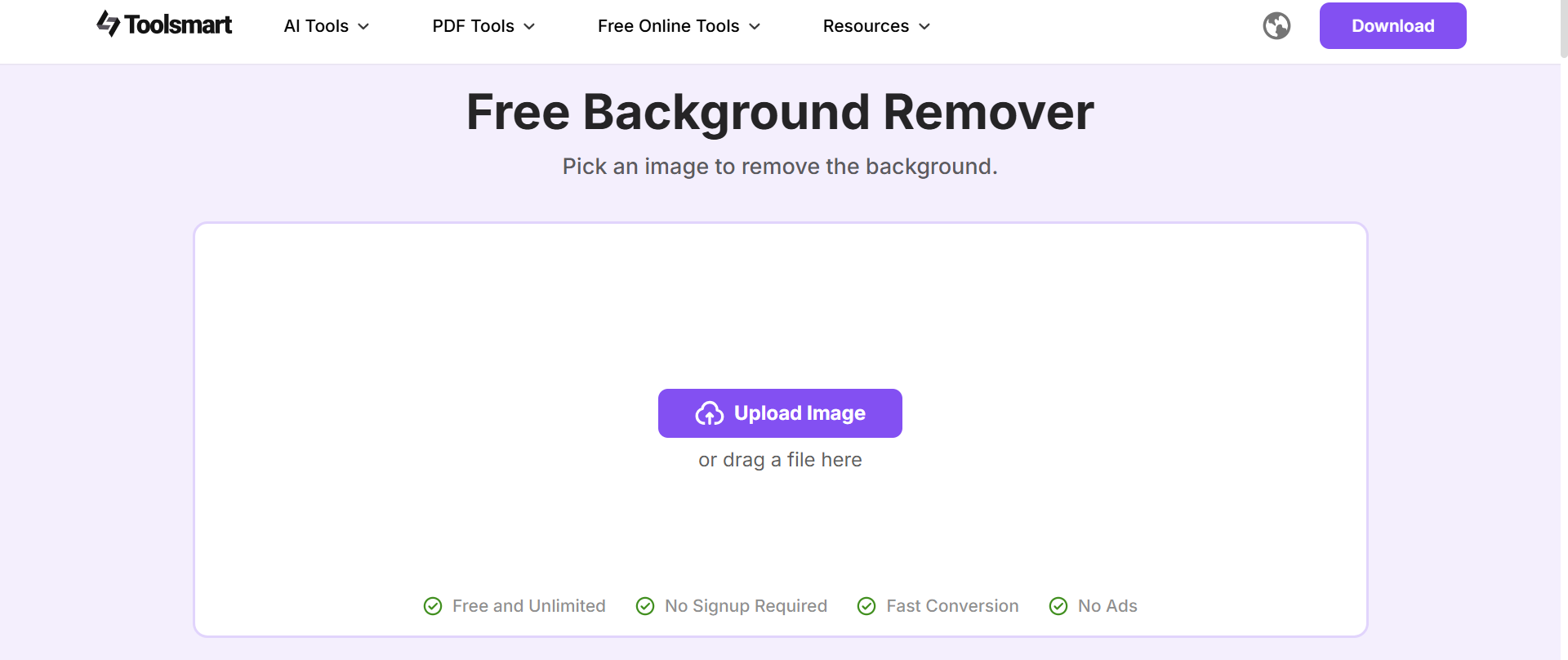
What truly sets this tool apart is its commitment to a clean, user-first experience. It is completely free, void of distracting ads, and features a minimalist interface that does not overwhelm the user with unnecessary buttons. While other platforms might hide their best features behind a Pro subscription, Toolsmart offers its core background removal capability upfront, so anyone can achieve a professional result in seconds without a paywall.
How to use:
Once you try it out, the workflow is pretty seamless. Here’s how I typically use Toolsmart BackgroundRemover when I want fast, polished results without micromanaging the process:
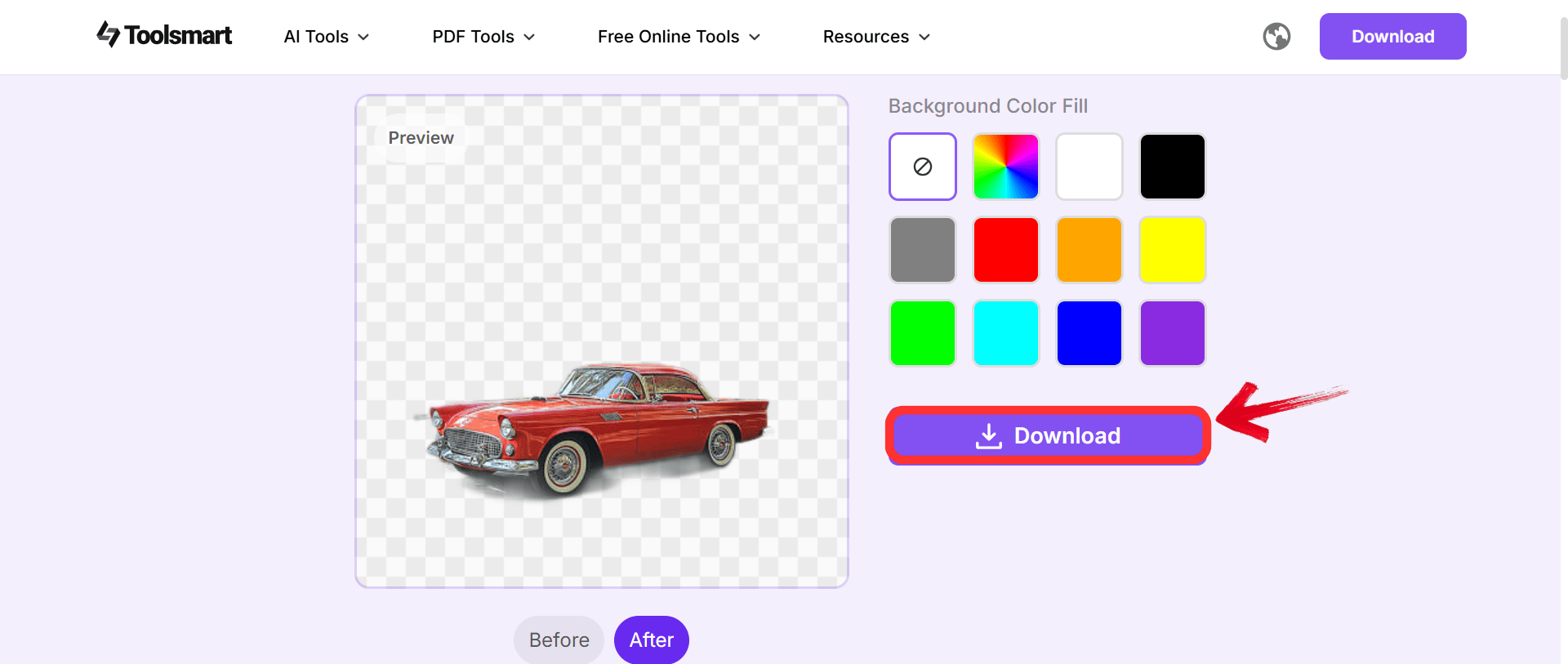
Step 1: First, head over to Toolsmart Background Remover. Don’t worry, you don’t need to create an account or sign in to get started.
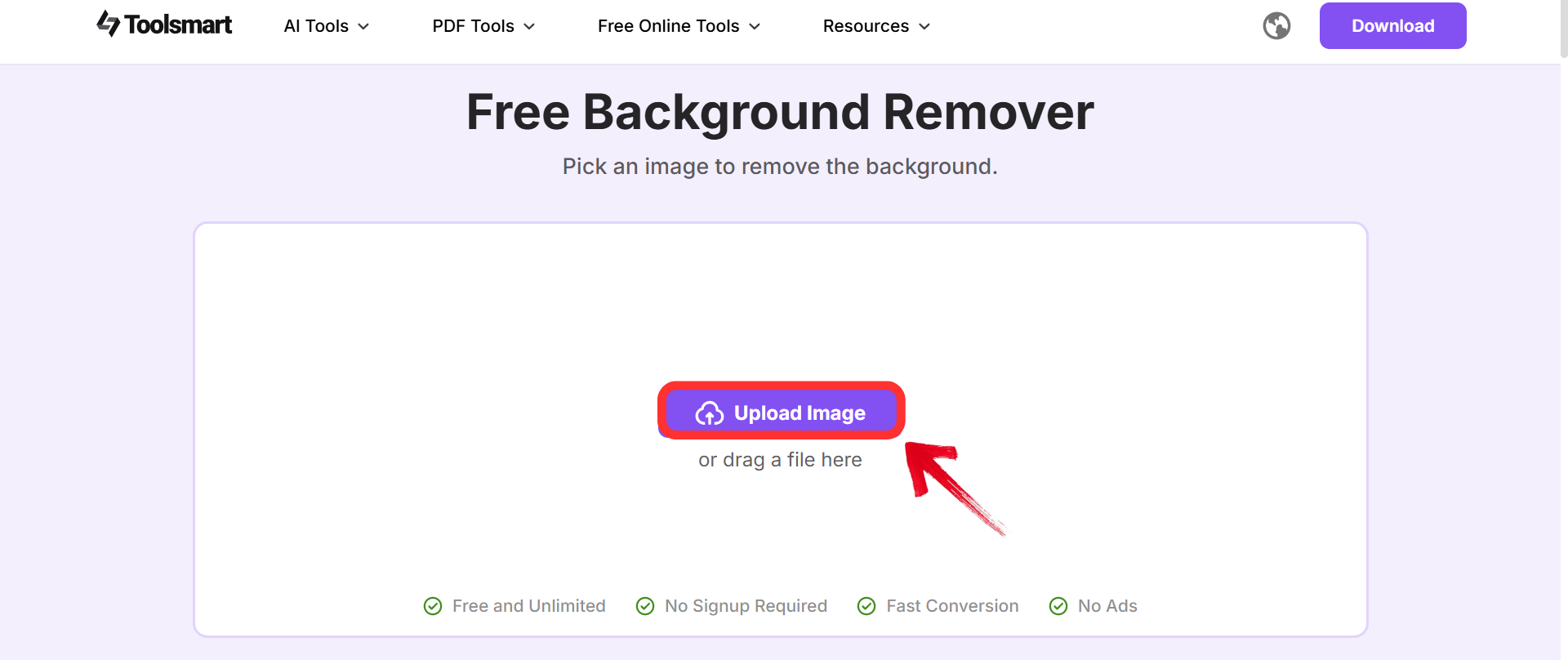
Step 2: Once you're there, click on the“Upload image” option or drag your image directly onto the screen
Step 3: Once you’re done, click“Download” to export your image.
2. Remove.bg
While Toolsmart is perfect for quick, manual uploads, a larger workflow might require a tool that integrates deeper into software systems. Remove.bg has its robust API and specialized Magic features. It is particularly useful when the lighting in the original photo is uneven, as the AI is trained to distinguish between the shadow on the paper and the actual ink, which is often a struggle for basic tools.
This tool is built for automation and precision, positioning itself as the industry standard for users who process hundreds of images. Unlike basic editors, it offers Magic Brush tools that allow you to manually erase or restore pixels if the AI misses a spot, giving granular control. However, this level of advanced functionality and workflow integration typically comes with a cost, as the highest resolution downloads are reserved for paid credit tiers, differentiating it from completely free options like Toolsmart.
How to use:
Getting a transparent signature with Remove.bg involves a simple drag-and-drop workflow that requires minimal technical skill.
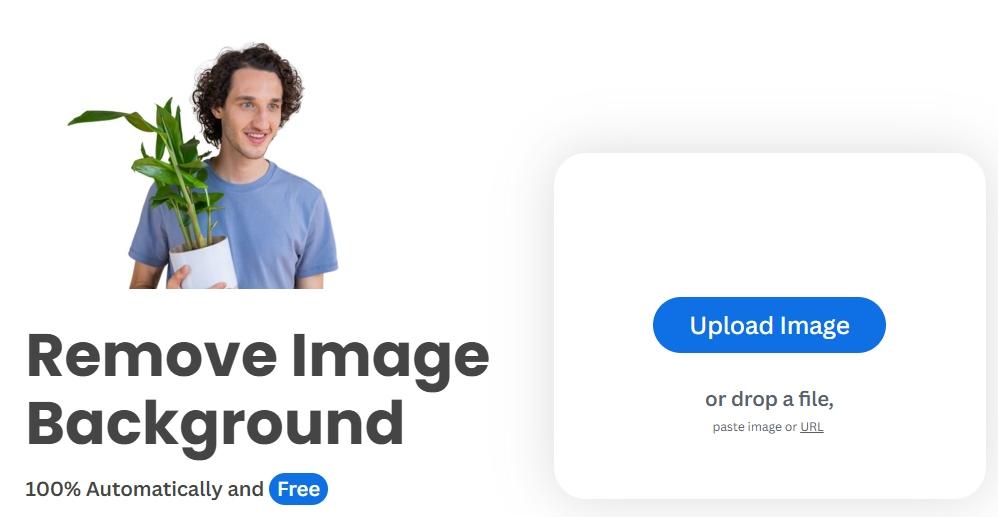
Step 1: First, head on over to the Remove.bg background removerwebsite.
Step 2: Drag and drop the signature file or click the “Upload Image” button.

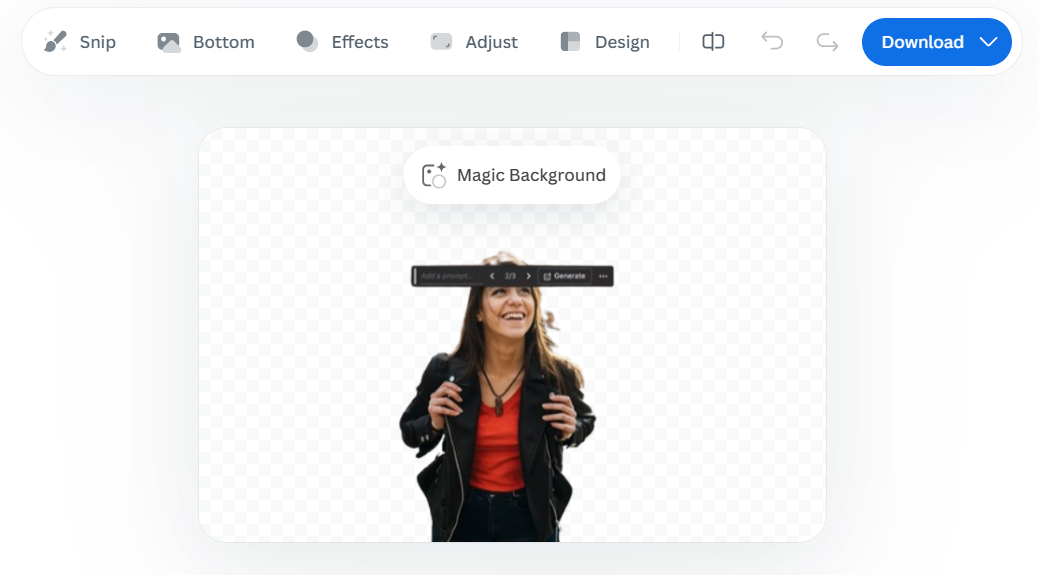
Step 3: The tool will automatically remove the background make any changes you want by the menu.
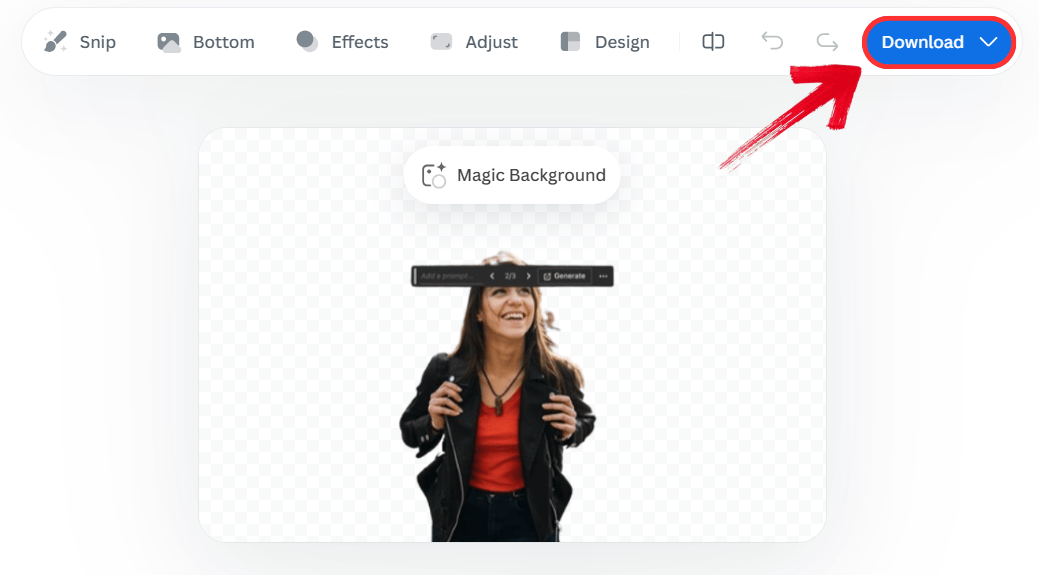
Step 4: Click 'Download' to save the preview size for free.
3. Fotor Background Remover
Fotor Background Remover distinguishes itself with excellent batch processing capabilities. This is incredibly helpful when multiple versions of a signature exist (e.g., blue ink, black ink, initials) and there is a need to extract signature from image files all at once.
Fotor can handle bulk tasks, saving time if signatures are being digitized for an entire team. Additionally, it offers a Beauty and Edit suite alongside the remover, giving you tools to thicken lines or change the color of the signature itself. These are features that most single-purpose removers lack.
How to use:
The platform automates the entire process, requiring minimal input from the user to generate a clean result.
Step 1: First, head over to the Fotor background remover website and drag and drop your image.
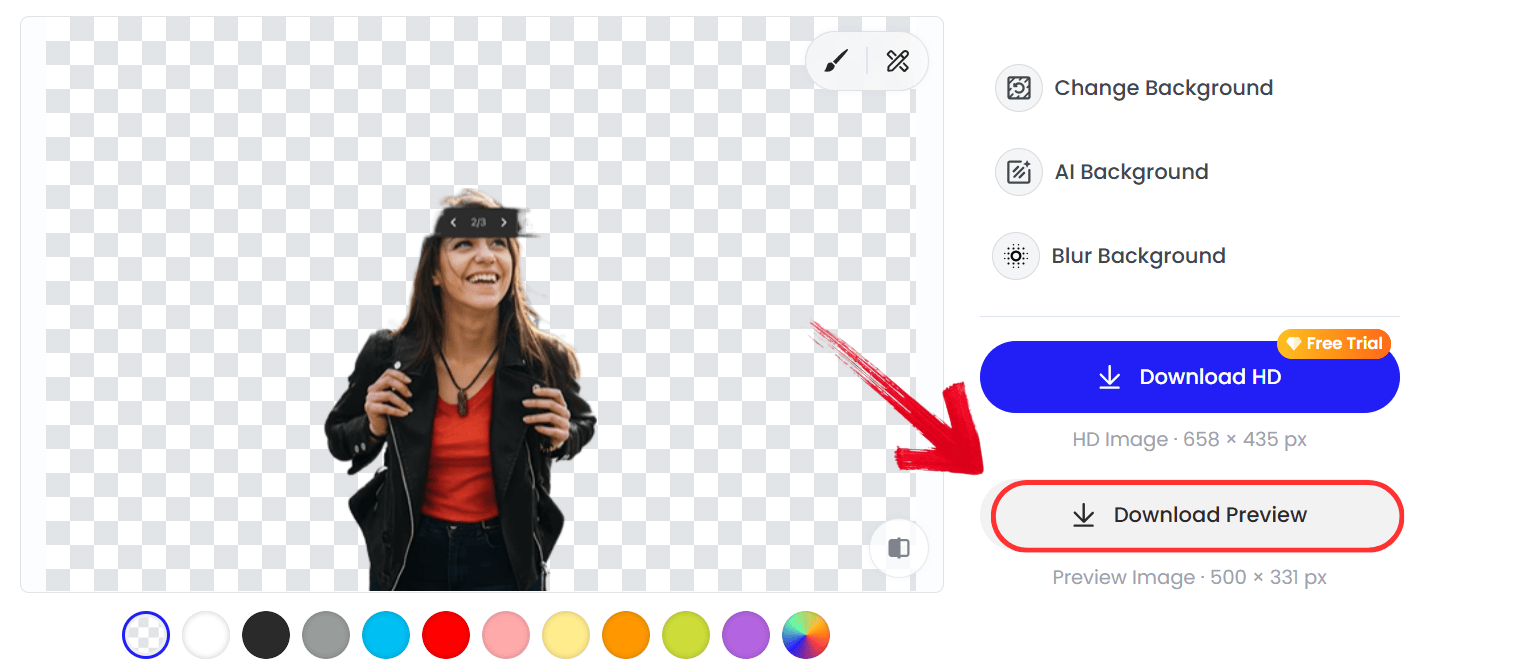
Step 2: Canva will automatically remove the background. Just click “Download Preview” to export the image.
Compare AI Tools for Removing Signature Backgrounds
Choosing the right software often depends on the specific requirements of the project rather than just the basic ability to delete pixels. All three platforms effectively remove backgrounds, but they differsignificantly in processing speed, ease of use, and cost accessibility.
| Feature / Tool | Toolsmart Background Remover | Remove.bg | Fotor Background Remover |
|---|---|---|---|
| Speed | Very Fast (seconds) | Fast (seconds) | Moderate |
| Ease of Use | One-click, beginner-friendly | One-click, beginner-friendly | Slightly more steps |
| Accuracy for Signatures | Excellent, clean edges | Good, may need refinement | Good, occasional rough edges |
| Free Version Availability | Completely free to use | Free with resolution limits | Limited free options |
| Additional Editing Options | Minor refinements online | Limited manual tools | Extensive editing features |
| Output Format | PNG, JPG | PNG, JPG | PNG, JPG |
| Device Accessibility | Fully online, no install | Fully online | Online and desktop app |
A freelance graphic designer might prioritize the editing suite found in Fotor, whereas an office administrator likely needs the instant, cost-free efficiency of Toolsmart. But Toolsmart Background Remover stands out for its balance of speed and free accessibility. It delivers high accuracy specifically for signature edges without forcing you to sign up or pay for high-resolution results, making it the most practical choice for quick administrative tasks.
FAQs
Q1: Is there a difference in quality between manual removal and using Toolsmart?
Manual removal can be precise but is incredibly time-consuming and prone to human error. Toolsmart provides professional-quality results instantly using AI detection.
Q2: Can I remove the background from my signature for free?
Yes, you can use free tools like Toolsmart’s Background Remover, Remove.bg, or Fotor. Toolsmart offers a completely free online option with fast results.
Q3: Are there any limitations on file formats for these tools?
Most tools, including Toolsmart, Remove.bg, and Fotor, accept common image formats such as JPG and PNG. Toolsmart also outputs PNG, which is necessary for transparency.
Q4: What is the best way to remove the background from a signature?
The fastest way is using Toolsmart Background Remover, which automatically removes backgrounds while preserving signature quality. Manual methods work too but take much more time.
Q5: How long does it take to remove a signature background with Toolsmart?
It takes just a few seconds, much faster than manual editing in software like Photoshop or GIMP.
AI Tools That Simplify Background Removal
Creating a professional digital presence requires attention to detail, and a clean signature is a big part of that. While you can use manual software like Photoshop, it is often unnecessary work. AI tools offer a much faster solution. Among the options available, Toolsmart Background Remover is the superior choice for its speed, accuracy, and free access, allowing you to remove background from signature images effortlessly.


