
'%3e%3cpath%20fill-rule='evenodd'%20clip-rule='evenodd'%20d='M19%208.5C24.799%208.5%2029.5%2013.201%2029.5%2019C29.5%2024.6782%2024.9928%2029.3036%2019.361%2029.4939L19%2029.5C18.8794%2029.5%2018.7592%2029.498%2018.6396%2029.4939L18.2811%2029.4758C12.8174%2029.1063%208.5%2024.5574%208.5%2019C8.5%2013.201%2013.201%208.5%2019%208.5ZM22.3063%2010.6267L22.2342%2010.6539C21.3423%2011.0061%2020.5541%2011.6368%2020.5606%2012.4987C20.5631%2012.8302%2020.869%2014.8871%2020.2141%2014.8486C19.5589%2014.8102%2019.413%2013.8753%2018.7116%2013.616C17.5944%2013.2026%2016.9819%2014.3401%2017.0939%2015.3106C17.1695%2015.9655%2018.9289%2018.3871%2017.9028%2019C17.292%2019.3651%2015.7279%2017.5692%2015.1007%2017.1842C14.4805%2016.8034%2013.2758%2017.3333%2012.4974%2016.7029C11.9874%2016.2899%2012.3881%2014.4098%2012.2786%2013.8372C12.2271%2013.5698%2012.1155%2013.3689%2011.9794%2013.2166L12.0402%2013.2934C10.7653%2014.8464%2010%2016.8339%2010%2019C10%2023.8465%2013.8307%2027.7982%2018.6295%2027.9925L18.6769%2027.9747C18.8597%2027.8677%2019.0394%2027.7557%2019.216%2027.6387C19.4137%2027.4534%2019.5436%2027.2072%2019.5849%2026.9394C19.8806%2025.1222%2018.3616%2025.4302%2017.9367%2024.5622C17.5489%2023.7695%2018.5712%2023.7684%2018.5524%2021.7923C18.4607%2021.1774%2018.5279%2020.547%2018.7211%2020.0315C19.1834%2018.7987%2020.7077%2017.2643%2022.5889%2018.0081C23.5567%2018.3906%2023.1524%2019.9831%2023.4737%2020.3394C24.251%2021.2018%2025.3228%2020.6863%2026.2856%2021.2253C26.7816%2021.5032%2026.9797%2022.41%2027.056%2023.2248L27.038%2023.0528C27.6534%2021.8348%2028%2020.4579%2028%2019C28%2015.1968%2025.6409%2011.9445%2022.3063%2010.6267Z'%20fill='%23757575'/%3e%3ccircle%20cx='19'%20cy='19'%20r='10.125'%20stroke='%23757575'%20stroke-width='2.25'/%3e%3c/g%3e%3cdefs%3e%3cclipPath%20id='clip0_1827_14613'%3e%3crect%20width='24'%20height='24'%20fill='white'%20transform='translate(7%207)'/%3e%3c/clipPath%3e%3c/defs%3e%3c/svg%3e)


If you're like me, you’ve probably needed a quick Passport photo without wanting to spend money or head to a photo studio. That’s where the idea of a Passport photo free solution comes in. In this article, I’ll guide you through four powerful, free tools that allow you to make compliant Passport photos from home. I'll also walk you through how to use each one step by step, give my honest experience, and finish with a bonus tool to polish your photos. Let’s make this process easy and affordable.
Passport Photo Guidelines and Tips 2025
Before jumping into any tool, it’s crucial to know the exact guidelines. Messing up the size or lighting can cause your application to get rejected. A common mistake I’ve seen is people using casual selfies without checking the specs. If you're wondering how to make Passport photos for free that are actually compliant, it starts with understanding your country’s specific requirements.
U.S. Passport Photo Requirements (2025):
Size: Must be exactly 2x2 inches (51x51 mm).
Background: White or off-white, clean with no textures or shadows.
Expression: Neutral, no smiles or frowns, eyes fully open.
Attire: No uniforms, hats, or headgear unless worn for religious reasons.
Lighting: Should be even; avoid shadows and glare, especially if wearing glasses.
Pro Tips for DIY Passport Photos:
Use natural lighting from a window; stand facing it directly.
Place your phone or cameraat eye level, around 4 feet away.
Check your head size in the frame: it should be between 1 and 1 3/8 inches.
Important Note: Countries have different standards. For instance, in the UK, glasses aren’t allowed. Canada allows mild smiles. Always double-check your country's latest Passport photo rules.
I didn’t realize how strict these rules are until my first DIY photo got rejected due to poor lighting. Since then, I’ve made it a habit to prep a checklist before taking any photo.
Top 4 Tools for Creating Passport Photos
Creating a Passport photo at home can be easy if you know which tools to trust. I've personally tested several platforms that claim to be free, and not all live up to the hype. The tools listed below are reliable, beginner-friendly, and designed to meet global compliance standards. If you’re looking for the best tool to make Passport photo free that works online and offers high-quality exports, this section has you covered.
AIEASE
AIEASE is a modern online Passport photo maker that uses AI to help you generate government-compliant photos. It’s designed for anyone who wants a clean, quick, and professional photo without paying extra. I found it especially beginner-friendly, with helpful prompts guiding you through the upload, crop, and export process.
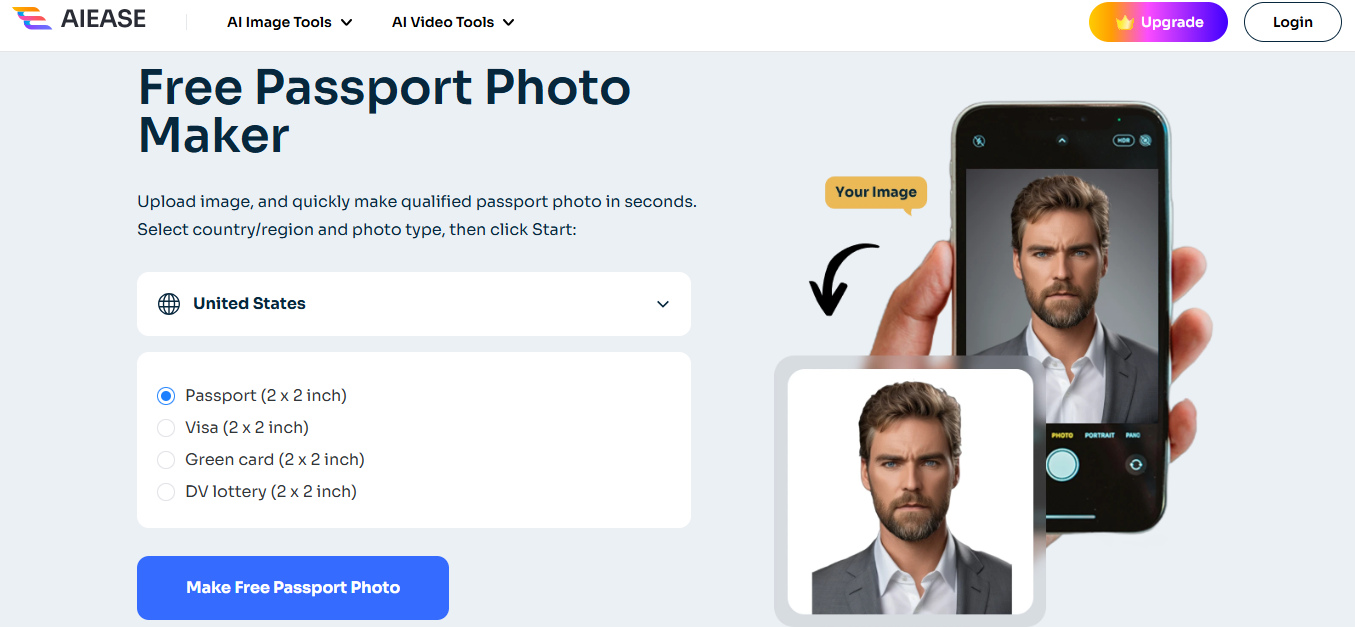
Plus, you can download the image instantly without hidden costs, which makes it one of the best free Passport photo tools out there.
Features:
AI-powered face detection and cropping.
Automatically adjusts image to meet international standards.
Provides background removal and photo alignment.
Pros:
Quick processing and intuitive interface.
Compliant with many countries.
Completely browser-based.
Cons:
Occasional bugs when uploading large images.
Limited editingflexibility post-crop.
App Rating: 4.7/5
Step-by-Step Guide:
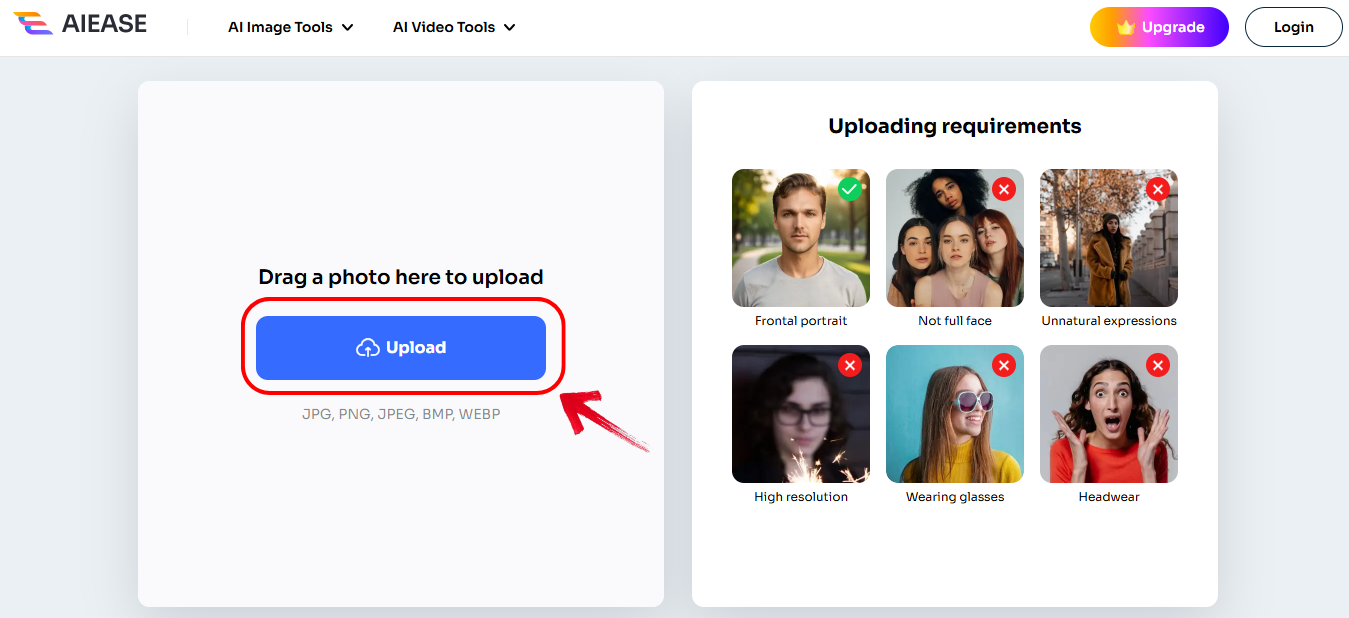
Step 1: First of all, go to the official AIEASEwebsite and click "Upload."
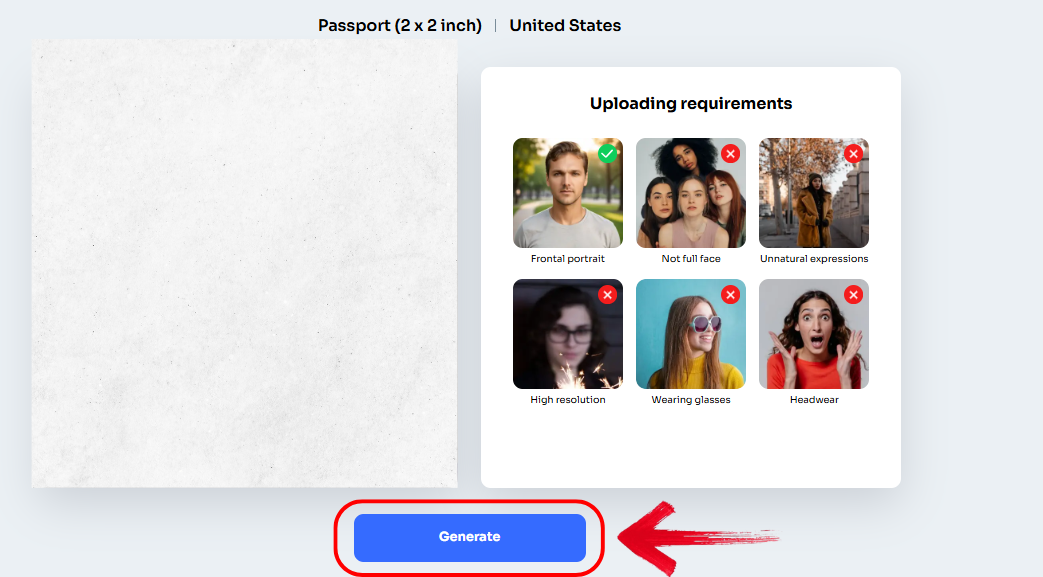
Step 2: let the AI detect your face automatically and select your country from the dropdown for compliance standards. Then simply click “Generate.”
Step 3: Once done, just click "Download" to get your free Passport photo.
I used AIEASE to create a U.S.-compliant photo, and it was smooth. The auto-detection saved a lot of time, and I didn’t need to edit the photo afterward.
FREE Passport Photos Online
FREE Passport Photos Online is a no-frills option designed for users looking to print their own photos or submit them digitally. It’s ideal if you’re asking, "how to make Passport photos for free" without apps or downloads. The interface is simple, and while it lacks fancy AI, it gets the job done reliably.
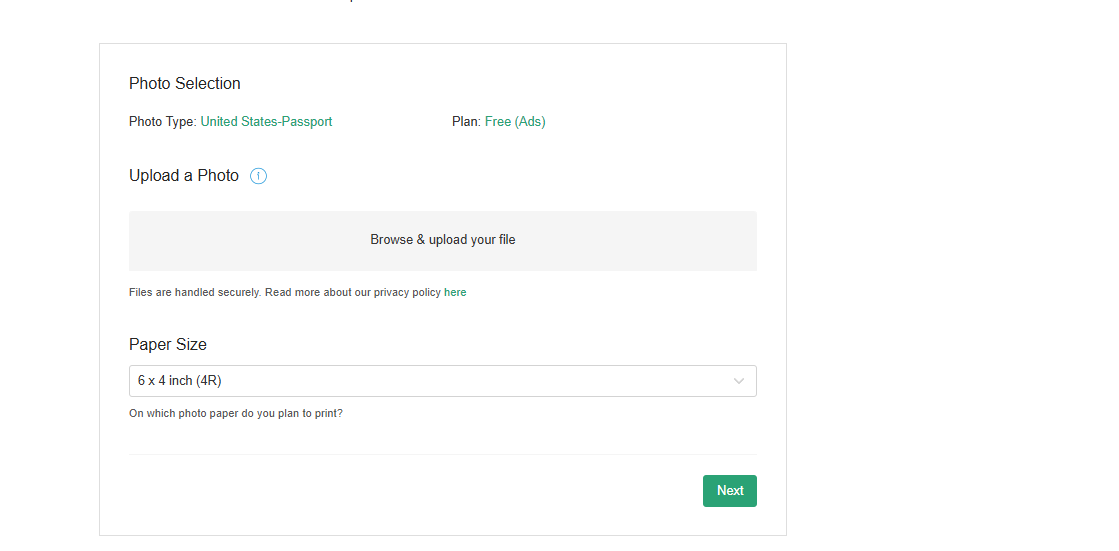
It’s especially useful if you're working on a tight deadline and need a Passport photo fast. As a free digital Passport photo converter, it’s surprisingly dependable for quick exports.
Features:
Custom sizing by country.
Manual background selection.
Printable photo templates.
Pros:
Supports over 200 countries.
Gives printable 4x6 layouts.
Completely free to use.
Cons:
Manual adjustments required.
No auto-enhance or lighting fixes.
App Rating: 4.5/5
Step-by-Step Guide:
Step 1: Visit makePassportphoto.com and select your country.
Step 2: Upload your photo and manually align the frame.
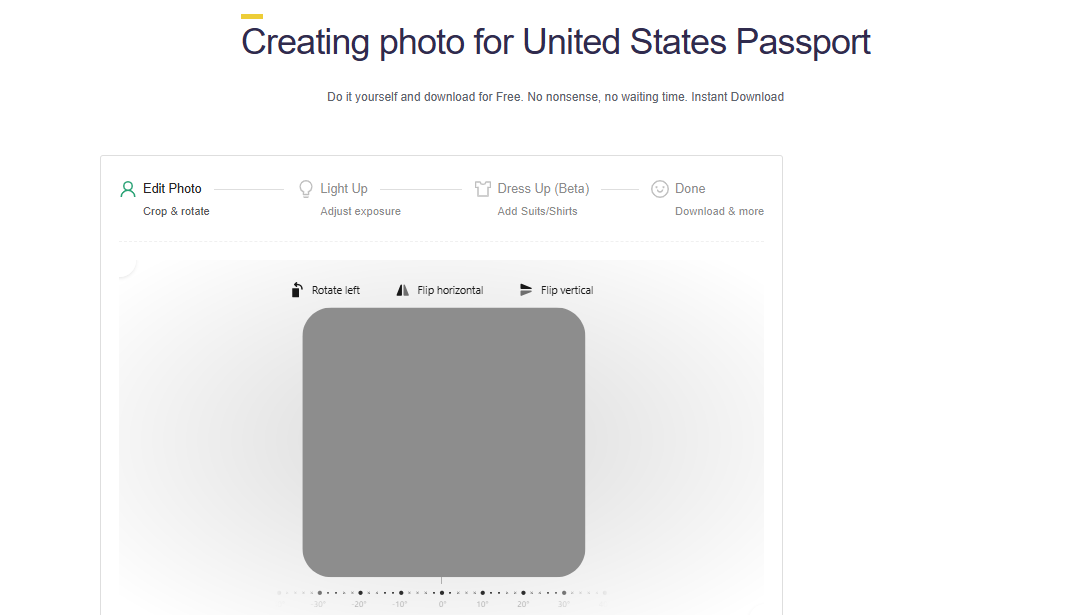
Step 3: Choose white background or adjust it manually.
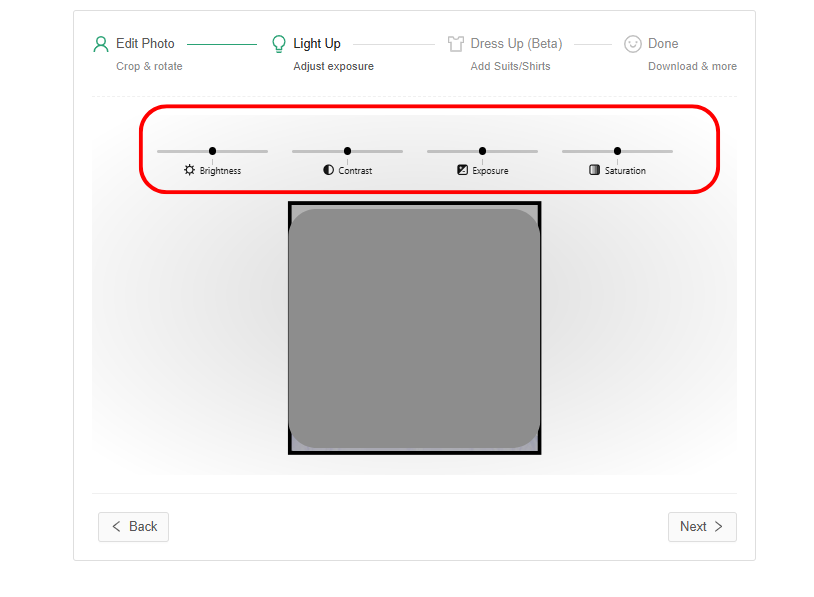
Step 4: Download and print or save the digital version.
It took me a couple of tries to get the alignment right. But once I did, the quality was spot on, and I could print it directly at home.
Cutout.Pro Passport Maker
Cutout.Pro is more than just a Passport photo editor. It’s an AI-driven tool that supports image background editing, making it super helpful for Passport or visa submissions. If you want something more polished without spending money, this is a great pick. You can instantly convert a casual image into a compliant ID photo with minimal effort.
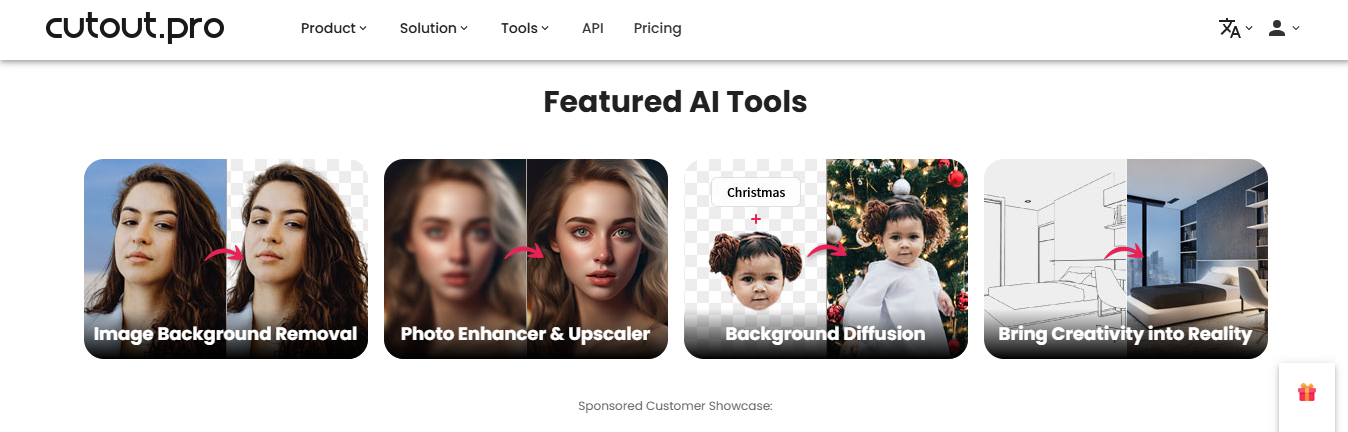
It also works well as a free Passport photo maker online for users who need export-ready results. Plus, the platform’s auto-cropping makes sure your face fits within required proportions.
Features:
AI background remover.
Smart alignment tools.
Country-specific dimensions.
Pros:
Offers full control over image edits.
Supports over 60 ID formats.
Professional-looking results.
Cons:
Free version adds watermark.
UI feels cluttered for new users.
App Rating: 4.6/5
Step-by-Step Guide:
Step 1: Go to the official website of cutout.pro/Passport-photo-makeron your browser.
Step 2: Upload your image and let the AI clean up the background.
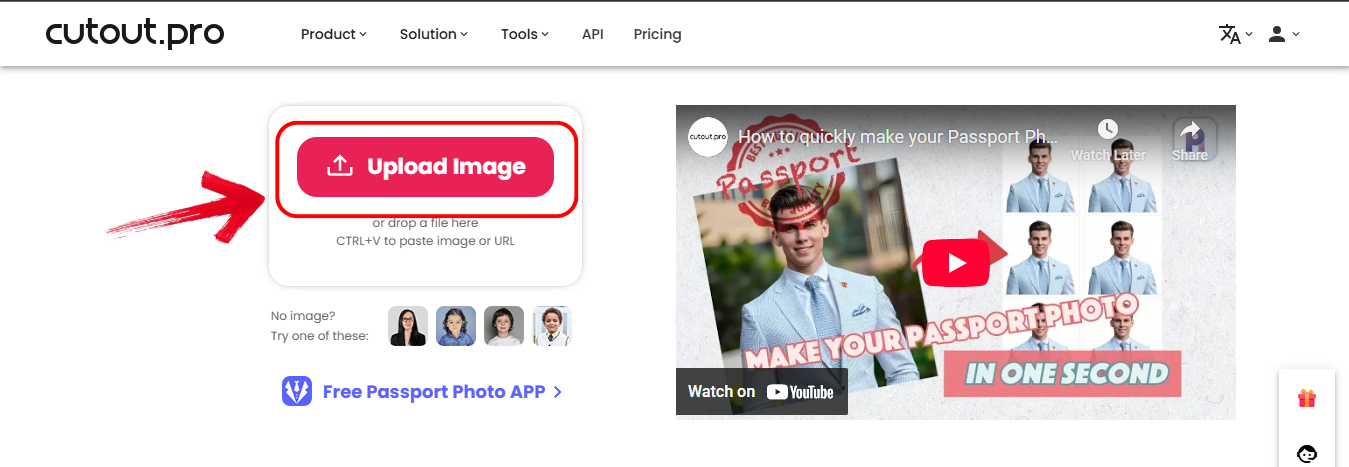
Step 3: Choose your country for exact sizing and adjust accordingly.
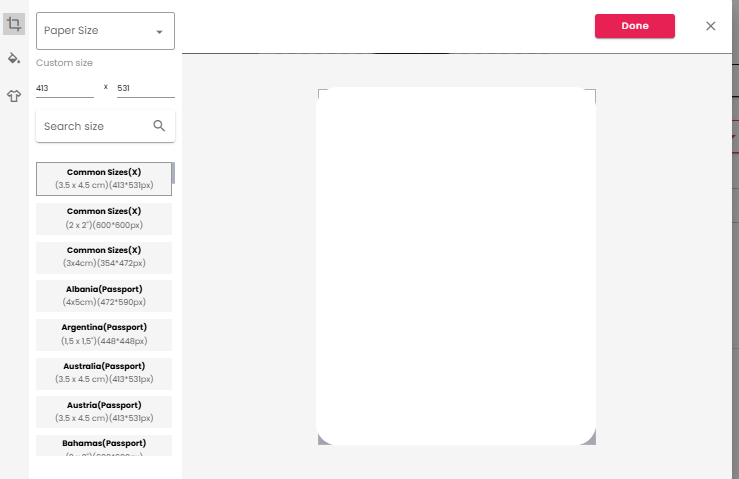
Step 4: Then simply download the result.
I used it for a Singapore visa photo. It flagged incorrect head placement, which helped me retake a better shot. The watermark was the only downside.
PhotoGov
PhotoGov is a compliance-first tool that focuses on getting everything just right for official photo submissions. Unlike other platforms, it gives a compliance report that checks your photo against key metrics. It’s ideal if you’re not sure if your photo meets all the rules. For anyone searching for the best free Passport photo tool with built-in verification, PhotoGov is a top contender.
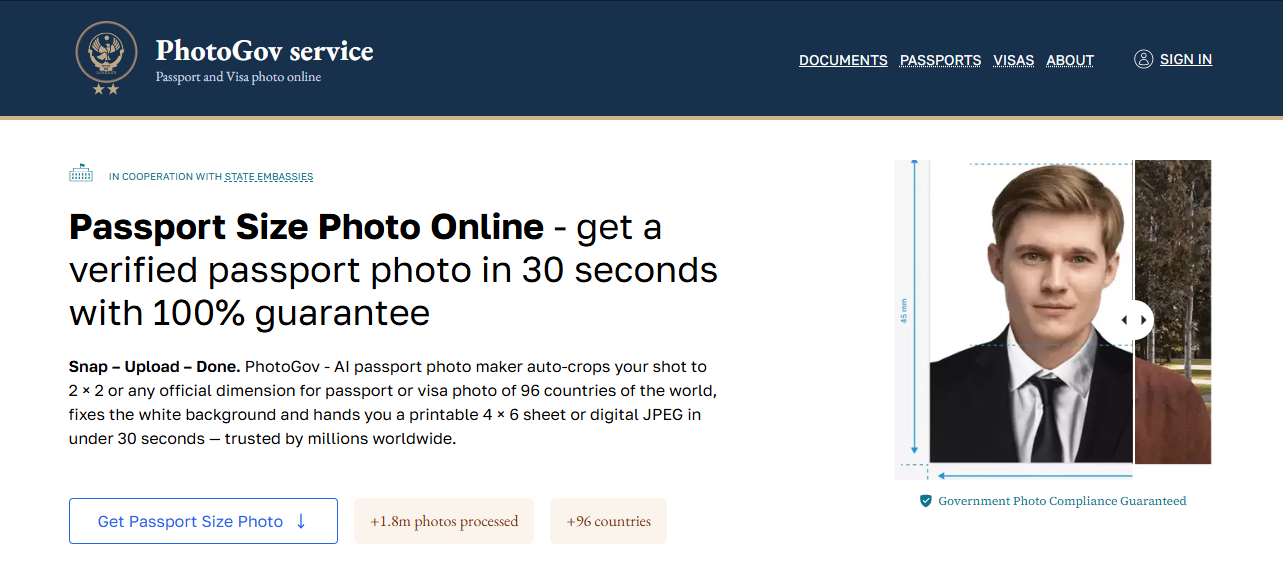
It highlights issues in real time so you can make immediate corrections. I found it especially useful for double-checking the photo before uploading to a government site.
Features:
Compliance report on upload.
Head size and positioning detection.
No sign-up required.
Pros:
Very accurate compliance checker.
Great for government submissions.
Lightweight tool.
Cons:
Limited design and user interface.
Fewer editing tools.
App Rating: 4.8/5
Step-by-Step Guide:
Step 1: Head over to the official website of photogov.net on your browser.
Step 2: Upload your recent photo.
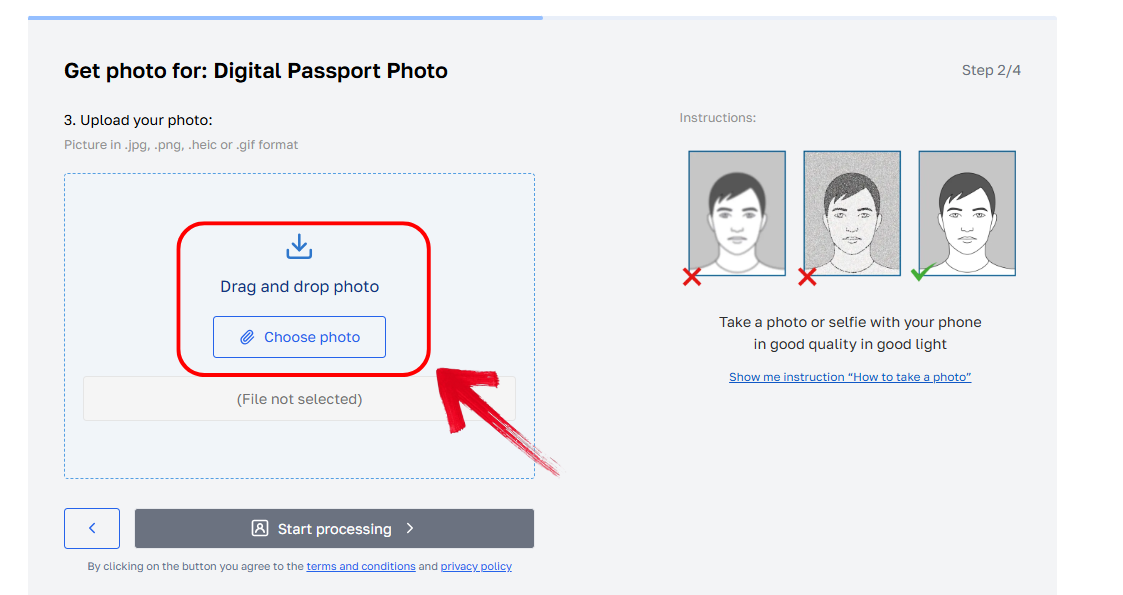
Step 3: Follow adjustment recommendations based on real-time feedback.
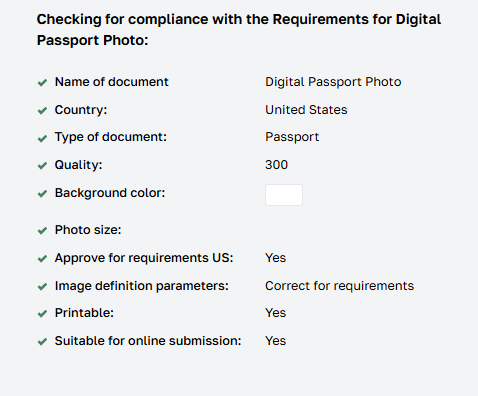
Step 4: Export your photo.
I tried uploading a slightly off-angle shot, and the compliance report flagged it immediately. That saved me from a rejection.
Comparison of 4 Passport Photo Tools
Choosing the right tool can be overwhelming, especially with so many claiming to be free. I compared these four based on real use, focusing on compliance, ease, and cost. This section will help you figure out which one fits your needs best, especially if you're looking for a freePassport photo maker online with no hidden limitations. Here's how they stack up against each other:
| Tool | Compliance | Free Download | Ease of Use | Watermark |
|---|---|---|---|---|
| AIEASE | High | Yes | Very Easy | No |
| FREE Passport Photo | Moderate | Yes | Easy | No |
| Cutout.Pro | High | Yes (w/ watermark) | Moderate | Yes |
| PhotoGov | Very High | Yes | Easy | No |
PhotoGov wins in terms of compliance. AIEASE is my favorite for all-round ease. Cutout.Pro is solid for visual polish.
Bonus Tool – Toolsmart Free Background Remover
After using these tools, you may still need to tweak your image. For example, if your background isn’t pure white or needs cleaning, Toolsmart's Free Background Remover is a lifesaver. It’s fast, no-login, and gives you a clean white canvas instantly. This step is especially important for users aiming to submit Passport or visa photos online without professional editing.
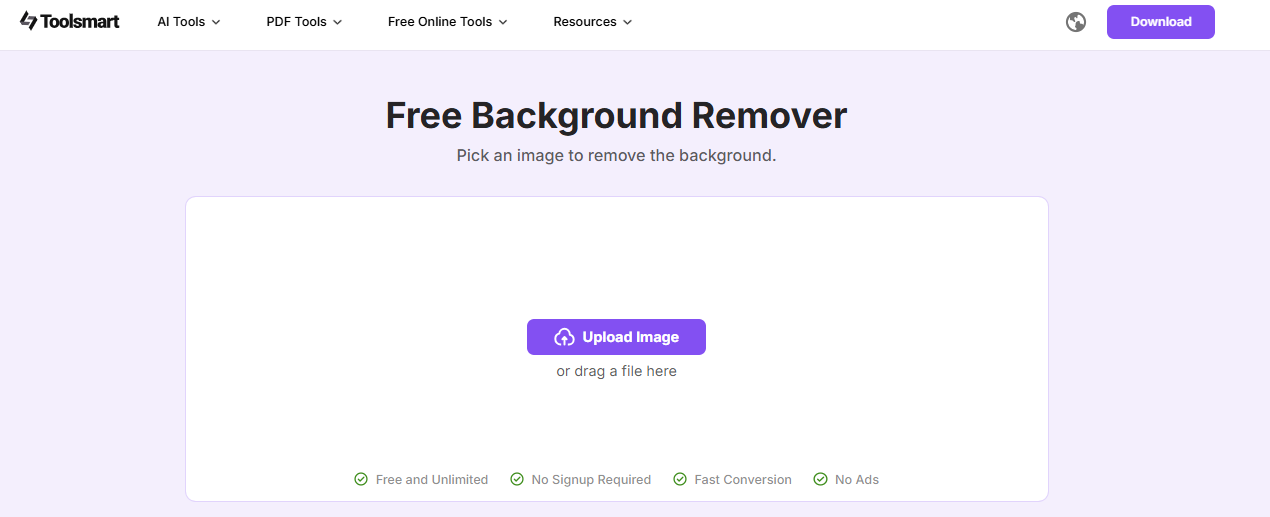
Toolsmart also supports high-resolution background replacement without compromising quality. If you're looking for the best free Passport photo editor with background control, this tool stands out.
Overview:
100% free tool.
Built for quick fixes.
Great for digital and print Passport needs.
Features:
Instant white background conversion.
No watermarkor signup needed.
Works on mobile and desktop.
Pros:
Blazing fast.
Clean results every time.
Supports bulk uploads.
Step-by-Step Guide:
Step 1: First of all, visit the official website ofToolsmart's Free Background Remover on your browser.
Step 2: Once you are on the interface, Upload your Passport photo by clicking “Upload image.”
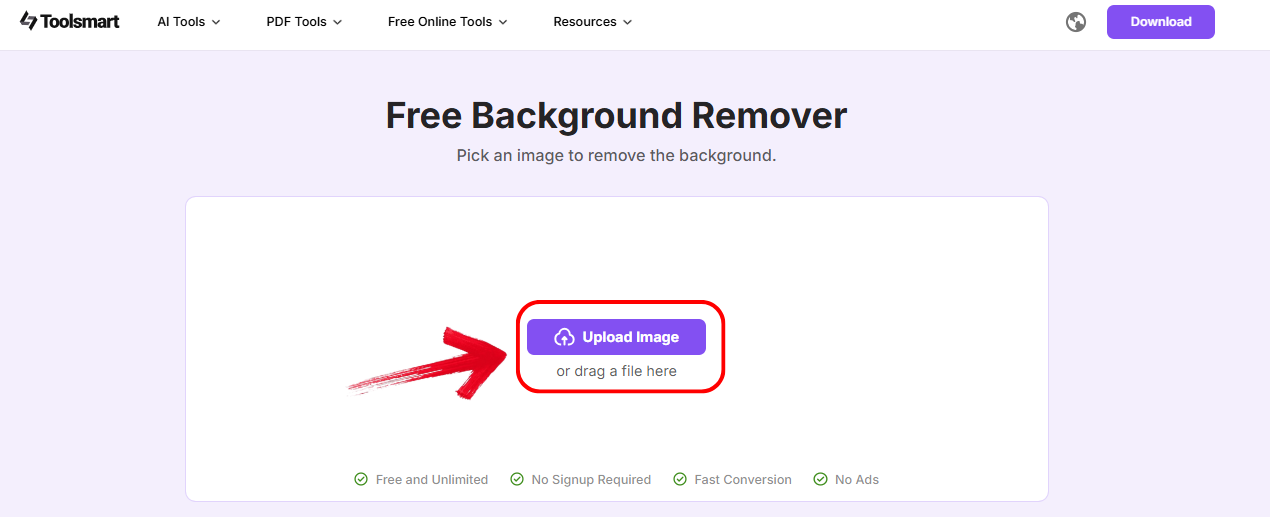
Step 3: Download with a clean white background by clicking “Download.”
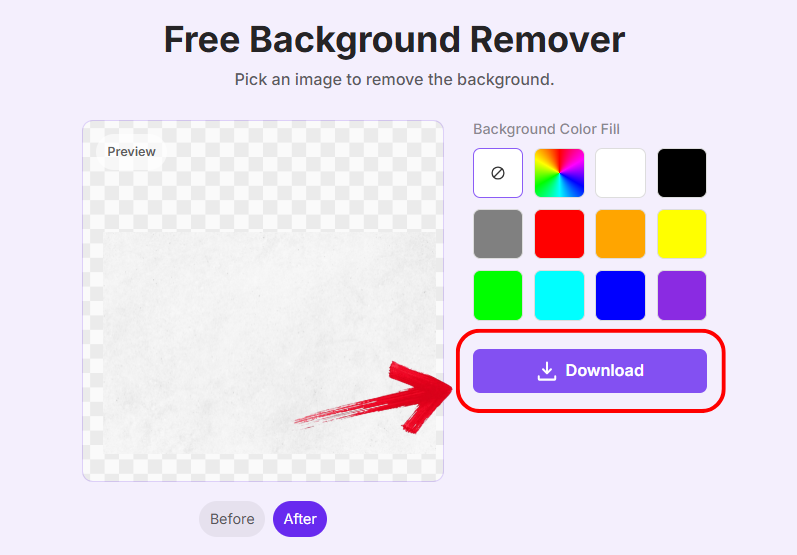
I’ve used this after every tool to double-check the background. It’s never failed me. The result looks studio-quality.
FAQs
Q1: Are these Passport photos really free?
Yes. Most let you download digital versions at no cost. Some charge for printing or high-res versions.
Q2: Will my DIY Passport photo be accepted?
If you follow all size, lighting, and composition rules, yes. Tools like PhotoGov even verify it for you.
Q3: Can I use these tools for visa photos?
Absolutely. Just make sure to choose your country/visa type when selecting size.
Q4: How do I remove watermarks from free tools?
Use Toolsmart Free Background Remover or opt for watermark-free tools like AIEASE.
Q5: Can I wear glasses in my Passport photo?
It depends on your country. If glasses are allowed, avoid glare and thick frames. Tools like MakePassportPhoto will flag if there’s an issue.
Q6: How recent must my Passport photo be?
Within 6 months. Tools like PhotoGov time-stamp the file to help you stay compliant.
Q7: Can I take the photo with my phone?
Yes, if your phone camera is high-quality. Just ensure proper lighting and eye-level framing.
Q8: What if my photo gets rejected?
Try re-editing using another tool or retake the photo using tips shared above. Most tools offer guidance to fix common issues.
Summary
Creating a Passport photo free of cost is not only doable but actually easy with the right tools. AIEASE stands out for its clean interface, PhotoGov for its compliance checker, and Cutout.Pro for its editing power. For last-minute fixes, Toolsmart's Free Background Remover is a must-have. My personal go-to combo is AIEASE plus Toolsmart, quick, compliant, and clean every time.


