
'%3e%3cpath%20fill-rule='evenodd'%20clip-rule='evenodd'%20d='M19%208.5C24.799%208.5%2029.5%2013.201%2029.5%2019C29.5%2024.6782%2024.9928%2029.3036%2019.361%2029.4939L19%2029.5C18.8794%2029.5%2018.7592%2029.498%2018.6396%2029.4939L18.2811%2029.4758C12.8174%2029.1063%208.5%2024.5574%208.5%2019C8.5%2013.201%2013.201%208.5%2019%208.5ZM22.3063%2010.6267L22.2342%2010.6539C21.3423%2011.0061%2020.5541%2011.6368%2020.5606%2012.4987C20.5631%2012.8302%2020.869%2014.8871%2020.2141%2014.8486C19.5589%2014.8102%2019.413%2013.8753%2018.7116%2013.616C17.5944%2013.2026%2016.9819%2014.3401%2017.0939%2015.3106C17.1695%2015.9655%2018.9289%2018.3871%2017.9028%2019C17.292%2019.3651%2015.7279%2017.5692%2015.1007%2017.1842C14.4805%2016.8034%2013.2758%2017.3333%2012.4974%2016.7029C11.9874%2016.2899%2012.3881%2014.4098%2012.2786%2013.8372C12.2271%2013.5698%2012.1155%2013.3689%2011.9794%2013.2166L12.0402%2013.2934C10.7653%2014.8464%2010%2016.8339%2010%2019C10%2023.8465%2013.8307%2027.7982%2018.6295%2027.9925L18.6769%2027.9747C18.8597%2027.8677%2019.0394%2027.7557%2019.216%2027.6387C19.4137%2027.4534%2019.5436%2027.2072%2019.5849%2026.9394C19.8806%2025.1222%2018.3616%2025.4302%2017.9367%2024.5622C17.5489%2023.7695%2018.5712%2023.7684%2018.5524%2021.7923C18.4607%2021.1774%2018.5279%2020.547%2018.7211%2020.0315C19.1834%2018.7987%2020.7077%2017.2643%2022.5889%2018.0081C23.5567%2018.3906%2023.1524%2019.9831%2023.4737%2020.3394C24.251%2021.2018%2025.3228%2020.6863%2026.2856%2021.2253C26.7816%2021.5032%2026.9797%2022.41%2027.056%2023.2248L27.038%2023.0528C27.6534%2021.8348%2028%2020.4579%2028%2019C28%2015.1968%2025.6409%2011.9445%2022.3063%2010.6267Z'%20fill='%23757575'/%3e%3ccircle%20cx='19'%20cy='19'%20r='10.125'%20stroke='%23757575'%20stroke-width='2.25'/%3e%3c/g%3e%3cdefs%3e%3cclipPath%20id='clip0_1827_14613'%3e%3crect%20width='24'%20height='24'%20fill='white'%20transform='translate(7%207)'/%3e%3c/clipPath%3e%3c/defs%3e%3c/svg%3e)


In the past, music production was a time-consuming and often expensive endeavor. Producers had to spend hours sourcing high-quality sounds, sometimes purchasing them individually or recording them from scratch. Platforms like Splice Sounds have changed the game, offering musicians and producers an expansive library of royalty-free samples and loops at their fingertips. Whether you're an aspiring DJ or a seasoned producer, Splice Sounds has revolutionized how we create music.
However, with the rise of numerous sound libraries, users might wonder if Splice Sounds truly offers the best value for their investment. Platforms like LANDR and even free alternatives are constantly being compared. Does Splice deliver premium quality samples without breaking the bank, or are there better options? In this 2025 review, we’ll break down Splice’s features, evaluate its pros and cons, and answer whether it’s the right tool for your music production needs.
Part 1: Breaking Down Splice Sounds - Features That Shine and Where It Falls Short
Splice Sounds is one of the most popular sound libraries available today, and for good reason. Let's explore its key features, strengths, and weaknesses to see if it matches its reputation.
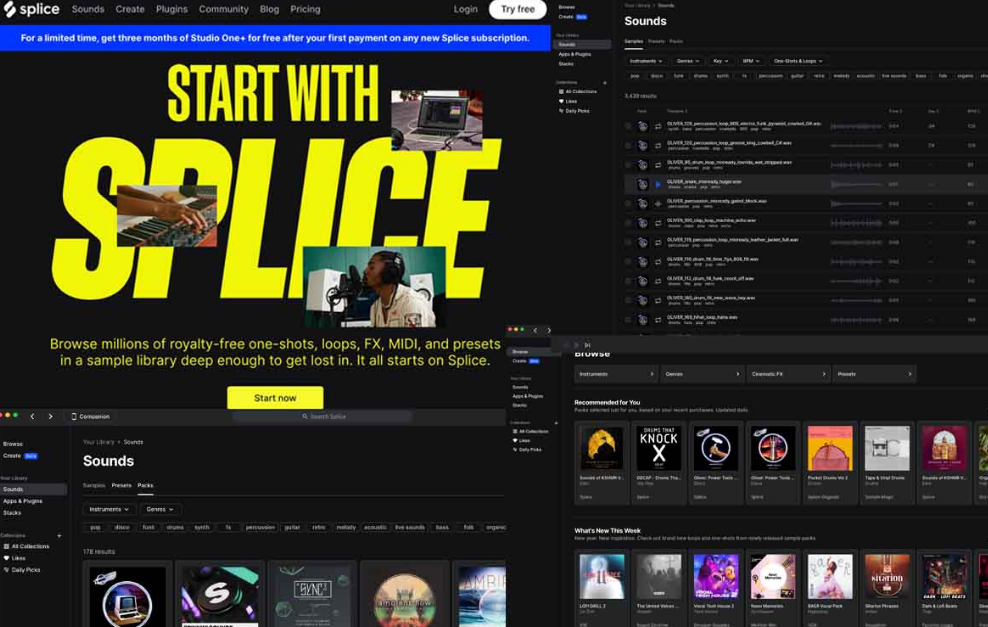
Key Features of Splice Sounds
Vast Library of Royalty-Free Samples and Loops
Splice offers one of the most extensive sound libraries available today. With millions of royalty-free samples spanning genres like EDM, hip-hop, cinematic, rock, and more, it provides a solid foundation for any music producer. Splice has something to offer, whether you're creating a trap beat or a film score.High-Quality Sounds Across Multiple Genres
The library includes high-definition, studio-quality sounds. Each sample is designed to fit seamlessly into a production, ensuring your music sounds polished and professional.User-Friendly Interface
One of the standout features of Splice is its intuitive, easy-to-navigate interface. The app offers a powerful search function, allowing you to filter by instrument, genre, mood, or specific keywords. This makes it easy to find precisely what you're looking for, which is crucial when working on tight deadlines.Integration with Popular DAWs
Splice works seamlessly with most DAWs, such as Ableton Live, FL Studio, and Logic Pro. You can drag and drop your downloaded samples directly into your project, eliminating the need for manual file imports. This integration ensures a smooth workflow, especially deep into a project.Flexible Subscription Plans
Splice offers a subscription model based on credits, which allows you to purchase credits depending on how much access you need. Whether you’re a beginner or a professional, Splice provides affordable pricing for the value it offers. This flexibility makes it accessible to a broader range of users.
Pros of Splice Sounds
Extensive and Well-Organized Sound Library
The organization of Splice’s sound library is one of its greatest strengths. With over a million samples categorized by genre, instrument, and even mood, users can quickly find the perfect sound for their project. This feature saves producers valuable time and energy.No Copyright Issues for Commercial Use
One of Splice's major selling points is its royalty-free licensing. Users can use the samples in commercial projects without worrying about copyright issues, which is a significant advantage for producers who work on tracks that will be sold or distributed.Regular Updates with Fresh Content
Splice frequently updates its library with new sounds, ensuring that producers always have access to fresh material. This keeps the platform exciting and relevant, offering new inspiration for every project.Affordable Pricing for the Value Offered
Splice is highly competitive in terms of pricing. For the vast library of sounds it provides, the subscription fees are relatively low compared to other platforms. This makes it an excellent choice for beginners and seasoned producers on a budget.
Cons of Splice Sounds
Requires a Subscription for Full Access
While the subscription model offers flexibility, users must commit to a monthly plan to access the full library. This can be a downside for casual users who don’t need sounds regularly.Some Sounds May Feel Overused in Popular Genres
Given the number of producers using Splice, some sounds have become ubiquitous in genres like EDM and hip-hop. While the platform offers high-quality samples, you may find the same sounds in multiple tracks across different artists.Limited Offline Functionality
Splice offers an offline mode, but is not as robust as many would like. You can only download a limited number of samples for offline use, which can be frustrating when working without an internet connection.Occasional Lag in the Desktop App
Users have occasionally reported lag when using the Splice desktop app, particularly when managing extensive collections of samples. This can be frustrating when trying to work efficiently on a project.
Personal Experience with Splice Sounds
In my experience using Splice Sounds, the platform was handy when creating a cinematic track. I spent less time hunting for the right sound and more time composing the track. However, some of my chosen sounds were widely used, particularly in cinematic and electronic music. Despite this, I could mix and match samples to create a fresh, unique sound.
Part 2: Getting the Most Out of Splice Sounds - A User’s Guide
Now that we’ve covered the key features, let’s dive into a practical guide on how to get the most out of Splice Sounds. From signing up to integrating the sounds into your project, here’s a step-by-step breakdown:
Sign Up for Splice Sounds
Start by visiting Splice’s official website and choosing a subscription plan. If you're a new user, use the free trial to test the waters. After signing up, you’ll get access to a limited number of credits to explore the platform.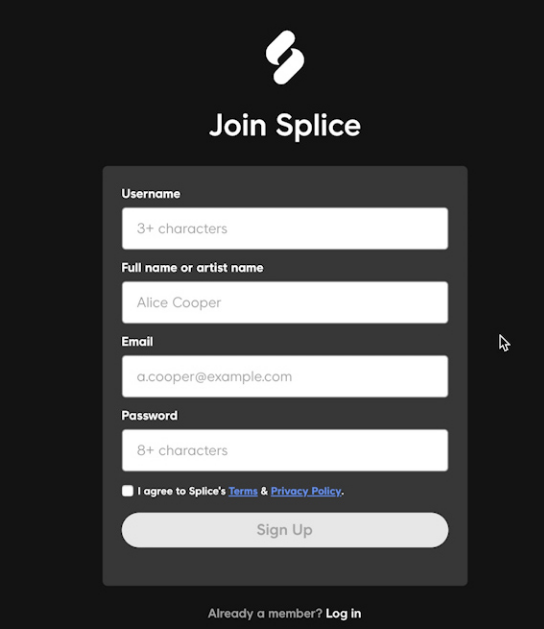
Download and Install the Splice App
Once you’ve signed up, download the Splice app on your desktop or mobile device. The installation process is quick, and the app is available for Windows and macOS.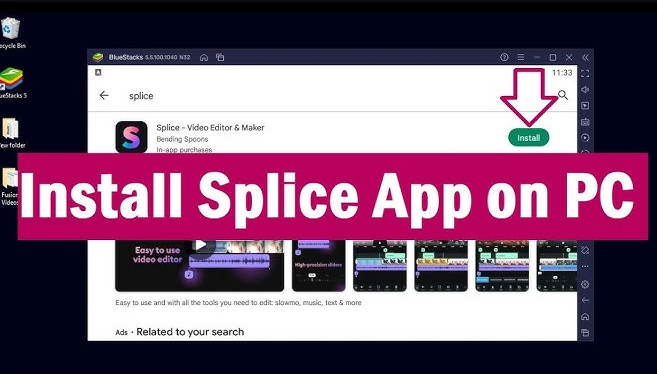
Browse or Search for Samples
Once the app is installed, open it and explore Splice’s vast library of samples. You can quickly filter your search by genre, instrument, or mood to find your desired sounds.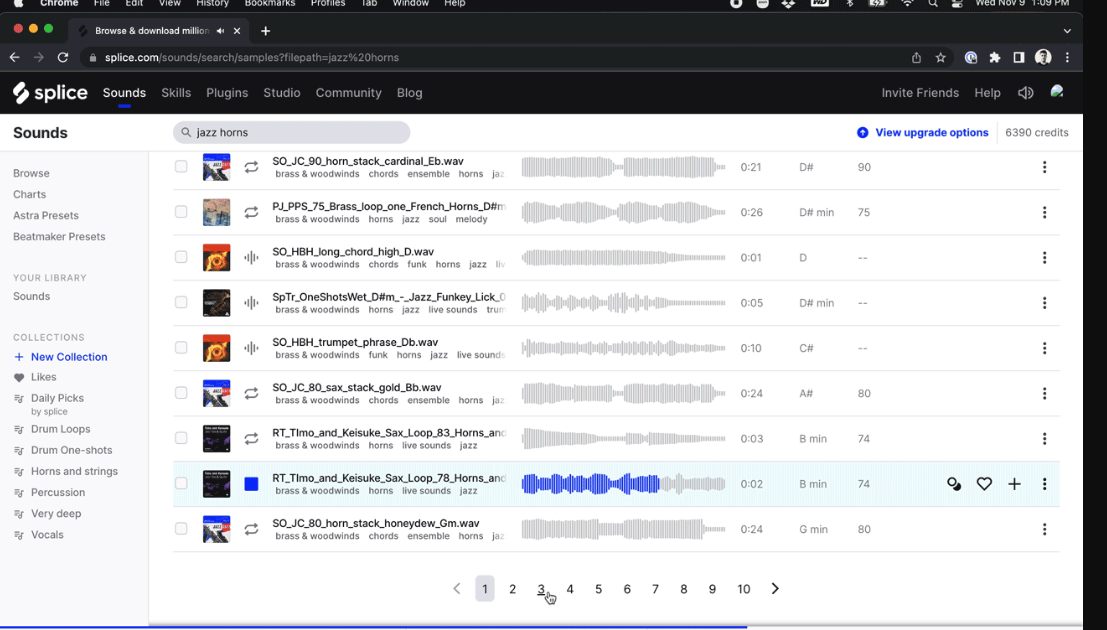
Preview and Download Sounds
Each sample is available for preview before you download it, ensuring you pick the right sound for your project. When you find the perfect sample, click the download button to save it to your project folder.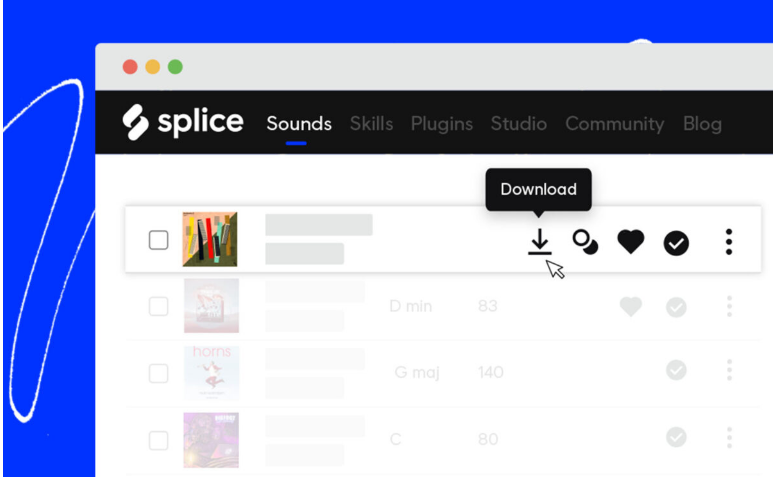
Integrate Samples into Your DAW
After downloading the samples, simply drag and drop them into your DAW. Splice’s seamless integration with popular DAWs like Ableton and FL Studio makes this process easy.
Tips for Optimizing Your Splice Experience
One tip for getting the most out of Splice is to stay organized. I recommend creating separate folders for different genres or moods, so you can quickly find your samples when needed. Additionally, explore Splice’s curated sound packs—these packs are often designed by professionals and can offer you a fresh perspective on your project.
Part 3: Enhance Your Audio Workflow with Toolsmart Free YouTube to MP3
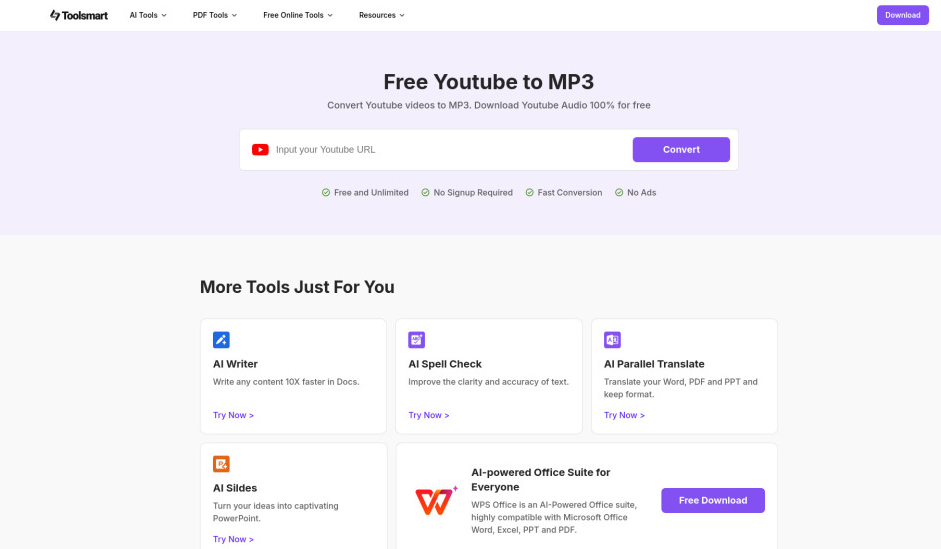
While Splice Sounds is a great resource, sometimes you need additional sources for unique samples. That’s where Toolsmart’s YouTube to MP3 converter comes in handy. It allows you to extract high-quality audio from YouTube videos, which can be used with Splice’s library.
Overview: Toolsmart YouTube to MP3
Toolsmart’s YouTube to MP3 converter is a free and easy-to-use tool for converting YouTube videos into MP3 files. It is perfect for extracting vocals, sound effects, or background music that might not be readily available on Splice.
How to Use Toolsmart YouTube to MP3
Find Your Desired YouTube Video
Head to YouTube and find the video containing the audio you want to extract.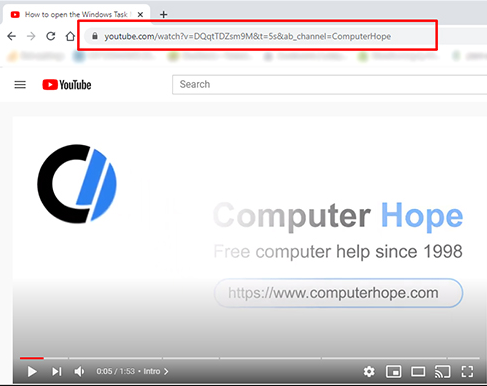
Copy the URL
Copy the URL of the video you wish to convert.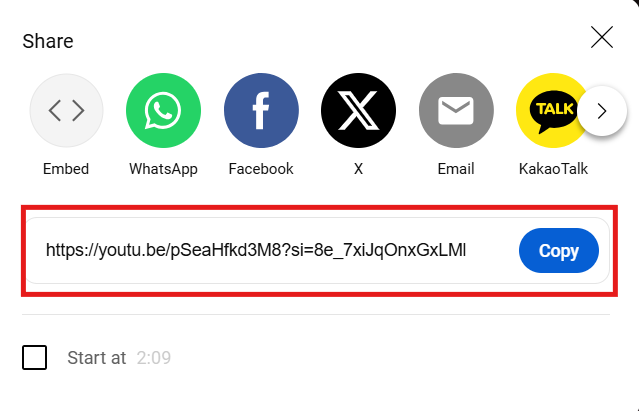
Paste into Toolsmart
Go to Toolsmart’s website and paste the YouTube URL into the conversion tool.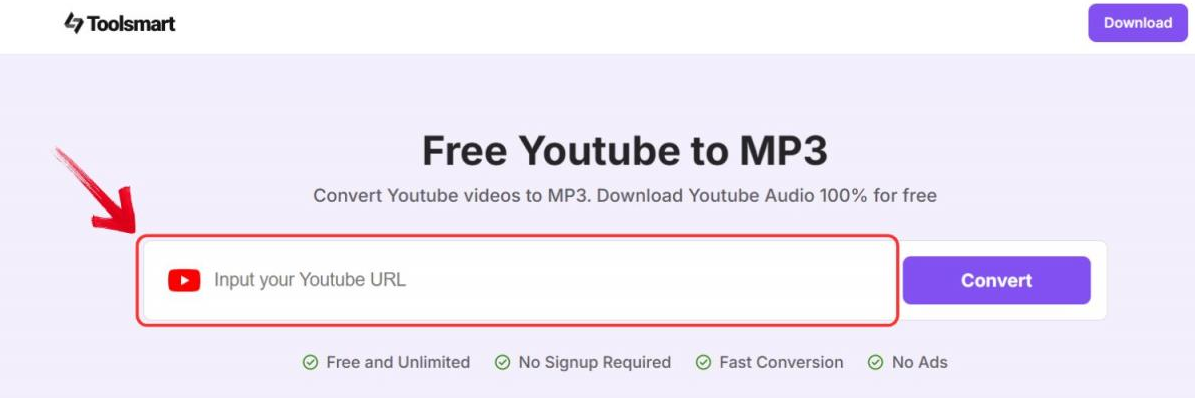
Convert and Download
Click the convert button, and your MP3 file will be ready for download in seconds.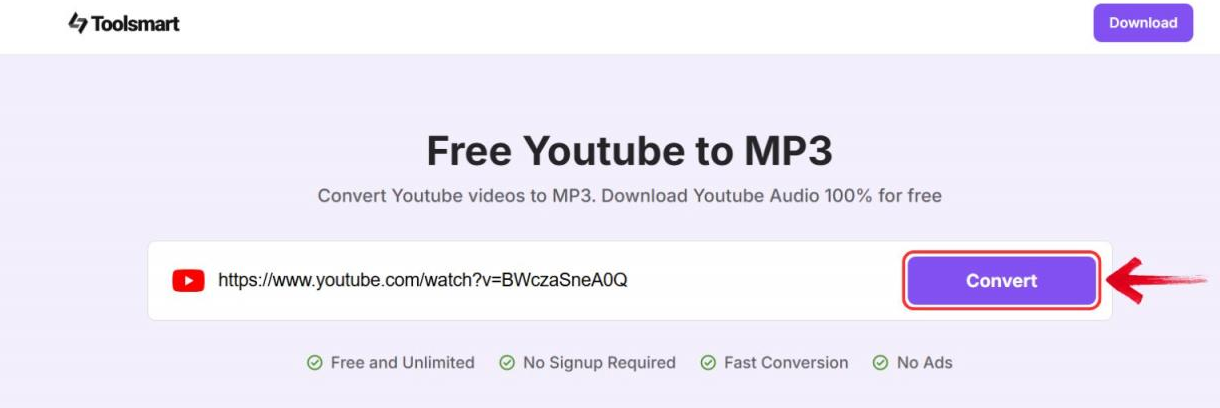
Add to Your Project
Once the MP3 is downloaded, you can seamlessly integrate it into your Splice project and work with it in your DAW.
Why Toolsmart is a Great Complement to Splice
The beauty of using Toolsmartalongside Splice is the flexibility it provides. You can easily incorporate unique, custom audio from YouTube into your tracks, adding an extra layer of creativity to your projects. Whether it’s a unique vocal chop or a background track, Toolsmart opens up new possibilities for your music.
FAQs
Q1: What genres does Splice Sounds cover?
Splice Sounds offers samples in various genres, including EDM,
hip-hop, pop, cinematic, and rock.
Q2: Is there a free version of Splice Sounds?
No, but Splice offers a free trial for new users that provides
limited access to explore the platform.
Q3: How does it compare to LANDR or other sound
libraries?
Splice offers a larger library and more affordable pricing,
but LANDR includes additional features like mastering tools that some
users may find helpful.
Q4: Can I use YouTube to MP3 for commercial projects?
Always check the copyright status of the YouTube video before
using it in commercial projects. Not all videos are royalty-free.
Conclusion:
Splice Sounds remains one of the top sound libraries for producers in 2025. Its extensive catalog, high-quality samples, and seamless integration with DAWs make it a valuable tool for any music producer. While there are some downsides, like the subscription model and occasional lag in the app, its value outweighs the drawbacks.
If you're serious about music production and looking for a vast library of sounds to inspire your next project, Splice Sounds is worth considering. And by using complementary tools like Toolsmart’s YouTube to MP3 converter, you can further expand your creative possibilities.


