
'%3e%3cpath%20fill-rule='evenodd'%20clip-rule='evenodd'%20d='M19%208.5C24.799%208.5%2029.5%2013.201%2029.5%2019C29.5%2024.6782%2024.9928%2029.3036%2019.361%2029.4939L19%2029.5C18.8794%2029.5%2018.7592%2029.498%2018.6396%2029.4939L18.2811%2029.4758C12.8174%2029.1063%208.5%2024.5574%208.5%2019C8.5%2013.201%2013.201%208.5%2019%208.5ZM22.3063%2010.6267L22.2342%2010.6539C21.3423%2011.0061%2020.5541%2011.6368%2020.5606%2012.4987C20.5631%2012.8302%2020.869%2014.8871%2020.2141%2014.8486C19.5589%2014.8102%2019.413%2013.8753%2018.7116%2013.616C17.5944%2013.2026%2016.9819%2014.3401%2017.0939%2015.3106C17.1695%2015.9655%2018.9289%2018.3871%2017.9028%2019C17.292%2019.3651%2015.7279%2017.5692%2015.1007%2017.1842C14.4805%2016.8034%2013.2758%2017.3333%2012.4974%2016.7029C11.9874%2016.2899%2012.3881%2014.4098%2012.2786%2013.8372C12.2271%2013.5698%2012.1155%2013.3689%2011.9794%2013.2166L12.0402%2013.2934C10.7653%2014.8464%2010%2016.8339%2010%2019C10%2023.8465%2013.8307%2027.7982%2018.6295%2027.9925L18.6769%2027.9747C18.8597%2027.8677%2019.0394%2027.7557%2019.216%2027.6387C19.4137%2027.4534%2019.5436%2027.2072%2019.5849%2026.9394C19.8806%2025.1222%2018.3616%2025.4302%2017.9367%2024.5622C17.5489%2023.7695%2018.5712%2023.7684%2018.5524%2021.7923C18.4607%2021.1774%2018.5279%2020.547%2018.7211%2020.0315C19.1834%2018.7987%2020.7077%2017.2643%2022.5889%2018.0081C23.5567%2018.3906%2023.1524%2019.9831%2023.4737%2020.3394C24.251%2021.2018%2025.3228%2020.6863%2026.2856%2021.2253C26.7816%2021.5032%2026.9797%2022.41%2027.056%2023.2248L27.038%2023.0528C27.6534%2021.8348%2028%2020.4579%2028%2019C28%2015.1968%2025.6409%2011.9445%2022.3063%2010.6267Z'%20fill='%23757575'/%3e%3ccircle%20cx='19'%20cy='19'%20r='10.125'%20stroke='%23757575'%20stroke-width='2.25'/%3e%3c/g%3e%3cdefs%3e%3cclipPath%20id='clip0_1827_14613'%3e%3crect%20width='24'%20height='24'%20fill='white'%20transform='translate(7%207)'/%3e%3c/clipPath%3e%3c/defs%3e%3c/svg%3e)


Collages are a popular way to share your daily highlights in a single, engaging Instagram Story. Even though Instagram offers its own built-in features for this, it’s relatively hidden, and many users struggle to find and customize it. Luckily, there are a few reliable and effective ways you can simplify the process. In this guide, I’ll be providing clear methods to walk you through how to make a collage on Instagram story and introduce you to a bonus tool for repurposing content.
Step-by-Step Guide to Making a Collage on Instagram Story
Whether you’re a professional content creator wanting to create professional stories or simply a casual user trying to learn how to make collage on Instagram story, learning how to craft attractive collages is essential. It may seem like a challenge if you haven’t done it before, but once you know the exact steps, it’s incredibly straightforward. In this section, I’ll be highlighting some of the most reliable ways you can use to make collages for your Instagram storieseasily.
Using the Native Layout Feature
If you want a straightforward and built-in approach to creating your Instagram collages, then using the native layout feature is the way to go. It doesn’t take much time to figure out, as I’ll be highlighting each step of the process down below.
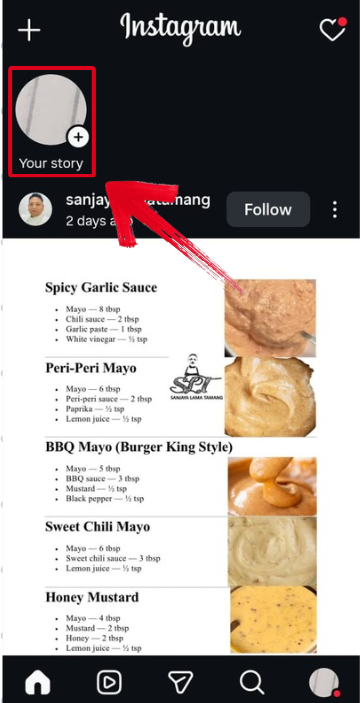
Step 1: Open your Instagram app and click on your profile picture to open the Story Window.
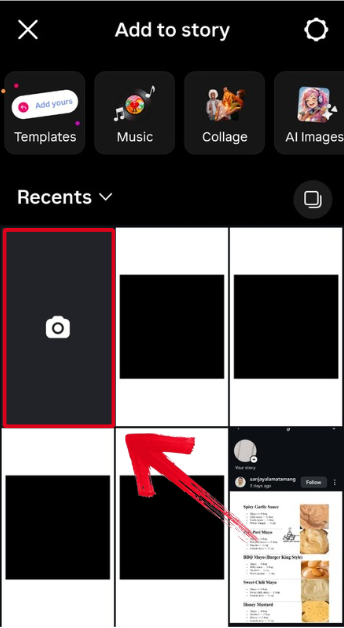
Step 2: Press the Camera Icon to open your camera on Instagram story.
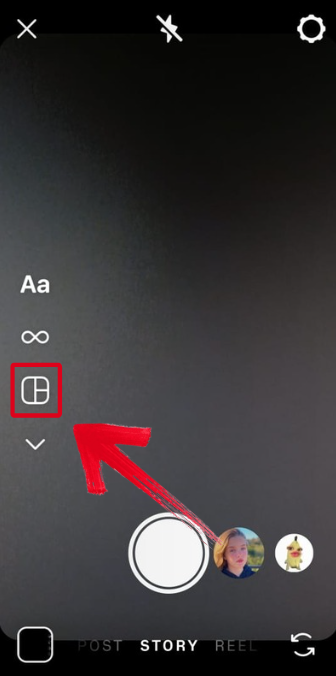
Step 3: Once your camera is open, press theLayouts button to start your collage.
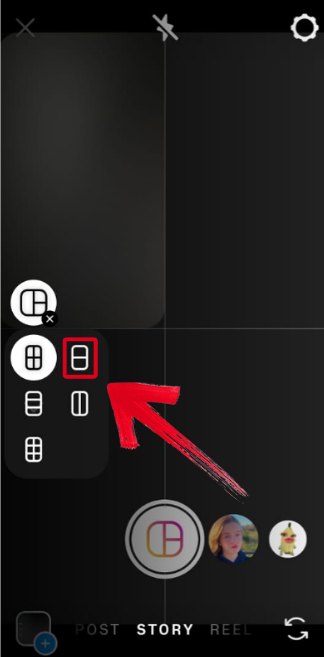
Step 4: Select the layout format you want your Instagram story collage to have.
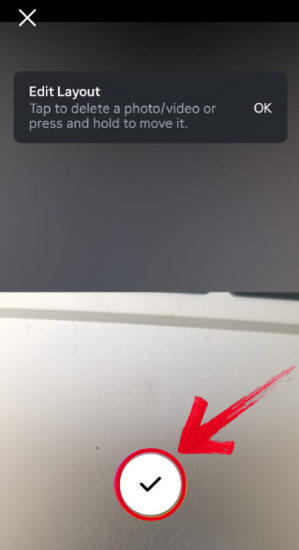
Step 5: Add the images you want your story collage to have and then press the Done button.
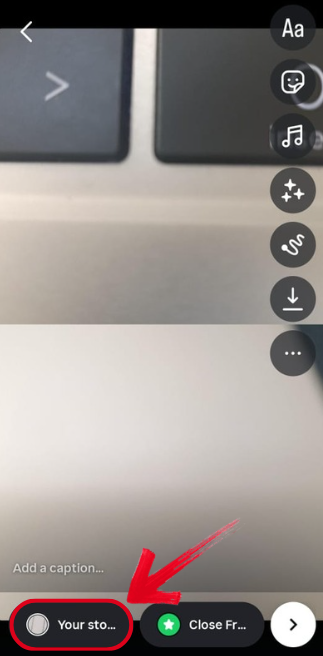
Step 6: Once you’ve finalized your story collage, simply share it to your story to finish the process.
Using the Photo Stack Feature
If you want to make a collage manually yourself, you can use the photo stack feature built into the Instagram Story window. It’s pretty straightforward and can be done in just a few simple steps, and I’ll highlight each one down below.
Step 1: Open your Instagram app and click on your profile picture to open the Story Window.
Step 2: Use a blank image or any other photo you want to use as a background for your collage.
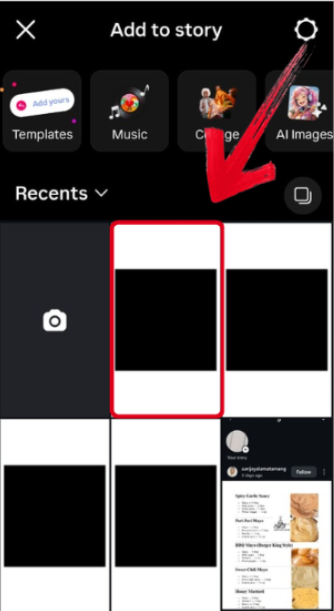
Step 3: Once the story window is open, press theStickers Icon to open the menu.

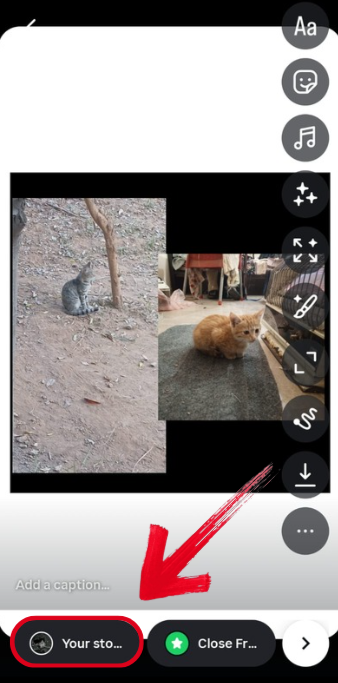
Step 4: Press the Photo sticker and add the images you want your collage to have.

Step 5: Once you’ve finalized your collage, simply post it to your story to finish the process.
Using Third-Party Apps
If you want more customization options and the built-in options provided by Instagram seem too limiting, you can try using third-party apps for creating your Instagram story collages. I’ll be highlighting each step of the process to help you avoid any possible confusion.
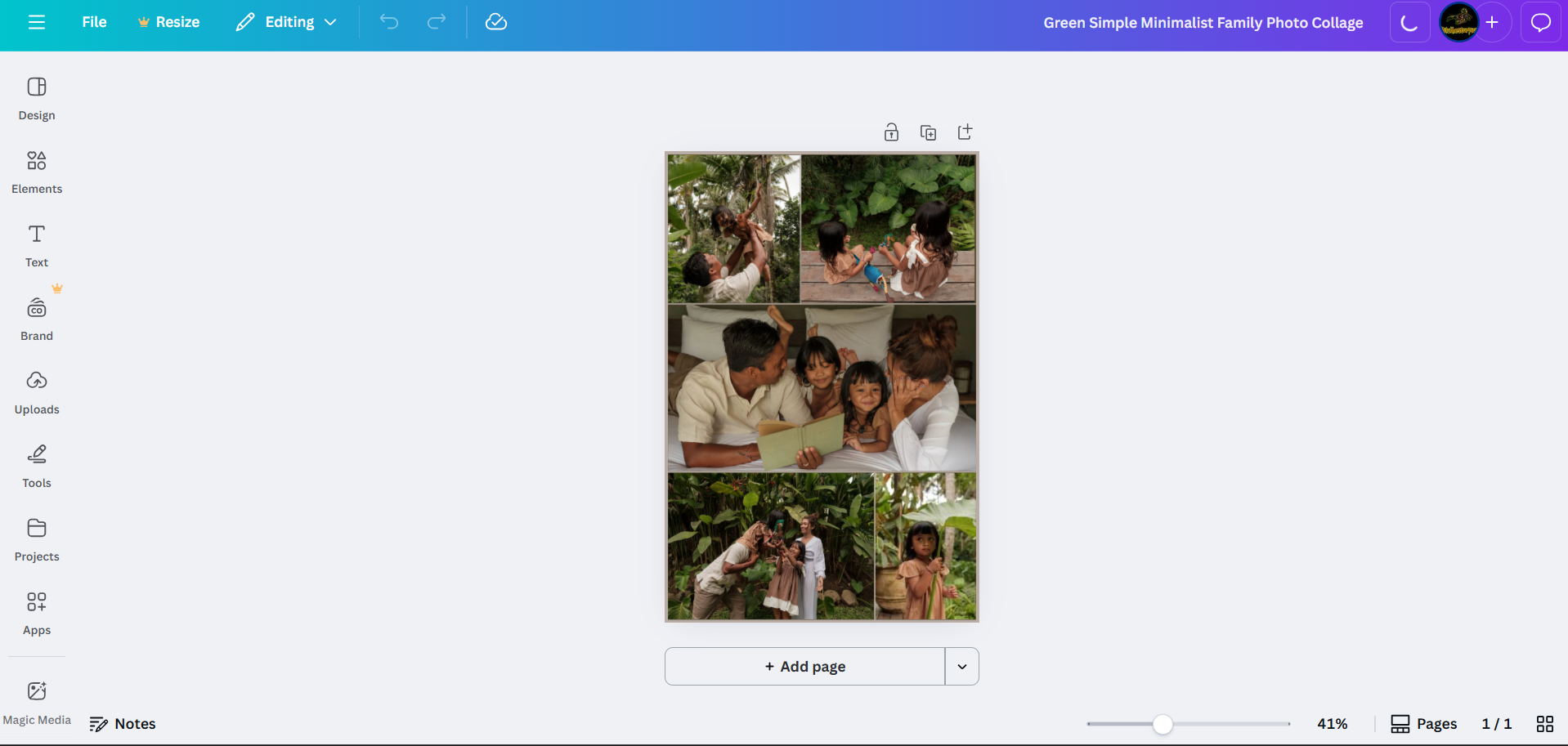
Step 1: Use a third-party app (Canva, PicCollage) to create your collage and then download it to your device.
Step 2: Open Instagram on your preferred device and create a new Story.
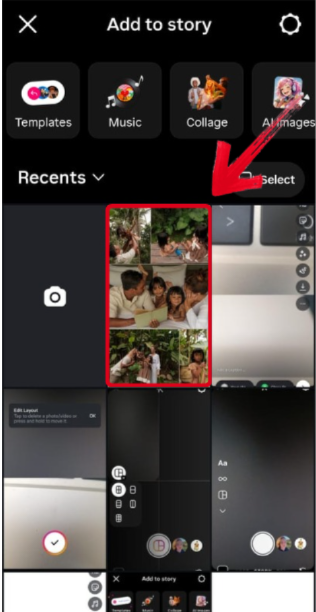
Step 3: Select the downloaded collage from your camera roll to add it to your story.
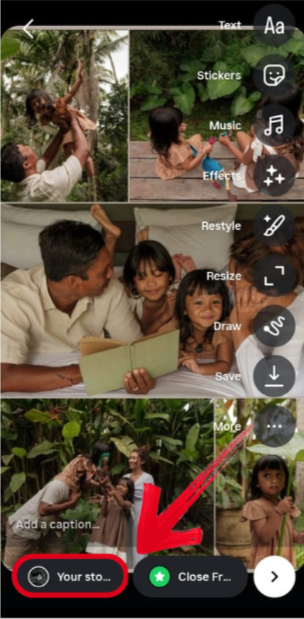
Step 4: Edit the collage however you want to finalize it, and then share it to your story.
Common Issues & How to Solve Them
If you’re making collages on your Instagram story for the very first time, all of this may seem overwhelming, and you may run into many issues along the way. I’ve been there myself, and I know how frustrating it can get. In this section, I’ll be highlighting some of the most common problemsfaced by beginners and helping you understand them better so you can solve them effectively.
Problems
Can't Add Videos to "Layouts" Collage: The native Layouts sticker currently only supports photos. For video collages, use a third-party app and then upload the final video to your Story.
Collage Quality is Poor: Use high-resolution images. When using third-party apps, check the export settings to ensure quality is not compressed.
Want to Use a Video from Another Instagram Account: You need to download the video first before you can use it.
Limited Customization in Native Layouts: For more control over borders, backgrounds, and layouts, use a dedicated collage app.
Tip: You can add multiple "Layouts" stickers to a single Story to create more complex multi-collage designs.
Download & Repurpose Content with Free Instagram Video Downloader
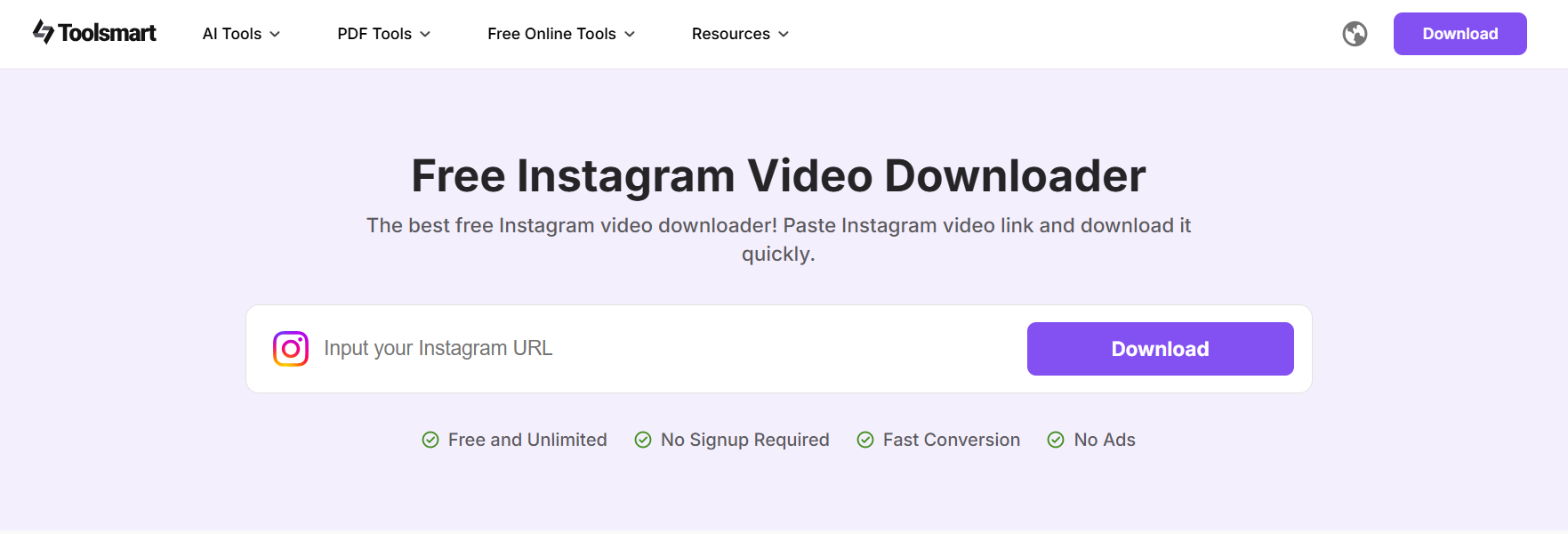
If you’re a beginner trying to grow your Instagram page through aesthetic stories, you need to focus on elevating your content quality as well. I’ve found that one of the best ways to do this is by using top-performing videos for reference and learning from them. Toolsmart’s Free Instagram Video Downloader is one of the most reliable tools you can use for this step. It’s free and incredibly reliable, helping me download any Instagram video I want in just a few simple steps without any hassle.
Features
Free & No Sign-Up Required
High Quality Results
Simple and Beginner-Friendly Process
Works on Any Device
If you decide on using Toolsmart to enhance your content creation, it’s very simple to use. I’ll walk you through each step of the process myself so you don’t feel lost.
Step 1: Open Toolsmart’s Free Instagram Video Downloader on your device’s browser.
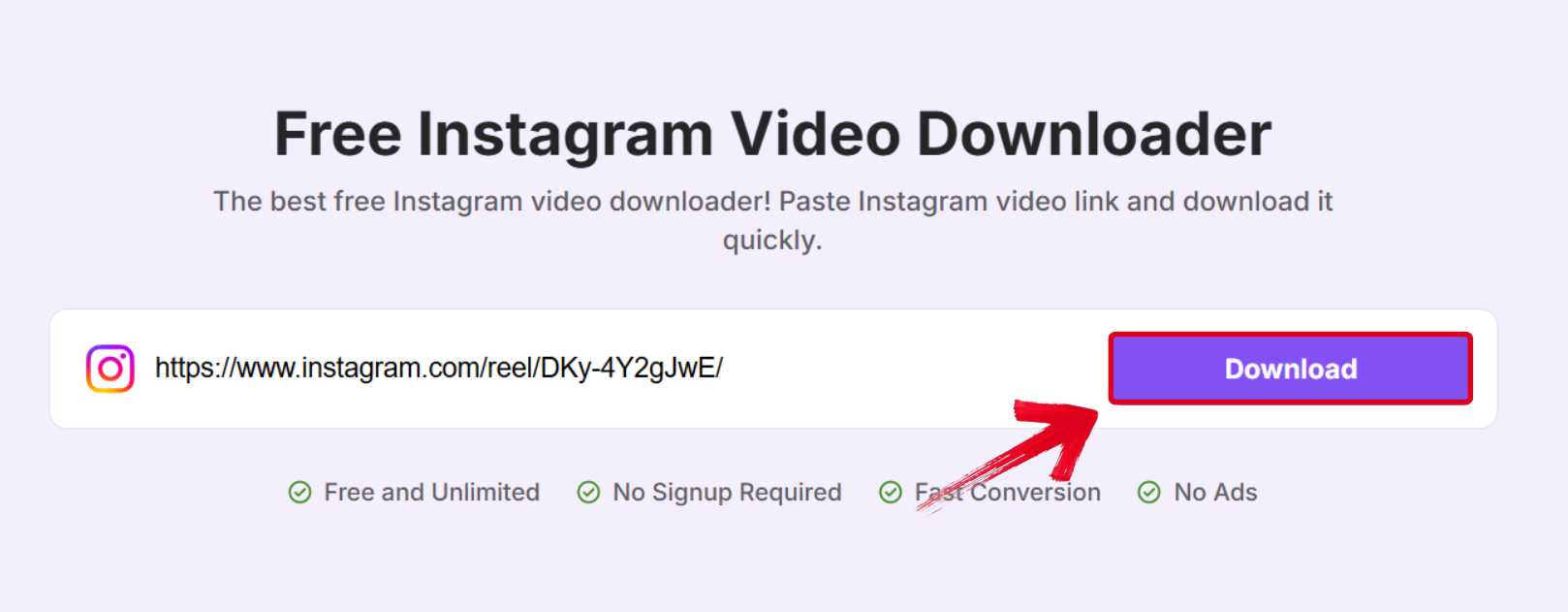
Step 2: Paste the link of the video you want to download by pressing Ctrl + V in the textbox, then press Download.
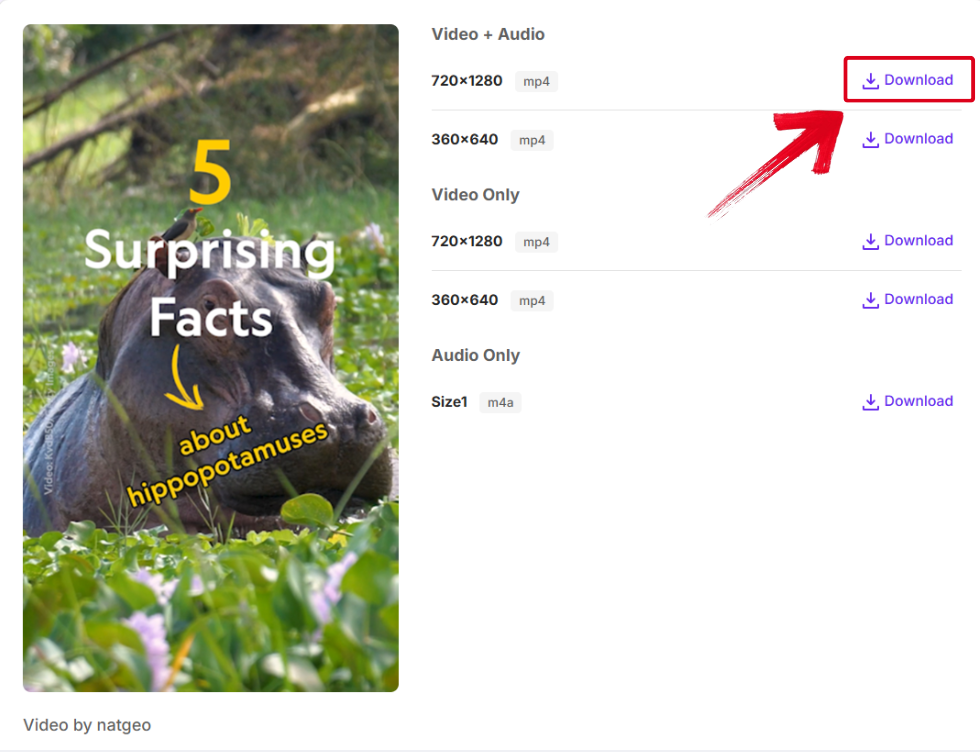
Step 3: Once the video has been processed, multiple download options will be shown on your screen. Select the version you want to save and press Download.
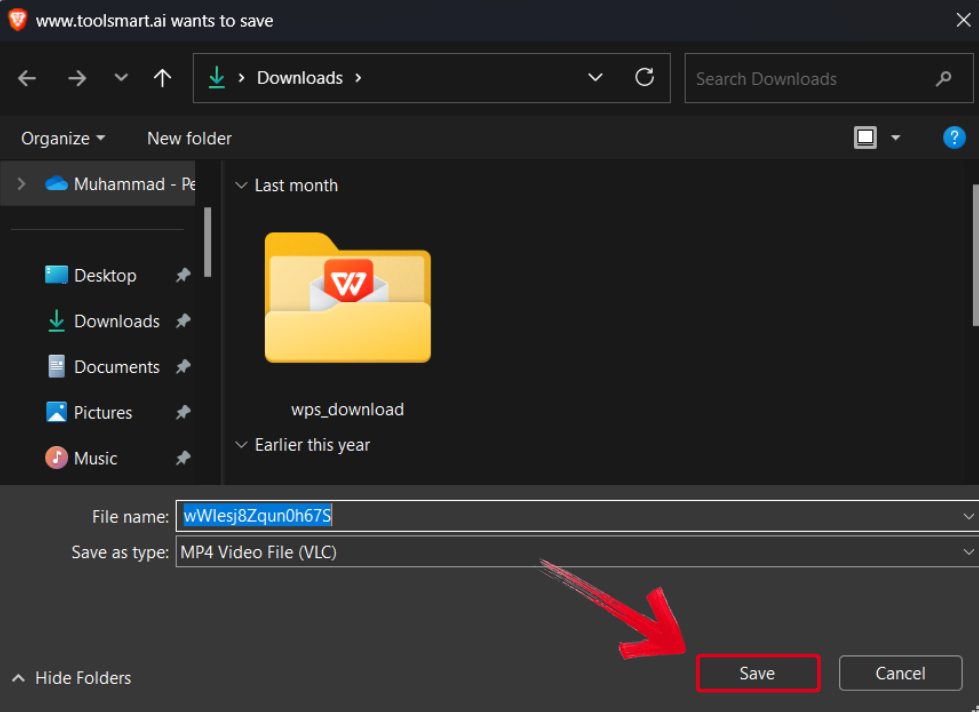
Step 4: Select the folder where you want your Instagram video downloaded, then select Save.
FAQs
Q1: Can I make a collage directly in Instagram Stories?
Yes, you can use the native "Layouts" sticker or the "Photo Stack" feature as described in Part 1.
Q2: Why can't I find the Layouts sticker on my Instagram?
Update your Instagram app to the latest version. If it's still missing, the feature might be rolling out gradually in your region; using a third-party app is a reliable alternative.
Q3: Can I use videos in an Instagram Story collage?
Not with the native Layouts sticker. You need to create a video collage using a third-party app and then upload the final video to your Story.
Q4: Is the Instagram Video Downloader free to use?
Yes, it is completely free with no watermarks or sign-up required.
Q5: Is it legal to download videos from Instagram?
Downloading public content for personal use is generally acceptable. However, you should never republish downloaded content as your own without permission, as this infringes on copyright.
Crafting Attractive Instagram Stories
Making collages can be a great way to enhance your Instagram stories, especially if you’re a content creator looking to grow your audience. You can learn how to make a collage on Instagram story using the native layout features, or by directly creating them using third-party apps to simplify the process. You can use Toolsmart’s Free Instagram Video Downloader to save the top-performing videos and learn from their content strategies. It’s completely free and provides high-resolution results without making you go through any hassle, making it perfect for content creators.


