
'%3e%3cpath%20fill-rule='evenodd'%20clip-rule='evenodd'%20d='M19%208.5C24.799%208.5%2029.5%2013.201%2029.5%2019C29.5%2024.6782%2024.9928%2029.3036%2019.361%2029.4939L19%2029.5C18.8794%2029.5%2018.7592%2029.498%2018.6396%2029.4939L18.2811%2029.4758C12.8174%2029.1063%208.5%2024.5574%208.5%2019C8.5%2013.201%2013.201%208.5%2019%208.5ZM22.3063%2010.6267L22.2342%2010.6539C21.3423%2011.0061%2020.5541%2011.6368%2020.5606%2012.4987C20.5631%2012.8302%2020.869%2014.8871%2020.2141%2014.8486C19.5589%2014.8102%2019.413%2013.8753%2018.7116%2013.616C17.5944%2013.2026%2016.9819%2014.3401%2017.0939%2015.3106C17.1695%2015.9655%2018.9289%2018.3871%2017.9028%2019C17.292%2019.3651%2015.7279%2017.5692%2015.1007%2017.1842C14.4805%2016.8034%2013.2758%2017.3333%2012.4974%2016.7029C11.9874%2016.2899%2012.3881%2014.4098%2012.2786%2013.8372C12.2271%2013.5698%2012.1155%2013.3689%2011.9794%2013.2166L12.0402%2013.2934C10.7653%2014.8464%2010%2016.8339%2010%2019C10%2023.8465%2013.8307%2027.7982%2018.6295%2027.9925L18.6769%2027.9747C18.8597%2027.8677%2019.0394%2027.7557%2019.216%2027.6387C19.4137%2027.4534%2019.5436%2027.2072%2019.5849%2026.9394C19.8806%2025.1222%2018.3616%2025.4302%2017.9367%2024.5622C17.5489%2023.7695%2018.5712%2023.7684%2018.5524%2021.7923C18.4607%2021.1774%2018.5279%2020.547%2018.7211%2020.0315C19.1834%2018.7987%2020.7077%2017.2643%2022.5889%2018.0081C23.5567%2018.3906%2023.1524%2019.9831%2023.4737%2020.3394C24.251%2021.2018%2025.3228%2020.6863%2026.2856%2021.2253C26.7816%2021.5032%2026.9797%2022.41%2027.056%2023.2248L27.038%2023.0528C27.6534%2021.8348%2028%2020.4579%2028%2019C28%2015.1968%2025.6409%2011.9445%2022.3063%2010.6267Z'%20fill='%23757575'/%3e%3ccircle%20cx='19'%20cy='19'%20r='10.125'%20stroke='%23757575'%20stroke-width='2.25'/%3e%3c/g%3e%3cdefs%3e%3cclipPath%20id='clip0_1827_14613'%3e%3crect%20width='24'%20height='24'%20fill='white'%20transform='translate(7%207)'/%3e%3c/clipPath%3e%3c/defs%3e%3c/svg%3e)


Preserving old VHS tapes has been on my mind for a while. These tapes hold priceless moments from birthdays, weddings, and family road trips, and they’re fading fast. So I decided to dig into the best way to bring them back to life using today’s digital tech. In this guide, I’ll walk you through how to convert VHS to digital using both free and premium tools. Finally, I’ll show you how to restore images from your tapes afterward, right from your browser.
What is VHS and Why Convert It?
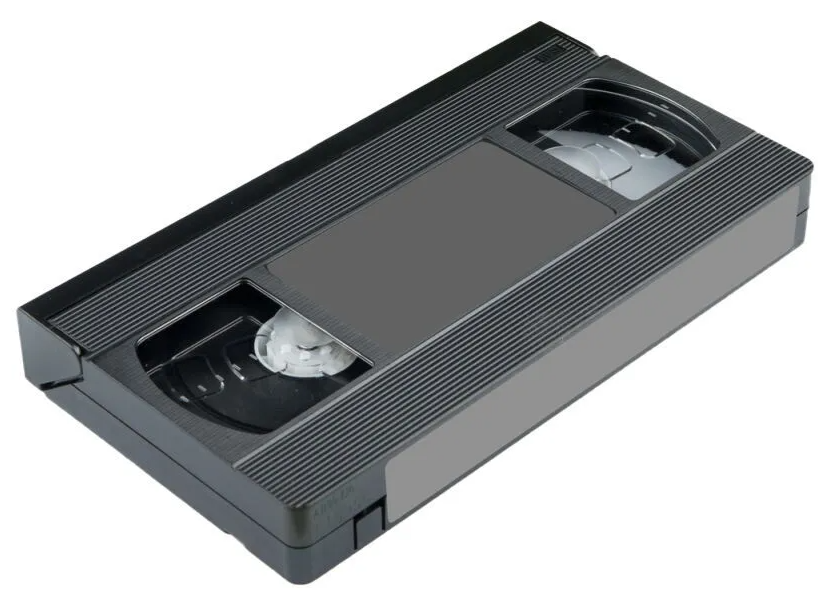
VHS, or Video Home System, was the OG analog tape format back in the '80s and '90s. We used it to record everything: home movies, TV shows, even music video countdowns. But here’s the kicker: VHS tapes degrade over time. The magnetic strips lose quality, mold can build up, and every playback wears them down further.
Converting VHS to digital means locking in those memories permanently. You can share them, edit them, and even store them on clouddrives. Plus, digital files don’t age the way tapes do. So instead of a dusty shoebox, you get a searchable, crisp collection of your family’s best moments.
I learned the importance of preservation when I played an old tape and was met with distorted, warped footage. That moment made it clear, it was time to digitize my entire VHS collection before more memories faded beyond recovery.
Tools for Converting VHS to Digital
If you've been wondering how to convert VHS to digital in 2025, having the right tools is essential for a smooth, high-quality transfer. It doesn't matter if you're using a basic capture card or a full-featured converter, the right software and hardware combo can save both time and frustration. In this section, I’ll walk you through the most effective and accessible tools to make digitizing your old tapes simple and reliable.
OBS Studio (Free)
OBS Studio is a favorite among gamers and streamers, but it’s also a solid VHS capture tool for Mac and Windows. It allows you to record whatever is coming from your capture device directly to your computer. There’s a bit of a learning curve, but once set up, it gives you full control over resolution, bitrate, and audio.
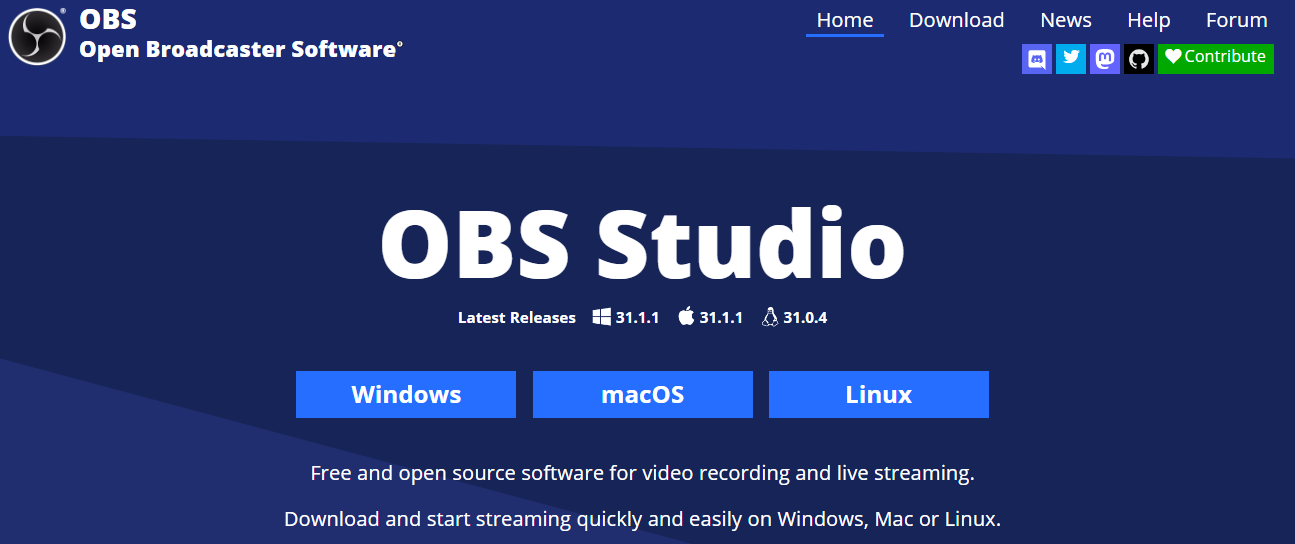
You can customize your output format, apply real-time filters, and even schedule recordings. It’s especially handy for users who want more than just a basic transfer; they want quality. If you're looking to convert VHS tapes to a computer with flexibility and control, this tool delivers. While it's free, the results can rival paid software with the right setup and a good capture card.
Features:
Compatible with most USB capture devices: This makes it easy to pair with affordable hardware for converting your VHS tapes without extra hassle.
Highly customizable video and audio settings:You get full control over resolution, bitrate, framerate, and audio levels for a polished final result.
Available on Mac, Windows, and Linux:Cross-platform support ensures you can use OBS Studio on virtually any operating system.
Can save directly in formats like MP4 or FLV:Saves you the extra step of converting files after recording, making the process more efficient.
App Rating: 4.6/5
Setting up OBS wasn’t exactly plug-and-play, but once I got past the initial learning curve, I really appreciated its flexibility. I paired it with a $15 capture card I found online, and to my surprise, it handled the job like a pro, clear video, synced audio, and no glitches. It took a bit of trial and error, but the quality made it totally worth it.
Elgato Video Capture
If you want a smoother plug-and-play experience, Elgato’s software is made for VHS transfers. It comes with the Elgato Video Capture device and walks you through the whole setup. It doesn’t overwhelm you with advanced settings, making it ideal for first-timers. You simply connect the cables, launch the app, and hit record; it’s that intuitive. Plus, the software automatically adjusts audio levels and video brightness, giving you a clean transfer every time.
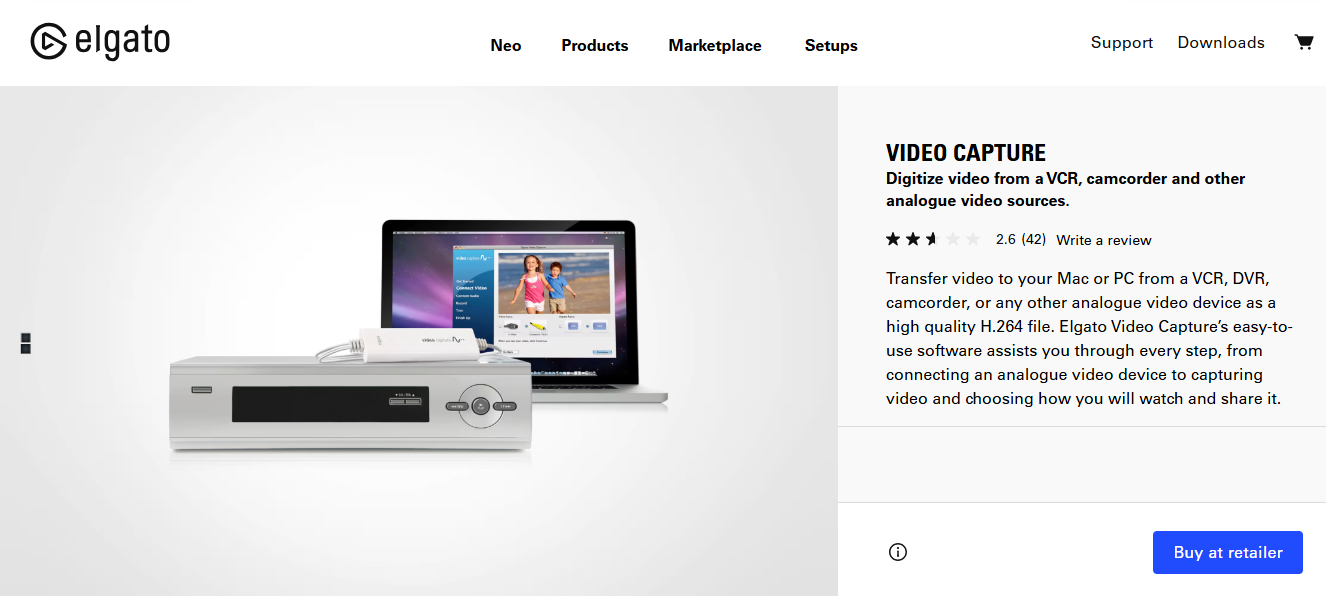
It's especially useful if you're trying to convert VHS to digital, free of complex settings or configurations. While it’s a paid option, the ease of use and reliable output make it a strong investment.
Features:
Simple, beginner-friendly interface: Designed to guide users step-by-step, making the VHS conversion process stress-free for anyone.
Saves in H.264 format: Ensures high-quality digital files that are compatible with most devices and editing software.
Allows trimming during recording: Lets you cut out unwanted sections in real-time, saving you time on post-editing later.
App Rating: 4.7/5
I tested this on my cousin’s MacBook, and it truly felt like the Apple of VHS converters, sleek, simple, and dependable. The setup was effortless, and the results were consistently clean.
HandBrake (Free)
After recording your footage, you’ll probably want to compress or reformat it. That’s where HandBrake comes in. It doesn’t record video but optimizes files you have already captured. It supports a wide range of formats and gives you presets for different devices, so you don’t need to guess what settings work best. You can also batch process multiple files at once, a huge time-saver if you’ve digitized several tapes.
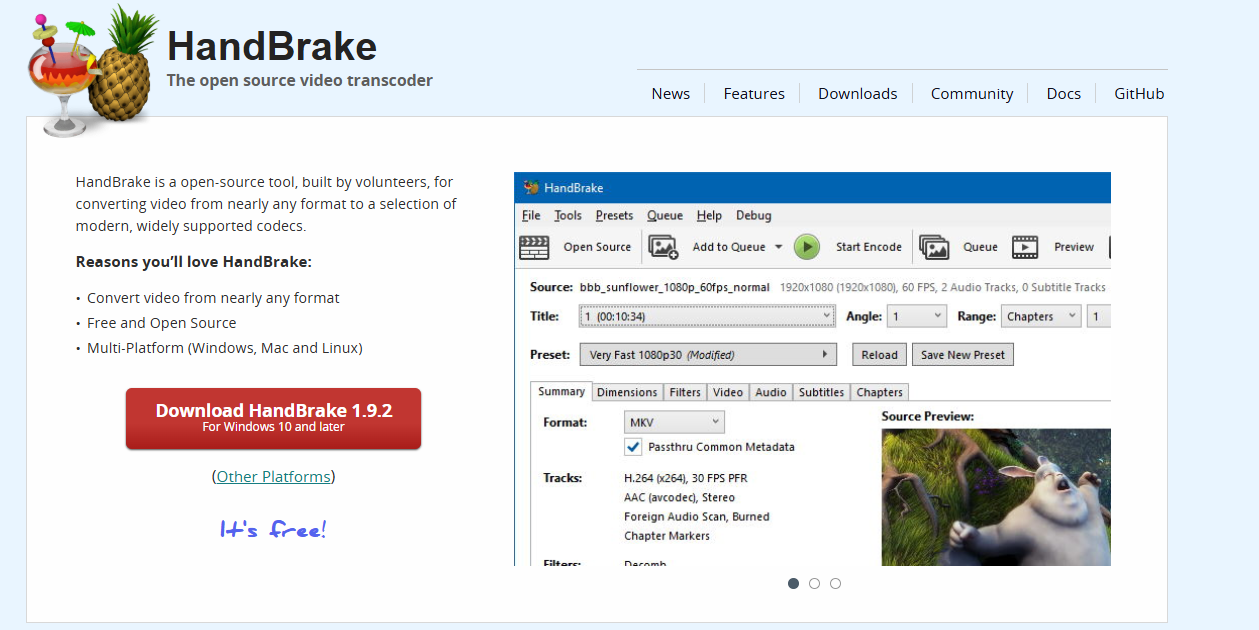
The interface is straightforward, and it offers detailed control for those who want it. For anyone focusing on VHS video restoration through better compression and clarity, HandBrake is a valuable post-capture tool.
Features:
Converts video into formats like MP4, MKV: Makes your VHS transfers compatible with modern devices and platforms with ease.
Offers presets for YouTube, Gmail, etc.: Saves time by giving you one-click settings tailored for specific platforms and sharing needs.
Reduces file size while preserving quality:Perfect if you're running low on storage but still want crisp, clean playback.
Ideal for post-processing VHS captures: Helps fine-tune your footage after recording, especially when paired with free capture tools.
App Rating: 4.5/5
I use HandBrake after OBS recordings to shrink the file size without killing the quality, it’s super handy when I’m sharing videos with relatives online. The presets save me a ton of time, and the final files still look sharp.
Roxio Easy VHS to DVD
This one’s a premium option for those who want everything in one package. Roxioincludes a USB capture device and software that’s designed specifically for VHS conversion. It’s tailored for users who prefer an all-in-one solution without juggling different tools. The interface is beginner-friendly, yet it offers just enough customization to fine-tune your recordings. It also has built-in features for burning DVDs if you still use physical media.
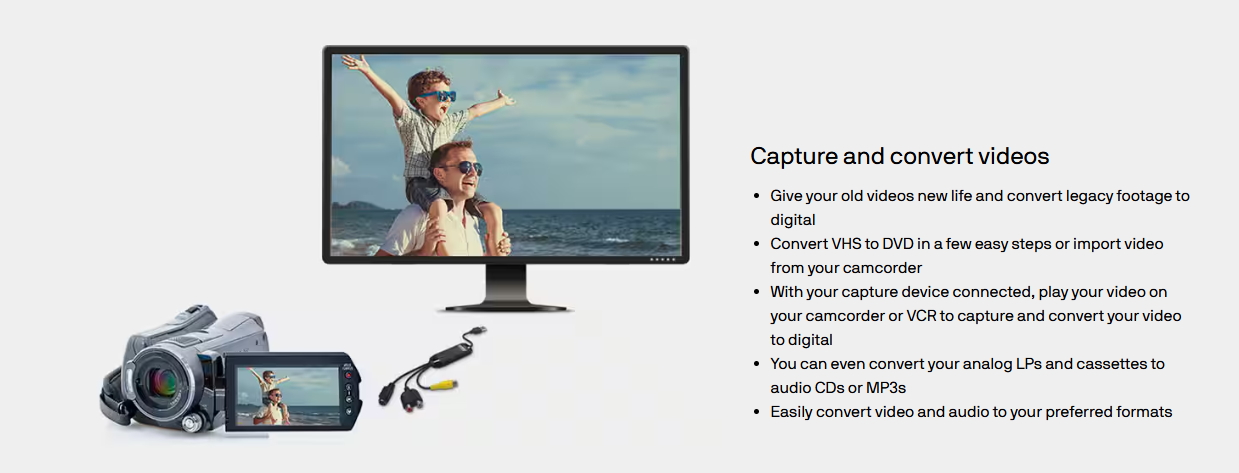
What makes it stand out is its stability, minimal crashes, smooth transfers, and solid tech support. For those looking to digitize a larger collection, VHS to digital converter software like Roxio offers both reliability and convenience.
Features:
One-stop solution with hardware and software:Everything you need comes in the box, no need to hunt for extra cables or programs.
Converts directly to DVD or digital: Gives you the flexibility to create DVDs or save your files straight to your computer.
Saves in standard formats like MP4: Ensures your converted videos are easy to view, edit, or share across devices.
User-friendly drag-and-drop timeline: Makes basic editing and trimming feel intuitive, even for first-time users.
App Rating: 4.3/5
I helped a friend convert a box of old wedding tapes using Roxio, and it honestly made the whole process seamless. It was so straightforward that even someone with zero tech experience could’ve done it start to finish.
Comparison Table
When choosing the right tool to digitize your old tapes, comparing features side-by-side really helps. Some tools are better suited for advanced users, while others offer a smoother experience for beginners. Your choice may depend on things like operating system, file format support, or how much editing control you need. This table breaks it all down, helping you pick the best VHS to digital convertersoftware for your specific needs.
| Tool | Platform | Free/Paid | Format Support | Ease of Use | Batch Processing |
|---|---|---|---|---|---|
| OBS Studio | Mac/Windows | Free | MP4, FLV | Medium | Yes |
| Elgato | Mac/Windows | Paid | H.264 | Easy | No |
| HandBrake | Mac/Windows | Free | MP4, MKV | Medium | Yes |
| Roxio | Windows Only | Paid | MP4, DVD | Very Easy | No |
After experimenting with all of these, I personally leaned toward OBS + HandBrake. But if you're not into tweaking settings, Elgato or Roxio will make your life way easier.
How to Convert VHS to Digital (Step-by-Step Guide)
Let’s get into the actual process now. You don’t need to be super techie to pull this off. Just take your time. With a few basic tools and the right steps, you’ll be surprised how quickly you can preserve your old footage. I’ll walk you through each part so nothing feels overwhelming.
Steps:
Here’s a clear, step-by-step breakdown to help you convert VHS to digital without confusion:
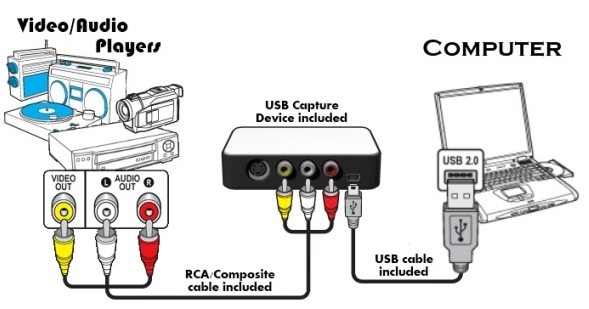
Step 1: Plug the RCA cables into your VCR's output. Connect the other end to a USB capture device (like Elgato or Roxio), then plug it into your computer.
Step 2: Drag the file into OBS Studio, select your preferred file resolution rates in the “Output” section and start encoding. This step helps reduce the size without losing too much quality.

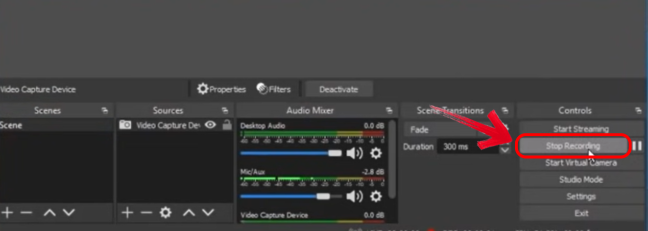
Step 3: Launch the software. Choose your video source (usually named after the capture card). Hit "Start Recording" before you press play on your VCR.
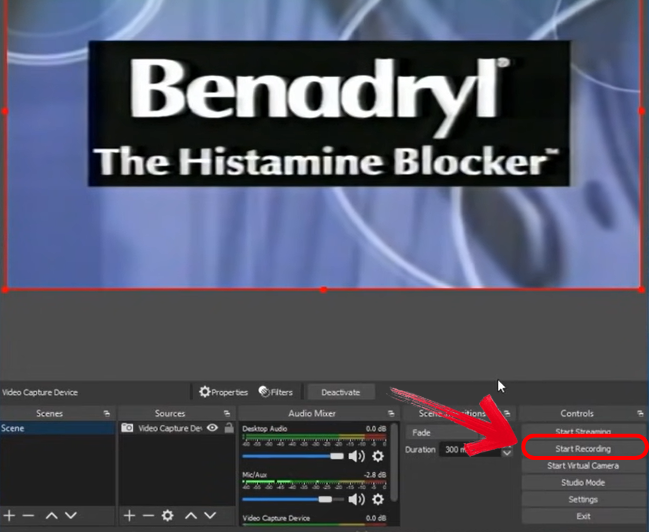
Step 4: Once the video is fully recorded, stop recording. OBS and Elgato save it in a folder. Rename and store your file.
Step 5: Back up your file on a cloud, edit in a video editor, or share with family. Your old tapes are now preserved forever
During my initial recordings, I encountered an issue with missing audio—turns out the input source settings needed adjustment. After correcting that, the capture process ran smoothly and consistently.
Bonus Tool – Toolsmart Free Photo Restoration Online
After digitizing your VHS tapes, you might notice some scenes with scratches, blurry faces, or washed-out colors. That’s where Toolsmart’s Free Photo Restoration Tool comes in. Toolsmart runs right in your browser and restores old or blurry images using AI. You can extract still frames from your videosand run them through Toolsmart to bring them back to life.
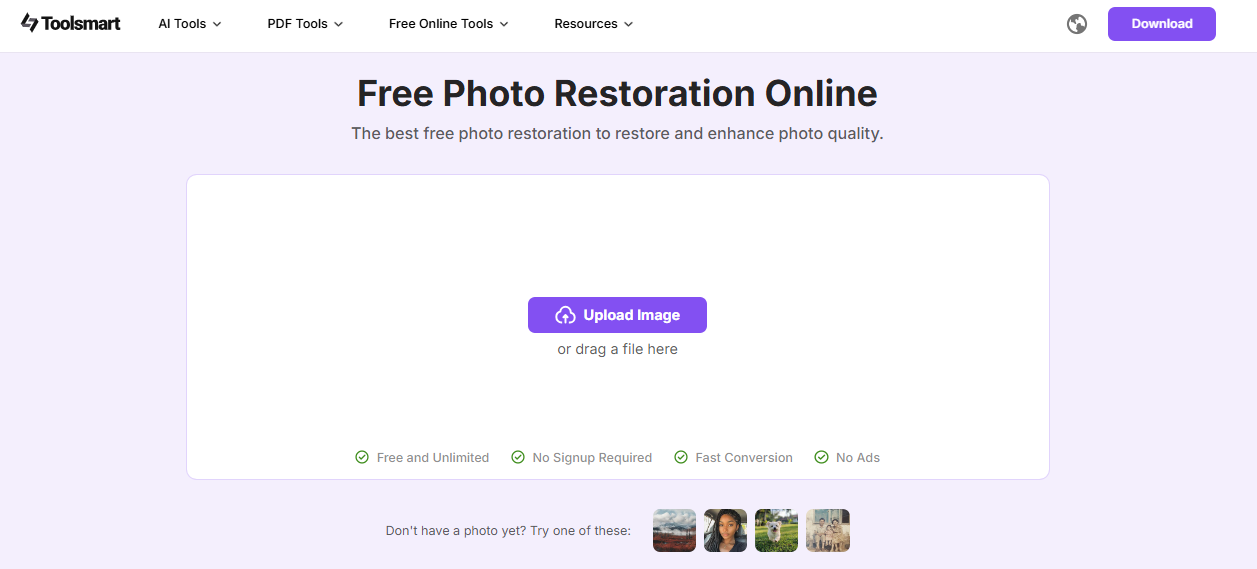
No downloads, no signups. It’s fast, intuitive, and surprisingly effective at enhancing details you thought were lost. For anyone archiving memories, this tool quietly adds polish where it matters most. It's one of those final touches that makes your VHS-to-digital project feel complete.
Features:
100% free to use: You won’t need to pay a cent to enhance your images, perfect for budget-conscious users.
Uses AI to sharpen and enhance old photos:Automatically improves clarity, contrast, and fine details in just seconds.
Works great on VHS screenshots: Especially effective for still frames captured from older, lower-resolution footage.
No signup or installation: You can get started instantly in your browser, without the hassle of downloads or accounts.
How to Use Toolsmart:
Step 1: First of all, visit the official website ofToolsmart’s Free Photo Restoration Tool on your browser.
Step 2: Now upload a scanned or screenshot image from your VHS by clicking “Upload Image.”
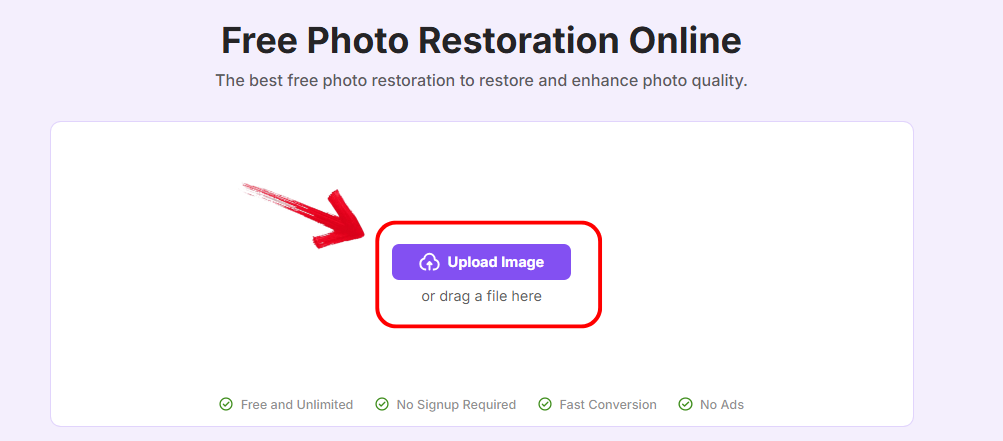
Step 3: Wait a few seconds for the AI to work its magic. It will automatically detect the image and start working on it.

Step 4: Download the enhanced version by clicking“Download” and save it.
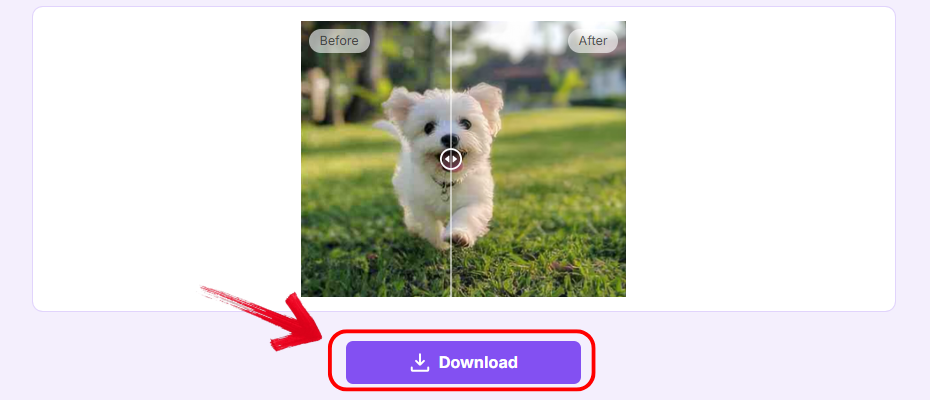
I extracted still frames from an old birthday video and processed them using Toolsmart. The results were remarkable, what once appeared blurry and aged was suddenly sharp and vibrant, almost as if the footage had been captured with a modern camera.
FAQs
Q1: What is the cheapest way to convert VHS to digital?
Using OBS Studio with a basic capture card is by far the most budget-friendly way to do it at home.
Q2: Can I convert VHS tapes on a Mac?
Yes, both Elgato Video Capture and OBS Studio are compatible with Mac systems.
Q3: Is HandBrake necessary for VHS conversion?
Not for capturing, but it's super helpful for compressing and reformatting large video files after recording.
Q4: How can I restore damaged visuals from VHS tapes?
Take a still frame, run it through Toolsmart’s Free Photo Restoration Tool, and you’ll see a noticeable difference.
From Tape to Timeless: Your Complete Home Conversion Journey
So, if you’ve been wondering how to convert VHS to digital in 2025, now you’ve got everything you need. From OBS and Elgato to post-editing with HandBrake and visual enhancement with Toolsmart’s Free Photo Restoration Tool, it's easier than ever to preserve your memories. And the best part is that you can do it all at home, on your own time, without breaking the bank. No matter your tech skill level, the tools covered here meet you where you are. With a little patience, you’ll turn aging tapes into lifelong keepsakes, digitally preserved and future-ready.


