
'%3e%3cpath%20fill-rule='evenodd'%20clip-rule='evenodd'%20d='M19%208.5C24.799%208.5%2029.5%2013.201%2029.5%2019C29.5%2024.6782%2024.9928%2029.3036%2019.361%2029.4939L19%2029.5C18.8794%2029.5%2018.7592%2029.498%2018.6396%2029.4939L18.2811%2029.4758C12.8174%2029.1063%208.5%2024.5574%208.5%2019C8.5%2013.201%2013.201%208.5%2019%208.5ZM22.3063%2010.6267L22.2342%2010.6539C21.3423%2011.0061%2020.5541%2011.6368%2020.5606%2012.4987C20.5631%2012.8302%2020.869%2014.8871%2020.2141%2014.8486C19.5589%2014.8102%2019.413%2013.8753%2018.7116%2013.616C17.5944%2013.2026%2016.9819%2014.3401%2017.0939%2015.3106C17.1695%2015.9655%2018.9289%2018.3871%2017.9028%2019C17.292%2019.3651%2015.7279%2017.5692%2015.1007%2017.1842C14.4805%2016.8034%2013.2758%2017.3333%2012.4974%2016.7029C11.9874%2016.2899%2012.3881%2014.4098%2012.2786%2013.8372C12.2271%2013.5698%2012.1155%2013.3689%2011.9794%2013.2166L12.0402%2013.2934C10.7653%2014.8464%2010%2016.8339%2010%2019C10%2023.8465%2013.8307%2027.7982%2018.6295%2027.9925L18.6769%2027.9747C18.8597%2027.8677%2019.0394%2027.7557%2019.216%2027.6387C19.4137%2027.4534%2019.5436%2027.2072%2019.5849%2026.9394C19.8806%2025.1222%2018.3616%2025.4302%2017.9367%2024.5622C17.5489%2023.7695%2018.5712%2023.7684%2018.5524%2021.7923C18.4607%2021.1774%2018.5279%2020.547%2018.7211%2020.0315C19.1834%2018.7987%2020.7077%2017.2643%2022.5889%2018.0081C23.5567%2018.3906%2023.1524%2019.9831%2023.4737%2020.3394C24.251%2021.2018%2025.3228%2020.6863%2026.2856%2021.2253C26.7816%2021.5032%2026.9797%2022.41%2027.056%2023.2248L27.038%2023.0528C27.6534%2021.8348%2028%2020.4579%2028%2019C28%2015.1968%2025.6409%2011.9445%2022.3063%2010.6267Z'%20fill='%23757575'/%3e%3ccircle%20cx='19'%20cy='19'%20r='10.125'%20stroke='%23757575'%20stroke-width='2.25'/%3e%3c/g%3e%3cdefs%3e%3cclipPath%20id='clip0_1827_14613'%3e%3crect%20width='24'%20height='24'%20fill='white'%20transform='translate(7%207)'/%3e%3c/clipPath%3e%3c/defs%3e%3c/svg%3e)


Catching AI-generated text isn’t just a fun experiment, it can be the difference between passing a class or facing plagiarism claims. I’ve had to double-check content myself, especially with how real some of these tools sound now. AI-written text often lacks the subtle inconsistencies and nuance that define human writing, making detection trickier than it seems. It’s not about suspicion; it’s about being smart. In this article, I’ll show you exactly how to check if something was written by AI using tools that actually work.
5 Best AI Detector Tools
When I started looking into ways to identify AI-generated text, I quickly realized how inconsistent many detection tools can be. Some gave me surface-level results, while others offered detailed breakdowns that actually helped me understand the patterns behind AI writing. After testing a wide range of options, I found five tools that consistently provide accurate, useful insightsincluding at least one solid AI content detector free to use without any signup.
Grammarly AI Detector
Grammarlyisn’t just for grammar and spelling anymore, it now includes an AI detection feature built right into its platform. It’s designed to flag text that may have been generated by AI and offers suggestions to make it sound more natural. If you’re already using Grammarly for editing, this feature is an easy add-on that helps you stay in control of your content’s authenticity.
Features:
Integrated into the Grammarly Editor.
Detects whether content “may have been written by AI.”
Offers detailed suggestions on improving clarity and tone.
Pros:
Easy to use if you're already on Grammarly.
Integrated with writing assistance.
Clean, intuitive interface.
Cons:
Limited to premium users.
Doesn’t provide detailed probabilityscores.
Using Grammarly’s AI Detector is simple if you’re already familiar with the platform. Just log into your Grammarly account, paste your text into the editor, and the AI detection results will appear automatically. It’s a helpful starting point if you’re learning how to identify AI-written text, as it clearly flags content as “AI-generated” or “human-written”.
Step 1: Head over to Grammarly’s AI Detector and paste the text you want to check into the editor.
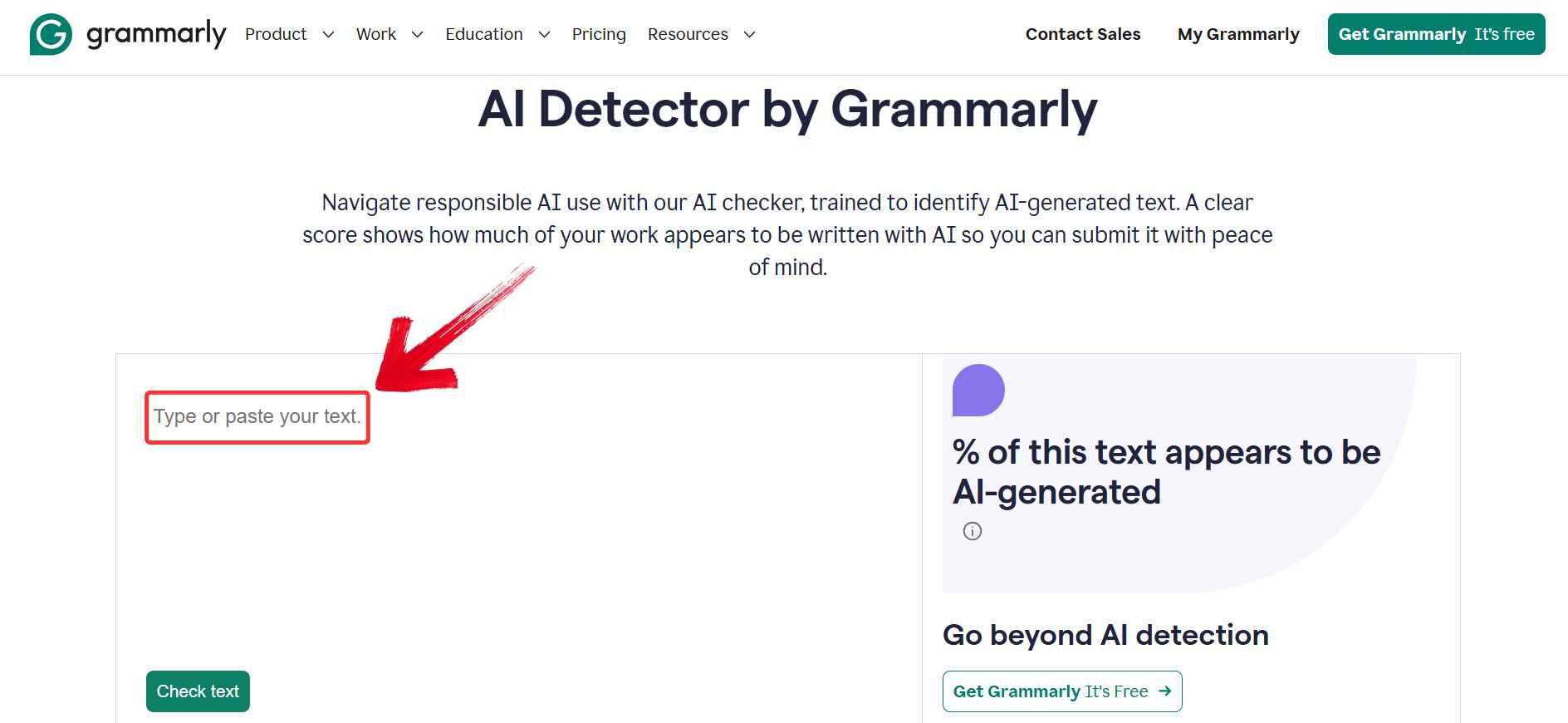
Step 2: Click the green “Check text” button located just below the text box. Grammarly will scan the content and generate a percentage showing how much of the text appears to be AI-generated.
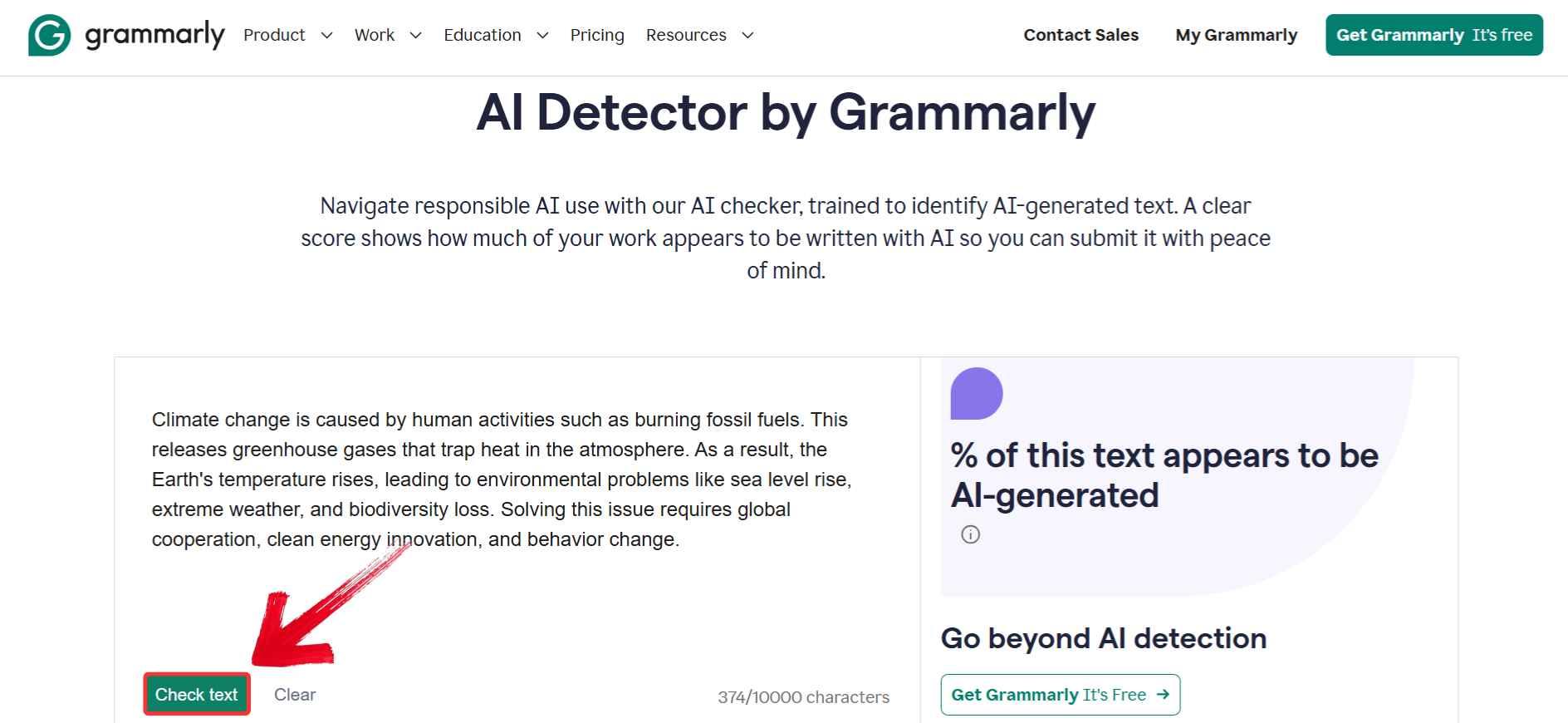
Step 3: Review the result that appears on the right side of the screen. You’ll see a clear label indicating whether your content is likely AI-written.
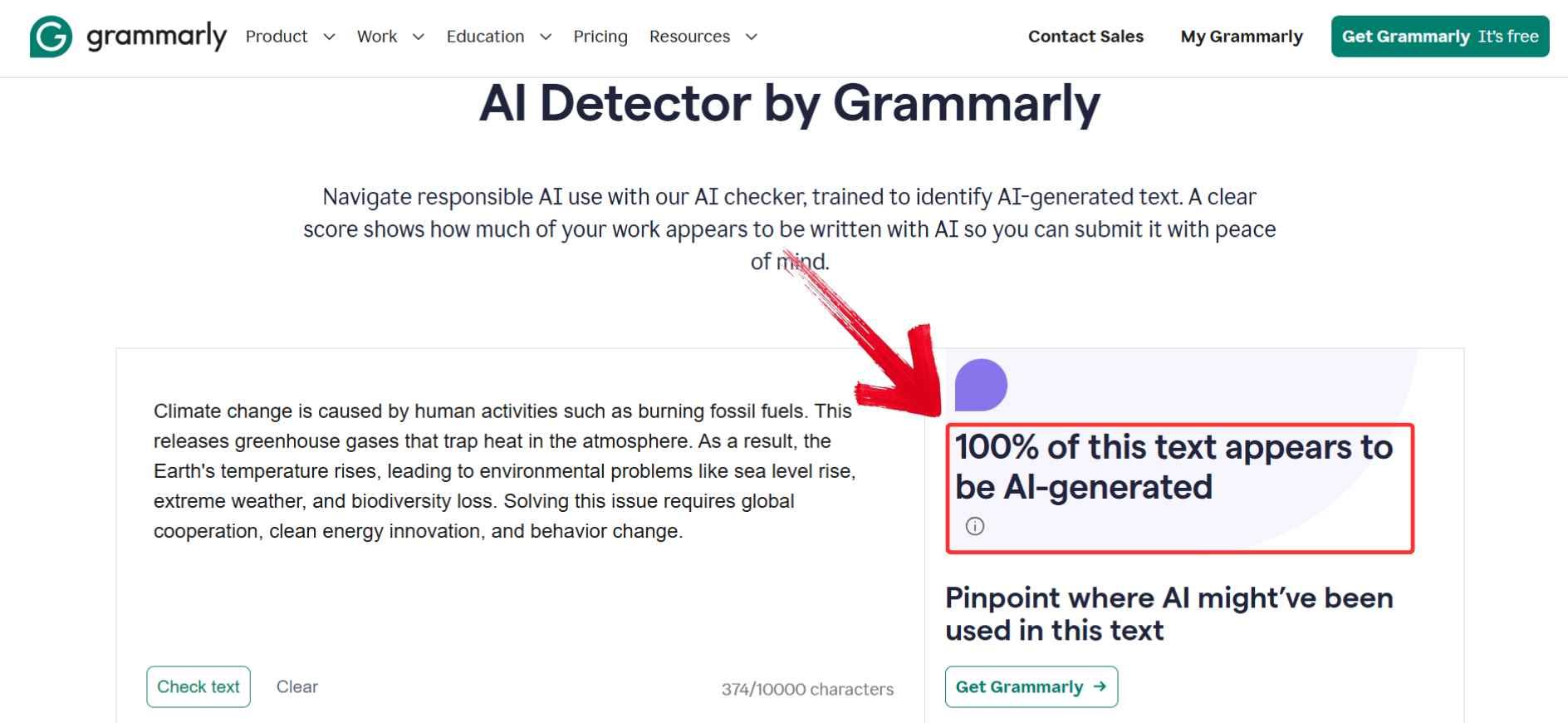
Trying out Grammarly’s AI detector felt pretty seamless, especially since I was already familiar with the platform. There’s nothing to download, which makes it super beginner-friendly. The results were clear and easy to understand, though I did wish it gave more detailed breakdowns. Still, for a quick check, it’s a solid and accessible option.
AskGPT AI Detector
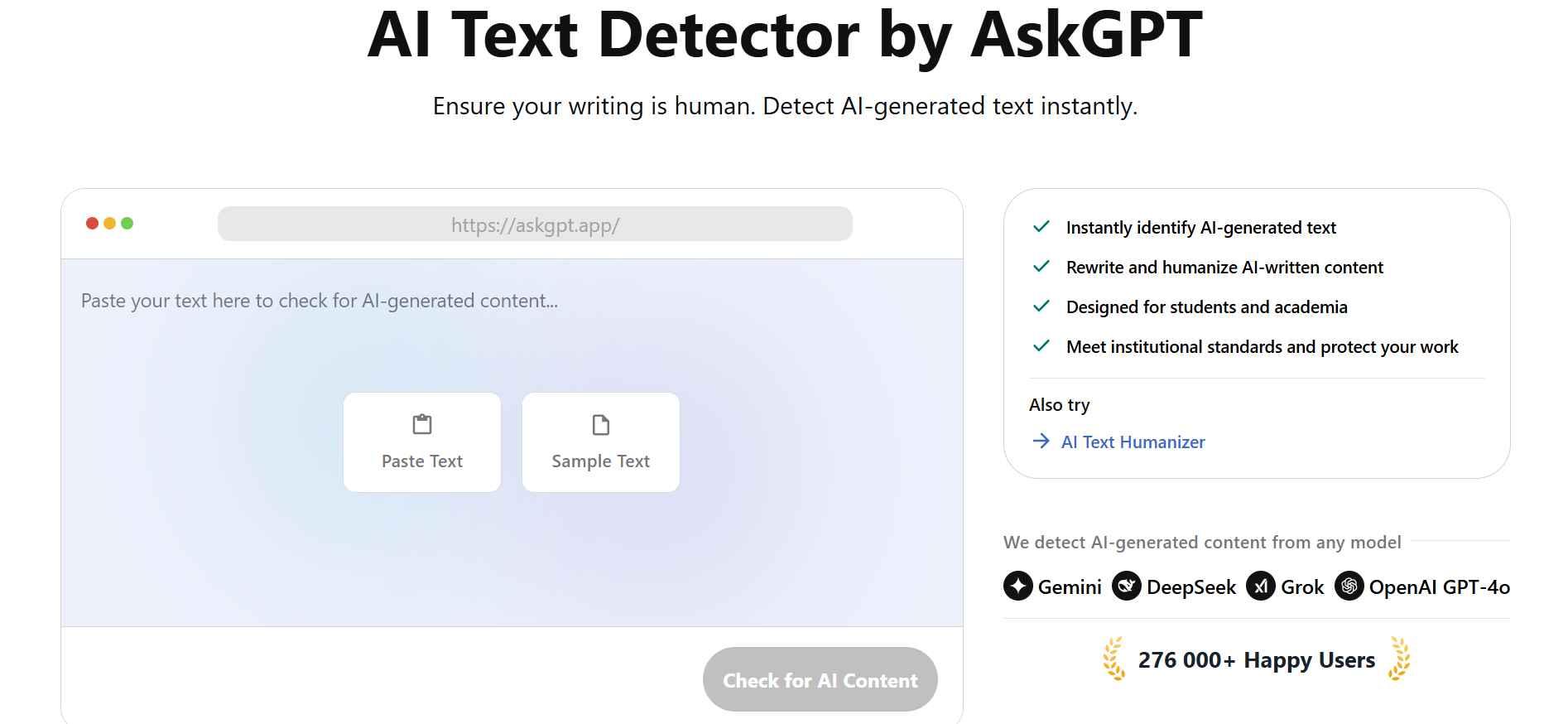
AskGPT AI Detector keeps things simple and fast, making it a great choice when you need quick answers. It’s a browser-based tool that checks whether your text was likely written by AI, no login or setup required. The interface is clean, and the results are easy to interpret, even if you're new to AI detection.
Features:
Quick detection for GPT-based text.
Mobile-friendly interface.
No login required.
Pros:
Very easy to use.
No account needed.
Works across devices.
Cons:
Only provides binary results (AI or not).
May not recognize nuanced writing
AskGPT AI Detector doesn’t require any setup or login, which makes it one of the easiest tools to try out. All you need to do is paste your content into the box on their homepage and click one button. It’s ideal for quick checks when you need a fast answer on whether your text was likely written by AI.
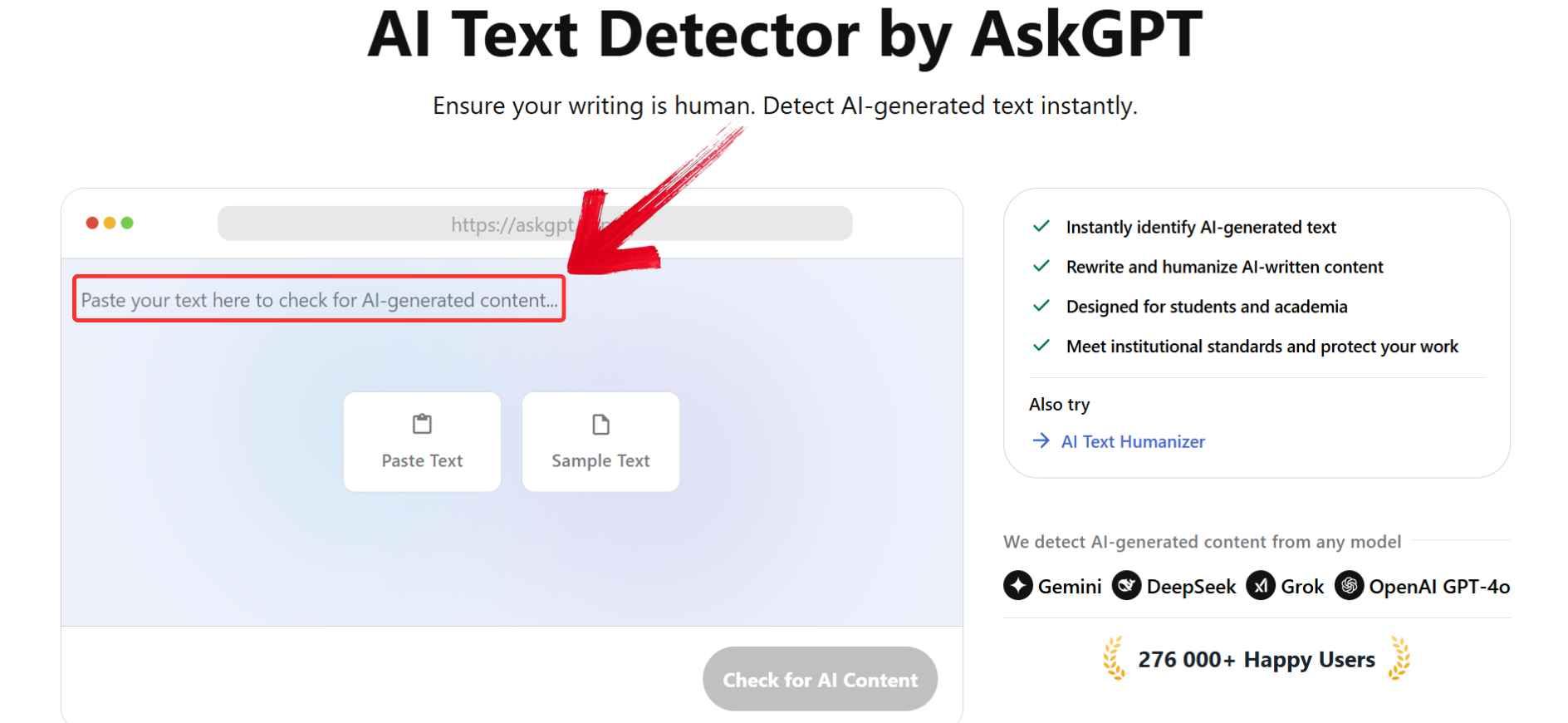
Step 1: Head to AskGPT’s AI Detectorusing any browser and paste your text into the empty box on the screen. This is where you’ll drop in whatever content you want to check, from essays to social media drafts.
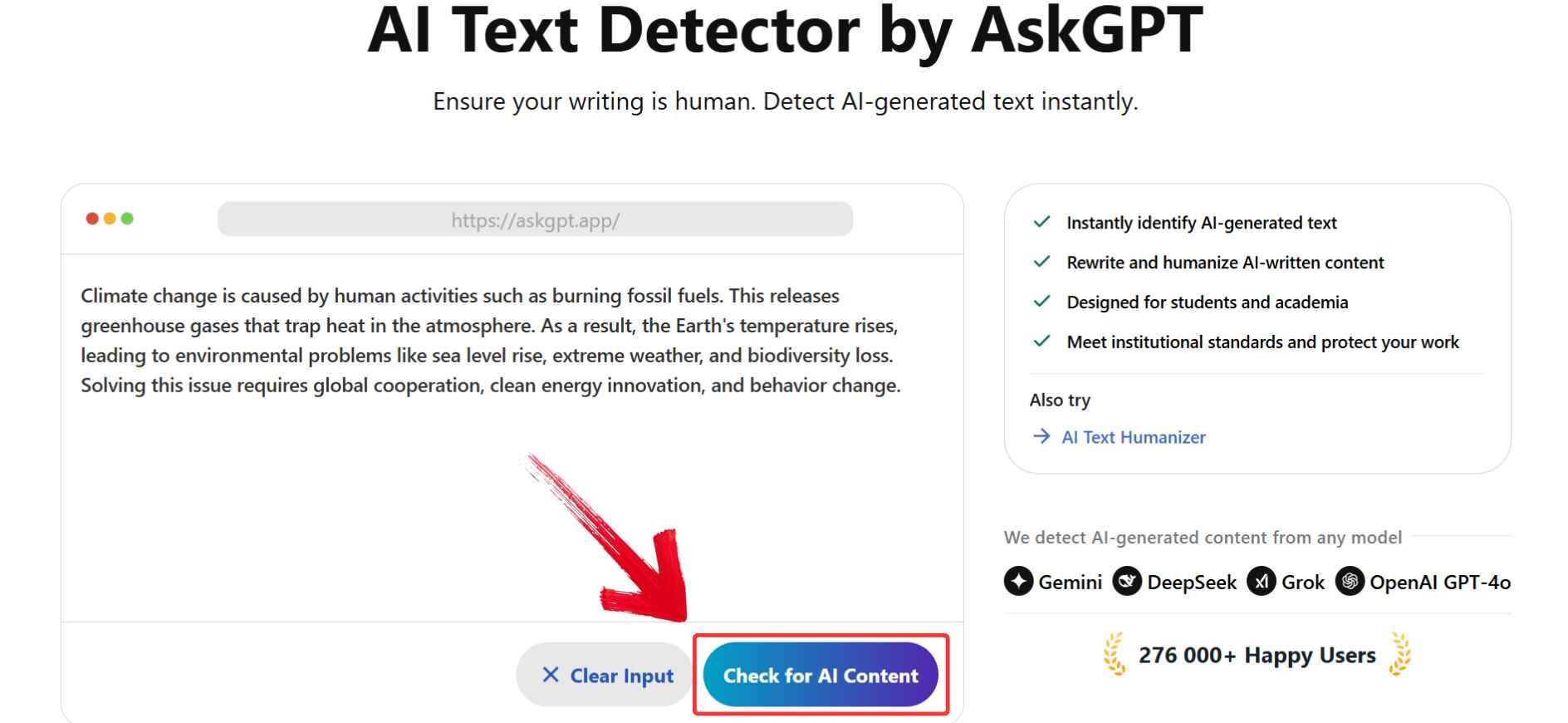
Step 2: Click the “Check for AI Content” button below the text box. AskGPT will analyze the content instantly and generate a response in seconds.
Step 3: Read the result displayed to the right, it’ll tell you if the text is likely AI-generated or human-written, giving you a clear direction on what to do next.
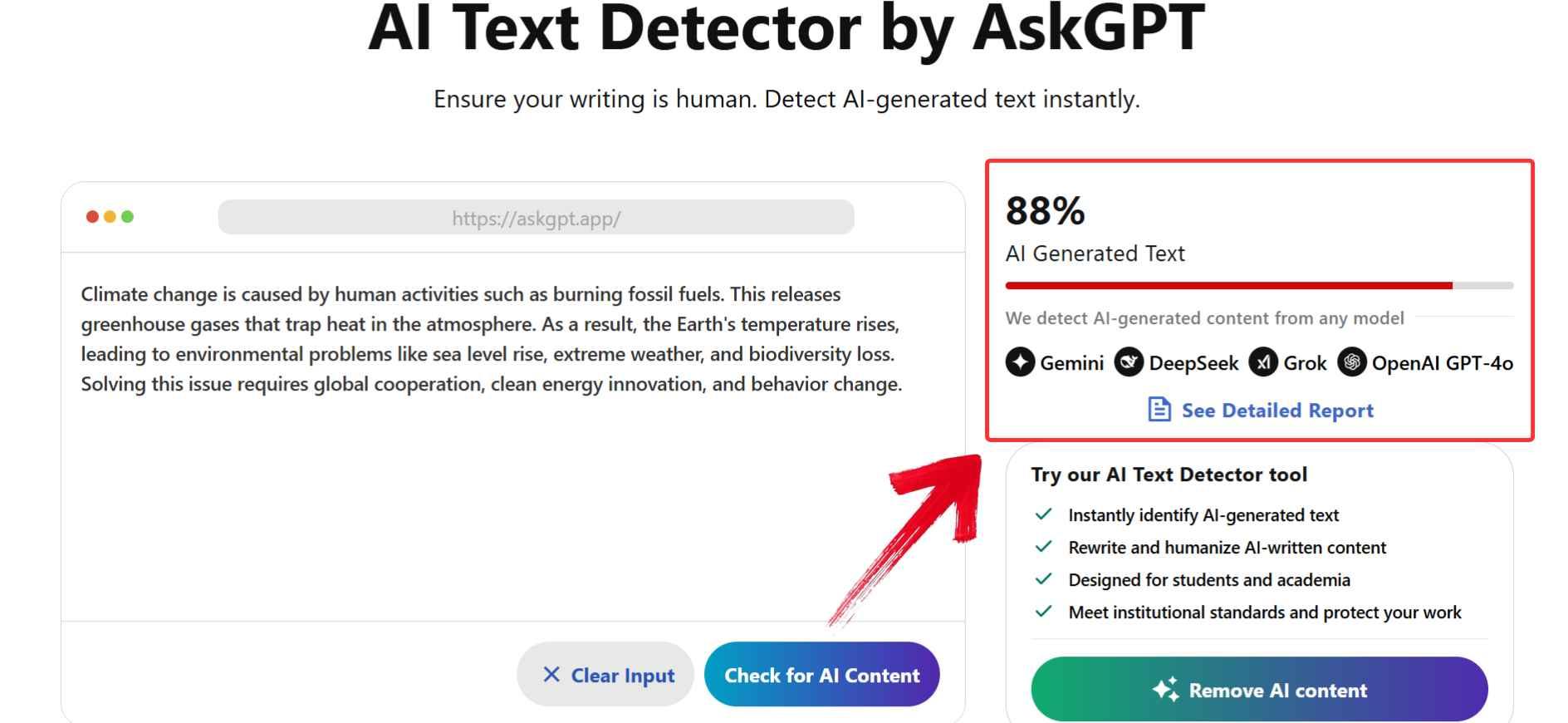
Using AskGPT felt refreshingly straightforward. I didn’t have to sign up, download anything, or go through menus. For beginners, it’s honestly one of the most accessible tools I’ve tried. The results were instant, though I did find them a bit too binary without deeper explanation. Still, for a quick yes-or-no check, it does the job well.
Phrasly.AI
Phrasly.AI is a lesser-known but surprisingly powerful tool that goes beyond basic AI detection. It supports multiple languages and gives you a detailed breakdown of how much of your text may be AI-generated. Its built-in rewriting feature is especially useful when trying to detect AI content for students, as it not only flags problematic sections but also helps humanize them instantly. It’s a smart pick if you want both analysis and improvement in one place.

Features:
Multilingual support.
In-depth detection scores.
Offers humanizing suggestions.
Pros:
Ideal for international users.
Great visual breakdown.
Additional rewriting features built-in.
Cons:
May feel complex for beginners.
Occasionally slow under heavy traffic.
Phrasly.AI gives you both detection and rewriting in a single interface, which makes it feel efficient right from the start. You just paste your text, choose your language, and click to analyze. The tool then highlights AI-like sections and even offers instant rewriting suggestions to make your content sound more human.
Step 1: Go to Phrasly.AI and paste your text into the main box on the homepage. This is where you’ll drop in anything you want to check, from essays to website copy.
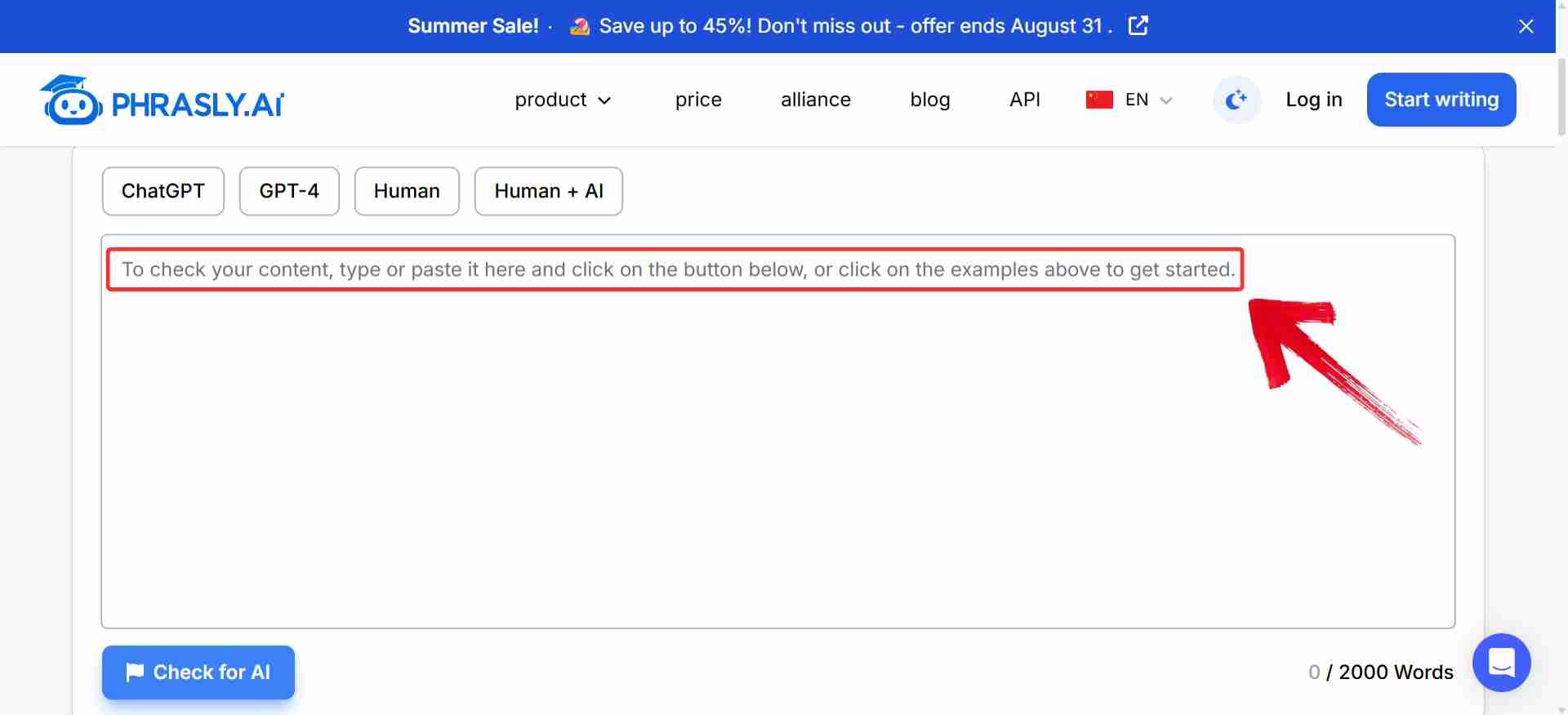
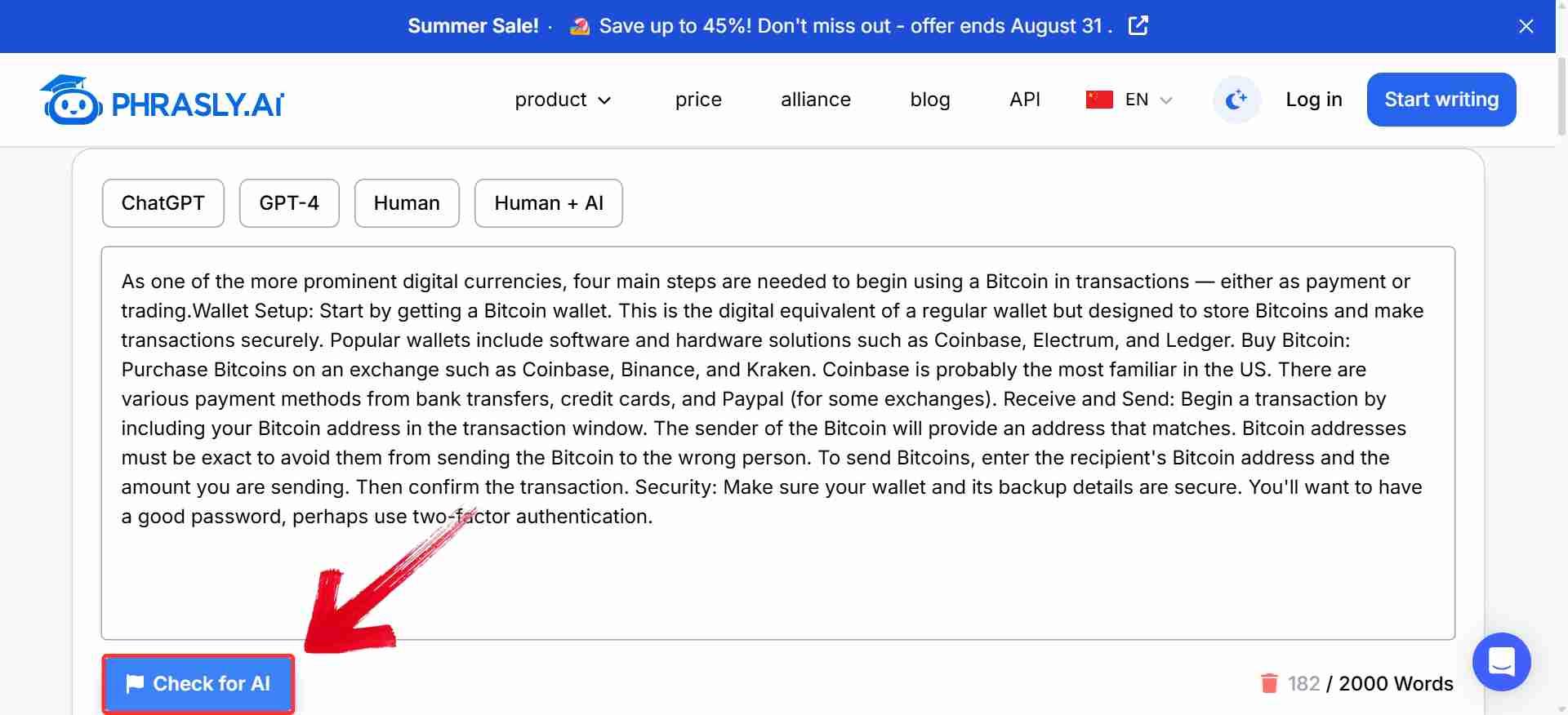
Step 3: After pasting the text, click the“Check for AI” button. Phrasly will scan the text and highlight any sections that appear AI-generated.
Step 4: Once the analysis is complete, look at the top of the results window. You’ll see a percentage showing how much of your text is likely AI-generated, along with how many sentences were flagged
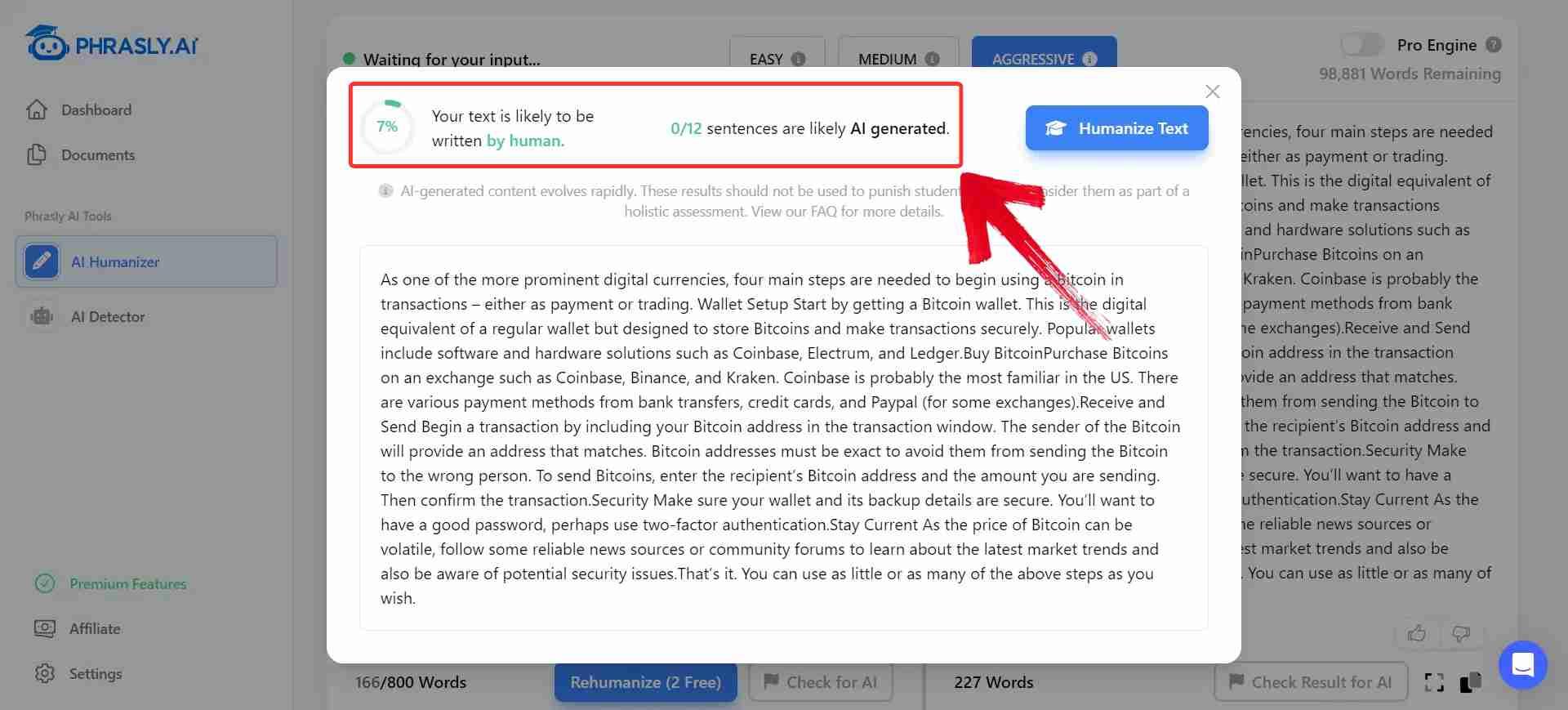
Phrasly.AI surprised me with how detailed yet easy it was to use. The interface felt intuitive, and I didn’t have to download anything or create an account to get started. As a GPT content checker, it not only flagged AI-written sentences but also offered quick humanized rewrites with one click. It’s definitely beginner-friendly, but also useful if you want more control over tone and structure.
GPTZero
GPTZero has built a strong reputation for academic use, and for good reason. It goes beyond surface-level detection by analyzing sentence structure, burstiness, and perplexity to determine if content is AI-generated. The tool highlights specific lines that raise flags, giving you more than just a percentage score. It’s a go-to choice for educators, students, and professionals who need detailed, transparent results.
Features:
Highlights AI-like sentences.
Offers a “burstiness” and “perplexity” score.
Designed for long-form analysis.
Pros:
Very accurate for GPT-generated texts.
Detailed sentence-level feedback.
Widely accepted in academia.
Cons:
Requires login for full features.
Free version is limited in word count.
GPTZero offers a deeper kind of analysis, making it ideal when you need more than just a basic AI check. Once you're signed in, you can paste your text or upload a document, and it’ll highlight individual sentences with AI probability scores. It’s especially useful for longer or more formal pieces.
Step 1: Go to GPTZero’s AI Detector and paste your text directly into the input box on the dashboard. You can enter a paragraph or an entire document, and GPTZero will handle the analysis from there.
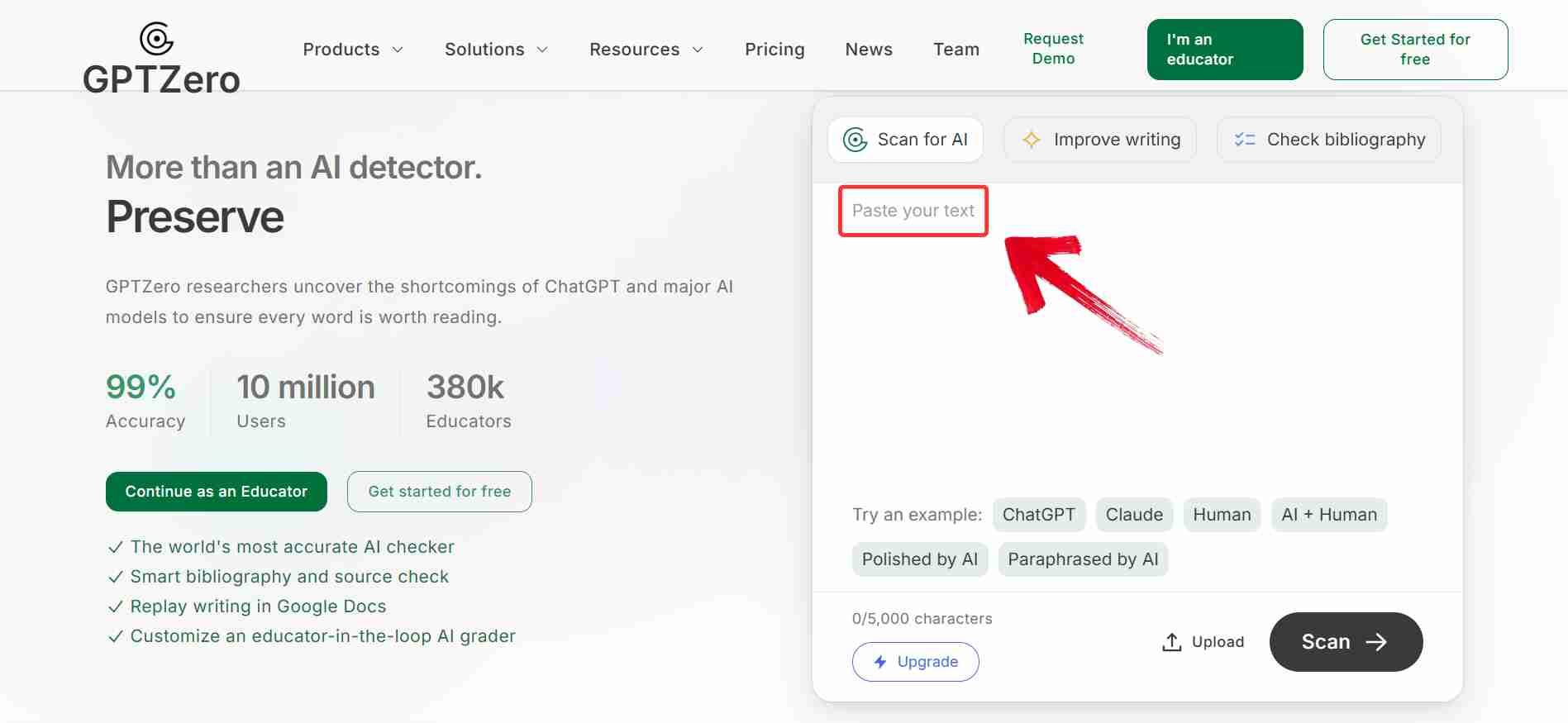
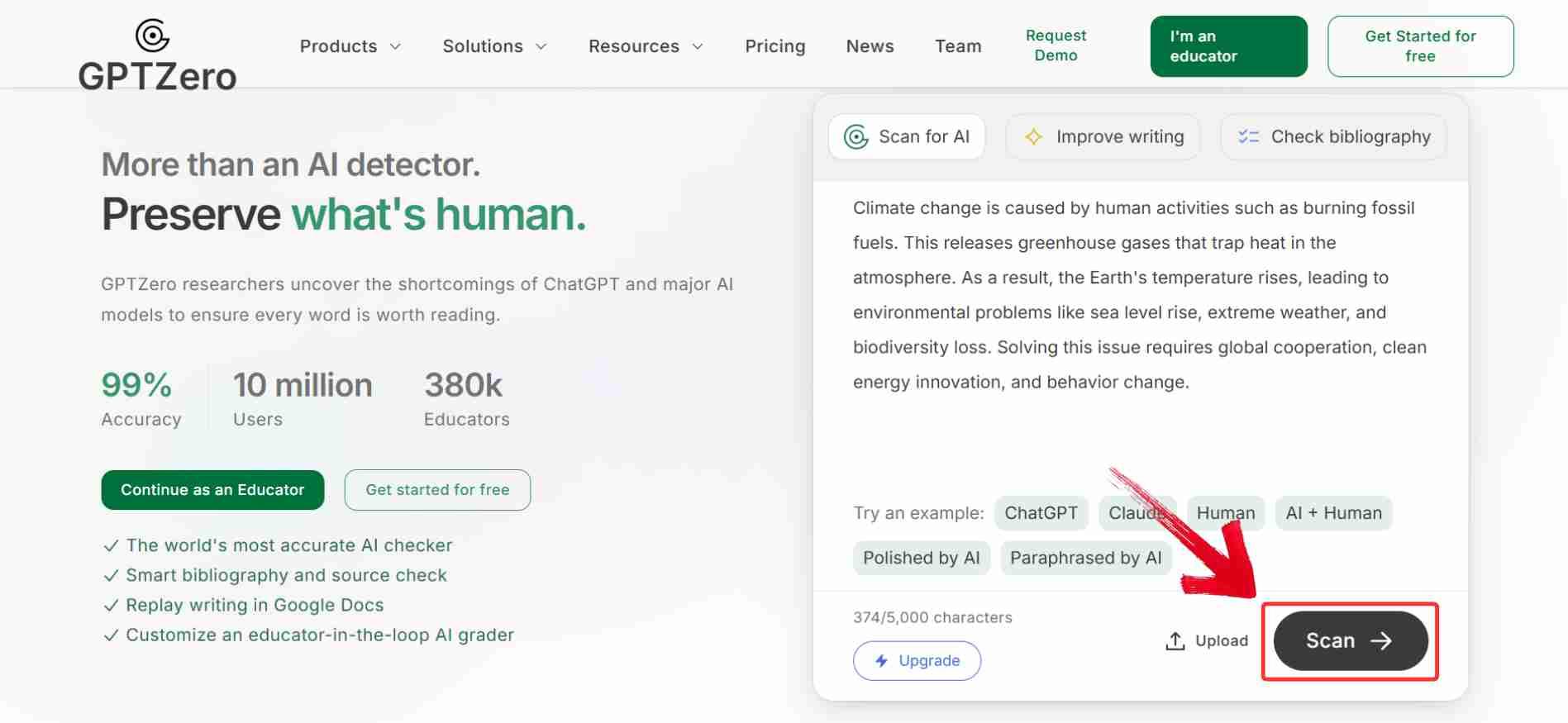
Step 2: Click the “Check Origin” button. GPTZero will process your content and run it through its AI detection model.
Step 3: Review the detailed results. You'll see sentence-level highlights, along with metrics like “Perplexity” and “Burstiness,” showing how likely each section is to be AI-generated.
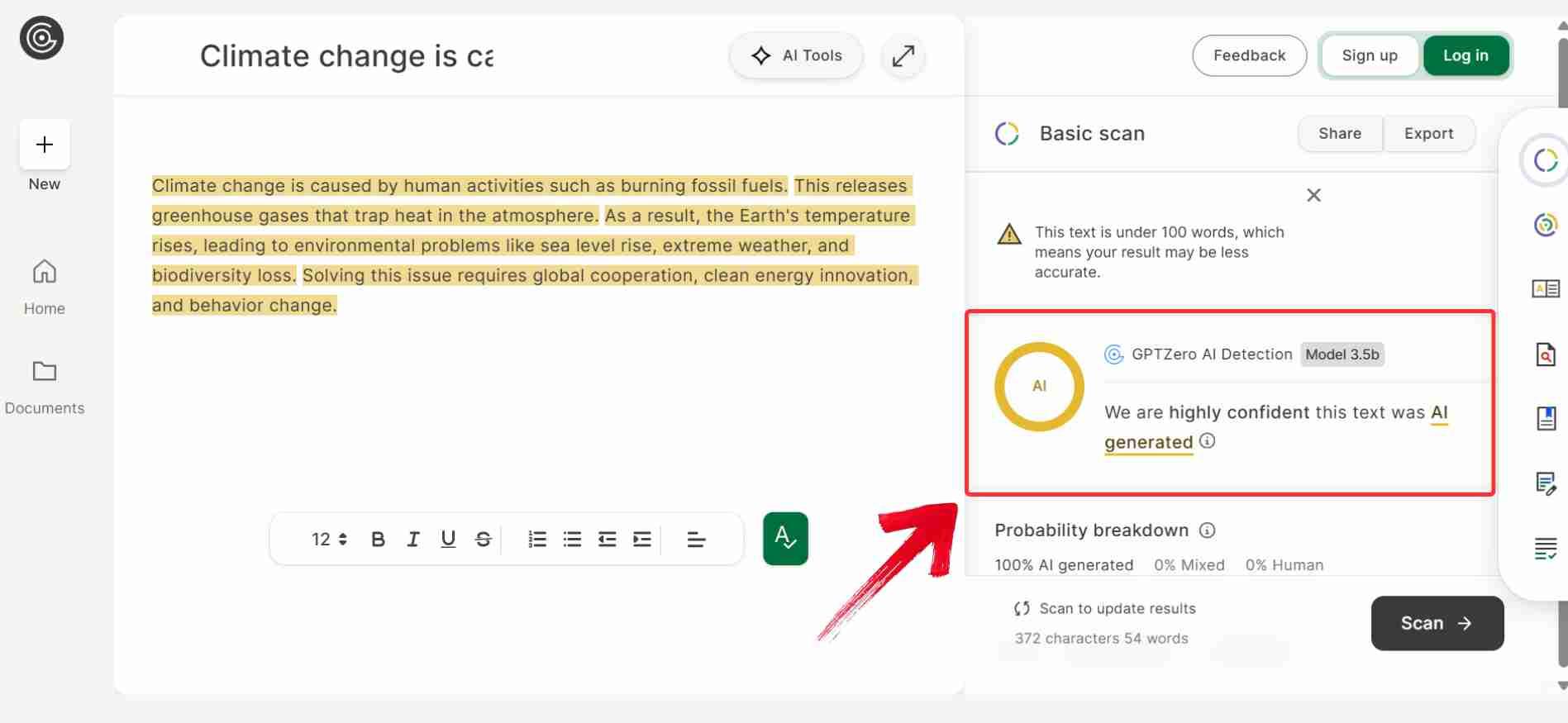
GPTZero gave me one of the most detailed breakdowns I’ve seen, which really helped me understand why certain sentences were flagged. The login step adds a bit of friction, but once you're in, the tool is smooth and straightforward. I liked being able to see which parts of my text looked suspicious instead of just getting a vague score. It’s definitely a solid pick, even if you’re just starting out.
Copyleaks AI Detector
Copyleaks quickly became one of the more serious tools I turned to when I needed accurate, detailed AI detection. It’s built with academic and professional use in mind, offering clear explanations for flagged content and support for multiple formats like PDFs and Word docs. I found it particularly useful when I needed something more than just a yes-or-no answer, it gives context, which makes editing a lot easier.
Features:
Integration with Canvas, Blackboard, etc.
Comprehensive plagiarism + AI detection.
Includes AI-generated image detection.
Pros:
Used by educators and institutions.
High detection accuracy.
Trusted by publishers.
Cons:
Requires account.
More technical interface.
Copyleaks is a bit more advanced than basic checkers, but it’s still easy to navigate once you’re signed in. You can paste text or upload full documents, and the tool scans everything for AI-generated patterns with impressive detail. If you're working on academic or professional content, the extra insight it provides is well worth the couple of extra steps.
Step 1: Go to Copyleaks AI Detector and paste your text into the box provided or upload a file directly.
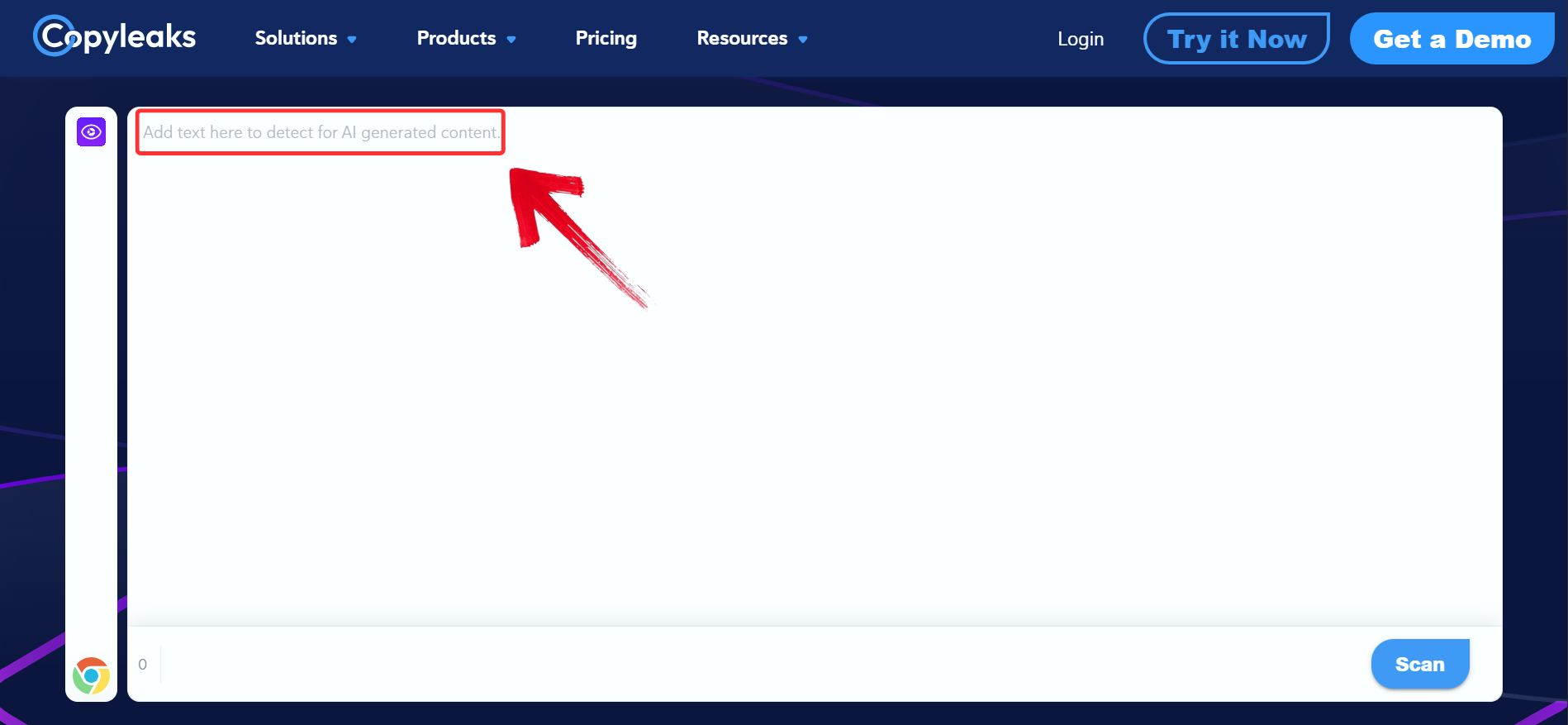
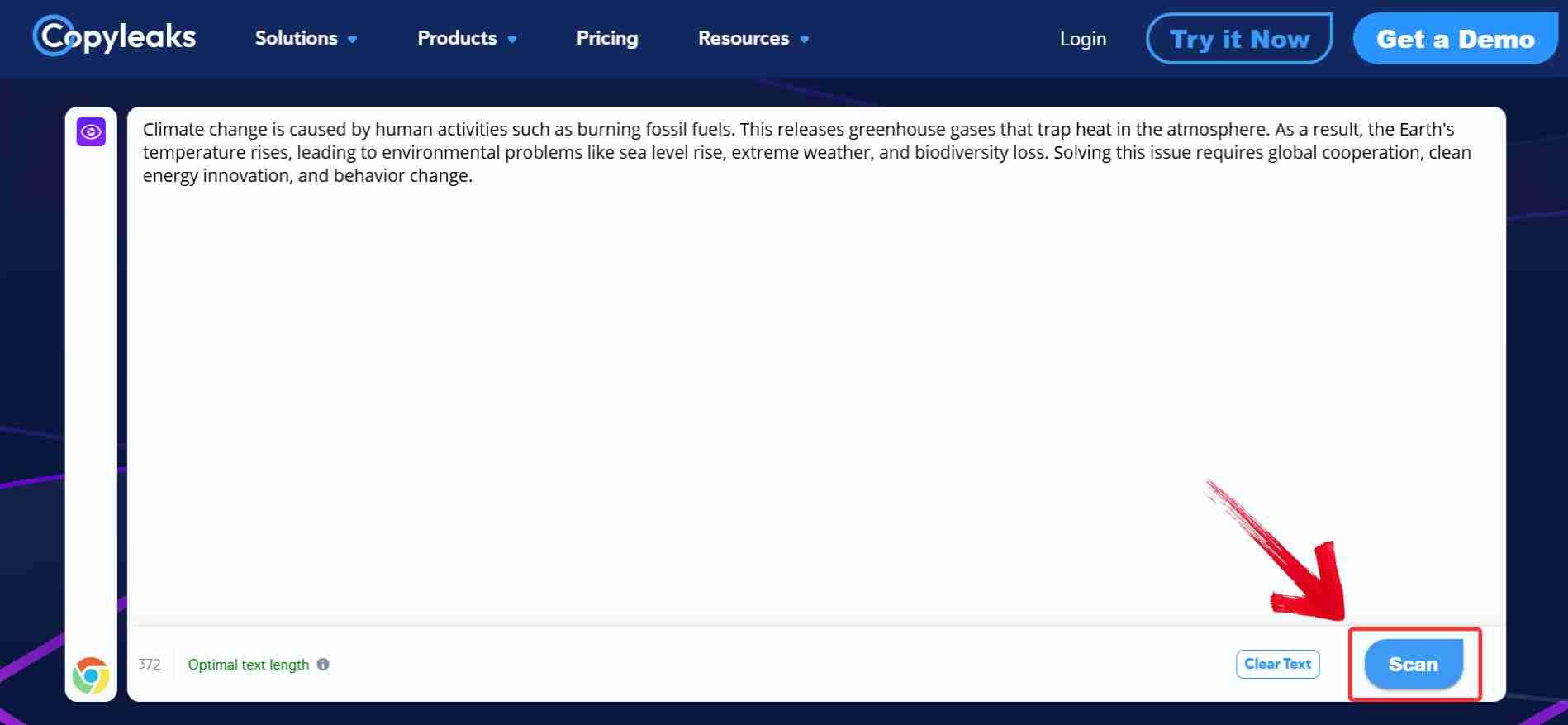
Step 2: Click the “Scan” button to start the analysis. The system will process your content and check it for signs of AI involvement.
Step 3: Review the detailed report. Copyleaks will highlight AI-like segments and provide a clear breakdown, so you can understand not just what was flagged, but why.
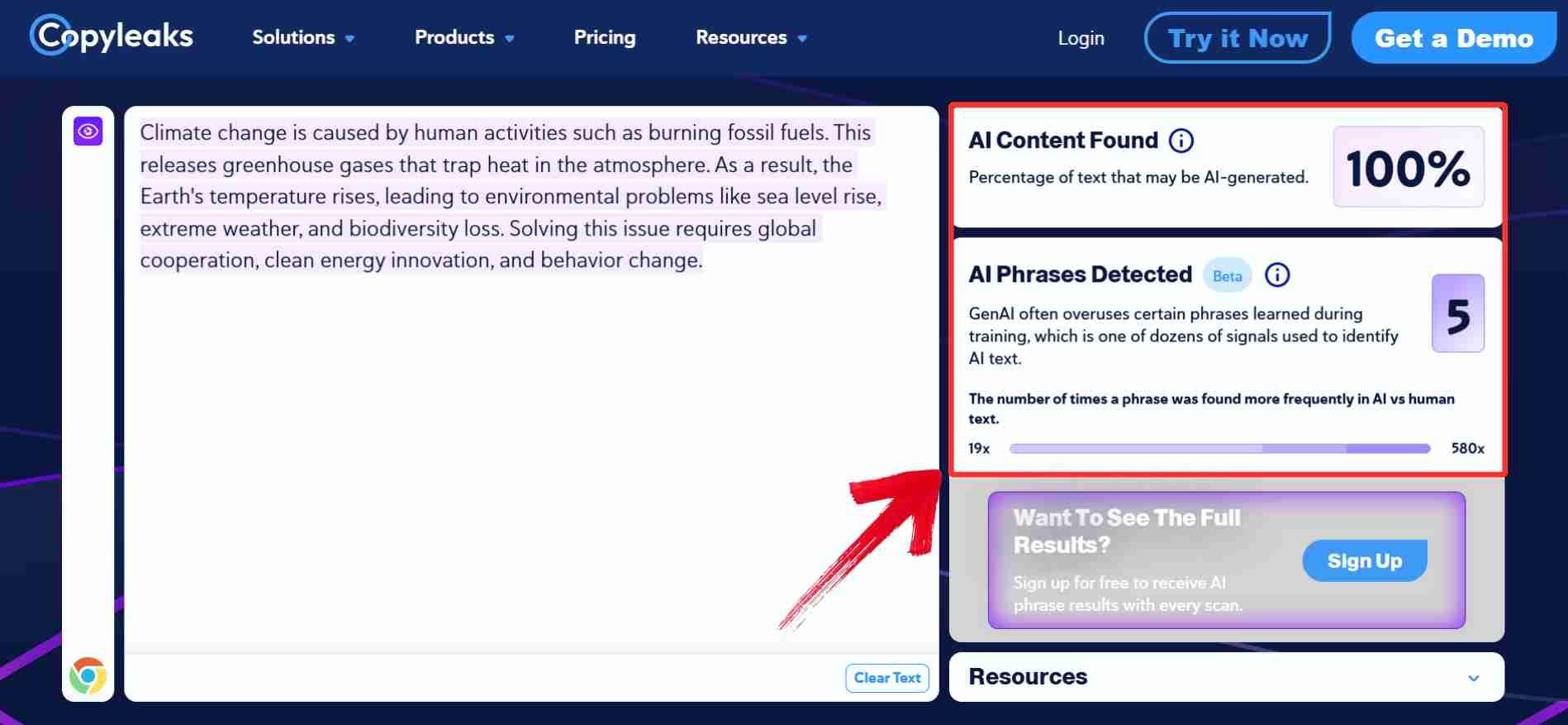
Using Copyleaks felt more formal and structured compared to the other tools I tried. It took a minute to sign up, but once I was in, the interface was clean and the report was surprisingly detailed. I liked that it explained why certain parts were flagged instead of just giving a score. It might feel a bit technical for beginners, but it's solid if you need something thorough and reliable.
Comparison of 5 AI Detectors
When figuring out how to check if something was written by AI, the tool you choose makes a big difference. Grammarly is best for casual writers already using its editing features, while AskGPT offers fast, no-login detection for quick checks. Phrasly.AI combines detection withrewriting, GPTZero gives academic-level analysis, and Copyleaks is built for institutional use. If you’ve ever asked yourself, “is this text AI-generated?”, this comparison breaks down what each tool does best, how easy they are to use, and what kind of user they’re really built for.
| Tool | Best For | Highlights | Free Version | Requires Login |
|---|---|---|---|---|
| Grammarly | General writing | Integrated with grammar checker | Limited | Yes |
| AskGPT | Quick checks | No login, fast response | Yes | No |
| Phrasly.AI | Multilingual users | Advanced metrics + rewriting | Yes | No |
| GPTZero | Academic writing | Sentence-level detail | Yes (limits) | Yes |
| Copyleaks | Institutions | Plagiarism + AI detection | Limited | Yes |
Each of these tools brings something useful to the table, depending on how much depth or speed you need. But once content gets flagged, the next step becomes just as important as detection itself. If you're aiming to refine the tone or make your writingfeel more natural, it helps to have a tool like Toolsmart that goes beyond just pointing out the issue.
Bonus Tool – Toolsmart Humanize AI
One thing I noticed after using these AI detectors is that they do a great job of flagging content but not so much when it comes to fixing it. A few sentences would get marked as “likely AI,” even if they just sounded a bit too formal or structured. Instead of rewriting everything manually, I looked for a way to smooth those parts out. That’s how I came across Humanize AI by Toolsmart, a free, browser-based tool that rewrites flagged content to sound more natural, conversational, and human. It doesn’t need a login, works instantly, and keeps the meaning intact while improving tone and flow.
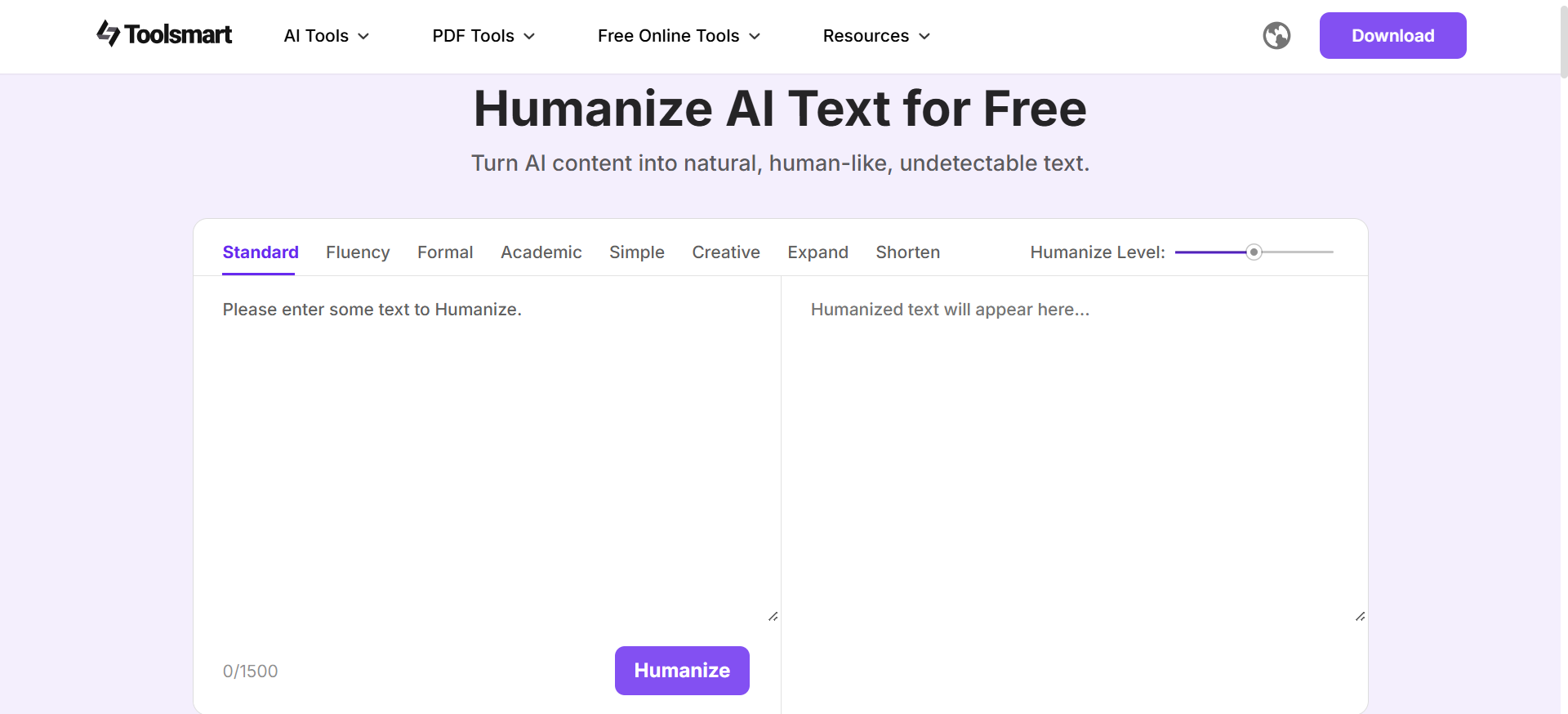
When a sentence gets flagged as AI-generated, it’s not always clear how to rewrite it without losing your original point. I’ve had this happen more than once, especially with content that needed to sound natural but still stay on-message. Toolsmart Humanize AI makes that process easier by offering quick, reliable rewrites that actually feel like something you'd write yourself.
Natural sentence rewrites: Transforms flagged or stiff AI-generated lines into smooth, human-like phrasing.
Great for all users: Designed with students, freelancers, and marketersin mind: anyone who needs authentic tone.
Free and accessible: 100% free to use and works directly in your browser, no installs or extensions.
No login needed: No sign-up barriers, just paste your text and get instant results in seconds.
You simply paste your content, and it rewrites it sentence by sentence, focusing on tone, complexity, and flow. It’s helped me recover text that felt too “robotic” and make it readable and real.
FAQs
1. Can AI detectors guarantee accuracy?
No tool is perfect. Results are based on probability scores and can vary depending on the content and platform.
2. What’s the best detector for academic writing?
GPTZero and Copyleaks are widely trusted in academic circles.
3. What if my human-written text is falsely flagged?
Use Toolsmart Humanize AI to rephrase. You can also adjust sentence structures manually.
4. Is Toolsmart Humanize AI a detector or a rewriting tool?
It’s a rewriting tool, not a detector. It helps you revise AI-flagged text to sound more human.
Detection to Perfection with Toolsmart
Knowing how to check if something was written by AI has become part of my regular content workflow. Between GPTZero for sentence-level analysis and Copyleaks for deeper scans, detecting AI-generated writing is no longer a guessing game. But detection is only step one. When a piece gets flagged, especially something that needs to sound human for school or client work, I turn to Humanize AI by Toolsmart.
It’s not just a rewriting tool; it transforms stiff, robotic phrasing into text that reads naturally, with better flow and tone. I’ve used it to clean up everything from awkward intros to overly formal paragraphs, and the fact that it’s free, browser-based, and requires no login makes it ridiculously easy to use. Humanize AI by Toolsmart doesn’t just fix AI content, it makes your writing better.


