
'%3e%3cpath%20fill-rule='evenodd'%20clip-rule='evenodd'%20d='M19%208.5C24.799%208.5%2029.5%2013.201%2029.5%2019C29.5%2024.6782%2024.9928%2029.3036%2019.361%2029.4939L19%2029.5C18.8794%2029.5%2018.7592%2029.498%2018.6396%2029.4939L18.2811%2029.4758C12.8174%2029.1063%208.5%2024.5574%208.5%2019C8.5%2013.201%2013.201%208.5%2019%208.5ZM22.3063%2010.6267L22.2342%2010.6539C21.3423%2011.0061%2020.5541%2011.6368%2020.5606%2012.4987C20.5631%2012.8302%2020.869%2014.8871%2020.2141%2014.8486C19.5589%2014.8102%2019.413%2013.8753%2018.7116%2013.616C17.5944%2013.2026%2016.9819%2014.3401%2017.0939%2015.3106C17.1695%2015.9655%2018.9289%2018.3871%2017.9028%2019C17.292%2019.3651%2015.7279%2017.5692%2015.1007%2017.1842C14.4805%2016.8034%2013.2758%2017.3333%2012.4974%2016.7029C11.9874%2016.2899%2012.3881%2014.4098%2012.2786%2013.8372C12.2271%2013.5698%2012.1155%2013.3689%2011.9794%2013.2166L12.0402%2013.2934C10.7653%2014.8464%2010%2016.8339%2010%2019C10%2023.8465%2013.8307%2027.7982%2018.6295%2027.9925L18.6769%2027.9747C18.8597%2027.8677%2019.0394%2027.7557%2019.216%2027.6387C19.4137%2027.4534%2019.5436%2027.2072%2019.5849%2026.9394C19.8806%2025.1222%2018.3616%2025.4302%2017.9367%2024.5622C17.5489%2023.7695%2018.5712%2023.7684%2018.5524%2021.7923C18.4607%2021.1774%2018.5279%2020.547%2018.7211%2020.0315C19.1834%2018.7987%2020.7077%2017.2643%2022.5889%2018.0081C23.5567%2018.3906%2023.1524%2019.9831%2023.4737%2020.3394C24.251%2021.2018%2025.3228%2020.6863%2026.2856%2021.2253C26.7816%2021.5032%2026.9797%2022.41%2027.056%2023.2248L27.038%2023.0528C27.6534%2021.8348%2028%2020.4579%2028%2019C28%2015.1968%2025.6409%2011.9445%2022.3063%2010.6267Z'%20fill='%23757575'/%3e%3ccircle%20cx='19'%20cy='19'%20r='10.125'%20stroke='%23757575'%20stroke-width='2.25'/%3e%3c/g%3e%3cdefs%3e%3cclipPath%20id='clip0_1827_14613'%3e%3crect%20width='24'%20height='24'%20fill='white'%20transform='translate(7%207)'/%3e%3c/clipPath%3e%3c/defs%3e%3c/svg%3e)


Instagram Stories are your go-to for sharing cool stuff, but slapping a clickable link in there can feel like cracking a secret code. Whether you’re pushing a YouTube vid or your online shop, the Link Sticker’s a total game-changer. How do you make it happen in 2025? This guide’s got your back with easy-peasy steps, real examples, and a dope tool to make your Stories straight-up fire.
Part 1: What Is the Instagram Link Sticker?
The Instagram Link Sticker is like a magic button you pop onto your Stories to send folks to your blog, YouTube channel, or shop with a single tap. Back in the day, only big accounts with 10k followers or verified badges could use the “swipe-up” feature, but in 2025, it’s open to everyone—no follower count needed, thank goodness. You can move it, resize it, or jazz it up to match your Story’s vibe, making it perfect for hyping up a new video, product, or event signup. I tried it for a pal’s blog, and let me tell you, it was a breeze to set up and got clicks
Part 2: How to Add a Link to an Instagram Story
Want to know how to add a clickable link to Instagram Story in 2025? The Link Sticker makes it stupidly easy, and you don’t need a massive following or a fancy account. Here’s the step-by-step to get your YouTube video or shop link out there, based on the latest update.
Step 1: Start Your Story
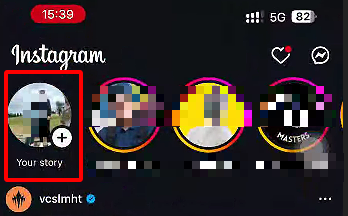
Open Instagram on your iPhone, hit the “+” button at the top, and pick “Story.” Snap a quick photo, record a video, or grab something from your camera roll to set the mood.
Step 2: Hit the Sticker Icon
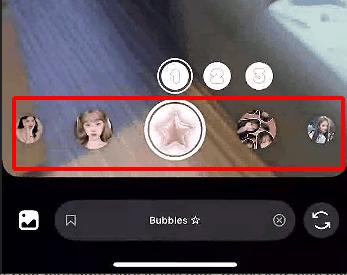
Once your Story’s looking good, tap the sticker icon (that little square with a smiley) at the top. It’s where all the fun stuff like polls and links lives.
Step 3: Add Your Link
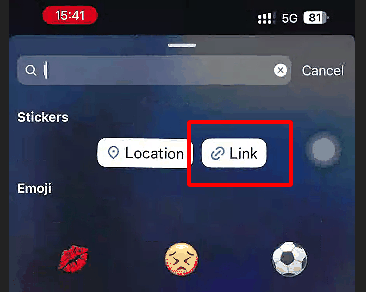
Scroll to the “Link” sticker, tap it, and paste your URL—like a YouTube video or your shop’s page. Change the sticker text to something catchy, like “Shop Now!” or “Watch This!”
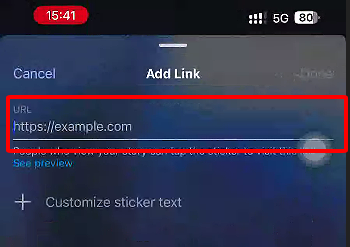
Step 4: Place the Sticker
Drag the sticker where it won’t block your video’s best parts—top or bottom usually works. Pinch to resize or tap to switch up the style for extra flair.
Step 5: Share and Check
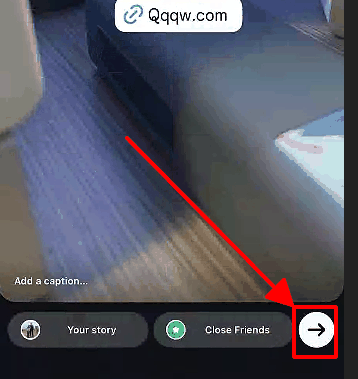
Hit “Your Story” to share with everyone or “Close Friends” for a select crew. Peek at Insights after 24 hours to see how many folks tapped your link.
I threw a link to a friend’s YouTube video in a Story, and it took like a minute to set up. Playing with the sticker’s style got way more clicks than the plain version—definitely worth the extra second. This is how to add a link to Instagram Story with new update magic.
Part 3: How to Create a Link Sticker for Instagram Story
Wanna make your Link Sticker look extra fly? Customizing it to match your Story’s vibe or using a shortened URL can take it to the next level. Here’s how to craft a standout Link Sticker in 2025, even with the latest Instagram update.
Step 1: Kick Off Your Story
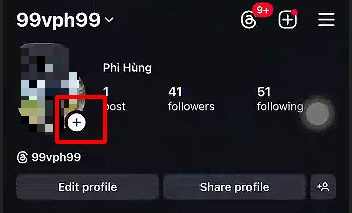
Open Instagram, tap the “+” icon, and choose “Story.” Grab a photo, video, or graphic from your iPhone’s camera roll to get the vibe going.
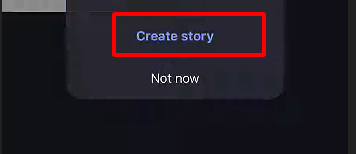
Step 2: Add the Link Sticker

Tap the sticker icon, pick the “Link” sticker, and paste your URL—like a blog post or YouTube link. Tweak the text to something snappy, like “Check This Out!”
Step 3: Style It Up
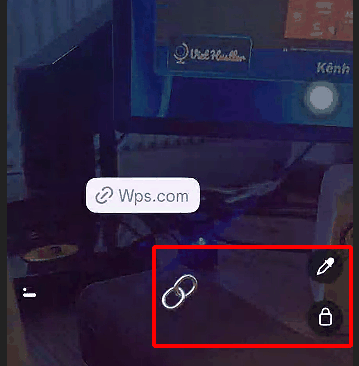
Tap the sticker to flip through styles (bold, gradient, or clean) or pinch to resize it. Place it where it’s easy to tap without covering the good stuff—top corners are my go-to.
Step 4: Shorten the URL (Optional)
Use a free tool like Bitly to shorten your URL before pasting—it looks cleaner and tracks clicks. I used a short link for a shop page, and it felt way more pro.
Step 5: Post and Track Clicks
Share your Story and check Insights later to see how many tapped through. I customized a sticker for a friend’s event signup, and the bold style got double the clicks. This nails how to add a link to Instagram Story without 10k followers
Part 4: Bonus Tool – Toolsmart Free Instagram Video Downloader
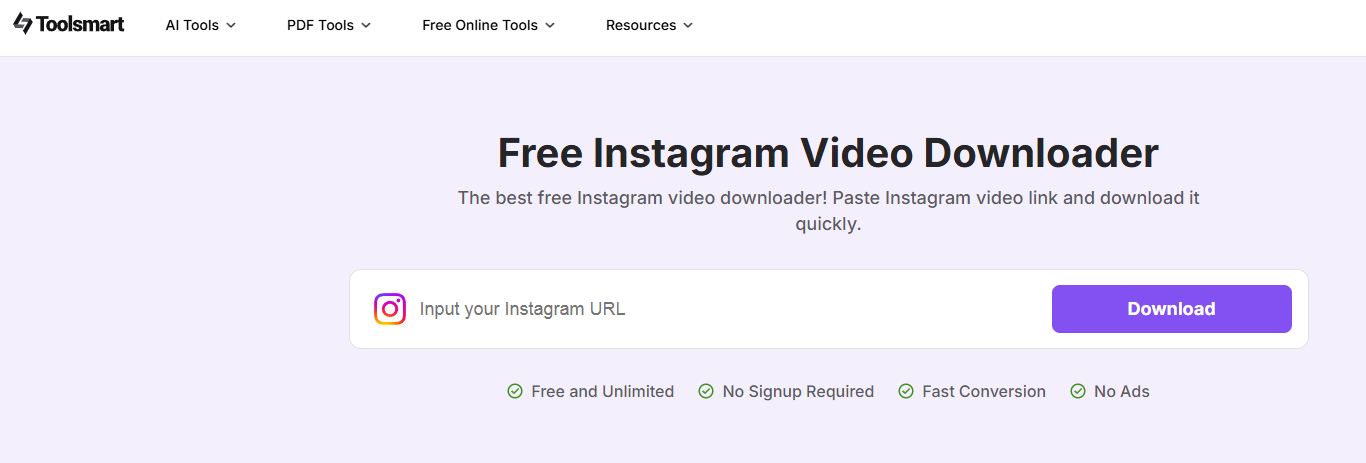
Before you drop that link in your Story, a killer video can make all the difference. Toolsmart’s Free Instagram Video Downloader is a total lifesaver for grabbing high-quality clips to edit and repurpose, making your Stories pop like crazy.
Overview: Toolsmart’s AI-powered downloader snags public Instagram videos without watermarks, letting you study viral trends or repurpose clips for your Stories. It’s free, works in your browser, and is perfect for creators wanting to up their game.
Features:
Downloads videos in MP4 at 720p or 1080p.
No watermark, no login needed.
Works on iPhone, Android, or any browser.
Pros:
Free as a bird, no hidden costs.
Quick and easy for clean, high-quality videos.
Awesome for analyzing what makes Stories go viral.
I grabbed a trending fashion reel with Toolsmart, edited it with some text, and added a shop link. The clean, watermark-free video made my Story look like a million bucks without any hassle.
Part 5: How to Use Toolsmart Free Instagram Video Downloader
Toolsmart’s Free Instagram Video Downloader is a breeze for snagging videos to make your Stories stand out before you add that link. Here’s how to use it to boost your Instagram game in 2025.
Step-by-Step Guide:
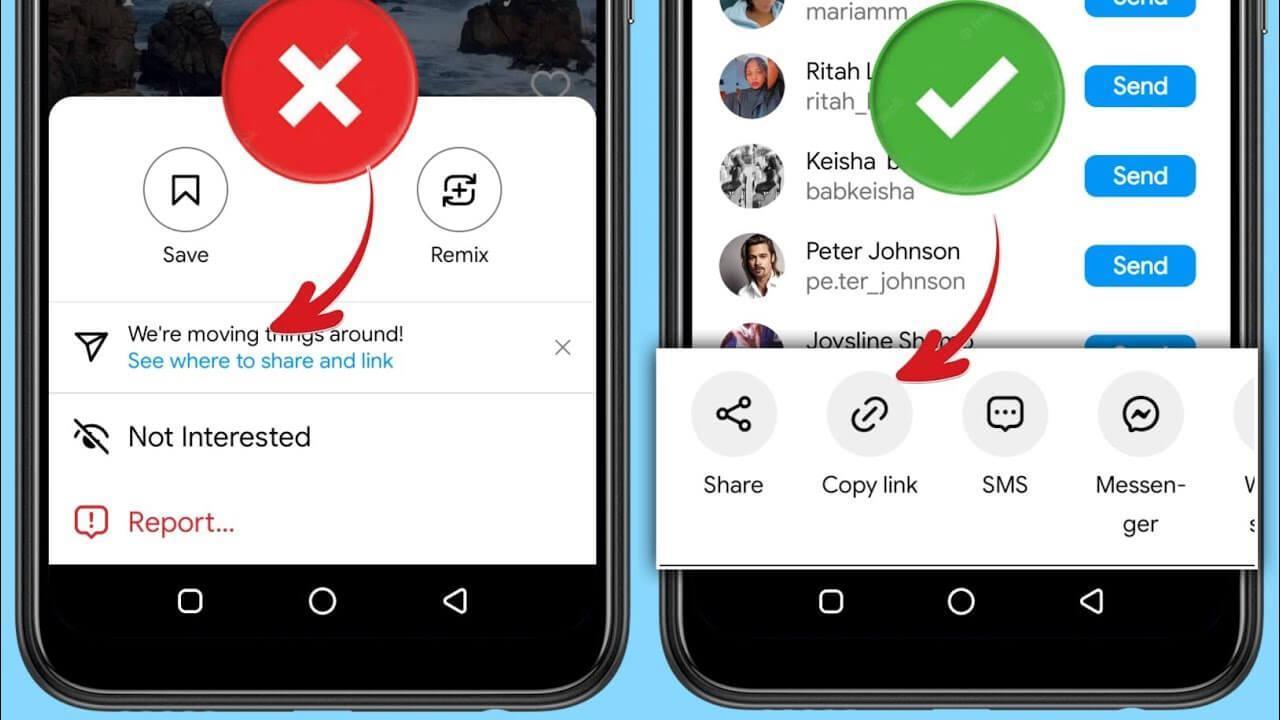
Step 1: Find a public Instagram video—like a hot reel or Story—and copy its URL from instagram.com or the app’s share button.
Step 2: Visit Toolsmart’s Instagram Video Downloader website.
Step 3: Paste the URL into the box, hit “Download,” and pick 720p or 1080p resolution.
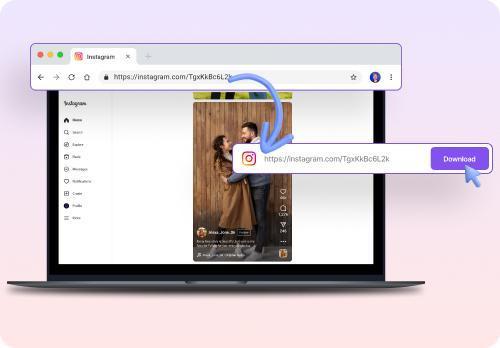
Step 4: Save the video to your Photos app, tweak it with edits if you want, and upload it to your Story with a Link Sticker.
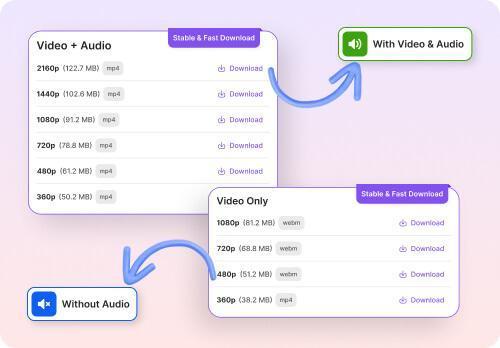
I snagged a viral dance reel with Toolsmart in like 10 seconds, added some text, and slapped on a YouTube link. The crisp video got way more taps than my usual Stories—total win for how to add link to Instagram Story with new update flair.
FAQs
Q1: Do I need 10,000 followers to add a link?
Nope! Instagram opened the Link Sticker to everyone back in 2022, so you can add a clickable link to your Story, no matter your follower count.
Q2: Can I add multiple links to one Story?
Nah, you’re limited to one Link Sticker per Story slide. If you’ve got more links, use multiple slides to spread the love.
Q3: Do I need a business account?
Not a bit—personal or business accounts can use the Link Sticker, making it a breeze for anyone to share links.
Q4: Is Toolsmart’s Instagram downloader safe?
Yup, it’s safe for personal use, like grabbing videos for editing or studying trends. Just don’t repost without permission to keep it legit.
Q5: Does the Link Sticker work differently on iPhone vs. Android?
No way—the process is the same across iPhone and Android in 2025, so these steps are universal for everyone.
Summary
This 2025 guide on how to add a link to Instagram Story is your playbook for mastering the Link Sticker, whether you’re sharing a YouTube video, blog, or shop page. With keywords like how to add a clickable link to Instagram Story, how to add a link to Instagram Story without 10k followers, and how to add link to Instagram Story with new update, it’s packed with dead-simple steps to get you rolling. Toolsmart’s Free Instagram Video Downloader is the secret sauce, letting you snag clean, high-quality videos to make your Stories pop before adding that link. Give Toolsmart a whirl at toolsmart.ai and watch your Stories steal the show.


