
'%3e%3cpath%20fill-rule='evenodd'%20clip-rule='evenodd'%20d='M19%208.5C24.799%208.5%2029.5%2013.201%2029.5%2019C29.5%2024.6782%2024.9928%2029.3036%2019.361%2029.4939L19%2029.5C18.8794%2029.5%2018.7592%2029.498%2018.6396%2029.4939L18.2811%2029.4758C12.8174%2029.1063%208.5%2024.5574%208.5%2019C8.5%2013.201%2013.201%208.5%2019%208.5ZM22.3063%2010.6267L22.2342%2010.6539C21.3423%2011.0061%2020.5541%2011.6368%2020.5606%2012.4987C20.5631%2012.8302%2020.869%2014.8871%2020.2141%2014.8486C19.5589%2014.8102%2019.413%2013.8753%2018.7116%2013.616C17.5944%2013.2026%2016.9819%2014.3401%2017.0939%2015.3106C17.1695%2015.9655%2018.9289%2018.3871%2017.9028%2019C17.292%2019.3651%2015.7279%2017.5692%2015.1007%2017.1842C14.4805%2016.8034%2013.2758%2017.3333%2012.4974%2016.7029C11.9874%2016.2899%2012.3881%2014.4098%2012.2786%2013.8372C12.2271%2013.5698%2012.1155%2013.3689%2011.9794%2013.2166L12.0402%2013.2934C10.7653%2014.8464%2010%2016.8339%2010%2019C10%2023.8465%2013.8307%2027.7982%2018.6295%2027.9925L18.6769%2027.9747C18.8597%2027.8677%2019.0394%2027.7557%2019.216%2027.6387C19.4137%2027.4534%2019.5436%2027.2072%2019.5849%2026.9394C19.8806%2025.1222%2018.3616%2025.4302%2017.9367%2024.5622C17.5489%2023.7695%2018.5712%2023.7684%2018.5524%2021.7923C18.4607%2021.1774%2018.5279%2020.547%2018.7211%2020.0315C19.1834%2018.7987%2020.7077%2017.2643%2022.5889%2018.0081C23.5567%2018.3906%2023.1524%2019.9831%2023.4737%2020.3394C24.251%2021.2018%2025.3228%2020.6863%2026.2856%2021.2253C26.7816%2021.5032%2026.9797%2022.41%2027.056%2023.2248L27.038%2023.0528C27.6534%2021.8348%2028%2020.4579%2028%2019C28%2015.1968%2025.6409%2011.9445%2022.3063%2010.6267Z'%20fill='%23757575'/%3e%3ccircle%20cx='19'%20cy='19'%20r='10.125'%20stroke='%23757575'%20stroke-width='2.25'/%3e%3c/g%3e%3cdefs%3e%3cclipPath%20id='clip0_1827_14613'%3e%3crect%20width='24'%20height='24'%20fill='white'%20transform='translate(7%207)'/%3e%3c/clipPath%3e%3c/defs%3e%3c/svg%3e)


The internet is full of promises offering free movies with no sign-ups but after hours of going back and forth between dubious sites and buffering screens, the only thing you really stream is disappointment. Links on sites like Putlocker or FMovies often lead to pop-ups, fake play buttons, or video players that just sit there doing nothing. Sometimes I wasn’t even sure if I was still on a streaming site. So I started keeping track of the free streaming sites that didn’t waste my time. In this guide, you’ll find the ones that opened, played, and let me watch with no detours.
Top Free Streaming Sites
I went down the rabbit hole of free streaming sites after getting tired of the same limited options on Netflix and Prime. Over two weeks, I tested more than 25 different services on both my phone and laptop, checking everything from movie selection to load speed and mobile compatibility. In the end, three platforms stood out: Plex for its surprisingly deep library, Fawesome for its weirdly specific genre picks (I found a whole section on '90s thrillers), and StreamingSites for helping me find lesser-known, legit gems without wasting time.
Plex
Plex isn’t just a media server anymore, it’s evolved into one of the best free streaming sites. With thousands of movies, shows, and even live TV channels, Plex partners with content providers legally and monetizes through ads. I used it mainly on my laptop, where the layout made browsing simple and the ads were surprisingly non-intrusive. The library had a decent mix as there were some underrated indie films, a few solid documentaries, and even live TV.
Features:
Offers a wide range of free content, including live TV channels, full-length movies, and popular TV shows.
Content is organized into curated categories like anime, sports, and documentaries, making it easy to explore specific interests.
Available across multiple platforms, including smart TVs, Android, iOS devices, and web browsers..
Pros:
No account needed for streaming
High-quality video playback
Global access to many titles
Cons:
Ad breaks during shows
Not all content available in every region
Once I figured out how the categories were laid out, switching from Kitchen Nightmares to a live news channel was easy. Here’s how I started streaming straight from the site in just a few seconds:
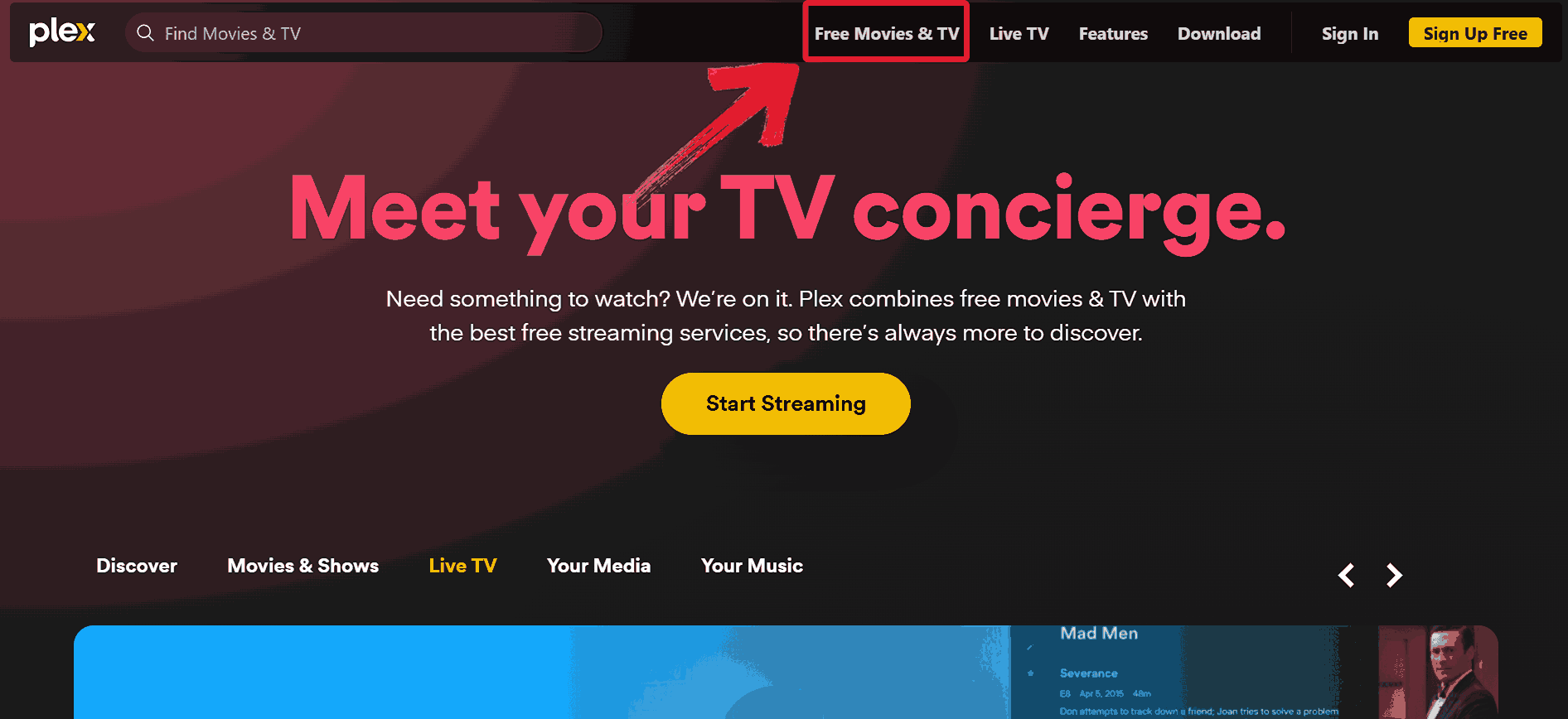
Step 1: Head over to the Plex homepage and click on"Free Movies & TV" from the top menu.
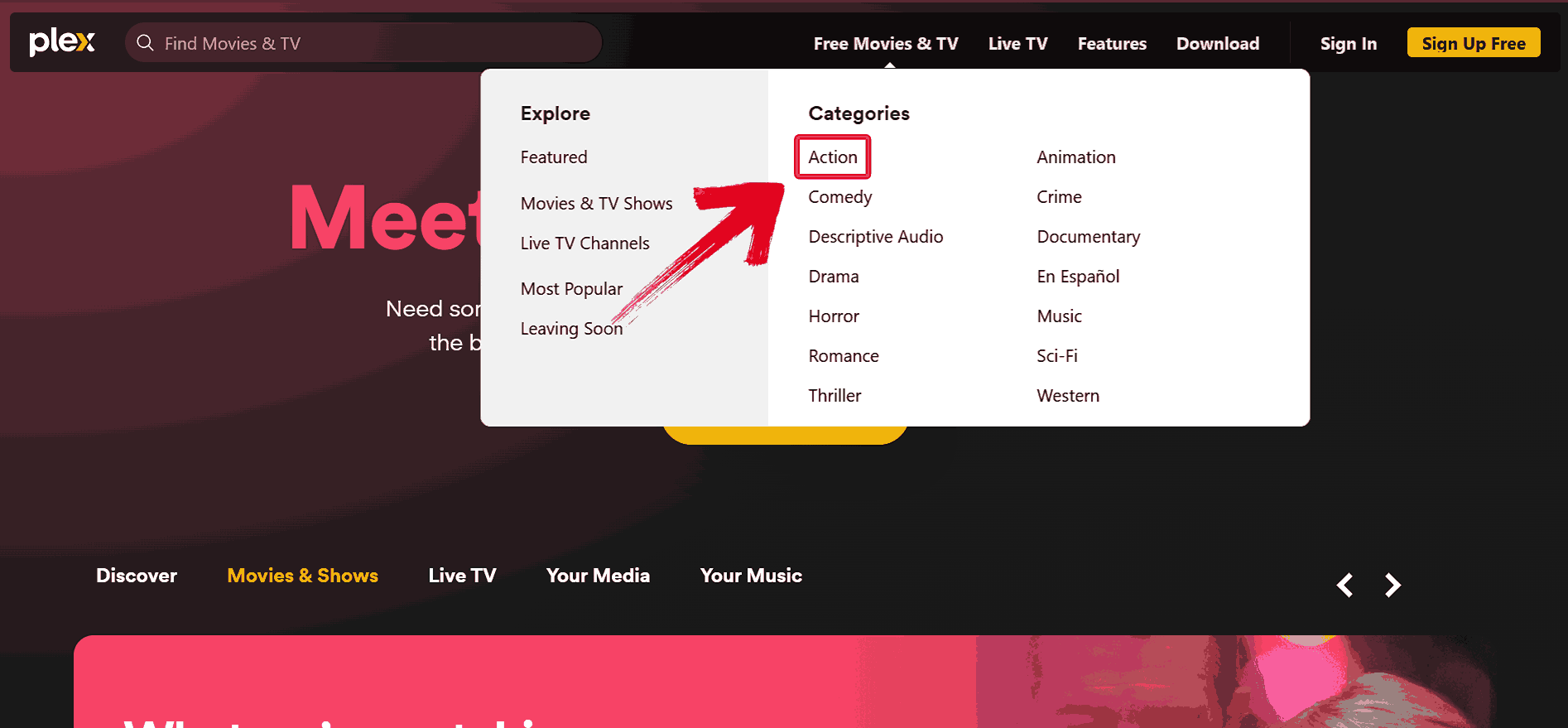
Step 2: Pick any genre that interests you like“Action” or explore sections like “Most Popular” and “Featured”.
Step 3: Select a movie or show and it will start playing automatically. You might get a short ad before the stream starts, but playback is smooth and HD quality.
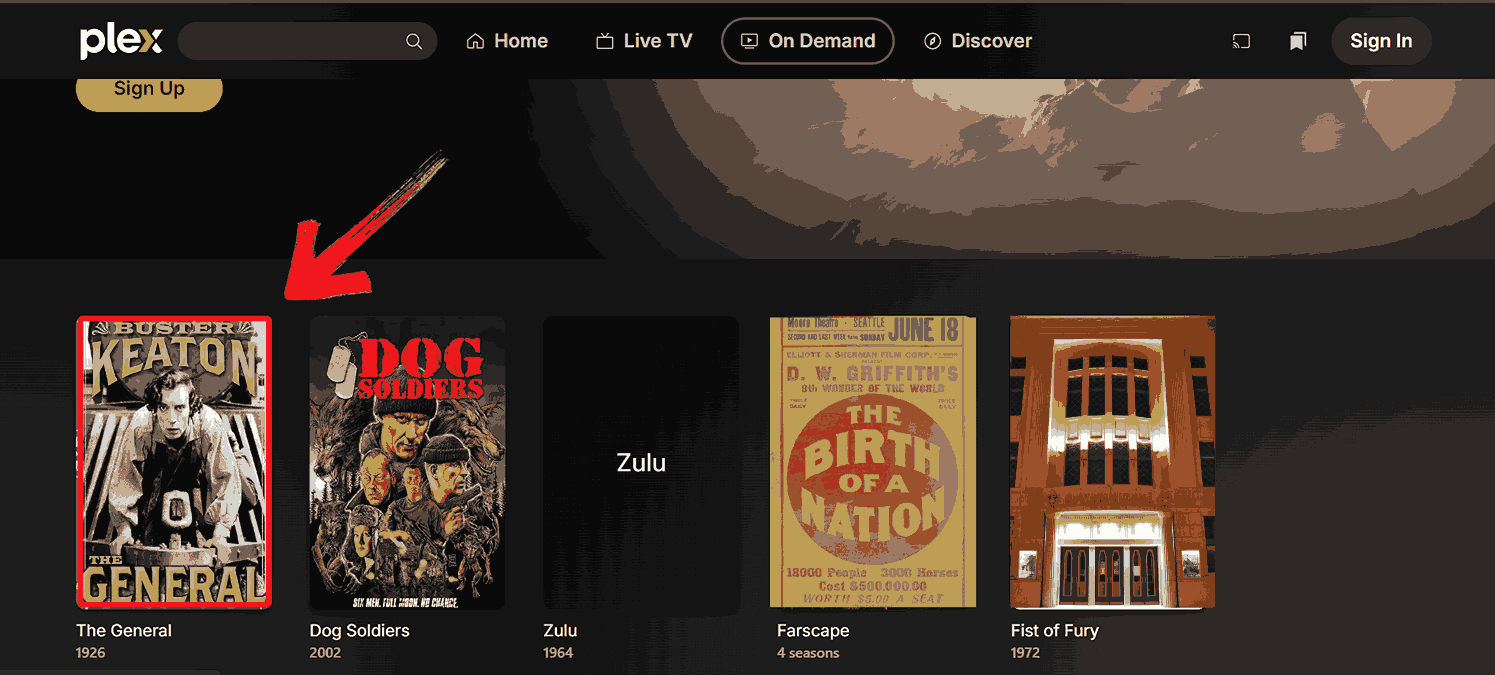
I mostly used Plex to stream old episodes of Kitchen Nightmares and live news channels. The layout was presentable, and switching between categories like documentaries and anime felt quick. It didn’t ask for an account, which made testing it easier. For someone just starting out, Plex gave me enough variety without overstuffing the content and is a solid pick for someone searching for ‘free streaming sites no sign up’.
StreamingSites
StreamingSites was a surprisingly well-organized and thorough resource. It’s not a streaming service itself, but a directory that ranks and reviews hundreds of legal streaming platforms. I used it to find sites I’d never heard of, sorted by category, price, and content type. It made narrowing down trustworthy, free options way easier than random Googling ever did.
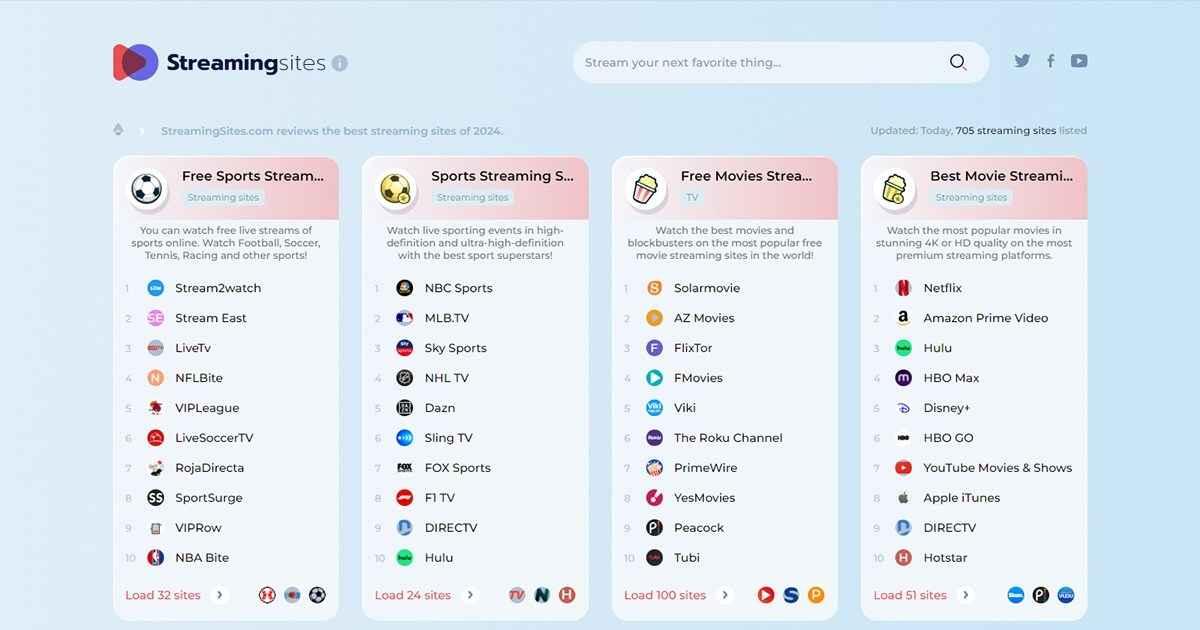
Features:
Compiles and reviews over 100 legal streaming platforms, offering a reliable starting point for finding safe and legitimate content.
Each site is organized into clear categories like sports, movies, TV, and cartoons, so it’s easy to filter based on what you’re in the mood to watch.
Provides country-specific recommendations, helping users discover streaming options that are accessible and relevant in their region.
Pros:
Perfect for niche needs like Korean dramas or South African local TV
Updated frequently
Safe and spam-free links
Cons:
Not a streaming platform, just a directory
Can be overwhelming with too many choices
Once I found a sports streaming link that worked without any shady pop-ups, I started bookmarking a few more platforms from their list. To help you get to that point faster, here’s the exact way I navigated and used the site.
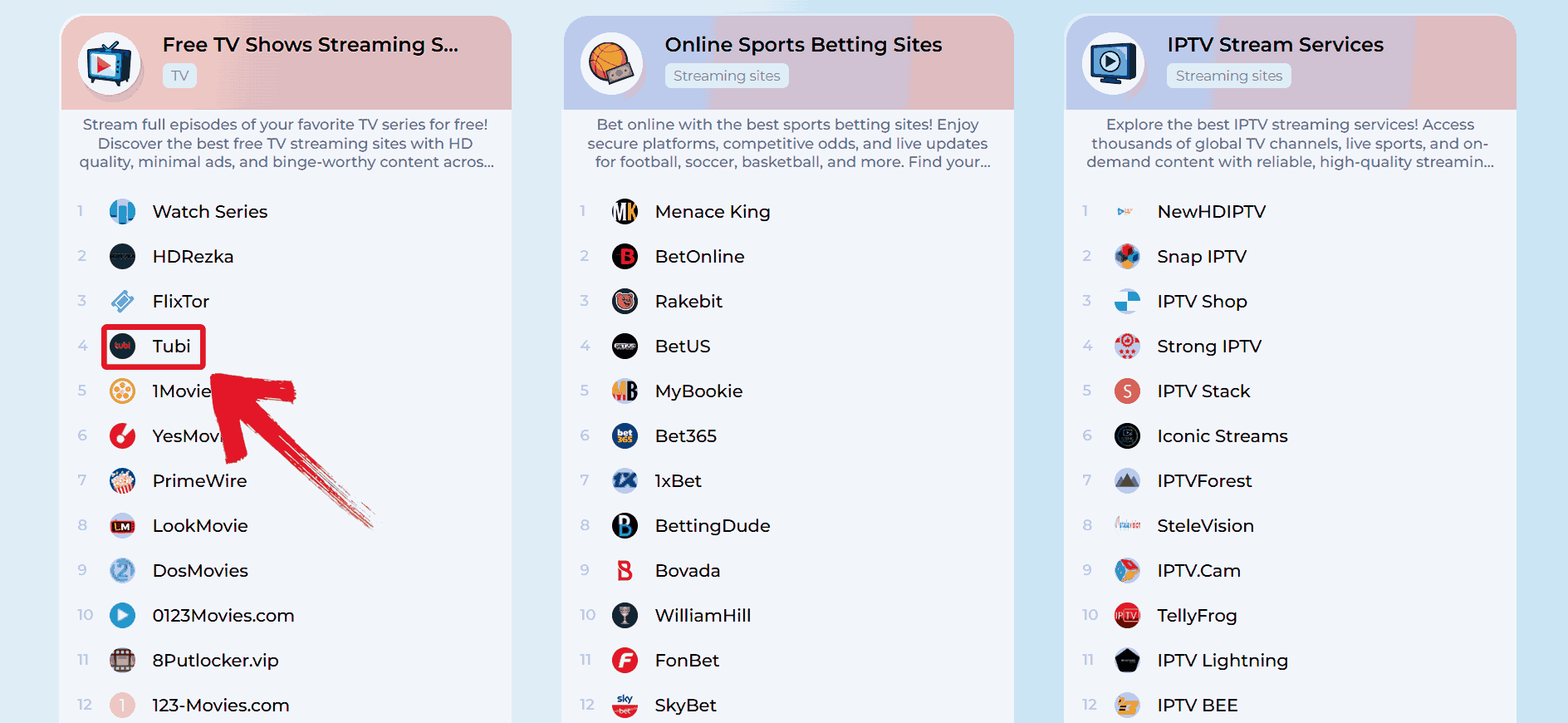
Step 1: Go to Streamingsite’s official website then scroll down and click on any service that catches your eye like “Tubi”.
Step 2: Out of the You’ll see two options that appear, click on “Read Review” to get a short overview and a direct streaming link.
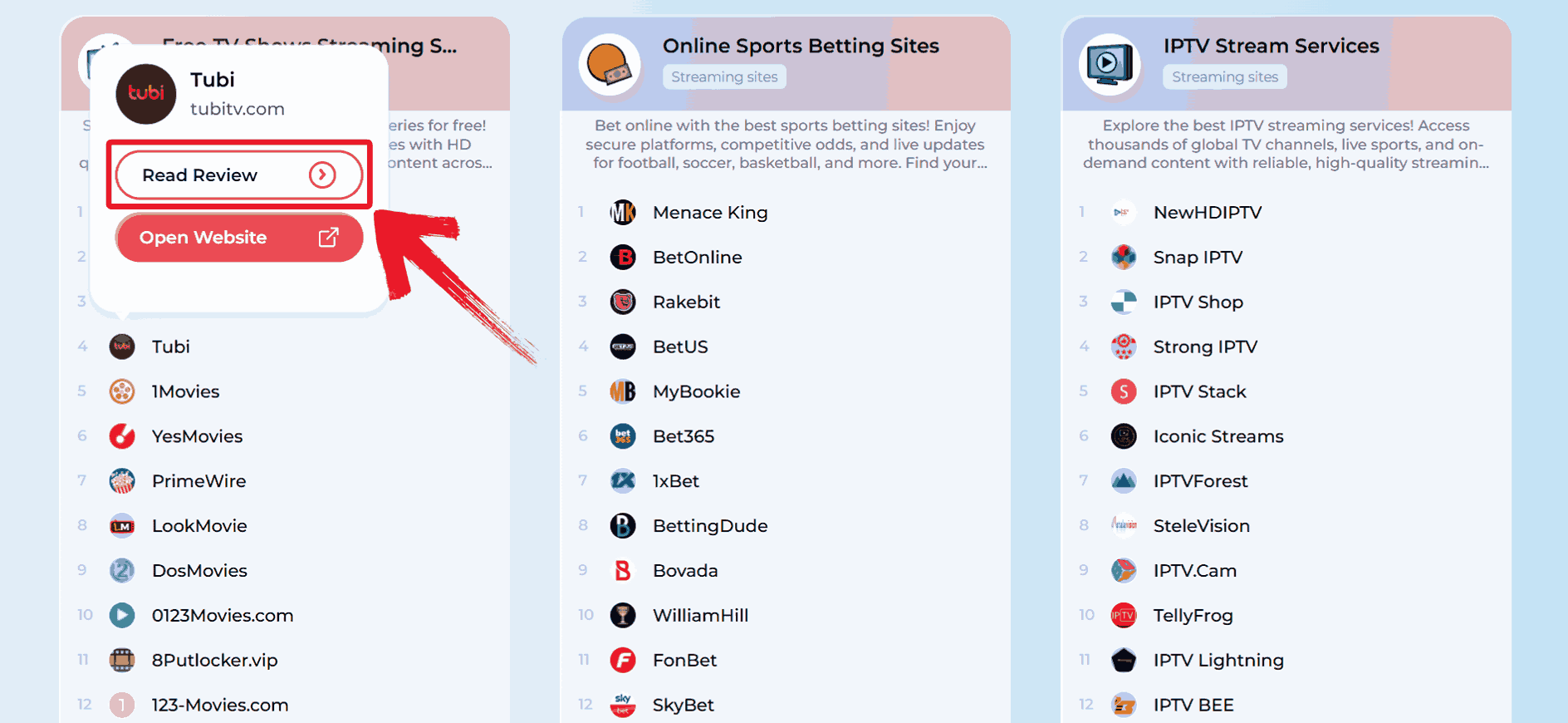
Step 3: You’ll get a short summary and rating for Tubi, along with a button that takes you straight to the site. Read through to find if it works for you.
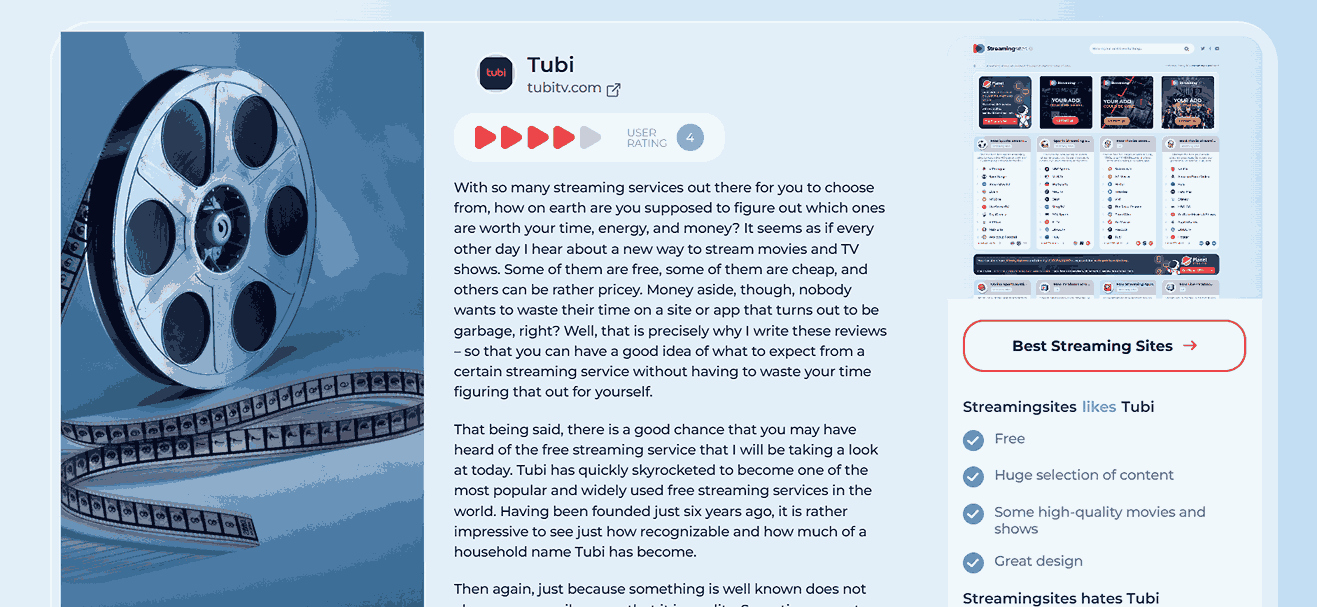
I used StreamingSites to find a free sports streaming platform ahead of a Premier League match. The list wasn’t just long as it was neatly sorted by region and price, which helped me avoid shady sites. I didn’t need to download anything; most links redirected cleanly. It’s now the first place I check when I need to find a dependable site easily.
Fawesome
Fawesome lives up to its name by offering a wide selection of free, ad-supported TV shows and movies. It's a streaming app that specializes in genre-specific content: crime thrillers, vintage horror, indie comedies, and more. I used it to explore niche categories, and the catalog was surprisingly deep for a free platform. No login is required, so navigating between titles felt seamless, and most streams played smoothly on my smart TV.

Features:
Offers instant access to over 10,000 movies and TV shows, all available to stream on demand without any subscription.
There’s no need to create an account or provide personal information, making it a secure way to start streaming.
Specializes in curated content across niche genres like vintage horror, crime thrillers, and international dramas.
Pros:
Content updated frequently
Excellent for lifestyle, horror, and indie films
Works well on Roku, Fire TV, and mobile
Cons:
Limited content outside the US
Occasional buffering on older devices
Using Fawesome felt like flipping through an old-school DVD shelf with all the niche categories. I streamed directly from the site with no sign up or download. Here’s how I got to the movies and started watching.
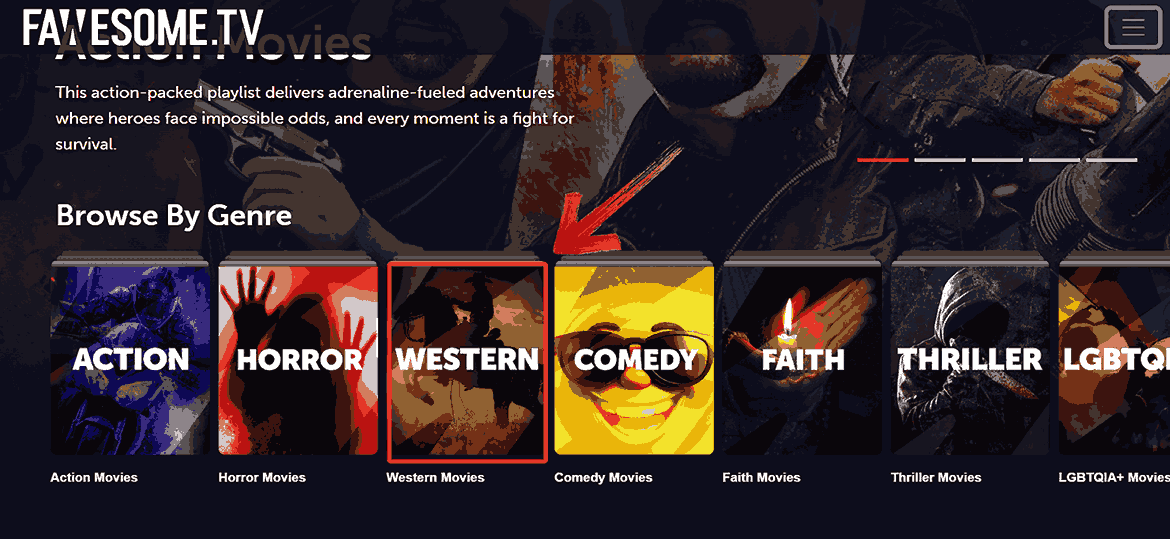
Step 1: Go to Fawesome’s official website and click on any genre that interests you like “Western Movies”.
Step 2: Find something that interests you, click on it, and the stream will start instantly.
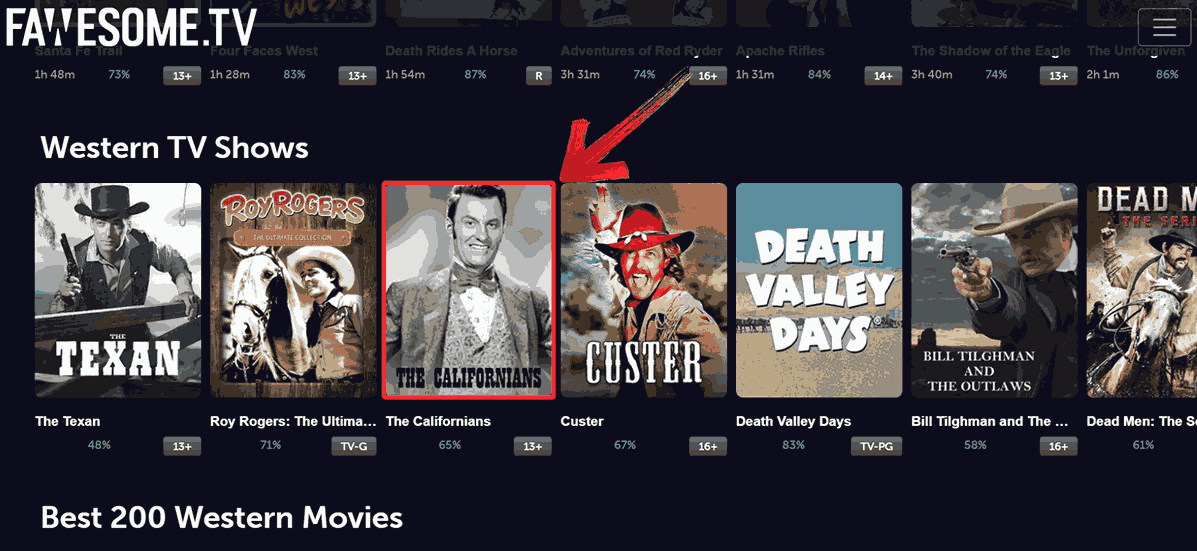
I watched an independent rom-com and a couple of obscure horror movies from the 1980s using Fawesome. On my Android TV, the app operated steadily with hardly any buffering, and the advertisements didn't interfere with the experience. I didn’t have to create an account or verify anything. It stood out as one of the most accessible free movie streaming sites I’ve tried, especially for niche content without getting stuck in menus or sign-up forms.
Comparison of Free Streaming Sites
After trying out Plex, StreamingSites, and Fawesome one by one, I started noticing the small differences that made each one stand out or fall short. From how quickly I could find something to watch, to whether I had to deal with pop-ups or account sign-ups, each platform gave me a slightly different experience. The table below breaks down exactly how they compared in terms of content, variety, and overall viewing comfort.
| Feature | Plex | StreamingSites | Fawesome |
|---|---|---|---|
| Content Type | Movies, TV, Live | Directory of sites | Movies, TV Shows |
| Free/Paid | 100% Free | Free recommendations | 100% Free |
| Ads | Yes | Varies per site | Yes |
| Sign-up Needed? | No | No | No |
| Best For | General users | Niche hunters (K-Dramas, Sports) | Indie & lifestyle fans |
Although each of the three websites served their purpose, the best one truly depends on your preferences, whether that be live TV, carefully chosen suggestions, or hidden indie gems. Trying each helped me figureout which platform fits different kinds of evenings
Bonus Tool – Toolsmart Free YouTube Video Downloader
While I was watching one of my favorite YouTubers break down how to monetize videos, I noticed he downloaded his own video to walk viewers through the exact steps. That got me thinking, if I could save some of these tutorials or even movie reviews for offline viewing, it’d make catching up a lot easier when my internet’s acting up. So I decided to try out Toolsmart Free YouTube Video Downloader. It isn’t for streaming shows but it ended up being pretty useful for saving movie breakdowns or behind-the-scenes clips I actually wanted to rewatch later without relying on stable Wi-Fi.

Features:
You don’t need to download or install anything, Toolsmart works directly in your browser.
There are no ads, sign-ups, or annoying pop-ups to deal with.
It supports downloads in full HD quality, so the videos look clear.
Pros:
Completely free to use
Fast processing and download times
Supports audioand video extraction
No software installation or account required
How to Use Toolsmart Free YouTube Video Downloader
I always like to make sure, before saving any movie clips or streaming-related content, that the video is clear and complete. That part is made simple by Toolsmart, which allows you to download the audio only or the entire video without any installs or ads. Here’s how I usually use it.
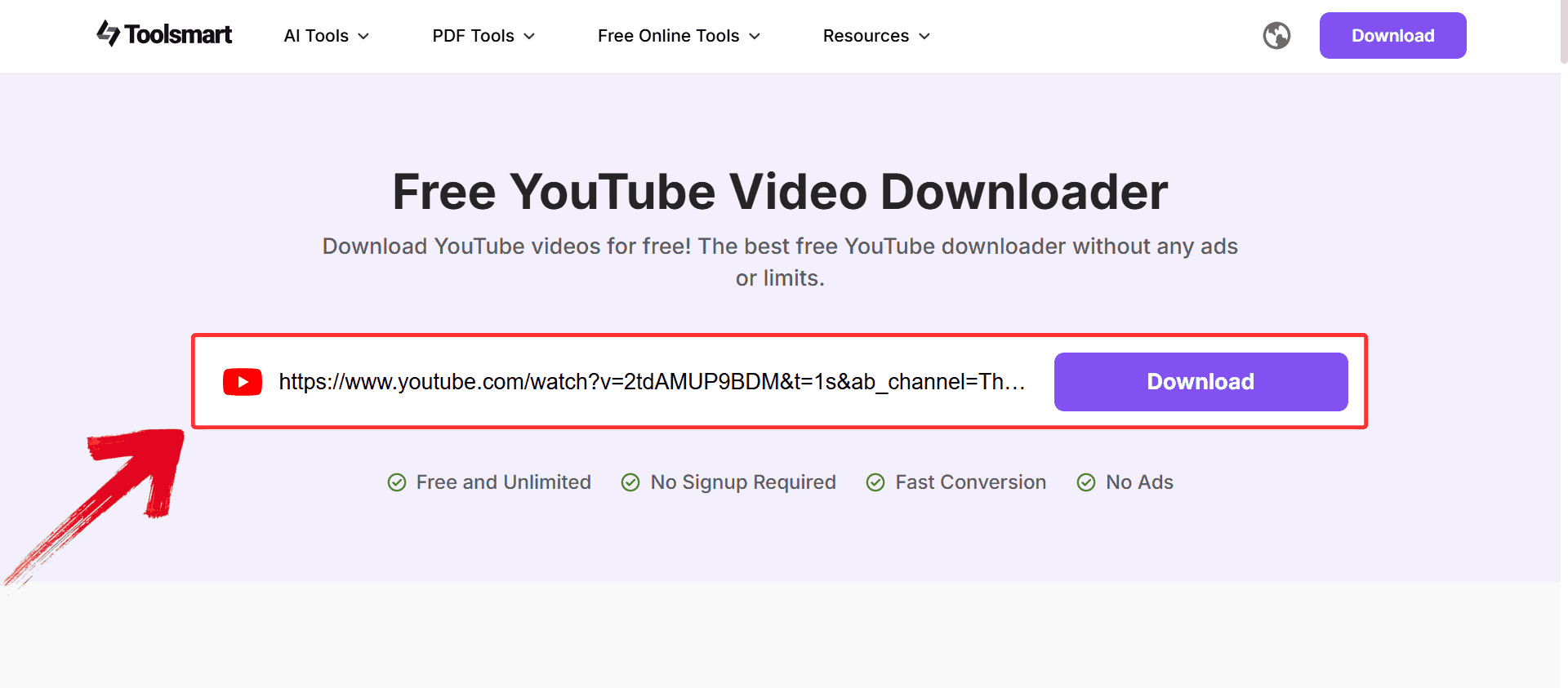
Step 1: Head to YouTube, open the video, and copy the URL of the YouTube video you want to download from your browser’s address bar.
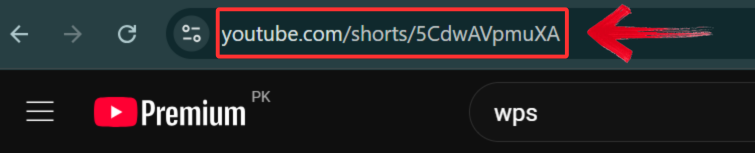
Step 2: Now go to Toolsmart’s YouTube Video Downloader and paste the URL into the input field. Once you paste the link, Toolsmart will automatically fetch the video and prepare it for conversion.
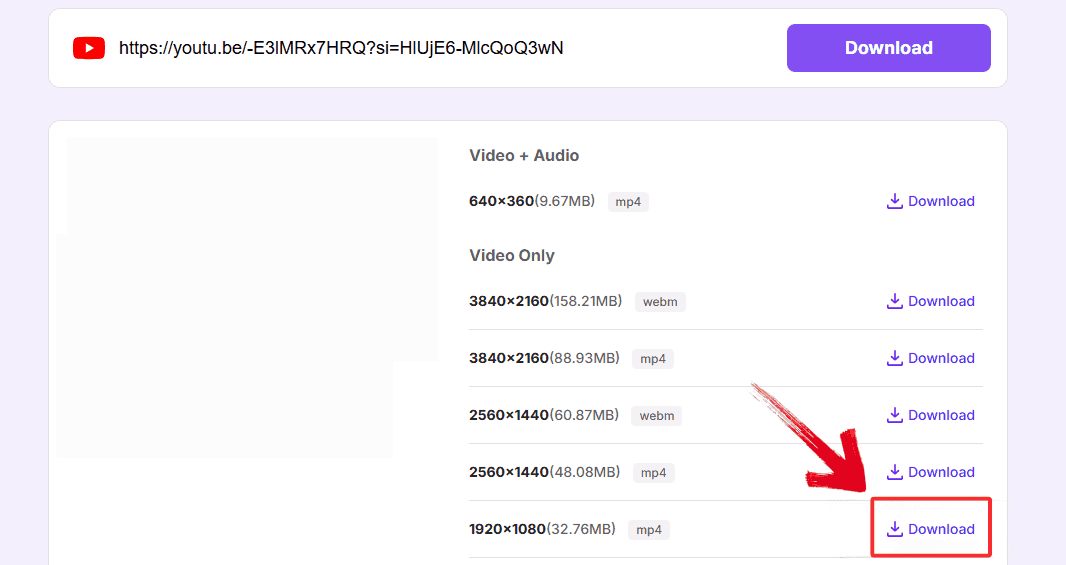
Step 3: Choose your formatand resolution, then click “Download”. Select MP4 (up to 1080p if available), and the file will start downloading directly to your device.
FAQs
1. Are these free streaming sites legal to use?
Yes. Plex and Fawesome license their content, and StreamingSites only lists verified legal options.
2. Do I need to sign up to start watching?
Nope. All mentioned platforms allow streaming without accounts.
3. How can I avoid fake or pirated streaming sites?
Stick to trusted directories like StreamingSites and platforms like Plex and Fawesome.
4. Can I legally download YouTube videos with Toolsmart?
Yes, for personal offline use. It’s free, fast, and doesn’t require sign-up.
The Stream Team: Plex, Fawesome & Toolsmart
When it comes to free streaming sites, not all of them are created equal, but after testing dozens, a few clearly stood out: Plex with its solid library, Fawesome’s niche variety, and the curated picks found through StreamingSites. They offered a blend of reliability, content range, and ease of use that made streaming feel effortless again.
However, integrating these sites with Toolsmart Free YouTube Video Downloader made things even more simpler. I used it to download trailers and YouTube recaps so I could watch them offline across different devices without buffering or distractions. Although Toolsmart doesn't stream content directly, it turned out to be the simplest way to download what I’d already saved on Youtube in the best quality.


