
'%3e%3cpath%20fill-rule='evenodd'%20clip-rule='evenodd'%20d='M19%208.5C24.799%208.5%2029.5%2013.201%2029.5%2019C29.5%2024.6782%2024.9928%2029.3036%2019.361%2029.4939L19%2029.5C18.8794%2029.5%2018.7592%2029.498%2018.6396%2029.4939L18.2811%2029.4758C12.8174%2029.1063%208.5%2024.5574%208.5%2019C8.5%2013.201%2013.201%208.5%2019%208.5ZM22.3063%2010.6267L22.2342%2010.6539C21.3423%2011.0061%2020.5541%2011.6368%2020.5606%2012.4987C20.5631%2012.8302%2020.869%2014.8871%2020.2141%2014.8486C19.5589%2014.8102%2019.413%2013.8753%2018.7116%2013.616C17.5944%2013.2026%2016.9819%2014.3401%2017.0939%2015.3106C17.1695%2015.9655%2018.9289%2018.3871%2017.9028%2019C17.292%2019.3651%2015.7279%2017.5692%2015.1007%2017.1842C14.4805%2016.8034%2013.2758%2017.3333%2012.4974%2016.7029C11.9874%2016.2899%2012.3881%2014.4098%2012.2786%2013.8372C12.2271%2013.5698%2012.1155%2013.3689%2011.9794%2013.2166L12.0402%2013.2934C10.7653%2014.8464%2010%2016.8339%2010%2019C10%2023.8465%2013.8307%2027.7982%2018.6295%2027.9925L18.6769%2027.9747C18.8597%2027.8677%2019.0394%2027.7557%2019.216%2027.6387C19.4137%2027.4534%2019.5436%2027.2072%2019.5849%2026.9394C19.8806%2025.1222%2018.3616%2025.4302%2017.9367%2024.5622C17.5489%2023.7695%2018.5712%2023.7684%2018.5524%2021.7923C18.4607%2021.1774%2018.5279%2020.547%2018.7211%2020.0315C19.1834%2018.7987%2020.7077%2017.2643%2022.5889%2018.0081C23.5567%2018.3906%2023.1524%2019.9831%2023.4737%2020.3394C24.251%2021.2018%2025.3228%2020.6863%2026.2856%2021.2253C26.7816%2021.5032%2026.9797%2022.41%2027.056%2023.2248L27.038%2023.0528C27.6534%2021.8348%2028%2020.4579%2028%2019C28%2015.1968%2025.6409%2011.9445%2022.3063%2010.6267Z'%20fill='%23757575'/%3e%3ccircle%20cx='19'%20cy='19'%20r='10.125'%20stroke='%23757575'%20stroke-width='2.25'/%3e%3c/g%3e%3cdefs%3e%3cclipPath%20id='clip0_1827_14613'%3e%3crect%20width='24'%20height='24'%20fill='white'%20transform='translate(7%207)'/%3e%3c/clipPath%3e%3c/defs%3e%3c/svg%3e)


Ever wondered what you’d sound like as a villain, robot, or anime character? Voice changers aren’t just for laughs, they’re essential for streamers, YouTubers, podcasters, and even pranksters. But most tools throw ads, paywalls, or wild setups your way just to sound decent. I’ve been deep in the content game, editing everything from gameplays to podcasts, and testing tons of audio tools. So I did the hard part: pushed the limits and filtered out the fluff. These 6 free voice changers in 2025 are actually worth your time; fun, fast, and totally functional.
6 Best Voice Changer Free in 2025
If you’ve been searching for a voicemodifier free that actually works and doesn’t lock features behind paywalls, you’re not alone. In 2025, there are more free tools than ever, but only a few deliver clean, real-time effects without sketchy downloads. I’ve tested dozens and narrowed it down to these 6 best voice changer free options that are genuinely worth your time.
MyEdit
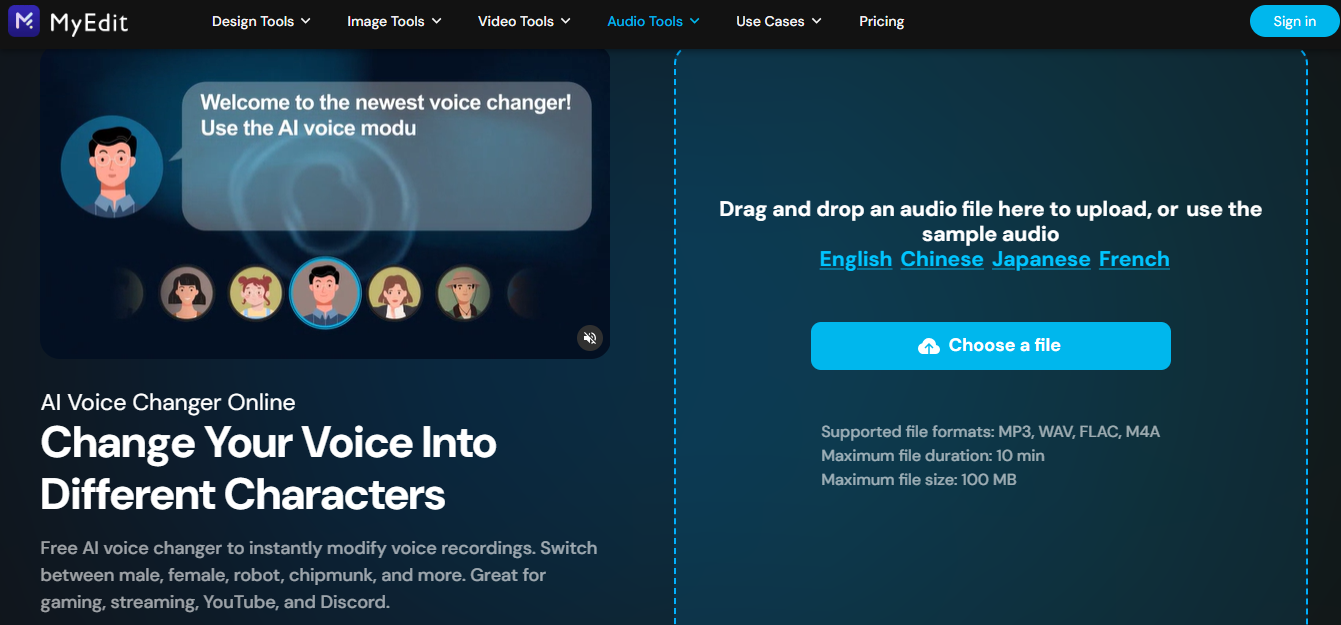
MyEdit Voice Changer stands out as a browser-based voice changer that nails the balance between simplicity and performance. It's fully online, no installation needed, and you can transform your voice into anything from a robot to a cartoon character in just a few clicks. Ideal for quick edits and social media posts. You don’t need any tech skills to use it, just upload your clip and go. It’s one of the most trusted tools for those looking for free voice effects that sound professional. Plus, the results export quickly without dropping quality.
Features:
Works directly in your browser: No need to install anything. Just visit the site and get started instantly.
Supports both uploads and live mic input: Whether you’ve got a pre-recorded clip or want to speak in real-time, it handles both smoothly.
Real-time playback with instant effects: Try out different voices and hear how they sound without waiting for processing.
Pros:
Clean interface with zero learning curve
No download or registration required
High-quality voice effects with fast processing
Cons:
Doesn’t support advanced audio layering
Limited preset options
No live call integration
How to Use:
Step 1: First of all, visit the official website ofMyEdit Voice Changer on your browser.
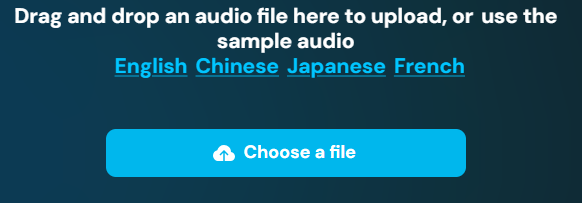
Step 2: Upload an audio file or use your mic.
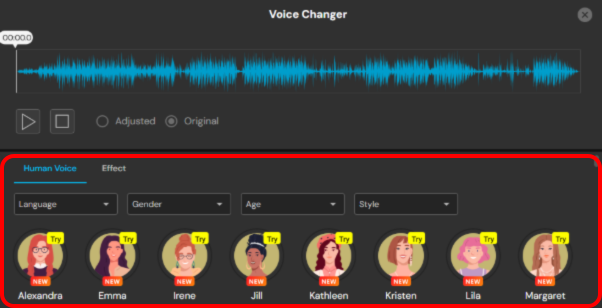
Step 3: Choose a voice effect by exploring different types of voices under the audio and preview instantly.
Step 4: Export your new audio file with one click by clicking “Download” on the top right of your screen.
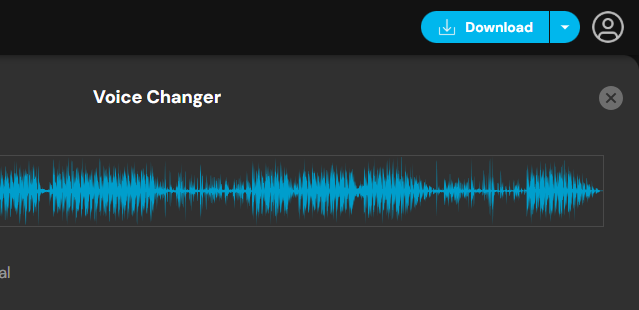
I used MyEdit to prank a friend using the “robot” effect. The playback was smooth and didn’t lag, and the tool didn’t even ask me to sign up, 10/10 convenience. It delivered exactly what I needed: quick, high-quality voice modulation without any unnecessary steps.
PowerDirector
PowerDirectorisn’t your traditional voice changer, but its audio editor packs in some surprisingly good voice manipulation tools. It’s more suited for post-production edits on YouTube videos or short films. What makes it unique is the ability to apply voice transformations along with professional video transitions in one timeline. You can clean up background noise, alter pitch, and even simulate different environments. For creators in need of a free voice editor for video, it’s a smart choice. It combines high-quality output with visual storytelling tools that elevate your content.
Features:
Multi-layer timeline editing: You can stack audio, video, and effects in a streamlined interface, making complex edits way easier to manage.
AI-powered voice cleanup: It removes background noise and enhances vocal clarity with just a few clicks, perfect for vloggers and voiceovers.
Sound mixing and transitions: Customize how your audio blends between scenes with professional-quality transitions and volume controls
Pros:
Professional-grade output
Great for content creators editing full videos
Audio tools are versatile and precise
Cons:
Requires download and installation
Free version is limited
Slight learning curve
How to Use:
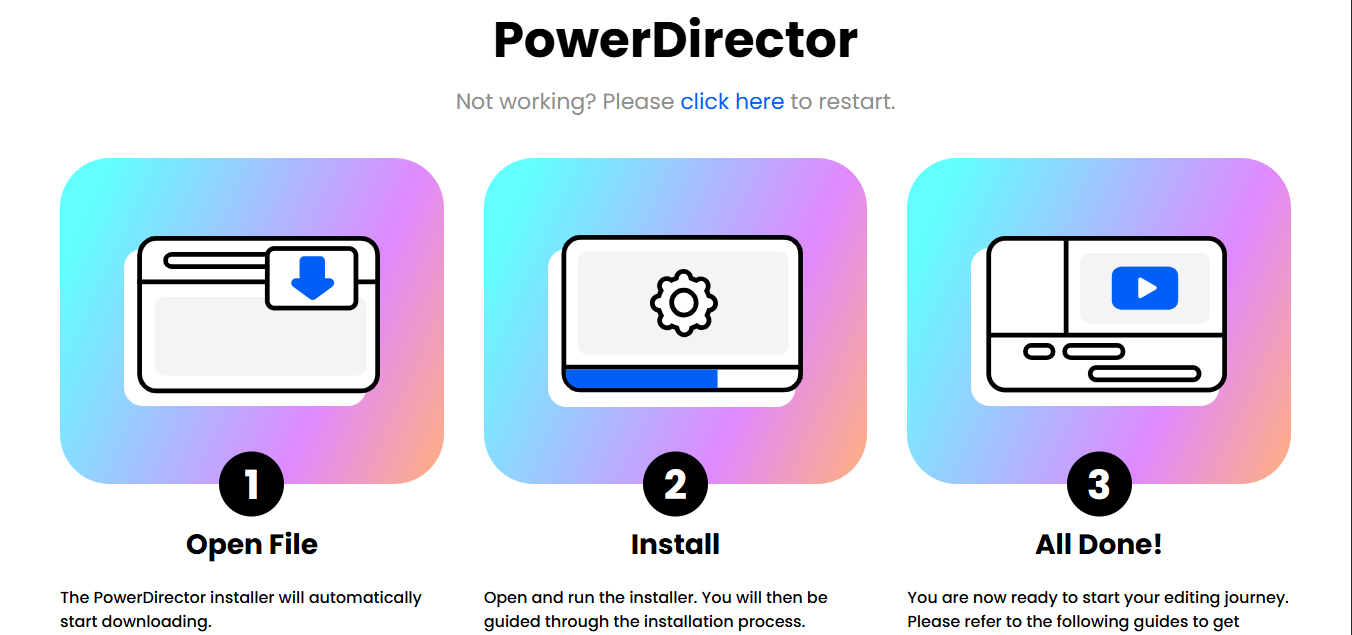
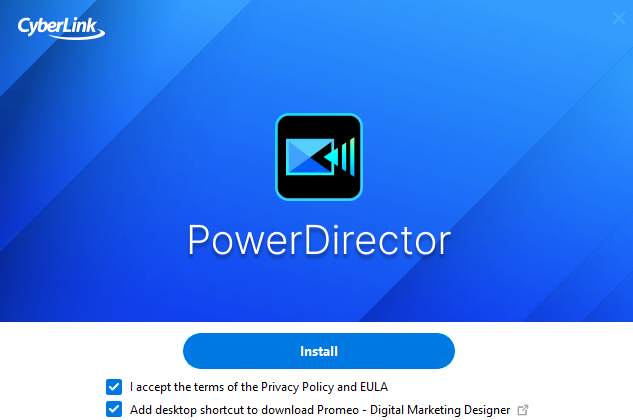
Step 1: Download and install PowerDirectorthrough its official website.
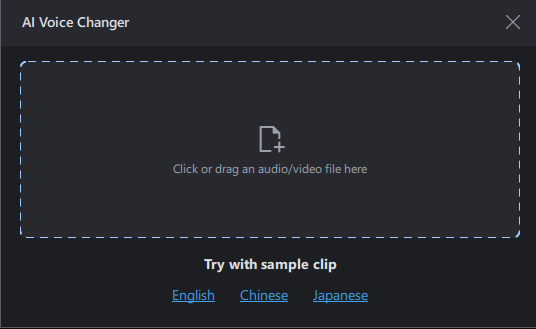
Step 2: On the homepage, scroll down, click“AI voice changer” and Import your audio or video file.
Step 3: Use voice effects in the audio editing section present on the middle of your screen and click“Apply”.
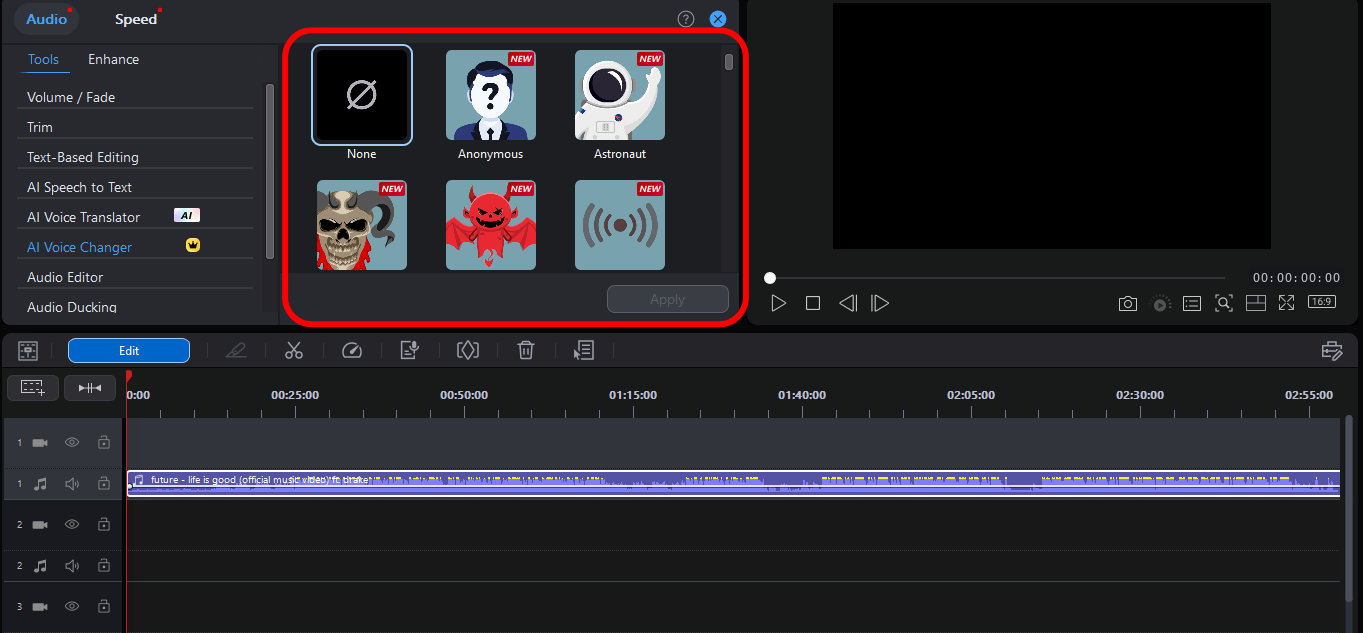
Step 4: Export your project by clicking“Export” on the top bar in your preferred format.
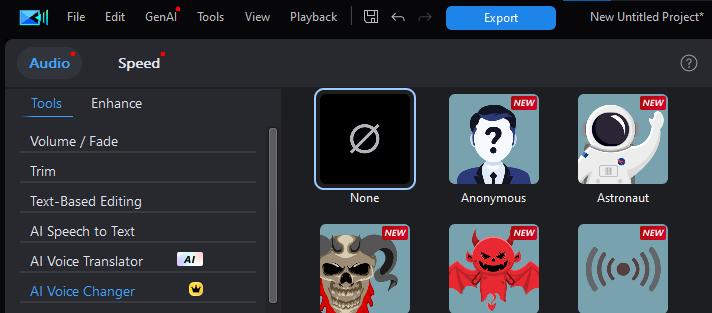
I tried using this for a podcast segment. While it’s more focused on post-editing than real-time voice changes, the clarity and background noise reduction were unmatched. It gave my audio a polished, studio-quality finish that’s hard to get with most free tools. Perfect for creators who prioritize clean sound in their final cut.
AudioDirector
AudioDirectoris more technical than others on this list but also offers deeper control. It’s great for audiophiles and creators who want total control over how the voice effects sound. It’s not just about fun filters, it’s about precision. You can fine-tune everything from tone and frequency to background ambiance. The interface leans more toward professionals, but the results speak for themselves.
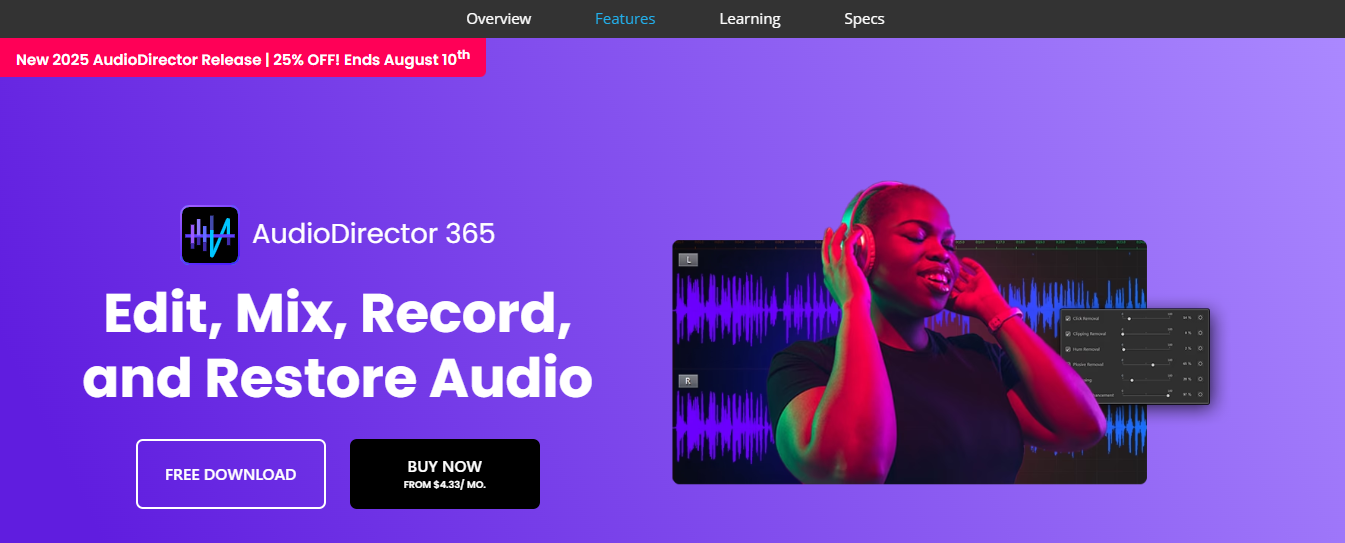
If you’re working on film scoring, dubbing, or detailed sound restoration, this tool delivers. For users looking for a free audio editing software for voiceovers, AudioDirector is definitely worth considering.
Features:
Spectral editing tools: Visualize and isolate specific frequencies in your audio for ultra-precise edits that most free tools just can’t touch.
Real-time voice transformation: Preview voice effects instantly as you tweak them, giving you full control over the final sound.
Audio restoration and noise reduction: Clean up hiss, hum, and background chatter to make your voice recordings sound crisp and studio-ready.
Pros:
Precision audio editing
Can layer effects for rich output
Syncs easily with video tools
Cons:
Requires paid version for full features
Interface isn’t very beginner-friendly
Heavier software size
How to Use:
Step 1: Firstly, download and open AudioDirectorfrom its official website.
Step 2: Import your voice track by clicking“Voice changer”
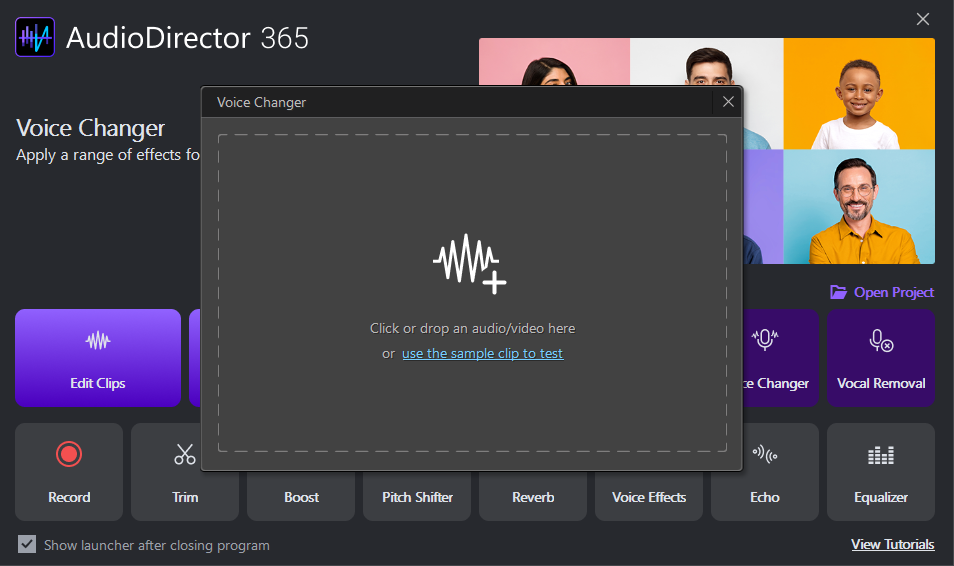
Step 3: Choose and apply effects by clicking“Apply” in the transformation panel.
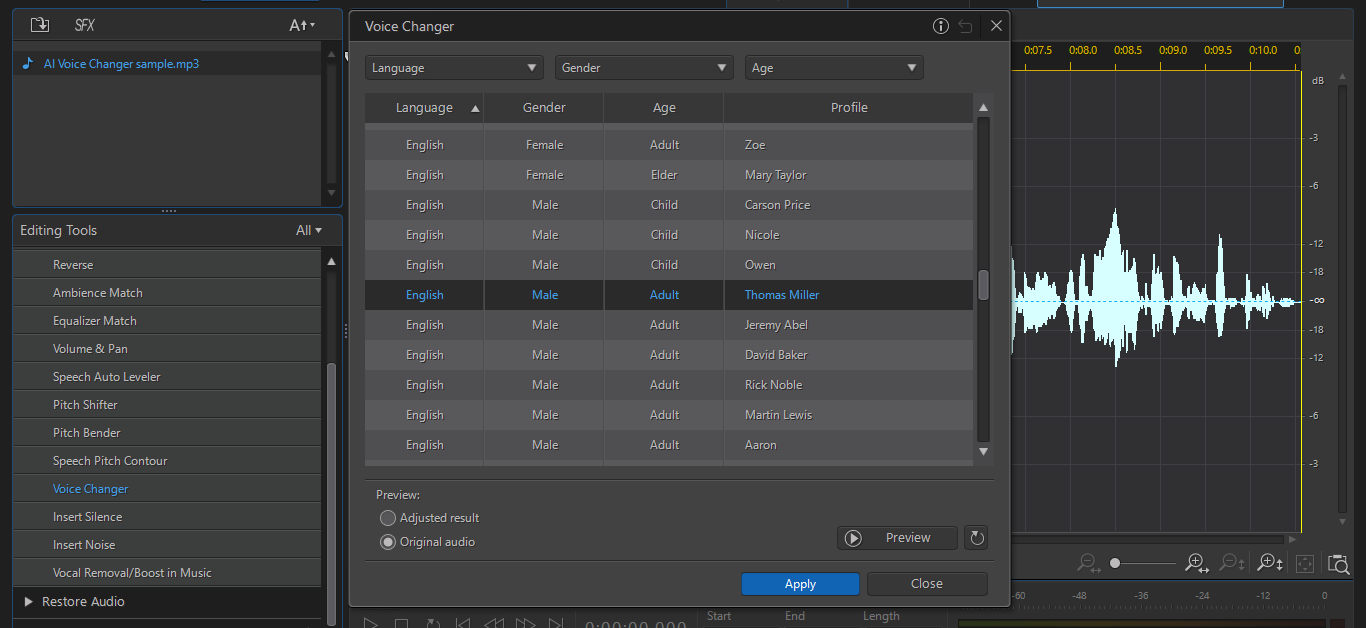
Step 4: Preview and export your audio by clicking the “Export” button from the top bar of your screen.
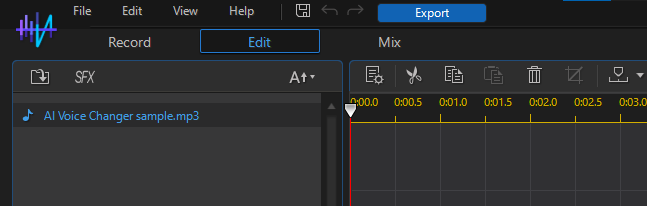
Honestly, this one’s definitely geared toward advanced users. I needed a tutorial the first time, but once I got the hang of it, the control it gave me was unmatched. It’s not your average plug-and-play voice changer, but if you’re serious about quality, it delivers big time.
TopMediAI
TopMediAIbrings AI into the mix. It's web-based and focuses on voice cloning and gender swaps. The strength lies in its precision and variety of voice models. It’s especially useful for content creators who want to experiment with different personas or produce multilingual voiceovers. With just a few clicks, you can turn your voice into something totally different, without losing natural tone or clarity.
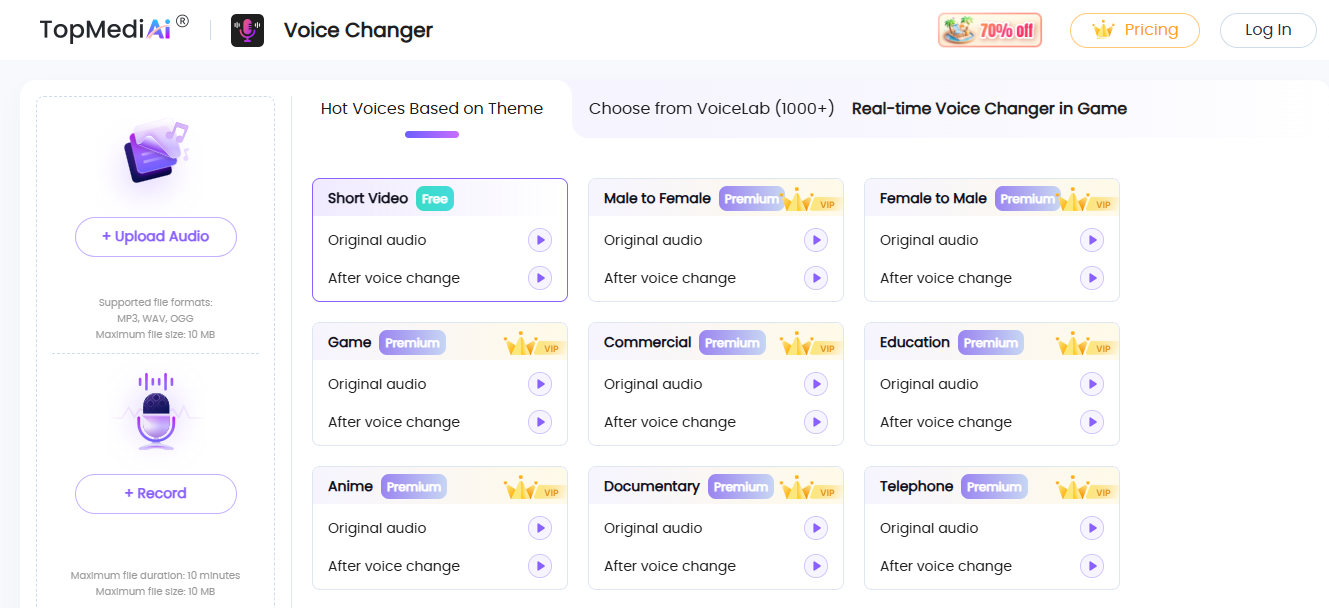
The UI is clean, fast, and beginner-friendly. For anyone searching for a realistic voice changer online free, this is a solid pick that blends AI smarts with usability.
Features:
AI voice cloning: Recreate voices with shockingly realistic tone and emotion using advanced machine learning models.
Multiple voice filters: From cartoonish to professional, the platform offers a wide range of filters to match your vibe.
Upload or real-time input support: Either upload pre-recorded audio or speak live into your mic, TopMediai handles both effortlessly.
Pros:
Super easy to use
Fast processing
Good for YouTube shorts and TikTok
Cons:
Might log usage data
Sometimes errors with longer clips
Basic editor features only
How to Use:
Step 1: Visit the official website of TopMediAIon your browser.
Step 2: Upload by clicking “Upload Audio” on the left side of your screen.
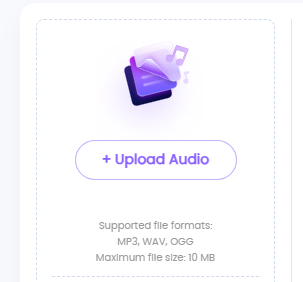
Step 3: Now simply pick a voice model and use the voice effect.
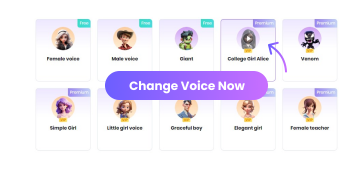
Step 4: Download the result by clicking“Download.”
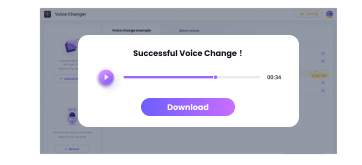
This one’s a fun tool, I used it for a quick gender-swap audio and it nailed the tone perfectly. The voice sounded natural, not robotic, which really surprised me. I just wish the clip length wasn’t so restricted, but for quick edits or social media use, it’s more than enough.
Vidnoz AI
Vidnoz AI is perfect for those who want celebrity voice effects. Think Morgan Freeman, Obama, or anime characters, all built in. It’s flashy but super fun and quite effective for parody content. The voices are surprisingly accurate and expressive, making it great for TikToks, skits, or reaction videos. You don’t need to tweak much, it’s more of a plug-and-play vibe. Plus, the platform runs entirely online, so no downloads needed. For creators hunting for a free celebrity voice changer for content creation, Vidnoz AI totally hits the mark.
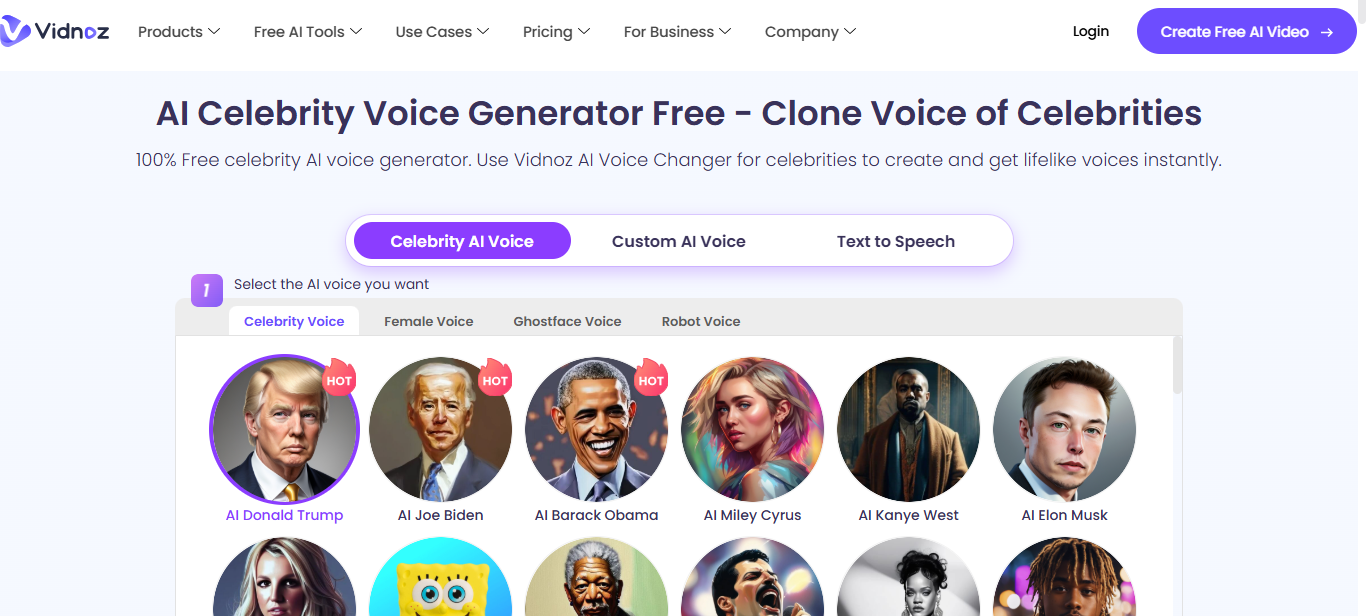
Features:
Real-time celebrity voice changes: Instantly switch your voice to sound like iconic figures while you speak, perfect for live reactions or funny calls.
Pre-made templates: Choose from a wide range of voices with pre-configured effects, saving you the hassle of manual adjustments.
No download required: 100% browser-based, making it super accessible for quick edits or spontaneous content creation.
Pros:
One-click effects
Entertaining and versatile
Works well on both mobile and desktop
Cons:
Limited to short clips
Ads pop up sometimes
Voice matching isn’t always accurate
How to Use:
Step 1: Firstly, open the official website of Vidnoz AI’s voice changer,
Step 2: Pick a celebrity voice by simply scrolling down on the homepage.
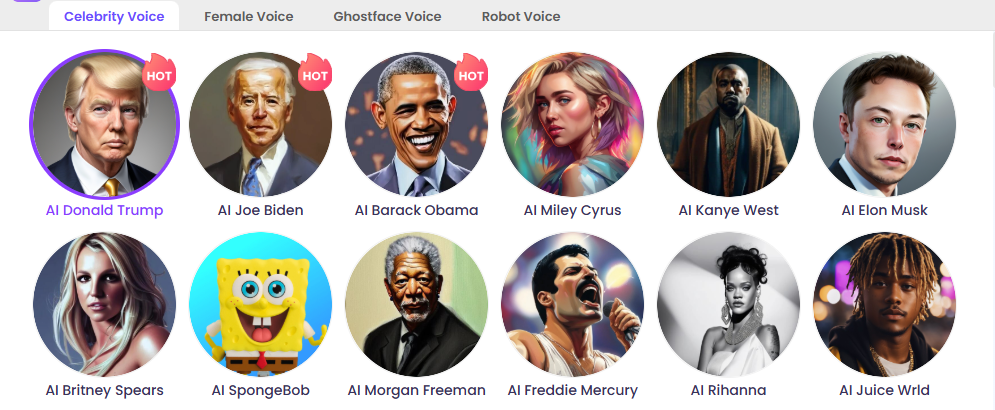
Step 3: Now type in the script that you want the voice to read.
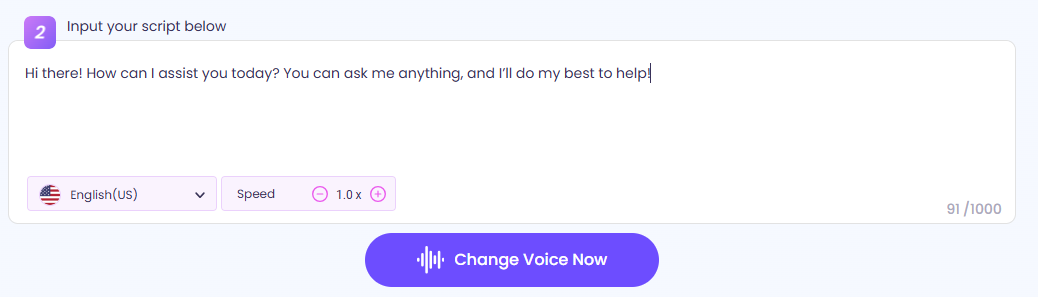
Step 4: Export the video by clicking“download” on the top right of your screen.
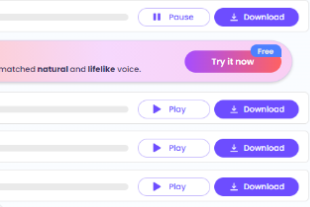
I used the “anime girl” voice for a skit and it absolutely cracked my followers up. The effect was fast, fun, and mostly accurate, even the pitch shifts felt natural. For content that leans into humor or parody, this tool’s a total win.
MyVoiceMod
MyVoiceMod is a lightweight downloadable tool made for streamers. It’s built to integrate seamlessly with OBS and Discord, making it a top pick for real-time game banter. You get quick-access voice presets, a clean UI, and zero lag during gameplay. It’s especially handy for Twitch or YouTube streamers who want to spice up their interactions on the fly. Setup is quick, and you can toggle voices with hotkeys mid-stream. For anyone looking for a real-time voice changer for Discord gaming, MyVoiceMod checks all the right boxes.
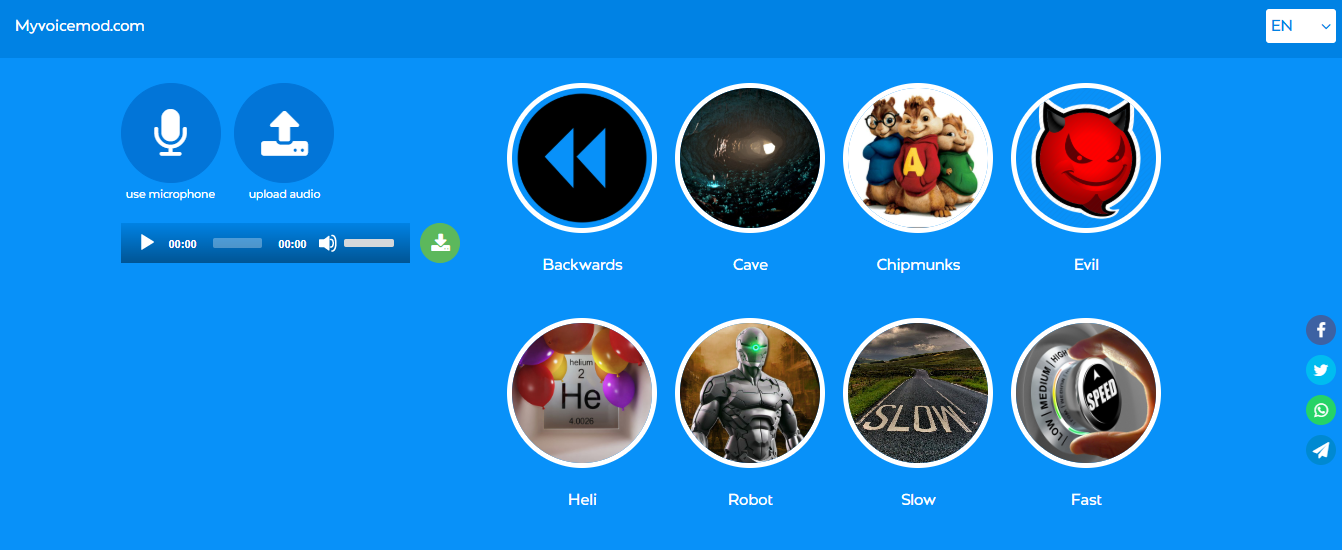
Features:
Instant mic effects: Switch up your voice in real-time with zero delay, perfect for live reactions and gaming commentary.
Stream-ready presets: Access a solid collection of preloaded voices designed specifically for streaming and content creation.
OBS and Discord integration: Built to plug directly into your favorite platforms for smooth, no-hassle setup during live sessions.
Pros:
Fastest real-time effect switching
Lightweight install
Great for live reactions
Cons:
Windows only
Free version is limited
Some effects sound artificial
How to Use:
Step 1: Open the official website of MyVoiceMod on your browser.
Step 2: Now go on to the top left of your screen and click “upload audio” to upload media.
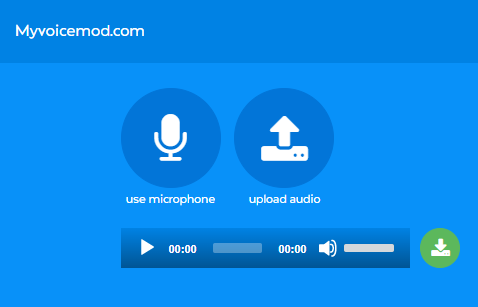
Step 3: Now use your type of audio and export it.
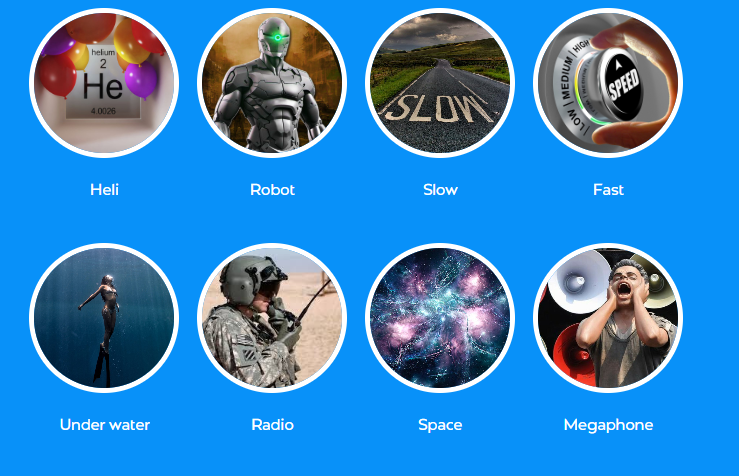
I used this during a Warzone stream and it ran super smooth, no lag and didn’t affect my FPS at all. The voice effects were solid and kept the energy fun throughout the game. A couple filters felt slightly robotic, but overall it delivered exactly what I needed for live content.
Tool Comparison Table
Choosing the right voice changer can be overwhelming with so many options out there. That’s why we’ve broken things down into a quick comparison to help you spot what fits your vibe best. From a streamer to a content creator, or someone just messing around with friends, this table gives you the real tea, no fluff. From AIcloning to live mic tweaks, here’s how the top tools stack up.
| Tool | Input Sources | Output Voices | Interface | Speed | Registration | Safety |
|---|---|---|---|---|---|---|
| MyEdit | Upload/Mic | 20+ presets | Clean | Fast | No | Safe |
| PowerDirector | Upload | Custom | Advanced | Medium | Yes | Safe |
| AudioDirector | Upload | Custom | Complex | Medium | Yes | Safe |
| TopMediAI | Upload/Mic | Gender, AI voices | Simple | Fast | No | Mostly Safe |
| Vidnoz AI | Upload/Mic | Celebrities | Simple | Fast | No | Ads sometimes |
| MyVoiceMod | Mic | Game-focused | Clean | Very Fast | Optional | Safe |
Each tool brings something unique to the table, some nail real-time effects, while others focus on post-production polish. If you’re all about quick laughs and social content, go for web-based options like MyEdit or Vidnoz AI. For pro-level editing, AudioDirector and PowerDirector offer serious control. In the end, your pick depends on whether you prioritize speed, precision, or creative chaos.
Bonus Tool – Toolsmart Free YouTube to MP3 Converter
If you’re exploring voice changers, chances are you’re dabbling in YouTube content too. A lot of YouTubers use voice effects to spice up their narration. But sometimes, you just want to grab the audio and remix it. That’s where Toolsmart’s free YouTube to MP3 converter really comes in clutch. Unlike most converters that throw ads in your face or ask you to sign up, Toolsmart keeps things refreshingly simple.
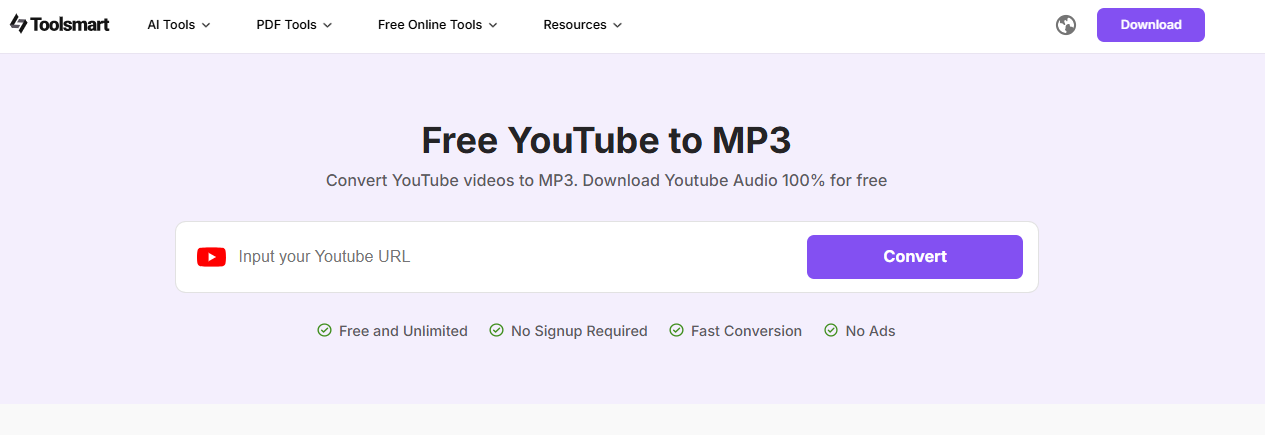
No clutter and no confusion, just fast and clean conversions. It supports high-qualityaudio output, even for longer videos. You can convert multiple links back-to-back without hitting weird limits. Plus, it works across all devices, no sketchy downloads required.
Overview:
Converts YouTube videos to MP3
No account needed
Ad-free interface
How to Use:
Step 1: First of all, visit the official website ofToolsmart YouTube to MP3 on your browser.
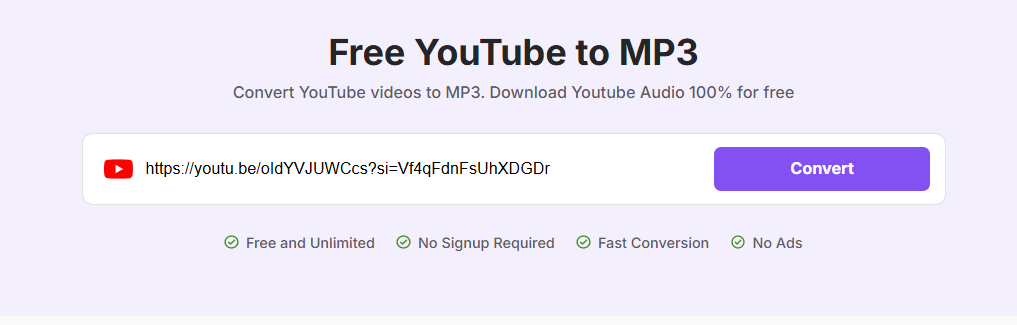
Step 2: Paste your YouTube video link in the source box and click “Convert.”
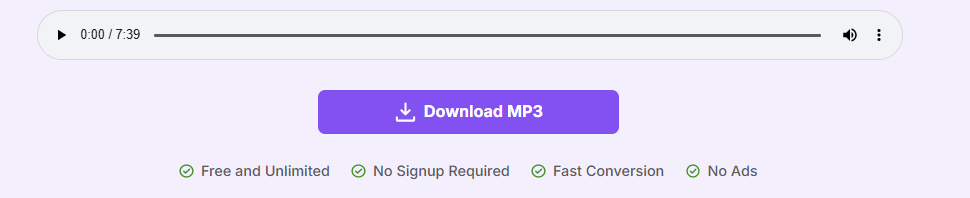
Step 3: Once done, a “Download MP3”option will appear under your link. Click it and it will start downloading and save your audioon your device.
I used Toolsmart to grab background tracks from my old vlog intros, and it was super seamless. No slowdown on my PC, no sketchy pop-ups, and the conversion was done in seconds. Honestly, the simplicity and clean UI make it a go-to.
FAQs
Q1: Which tool works fully in-browser?
MyEdit is the tool that works entirely in your browser, with no downloads required.
Q2: Which tool includes celebrity AI voices?
Vidnoz AI offers a variety of celebrity AI voices like Morgan Freeman and anime characters built right in.
Q3: Which tools require payment?
PowerDirector and AudioDirector are the only tools on this list that require payment for full access.
Q4: What’s the fastest tool?
MyVoiceMod is the fastest tool when it comes to real-time voice effects during live streams or recordings.
Q5: Is Toolsmart YouTube to MP3 safe and free?
Yes, Toolsmart’s YouTube to MP3 converter is completely safe, free, and doesn’t require an account.
Voice Vibes Recap
If you’ve been hunting for the best voice changer free in 2025, this list should set you straight. From browser-based tools like MyEdit to high-quality editors like AudioDirector, there’s something here for every type of creator. Don’t sleep on MyVoiceMod if you’re into gaming, or Vidnoz AI for quirky celeb impressions. And for pulling sound off YouTube quickly and painlessly, Toolsmart YouTube to MP3 Converter is my absolute favorite. No registration, no spam,just good results. Let your creativity run wild, and choose the tool that fits your vibe.


