
'%3e%3cpath%20fill-rule='evenodd'%20clip-rule='evenodd'%20d='M19%208.5C24.799%208.5%2029.5%2013.201%2029.5%2019C29.5%2024.6782%2024.9928%2029.3036%2019.361%2029.4939L19%2029.5C18.8794%2029.5%2018.7592%2029.498%2018.6396%2029.4939L18.2811%2029.4758C12.8174%2029.1063%208.5%2024.5574%208.5%2019C8.5%2013.201%2013.201%208.5%2019%208.5ZM22.3063%2010.6267L22.2342%2010.6539C21.3423%2011.0061%2020.5541%2011.6368%2020.5606%2012.4987C20.5631%2012.8302%2020.869%2014.8871%2020.2141%2014.8486C19.5589%2014.8102%2019.413%2013.8753%2018.7116%2013.616C17.5944%2013.2026%2016.9819%2014.3401%2017.0939%2015.3106C17.1695%2015.9655%2018.9289%2018.3871%2017.9028%2019C17.292%2019.3651%2015.7279%2017.5692%2015.1007%2017.1842C14.4805%2016.8034%2013.2758%2017.3333%2012.4974%2016.7029C11.9874%2016.2899%2012.3881%2014.4098%2012.2786%2013.8372C12.2271%2013.5698%2012.1155%2013.3689%2011.9794%2013.2166L12.0402%2013.2934C10.7653%2014.8464%2010%2016.8339%2010%2019C10%2023.8465%2013.8307%2027.7982%2018.6295%2027.9925L18.6769%2027.9747C18.8597%2027.8677%2019.0394%2027.7557%2019.216%2027.6387C19.4137%2027.4534%2019.5436%2027.2072%2019.5849%2026.9394C19.8806%2025.1222%2018.3616%2025.4302%2017.9367%2024.5622C17.5489%2023.7695%2018.5712%2023.7684%2018.5524%2021.7923C18.4607%2021.1774%2018.5279%2020.547%2018.7211%2020.0315C19.1834%2018.7987%2020.7077%2017.2643%2022.5889%2018.0081C23.5567%2018.3906%2023.1524%2019.9831%2023.4737%2020.3394C24.251%2021.2018%2025.3228%2020.6863%2026.2856%2021.2253C26.7816%2021.5032%2026.9797%2022.41%2027.056%2023.2248L27.038%2023.0528C27.6534%2021.8348%2028%2020.4579%2028%2019C28%2015.1968%2025.6409%2011.9445%2022.3063%2010.6267Z'%20fill='%23757575'/%3e%3ccircle%20cx='19'%20cy='19'%20r='10.125'%20stroke='%23757575'%20stroke-width='2.25'/%3e%3c/g%3e%3cdefs%3e%3cclipPath%20id='clip0_1827_14613'%3e%3crect%20width='24'%20height='24'%20fill='white'%20transform='translate(7%207)'/%3e%3c/clipPath%3e%3c/defs%3e%3c/svg%3e)


AI book cover generators are innovative tools that help authors and publishers craft compelling and polished book covers using artificial intelligence. Many aspiring authors and publishers aren’t equipped with the skills required for designing attractive covers. Fortunately, you can simplify the process by using free book cover generator AI tools. In this guide, I’ll be walking you through 6 of the best tools you can use to save yourself a lot of time.
Top AI Book Cover Generators
Generating a book cover by yourself can feel rewarding and ensures you have full creative control over your designs, but it can be extremely time-consuming and requires a lot of skill that not everybody can learn. By using AI book cover generators, I can make sure I get polished and clean designs for my books without having to waste any time manually designing everything. In this section, I’ll be highlighting some of the most reliable tools I’ve found and helping you decide the right option for your requirements.
1. Canva AI Book Cover Generator
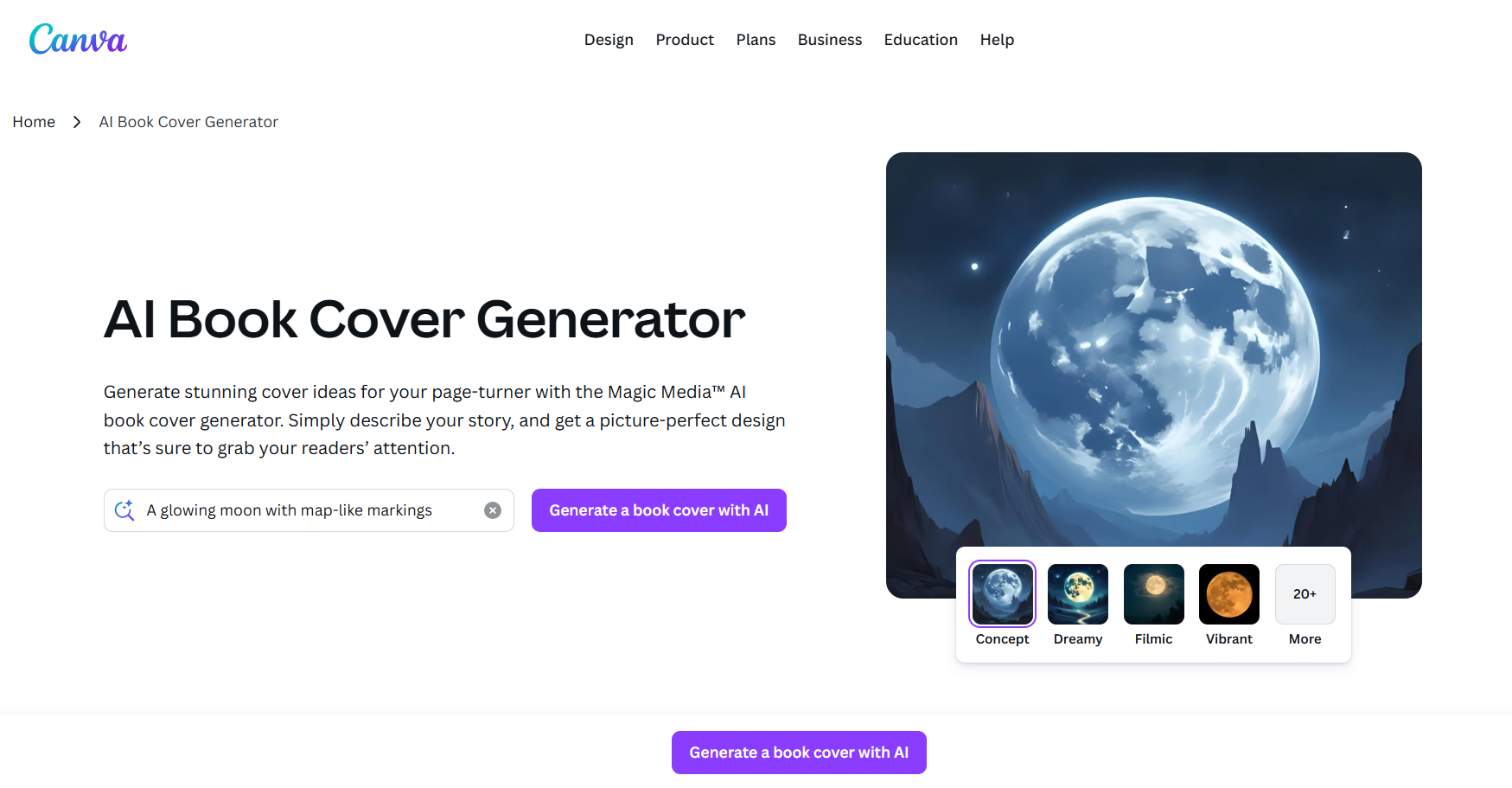
If you’re a graphic designer who wants to save some time by generating book covers directly through AI-powered tools, Canvaoffers its own built-in solution to help you be more efficient. It features an incredibly beginner-friendly interface that makes sure no one has to deal with any confusion or slowdowns along the way, making it an ideal option for those with no design experience.
Features
AI-Powered Design Suggestions
Vast Template Library
Customizable Layouts
Extensive Stock Photo and Element Library
Easy Text Editing
Pros
Extremely user-friendly, requiring no design experience.
Massive library of templates, images, and fonts.
Supports team collaboration features.
Offers a powerful free plan.
Cons
Some premium elements, images, and features require a paid subscription (Canva Pro).
AI-generated designs can sometimes lack uniqueness.
Best For:
Beginners and aspiring writers are looking for an easy-to-use and user-friendly design platform.
If Canva AI Book Cover Generator seems like the right fit for your design needs, I’ll be highlighting the steps you need to use it below.
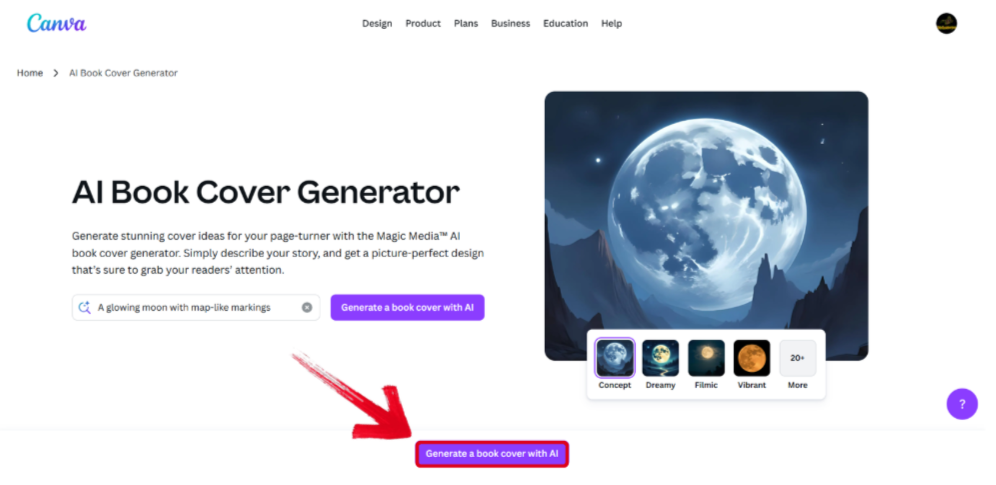
Step 1: Visit Canva’s official page and click on Generate a book cover with AI button to get started.
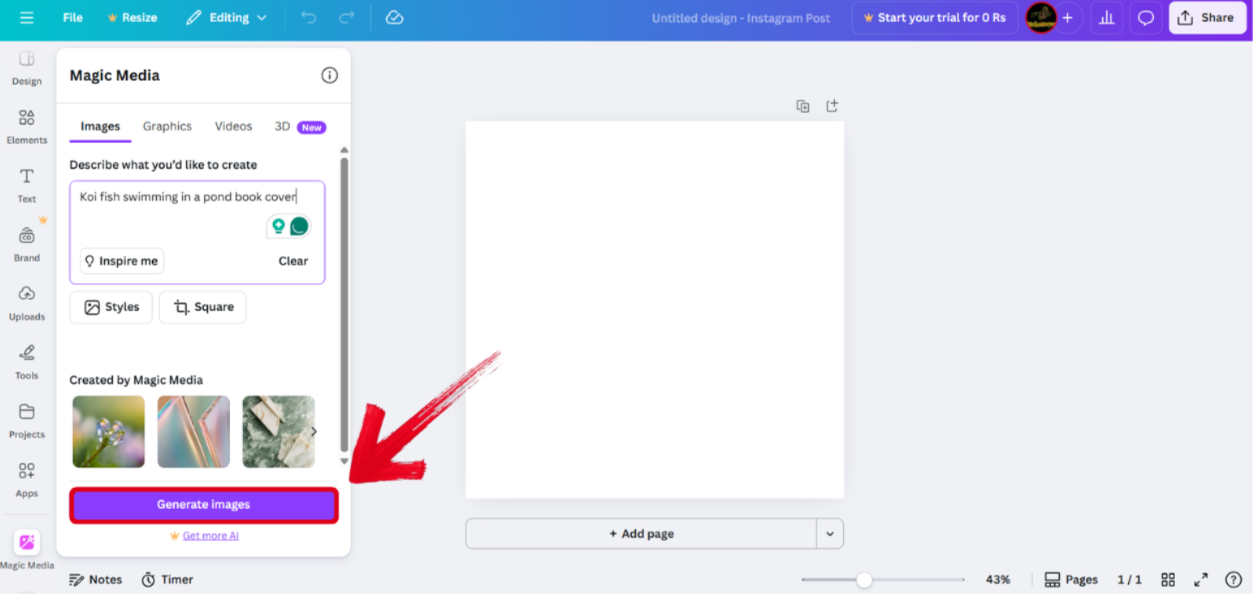
Step 2: In the text box given to you, enter the book's theme or description and press Generate images.
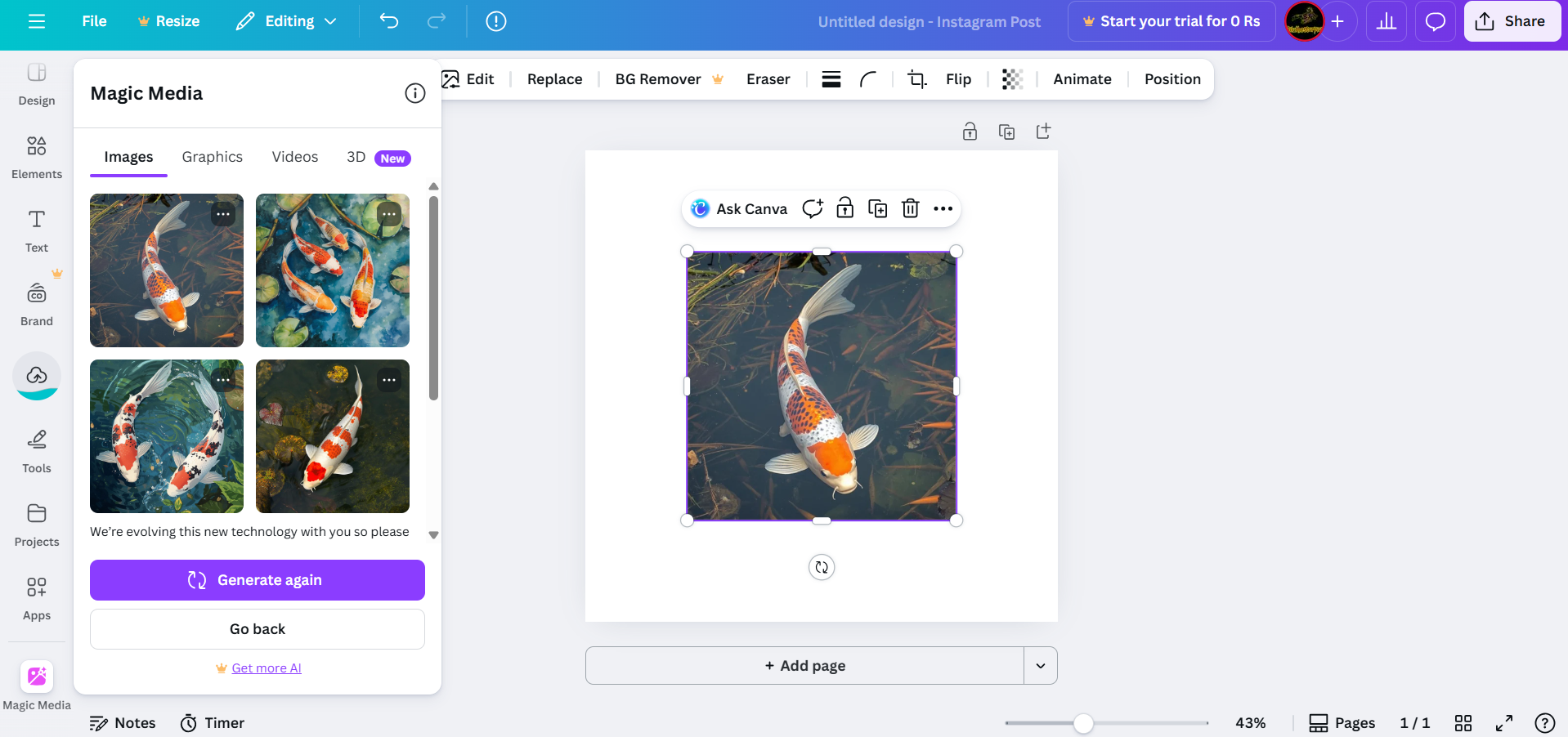
Step 3: Once the images have been generated, press the one you want to use to add it to the canvas. You can edit it however you like using the drag-and-drop interface.
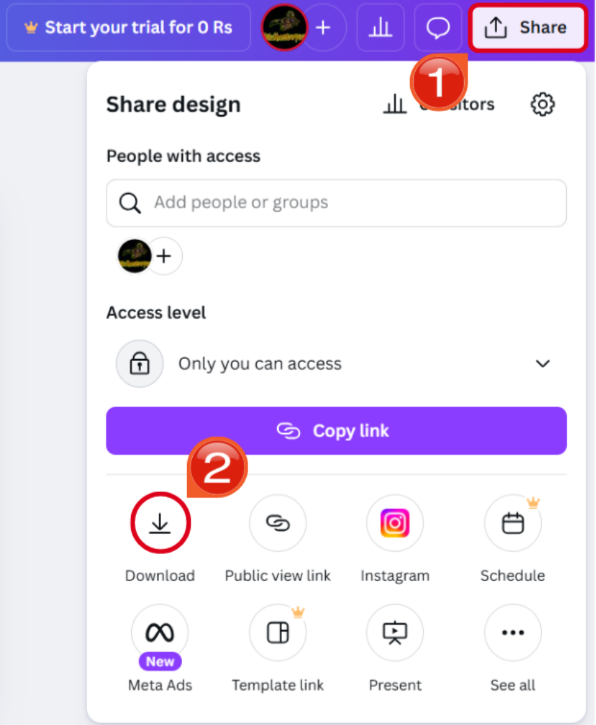
Step 4: Once you’re satisfied with your design, open the Share menu and press Download to export your final result.
2. starryai Book Cover Generator
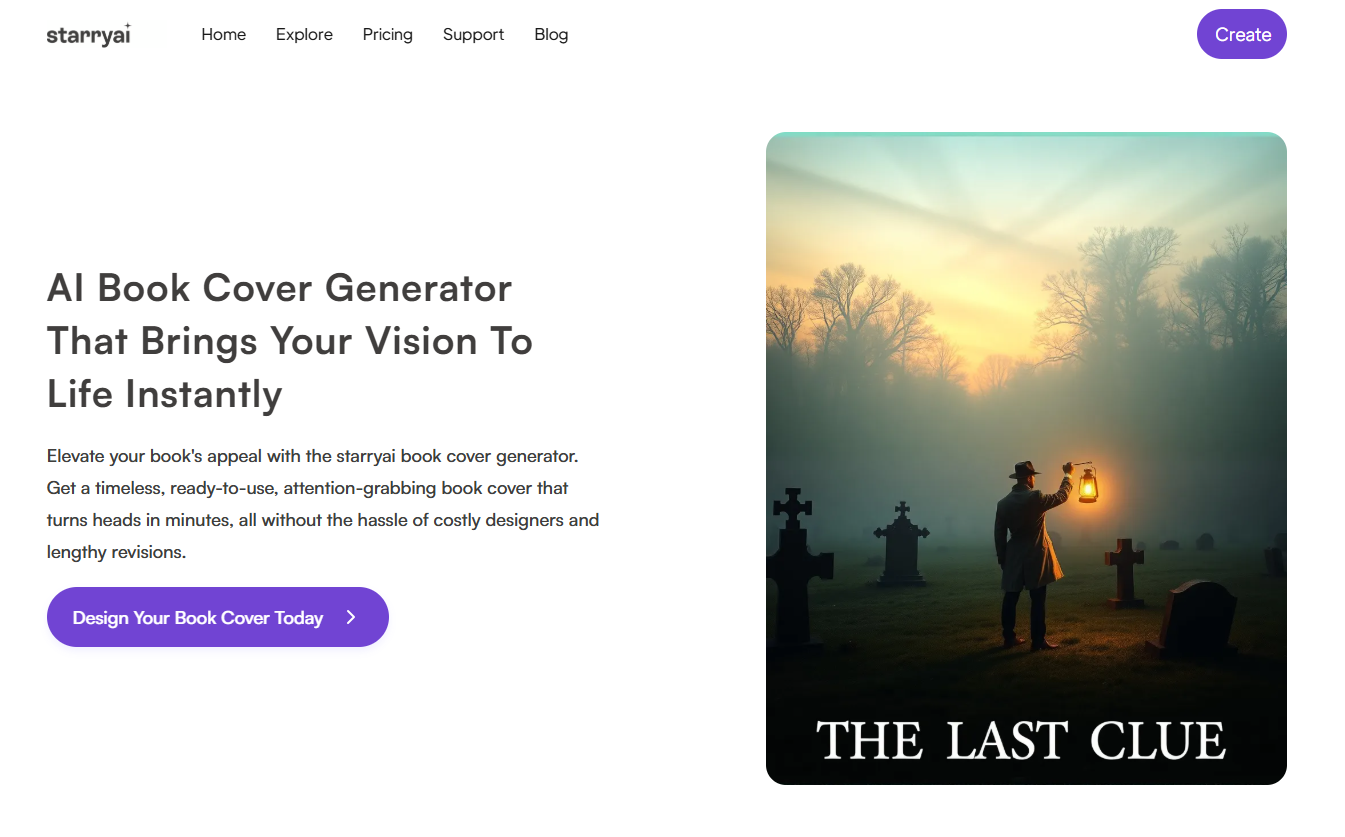
The starryai Book Cover Generator is one of the most feature-rich and reliable I found during my testing, helping me generate professional-looking book covers with just a single prompt. I found my experience to be incredibly seamless as it provided me with deep personalization features to make sure my covers are made to my own liking.
Features
Prompt-Based AI Art Generation
Multiple Art Styles
Full Creative Control
High-Resolution Downloads
Pros
Capable of creating unique, highly artistic images from scratch.
Offers significant creative control over the final visual.
Free credits are provided to generate initial concepts.
Cons
Not focused on book cover typography; a separate tool is needed to add text.
Results can be unpredictable, often requiring multiple attempts.
High-resolution downloads and heavy usage consume credits or require payment.
Best For:
Authors seeking unique, artistically-driven cover designs generated from descriptive text.
If starryai Book Cover Generator seems like the right solution to your book design needs, I’ll walk you through the steps you need to follow to get polished results below.
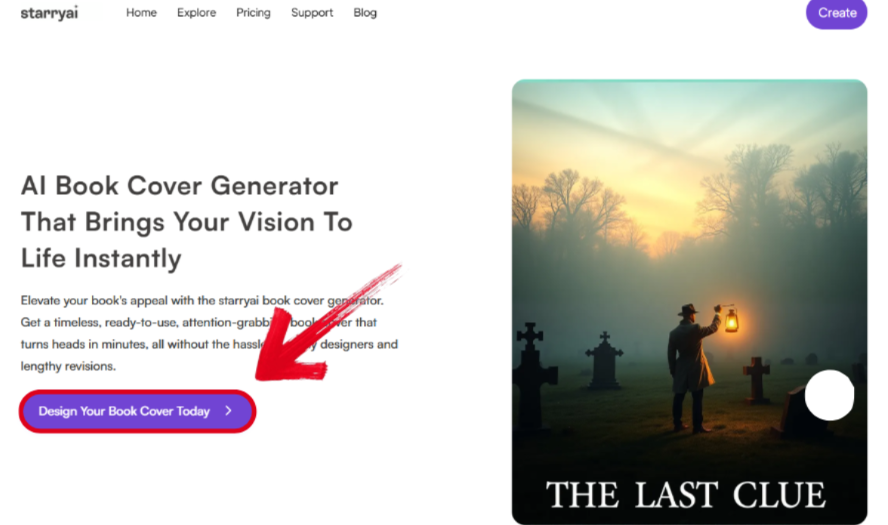
Step 1: Visit starryai’s official website and press Design Your Book Cover Today to get started.
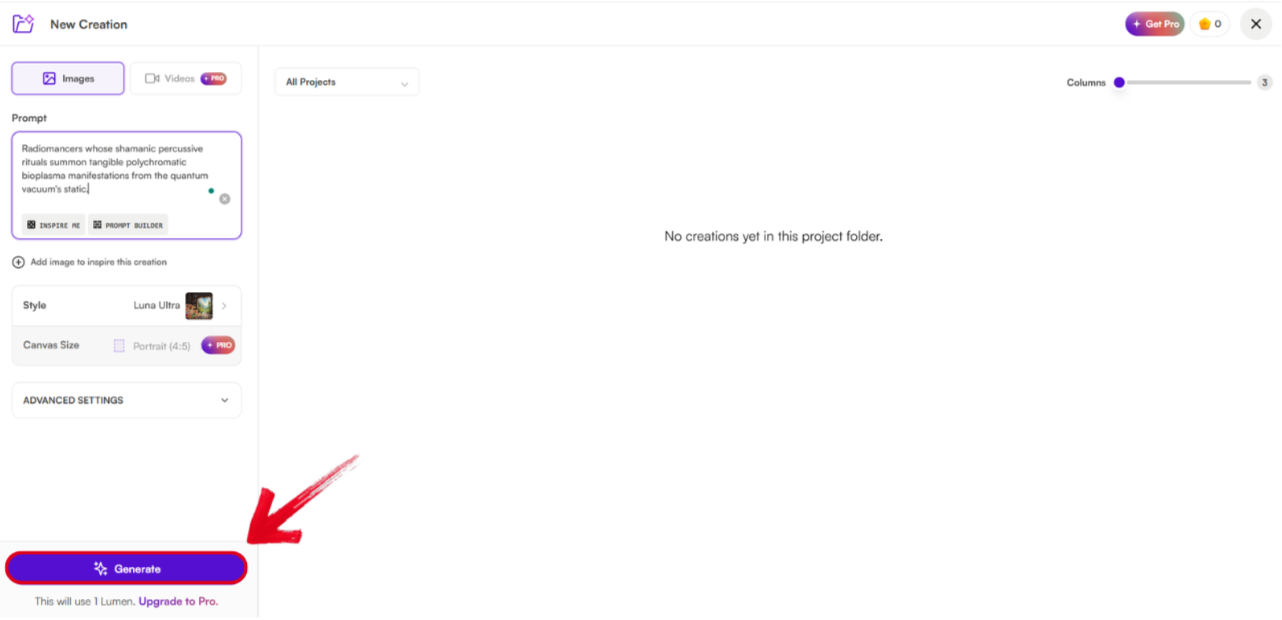
Step 2: Type a detailed, descriptive text prompt outlining the scene, style, and mood you want for your cover and then press the Generate button.
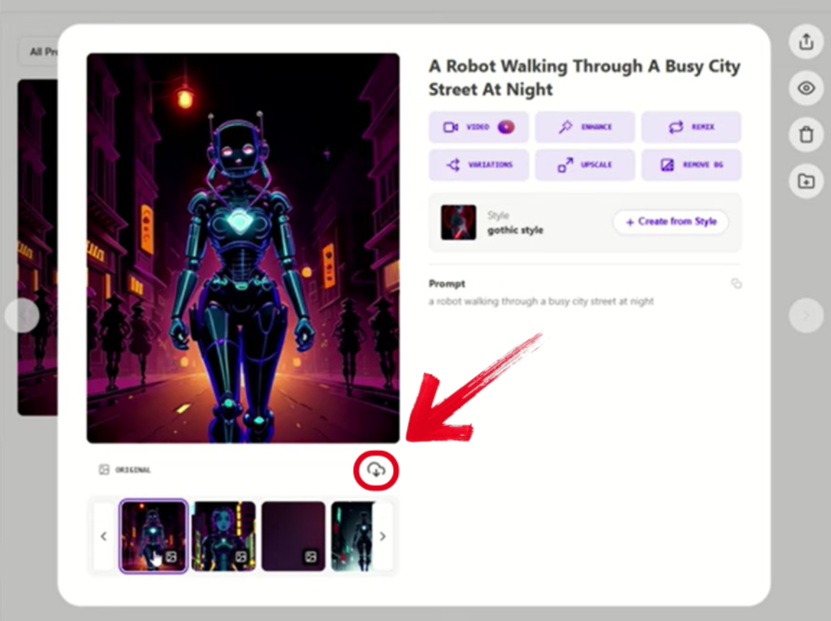
Step 3: Press the version of the generated image you like, then press the Download button to export it to your device.
3. Venngage AI Book Cover Maker
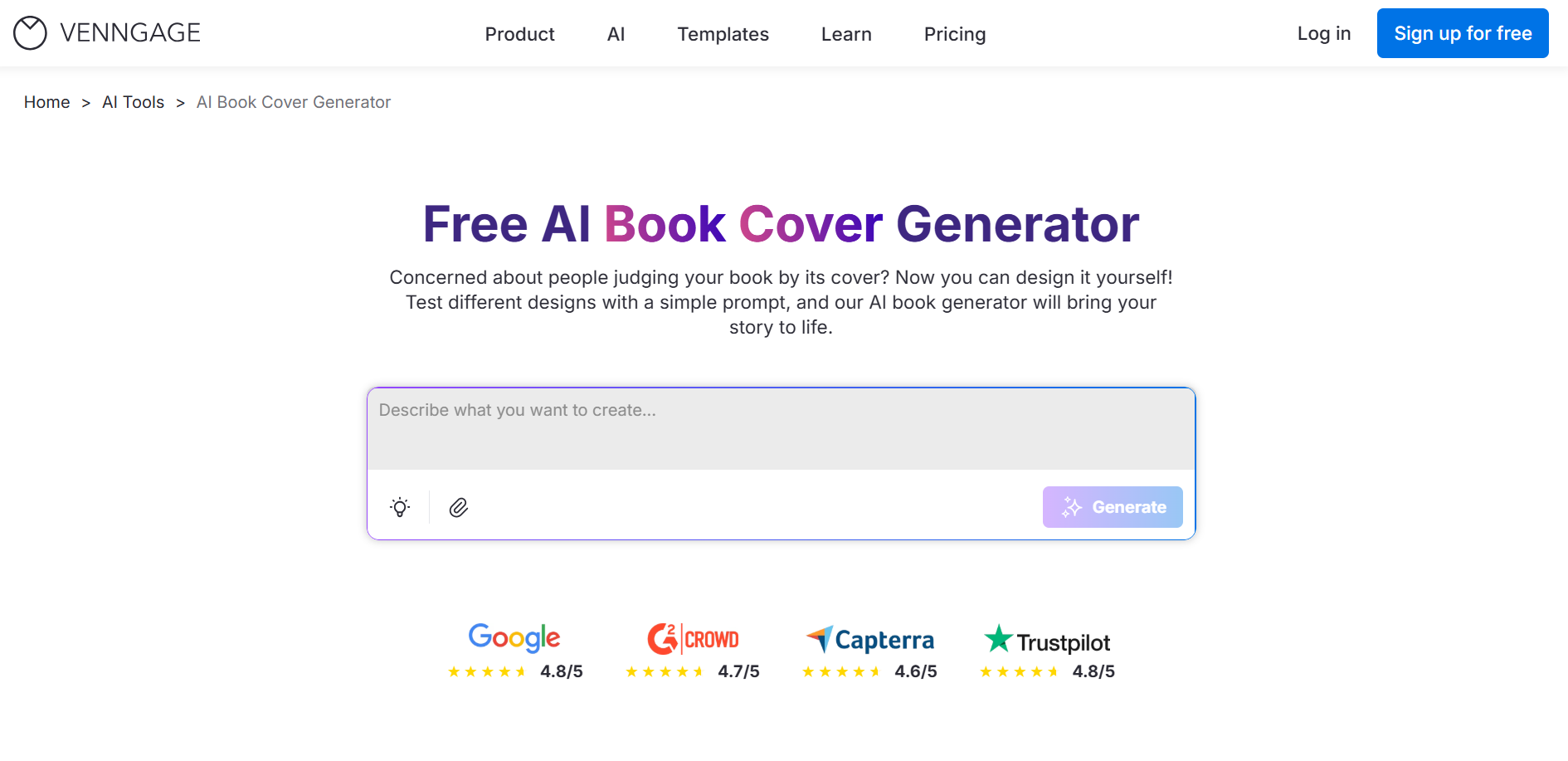
The Venngage AI Book Cover Maker is the perfect option for those looking for a straightforward, hassle-free solution for their book cover art. It features a minimalistic interface that only features a simple text box where you can write your own detailed prompt to generate polished and premium-looking book covers and even add charts for simple data visualization.
Features
AI-Powered Design Assistant
Professional Templates Library
Chart Integration
Branding Customization
Pros
Excellent for business, self-help, and non-fiction books with its data visualization elements.
Templates are professional and adhere to industry standards.
Quickly understands requirements and suggests relevant designs.
Cons
Limited free plan; exports may include watermarks.
Advantages are less useful for pure fiction book covers.
Best For:
Non-fiction authors and those needing to incorporate data or infographic-style elements.
If Venngage feels like the right option for your book art generation, I’ll highlight the steps you need to follow to get quick results down below.
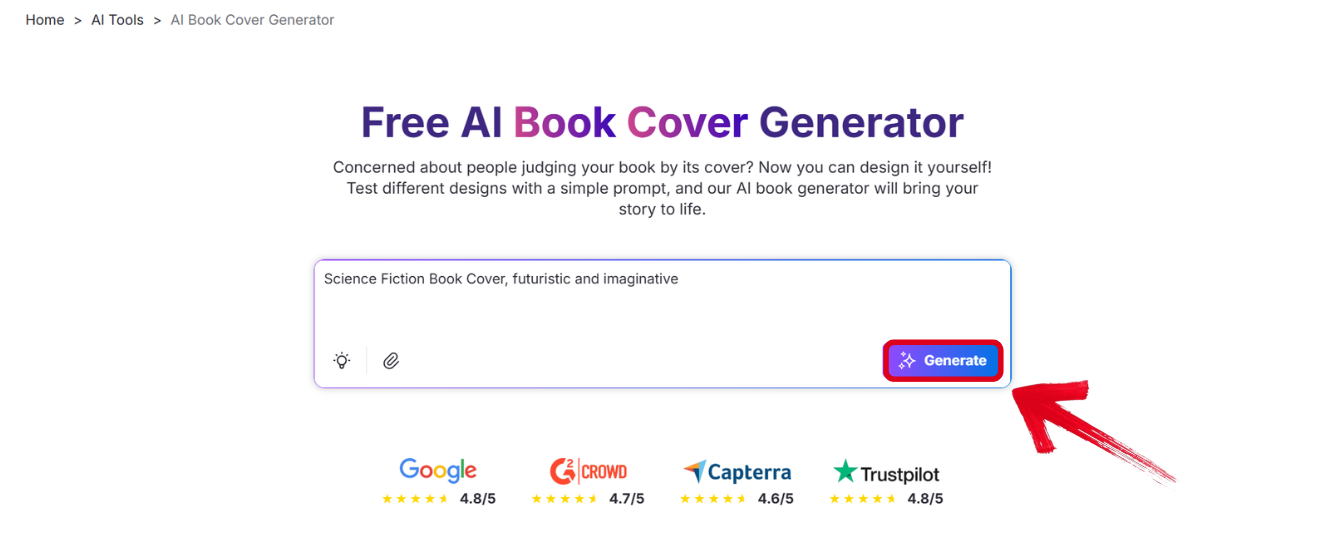
Step 1: Open the Venngage AI Book Cover Generator and book's genre, topic, and style preferences. Press Generate to start the creation process.
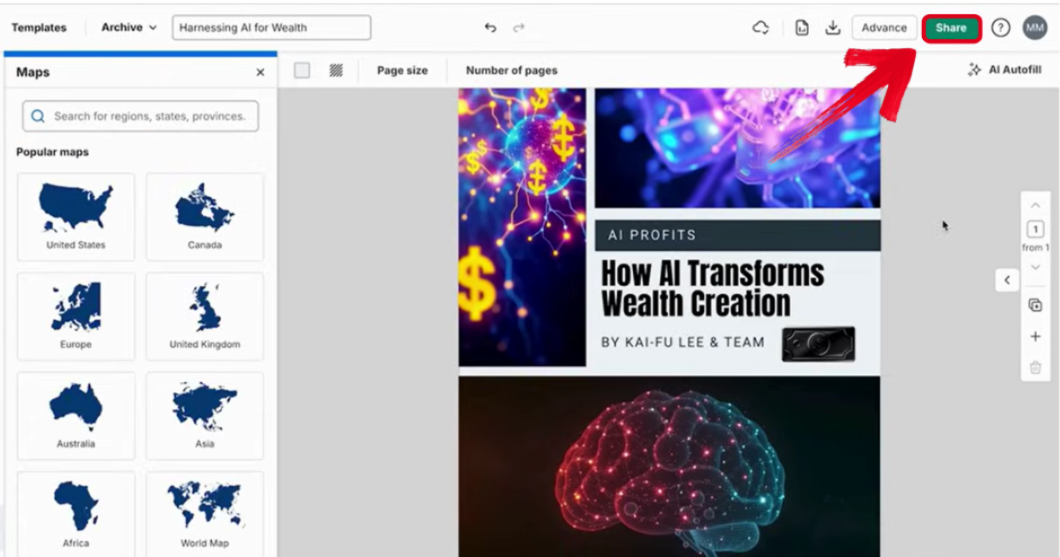
Step 2: Once your image has been generated, press the Share button to look at export options.
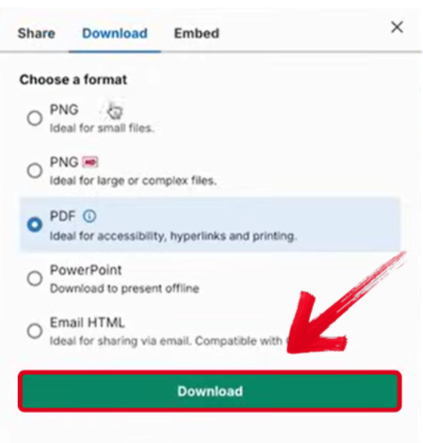
Step 3: Select the file format you want to save your cover as, then press Download to save it to your device.
4. DIY Book Covers: CoverMaker
If you want something designed specifically for book covers in mind, the DIY Book Covers: CoverMaker is an excellent choice. It has detailed customization options that give you full creative control of your AI-generated book covers, making sure you get the exact results you want that suit your specified book genre and demographic.
Features
Genre-Specific Templates
Customizable Typography and Colors
Spine and Back Cover Design Capabilities
Direct Integration with DIY Book Covers Store
Pros
Designed specifically for print books, offering a full wrap-around cover solution.
Accurate and professionally sized templates, ensuring a seamless design process.
Provides a one-stop shop from design to printing.
Cons
Less flexible and creative than general-purpose platforms like Canva.
Primarily focused on print covers, it can be too complicated for authors needing only an ebook cover.
Best For:
Authors who want a cohesive print-ready cover (front, spine, back) and potential physical printing services.
If you want to use DIY Book Covers: CoverMaker as your book cover generator, I’ll highlight the steps you need to follow to get reliable results.
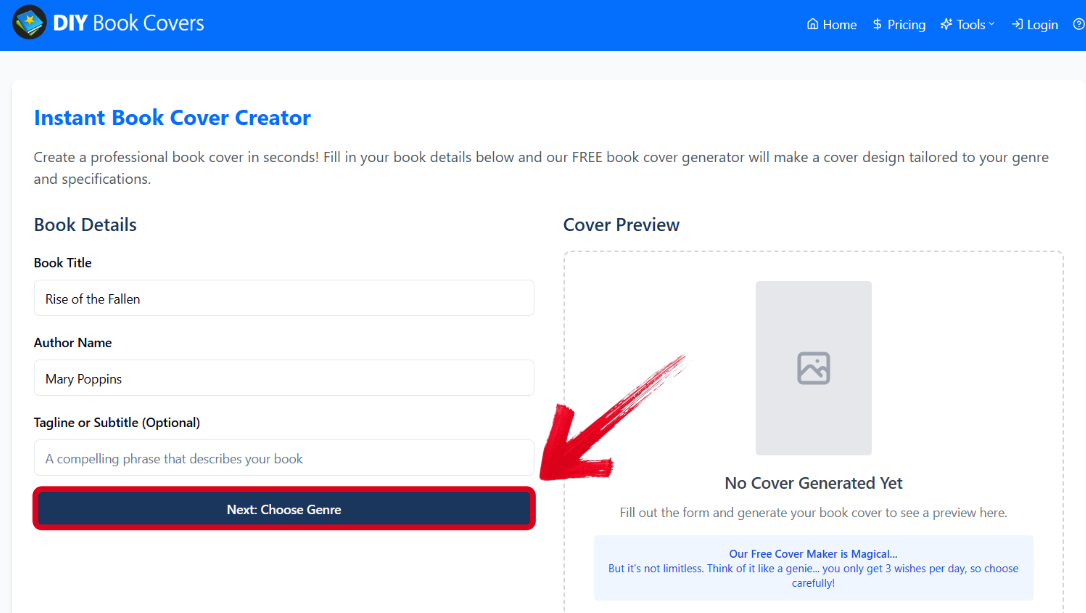
Step 1: Open DIY Book Coverson your web browser, fill in your book details, and press Next: Choose Genre.
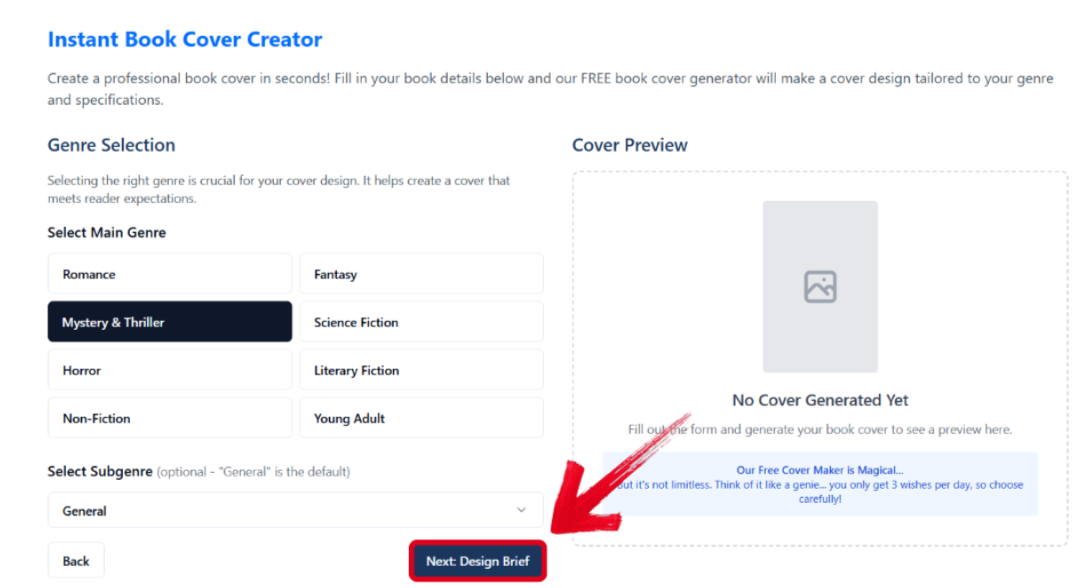
Step 2: Select the main and subgenre of your book and then press Next: Design Brief to continue.
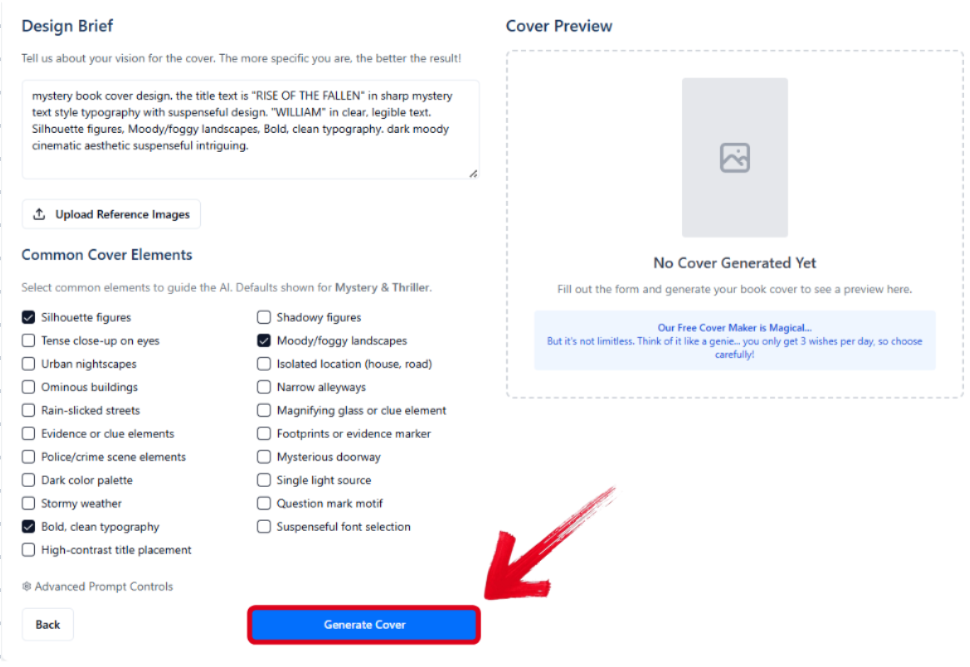
Step 3: Select the elements you want to add to your book cover using the checkboxes provided and then press Generate Cover.
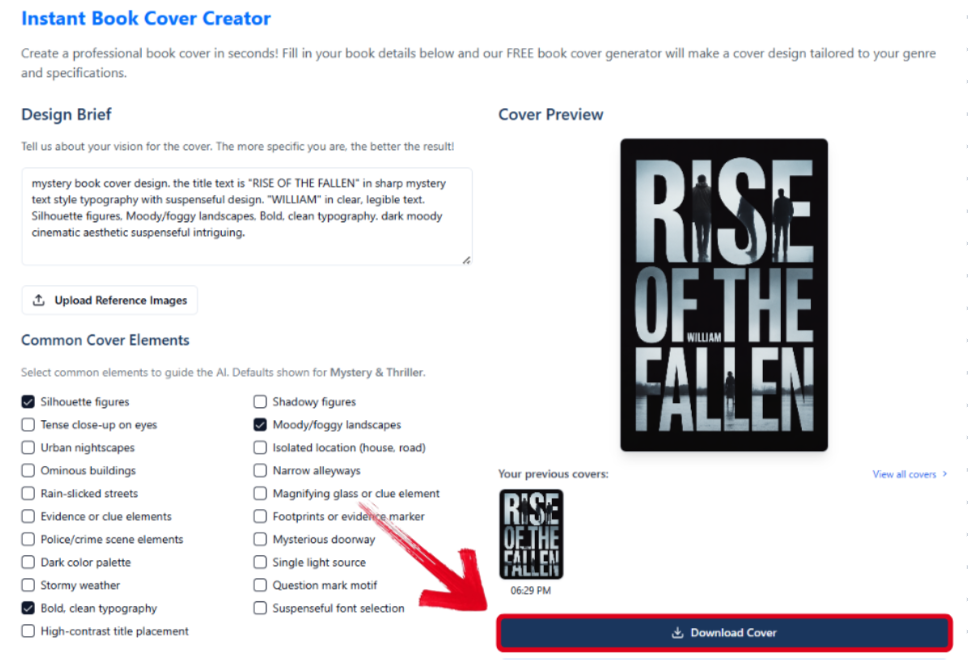
Step 4: Once your cover has been generated successfully, press Download Cover to save it to your computer.
5. BeYourCover AI Cover Generator
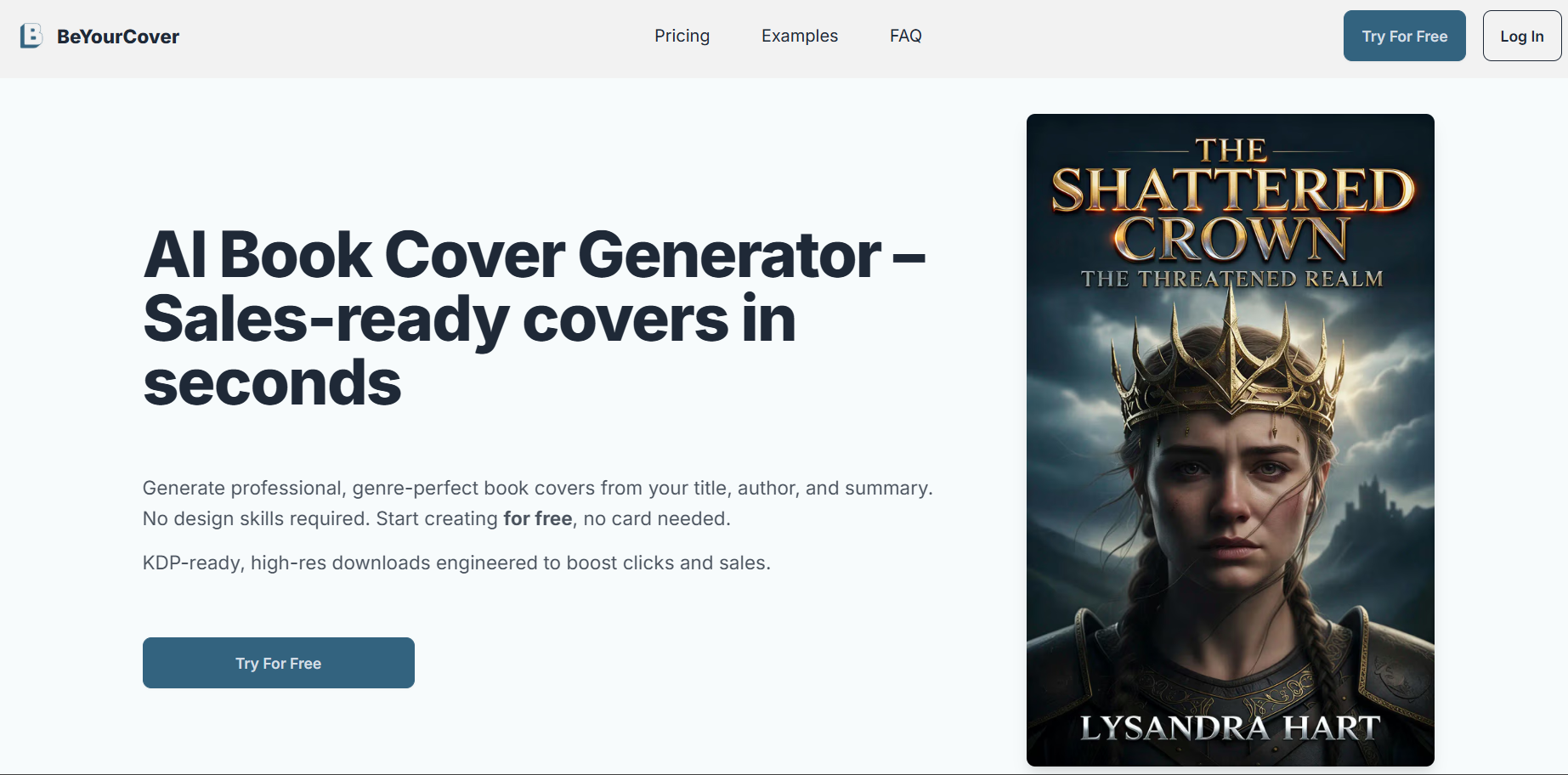
If you want book covers that are specifically catered to your genre and target audience, then going for something like BeYourCover AI Cover Generator will be your best option. It gives me detailed customization abilities, allowing me to fully personalize my covers and make sure that they align with the themes and tones of my content.
Features
Book-Based Designs
Multiple Layout Options
Genre-Specific Customization
Preview Functionality.
Pros
Quick and simple processing, delivering professional-looking results in minutes.
Generated designs are highly compliant with genre market conventions.
No design or prompt-writing skills required.
Cons
Lacks customization and deep personalization.
Full functionality is locked behind a paywall.
Best For:
Quick generation of genre-appropriate covers with minimal input.
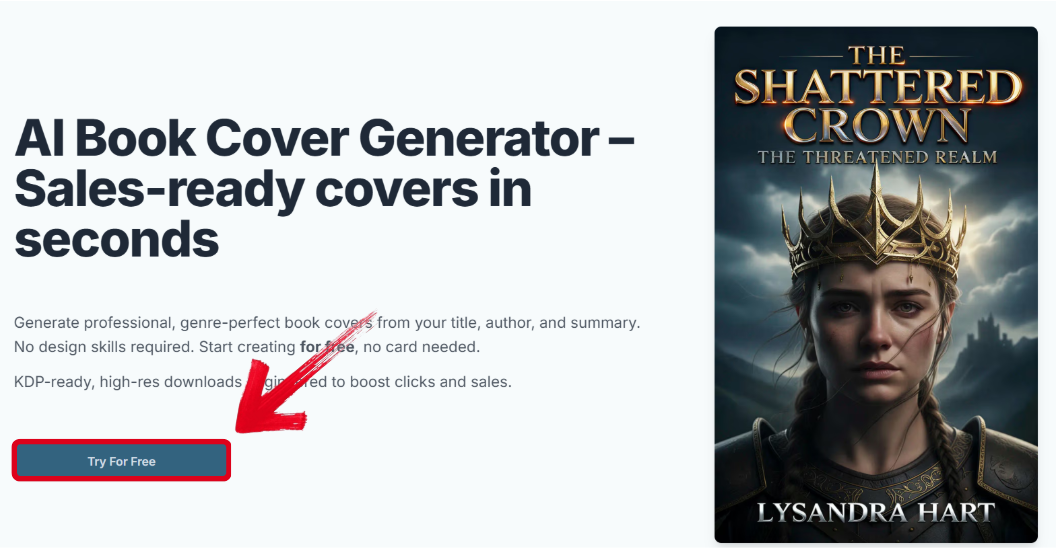
Step 1: Open BeYourCover’s official siteon your web browser and select Try For Free.
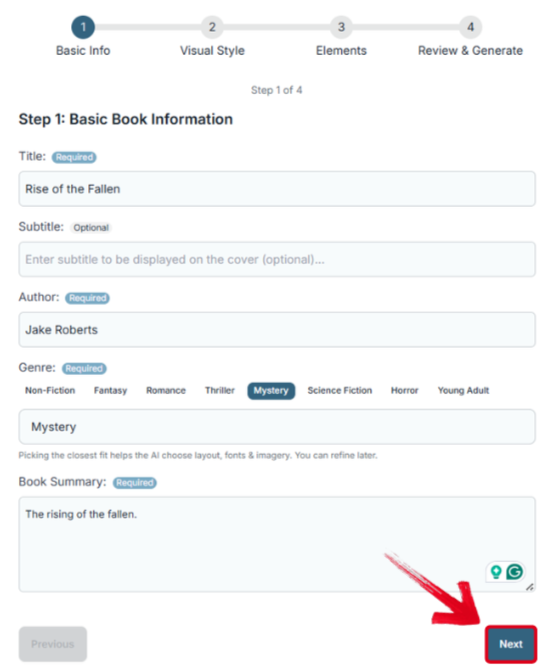
Step 2: Enter the details of your book, including the title, author, genre, and a short summary. Once you’re done, pressNext.
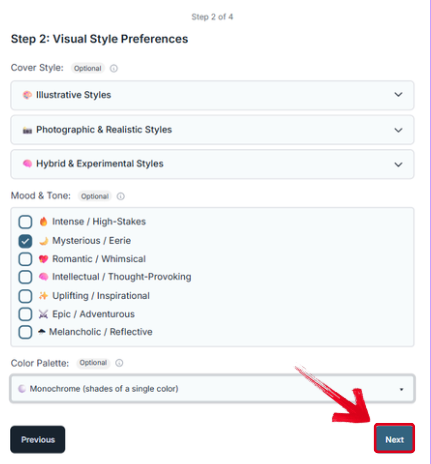
Step 3: Select the visual style and tone of your book cover to your own liking, then press Next.
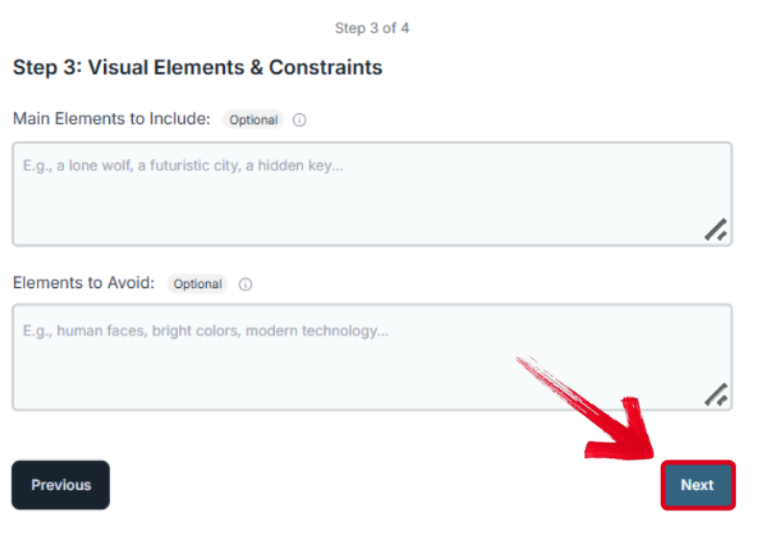
Step 4: If there are any specific visual elements to add or avoid, fill that in and press Next.
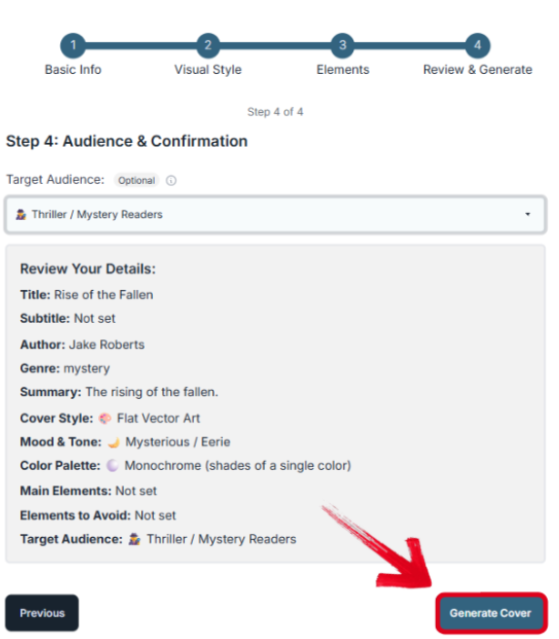
Step 5: On the next screen, select your target audience and press Generate Cover to start the creation process.
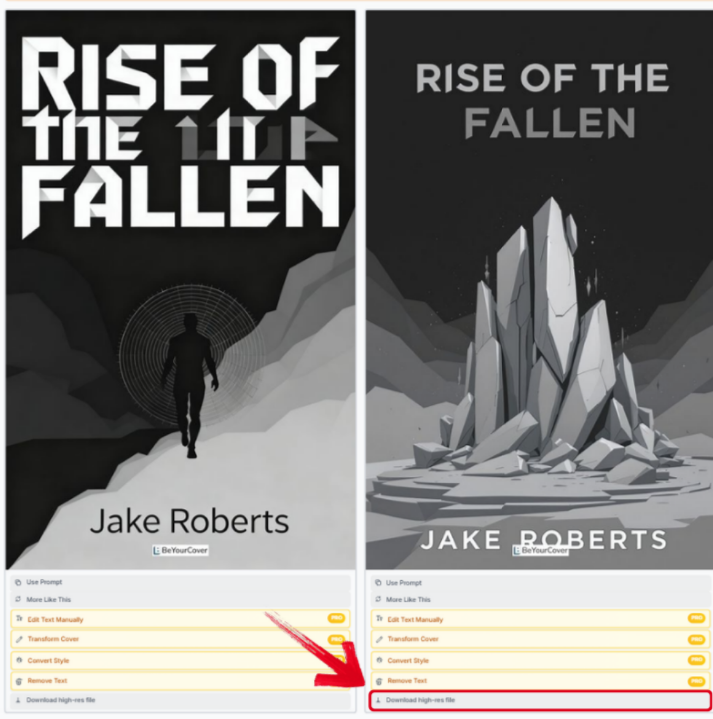
Step 6: Once your cover has been generated, pressDownload high-res file to save it to your device.
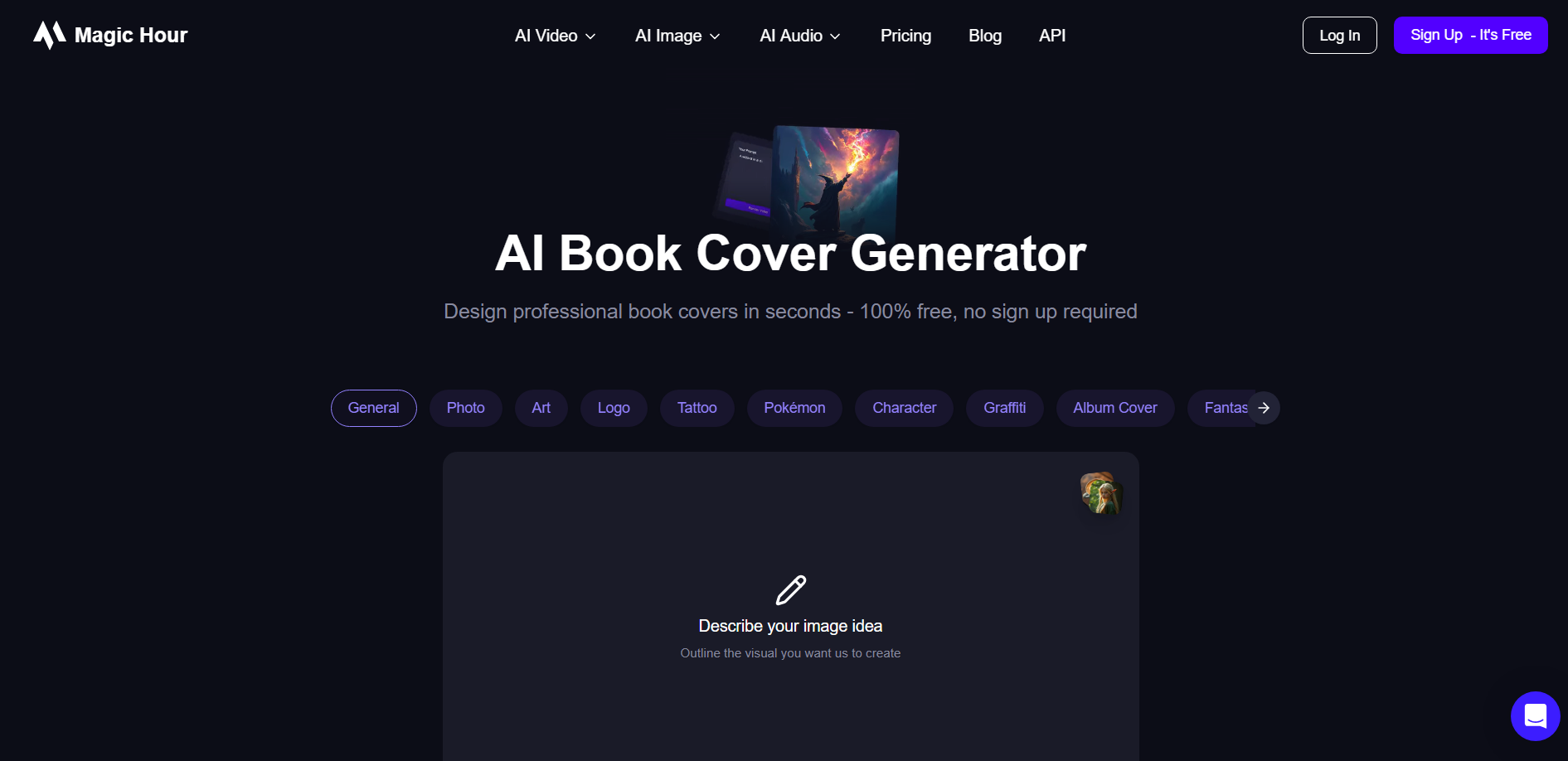
The MagicHour AI Book Cover Generator is the ideal option for those looking for quick and straightforward results, without having to spend too much time thinking of the right prompt. The interface and experience were incredibly intuitive and beginner-friendly. All I had to do was type out a simple prompt, and it generated a polished and professional-looking book cover that I could use immediately.
Features
Advanced AI Image Generation
Multiple AI Models
Prompt-Based Creation
Style Presets
Upscaling Capabilities
Pros
Offers top-tier AI image quality and fine-grained control over the technology.
Provides free daily generations, making it user-friendly.
Capable of creating completely unique core cover imagery not found elsewhere.
Cons
Requires good prompt-writing skills for professional results.
Primarily generates images, not complete covers with text.
Results can sometimes be unpredictable.
Best For:
Users wanting high-quality, unique AI-generated imagery for their covers without relying solely on templates.
If MagicHour feels like the right option for your design needs, these are the steps you need to follow for polished and reliable outputs.
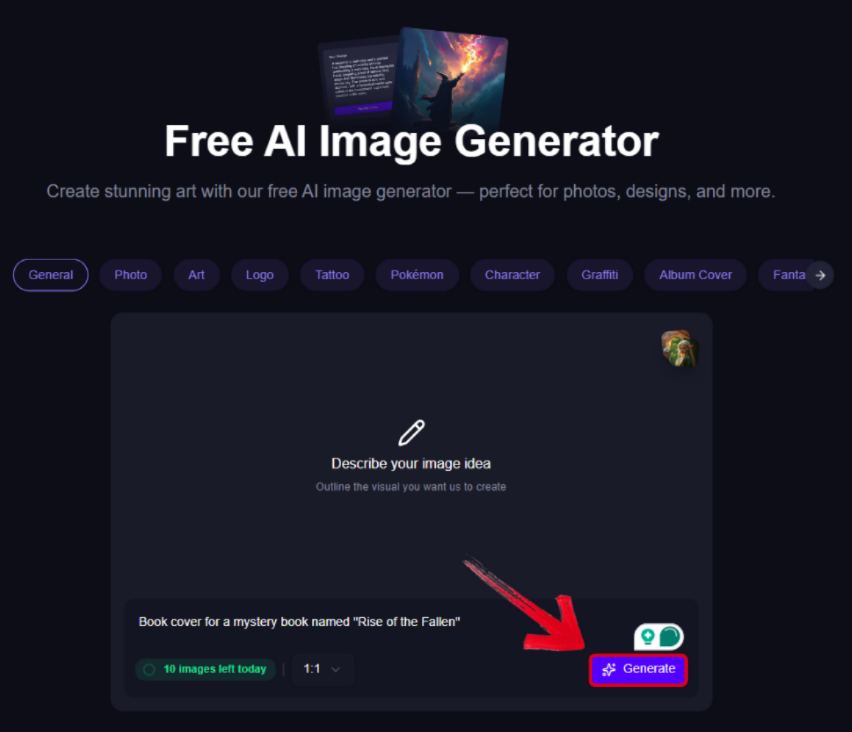
Step 1: Visit MagicHour AI Book Cover Generator, type out a detailed prompt describing your cover, and press Generate.
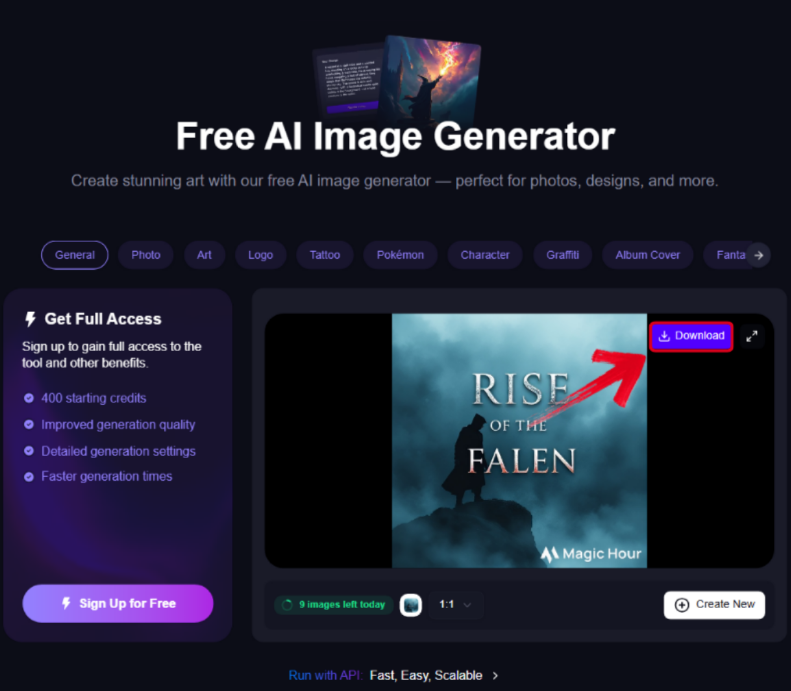
Step 2: Your image will be generated in a few seconds. Just press Download to export it to your computer.
Top AI Book Cover Generators: Comparative Analysis
Every tool I’ve covered in this guide has been tried and tested thoroughly by me, with all of them standing out for their own unique strengths and advantages. If you feel confused and don’t know which one would work best for you, I’ll help you decide the right one for yourself. In this section, I’ll be comparing each tool side-by-side and helping you evaluate which one is more suitable for your own requirements.
| Tool | Key Features | Pricing | Best For |
|---|---|---|---|
| Canva | AI suggestions, massive template library, customization options, stock assets | Freemium | Beginners and versatile design needs |
| starryai | Text to image AI art, multiple styles, high resolution output | Freemium | Unique and art-focused covers from text prompts |
| Venngage | AI design assistant, professional templates, icon-focused layouts, and integrations | Freemium | Non-fiction and infographic-style covers |
| DIY Book Covers | Genre templates, full print layout design, strong typography control | Freemium | Print-ready covers and physical printing preparation |
| BeYourCover | AI-generated designs from book details, genre-specific layouts, and fast previews | Freemium | Quick and genre-appropriate concept generation |
| MagicHour | Advanced AI image models, prompt-based creation, style presets, and upscaling | Freemium | High-quality custom AI imagery for book covers |
Key Takeaways
Template Variety & Ease of Use:Canva
AI Art from Text Prompts: starryai
Non-Fiction & Data-Driven Covers:Venngage
Print-Ready Full Cover Design: DIY Book Covers' CoverMaker
Quick Genre-Specific Concepts:BeYourCover
Advanced AI-Generated Cover Imagery:MagicHour
Common Mistakes & How to Avoid Them
Once you understand how to generate your own book covers using smart AI tools, the next step is choosing the tool you want to use and starting the creation process. If you’re a beginner with no prior design experience, you will be prone to making many mistakes at the start. In this section, I’ll be covering some of the most common ones I’ve found and what measures you can take to avoid them during your book coverdesign.
Mistake 1: Using Low-Resolution Images or Graphics
Problem: Results in a blurry, unprofessional print or digital cover.
Solution: Always start with high-quality source images or use tools that ensure high-resolution output.
Mistake 2: Overly Complex or Cluttered Design
Problem: The cover looks messy, and the key message (title/author) gets lost.
Solution: Embrace simplicity in your designs. Ensure a clear visual hierarchy and focal point.
Mistake 3: Ignoring Genre Conventions
Problem: A cover that doesn't signal the correct genre can mislead and deter your target audience.
Solution: Research bestselling covers in your genre and use tools that offer genre-specific templates.
Mistake 4: Poor Typography Choices
Problem: Text that is hard to read or stylistically mismatched undermines the design.
Solution: Choose clear, legible fonts and ensure a strong contrast between text and background.
Mistake 5: Not Checking the Final Size and Bleed
Problem: For print covers, incorrect dimensions or bleed areas can lead to cropping issues.
Solution: Use tools that provide specific templates for your distributor's requirements (e.g., Amazon KDP).
Enhance Your Book Cover with Toolsmart’s Image Enhancer
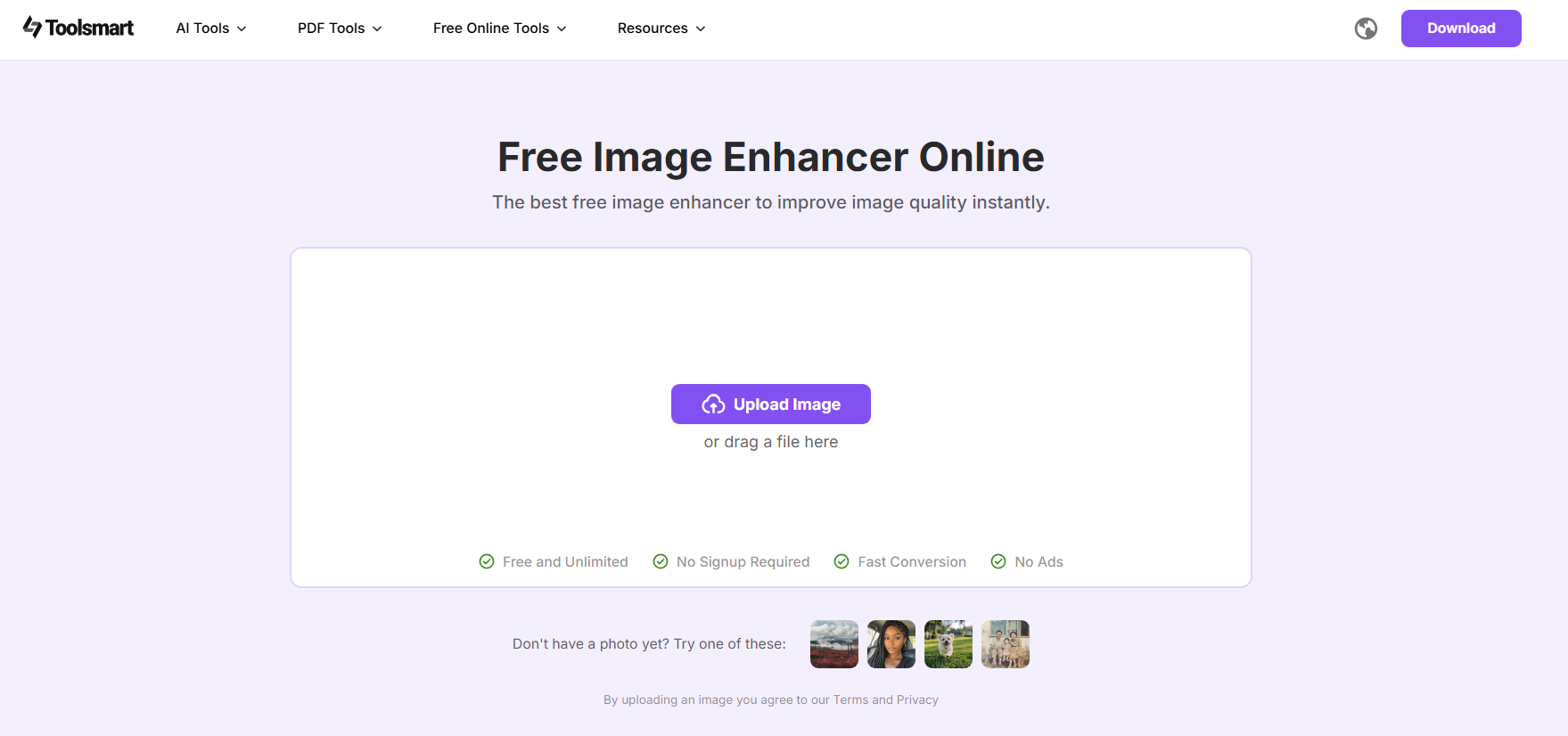
When working with book covers and other AI-generated graphics, it’s important to polish them after creating them. One of the most reliable solutions I’ve found for this step is Toolsmart’s Image Enhancer. It’s a free AI-powered tool that gives my book covers the final quality boost they need to look professional and ready to be published, instantly enhancing the resolution and colors to deliver clear and sharp results.
Features
100% Free with No Watermark
No Registration or Download Requirement
One-Click Enhancement
Supports All Image Formats
If you feel like you need to further boost your image quality after AI generation using Toolsmart, I’ll highlight the exact steps you’ll need to follow for a smooth and hassle-free process.
Step 1: Open your web browser and visit Toolsmart’s Image Enhancer to get started.
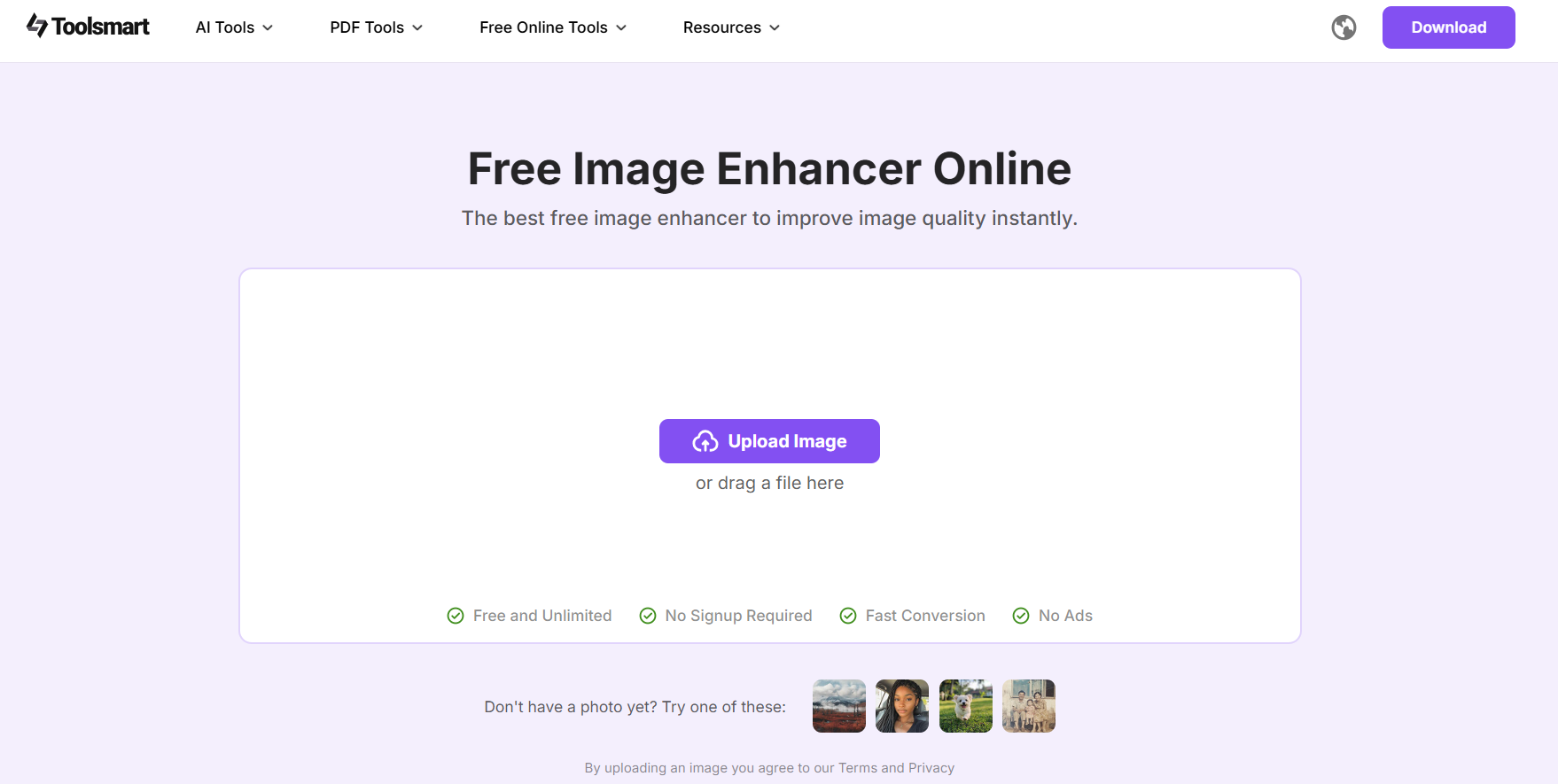
Step 2: Drag and drop your photo, or upload it manually to start enhancing your image quality.
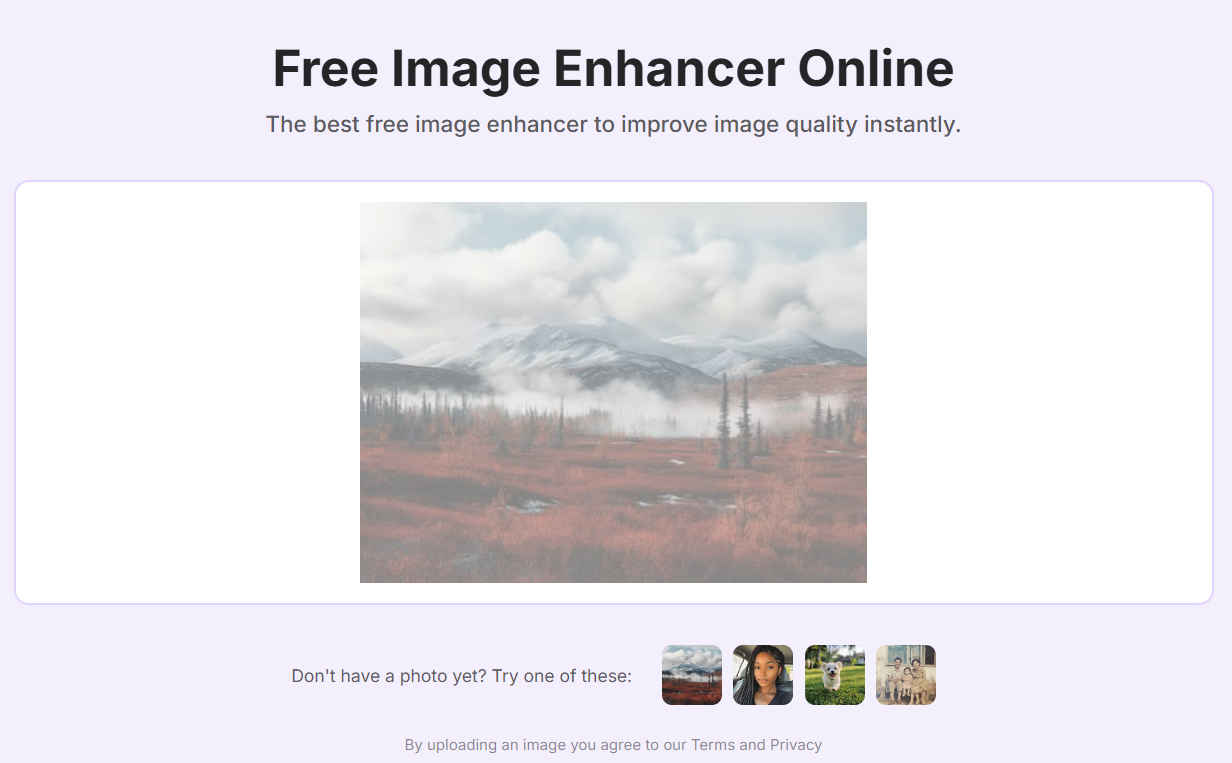
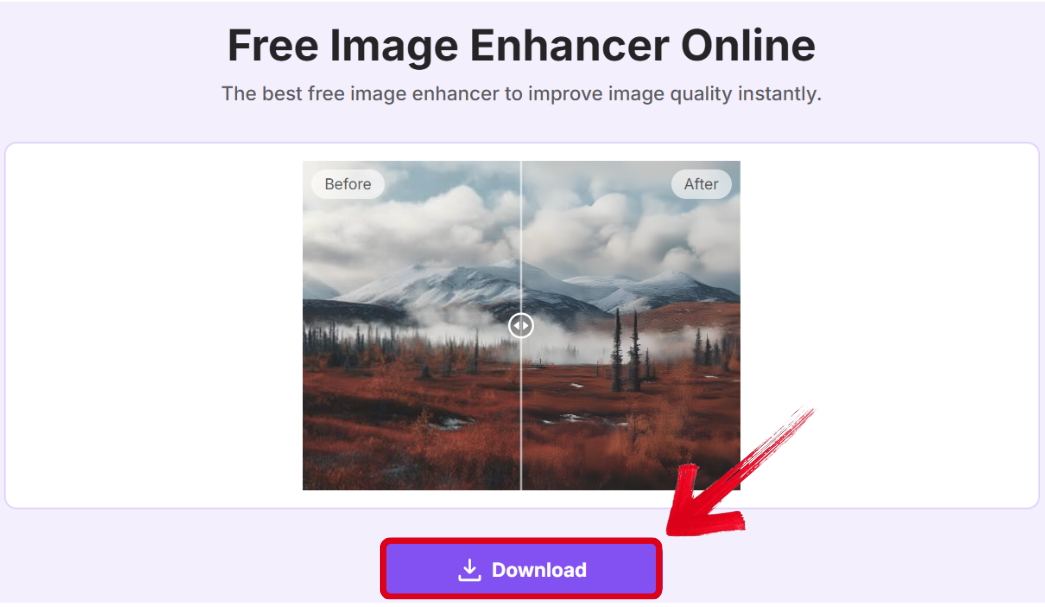
Step 3: Once your image has been fully processed and enhanced successfully, press Download to export it to your device.
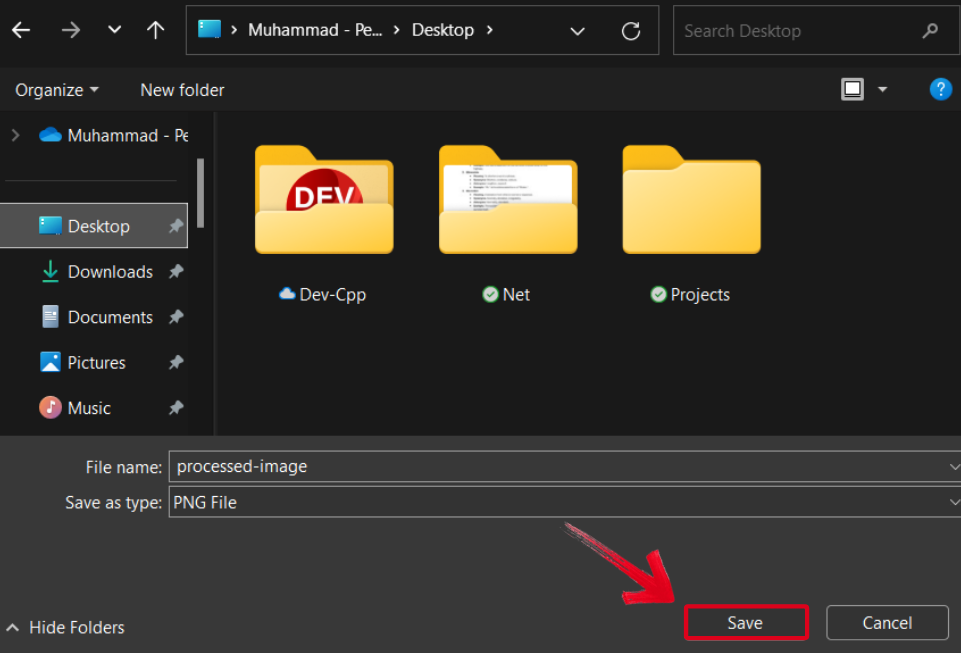
Step 4: Select the folder where you want your image saved, then press Save to export your image.
FAQs
Q1: Are these AI book cover generators free to use?
Most tools offer a free plan with basic features, but advanced templates, higher resolution downloads, or commercial licenses often require a paid subscription.
Q2: Do I need design experience to use these tools?
No, these AI tools are specifically designed to be user-friendly for beginners, often using prompts and templates to guide you.
Q3: Can I use the covers I generate for commercial use (publishing and selling my book)?
Always check the licensing terms of the specific tool. Most allow commercial use for covers created on their platform, but some may have restrictions on certain stock assets or AI-generated images.
Q4: Can Image Enhancer be used on any part of the book cover creation process?
Absolutely. It's best used on the final cover image file to universally enhance quality, but it can also be used to improve individual image components before you assemble them into your final design.
Simplifying Book Cover Design
Book covers are one of the most important elements in attracting readers to your content, serving as the key judging criteria for first impressions. Instead of making every book cover from scratch, you can save a lot of time by using book cover generator AI tools. I’ve covered 6 of the most reliable options in this guide, helping you choose the right one for your requirements. You can further enhance your book covers using Toolsmart’s Image Enhancer. It’s free and extremely efficient, generating polished and professional images in just a few seconds.


