AI voice cloning has evolved rapidly, making it possible to replicate
any voice with just a few seconds of audio. From YouTube narration to
virtual assistants, the applications are both practical and creative.
However, many users struggle to find reliable AI voice cloning free
tools or face ethical concerns around misuse. In this article, I'll
explain how voice cloning AI works and introduce the best AI voice
cloning tools you can use for free.
Part 1: AI Voice Cloning
Explained
How AI Voice Cloning Works
At its core, AI voice cloning relies on deep learning, particularly
neural networks trained to understand and replicate human speech
patterns. These models analyze a short audio sample of a person's voice
and learn its unique traits: pitch, tone, cadence, and
pronunciation.
AI Voice Cloning
With just 5 to 10 seconds of clean audio, most tools can create a
synthetic voice that sounds remarkably close to the original. This
synthetic voice can then be used to generate new speech by typing any
desired text, a process known as text-to-speech (TTS).
Unlike older TTS engines, today's voice cloning AI technologies are
capable of producing highly realistic voices that capture the subtle
nuances of speech, making them ideal for use in professional and
creative environments.
Applications of Voice
Cloning
The use cases for AI voice cloning span multiple
industries and hobbies:
Content Creation: YouTubers, podcasters, and
audiobook narrators use voice cloning to save time and maintain
consistency in tone and delivery.
Virtual Assistants: Custom voices can be applied
to personal assistants or chatbots, giving brands or users a unique
vocal identity.
Entertainment & Media: From dubbing to memes
to fan-made content, voice cloning adds a creative twist without the
need for live recordings.
In my experience, AI-generated voiceovers can speed up the production
process without sacrificing quality, especially when the original
speaker isn't available or when multilingual versions are needed.
Ethical Considerations
As exciting as this technology is, AI voice cloning comes with
responsibilities. Always get clear consent before cloning someone's voice. Cloning a
public figure's voice for parody may seem harmless, but using it to
mislead others crosses a legal and moral line.
Here are a few rules I personally follow:
Never use cloned voices for impersonation or
misinformation.
Be transparent with your audience if a synthetic
voice is used.
Respect privacy, just because a voice sample
exists online doesn't mean you have the right to use it.
As tools become more accessible, these ethical boundaries become even
more important to uphold. Platforms like LALAL.AI and AllVoiceLab offer
professional services, but it's still up to users to apply them
responsibly.
Part 2: Top Free AI
Voice Cloning Tools
Finding the right AI voice cloning app can be overwhelming,
especially with so many free and paid tools floating around. In this
section, I'll highlight three standout options that I've personally
tested, each offering a unique balance of usability, output quality, and
accessibility. These tools are especially useful if you're looking for
AI voice cloning free platforms that don't compromise too much on
quality.
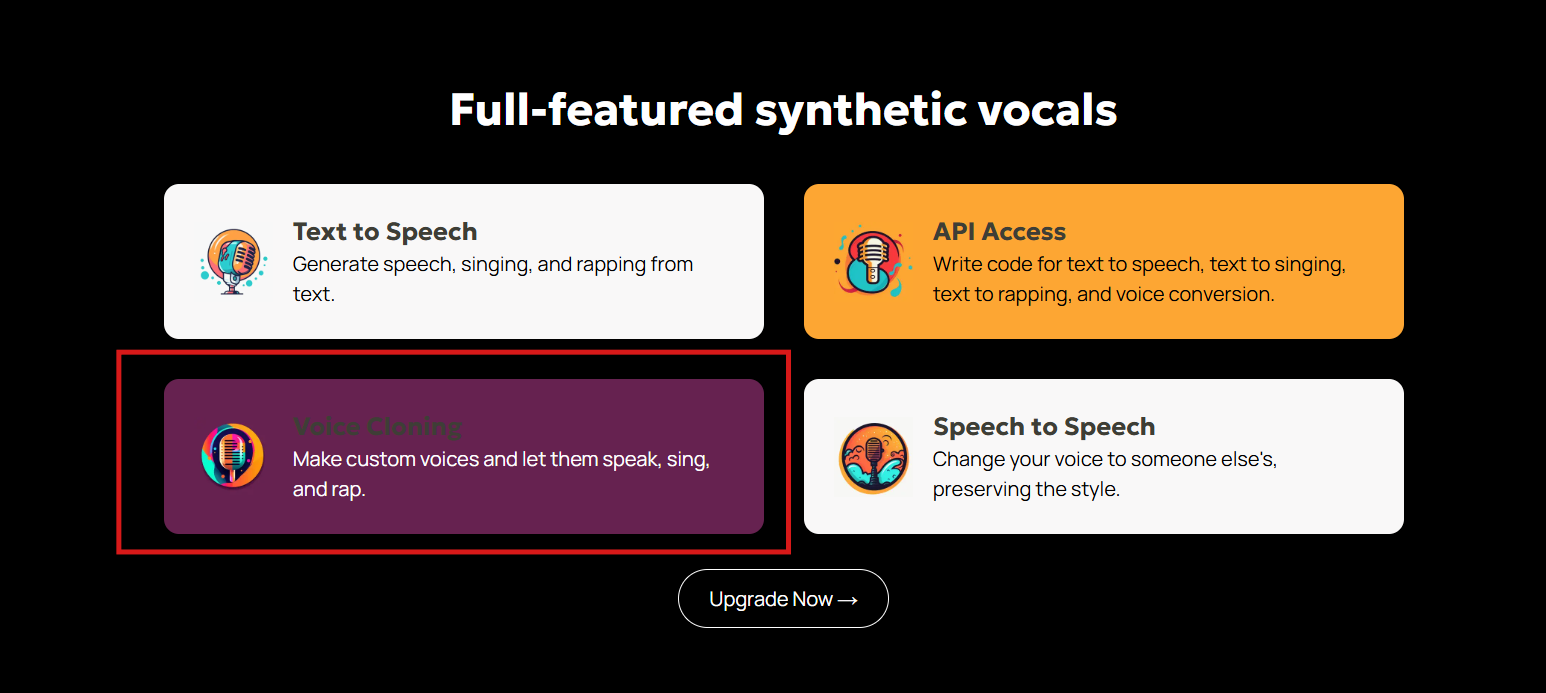
1. Uberduck.ai
Uberduck offers a free
tier that includes a large library of celebrity and fictional voices.
More importantly, it allows custom voice cloning, even for free users
(with limitations).
Uberduck
Best For: Developers and creators experimenting with
voice synthesis.
How to Use:
Step 1: Go to Uberduck.ai and create a free
account.
Step 2: Navigate to the "Voice Cloning" section
from your dashboard.
Step 4: Enter any text you'd like the AI to say
using the cloned voice.
Step 5: Click "Synthesize" and download the
generated MP3.
My Take:
Among free tools, Uberduck is surprisingly powerful. While the
interface may feel a bit developer-focused, it delivers decent voice
fidelity. However, custom voice cloning is limited unless you upgrade to
a paid plan. Still, for casual use or content prototyping, it's a solid
pick.
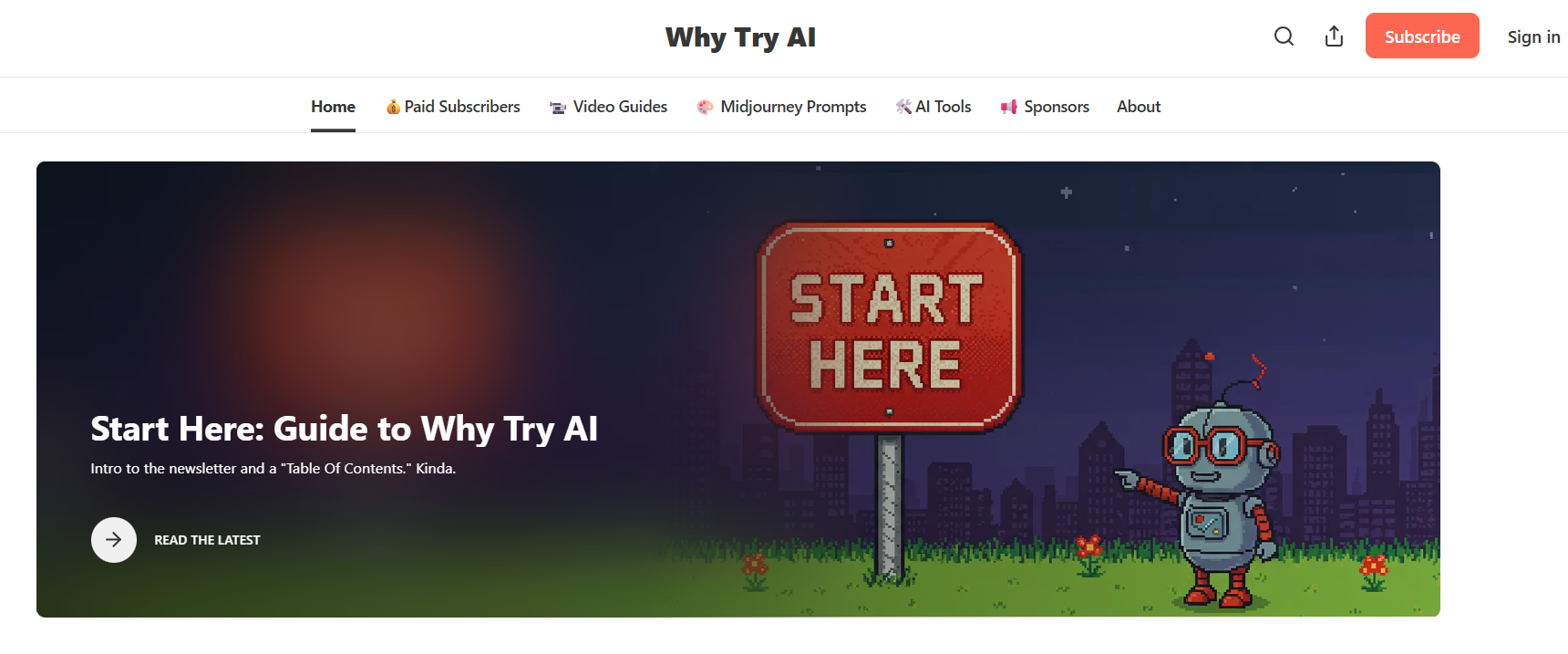
2. WhyTryAI Free Tools
WhyTryAI doesn't offer
its own engine but curates a constantly updated list of AI voice cloning
tools. Many of which are free or freemium.
WhyTryAI
Best For: Beginners who want to explore multiple
tools without digging around the web.
How to Use:
Step 1: Visit WhyTryAI and navigate to the
Voice Cloning section.
WhyTryAI AI Voice Cloning
Step 2: Browse their recommended tools (e.g.,
Descript, Resemble.AI, Play.ht).
Step 3: Choose a tool and follow its unique
process, which usually involves:
Uploading voice samples
Training a model (if supported)
Typing text for voice output
Step 4: Download the final audio file for your
project.
My Take:
This is where I started when I first got into voice cloning. The
curated approach saves time and helps you discover tools you may not
find on your own. Just keep in mind that the experience varies based on
the third-party tool you choose.
3. LALAL.AI
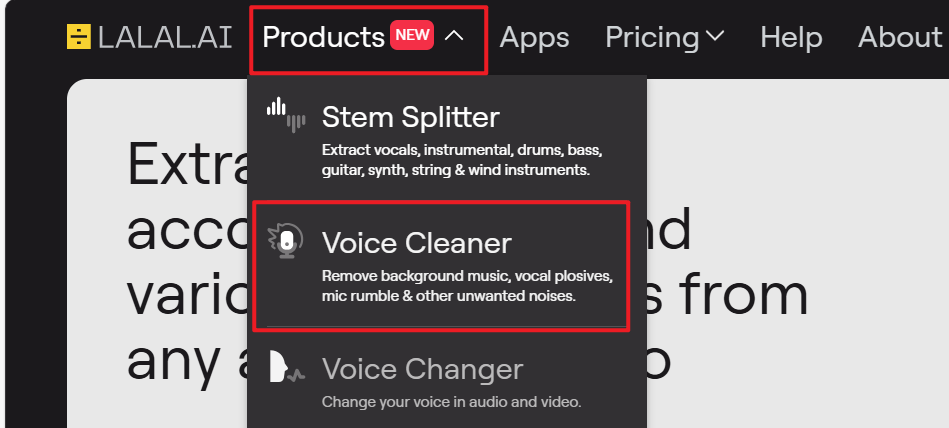
LALAL.AI is primarily a vocal remover and enhancer, but it plays an
essential role in preparing audio for cloning, especially when
extracting a clean voice from noisy environments or background
music.
LALAL.AI
Best For: High-quality audio extraction and
pre-processing for cloning.
Step 2: Upload a voice clip or music file
(MP3/WAV supported).
Step 3: Let the AI isolate the voice and clean
up background noise.
Step 4: Download the purified voice
track.
Step 5: Use this cleaned audio in a third-partyAI voice cloning app like ElevenLabs or
Play.ht.
My Take:
This isn't a cloning engine per se, but it's arguably the best
pre-processing tool out there. When I had to extract voice from a noisy
video interview for cloning, LALAL.AI did a far better job than any free
noise reducer I've tried.
Part 3:
Comparison of Free AI Voice Cloning Tools
When choosing the best AI voice cloning tool, it's
important to consider your goals—are you experimenting, building
something serious, or just curious? Let's break down the key differences
between Uberduck.ai, WhyTryAI, and LALAL.AI so you can choose the right
fit for your needs.
Ease of Use
If you're new to voice cloning AI, WhyTryAI is the most
beginner-friendly. It doesn't require any technical setup; it simply
points you to reliable tools with guided steps. Uberduck is also
relatively easy to use, but its dashboard is more developer-oriented.
LALAL.AI is straightforward but designed more for audio preparation than
cloning itself.
Voice Quality
In my experience, LALAL.AI leads in voice quality—but only when used
in combination with a separate cloning tool. It offers studio-grade
voice isolation, which is crucial if your input sample comes from noisy
videos. Uberduck's cloned voices are decent, especially if you're using
popular character templates. WhyTryAI's results vary since it redirects
you to other platforms, some better than others.
Custom Voice Cloning
Uberduck is the only one in this list offering custom voice
cloning directly, even on its free plan (though with
restrictions). WhyTryAI doesn't offer cloning by itself, and LALAL.AI is
focused on audio cleaning, not cloning.
Text-to-Speech Capability
Uberduck has native text-to-speech. You simply enter your text and
select the voice. WhyTryAI links to tools that support TTS, but not all
do. LALAL.AI doesn't include any TTS function—it's designed to enhance
and separate voice, not synthesize it.
Audio Processing
This is where LALAL.AI shines. It's the only tool here that provides
dedicated noise removal and vocal isolation. Uberduck and WhyTryAI don't
offer audio editing features—you'll need separate tools for cleanup.
Free Tier Limitations
All three tools offer free access, but each has its limits:
Uberduck allows around five voice clones per month.
WhyTryAI's limits depend on the third-party tool you
choose.
LALAL.AI lets you process about 10 minutes of audio daily on the
free plan.
Best Use Cases
Uberduck.ai is ideal for developers or content
creators exploring fun and experimental applications.
WhyTryAI is perfect if you want a low-effort
overview of multiple tools before committing.
LALAL.AI is best for prepping high-quality voice
samples for cloning elsewhere.
Output Format and API Access
Uberduck lets you download MP3s and even offers API access on paid
plans—useful for automation or app development. LALAL.AI supports both
MP3 and WAV exports but doesn't provide any API. WhyTryAI's formats
depend entirely on the tools it links to.
Privacy Considerations
Data privacy is often overlooked. Uberduck temporarily stores your
data. LALAL.AI auto-deletes uploads after a few hours, which is a plus
if you're concerned about storage. WhyTryAI, again, varies based on the
external tool's policy.
Each of these AI voice cloning free tools brings something unique. If
you're serious about quality and workflow, I'd recommend using LALAL.AI
to clean your audio, then import it into another TTS or cloning tool. If
you just want to play around or experiment with memes or voiceovers,
Uberduck will do the job.
Part 4:
Extract Audio for Cloning with YouTube to MP3
Before you can start using an AI voice cloning app, you need a clean
audio sample of the voice you want to clone. But what if that voice only
exists in a video, like a YouTube interview, podcast, or song? That's
where a tool like Toolsmart
YouTube to MP3 Converter comes in.
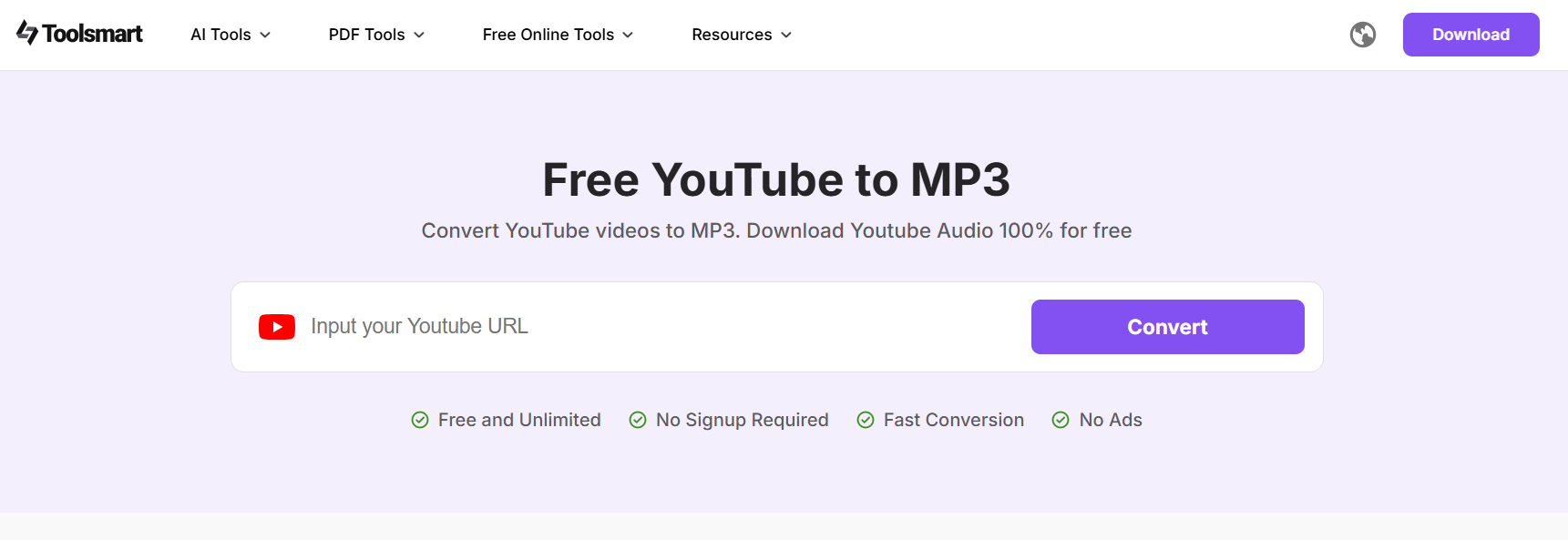
Toolsmart YouTube to MP3 Converter
This method is especially helpful when you're cloning a voice for
educational, entertainment, or personal use, such as recreating a public
domain narrator's voice or mimicking a character for a game mod.
Why Use Toolsmart YouTube to
MP3?
Source Audio Quickly: Extract high-quality audio
from any publicly available YouTube video.
Free & Accessible: No need to register or
install software.
Reliable Conversion: Keeps voice clarity intact,
which is crucial for voice cloning.
Whether you're experimenting with AI voice cloning free tools or
using a more advanced platform, Toolsmart can give you a solid voice
sample to start with.
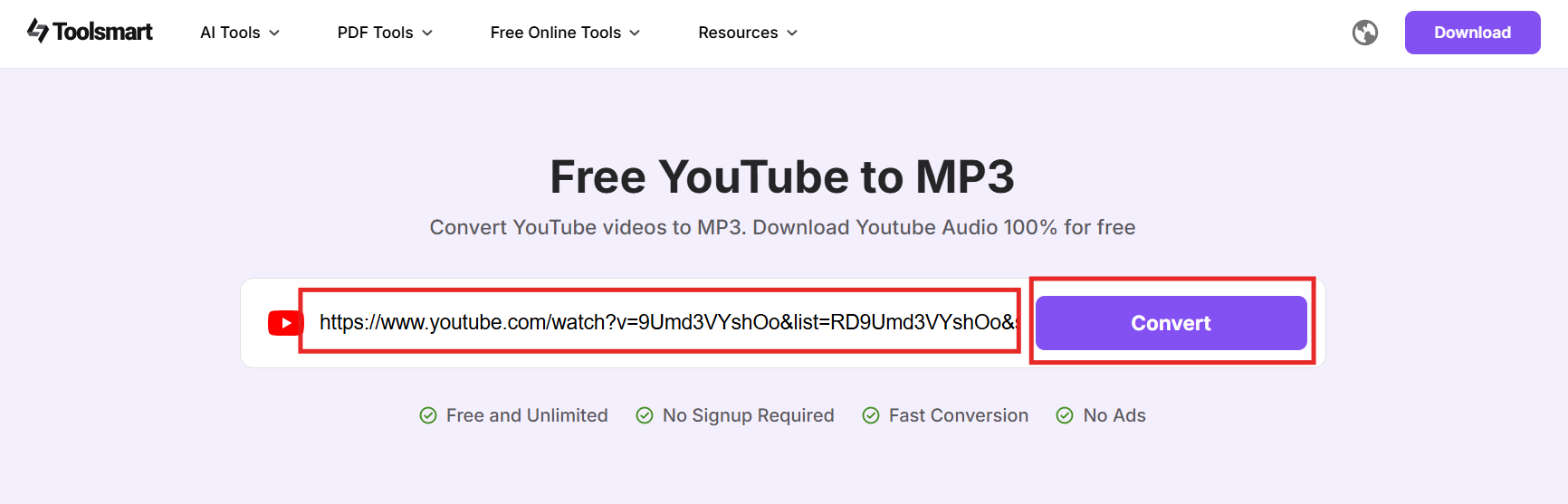
Step 2: Paste the URL of the YouTube video that
contains the voice you want to clone.
Step 3: Click "Convert".
Toolsmart YouTube to MP3 Converter input link
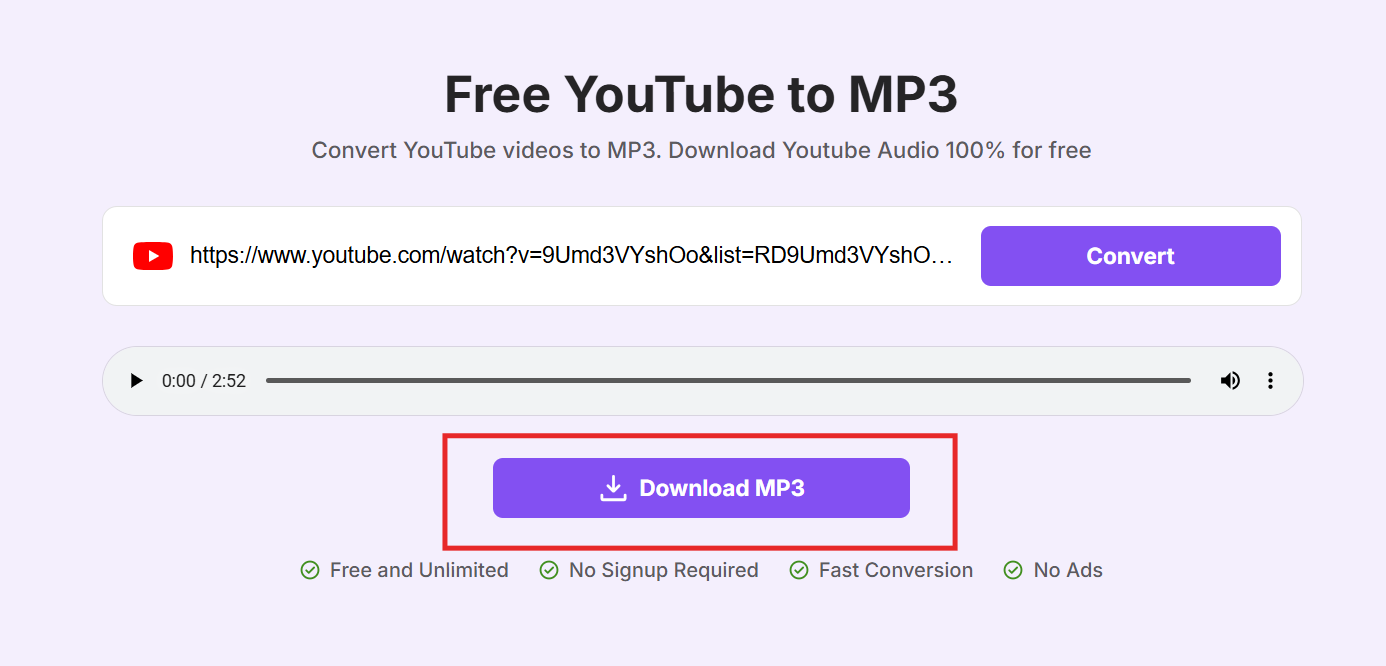
Step 4: Click "Download MP3." The file will be
processed and saved to your device.
Toolsmart YouTube to MP3 Converter Download MP3
Writer Tip: When testing Toolsmart, I extracted
clean speech from a TED Talk in seconds. The MP3 was crisp and worked
perfectly with my cloning workflow. Just make sure you only extract from
publicly available content and use the audio responsibly.
This method is especially useful for those exploring AI voice cloning
singing free applications, where clean vocal tracks from YouTube are
used to train or test singing models. Just remember: always respect
copyright and get consent when required.
FAQs
Q1: Is AI voice cloning legal?
Yes, AI voice cloning is legal, but only when used
responsibly. You must have explicit permission from the person whose
voice you intend to replicate. Using cloned voices without consent,
especially for impersonation, fraud, or misinformation, can lead to
serious legal consequences.
My advice: treat voice cloning like copyright. If it's not your voice
or you don't have permission, don't use it.
Q2: Can I clone any voice for free?
In most cases, yes. Several AI voice cloning free tools allow you to
replicate voices without a subscription. However, these free versions
often come with limitations such as lower audio quality, limited usage
per month, or watermarked output. For more advanced features, like
real-time voice conversion or studio-quality synthesis, you may need to
explore paid tiers.
Q3: How long of an audio sample do I need?
Most voice cloning AI tools require a clean voice sample of just 5 to
10 seconds. Some high-end tools might recommend 30 seconds or more for
better results. Regardless of the length, ensure the recording is free
from background noise, music, or overlapping speech for optimal cloning
accuracy.
Q4: Can Toolsmart YouTube to MP3 extract audio from any
video?
Yes, Toolsmart works with any publicly accessible YouTube video.
Simply paste the video URL into the converter, select MP3, and download.
It's a fast, reliable way to gather audio for AI voice cloning app
usage, especially if you're sourcing from interviews, speeches, or
podcasts.
Summary
AI voice cloning is no longer limited to tech labs; it's now
accessible to anyone with a computer and a few seconds of clean audio.
Whether you're a content creator, developer, or hobbyist, free tools
like Uberduck.ai, LALAL.AI, and WhyTryAI make it possible to experiment
with voice replication at no cost. From dubbing YouTube videos to
building virtual assistants, the applications are vast, as long as you
use them responsibly.
For sourcing voice samples, the Toolsmart
YouTube to MP3 converter is an excellent companion. It helps
extract high-quality audio from videos quickly, providing the raw
material needed for cloning. In short, if you want to explore the world
of AI voice cloning for free, you now have the knowledge and tools to do
it, ethically, efficiently, and creatively.
7+ years in productivity tech. I test and review the latest tools to simplify your workflow. Follow for honest app comparisons, practical guides, and curated tech picks to boost efficiency.

'%3e%3cpath%20fill-rule='evenodd'%20clip-rule='evenodd'%20d='M19%208.5C24.799%208.5%2029.5%2013.201%2029.5%2019C29.5%2024.6782%2024.9928%2029.3036%2019.361%2029.4939L19%2029.5C18.8794%2029.5%2018.7592%2029.498%2018.6396%2029.4939L18.2811%2029.4758C12.8174%2029.1063%208.5%2024.5574%208.5%2019C8.5%2013.201%2013.201%208.5%2019%208.5ZM22.3063%2010.6267L22.2342%2010.6539C21.3423%2011.0061%2020.5541%2011.6368%2020.5606%2012.4987C20.5631%2012.8302%2020.869%2014.8871%2020.2141%2014.8486C19.5589%2014.8102%2019.413%2013.8753%2018.7116%2013.616C17.5944%2013.2026%2016.9819%2014.3401%2017.0939%2015.3106C17.1695%2015.9655%2018.9289%2018.3871%2017.9028%2019C17.292%2019.3651%2015.7279%2017.5692%2015.1007%2017.1842C14.4805%2016.8034%2013.2758%2017.3333%2012.4974%2016.7029C11.9874%2016.2899%2012.3881%2014.4098%2012.2786%2013.8372C12.2271%2013.5698%2012.1155%2013.3689%2011.9794%2013.2166L12.0402%2013.2934C10.7653%2014.8464%2010%2016.8339%2010%2019C10%2023.8465%2013.8307%2027.7982%2018.6295%2027.9925L18.6769%2027.9747C18.8597%2027.8677%2019.0394%2027.7557%2019.216%2027.6387C19.4137%2027.4534%2019.5436%2027.2072%2019.5849%2026.9394C19.8806%2025.1222%2018.3616%2025.4302%2017.9367%2024.5622C17.5489%2023.7695%2018.5712%2023.7684%2018.5524%2021.7923C18.4607%2021.1774%2018.5279%2020.547%2018.7211%2020.0315C19.1834%2018.7987%2020.7077%2017.2643%2022.5889%2018.0081C23.5567%2018.3906%2023.1524%2019.9831%2023.4737%2020.3394C24.251%2021.2018%2025.3228%2020.6863%2026.2856%2021.2253C26.7816%2021.5032%2026.9797%2022.41%2027.056%2023.2248L27.038%2023.0528C27.6534%2021.8348%2028%2020.4579%2028%2019C28%2015.1968%2025.6409%2011.9445%2022.3063%2010.6267Z'%20fill='%23757575'/%3e%3ccircle%20cx='19'%20cy='19'%20r='10.125'%20stroke='%23757575'%20stroke-width='2.25'/%3e%3c/g%3e%3cdefs%3e%3cclipPath%20id='clip0_1827_14613'%3e%3crect%20width='24'%20height='24'%20fill='white'%20transform='translate(7%207)'/%3e%3c/clipPath%3e%3c/defs%3e%3c/svg%3e)