
'%3e%3cpath%20fill-rule='evenodd'%20clip-rule='evenodd'%20d='M19%208.5C24.799%208.5%2029.5%2013.201%2029.5%2019C29.5%2024.6782%2024.9928%2029.3036%2019.361%2029.4939L19%2029.5C18.8794%2029.5%2018.7592%2029.498%2018.6396%2029.4939L18.2811%2029.4758C12.8174%2029.1063%208.5%2024.5574%208.5%2019C8.5%2013.201%2013.201%208.5%2019%208.5ZM22.3063%2010.6267L22.2342%2010.6539C21.3423%2011.0061%2020.5541%2011.6368%2020.5606%2012.4987C20.5631%2012.8302%2020.869%2014.8871%2020.2141%2014.8486C19.5589%2014.8102%2019.413%2013.8753%2018.7116%2013.616C17.5944%2013.2026%2016.9819%2014.3401%2017.0939%2015.3106C17.1695%2015.9655%2018.9289%2018.3871%2017.9028%2019C17.292%2019.3651%2015.7279%2017.5692%2015.1007%2017.1842C14.4805%2016.8034%2013.2758%2017.3333%2012.4974%2016.7029C11.9874%2016.2899%2012.3881%2014.4098%2012.2786%2013.8372C12.2271%2013.5698%2012.1155%2013.3689%2011.9794%2013.2166L12.0402%2013.2934C10.7653%2014.8464%2010%2016.8339%2010%2019C10%2023.8465%2013.8307%2027.7982%2018.6295%2027.9925L18.6769%2027.9747C18.8597%2027.8677%2019.0394%2027.7557%2019.216%2027.6387C19.4137%2027.4534%2019.5436%2027.2072%2019.5849%2026.9394C19.8806%2025.1222%2018.3616%2025.4302%2017.9367%2024.5622C17.5489%2023.7695%2018.5712%2023.7684%2018.5524%2021.7923C18.4607%2021.1774%2018.5279%2020.547%2018.7211%2020.0315C19.1834%2018.7987%2020.7077%2017.2643%2022.5889%2018.0081C23.5567%2018.3906%2023.1524%2019.9831%2023.4737%2020.3394C24.251%2021.2018%2025.3228%2020.6863%2026.2856%2021.2253C26.7816%2021.5032%2026.9797%2022.41%2027.056%2023.2248L27.038%2023.0528C27.6534%2021.8348%2028%2020.4579%2028%2019C28%2015.1968%2025.6409%2011.9445%2022.3063%2010.6267Z'%20fill='%23757575'/%3e%3ccircle%20cx='19'%20cy='19'%20r='10.125'%20stroke='%23757575'%20stroke-width='2.25'/%3e%3c/g%3e%3cdefs%3e%3cclipPath%20id='clip0_1827_14613'%3e%3crect%20width='24'%20height='24'%20fill='white'%20transform='translate(7%207)'/%3e%3c/clipPath%3e%3c/defs%3e%3c/svg%3e)


Dreaming of penning a blockbuster script but scared off by pricey tools? Free screenwriting software is a total game-changer for newbies and pros pinching pennies, but some are clunky or lack pro features. Which ones are legit, and how do they compare? This guide breaks down the best free screenplay writing software and tosses in Toolsmart AI to make your scripts absolutely slay
Part 1: Top 4 Free Screenwriting Software You Should Try
Celtx
Celtx is like your all-in-one buddy for scriptwriting and pre-production, perfect for beginners or teams needing a free, cloud-based tool. Its screenplay writing software module auto-formats scripts to industry standards, and it throws in extras like storyboarding. It’s a favorite for collaborative projects and classroom use.
Features: Auto-formats screenplays, stage plays, and AV scripts. Includes storyboarding, scheduling, and real-time collaboration. Imports/exports FDX, Fountain, PDF, and syncs with Google Drive.
Pros:
Free plan with solid formatting and collaboration.
Cross-platform (Mac, Windows, iOS, Android).
Pre-production tools like storyboards.
Cons:
Free plan limits to one project.
Advanced features (e.g., offline mode) need a paid plan ($14.99/month).
Occasional bugs in free version.
How to Get Started:
Step 1: Sign up at celtx.com.

Step 2: Click “New Script” and pick a template (e.g., screenplay).
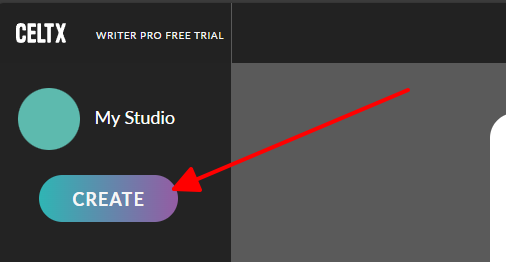
Step 3: Write with auto-formatting; add scenes or characters via the toolbar.
Step 4: Export as PDF or share via invite link for collaboration.
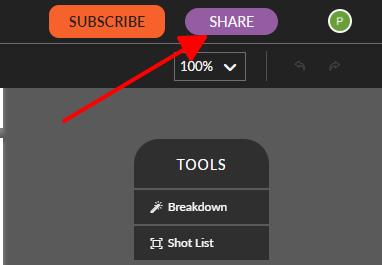
I tried Celtx for a short film script, and the auto-formatting saved me from margin nightmares. Sharing with a co-writer was seamless, but the one-project limit was a buzzkill. It’s a solid pick for beginners diving into free script writing software.
Arc Studio Pro
Arc Studio Pro is a sleek, modern free screenplay writing software that feels like it was built for writers who hate distractions. Its free plan lets you write two scripts with pro formatting and real-time collaboration, making it a go-to for solo or team projects. It’s got a polished vibe that rivals paid tools.
Features: Industry-standard formatting, beat boards for outlining, real-time collaboration, and cloud backups. Supports Fountain and Final Draft imports/exports.
Pros:
Free plan for two watermark-free scripts.
Clean, intuitive interface for all skill levels.
Google Docs-style collaboration.
Cons:
Free plan caps at two scripts; paid plans start at $69/year.
No offline mode in free version.
Fewer pre-production tools than Celtx.
How to Get Started:
Step 1: Sign up at arcstudiopro.com.
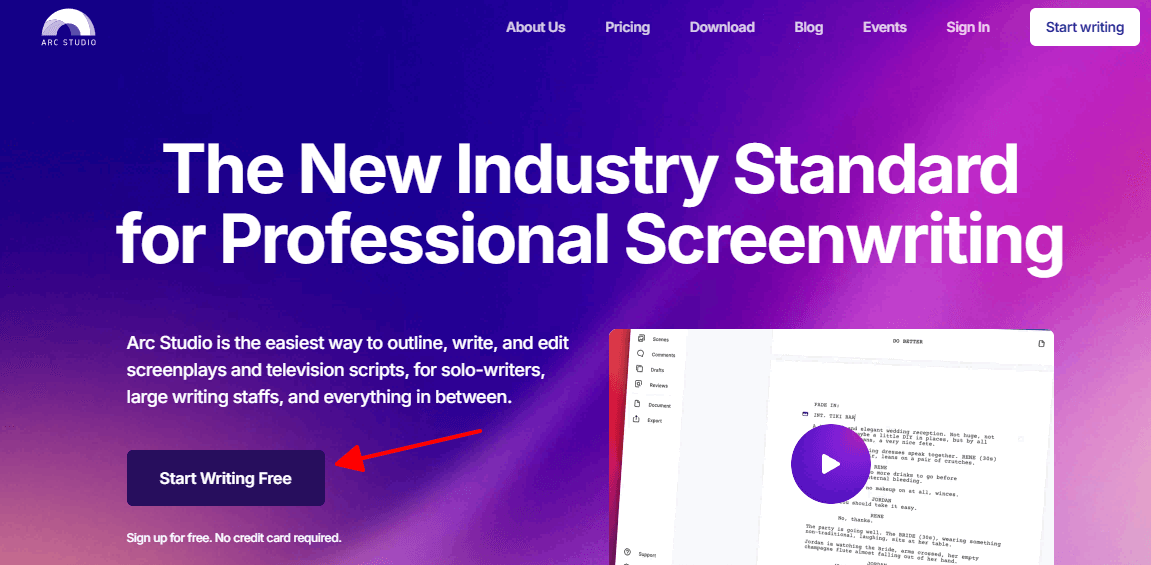
Step 2: Start a new project and select a screenplay template.
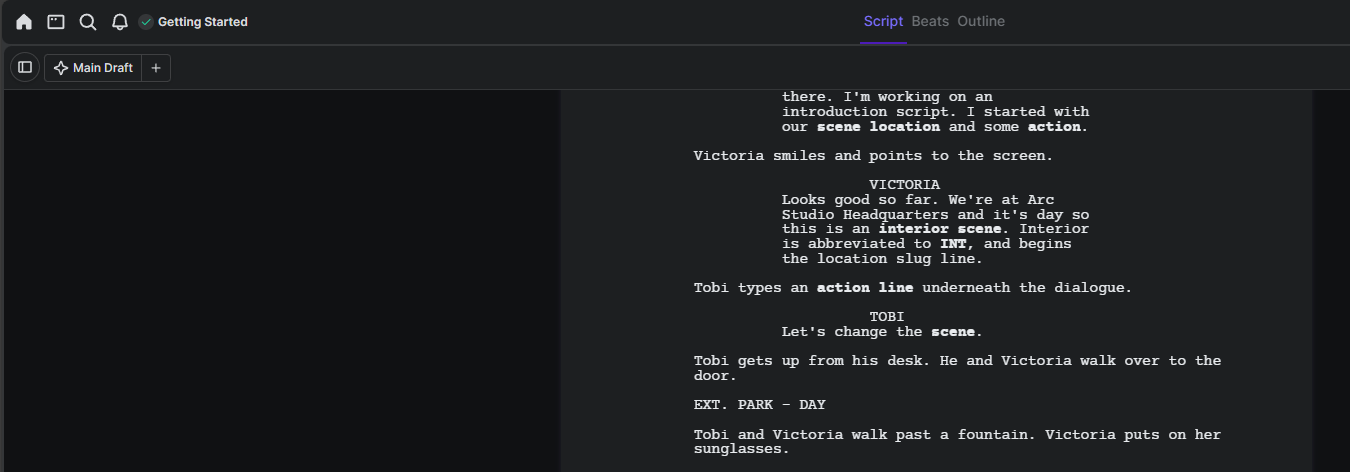
Step 3: Outline with beat boards, then write with auto-formatting.
Step 4: Export as PDF/FDX or share with co-writers via link.
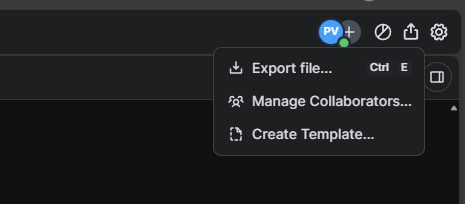
I used Arc Studio for a TV pilot, and the distraction-free design was a dream. Collaboration felt like Google Docs, but hitting the two-script limit stung. It’s a top-tier free screenplay writing software for clean, pro results.
Final Draft (Trial Version)

Final Draft is the big dog of screenwriting, trusted by Hollywood heavyweights like Pixar and Netflix. Its 30-day free trial gives you full access to pro features, making it a must-try for serious writers wanting a taste of the industry standard. It’s packed with tools but can feel intense for newbies.
Features: Templates for screenplays, TV, comics, with auto-formatting, story planning, revision tracking, and collaboration. Exports to PDF/FDX.
Pros:
Industry-standard formatting used by pros.
Robust tools like Navigator and revision modes.
Cross-platform (Mac, Windows, iOS).
Cons:
Trial lasts 30 days; full version costs $249.
Steep learning curve for beginners.
No free plan post-trial.
How to Get Started:
Step 1: Download the trial at finaldraft.com/trial.
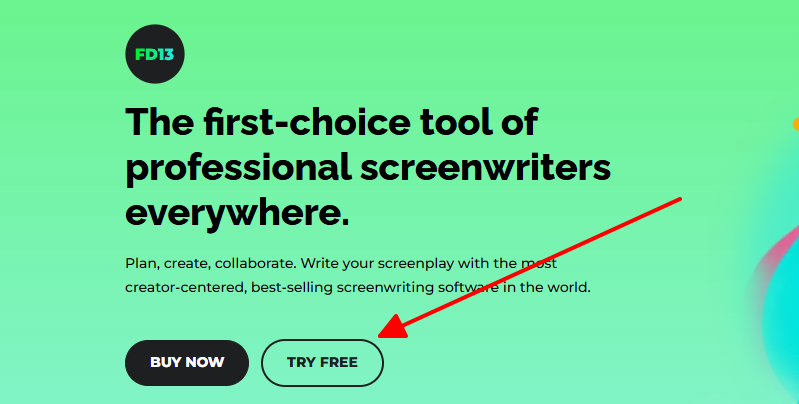
Step 2: Choose a template (e.g., screenplay) and start writing.
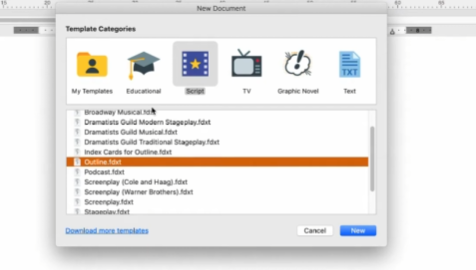
Step 3: Use Navigator for character/scene tracking or add notes.
Step 4: Export as PDF/FDX before the trial expires.
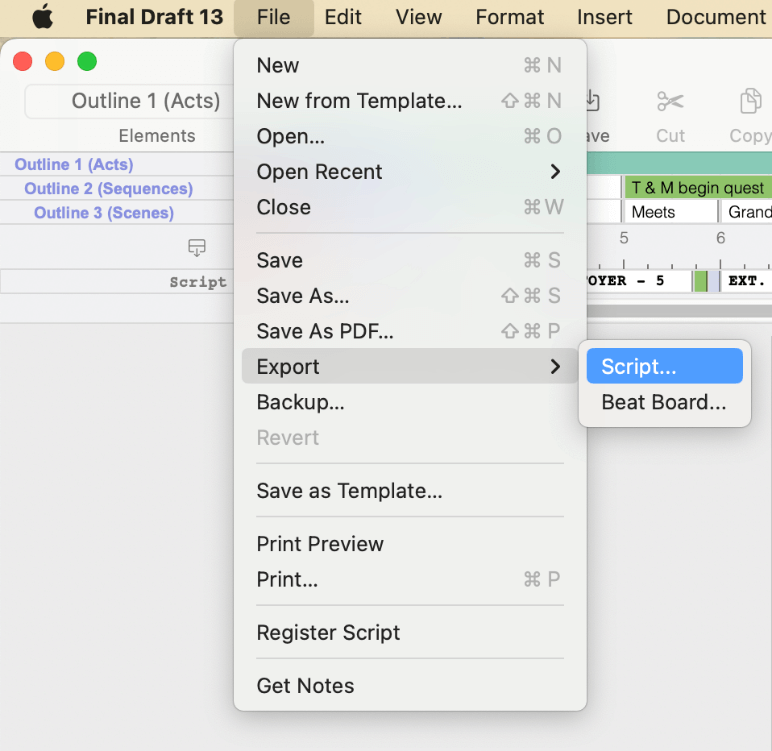
I tested Final Draft’s trial for a short script, and the pro formatting blew me away—felt like I was in Hollywood. It’s a bit much to learn at first, but it’s a beast for serious writers.
Trelby
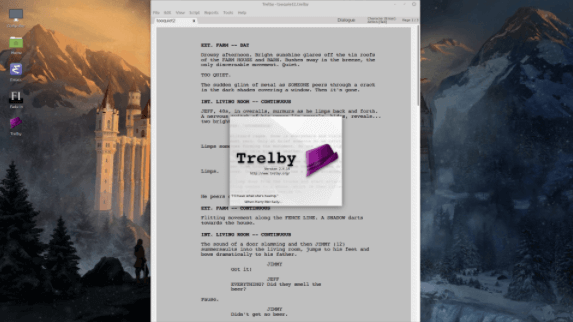
Trelby’s a no-frills,
open-source gem for writers who just want to focus on the script. This
free script writing software for Windows and Linux auto-formats like a
pro and includes a massive name database for characters. It’s perfect
for solo writers who don’t need flashy extras.
Features: Auto-formatting for screenplays,
spell-checking, 200,000+ name database, and scene/character reports.
Imports/exports FDX, Fountain, PDF.
Pros:
Completely free, no limits or watermarks.
Simple, distraction-free interface.
Strong import/export options.
Cons:
No Mac support (yet).
No real-time collaboration.
Lacks pre-production tools.
How to Get Started:
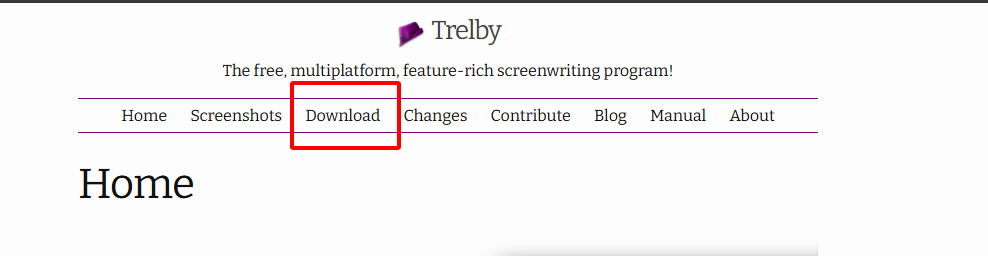
Step 1: Download Trelby at trelby.org.
Step 2: Open a new script and select a format (e.g., screenplay).
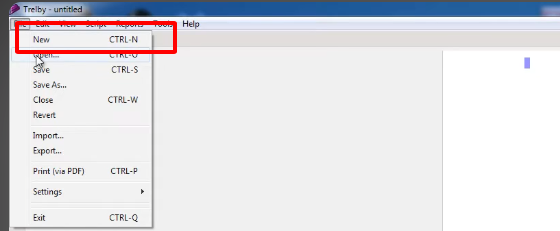
Step 3: Write with auto-formatting; use tabs for scene/dialogue switches.
Step 4: Export as PDF/FDX for sharing or submission.
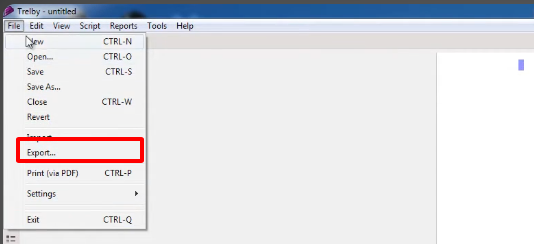
I used Trelby for a stage play, and its bare-bones setup let me focus on writing. No Mac or collaboration support was a drag, but it’s a rock-solid free option for solo work.
Part 2: Comparison Table
Free screenwriting software varies in what it offers, so let’s break it down. Celtx is a jack-of-all-trades with collaboration and storyboarding, but its one-project limit stinks. Arc Studio’s sleek design and real-time teamwork make it a fan favorite, though it caps at two scripts.
Final Draft’s trial is pro-level with killer features, but it’s a 30-day tease before a hefty price tag. Trelby’s unlimited and simple, perfect for solo writers, but lacks Mac support and collaboration. Here’s how they stack up for writing scripts.
| Tool | Cost | Platform | Free Script Limit | Collaboration | Formatting/Industry Standard | Ease of Use |
|---|---|---|---|---|---|---|
| Celtx | Free/Paid ($14.99/mo) | Mac, Win, iOS, Android | 1 | Real-time | Yes | Easy |
| Arc Studio Pro | Free/Paid ($69/yr) | Mac, Win, Linux | 2 | Real-time | Yes | Very easy |
| Final Draft (Trial) | Trial ($249 full) | Mac, Win, iOS | Unlimited (30 days) | Real-time | Yes | Moderate |
| Trelby | Free | Win, Linux | Unlimited | None | Yes | Easy |
Picking the right free screenwriting software depends on your needs. Celtx and Arc Studio shine for teamwork, with Arc Studio’s interface feeling snappier. Final Draft’s trial is pro-grade but short-lived, while Trelby’s unlimited scripts are perfect for solo writers. For beginners, Arc Studio or Celtx are easiest; pros might lean toward Final Draft’s trial.
Part 3: Toolsmart AI Story Generator: Creative Writing Companion
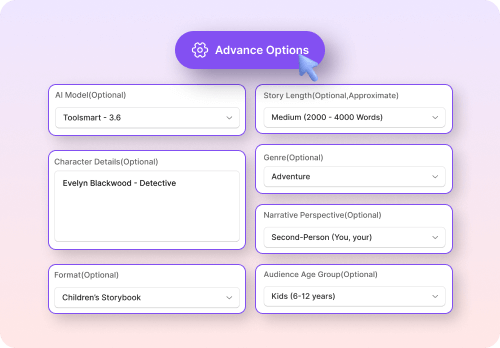
Free screenwriting software nails formatting, but coming up with a story that grabs folks by the heart can be a slog. Toolsmart’s Free AI Story Generator is like a creative sidekick, sparking ideas and dialogue to make your scripts pop. Pair it with Celtx or Arc Studio for a screenplay that’s both polished and unforgettable.
Features:
Generates story ideas, dialogue, or full narratives from prompts.
Customizes tone (witty, dramatic) and genre (thriller, comedy).
Free, web-based, no signup or downloads needed.
Supports short beats or longer plots for scripts.
Where It Fits:
Create plot outlines or dialogue for Celtx/Arc Studio scripts.
Brainstorm character arcs or scenes for Final Draft projects.
Refine rough drafts for better flow or emotional punch.
Usage Tips:
Step 1: Write a rough outline in Celtx or Arc Studio.
Step 2: Paste key scenes or dialogue into Toolsmart at toolsmart.ai.
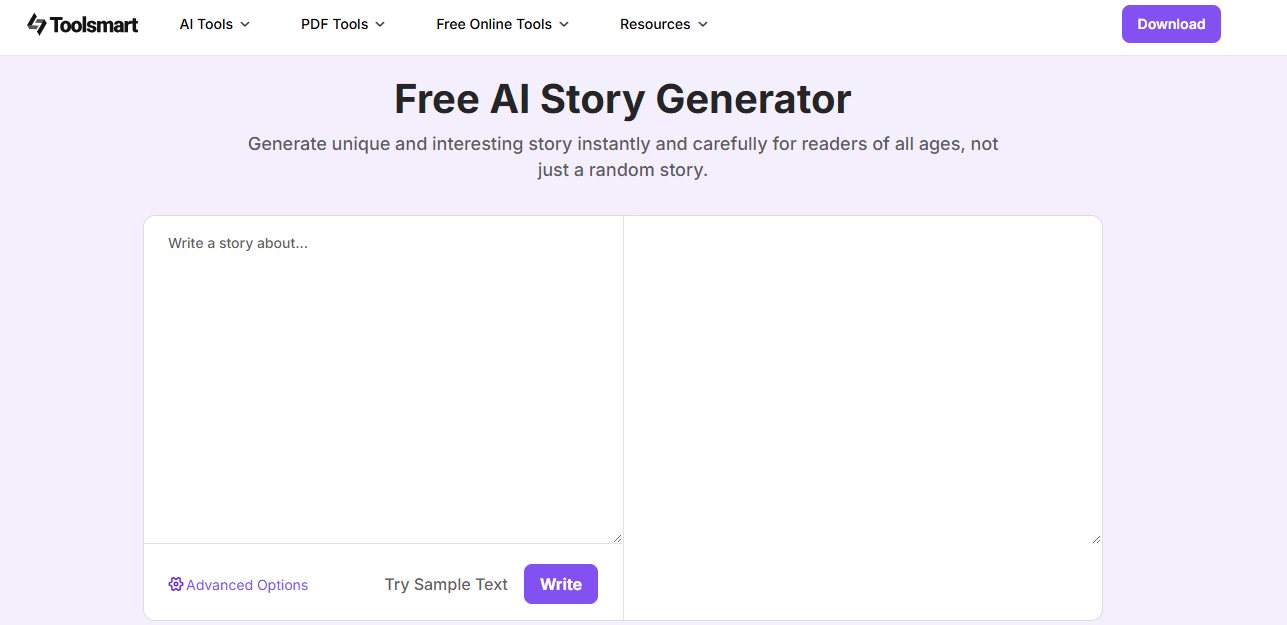
Step 3: Generate alternate dialogue or story beats (e.g., “funny heist scene”).
Step 4: Copy back into your script and polish.
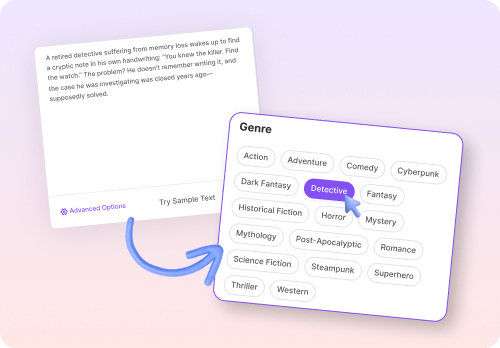
I used Toolsmart for a Celtx comedy script, feeding it a “witty heist” prompt. It gave me lines like “This vault’s tighter than my ex’s wallet!”—hilarious and perfect. It’s a quick way to add zing to your draft.
FAQs
Q1: Can I write professional scripts without paid software?
Yup, Celtx, Arc Studio, and Trelby deliver industry-standard formatting for free. They’re legit for pro scripts, especially with Toolsmart’s story boosts.
Q2: Which free tool is best for collaboration?
Arc Studio and Celtx are tops for real-time collaboration, like Google Docs for scripts. They’re perfect for writers’ rooms or team projects.
Q3: Is AI support worth it?
Toolsmart’s AI is a gem for sparking dialogue or plot twists, saving you from blank-page panic. You’ll still tweak manually, but it’s a huge help.
Q4: Are free versions feature-limited?
Celtx (1 project) and Arc Studio (2 scripts) cap free usage; Trelby’s unlimited but lacks collaboration. Final Draft’s trial is full-featured but short.
Q5: Can I use these tools on mobile?
Celtx and Final Draft work on iOS/Android, Arc Studio’s browser-based for mobile, but Trelby’s desktop-only (Windows/Linux). Pick what fits your setup.
Q6: Do these tools support non-screenplay formats?
Celtx and Final Draft offer templates for stage plays, comics, and more. Trelby’s screenplay-focused but flexible, and Toolsmart handles any text.
Summary
This 2025 guide to the best free screenwriting software breaks down Celtx, Arc Studio, Final Draft’s trial, and Trelby for crafting killer scripts on a budget. Keywords like screenplay writing software, free screenplay writing software, and free script writing software highlight their appeal for newbies and pros. Toolsmart’s Free AI Story Generator is the secret sauce, pumping out dialogue and ideas in seconds to make your scripts shine. Try Toolsmart at toolsmart.ai and your favorite tool to write scripts that steal the show.


