
'%3e%3cpath%20fill-rule='evenodd'%20clip-rule='evenodd'%20d='M19%208.5C24.799%208.5%2029.5%2013.201%2029.5%2019C29.5%2024.6782%2024.9928%2029.3036%2019.361%2029.4939L19%2029.5C18.8794%2029.5%2018.7592%2029.498%2018.6396%2029.4939L18.2811%2029.4758C12.8174%2029.1063%208.5%2024.5574%208.5%2019C8.5%2013.201%2013.201%208.5%2019%208.5ZM22.3063%2010.6267L22.2342%2010.6539C21.3423%2011.0061%2020.5541%2011.6368%2020.5606%2012.4987C20.5631%2012.8302%2020.869%2014.8871%2020.2141%2014.8486C19.5589%2014.8102%2019.413%2013.8753%2018.7116%2013.616C17.5944%2013.2026%2016.9819%2014.3401%2017.0939%2015.3106C17.1695%2015.9655%2018.9289%2018.3871%2017.9028%2019C17.292%2019.3651%2015.7279%2017.5692%2015.1007%2017.1842C14.4805%2016.8034%2013.2758%2017.3333%2012.4974%2016.7029C11.9874%2016.2899%2012.3881%2014.4098%2012.2786%2013.8372C12.2271%2013.5698%2012.1155%2013.3689%2011.9794%2013.2166L12.0402%2013.2934C10.7653%2014.8464%2010%2016.8339%2010%2019C10%2023.8465%2013.8307%2027.7982%2018.6295%2027.9925L18.6769%2027.9747C18.8597%2027.8677%2019.0394%2027.7557%2019.216%2027.6387C19.4137%2027.4534%2019.5436%2027.2072%2019.5849%2026.9394C19.8806%2025.1222%2018.3616%2025.4302%2017.9367%2024.5622C17.5489%2023.7695%2018.5712%2023.7684%2018.5524%2021.7923C18.4607%2021.1774%2018.5279%2020.547%2018.7211%2020.0315C19.1834%2018.7987%2020.7077%2017.2643%2022.5889%2018.0081C23.5567%2018.3906%2023.1524%2019.9831%2023.4737%2020.3394C24.251%2021.2018%2025.3228%2020.6863%2026.2856%2021.2253C26.7816%2021.5032%2026.9797%2022.41%2027.056%2023.2248L27.038%2023.0528C27.6534%2021.8348%2028%2020.4579%2028%2019C28%2015.1968%2025.6409%2011.9445%2022.3063%2010.6267Z'%20fill='%23757575'/%3e%3ccircle%20cx='19'%20cy='19'%20r='10.125'%20stroke='%23757575'%20stroke-width='2.25'/%3e%3c/g%3e%3cdefs%3e%3cclipPath%20id='clip0_1827_14613'%3e%3crect%20width='24'%20height='24'%20fill='white'%20transform='translate(7%207)'/%3e%3c/clipPath%3e%3c/defs%3e%3c/svg%3e)


Blemishes on photos can really mess up an otherwise great shot. I've been there, snapped a decent selfie, only to find a pimple ruining the vibe. That's where a solid blemish remover app comes in. In this guide, I’ll walk you through the top 4 apps I’ve explored for this exact reason. These tools are super helpful for iPhone users, offer free options with no watermark, and even plug into your Photos app. So if you're looking for a quick, easy solution that doesn't break the bank or your time, I’ve got you.
Top 4 Blemish Remover Apps
Finding the right blemish remover app can be tricky, some are too basic, others too advanced or pricey. I’ve tested dozens to help you skip the trial and error. Here's a breakdown of the best blemish remover app for iPhoneand other top picks to clear up your photos instantly.
Picwand AI Photo Editor
Picwand uses AI to analyze facial features and detect blemishes, scars, or even blackheads, then corrects them without making your skin look over-processed. I personally love how it keeps the skin texture intact while smoothing out imperfections. It’s not just for pimples, Picwand can handle shadows, lighting tweaks, and even reshaping if needed.
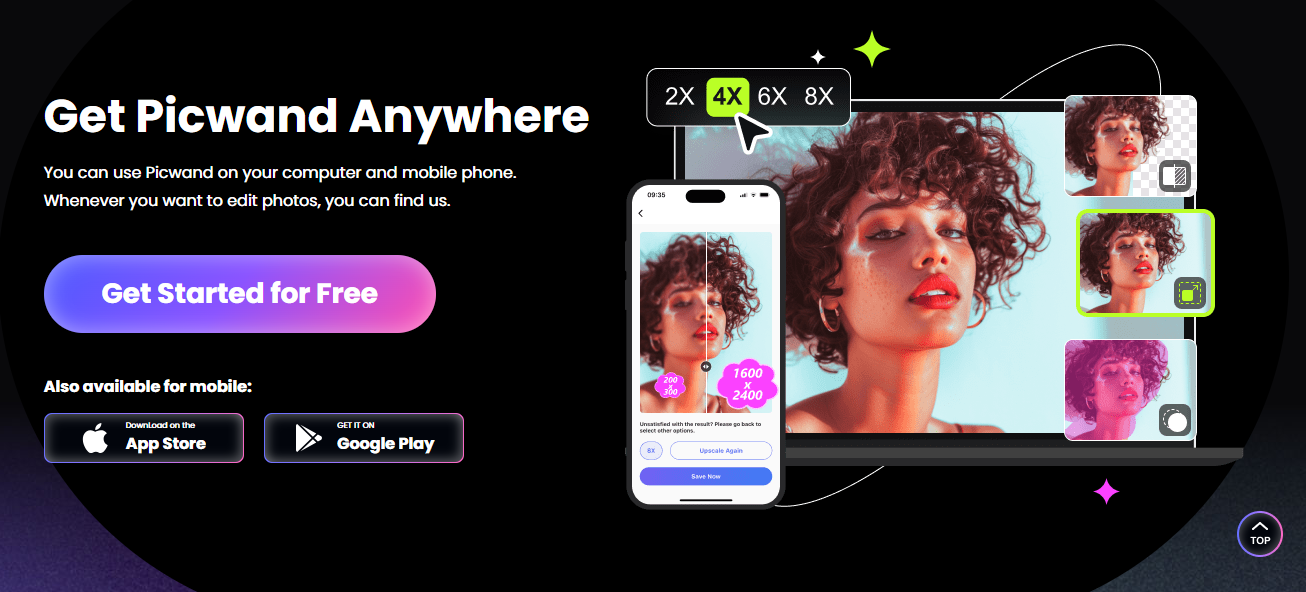
Plus, it’s optimized for iPhone, so performance is slick and clean. Editing happens in seconds, not minutes. It's easily the best blemish remover app for iPhone if you're after quick, natural edits. You can even retouch older photos and give them a modern, polished look in just a few taps.
Features:
AI blemish and acne remover.
Skin smoothing with real-skin texture.
Auto-enhancement tools for lighting and tone.
Pros:
Quick edits with realistic results.
Very intuitive interface.
Supports high-resolution exports.
Cons:
Free version adds a watermark.
Some advanced tools require a subscription.
App Rating: 4.4/5
Picwand gave me influencer-level edits in two taps. I didn’t feel the need to adjust much, its AI nailed it the first time.
YouCam Perfect
YouCam Perfect brings professional-level editing to your phone, blending real-time camera beautification with smart blemish removal tools. It’s more than a skin fixer, it helps with under-eye bags, acne scars, and even teeth whitening. The best part is that It runs beautifully on both iPhone and Android. YouCam doesn’t just smooth over problems; it enhances your entire image while keeping things believable.

You can even layer effects without losing quality. If you're looking for a free blemish remover app no watermark, this one’s hard to beat. It gives you tons of customization while keeping your edits clean and watermark-free.
Features:
Real-time beautification camera.
Smart blemish removal.
Eye bag, dark spot, and scar correction.
Pros:
No watermark in free version.
Tons of templates and frames.
Realistic touch-up tools.
Cons:
Occasional ads.
Some filtersare too strong.
App Rating: 4.7/5
I used it before uploading a group pic, and everyone thought I just had really clear skin. The app’s edits blended perfectly with natural lighting.
Facetune
Facetune is a powerhouse when it comes to precision editing. It allows you to zoom in, make surgical tweaks, and smooth out blemishes manually or with AI help. It's ideal for anyone who wants more control over their look without relying solely on presets. I love how the app doesn’t rush you, it gives you space to refine everything, from lighting angles to smile lines.
It’s especially useful for content creators or professionals. If you've ever wondered how to remove blemishes from Photos app, Facetune gives you a strong alternative that works even better for more detailed edits. And yes, it syncs well with your camera roll.
Features:
Manual and automatic blemish fix.
AI retouch suggestions.
Reshape tools and lighting adjusters.
Pros:
Great for detailed edits.
Highly customizable.
Great support for iPhone resolution.
Cons:
Free version is quite limited.
Subscription is a bit pricey.
App Rating: 4.5/5
Facetune was my go-to before interviews. It cleaned up my skin while letting me tweak lighting like a mini photo studio.
Fotor
Fotor is a no-fuss blemish remover that brings a lot to the table for a totally free experience. It works both online and on mobile, offering quick fixes like pimple removal, skin tone adjustment, and full-color correction. The interface is clean, and it gets straight to the point. If you don’t want to deal with logins, subscriptions, or learning curves, Fotor has your back.
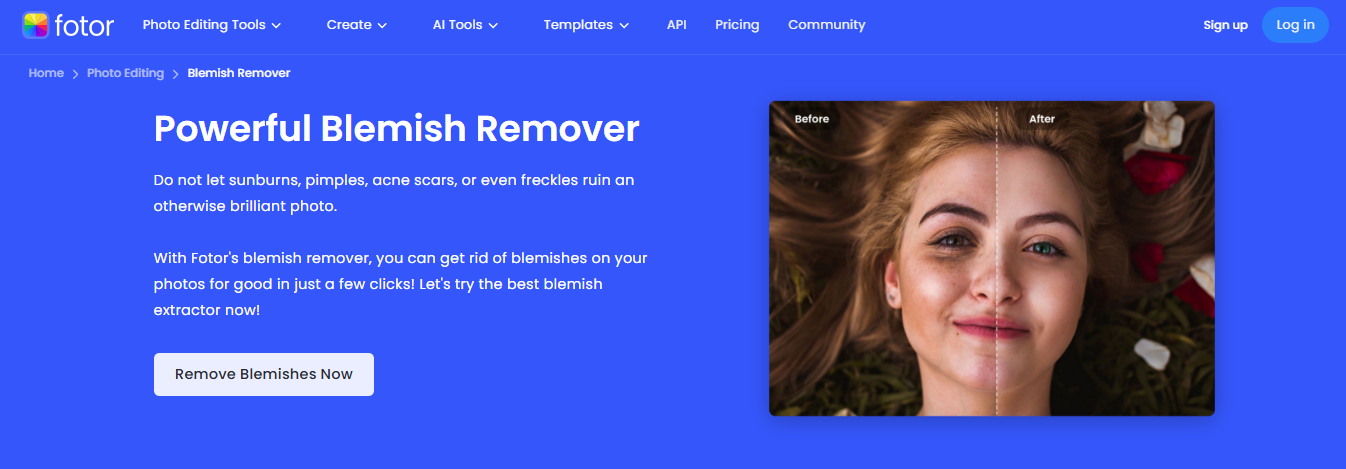
It's perfect for those last-minute touch-ups before uploading. If you're after a free blemish remover app no watermark for iPhone, Fotor checks all the right boxes. The edits are quick, clean, and 100% exportable without ugly branding.
Features:
One-tap blemish removal.
AI skin smoothing.
Lighting and color correction.
Pros:
Totally free features.
No watermark on exports.
Works online too (no download).
Cons:
Interface feels a little outdated.
AI is slower than competitors.
App Rating: 4.3/5
I used Fotor for an old travel pic and was shocked how fresh it looked after just a few edits. It’s simple but gets the job done.
Comparison of Blemish Remover Apps
With so many apps offering blemish removal features, it can be tough to figure out which one actually fits your needs. Some give you instant results for free, while others offer more control at a price. I’ve laid out a side-by-side comparison to help you decide what matters most, cost, watermark, precision, or ease of use. Whether you’re editing selfies or professional portraits, this table makes choosing your ideal app much easier.
| App Name | Free Version | Watermark | Ease of Use | AI Precision | Extra Features |
|---|---|---|---|---|---|
| Picwand | Yes | Yes | High | Excellent | Auto lighting, face reshape |
| YouCam Perfect | Yes | No | Very High | Very Good | Real-time camera, stickers |
| Facetune | Limited | No | Moderate | Excellent | Reshape, lighting tools |
| Fotor | Yes | No | Easy | Good | Full editor, filters |
I bounce between YouCam and Picwand depending on how natural I want the look. Fotor is my fallback for quick edits with zero watermark.
Bonus Tool – Toolsmart Free Image Enhancer
After you’ve cleared up blemishes, you might notice the overall image feels a bit dull. That’s where Toolsmart Free Image Enhancer jumps in. It sharpens, adds detail, and improves colors without making your photo look over-edited. It’s completely online and doesn’t even ask for login. Toolsmart’s AI runs deep learning models that detect blurry spots, color imbalances, and shadowy zones, then fixes them in one go.

What makes it stand out is how effortless the entire process feels, no sliders, no confusing tools, just smart automation. You don’t need to be a photo editor to get pro-level clarity and detail. It’s perfect for polishing your blemish-edited shots without making them look overly touched up. If you’ve ever wished for a final touch that makes your photos pop without effort, Toolsmart quietly gets the job done in seconds.
Features:
One-click sharpening.
Color and contrast adjustment.
No login or download needed.
Pros:
Quick results.
Natural color correction.
I ran my selfie through Toolsmart after using Picwand, and the result looked like it came out of a DSLR camera.
How to Use Toolsmart Free Image Enhancer (Step-by-Step)
Using Toolsmart is super simple. You don’t need any app store downloads, and it works right in your browser.
Step 1: First of all, navigate to the official website of Toolsmart Free Image Enhancer on your browser.
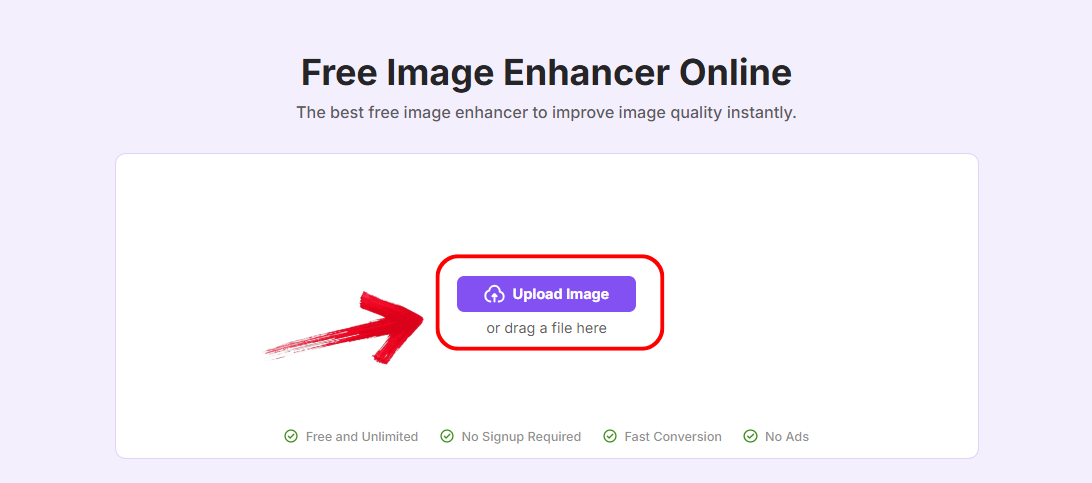
Step 2: Click “Upload Image” and select the photo you’ve just finished editing with Picwand, YouCam, or any other app.
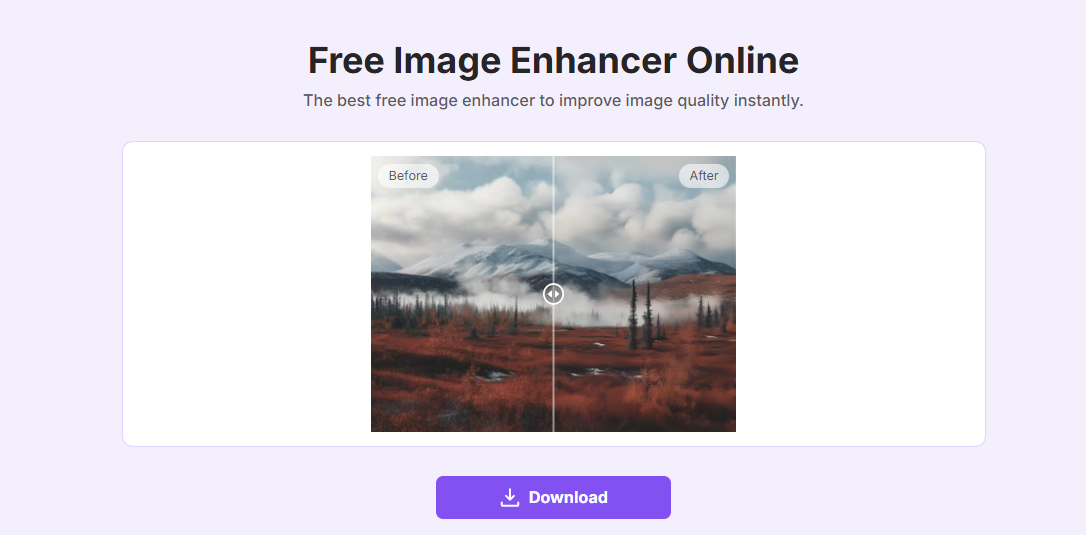
Step 3: Wait a few seconds. The AI will automatically enhance sharpness and colors. You’ll see a side-by-side preview.
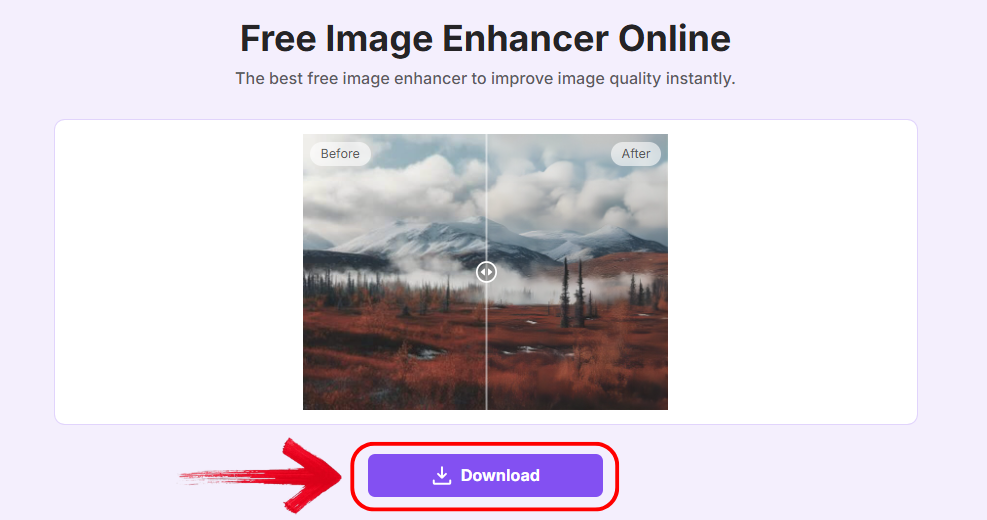
Step 4: Click “Download” to save your enhanced photo without any watermark.
I edited an iPhone photo and gave it a final polish with Toolsmart. It looked way more vibrant without crossing into ‘overdone’ territory.
FAQs
Q1: Which blemish remover app is completely free?
Fotor offers free blemish removal and enhancement tools with no watermark.
Q2: Can these apps remove acne scars in photos?
Yes, tools like Facetune and Picwand are built for this level of precision.
Q3: Do these apps work on Android?
Most of them, like YouCam Perfect and Fotor, are fully available on both Android and iOS.
Q4: How can I make my skin look natural after editing?
Stick with subtle edits. Picwand and Toolsmart offer natural-looking finishes without going overboard.
Summary
If you’re serious about flawless selfies, picking the right blemish remover app is key. For a free blemish remover app with no watermark, Fotor leads the way. For iPhone users, YouCam Perfect nails it with smooth performance and zero watermark. Facetune is great for perfectionists, and Picwand gives fast, AI-powered results. And once you’ve cleaned up your photo, Toolsmart Free Image Enhancer helps you bring out that final pop. It’s about looking your best, without filters doing all the talking.


