
'%3e%3cpath%20fill-rule='evenodd'%20clip-rule='evenodd'%20d='M19%208.5C24.799%208.5%2029.5%2013.201%2029.5%2019C29.5%2024.6782%2024.9928%2029.3036%2019.361%2029.4939L19%2029.5C18.8794%2029.5%2018.7592%2029.498%2018.6396%2029.4939L18.2811%2029.4758C12.8174%2029.1063%208.5%2024.5574%208.5%2019C8.5%2013.201%2013.201%208.5%2019%208.5ZM22.3063%2010.6267L22.2342%2010.6539C21.3423%2011.0061%2020.5541%2011.6368%2020.5606%2012.4987C20.5631%2012.8302%2020.869%2014.8871%2020.2141%2014.8486C19.5589%2014.8102%2019.413%2013.8753%2018.7116%2013.616C17.5944%2013.2026%2016.9819%2014.3401%2017.0939%2015.3106C17.1695%2015.9655%2018.9289%2018.3871%2017.9028%2019C17.292%2019.3651%2015.7279%2017.5692%2015.1007%2017.1842C14.4805%2016.8034%2013.2758%2017.3333%2012.4974%2016.7029C11.9874%2016.2899%2012.3881%2014.4098%2012.2786%2013.8372C12.2271%2013.5698%2012.1155%2013.3689%2011.9794%2013.2166L12.0402%2013.2934C10.7653%2014.8464%2010%2016.8339%2010%2019C10%2023.8465%2013.8307%2027.7982%2018.6295%2027.9925L18.6769%2027.9747C18.8597%2027.8677%2019.0394%2027.7557%2019.216%2027.6387C19.4137%2027.4534%2019.5436%2027.2072%2019.5849%2026.9394C19.8806%2025.1222%2018.3616%2025.4302%2017.9367%2024.5622C17.5489%2023.7695%2018.5712%2023.7684%2018.5524%2021.7923C18.4607%2021.1774%2018.5279%2020.547%2018.7211%2020.0315C19.1834%2018.7987%2020.7077%2017.2643%2022.5889%2018.0081C23.5567%2018.3906%2023.1524%2019.9831%2023.4737%2020.3394C24.251%2021.2018%2025.3228%2020.6863%2026.2856%2021.2253C26.7816%2021.5032%2026.9797%2022.41%2027.056%2023.2248L27.038%2023.0528C27.6534%2021.8348%2028%2020.4579%2028%2019C28%2015.1968%2025.6409%2011.9445%2022.3063%2010.6267Z'%20fill='%23757575'/%3e%3ccircle%20cx='19'%20cy='19'%20r='10.125'%20stroke='%23757575'%20stroke-width='2.25'/%3e%3c/g%3e%3cdefs%3e%3cclipPath%20id='clip0_1827_14613'%3e%3crect%20width='24'%20height='24'%20fill='white'%20transform='translate(7%207)'/%3e%3c/clipPath%3e%3c/defs%3e%3c/svg%3e)


Selfies are the vibe, and face filters are like the extra spice that turns your pics into Insta or TikTok gold, perfect for joking with friends or showing off. But not all free filter tools are legit some lack cool effects, add watermarks, or make your photos blurry. How do you score free face filter tools that are fun, easy, and keep your selfies crisp? This guide dives into three sweet free picks like Fotor, YouCam, and Face Effects to jazz up your shots, plus Toolsmart’s Free Unblur Image to fix any fuzzy results. Social media pro or just playing around? Let’s make your selfies shine!
Part 1: Top 3 Face Filters Free Tools

Here’s the scoop on three fantastic free tools to slap fun filters on your selfies, perfect for beginners or pros alike.
Fotor Funny Face Filter
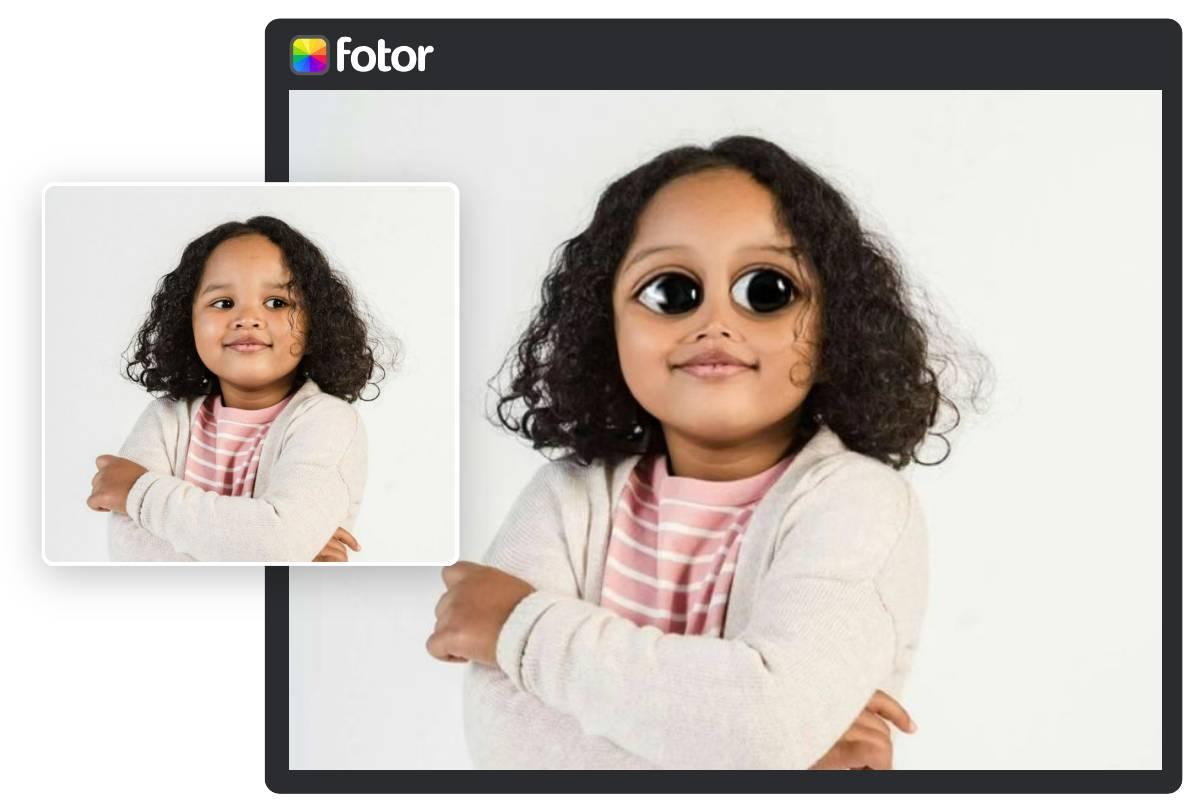
Type: Online Tool
Fotor’s Funny Face Filter is like your silly bestie, tossing fun effects onto your selfies or group pics right in your browser. It’s super easy for quick, playful edits, no pro skills needed!
Features:
Tons of funny filters like face swaps, exaggerations, and animations.
AI-powered face detection for spot-on effects.
Works on portraits and group photos.
Pros:
Free and runs in your browser, no downloads needed.
Easy drag-and-drop upload for quick edits.
No watermarks on downloads, which is a big win.
Cons:
Needs a solid internet connection to work smoothly.
Filter options don’t update often, so variety can feel limited.
How to Use:
Step 1: Swing by Fotor’s Funny Face Filter website.

Step 2: Drop in your selfie or group pic (JPG or PNG).

Step 3: Pick a fun filter like a wacky face swap or cartoon look and mess with it to mak it yours.
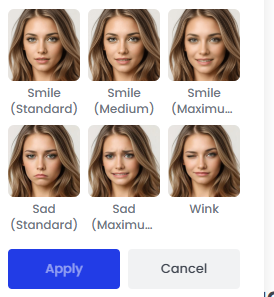
Step 4: Grab your filtered pic, no watermark messing it up.
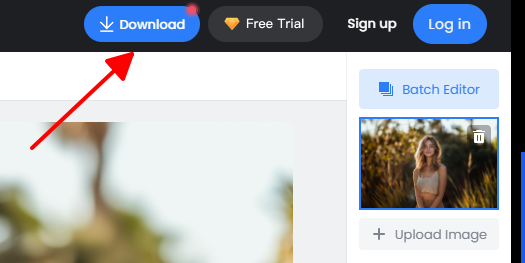
I slapped a cartoon filter on a group selfie with Fotor, and it was a total blast my friends looked like they popped out of a comic strip! The drag-and-drop setup was a piece of cake, but my shaky Wi-Fi slowed things down a smidge.
YouCam Funny Face Filters

Type: Online Tool
YouCam Funny Face Filters brings the fun with animated and beauty effects, perfect for turning selfies into playful or polished looks without installing anything.
Features:
Fun animated filters, beauty enhancements, and seasonal effects (like Halloween or Valentine’s Day vibes).
AI-driven face detection for accurate filter placement.
Supports JPG/PNG for easy uploads.
Pros:
No software install, just use your browser.
Wide range of fun and beautifying filters.
Quick and simple for casual edits.
Cons:
Less control over manual tweaks compared to apps.
Some premium filters need a paid plan ($7.99/month).
How to Use:
Step 1: Visit YouCam’s Funny Face Filters website.
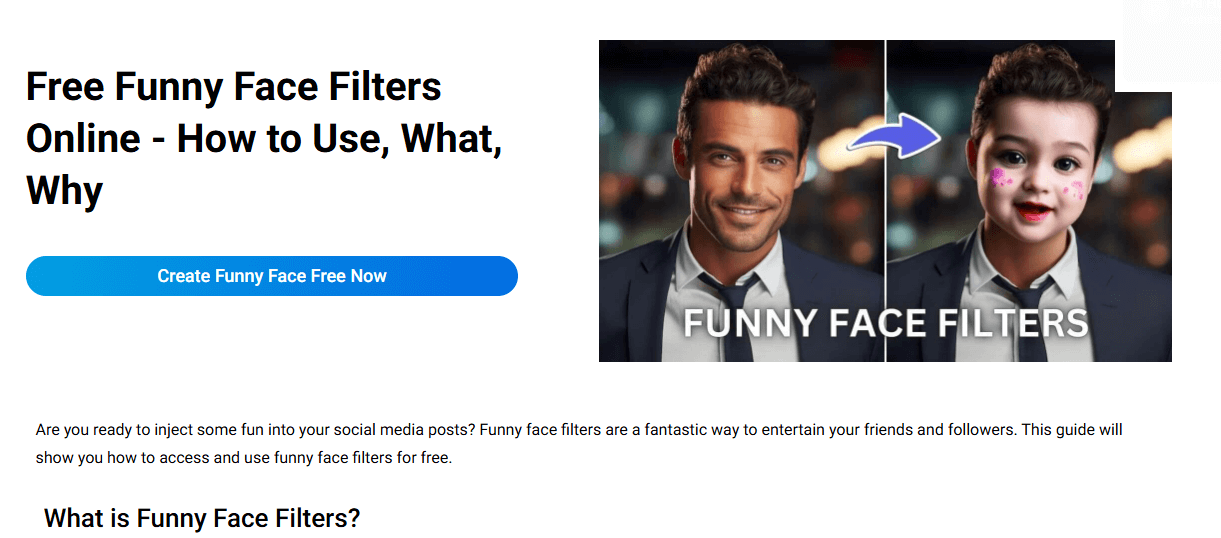
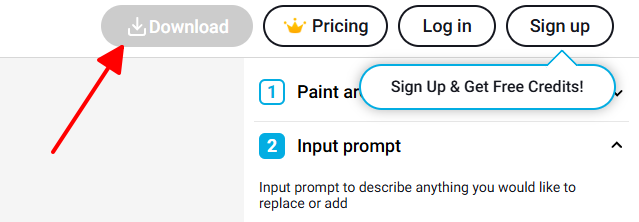
Step 2: Upload your photo (JPG or PNG).
Step 3: Choose a filter like animal ears or makeup effects and apply it.
Step 4: Save your filtered photo to your device.
I tried YouCam to add bunny ears to a selfie, and it was hilarious looked so natural! It’s a breeze to use, but I wished I could tweak the filter placement a bit more without paying.
Face Effects, Filters & Emojis
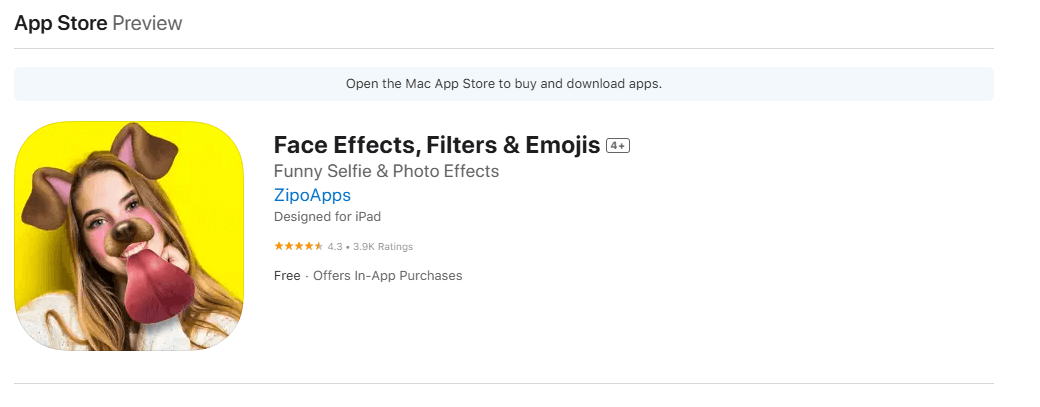
Type: Mobile App (iOS only)
Face Effects, Filters & Emojis is an iOS app packed with silly and expressive filters, stickers, and emojis, great for kids or casual users who want to spice up selfies or videos.
Features:
Dozens of funny filters, face morphing, and animated overlays.
Real-time camera filters for instant selfies or videos.
Add stickers and emojis for extra flair.
Pros:
Super simple interface, perfect for kids or beginners.
Works offline once installed, no internet needed.
Saves directly to your iPhone’s photo gallery.
Cons:
iOS only, no Android love.
Ads and limited free features can be annoying.
How to Use Face Effects, Filters & Emojis
Step 1: Grab Face Effects, Filters & Emojis from the App Store.
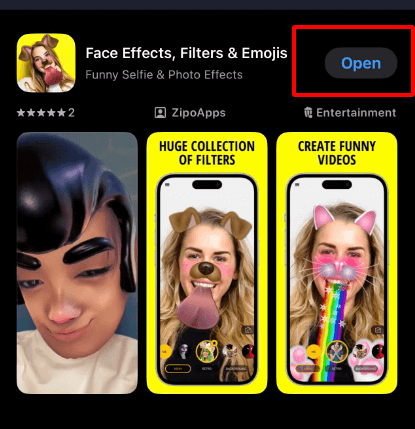
Step 2: Fire up the app and snap a fresh selfie or upload a pic.
Step 3: Pick a fun filter like puppy ears or a cartoon morph, or toss on some stickers
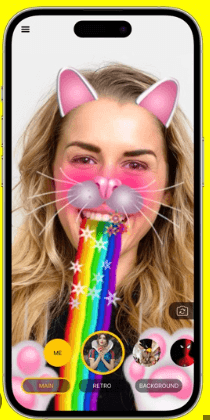
Step 4: Save your filtered photo or video right to your iPhone gallery.
I tried this app to slap a puppy filter on a selfie, and my friends were cracking up. It was adorable! The app’s so simple, even a kid could rock it, but those ads kept popping up, and it’s a total drag. It's only for iOS.
Part 2: Comparison Points for Face Filter Apps
Picking the perfect face filter tool is all about nailing one that’s fun, super easy, and keeps your selfies looking sharp. Here’s the vibe on how Fotor, YouCam, and Face Effects compare, with Toolsmart’s Unblur Image as a clutch bonus for fixing blurry pics.
Platform Availability: Fotor and YouCam are web-based, so you can use them on any device with a browser, like your phone, laptop, or tablet. Face Effects is an iOS-only app, so it’s just for iPhone folks. Toolsmart’s Unblur Image is also browser-based, making it a breeze to use on anything with internet.
Types of Filters: Fotor offers funny filters like face swaps and cartoon effects, with some beauty options. YouCam mixes fun (animal ears, seasonal themes) with beautification like makeup and skin smoothing. Face Effects leans hard into humorous filters (dog ears, morphs) plus stickers and emojis. Toolsmart’s Unblur Image doesn’t add filters but sharpens filtered photos.
Real-Time vs. Static Editing: Face Effects shines with real-time camera filters for instant selfies or videos. Fotor and YouCam are static, requiring you to upload a photo first, which is better for pre-existing shots. Toolsmart’s Unblur Image is static, perfect for polishing after filtering.
Free Features vs. Paid Upgrades: Fotor’s mostly free but needs a sign-in for some filters. YouCam’s free tier has solid options, but premium filters cost $7.99/month. Face Effects is free with ads, and extra features require in-app purchases. Toolsmart’s Unblur Image is 100% free with no paid upgrades.
Usability and Interface Simplicity: Fotor’s drag-and-drop is a breeze for beginners. YouCam’s interface is clean but less tweakable. Face Effects is kid-friendly and super simple. Toolsmart’s Unblur Image is just as easy, with a no-fuss setup for quick fixes.
Watermark Presence: Fotor and Toolsmart have no watermarks, which is awesome. YouCam’s free tier sometimes adds watermarks on premium filters. Face Effects avoids watermarks but throws in ads instead.
Comparison Table:
| Tool | Platform | Filter Types | Editing Type | Free vs. Paid | Usability | Watermark |
|---|---|---|---|---|---|---|
| Fotor | Web | Funny, cartoon, beauty | Static | Free, some sign-in | Beginner-friendly | None |
| YouCam | Web | Funny, beauty, seasonal | Static | Free, $7.99/month | Easy, less control | Sometimes |
| Face Effects | iOS only | Funny, morphs, stickers | Real-time | Free, in-app ads | Kid-friendly | None |
| Toolsmart | Web | N/A (unblur) | Static | Fully free | Super simple | None |
Part 3: Clear Up Blurry Filters with Toolsmart Unblur Image
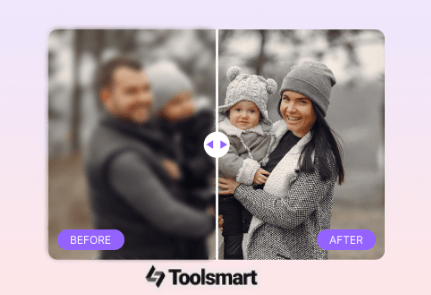
Even the coolest filter can’t save a blurry selfie, and stretching or heavy edits can make things worse. Toolsmart’s Free Unblur Image is your go-to fix, using AI to sharpen fuzzy photos, boost clarity, and keep your filtered look intact. It’s free, needs no signup, and works in any browser, making it a lifesaver for perfecting your selfies or group shots.
Why Choose Toolsmart Unblur Image?
Sharpens blurry selfies or filtered photos in seconds.
AI restores facial details without messing up filters.
100% free, no watermarks or login needed.
Works with JPG/PNG on any device phone or laptop.
How to Use:
Step 1: Head to Toolsmart’s Unblur Image website.

Step 2: Upload your blurry or filtered photo (JPG or PNG).

Step 3: Click “Unblur Now” or tweak sharpness settings.
Step 4: Download your crisp, clear photo.
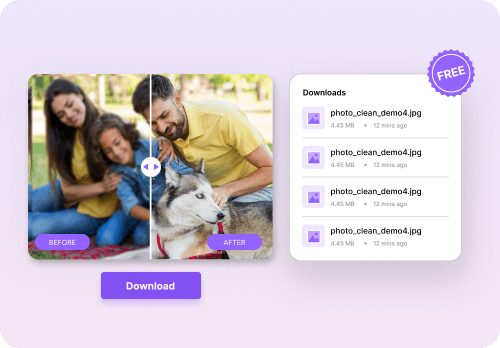
I used a cartoon filter on Fotor that left my selfie a bit blurry, so I ran it through Toolsmart’s Unblur Image. Bam! It sharpened the details and kept the cartoon vibe perfect in seconds. It’s so easy, but I wished it could handle multiple pics at once.
Part 4: FAQs
Q1: Is Fotor Funny Face Filter totally free?
Yup, most features are free, but you might need to sign in for some fancy filters.
Q2: Does Face Effects, Filters & Emojis work on Android?
Nope, it’s iOS-only for now, so Android users are out of luck.
Q3: How does Toolsmart Unblur Image improve a filtered photo?
Its AI sharpens blurry spots and boosts details while keeping your filter’s look intact, making selfies pop.
Q4: Can I use these tools offline?
Face Effects works offline once installed, but Fotor, YouCam, and Toolsmart need an internet connection.
Summary
Face filters are a blast for spicing up selfies, and free tools like Fotor Funny Face Filter, YouCam Funny Face Filters, and Face Effects, Filters & Emojis make it easy to add fun or beauty effects. Fotor’s great for browser-based edits, YouCam offers cool seasonal filters, and Face Effects is perfect for iOS users wanting real-time fun. If your filtered photos turn out blurry, Toolsmart’s Free Unblur Image is a total game-changer, using AI to sharpen details and keep your pics crisp without watermarks or signup. Whether you’re jazzing up selfies for social media or just having fun, these tools keep your photos sharp and your vibe on point!


