
'%3e%3cpath%20fill-rule='evenodd'%20clip-rule='evenodd'%20d='M19%208.5C24.799%208.5%2029.5%2013.201%2029.5%2019C29.5%2024.6782%2024.9928%2029.3036%2019.361%2029.4939L19%2029.5C18.8794%2029.5%2018.7592%2029.498%2018.6396%2029.4939L18.2811%2029.4758C12.8174%2029.1063%208.5%2024.5574%208.5%2019C8.5%2013.201%2013.201%208.5%2019%208.5ZM22.3063%2010.6267L22.2342%2010.6539C21.3423%2011.0061%2020.5541%2011.6368%2020.5606%2012.4987C20.5631%2012.8302%2020.869%2014.8871%2020.2141%2014.8486C19.5589%2014.8102%2019.413%2013.8753%2018.7116%2013.616C17.5944%2013.2026%2016.9819%2014.3401%2017.0939%2015.3106C17.1695%2015.9655%2018.9289%2018.3871%2017.9028%2019C17.292%2019.3651%2015.7279%2017.5692%2015.1007%2017.1842C14.4805%2016.8034%2013.2758%2017.3333%2012.4974%2016.7029C11.9874%2016.2899%2012.3881%2014.4098%2012.2786%2013.8372C12.2271%2013.5698%2012.1155%2013.3689%2011.9794%2013.2166L12.0402%2013.2934C10.7653%2014.8464%2010%2016.8339%2010%2019C10%2023.8465%2013.8307%2027.7982%2018.6295%2027.9925L18.6769%2027.9747C18.8597%2027.8677%2019.0394%2027.7557%2019.216%2027.6387C19.4137%2027.4534%2019.5436%2027.2072%2019.5849%2026.9394C19.8806%2025.1222%2018.3616%2025.4302%2017.9367%2024.5622C17.5489%2023.7695%2018.5712%2023.7684%2018.5524%2021.7923C18.4607%2021.1774%2018.5279%2020.547%2018.7211%2020.0315C19.1834%2018.7987%2020.7077%2017.2643%2022.5889%2018.0081C23.5567%2018.3906%2023.1524%2019.9831%2023.4737%2020.3394C24.251%2021.2018%2025.3228%2020.6863%2026.2856%2021.2253C26.7816%2021.5032%2026.9797%2022.41%2027.056%2023.2248L27.038%2023.0528C27.6534%2021.8348%2028%2020.4579%2028%2019C28%2015.1968%2025.6409%2011.9445%2022.3063%2010.6267Z'%20fill='%23757575'/%3e%3ccircle%20cx='19'%20cy='19'%20r='10.125'%20stroke='%23757575'%20stroke-width='2.25'/%3e%3c/g%3e%3cdefs%3e%3cclipPath%20id='clip0_1827_14613'%3e%3crect%20width='24'%20height='24'%20fill='white'%20transform='translate(7%207)'/%3e%3c/clipPath%3e%3c/defs%3e%3c/svg%3e)
"I take product photos for my online store and sometimes get text overlaid from previous use. This tool lets me remove text from image quickly — no reshoots needed."
Sarah Jenkins
E-commerce Owner
Clean up photos by removing unwanted text, watermarks, or captions. AI fills the background seamlessly — just upload and erase.
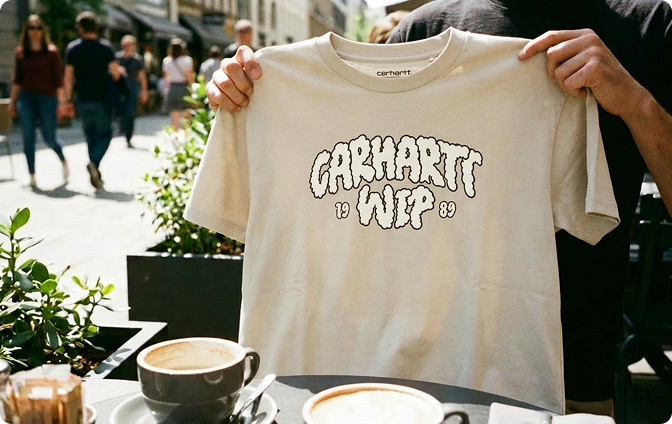 Előtte
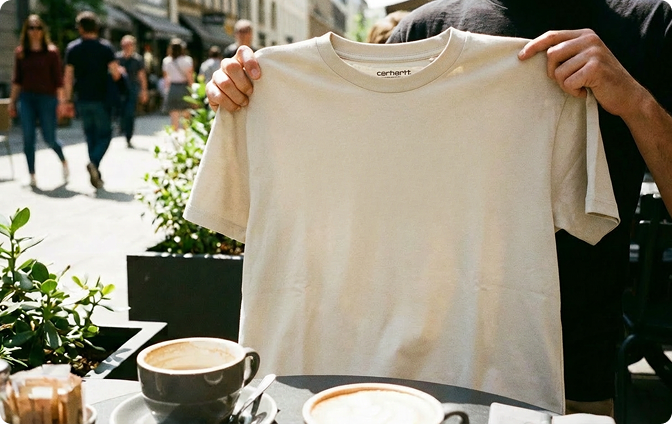 Utána
Utána
vagy húzza ide a képfájlt
 Ingyenes és korlátlanNincs regisztrációIdőmegtakarításNincsenek hirdetések
Select any photo with text you want to remove — screenshots, product images, signs, or memes. Our tool handles JPG, PNG, and more.

Our remove text from image tool automatically identifies text in your photo and erases it — no manual selection needed. The background is intelligently filled to match.

Get your edited image in seconds — text removed, background restored. Perfect for clean product photos, presentations, or personal use.

That caption you don't want? That watermark that shouldn't be there? Our remove text from image tool makes it disappear — and fills the background so it looks natural. No Photoshop skills needed. Just highlight the text and let AI do the rest.
Get StartedRemoving text is only half the job. Our text remover from image then intelligently fills the empty space — matching colors, textures, and patterns so no one can tell text was ever there. Perfect for cleaning up product photos, screenshots, or any image with unwanted words.
Get Started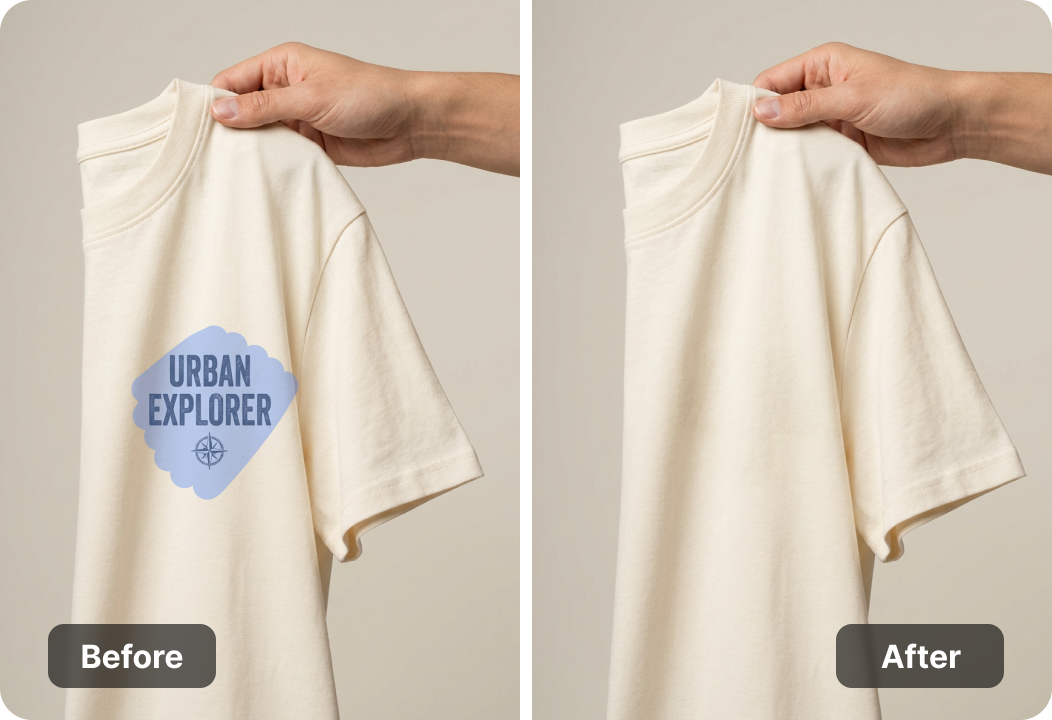
Uploaded images are processed securely and automatically removed from our servers after editing. Your photos stay yours. No accounts, no data storage — just a clean tool that respects your privacy.
Get StartedDesktop, tablet, or phone — our image text remover works in any browser. No installation, just open and start cleaning up images. Ideal for designers, marketers, or anyone who needs to quickly remove text from a photo.
Get Started

PDF fájlok konvertálása szerkeszthető DOC és DOCX dokumentumokká.

Húzza át az adatokat közvetlenül a PDF-fájlokból Excel-táblázatokba.

Alakítsa át PDF fájljait szerkeszthető PPT és PPTX formátumba.

A DOC és DOCX fájlokat könnyen olvashatóvá teheti PDF formátumba konvertálással.

Tegye könnyen olvashatóvá az Excel-táblázatokat PDF-be konvertálással.

A PPT és PPTX fájlokat könnyen olvashatóvá teheti PDF-be konvertálással.

JPG képek konvertálása PDF-be. Könnyedén beállítható a tájolás és a margók.

PDF fájlok egyesítése a kívánt sorrendben.

Egy nagy PDF fájl felosztása és oldalak kinyerése több PDF fájlba.

Csökkentse a fájlméretet, miközben optimalizálja a PDF minőségét.

Írd alá magad, vagy kérj elektronikus aláírást másoktól.

Rendezd a PDF fájlod oldalait tetszés szerint.

"I take product photos for my online store and sometimes get text overlaid from previous use. This tool lets me remove text from image quickly — no reshoots needed."
Sarah Jenkins
E-commerce Owner

"I often need to clean up screenshots for presentations. The text remover from image fills the background so well, you'd never know text was there."
Marcus Chen
Business Analyst

"I edit social media graphics and sometimes need to remove captions from stock images. This image text remover saves me from opening heavy editing software."
Olivia Foster
Graphic Designer

