
'%3e%3cpath%20fill-rule='evenodd'%20clip-rule='evenodd'%20d='M19%208.5C24.799%208.5%2029.5%2013.201%2029.5%2019C29.5%2024.6782%2024.9928%2029.3036%2019.361%2029.4939L19%2029.5C18.8794%2029.5%2018.7592%2029.498%2018.6396%2029.4939L18.2811%2029.4758C12.8174%2029.1063%208.5%2024.5574%208.5%2019C8.5%2013.201%2013.201%208.5%2019%208.5ZM22.3063%2010.6267L22.2342%2010.6539C21.3423%2011.0061%2020.5541%2011.6368%2020.5606%2012.4987C20.5631%2012.8302%2020.869%2014.8871%2020.2141%2014.8486C19.5589%2014.8102%2019.413%2013.8753%2018.7116%2013.616C17.5944%2013.2026%2016.9819%2014.3401%2017.0939%2015.3106C17.1695%2015.9655%2018.9289%2018.3871%2017.9028%2019C17.292%2019.3651%2015.7279%2017.5692%2015.1007%2017.1842C14.4805%2016.8034%2013.2758%2017.3333%2012.4974%2016.7029C11.9874%2016.2899%2012.3881%2014.4098%2012.2786%2013.8372C12.2271%2013.5698%2012.1155%2013.3689%2011.9794%2013.2166L12.0402%2013.2934C10.7653%2014.8464%2010%2016.8339%2010%2019C10%2023.8465%2013.8307%2027.7982%2018.6295%2027.9925L18.6769%2027.9747C18.8597%2027.8677%2019.0394%2027.7557%2019.216%2027.6387C19.4137%2027.4534%2019.5436%2027.2072%2019.5849%2026.9394C19.8806%2025.1222%2018.3616%2025.4302%2017.9367%2024.5622C17.5489%2023.7695%2018.5712%2023.7684%2018.5524%2021.7923C18.4607%2021.1774%2018.5279%2020.547%2018.7211%2020.0315C19.1834%2018.7987%2020.7077%2017.2643%2022.5889%2018.0081C23.5567%2018.3906%2023.1524%2019.9831%2023.4737%2020.3394C24.251%2021.2018%2025.3228%2020.6863%2026.2856%2021.2253C26.7816%2021.5032%2026.9797%2022.41%2027.056%2023.2248L27.038%2023.0528C27.6534%2021.8348%2028%2020.4579%2028%2019C28%2015.1968%2025.6409%2011.9445%2022.3063%2010.6267Z'%20fill='%23757575'/%3e%3ccircle%20cx='19'%20cy='19'%20r='10.125'%20stroke='%23757575'%20stroke-width='2.25'/%3e%3c/g%3e%3cdefs%3e%3cclipPath%20id='clip0_1827_14613'%3e%3crect%20width='24'%20height='24'%20fill='white'%20transform='translate(7%207)'/%3e%3c/clipPath%3e%3c/defs%3e%3c/svg%3e)
"I take product photos for my online store and sometimes get text overlaid from previous use. This tool lets me remove text from image quickly — no reshoots needed."
Sarah Jenkins
E-commerce Owner
Clean up photos by removing unwanted text, watermarks, or captions. AI fills the background seamlessly — just upload and erase.
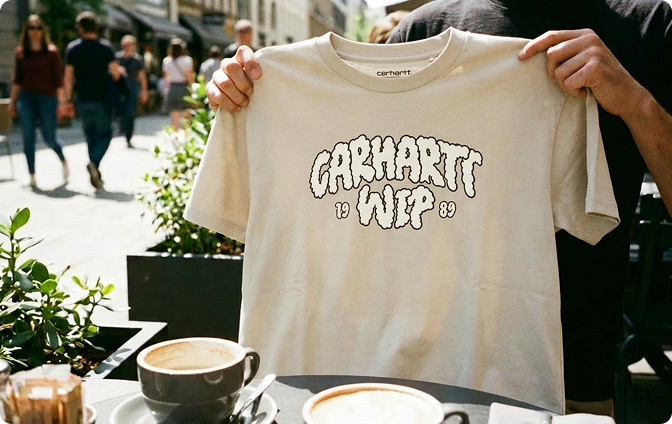 Før
Før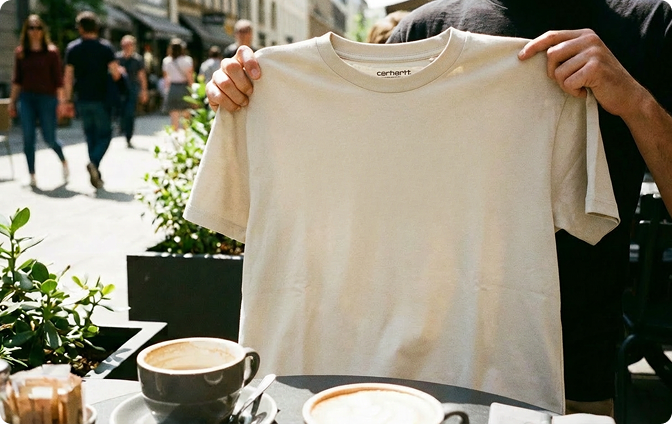 Efter
Efter
eller træk og slip en billedfil
 Gratis og ubegrænsetIngen tilmelding påkrævetSpar tidIngen reklamer
Select any photo with text you want to remove — screenshots, product images, signs, or memes. Our tool handles JPG, PNG, and more.

Our remove text from image tool automatically identifies text in your photo and erases it — no manual selection needed. The background is intelligently filled to match.

Get your edited image in seconds — text removed, background restored. Perfect for clean product photos, presentations, or personal use.

That caption you don't want? That watermark that shouldn't be there? Our remove text from image tool makes it disappear — and fills the background so it looks natural. No Photoshop skills needed. Just highlight the text and let AI do the rest.
Get StartedRemoving text is only half the job. Our text remover from image then intelligently fills the empty space — matching colors, textures, and patterns so no one can tell text was ever there. Perfect for cleaning up product photos, screenshots, or any image with unwanted words.
Get Started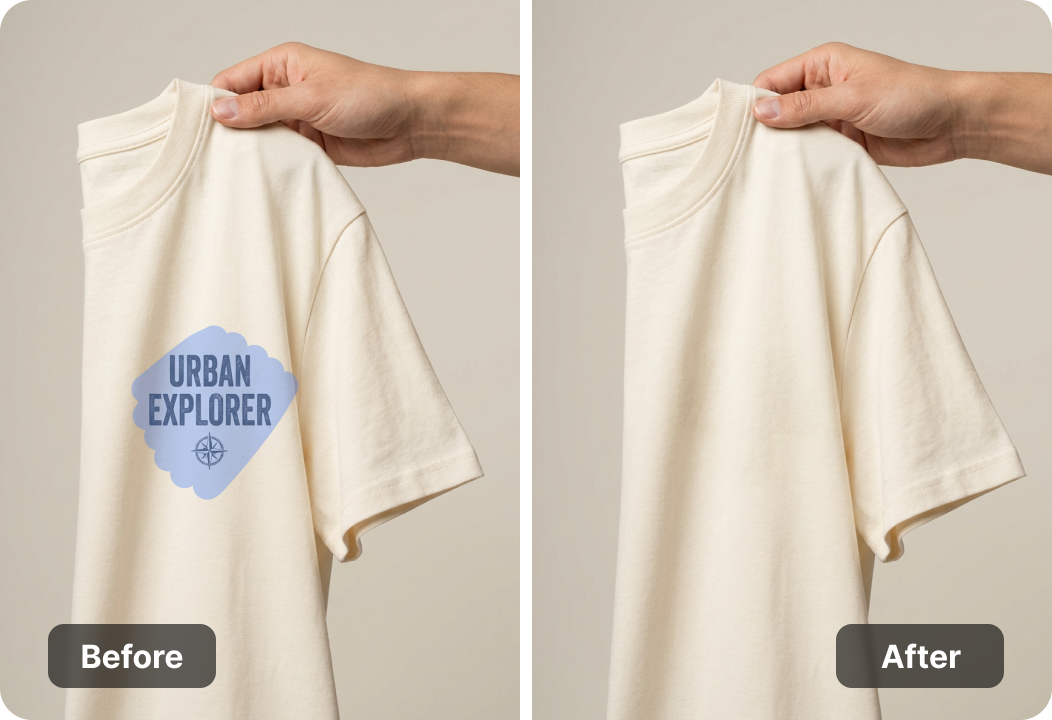
Uploaded images are processed securely and automatically removed from our servers after editing. Your photos stay yours. No accounts, no data storage — just a clean tool that respects your privacy.
Get StartedDesktop, tablet, or phone — our image text remover works in any browser. No installation, just open and start cleaning up images. Ideal for designers, marketers, or anyone who needs to quickly remove text from a photo.
Get Started

Konverter PDF-filer til redigerbare DOC- og DOCX-dokumenter.

Hent data direkte fra PDF'er til Excel-regneark.

Konverter dine PDF-filer til redigerbare PPT- og PPTX-filer.

Gør DOC- og DOCX-filer nemme at læse ved at konvertere dem til PDF.

Gør Excel-regneark nemme at læse ved at konvertere dem til PDF.

Gør PPT og PPTX nemme at læse ved at konvertere dem til PDF.

Konverter JPG-billeder til PDF. Juster nemt retning og margener.

Kombiner PDF'er i den ønskede rækkefølge.

opdele en stor PDF-fil og udtrække sider til flere PDF-filer.

Reducer filstørrelsen, og optimer samtidig for maksimal PDF-kvalitet.

Underskriv selv eller anmod om elektroniske underskrifter fra andre.

Sorter siderne i din PDF-fil, som du vil.

"I take product photos for my online store and sometimes get text overlaid from previous use. This tool lets me remove text from image quickly — no reshoots needed."
Sarah Jenkins
E-commerce Owner

"I often need to clean up screenshots for presentations. The text remover from image fills the background so well, you'd never know text was there."
Marcus Chen
Business Analyst

"I edit social media graphics and sometimes need to remove captions from stock images. This image text remover saves me from opening heavy editing software."
Olivia Foster
Graphic Designer

